
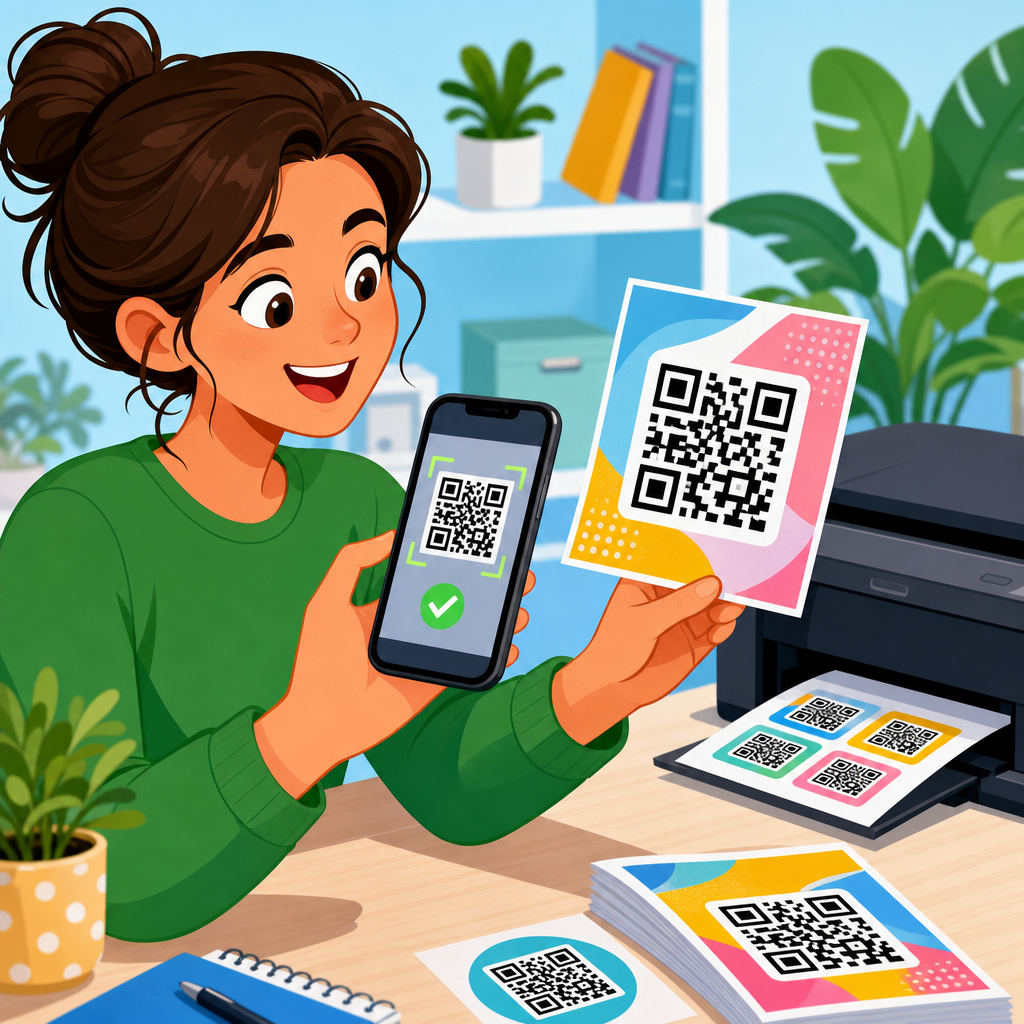
Testing QR codes after printing is the step that separates a successful campaign from wasted labels, broken packaging, and lost conversions. In print, a code that scanned perfectly on a designer’s screen can fail because of ink spread, glare, low contrast, poor placement, or damage during finishing and shipping. QR code testing means verifying that a printed symbol remains readable across real devices, real lighting, real distances, and real user behavior. Quality assurance adds process: documented checks, acceptance thresholds, sample sizes, and corrective actions before a full production run goes live.
I have seen seemingly minor print decisions cause major scanning problems: matte laminate fixed a glossy reflection issue, a larger quiet zone rescued a code placed too close to copy, and changing black to a dark brand color reduced contrast enough to hurt mid-range Android phones. That is why post-print testing matters. It protects response rates, prevents expensive reprints, and supports accessibility for customers who may be scanning while moving, outdoors, or with older cameras. For teams working on packaging, direct mail, retail signage, menus, manuals, and event materials, this page serves as the central guide to QR code testing and quality assurance, connecting design choices, print methods, materials, and scan performance into one practical workflow.
What to Check First on a Printed QR Code
The fastest way to test a printed QR code is to start with a visual and functional baseline. First, confirm the landing destination is correct and loads without redirects, errors, or mobile layout issues. A readable code is still a failed asset if it points to the wrong URL or a page blocked by location, cookies, or app requirements. Next, inspect the printed symbol itself: the quiet zone should be clear on all sides, finder patterns must be unobstructed, and no text, graphics, varnish effect, die cut, fold, perforation, or seam should cross the code area. Then run basic scan tests using at least one iPhone and one Android device at realistic distances.
Print quality checks should focus on module integrity. Modules are the small square elements that encode data. After printing, they should remain distinct, with no filling in, feathering, dropout, or edge distortion. Offset and flexographic processes can introduce dot gain, while thermal transfer and inkjet can create uneven density on textured substrates. Measure the printed size, because a code that shrank during layout adjustment may still look acceptable to the eye while becoming hard to scan. Also evaluate contrast using the actual substrate color, not just the intended ink value. Cream stock, metallic film, transparent labels over dark containers, and kraft paper can all change effective contrast dramatically.
Build a Real-World QR Code Test Protocol
A reliable QA process uses repeatable conditions instead of one casual scan. In production, I recommend a test matrix that covers devices, lighting, distance, angle, and substrate condition. Test with current iPhone and Samsung models, plus at least one mid-tier Android phone with an average camera. Include both native camera apps and, where relevant, the app expected to scan the code, such as a payment, loyalty, or authentication app. Run scans under office light, bright retail light, and daylight. If the product will be used outdoors, test in direct sun and shade. If it will be handled, test after creasing, abrasion, or condensation exposure.
Sampling matters. For short digital runs, inspect the first article and several pieces spread through the batch. For long offset, flexo, or gravure runs, pull samples at startup, after speed changes, after plate or roll adjustments, and at regular intervals. A common mistake is approving only one pristine sample from press. In reality, the worst acceptable sample determines field performance. Record pass or fail results, average time to successful scan, and the distance at which scanning becomes easy versus frustrating. When teams document these observations, recurring defects become obvious, and the same problems are less likely to return in future packaging or label projects.
Device, Distance, and Lighting Variables That Change Scan Performance
People do not scan QR codes under lab conditions, so your tests should mirror normal use. Device differences are significant. Premium phones often recover weak contrast or slight distortion better because they have stronger autofocus, better image processing, and higher dynamic range. Older or budget devices are less forgiving. Distance matters because users usually scan signs from farther away than labels or inserts. As a practical rule, the scanning distance should align with code size and placement; a code on a poster may need to work from several feet away, while a medicine carton may be scanned from eight to twelve inches.
Lighting is one of the biggest hidden variables. Gloss coatings, curved bottles, and shrink sleeves often produce specular highlights that wash out modules. Dark environments can slow focus and increase motion blur. Bright backlighting from windows can reduce effective contrast. I have also seen freezer case doors and menu covers create enough reflection to break otherwise compliant codes. During testing, tilt the item, rotate it, and scan from off-axis positions because users rarely hold packaging perfectly flat. If a code only works when centered under ideal light, it is not ready for deployment. It needs to scan quickly when conditions are merely normal.
| Test Variable | What to Evaluate | Common Failure Mode | Corrective Action |
|---|---|---|---|
| Device type | iPhone, flagship Android, mid-tier Android | Older phones fail first | Increase size, improve contrast, shorten encoded data |
| Lighting | Office, retail, daylight, direct sun | Glare or low-light blur | Use matte finish, reposition code, raise contrast |
| Distance | Expected user scan range | Code too small for real use | Enlarge symbol and preserve quiet zone |
| Angle | Head-on and off-axis scans | Curved or reflective surfaces distort modules | Move to flatter panel or increase print area |
| Substrate wear | Crease, scuff, moisture, abrasion | Damage blocks finder patterns | Relocate code, add protection, increase redundancy |
Print Production Factors That Cause QR Code Failures
Most printed QR code failures trace back to production variables, not the QR format itself. The first is insufficient size for the viewing distance and data density. The more characters encoded, the more modules the symbol needs, and the smaller each module becomes at a fixed print size. That is why short URLs and dynamic QR codes are usually easier to print reliably. The second issue is inadequate quiet zone. ISO/IEC 18004 defines the quiet zone as a clear margin around the symbol, and violating it is one of the fastest ways to reduce scan reliability. Decorative borders and nearby text often intrude without anyone noticing.
Color and material choices also matter. High contrast remains essential; dark code on a light background is safest, while light code on dark background is risky unless tested extensively. Transparent labels create special problems because the final background may be the product, not the label. Foils and metallic inks can reflect light unevenly. On corrugate, woven bags, uncoated stock, and textured paper, module edges may break down or absorb unevenly. Finishing steps can damage performance too. Lamination can add glare, embossing can distort geometry, and shrink application can warp the code around a curve. Every finishing and application step should be included in final testing, not treated as separate from design review.
How to Verify Scan Reliability and Set Pass Standards
Good QA uses explicit pass criteria. A practical standard for consumer-facing print is that the code should scan on the first or second attempt for most testers using common phones under expected conditions. If repeated framing, tapping, or repositioning is required, the code is underperforming even if it technically scans. For regulated, industrial, or traceability applications, stronger verification may be necessary, including formal symbol grading and documented acceptance thresholds. In consumer marketing, speed and ease matter as much as raw readability because a delayed scan causes abandonment.
Use both functional testing and objective inspection. Functional testing means real humans scanning finished pieces. Objective inspection can include measuring symbol size, quiet zone, contrast, and print consistency with calipers, loupe magnification, or machine vision tools. In more controlled environments, verifiers based on ISO/IEC 15415 can grade two-dimensional symbols for print quality characteristics such as modulation, fixed pattern damage, and axial non-uniformity. Those grades are especially useful in manufacturing and healthcare workflows. Still, a verifier grade should not replace real-phone testing. A code can achieve acceptable print metrics and still frustrate users because of placement, glare, or poor landing page behavior.
Testing Dynamic, Branded, and Specialized QR Codes
Not all QR codes behave the same after printing. Dynamic QR codes are often the best choice for print because they encode a short redirect URL, which reduces data density and allows destination updates without reprinting. They also support analytics, making it easier to compare scan performance across locations, print batches, or store formats. During QA, test the full redirect chain, load time, and any campaign parameters. If the redirect relies on geolocation, app deep linking, or device detection, verify those branches across multiple phones and networks. A perfect scan that opens the wrong experience is still a deployment failure.
Branded and customized QR codes require extra caution. Adding a logo, changing eye shapes, using brand colors, or modifying modules can reduce decoding tolerance. The error correction built into QR codes helps, but it is not permission to overdesign. I have found that branded treatments that look subtle on a large monitor can become risky once printed at small sizes on absorbent stock. Payment, login, and authentication use cases deserve even stricter testing because users have less patience and the cost of failure is higher. For those cases, keep styling conservative, avoid inverted color schemes unless proven in testing, and maintain generous quiet zones and symbol size.
Common QA Workflows for Packaging, Labels, Mail, and Signage
Different print applications need different testing workflows. For packaging, test after the package is formed, filled, sealed, and packed into master cases, because seams, corners, and product curvature can change readability. For labels, test after application to the final container, especially on glass, aluminum, squeezable tubes, and shrink sleeves. For direct mail, evaluate how folds, varnish, and variable data printing affect the code and whether the mail piece still scans under household lighting. For retail signage and menus, prioritize scan distance, angle, and glare from frames, acrylic holders, or laminated surfaces.
A strong hub workflow usually follows six stages: prepress review, press proof approval, first-article scan testing, in-run sampling, post-finishing verification, and field validation. Prepress catches avoidable errors such as tiny codes, crowded layouts, or long URLs. Press proof approval confirms ink, contrast, and registration on the actual substrate. First-article tests expose early production issues before the run scales. In-run sampling guards against drift. Post-finishing verification checks the final sellable form. Field validation means scanning items in the store, warehouse, clinic, restaurant, or event setting where customers will actually use them. That final step often reveals reflections, placement conflicts, or environmental conditions that never appeared on the production floor.
Tools, Documentation, and Continuous Improvement
The best QA teams treat QR code testing as a documented process, not tribal knowledge. Use a checklist that records symbol size, encoded destination, substrate, ink set, finish, device list, lighting conditions, sample count, and pass results. Store approved artwork versions and note any exceptions, such as minimum print width or prohibited finishes. Common tools include URL shorteners or dynamic QR platforms, smartphone device farms for broader testing, color measurement tools, loupe inspection, and industrial verifiers for formal grading. Analytics platforms can then connect print QA to actual scan rates, helping teams prove which design and production choices improve performance.
Continuous improvement comes from comparing lab findings with field data. If one label line shows lower scan rates, check whether a darker varnish, smaller panel, or different applicator placement is involved. If one store format underperforms, look at lighting and viewing angle. When failures happen, run root-cause analysis rather than guessing. Was the quiet zone compromised, did a redirect break, did shrink distortion increase, or did low contrast affect older phones first? Over time, these learnings become internal standards that shorten approvals and reduce risk. Review your current QR code testing checklist, add measurable pass criteria, and validate every printed code in the form customers actually touch.
Frequently Asked Questions
Why is it important to test QR codes after printing instead of only checking the digital file?
Testing a QR code after printing is essential because print introduces real-world variables that do not appear in a digital proof. A code that works perfectly on a monitor can become difficult or impossible to scan once it is placed on paper, cardboard, plastic, metalized packaging, labels, or curved surfaces. Ink gain can thicken the modules, low-quality printing can blur edges, glossy coatings can create glare, and poor contrast can make the code harder for cameras to detect. Even finishing processes such as lamination, varnish, folding, sealing, or trimming can interfere with readability.
Post-print testing also reflects how people actually scan. End users are not standing in ideal lighting with the latest phone held perfectly still. They may scan in a store aisle, under warehouse lighting, outdoors in bright sun, or in low light at home. They may be using older devices, cracked screens, slow autofocus, or scanning from awkward angles. A proper printed QR test confirms that the code remains readable in realistic conditions, not just in a controlled design environment.
From a business perspective, this step protects campaigns, packaging runs, and customer experience. If a printed QR code fails, the cost is rarely limited to the symbol itself. It can mean wasted labels, reprints, delayed shipments, broken promotions, missed attribution, and lost conversions. That is why testing after printing should be treated as a quality assurance checkpoint, not an optional final glance.
What is the best way to test QR codes after printing in real-world conditions?
The most effective approach is to test printed QR codes the way actual users will encounter them. Start by scanning samples from the production run, not just a printer proof or a single office print. Use multiple smartphones and tablets if possible, including both iPhone and Android devices, newer and older camera systems, and different QR scanning apps if the code is not being read natively by the camera. This helps reveal compatibility problems that may not show up on one device alone.
Next, test across different environments. Scan the code under bright indoor lighting, dim lighting, natural daylight, and where relevant, direct sunlight. If the code appears on reflective packaging or glossy labels, tilt the item and test whether glare blocks detection. If the code will be scanned at shelf level, on a shipping box, or on a poster, test from the expected viewing angle and distance. For small package labels, scan from close range. For larger signs or displays, confirm that the code can be read from the intended user position without requiring awkward movement or zooming.
You should also test edge cases. Try slightly crumpled labels, curved containers, folded cartons, or packaging that has gone through sealing and distribution handling. If the code is near seams, corners, perforations, or tamper areas, verify that those physical constraints do not interfere with the quiet zone or symbol shape. Finally, document the result of each test: device used, lighting condition, print version, material, and whether the code scanned immediately or required multiple attempts. That documentation turns one-time testing into a repeatable QA process and makes future print runs more reliable.
What are the most common reasons a printed QR code fails to scan?
Several issues cause printed QR codes to fail, and most of them come down to print quality, design decisions, or placement. One of the most common problems is insufficient contrast. Dark modules on a light background generally work best, while low-contrast combinations such as gray on silver, pastel on white, or dark colors on transparent materials can reduce readability. Another frequent issue is size. If the QR code is too small for the scanning distance or camera quality, users may struggle to lock focus and decode the symbol quickly.
Print distortion is another major cause. Ink spread, low-resolution printing, dot gain, and poor registration can alter the sharp geometry of the code. QR codes depend on clean, well-defined modules and finder patterns. If those details become muddy or uneven, scanners may fail. Damage during production or shipping can also matter. Scratches, wrinkles, folds, tears, scuffs, and abrasion can interrupt the symbol enough to affect performance, especially if the damage occurs in key areas.
Placement problems are equally important. A code positioned too close to package edges, wrapped around a curve, placed over a seam, or crowded by text and graphics can be harder to detect. The quiet zone, which is the empty margin around the QR code, must remain clear. Without enough space around the symbol, many scanners struggle to recognize where the code begins and ends. Reflective finishes, transparent substrates, and textured materials can add further complications. In practice, scan failure is usually not caused by one dramatic mistake but by a combination of small issues that make scanning less forgiving in the real world.
How many devices, samples, and conditions should be included in a QR code print test?
There is no single universal number, but a good testing plan should include enough variety to reflect actual use. At minimum, test multiple printed samples from the same run and, if relevant, from different positions in the run. Variations can occur across a batch because of printer calibration drift, ink levels, material changes, or finishing inconsistencies. Checking only one label or one carton is not enough if thousands or millions will be produced.
For devices, use a mix of operating systems, camera qualities, and age ranges. Ideally, include at least one current iPhone, one recent Android device, and one older phone with a less capable camera. If your audience is broad, add more variation. Some businesses also test with both native camera scanning and third-party scanning apps to identify differences in decoding behavior. The goal is not perfect statistical certainty but practical confidence that the code works across the kinds of devices your customers are likely to use.
Conditions matter just as much as devices. Test under at least several lighting environments, from bright and even to dim and imperfect. Test at the expected scan distance, at realistic angles, and on the final material and finished product. If the QR code appears on multiple SKUs, package sizes, or label formats, test each version. If the print will be exposed to moisture, abrasion, freezing, heat, or transport wear, include those conditions in QA. A strong rule is simple: if a variable can affect readability in the field, it should be represented in testing before full release.
What should be included in a QR code quality assurance checklist after printing?
A solid post-print QR code QA checklist should cover both technical readability and real-world usability. Start with the basics: confirm that the code scans consistently, resolves to the correct destination, and does so without delay. Verify that the destination URL, redirect logic, campaign parameters, and mobile landing page all function correctly. A QR code that scans but leads to a broken page or the wrong campaign is still a failed implementation.
Next, inspect the physical print quality. Check size, contrast, sharpness, quiet zone, alignment, and placement on the final product. Make sure no design elements, folds, perforations, cut lines, or seals interfere with the symbol. Review the finish as well. Gloss, foil, embossing, shrink wrap, and transparent overlays can all affect scan reliability. If variable data or serialized codes are being used, confirm that each version is both unique and readable, not just a sample from the batch.
Your checklist should also include multi-device and multi-environment testing, with results documented clearly. Record which devices were used, what lighting conditions were tested, whether the code scanned on the first attempt, and any failures or inconsistencies observed. Include approval criteria, such as acceptable scan time, minimum pass rate, and who signs off before production release. Finally, treat QA as a process, not a one-time event. Keep records from each job so recurring issues can be traced back to artwork, substrate, printer settings, or finishing methods. That level of documentation helps teams prevent repeat problems and maintain reliable QR performance across future print campaigns.





