
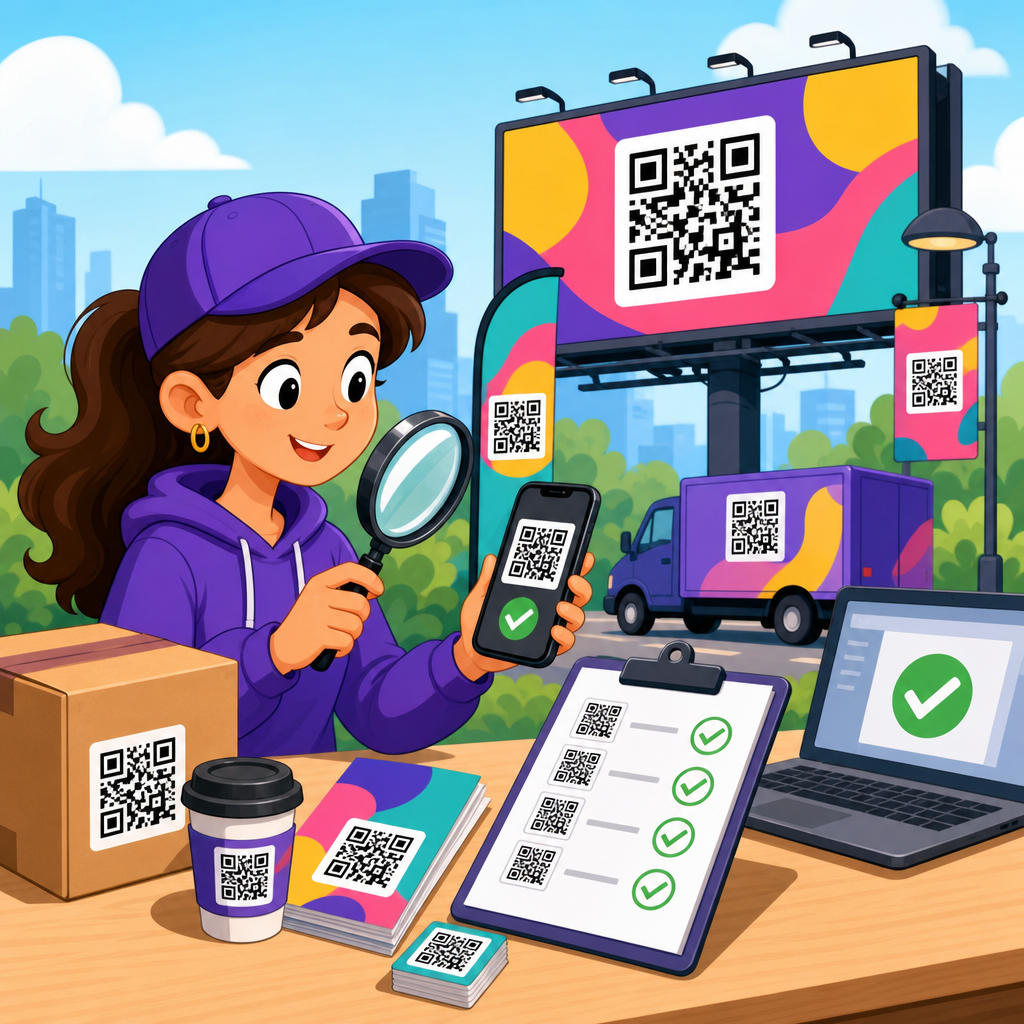
How to QA QR codes for large campaigns starts with a simple truth: a code that scans perfectly on your screen can still fail in the field. I have seen beautifully designed print runs underperform because of low contrast, aggressive logo placement, poor quiet zones, or redirects that broke after launch. In large campaigns, quality assurance means verifying that every QR code works across devices, lighting conditions, print methods, surfaces, and destinations before customers ever see it.
QR code testing and quality assurance is the disciplined process of checking scannability, data accuracy, durability, placement, analytics, and post-launch reliability. For marketers, packaging teams, retail operations, and print buyers, this matters because a failed code is not a small defect. It interrupts conversion, wastes media spend, undermines trust, and makes attribution unreliable. When thousands of labels, mailers, posters, shelf talkers, or product boxes carry a QR code, small errors multiply into expensive operational problems.
This hub article explains the complete QA process for QR code testing at campaign scale. It defines what to test, how to build a repeatable approval workflow, which tools and standards to use, and where teams most often miss defects. It also points toward the related practices that support strong results across QR code design, printing, and materials, from substrate selection and finishing effects to placement rules and scan analytics. If your goal is dependable performance in real environments, QA is the control system that protects the campaign.
What QR code quality assurance includes
QR code quality assurance covers far more than confirming that a code opens a URL once. In practice, I break QA into six categories: symbol integrity, destination accuracy, print performance, environmental usability, tracking readiness, and operational governance. Symbol integrity means checking error correction level, module clarity, quiet zone, version size, and whether stylistic customization has reduced tolerance. Destination accuracy means validating landing pages, redirects, UTM parameters, app deep links, localization, and fallback behavior. Print performance addresses production variables such as dot gain, ink spread, substrate absorbency, lamination glare, curvature, and minimum physical size.
Environmental usability asks whether the code scans under the conditions where people actually encounter it: low light in bars, bright reflections on windows, moving foot traffic in transit, wrinkled flexible packaging, or cold-chain labels with condensation. Tracking readiness checks analytics events, campaign naming conventions, redirect logs, and whether privacy or consent requirements affect data capture. Operational governance is the often ignored layer that matters most in large campaigns: version control, approvals, sample retention, printer proofs, batch audits, and a documented sign-off process.
A useful rule is this: if a QR code appears in more than one channel or more than one production batch, treat it like a product component, not a decorative asset. That means assigning an owner, maintaining a specification sheet, and using test criteria that are measurable. Teams that skip this usually rely on ad hoc phone scans at the last minute. That approach misses edge cases and creates launch risk.
Build a QA workflow before design and printing begin
The best QR code testing starts before the code is generated. For large campaigns, establish requirements up front: the destination type, whether the code will be static or dynamic, expected viewing distance, likely lighting, print process, material, and minimum scan success threshold. I recommend documenting these in a one-page brief shared by marketing, design, production, and web teams. When everyone works from the same specification, fewer defects are introduced downstream.
Next, define acceptance criteria. A practical example is requiring successful scans on current iPhone and Android devices, on both native camera apps and one dedicated scanning app, at intended viewing distance, under standard indoor lighting and one adverse condition relevant to the campaign. Add explicit standards for contrast, quiet zone, and minimum printed dimensions. If the campaign uses vanity styling, require comparative testing against a plain black-and-white control version. That control scan rate tells you how much the styling costs in usability.
Approval gates should match production stages: digital proof, hard proof, press check or initial production sample, and retained archive sample. For packaging or point-of-sale campaigns, keep a golden sample from each run. If failures emerge later, that sample helps isolate whether the problem came from design, data, printing, or handling. This structured workflow is what turns QR code quality assurance from a subjective design review into a repeatable operational process.
Test the symbol itself: size, contrast, quiet zone, and error correction
Most scan failures trace back to a small set of symbol-level issues. The quiet zone, the blank margin around the code, should remain clear on all sides; when designers crowd it with copy, borders, or background graphics, camera detection suffers. Contrast should be high, with dark modules on a light background whenever possible. Reversed codes can work, but they are less forgiving. Metallic inks, gradients, translucency, embossing, and gloss coatings all reduce detection reliability if not tested on the actual substrate.
Size must match context. A code on a direct mail piece can be smaller than one on in-store signage because the viewing distance is shorter. In production, I use distance-to-size logic rather than arbitrary dimensions: as viewing distance increases, module size must increase enough for cameras to resolve edges quickly. Overly dense codes are another risk. If you encode long URLs directly, the symbol version rises, modules become smaller, and print tolerance shrinks. Dynamic short URLs reduce density and are usually the better choice for large campaigns.
Error correction matters, but it is not a license for aggressive branding. Higher levels such as Q or H help recover from damage or logo intrusion, yet they also increase symbol density. The right choice depends on print quality, expected wear, and the degree of customization. For heavily branded consumer packaging, I often test multiple variants side by side and reject any design that requires users to align perfectly or rescan repeatedly. A QR code should feel effortless.
Validate destinations, redirects, analytics, and governance
A scannable code that opens the wrong page is still a failed code. Destination QA starts with the full redirect chain. Confirm that the short link resolves correctly, uses HTTPS, loads quickly, and preserves campaign parameters. If the code supports device-specific behavior, test iOS and Android separately and verify fallback paths when an app is not installed. For multilingual campaigns, confirm geolocation or language routing and make sure every branch lands on a valid page.
Analytics QA should confirm that every scan can be interpreted correctly later. That means standardizing UTM naming, campaign IDs, and source labels before codes are generated. I have seen teams produce several visually identical codes with inconsistent parameter strings, making performance reports impossible to reconcile. Build a master spreadsheet or database that maps each code to its destination, owner, placement, production batch, and launch date. Without this inventory, troubleshooting at scale becomes guesswork.
Governance also includes link lifespan and change control. Dynamic QR platforms such as Bitly, QR Code Generator Pro, or enterprise campaign tools are useful because they allow destination updates, but that flexibility needs permissions and logging. Lock down who can edit destinations after approval. Keep a redirect audit trail. If a promotion expires, route scans to a live evergreen page rather than a dead end. Large campaigns often outlive their original landing pages, and post-launch stewardship is a core part of QA, not an afterthought.
Field test across devices, materials, and real environments
Lab checks are necessary, but field testing catches the failures that matter. For every major campaign, test on actual production samples in the environments where people will scan. I have run scans on corrugated shippers under warehouse lighting, on refrigerated labels with surface moisture, on storefront decals with afternoon glare, and on event signage viewed while people were walking. These conditions reveal issues that never appear in digital proofs.
Device diversity is important because camera hardware and image processing differ. Test recent iPhone and Android models, but include at least one older mid-range phone with a weaker camera. Native camera apps are the baseline because most consumers use them. If a code only scans reliably with a specialist app, it is not ready. Also test both portrait and landscape handling, autofocus behavior at close range, and first-scan success rather than eventual success after repeated attempts. In consumer contexts, friction kills response.
Materials and finishing deserve specific attention within the broader QR code design, printing, and materials workflow. Uncoated stocks can soften edges through ink absorption. Gloss varnishes and laminates create reflections. Flexible films wrinkle. Curved bottles distort geometry. Textile hangtags bend. Each substrate changes scan behavior, so quality assurance must include actual printed samples, not only PDFs or on-screen mockups.
| QA factor | What to check | Common failure | Best practice |
|---|---|---|---|
| Quiet zone | Clear margin on all sides | Text or graphics crowd edges | Preserve uninterrupted white space |
| Contrast | Dark modules against light background | Low-contrast brand colors | Test printed samples under varied light |
| Size | Readable at intended scan distance | Code too small for signage | Scale by viewing distance and density |
| Material | Substrate, coating, curvature, moisture | Glare, warping, softened edges | Test final production material |
| Destination | Redirect, page load, tracking | Broken links or bad UTMs | Use a controlled link inventory |
Use standards, tools, and sampling methods that scale
For formal print verification, ISO/IEC 15415 is the recognized standard for measuring two-dimensional symbol print quality, and many converters or specialist labs can grade QR codes using verifier equipment. In high-volume packaging, medical labeling, or regulated manufacturing, verifier grades provide objective evidence that a symbol meets defined quality thresholds. Consumer marketing teams do not always need laboratory grading, but understanding these standards helps when discussing tolerances with printers and suppliers.
Tool choice depends on campaign risk. At minimum, use multiple phones, production proofs, and a link crawler to verify destinations. For larger programs, add spreadsheet-based asset control, automated URL testing, analytics validation, and retained sample logs. If codes are printed in many batches, use statistical sampling rather than checking only one sample per run. Pull samples from the start, middle, and end of a print batch because print drift can affect edge sharpness and contrast over time.
Escalation criteria should be explicit. For example, if any batch shows repeated first-scan failure on one mainstream device, stop release and investigate. If reflective finishing drops scan reliability in field tests, revise the finishing spec or move the code to a matte area. If analytics parameters differ from the naming convention, regenerate before approval. This discipline is what makes a hub-level QR code testing and quality assurance program dependable across mail, retail, packaging, out-of-home, and events.
Common campaign failures and how to prevent them
The most common large-campaign failure is assuming one successful test scan means the job is done. It is not. Another frequent issue is using artwork exported from design software without checking final rasterization or vector integrity at print size. I have also seen teams place codes too close to folds, seams, bottle shoulders, perforations, or package edges where distortion is unavoidable. On the digital side, expired landing pages, mistyped UTM strings, and last-minute redirect edits create silent failures that go unnoticed until scans drop.
Prevention depends on systematizing checks. Keep a QR specification template for every campaign. Require a control code, production proof scans, field scans, and destination validation. Maintain a source-of-truth inventory. Train designers that decoration is secondary to function. Train printers and fabricators to flag risky finishes or placements early. Most importantly, monitor scans immediately after launch. The first 24 to 72 hours often reveal issues that slipped through prepress, installation, or deployment.
As the hub for this subtopic, this guide connects the full practice of QR code testing and quality assurance: symbol design checks, print verification, material-specific testing, destination validation, analytics setup, and post-launch monitoring. When these steps are built into campaign operations, QR codes become reliable conversion tools rather than hidden points of failure. Use this framework to audit your current process, tighten weak spots, and make every printed or displayed code easier to scan, easier to track, and far less likely to fail when scale raises the stakes.
Frequently Asked Questions
What should be included in a QA checklist for QR codes in large campaigns?
A strong QA checklist for QR codes should cover much more than whether the code scans once in ideal conditions. For large campaigns, the checklist needs to verify scannability, design integrity, print performance, destination behavior, and post-launch reliability. Start with the code itself: confirm the encoded URL is correct, uses the preferred protocol, and does not contain typos, broken parameters, or unwanted redirects. Then review the visual structure of the QR code, including contrast, module clarity, quiet zone spacing, and any logo or branding treatment that may interfere with readability.
From there, test the code in the environments where customers will actually encounter it. That means checking scan performance across multiple smartphone models, camera qualities, operating systems, and native camera apps. A code that works on one recent iPhone may struggle on an older Android under dim lighting. QA should also account for distance, placement height, angle, motion, glare, and the material the code is printed on, such as matte paper, glossy packaging, corrugated cardboard, fabric, labels, or outdoor signage.
Your checklist should also include destination testing. Make sure the landing page loads quickly, is mobile-friendly, and behaves correctly across browsers and devices. If the campaign uses dynamic QR codes, confirm the redirect rules are accurate and resilient. Test every tracking parameter, analytics integration, and attribution setup before launch. Finally, document approval samples, version control, print proofs, and sign-off responsibilities. In large campaigns, consistency matters as much as functionality, so the best checklist is one that can be repeated across every market, format, and production batch.
Why do QR codes fail in the field even when they scan fine during internal testing?
This is one of the most common and expensive problems in campaign execution. A QR code often passes internal testing because it is evaluated in controlled conditions: on a bright monitor, at a comfortable angle, with a high-end phone, by someone who already knows what to expect. Real-world conditions are much less forgiving. Customers scan in poor lighting, while moving, from awkward distances, through reflective packaging, or with older devices and slower networks. A code that appears technically valid can still perform badly once exposed to those variables.
Design choices are a major source of field failure. Low contrast between the foreground and background can make it difficult for cameras to distinguish the code pattern. Overly stylized modules, heavy logo placement, or trimming the quiet zone too tightly can reduce error tolerance. Even a beautiful code can become unreliable if brand guidelines are pushed too far. Print production introduces another layer of risk. Ink spread, low-resolution output, substrate texture, lamination, color shifts, and scaling issues can all distort the code enough to affect scanning.
There is also the destination layer to consider. Sometimes the QR code itself scans correctly, but the campaign still fails because the redirect is broken, the landing page is blocked, the mobile experience is slow, or tracking links were changed after approval. In large campaigns, these failures compound quickly because the same issue can be replicated across thousands of printed assets. That is why field QA is essential. The goal is not to prove the QR code can work once; it is to prove it keeps working under realistic customer conditions at scale.
How do you test QR codes across different devices, lighting conditions, and print formats?
Effective testing should simulate real use, not just ideal use. Start by building a device matrix that includes different operating systems, phone brands, screen and camera qualities, and at least a mix of newer and older devices. Use native camera apps where possible, since that reflects how most users scan codes today, but also test with common third-party scanning apps if the audience is likely to use them. Record whether the code is detected instantly, whether the camera struggles to focus, and whether the destination opens smoothly.
Next, vary the physical conditions. Test under bright indoor lighting, low light, direct sunlight, and mixed lighting. Evaluate codes on flat surfaces and curved surfaces, especially if they will appear on bottles, cans, tubes, or wrapped packaging. Check for glare on glossy materials and reduced readability on textured or porous substrates. Test scanning from different distances and angles based on actual placement. A QR code on a countertop display has different usability requirements than one on a billboard, mailer, shelf talker, or transit poster.
Print testing is especially important. Never rely solely on digital proofs. Produce physical samples using the actual print process, size, stock, and finishing method planned for the campaign. Verify the final printed dimensions are large enough for expected scan distance and that no trimming, folding, seams, or artwork overlays compromise the code. If the campaign spans multiple vendors or regions, compare output from each printer because minor production differences can affect performance. The best QA process combines structured lab-style testing with real-world spot checks, giving you confidence that the QR code works consistently across the full range of customer scenarios.
What design mistakes most often reduce QR code scan rates in large campaigns?
The biggest design mistake is prioritizing appearance over function. QR codes can be branded successfully, but every customization reduces tolerance if it is not handled carefully. Low contrast is one of the most common offenders. Light gray on white, metallic inks, pastel combinations, or transparent overlays may look refined, but they often weaken detection. In most cases, dark code elements on a light, solid background remain the safest choice. Another frequent issue is shrinking or removing the quiet zone, which is the clear space around the code that helps scanners identify its boundaries.
Logo treatment is another area where campaigns get into trouble. A small, well-placed logo can work if the QR code has sufficient error correction and the design is tested properly, but large center logos, decorative frames, or shapes that obscure key patterns can make the code unreliable. Similar problems happen when designers round modules too aggressively, apply gradients, embed the code over busy backgrounds, or place it on folds, corners, or curved surfaces without adjusting size and placement. These choices may not break the code completely, but they can slow scanning enough to reduce customer engagement.
Scale and placement also matter. A code may be technically scannable but still underperform if it is too small for its viewing distance, placed where users cannot comfortably reach it, or surrounded by clutter that distracts from the call to action. Large campaigns should treat QR codes as functional interaction points, not decorative add-ons. The most reliable approach is to keep the design clean, maintain strong contrast, preserve generous quiet zones, size for context, and validate every branded variation through real print and device testing before approving production.
Should large campaigns use static or dynamic QR codes, and how does that affect QA?
For most large campaigns, dynamic QR codes are the better choice because they provide flexibility, tracking, and the ability to update destinations without reprinting materials. If a URL changes, a landing page needs to be swapped, or campaign routing needs to be adjusted by region or date, a dynamic code allows those changes behind the scenes. That flexibility is extremely valuable at scale, especially when assets have long production timelines or wide distribution. Dynamic QR codes also make it easier to measure scans, segment performance, and troubleshoot underperforming placements.
However, dynamic codes add more QA responsibility, not less. In addition to testing scan performance, you must validate the redirect infrastructure, analytics configuration, UTM parameters, fallback behavior, load times, and domain trust. Every redirect hop introduces potential friction or failure, so QA should confirm that links resolve quickly and consistently across devices, networks, and geographies. You also need governance around who can edit destinations after launch, because unauthorized or accidental changes can break a live campaign even if the printed QR code itself is perfect.
Static QR codes can still make sense for simple, permanent destinations where no edits or tracking changes are expected. They remove redirect dependence and are often easier to manage for evergreen use cases. But for large promotional programs, retail rollouts, packaging campaigns, and multi-market activations, dynamic codes usually offer the control and visibility teams need. The key is to QA the entire journey, not just the symbol. Whether the code is static or dynamic, the real standard is the same: it must scan quickly, reach the correct destination, and continue working reliably throughout the life of the campaign.





