
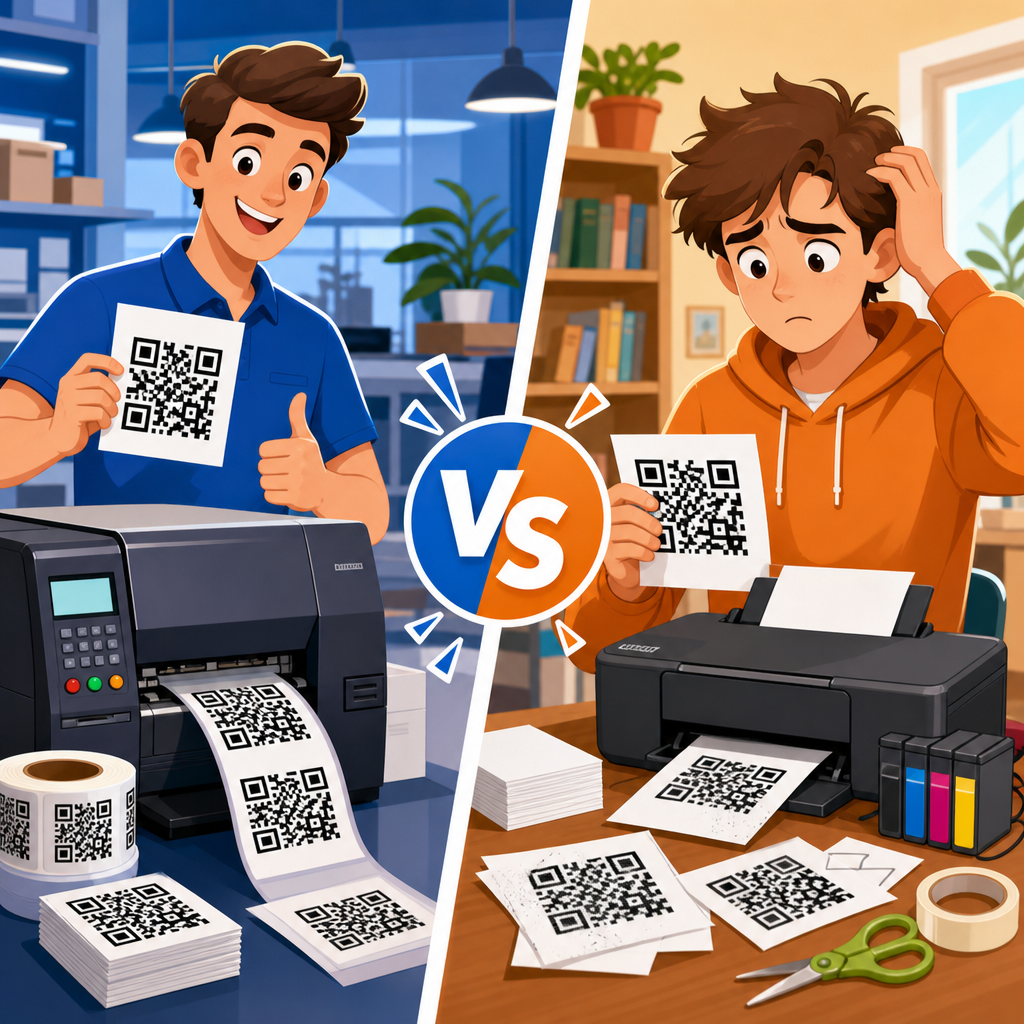
Professional vs DIY QR code printing is not just a budget decision; it affects scan reliability, brand presentation, durability, and the success of the campaign attached to the code. In practice, printing QR codes means translating a digital matrix of modules, quiet zones, and error correction into a physical object that can still be read by smartphone cameras under real lighting, distance, and wear conditions. I have seen beautifully designed codes fail because they were printed too small on textured stock, and plain black codes outperform expensive creative versions because the production method was right. For businesses, event teams, restaurants, manufacturers, and marketers, the question is simple: when should you print QR codes yourself, and when should you hire a professional printer? The answer depends on run size, substrate, placement, testing, and risk tolerance. A useful hub on printing QR codes must explain the technical standards behind reliable scans, compare professional and DIY workflows, and show where each approach saves money or creates hidden costs. This guide covers the practical tradeoffs so you can choose the right printing method with confidence and avoid expensive reprints later.
What Printing QR Codes Actually Requires
Printing QR codes successfully starts with understanding what a scanner needs. A QR code is made of square modules arranged in a grid, surrounded by a blank quiet zone that separates the symbol from nearby graphics. ISO/IEC 18004 defines the symbology, but in production the key concerns are simpler: enough contrast, sufficient size, clean edges, proper quiet zone, and a material and finish that do not interfere with camera capture. Most scan failures I troubleshoot come from violating one of those basics rather than from the code generator itself.
Size is the first production variable. A practical rule used across print shops is that the scanning distance should be roughly ten times the code width. A code intended to be scanned from 20 inches away should be about 2 inches wide, though modern phones can sometimes read smaller symbols in ideal conditions. The problem is that real conditions are rarely ideal. Glare from lamination, low light in restaurants, motion on packaging lines, and curved surfaces on bottles all reduce tolerance. That is why professional printers ask about viewing distance, mounting surface, and environment before recommending size.
Resolution and file format also matter. Vector files such as SVG, EPS, or PDF preserve crisp module edges at any size and are preferable for commercial printing. Raster files like PNG can work for desktop printing, but low-resolution exports often introduce soft edges that reduce readability. I advise teams to generate the code once, archive the vector original, and only create raster versions for specific uses. This single habit prevents many avoidable quality problems when a campaign expands from flyers to posters, labels, and packaging.
Error correction is often misunderstood. QR codes support four levels: L, M, Q, and H. Higher error correction allows more damage or obstruction, but it also increases module density, which can make small printed codes harder to scan. For a clean black-and-white code on a flat paper menu, moderate error correction is usually enough. For outdoor decals, product labels that may scuff, or branded codes with a logo overlay, higher levels can be justified. There is no universally best setting; the right choice depends on print size and expected wear.
When DIY QR Code Printing Makes Sense
DIY QR code printing works well when the job is small, the stakes are limited, and you control the environment. Common examples include internal office signage, temporary event badges, classroom materials, table tents for a short promotion, and prototype packaging. If you have a reliable laser printer, decent paper stock, and time to test with multiple phones, do-it-yourself production can be efficient and economical. It also offers speed. A restaurant changing its lunch menu today can print fresh table inserts in an hour instead of waiting for a vendor turnaround.
The strongest case for DIY is low-volume iteration. Early in a campaign, teams often need to validate destination URLs, compare placement options, or test whether users actually scan. Printing fifty inserts on a desktop device is far cheaper than ordering offset runs before the concept is proven. I have used this approach for trade-show booths, where we first tested scan rates on letter-size signs produced in-house, then upgraded to professionally printed panels only after seeing enough traffic.
DIY also fits variable operational needs. Warehouses often print location labels, asset tags, and workflow codes on demand using thermal transfer or office laser equipment. In these cases, consistency matters more than visual flair, and the production team can quickly replace damaged labels. For simple black-on-white symbols at adequate size, desktop equipment can produce perfectly scannable results. The key is discipline: use standard layouts, maintain a generous quiet zone, avoid ink-saving modes, and inspect output regularly for streaking or toner scatter.
However, DIY has hard limits. Consumer inkjet printers can bleed on uncoated paper, desktop cutters can trim into the quiet zone, and glossy home laminates introduce reflections that phones dislike. Color management is another hidden issue. What looks like strong contrast on a screen may print as dark blue on charcoal gray, reducing readability. Small businesses sometimes discover this only after placing hundreds of postcards. DIY is best when reprinting is cheap, deployment is local, and failure does not create serious operational or brand damage.
When Professional QR Code Printing Is the Better Choice
Professional QR code printing becomes the better option when quality, consistency, durability, or scale matter. Commercial printers bring calibrated presses, substrate expertise, finishing controls, and prepress review that desktop setups cannot match. That matters for direct mail, retail packaging, window decals, product tags, menu systems used daily, construction signage, museum graphics, and any campaign where thousands of impressions depend on the code scanning instantly. In these cases, one failed code can waste media spend or break a customer journey.
Durability is a major advantage. Professional vendors can recommend UV-resistant inks, weatherproof vinyl, abrasion-resistant laminates, freezer-grade adhesives, and synthetic stocks for industrial settings. A QR code on an indoor flyer has very different requirements from a code on a sun-exposed real estate sign or a bottled product stored in condensation. I have seen inexpensive labels curl, fade, or smudge within weeks, while properly specified professional materials lasted through full seasonal campaigns without scan degradation.
Professional workflows also reduce technical mistakes before the press run begins. A competent printer or packaging converter will flag issues such as insufficient quiet zone, poor contrast, oversized logo insertions, or a code placed across a fold, seam, or die line. On curved packaging, they can adjust placement to minimize distortion. On large-format signs, they can account for viewing distance and mounting height. These checks are valuable because the cost of correcting a bad code after distribution is usually far greater than the print premium.
Brand execution is another reason to go professional. High-end hospitality brands, consumer packaged goods companies, and luxury retailers often want QR codes integrated into carefully controlled visual systems. The code still needs to scan, but it must also sit comfortably within typography, finishes, and packaging architecture. Professional prepress teams know how to preserve readability while respecting embossing, spot UV, foil boundaries, and color restrictions. That balance is difficult to achieve reliably with office printers and generic templates.
Key Differences in Cost, Quality, Speed, and Risk
The real comparison between professional and DIY QR code printing is not print cost alone. It is total cost of ownership: design time, setup, material waste, reprints, labor, deployment risk, and the value of a successful scan. A hundred in-house prints may appear cheaper, but if the code fails on thirty percent of users’ phones under venue lighting, the lost conversions can dwarf the savings. Conversely, ordering premium production for a one-day internal meeting is usually unnecessary. The right decision comes from matching the method to the business consequence of failure.
| Factor | DIY Printing | Professional Printing |
|---|---|---|
| Best use case | Short runs, prototypes, internal signs, temporary campaigns | Large runs, public campaigns, packaging, outdoor or long-term use |
| Upfront cost | Low if equipment already exists | Higher setup cost, better unit economics at scale |
| Quality control | Depends on operator skill and desktop equipment | Prepress checks, calibrated output, consistent finishing |
| Material options | Limited paper and label choices | Broad range including vinyl, synthetics, UV and specialty stocks |
| Turnaround | Immediate for simple jobs | Slower, but more reliable for complex applications |
| Failure risk | Higher if size, contrast, or finish are wrong | Lower when vendor understands scan requirements |
Speed often favors DIY for urgent needs, but only for simple media. Once you add trimming, lamination, mounting, weather resistance, or packaging integration, professional production usually becomes more predictable. Commercial shops use RIP software, proofing systems, and finishing equipment that maintain consistency across runs. This matters when a code appears in multiple formats and must lead to the same experience from postcards, shelf talkers, posters, and carton labels.
Risk is where the professional option often wins. If a code is printed on 50,000 units of packaging or mailed to 20,000 households, there is no practical undo button. A print buyer should think like an operations manager: what is the cost of one decision being wrong at scale? When the answer is high, professional printing is usually the prudent choice.
Materials, Finishes, and Placement That Affect Scan Performance
Material choice changes scan performance more than many buyers expect. Uncoated paper reduces glare and often scans well for menus, flyers, and brochures, but it can absorb ink and soften edges on some devices. Gloss-coated paper gives a premium look but may reflect overhead lights. Matte lamination is usually safer than gloss for frequently handled pieces. For labels and outdoor signs, white vinyl and polyester films provide stable contrast and better resistance to moisture and abrasion than standard paper stocks.
Surface shape matters too. Flat placements are easiest to scan. Curved containers, flexible pouches, and shrink sleeves distort module geometry, especially if the code wraps around a radius. Packaging teams typically reserve a flat panel for the symbol or increase size to compensate. On corrugated boxes, rough fibers and print gain can blur tiny modules, so larger codes and simple black ink layouts perform better than intricate branded treatments. These are not theoretical concerns; they appear quickly in warehouse and retail environments.
Placement decisions should support natural user behavior. On a poster, the code should sit where a person can approach and frame it comfortably, not near the floor or tucked into a busy corner. On a restaurant table tent, avoid edges that crease or become shadowed by condiments. On product packaging, place the code where the customer can hold the item steady without covering the symbol. Quiet zone violations often happen when designers crowd the code with callouts, icons, or decorative borders. Leave the blank margin intact.
Color is another frequent problem area. The safest option remains dark modules on a light background, with strong luminance contrast. Black on white is ideal. Dark green on pale cream can work; metallic silver on white often does not. Reverse codes, where the background is dark and modules are light, are less forgiving and should be tested aggressively. Camera software cares about contrast more than brand preference. If marketing wants a stylized code, increase size, keep the pattern simple, and test under the actual lighting where users will scan.
Testing, Workflow, and Hub-Level Best Practices
The most reliable printing workflow for QR codes is straightforward: generate the final destination, create the code in vector format, choose an appropriate error correction level, size it for real scan distance, place it on a suitable material, and test physical proofs with multiple devices before full production. I recommend testing with iPhone and Android phones, older midrange devices, and both bright and dim lighting. If users will scan while standing, walking, or reaching through glass, simulate that condition. A code that only scans at a desk under studio light is not production-ready.
Use dynamic QR codes when campaigns may change, but manage them carefully. Dynamic codes allow the destination URL to be updated without reprinting, which is valuable for menus, packaging, and long-lived signage. The tradeoff is operational dependence on the QR platform. If the subscription lapses or the provider changes policies, the printed asset can fail. For evergreen uses such as equipment labels or permanent museum exhibits, some teams prefer static codes pointing to stable owned domains. The right choice depends on governance, not just convenience.
As a hub for printing QR codes, this topic connects naturally to adjacent decisions: QR code size guidelines, QR code material selection, indoor versus outdoor signage, label adhesives, packaging print methods, and QR code testing checklists. In practice, teams that treat printing as a final production step often run into problems. The better approach is to design the code around the printing environment from the start. That means discussing substrate, finish, placement, viewing distance, and scan context before artwork is approved.
Professional vs DIY QR code printing comes down to matching the method to the mission. DIY printing is effective for short runs, rapid iteration, internal use, and controlled settings where failures are easy to fix. Professional printing is the right choice for scaled campaigns, public-facing materials, branded packaging, and any application where durability and first-scan success matter. The essentials never change: preserve contrast, protect the quiet zone, use the right size, choose materials carefully, and test physical samples before rollout. If you are planning any printed QR campaign, start by defining where the code will live, how people will scan it, and what a failed scan would cost. Then choose the printing path that protects results, not just the budget.
Frequently Asked Questions
Is professional QR code printing really better than doing it yourself?
In many cases, yes. The difference is not simply about paying more for print production; it is about reducing the risk of scan failures and protecting the performance of the campaign connected to the code. A QR code that looks fine on a screen can become unreliable once it is printed on paper, packaging, signage, labels, or promotional materials. Professional printers are more likely to understand how size, ink spread, contrast, substrate texture, finish, and placement affect scannability in the real world. They also tend to use more consistent color management and higher-quality output devices, which helps preserve the sharp edges and quiet zone the code needs.
DIY printing can absolutely work for small internal projects, short runs, temporary use, or situations where you can test every piece before distribution. However, the margin for error is smaller than many people expect. If the code is printed too small, placed on a glossy curved surface, crowded by design elements, or produced on a low-quality printer that softens the module edges, scan performance can drop quickly. That is where professional production becomes valuable: it helps ensure that what was designed digitally still works physically under normal lighting, viewing distance, and wear. For campaigns where missed scans mean lost leads, missed payments, weak customer response, or damaged brand credibility, professional printing is often the safer choice.
What are the biggest reasons DIY printed QR codes fail to scan?
The most common problem is size. People often shrink QR codes to fit a layout without thinking about how far away the user will be when trying to scan it. A code on a poster, menu board, window cling, or product display needs to be large enough for a phone camera to detect the module pattern from a realistic distance. Another major issue is poor contrast. Dark code on a light background is usually the safest approach, while decorative color combinations, metallic inks, low-contrast palettes, or busy backgrounds can make detection harder. Many DIY designs also accidentally remove or reduce the quiet zone, which is the clear margin around the code that scanners rely on to isolate it from surrounding graphics.
Print quality is another frequent culprit. Home and office printers can introduce fuzziness, streaking, toner scatter, or uneven ink coverage, all of which can distort the crisp squares the scanner expects. Material choice matters too. Glossy finishes can create glare, textured papers can break up edges, and curved or flexible packaging can warp the code shape. Even when a QR code includes error correction, that does not mean it can survive every design or print mistake. Error correction helps recover some lost or damaged data, but it is not a license to over-style the code, shrink it aggressively, or print it on unsuitable surfaces. In practice, DIY codes usually fail because the physical production details were treated as secondary, when they are actually central to scan reliability.
When does it make sense to invest in professional QR code printing?
Professional printing makes the most sense when the code supports a business-critical objective or will be seen by a wide audience. That includes product packaging, direct mail campaigns, retail displays, trade show materials, restaurant menus, event signage, vehicle wraps, outdoor posters, labels, and any printed asset where a failed scan could hurt conversions or reflect poorly on the brand. It is also a smart investment when the code will be exposed to difficult conditions such as sunlight, moisture, abrasion, folding, lamination, or repeated handling. In those cases, durability is just as important as the initial print quality.
It also becomes worth the cost when your design is more complex than average. If you are integrating a QR code into branded creative, using specialty finishes, printing on unusual materials, or balancing the code with strict layout requirements, professional oversight helps avoid costly mistakes. A professional print provider can advise on minimum size, recommended contrast, suitable substrates, and finishing choices that preserve scan performance. They can also produce proofs and samples so you can test the code before full production. If the printed code is part of a customer journey, payment flow, registration process, or trackable marketing funnel, professional printing is less about appearance alone and more about controlling risk and protecting results.
Can a professionally printed QR code still fail if the design is poor?
Absolutely. Professional printing improves execution, but it cannot fully rescue a weak QR code design strategy. If the original code is generated with unnecessary complexity, overloaded with dense data, stylized too aggressively, or placed in an environment that makes scanning inconvenient, the final print can still underperform. For example, embedding too much information directly into a static QR code can create a denser matrix that requires a larger print size to remain readable. Similarly, replacing too much of the pattern with logos or decorative shapes can interfere with scanner recognition even if the printer reproduces it perfectly.
Placement is another major factor. A code can be professionally printed and still fail because it is positioned where users cannot comfortably approach it, where glare is unavoidable, or where folds, seams, or curves distort the symbol. The same applies to poor call-to-action strategy. If people do not know why they should scan, they may ignore the code entirely, which creates a performance problem even if the code is technically readable. The best results come from treating QR code printing as a system: clean code generation, sensible data strategy, enough quiet zone, proper size for scan distance, strong contrast, smart placement, and reliable print production. Professional printing is a powerful part of that system, but it is not a substitute for thoughtful design and testing.
How should I test a QR code before approving a print run?
Testing should go beyond checking whether the code scans once on your own phone. First, print the QR code at actual size on the exact or similar material you plan to use. Test it under realistic conditions: the same viewing distance, the same lighting environment, and the same angle a customer will experience. A code on packaging should be tested on the final package shape, not just on a flat sheet. A code intended for a poster should be tested from the distance at which someone would naturally stand. You should also verify that the quiet zone remains clear and that no trim, fold, varnish, or design element interferes with the code area.
It is also wise to test with multiple devices and camera apps, since not all smartphones interpret printed codes equally well. Try older phones as well as newer ones, and test in bright light, lower light, and under conditions that may introduce glare. If the code is dynamic, confirm that the destination URL works correctly, loads quickly, and is mobile-friendly. If tracking is part of the campaign, make sure analytics fire properly after the scan. For larger or more expensive print jobs, request a printed proof or short pilot run before full production. That small step can reveal problems with size, contrast, substrate, or finishing before they become a costly distribution issue. The goal is not just to prove that the code can scan, but to confirm that it scans easily, consistently, and in the way real users will encounter it.





