
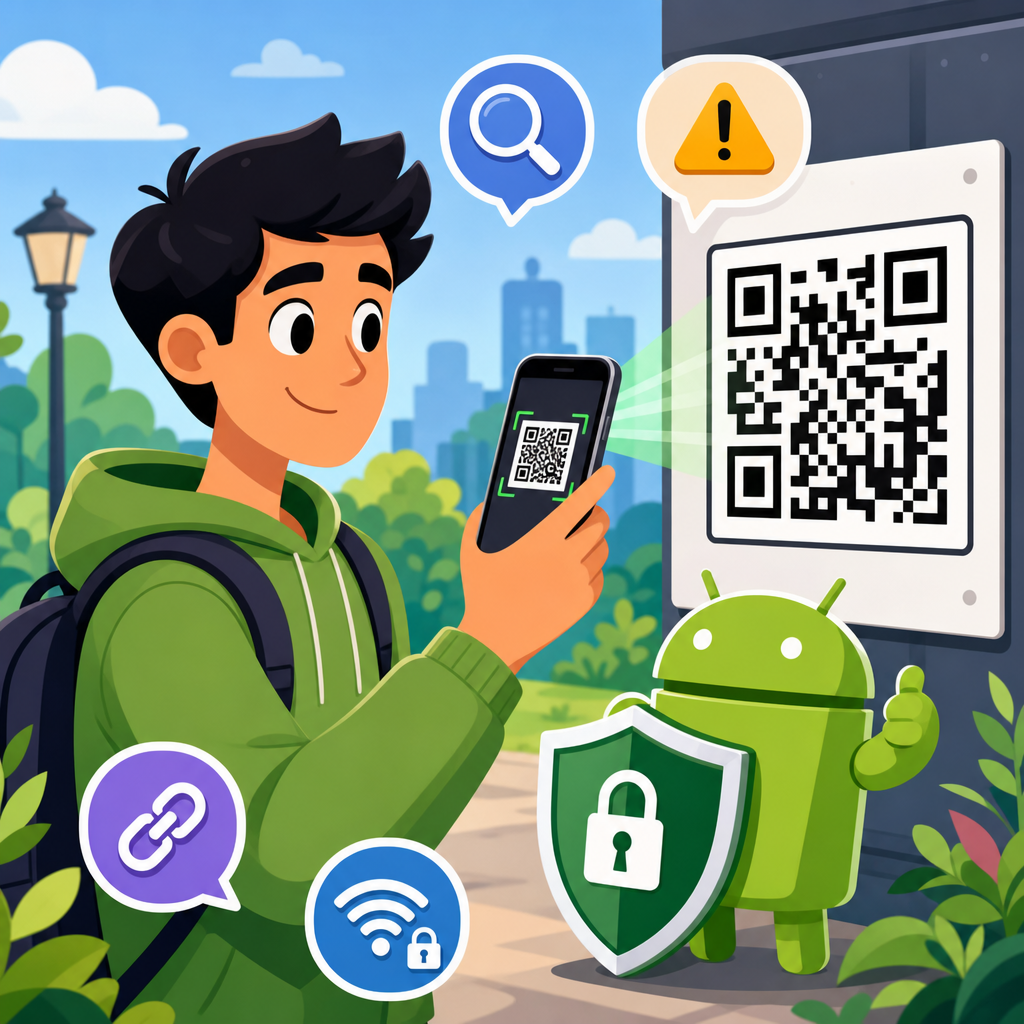
QR codes are now part of everyday Android use, appearing on parking meters, restaurant tables, delivery boxes, login screens, utility bills, and product packaging. That convenience is exactly why attackers use them. A QR code can hide a phishing link, trigger a malicious download, or send you to a fake payment page before you have time to think. For Android users, safe scanning tips are no longer optional habits. They are basic mobile security practice.
A QR code, short for Quick Response code, is a two-dimensional barcode that stores data such as a website URL, contact card, Wi-Fi credential, payment address, app link, or text string. Android phones can read these codes through the camera app, Google Lens, banking apps, and many third-party scanners. The problem is simple: people trust the square pattern more than they trust a typed link, even though the code usually resolves to the same kind of destination. If the destination is unsafe, the scan is unsafe.
I have spent years reviewing mobile threat patterns and testing how QR flows behave across Android devices from Samsung, Pixel, Motorola, and Xiaomi. The same issue comes up repeatedly: users scan first and evaluate later. Criminals know this. Security teams even have a name for QR-based phishing campaigns, often called quishing. These attacks work because the code hides the destination from plain sight and because phones encourage quick, tap-through behavior.
This hub article explains the practical QR code safety tips Android users should follow before, during, and after scanning. It also defines the main risks, shows how Android handles QR interactions, and gives you a framework for deciding when a code is trustworthy. If you use your phone for payments, account logins, public Wi-Fi, event check-ins, or app downloads, understanding safe scanning tips will help you avoid credential theft, payment fraud, malware, and privacy leaks.
Why QR code threats are increasing on Android
QR code attacks are growing because the format removes friction from a scam. Instead of persuading someone to type a suspicious address, an attacker only needs the victim to point a camera at a code. On Android, that can open a browser tab, app store page, payment request, map location, email draft, or SMS action in seconds. The attack surface is broad because QR codes are supported across system apps, browsers, wallets, and enterprise login tools.
Android users are especially exposed in public settings. I regularly see fraudulent stickers placed over legitimate parking payment codes, fake table-service menus in crowded venues, and copied labels on parcel lockers. In each case, the code looks ordinary. The danger sits in the destination. If the victim lands on a page that imitates a bank, courier, cloud account, or municipal payment portal, the scam becomes a standard phishing event optimized for small screens.
Another reason these attacks work is that mobile browsers reveal less context than desktop browsers. Full URLs may be truncated. Security indicators are harder to inspect. Users are often on the move and more likely to complete a payment or login quickly. Safe scanning tips matter because Android convenience features do not replace judgment. The camera can detect a code. It cannot decide whether the code deserves your trust.
What can happen when you scan a malicious QR code
A malicious QR code usually does not infect an Android phone by magic. The harm comes from what it makes you do next. Most commonly, it sends you to a phishing website that steals usernames, passwords, one-time codes, or card details. It may also direct you to a fake app listing, a browser download, a crypto wallet transfer request, or a fraudulent support page designed to pressure you into calling a scam number.
Some codes trigger device actions instead of opening a normal web page. They can draft an SMS, start a phone call, add a contact, or prefill a Wi-Fi connection. These actions still require user interaction on modern Android versions, but they create momentum. People often confirm prompts without reviewing the details. I have tested fake support QR codes that preload premium-rate phone numbers and fake coupon codes that route through ad-heavy pages collecting location and device information.
The privacy risk is often underestimated. Even a harmless-looking scan can expose your IP address, browser fingerprint, language settings, approximate location, and referral data to a third-party site. If that site asks you to sign in with Google, Microsoft, or a bank credential, the scan becomes the entry point to account takeover. That is why the safest mindset is to treat a QR code as an untrusted link until proven otherwise.
Safe scanning tips every Android user should follow
The most effective QR code safety tips are simple, repeatable, and based on verification. Before scanning, inspect the physical setting. Is the code printed cleanly by the business, or is it a sticker placed on top of another sticker? Does the venue offer the same destination on a website, poster, or receipt you can cross-check? If a QR code asks for urgent payment, login, or password reset, pause. Urgency is a scam signal.
During the scan, use the default camera app or Google Lens instead of random scanner apps. Many third-party QR apps ask for unnecessary permissions, show aggressive ads, or route traffic through trackers. On most current Android phones, the camera app displays a preview card before opening the destination. Read that preview. Check the domain carefully, not just the brand name in the page title. Attackers rely on lookalike domains such as payrnents-example.com, where the letter combination mimics a trusted word.
After the preview appears, ask three direct questions: Is this the exact organization I expected? Does the domain match the official domain I already know? Does the requested action make sense in context? If the answer to any question is unclear, do not proceed from the QR code. Open your browser and navigate manually, or use the organization’s official app from Google Play. That extra step blocks a large share of QR-enabled scams.
| Situation | Safer Android action | Why it reduces risk |
|---|---|---|
| Parking meter payment | Use the city or operator app directly, or type the official web address | Prevents fake sticker codes from sending you to cloned payment pages |
| Restaurant menu | Scan, then verify the domain before opening | Menus are frequent public targets because users expect QR access |
| Package delivery update | Do not scan; open the courier app or official tracking site yourself | Delivery scams commonly use QR codes to steal credentials or fees |
| Login on a desktop service | Confirm the desktop domain first, then scan only if both devices show the same brand and flow | Reduces the chance of linking your account to a fake session |
| Public Wi-Fi access | Ask staff for the exact network name and avoid QR codes from posters outside the venue | Stops attackers from routing you to rogue networks or captive portals |
How to verify a QR destination before you tap
Verification starts with the URL preview. Android typically shows a banner, chip, or Lens result before opening a link. Read the registered domain from right to left. In secure.example.com, the domain is example.com. In example.security-check-login.co, the domain is login.co, not example. This basic parsing skill prevents many mistakes. Fraudulent QR campaigns often hide brand words in long subdomains to create false confidence.
Next, look for transport security and page quality, but do not rely on the padlock alone. HTTPS only means the connection is encrypted. It does not prove the site is legitimate. A phishing site can have a valid certificate. Instead, compare the domain with known official sources, check whether the site uses consistent branding and legal pages, and avoid entering credentials if the page appeared only because of a random physical code.
If the code points to an app, confirm the developer name in Google Play, review install counts, read recent reviews, and examine permissions. Attackers sometimes imitate a known brand with a similar icon and title. I advise teams to maintain a short allowlist of critical domains and apps for employees and family members. On personal devices, you can create the same habit mentally: banks, carriers, utilities, government services, and payment providers should be reached through saved bookmarks or official apps, not impulse scans.
Android settings and tools that improve QR code security
Android already includes several defenses, but they help most when combined. Keep Android updated because security patches improve browser isolation, permission handling, and exploit resistance. Use Google Play Protect, which scans installed apps and warns about harmful behavior. Stick to Chrome, Samsung Internet, or another reputable browser with Safe Browsing protections enabled. These tools can block known phishing or malware destinations, though they will not catch every newly created scam site.
Review app permissions for any scanner app you still use. A basic scanner does not need contacts, microphone access, or background location. If you no longer need the app, uninstall it and rely on the built-in camera. For stronger account protection, enable passkeys where available and use multi-factor authentication through an authenticator app or hardware key. That way, even if a QR code leads to a credential phishing page, the attacker has fewer ways to complete account takeover.
Password managers are another underrated defense. If your manager refuses to autofill because the domain does not match the saved site, treat that as a warning. On Android, this is one of the clearest signals that a QR destination may be fraudulent. I have seen users stop successful phishing attempts simply because their password manager did not recognize the page. Convenience features can be security signals when you pay attention to them.
High-risk QR scenarios: payments, logins, Wi-Fi, and app downloads
Payment QR codes carry the highest financial risk. In some regions, static account-based payment codes are common for merchants and peer-to-peer transfers. If an attacker swaps that code, your money goes to the wrong recipient and recovery can be difficult. Always verify the payee name, merchant identifier, or billing details before confirming a transfer. If the payment app displays an unfamiliar name, cancel immediately and ask the business to provide another method.
Login QR codes are legitimate in many services, including messaging platforms and enterprise identity systems, but they deserve caution. A real login QR flow pairs a trusted desktop session with your authenticated mobile app. A fake one may simply send you to a web page asking for credentials. Before scanning any login code, verify the desktop website address in the browser and use the service’s official mobile app when possible. Never enter your password into a page reached from an unverified code.
Wi-Fi QR codes are useful at home and in offices because they encode the network name and password, but public Wi-Fi codes can be abused. A malicious poster can direct users toward an evil twin network or a fake captive portal collecting email and payment information. App download QR codes are also risky. If a code claims you need a special app to claim a parcel, receive a document, or view a menu, search Google Play yourself instead of trusting the code.
What to do if you scanned a suspicious QR code
If you scanned a QR code but did not open the link, the risk is usually low. If you opened the link but entered nothing, close the page, clear the tab, and consider running a Play Protect scan. If you entered credentials, change the password immediately from a known safe device or official app, revoke active sessions where the service allows it, and update multi-factor settings. For bank or card details, contact the institution at its published number and ask about fraud monitoring or card replacement.
Also check for follow-on abuse. Review your text messages, email, and authenticator prompts for unexpected codes. Inspect installed apps and recent downloads. On Android, look in Settings for apps with accessibility access, device admin privileges, notification access, or the ability to install unknown apps. Most QR scams are phishing rather than full device compromise, but a quick post-incident review is still smart. Capture screenshots of the code, page, and surrounding signage if the event happened in public, then report it to the venue and relevant provider.
The key lesson is that QR code safety tips work best as habits, not emergency measures. Slow down, inspect the source, read the destination, and use official paths for sensitive actions. Android gives you fast access to information, payments, and services, but speed is exactly what scammers exploit. Build a simple rule for yourself and your household: scan for convenience, verify for trust. If you want fewer phishing losses, fewer fake payment errors, and better privacy on your phone, start using that rule every time you scan.
Frequently Asked Questions
Are QR codes safe to scan on Android?
QR codes are not automatically dangerous, but they are not automatically safe either. A QR code is simply a shortcut that sends your phone to a destination, such as a website, app download, payment page, Wi-Fi network, contact card, or login prompt. The risk comes from the fact that you usually cannot tell where the code leads until after your Android device reads it. Attackers take advantage of that hidden destination by placing malicious QR codes on parking meters, flyers, restaurant tables, delivery notices, public kiosks, and even product packaging.
For Android users, the safest mindset is to treat every QR code like an unknown link in a text message or email. Before opening anything, look for the preview that shows the full URL or action. If the scanner immediately opens a page without asking, consider switching to a more secure scanning app or using Android’s built-in camera features that provide more context. Check whether the web address matches the organization you expect, whether the page uses HTTPS, and whether the domain name looks legitimate instead of slightly altered or misspelled. QR codes are convenient, but safe scanning depends on slowing down long enough to verify what your phone is about to do.
How can I tell whether a QR code is malicious before I open it?
Start by examining the physical context of the code. If a QR code is printed on a sticker placed over another code, posted in an unusual location, or attached to something that does not normally require scanning, that is an immediate warning sign. Fake payment and phishing scams often rely on replacing real QR codes with fraudulent ones. For example, an attacker may place a sticker on a parking meter, utility notice, or restaurant payment stand so your Android phone sends you to a fake checkout page instead of the real service.
Next, pay close attention to the preview on your Android device before you tap. A safe scanner should show the destination URL or the type of action requested. Look for red flags such as shortened links, strange subdomains, brand names with extra words or unusual spelling, random strings of characters, or domains that do not match the company or agency you think you are dealing with. Be cautious if the QR code tries to launch an app download, initiate a payment, open a login screen, or request sensitive information right away. If anything feels rushed, unfamiliar, or inconsistent with the setting, do not proceed. Instead, go directly to the official website or app yourself by typing the address manually or using a trusted bookmark.
What should Android users do before scanning a QR code?
Before scanning, make sure your Android phone is in a secure state. Install Android security updates promptly, keep Google Play Protect enabled, and avoid using outdated camera or scanning apps from unknown developers. If you regularly scan QR codes for work, deliveries, payments, or travel, use a scanning method that shows a clear preview instead of automatically opening the result. The goal is to give yourself one extra checkpoint before a website launches or a file begins to download.
It also helps to think about whether scanning is truly necessary. If a package, bill, login page, or advertisement includes a QR code, ask whether there is a safer alternative. Can you open the company’s official Android app instead? Can you visit the website by typing it into your browser? Can you confirm the payment method through a printed company name or support number? Attackers rely on impulse and speed. A simple pause to verify the source, inspect the code’s surroundings, and consider another route can prevent phishing, malware installation, credential theft, and fraudulent payments.
Can a QR code install malware or steal information on an Android phone?
A QR code itself is just an image, so it does not infect your Android device merely by being scanned. The real danger is what happens after the scan. A malicious QR code can direct you to a fake website that steals usernames, passwords, payment card details, or one-time verification codes. It can also lead you to a page that tries to trick you into downloading a harmful app, granting dangerous permissions, or entering sensitive information into a fraudulent form. In some cases, the code may trigger actions such as connecting to an untrusted network or opening a prefilled message or payment request designed to manipulate you.
That is why the biggest risk is social engineering rather than the image itself. If your Android phone prompts you to install an APK file, disable security protections, grant accessibility access, or log in unexpectedly after scanning, stop immediately. Android users should avoid sideloading apps from links reached through QR codes unless they are absolutely certain the source is legitimate. Download apps only from trusted stores, review app permissions carefully, and leave Google Play Protect enabled to help identify suspicious behavior. The safest habit is to assume that any QR code leading to a login page, file download, or financial transaction deserves extra scrutiny.
What should I do if I scanned a suspicious QR code on Android?
If you scanned a suspicious QR code but did not interact further, close the browser or app immediately and do not tap any buttons, download any files, or enter any information. If a webpage opened, review your recent browsing tabs and clear them if needed. If the code tried to launch a download or redirect you somewhere unfamiliar, cancel the action. Then check your Android device for anything unusual, such as newly installed apps, unexpected permission prompts, browser notifications from unknown sites, or changes to default settings.
If you entered a password, payment detail, or personal information after scanning, act quickly. Change the affected password right away, especially if you reuse it elsewhere. Enable or review two-factor authentication, monitor banking or card activity, and contact the relevant provider if you believe a payment scam occurred. Run a security scan with trusted Android security tools, review installed apps and permissions, and uninstall anything you do not recognize. If the incident involved a work account or corporate device, report it to your IT or security team immediately. Fast action can limit the damage, but the best defense is still prevention: verify the destination, use trusted apps, and never let the convenience of a QR code override basic Android mobile security habits.





