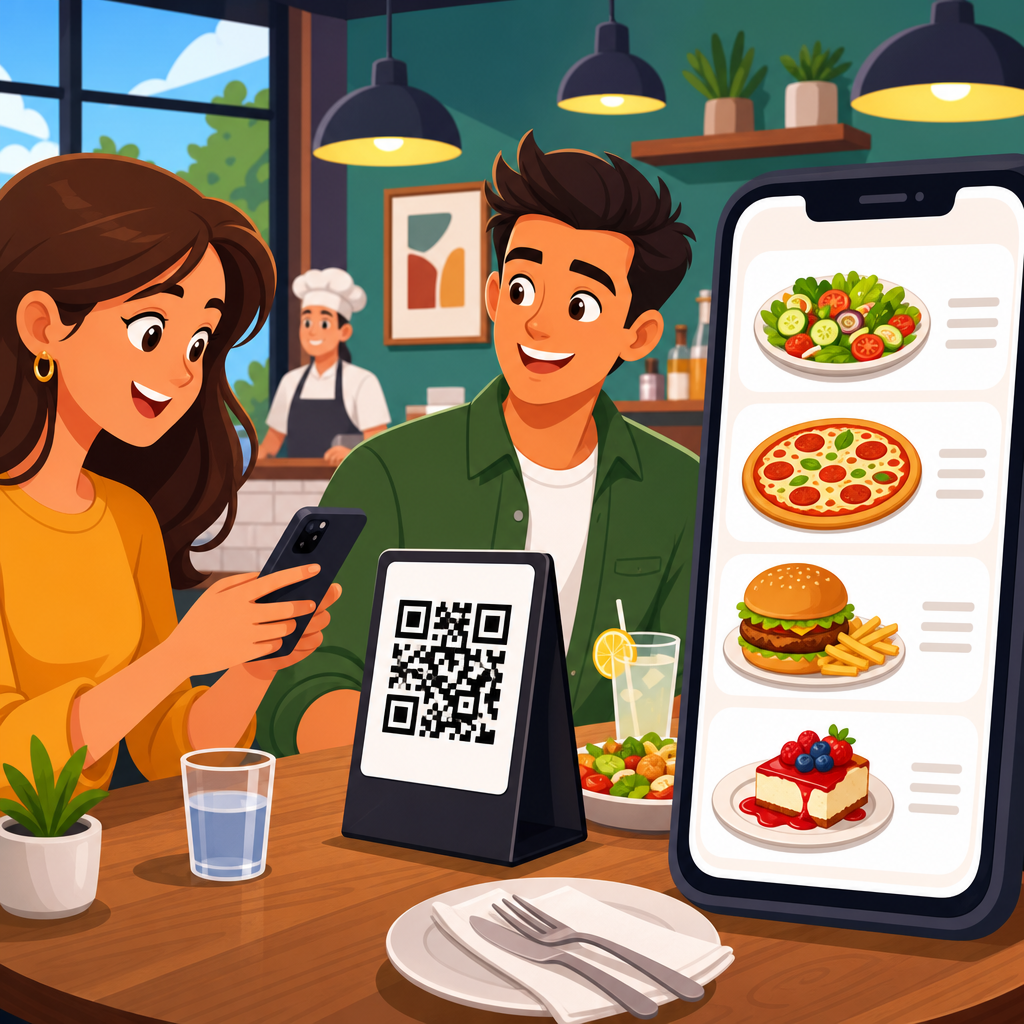
QR code menu templates for restaurants have moved from a temporary workaround to a standard operating tool, and in my experience helping hospitality teams launch digital menus, the best results come from treating the template as a revenue asset rather than a design shortcut. A QR code menu is a scannable code that opens a digital menu on a guest’s phone, while a template is the reusable structure that controls layout, branding, categories, pricing, and update rules. Together, they let restaurants publish menus faster, reduce printing waste, support real-time changes, and connect dine-in service with online ordering, loyalty, and analytics. This matters because menu access affects nearly every core metric in a restaurant: table turn time, average check, allergen communication, staff workload, and guest satisfaction. When the template is built well, updates happen once and flow everywhere the code is used. When it is built poorly, operators create confusion, outdated pricing, and friction at the table. For restaurants managing seasonal items, multiple locations, happy hour schedules, or frequent stock changes, a strong QR code menu template becomes the foundation for accuracy and consistency. It also supports accessibility by allowing larger text, multiple languages, and screen-reader-friendly formatting that paper menus often miss. As a hub topic, QR code templates cover more than the code image itself. They include menu structure, page design, call-to-action wording, update governance, analytics tracking, print placement, and vendor selection. Restaurants that understand these components can launch faster, train staff more easily, and make better decisions about design, technology, and guest experience.
What a Restaurant QR Code Menu Template Includes
A restaurant QR code menu template is the prebuilt framework that determines how the digital menu looks and works before daily content is added. In practice, it usually includes a branded header, logo placement, color palette, navigation for categories such as starters, mains, drinks, and desserts, item cards, modifiers, allergen notes, tax or service disclosures, and a footer with contact or ordering links. Good templates also define image sizes, character limits for item names and descriptions, price formatting, and how sold-out items are handled. That structure matters because consistency reduces both editing time and guest confusion.
The most effective templates are built around real operational scenarios. For example, a café may need breakfast items to disappear automatically at 11 a.m., while a bar may need separate templates for table service, takeaway, and late-night drinks. A full-service restaurant often needs one master template that can branch into lunch, dinner, wine, dessert, and kids’ menus without forcing guests to pinch and zoom. In systems I have implemented, the highest-performing templates are simple on the surface but strict in the backend: standardized category naming, image compression rules, and approval workflows prevent errors when multiple managers update the menu.
There are two broad template models. Static QR code menu templates point to a fixed URL or file, such as a PDF menu. Dynamic templates connect to editable content, so the restaurant can change items, prices, or availability without reprinting the code. For most operators, dynamic templates are the better choice because they preserve the QR code while allowing live updates. Static templates still work for very small venues with infrequent changes, but they create version-control problems and usually perform worse on mobile devices than responsive web menus.
Core Template Types Restaurants Use
Restaurants rarely need just one generic template. They need a set of templates matched to service models, customer intent, and operational timing. The most common type is the dine-in browsing template, designed for fast scanning at the table and easy category navigation. This version prioritizes readability, short descriptions, dietary labels, and quick access to beverages or specials. The second type is the order-ahead template, which adds customization options, cart functionality, pickup windows, and payment integration. The third is a promotional template for seasonal menus, tasting events, or limited-time offers, often linked from posters, tent cards, or social campaigns.
Multi-location groups often use localized templates under a shared brand system. A pizza chain, for example, may standardize fonts, imagery, and modifier logic across all stores, while allowing each location to change pricing, delivery radius, and regional items. Hotel restaurants frequently need language-specific templates, with one QR code routing users by browser language or allowing manual switching between English, Spanish, French, or Japanese. Fine dining venues may prefer minimalist templates with strong typography and concise dish narratives, while casual restaurants benefit from visual item cards and clear combo pricing.
The template choice should reflect how guests actually behave. If most scans happen from table tents during busy lunch periods, speed matters more than decorative effects. If the venue depends on upselling wine pairings or desserts, the template should surface recommendations contextually. A strong template does not just display food; it shapes decision-making with hierarchy, spacing, and calls to action that match the service style.
Features That Make a QR Menu Template Effective
An effective QR code menu template must perform well on mobile first. That means large tap targets, readable font sizes, compressed images, and page speed that stays reliable on guest Wi-Fi or weak mobile signals. Google’s Core Web Vitals are a useful benchmark even for menu pages: slow loading and layout shifts increase abandonment. In restaurant settings, every extra second matters because guests are often standing at the counter, waiting to order, or scanning under time pressure.
Clarity is the next requirement. Templates should separate categories cleanly, keep item names scannable, and avoid oversized image galleries that push pricing below the fold. Dietary and allergen information should be standardized, not improvised. Use recognizable labels such as vegetarian, vegan, gluten-free, contains nuts, or spicy, and provide a disclaimer where cross-contact is possible. For alcohol menus, local compliance disclosures may also be necessary.
Update control is equally important. The best templates include permissions, timestamps, and publishing states such as draft, scheduled, and live. This is especially useful for chains and franchises where marketing teams control branding but store managers control availability. Integration features also matter: point-of-sale links, online ordering platforms, reservation tools, and analytics tags turn the menu into an operating system rather than a standalone page.
| Template Feature | Why It Matters | Restaurant Example |
|---|---|---|
| Responsive mobile layout | Prevents zooming and drop-off on phones | Quick-service burger shop with high lunchtime scan volume |
| Dynamic content editing | Allows price and stock changes without reprinting codes | Sushi bar updating market-price specials daily |
| Category navigation | Helps guests find items faster | Large family restaurant with 100-plus menu items |
| Dietary labels | Improves safety and decision speed | Health-focused café serving vegan and gluten-free dishes |
| Analytics tracking | Shows scan volume, menu views, and conversion patterns | Multi-location chain testing dessert placement |
Design Best Practices for Better Guest Experience
The best restaurant QR code menu templates are designed for real dining environments, not desktop mockups. Contrast must be high enough to read in dim bars and bright patios. Fonts should be clean and legible at small sizes; decorative script almost always hurts usability. I recommend keeping body text around 16 pixels or larger on mobile, with generous spacing between items. Category headers should anchor the page, and sticky navigation can be useful if the menu is long.
Photos should support, not overwhelm, the menu. Quick-service and dessert concepts often benefit from more imagery because visuals speed decisions. Fine dining concepts usually do better with limited photography and stronger narrative descriptions. Either way, images should be compressed in formats such as WebP and sized consistently to maintain load speed. Menu descriptions should answer obvious guest questions directly: what it is, key ingredients, heat level, and notable preparation style. “Charred octopus with romesco, fingerling potatoes, and preserved lemon” is better than a vague brand voice sentence.
Branding should be recognizable but restrained. A template should carry the restaurant’s colors, logo, and tone, yet still prioritize readability and speed. Strong design also includes practical actions: add a visible “Ask your server about allergens” prompt, a “Call for takeaway” button if relevant, and links to loyalty or gift cards only when they do not distract from ordering. In many audits, I have seen menus lose conversions because pop-ups, autoplay video, or oversized banners interrupted the dining flow.
Operational Benefits Beyond Going Paperless
Reducing print costs is the most obvious gain, but it is rarely the most important one. The deeper value of QR code menu templates is operational control. When a venue can update one template and publish changes instantly, managers spend less time reprinting inserts, crossing out items, or explaining price discrepancies. This improves trust at the table. It also reduces training friction because staff can rely on the digital menu to reflect current modifiers, substitutions, and unavailable items.
Templates also support revenue management. Restaurants can schedule happy hour visibility, spotlight high-margin dishes, test bundle placement, and adjust featured items by daypart. A brunch restaurant might push cocktails and add-ons on weekends while emphasizing coffee upgrades on weekdays. A steakhouse can place premium sides and pairings adjacent to entrées instead of burying them in separate categories. These are not cosmetic changes; they influence average check and attachment rates.
From a compliance and service standpoint, templates make documentation easier. Allergen statements, calorie disclosures where legally required, service fees, and holiday pricing notes can be updated centrally. For hotel and venue operations, this central control is essential because menus may appear at tables, in-room collateral, event signage, and lobby displays. A single source of truth prevents outdated PDFs from circulating after a change.
How to Choose the Right Template Platform
Choosing a QR code menu template platform starts with the restaurant’s service model, not the vendor’s feature list. A small independent bistro may only need a responsive hosted menu with dynamic editing and basic analytics. A fast-casual chain may need POS integration, item synchronization, modifier logic, location management, and role-based permissions. Before comparing tools, define whether the menu is for browsing, ordering, payment, reservations, or all four.
Look closely at editing experience. Can nontechnical staff update prices and sold-out items in minutes? Is there version history? Can you duplicate templates across locations? Does the platform support custom domains, schema markup, and analytics integrations such as Google Analytics 4 or Meta Pixel? If online ordering is part of the plan, review checkout friction, tax settings, service fee controls, and payment processor compatibility. Toast, Square, Lightspeed, Clover, and Shopify-based food ordering setups all have different strengths and constraints.
Security and ownership matter too. Restaurants should control the destination URL, export menu data when needed, and avoid systems that lock the business into a hard-to-migrate format. Print quality should be tested as well: the QR code itself must scan quickly from table tents, stickers, laminated cards, and outdoor signage. Use error correction thoughtfully and maintain adequate quiet space around the code. A beautiful template fails if the code is hard to scan.
Building a Scalable Hub of Restaurant QR Code Templates
As a hub topic, QR code menu templates should connect to a broader library of practical use cases. Restaurants often need separate guidance on table tent templates, takeout menu templates, wedding or event menu QR templates, multilingual menu templates, and editable Canva or PDF starter files. The hub structure works best when the main page explains the strategy and links to deeper pages for each format, platform, or restaurant type. That creates a clear path for readers and a stronger architecture for discovery.
For content teams and software brands, this hub should also answer the recurring questions operators ask before implementation: Should we use a PDF or a web page? Where should QR codes be placed in the dining room? How do we handle poor signal? Can guests order and pay from the same menu? What about accessibility and ADA-aligned design practices? Each supporting article can go deep on one issue, but the hub should define the categories and decision criteria plainly.
The long-term goal is not merely to publish downloadable files. It is to create a repeatable framework restaurants can apply across locations, campaigns, and service channels. A good hub page makes that framework visible. It explains what a template is, which formats exist, which features matter, and how to choose wisely based on menu complexity, guest behavior, and operational demands.
QR code menu templates for restaurants work best when they are treated as part of service design, menu engineering, and digital operations at the same time. The code on the table is only the access point. The real value sits behind it in the template structure: clean navigation, accurate pricing, live updates, clear allergen labels, strong mobile performance, and integrations that support ordering and analysis. Restaurants that build templates deliberately gain speed, consistency, and better control over the guest journey. They can launch seasonal menus faster, reduce costly print cycles, support multiple languages, and keep every location aligned with current offers and policies.
The key takeaway is simple. Choose dynamic, mobile-first templates whenever possible, organize them around real service scenarios, and manage them with the same discipline used for POS data or brand standards. Test scan placement in the dining room, review analytics regularly, and update content through a clear approval process. A template is not just a layout; it is a system for presenting products accurately and profitably.
If you are building a resource center under QR Code Resources, Templates and Tools, start this hub with the essential template categories and then expand into specialized guides for dine-in, takeout, multilingual, event, and multi-location use cases. That approach gives restaurant operators both a strategic overview and practical next steps. Audit your current menu flow, identify where guests or staff experience friction, and use the right QR code menu template to solve it.
Frequently Asked Questions
What is a QR code menu template, and how is it different from a regular digital menu?
A QR code menu template is the reusable framework behind a restaurant’s digital menu. The QR code itself is simply the access point: guests scan it with their phones and the menu opens instantly in a browser. The template is what controls the actual experience once they arrive. It defines the menu structure, category order, item layouts, pricing presentation, branding, colors, images, modifier groups, promotional sections, and update rules. In other words, the QR code gets people in, but the template determines whether the menu feels clear, on-brand, easy to navigate, and commercially effective.
This distinction matters because many restaurants treat a template like a basic design shortcut, when it is really an operational and revenue tool. A well-built template makes it faster to publish seasonal changes, limited-time offers, price adjustments, and availability updates across one location or multiple stores. It also creates consistency, which is especially important for growing restaurant groups that want every guest to have the same brand experience. Instead of rebuilding menus from scratch every time something changes, teams can rely on a standardized format that supports speed, accuracy, and better decision-making.
A regular digital menu may simply be a PDF or a static webpage. That can work at a basic level, but it often creates friction for both staff and guests. Static menus are harder to update, less mobile-friendly, and usually weaker when it comes to search visibility, upselling opportunities, and accessibility. A QR code menu template, by contrast, is designed for repeated use and ongoing optimization. It helps restaurants organize content in a way that is easy to scan on a phone screen, while also making back-end management simpler for managers, marketers, and operators.
Why have QR code menu templates become a standard tool for restaurants instead of just a temporary trend?
QR code menu templates became widely adopted out of necessity, but they stayed because they solve real operational problems. Restaurants need a menu system that can be updated quickly, distributed instantly, and managed without recurring printing delays or waste. Once operators saw how easy it was to change pricing, mark items unavailable, add promotions, and roll out menu updates in real time, digital templates stopped being viewed as a short-term workaround and started being treated as part of day-to-day infrastructure.
They are now standard because they support the way modern restaurants actually operate. Menus are no longer static documents that change only a few times a year. Ingredient costs fluctuate, guest preferences evolve, new offerings are tested frequently, and limited-time items need to go live fast. A QR code menu template gives restaurants the flexibility to react immediately without reprinting tabletop inserts, takeout sheets, or wall boards. That speed is not just convenient; it protects margins, reduces errors, and helps teams stay aligned across shifts and locations.
There is also a strong guest-experience advantage. Diners increasingly expect quick, mobile-friendly access to information. They want to browse food and drink options, check ingredients, view prices, and make decisions without waiting for a printed menu to arrive or wondering whether the version in their hands is current. When the template is designed well, the digital menu feels clean, intuitive, and professional. It can also support multiple languages, dietary labels, allergy notes, and more detailed descriptions than a printed menu can comfortably carry.
Perhaps most importantly, restaurants have learned that the menu itself is one of their strongest sales tools. A template that highlights high-margin dishes, signature items, add-ons, pairings, and promotions can directly influence average order value. That is why the best operators no longer ask whether they should use a QR code menu template. They ask how to structure it so it performs better for guests and generates more revenue for the business.
What should restaurants include in a high-performing QR code menu template?
A high-performing QR code menu template should do more than look attractive. It should make the menu easier to browse, easier to update, and more effective at driving profitable orders. At a minimum, the template should include clear category organization, consistent item formatting, accurate pricing, strong branding, mobile-responsive design, and a simple editing workflow for staff. Categories should appear in a logical order based on how guests shop, such as starters, mains, sides, desserts, drinks, and specials. Item names should be easy to scan, descriptions should be concise but persuasive, and pricing should be visible without creating clutter.
Restaurants should also build in operational details that reduce confusion. That includes allergen information, dietary tags such as vegetarian or gluten-free, modifier options for add-ons or substitutions, and availability controls for items that sell out. If the restaurant operates different menus by time of day, location, or service type, the template should support those variations cleanly. For example, brunch, lunch, dinner, happy hour, and takeaway may each require separate structures, but they should still feel unified under one brand system.
From a sales perspective, the strongest templates deliberately showcase revenue opportunities. Signature dishes should stand out visually. High-margin items should be positioned where guests naturally pay attention. Bundle suggestions, drink pairings, dessert prompts, and premium upgrades should be built into the structure rather than added as an afterthought. This is where the template becomes far more than a formatting tool. It becomes part of the restaurant’s merchandising strategy.
Branding is equally important. The best templates reflect the restaurant’s identity through typography, color, imagery, tone of voice, and overall layout. A casual café and a fine dining concept should not have the same menu experience. Yet branding should never get in the way of usability. Fancy design choices that slow load times, crowd the screen, or make text harder to read usually hurt performance. In practice, the most effective template balances visual personality with speed, clarity, and ease of use.
Finally, a strong template should be easy for the internal team to maintain. If updates require outside help every time a price changes, the system will become a bottleneck. Restaurant teams need a setup that allows quick edits, reliable publishing, and minimal training. That combination of guest usability, operational control, and commercial strategy is what separates an average QR code menu template from one that genuinely supports restaurant growth.
How can a QR code menu template help increase revenue and improve restaurant operations?
A QR code menu template can increase revenue by influencing what guests see, how they browse, and what they ultimately order. In most restaurants, the menu is the most important sales interface in the business. If the template is structured strategically, it can draw attention to high-margin items, chef specialties, combo opportunities, premium add-ons, and time-sensitive promotions. For example, placing profitable bestsellers at the top of a category, using visual callouts for featured items, or adding thoughtful cross-sell prompts such as “add fries,” “pair with a cocktail,” or “upgrade to double protein” can lift average ticket size without making the experience feel pushy.
It also improves revenue by giving operators the ability to test and refine. Restaurants can rotate featured items, adjust category positioning, update descriptions, and promote seasonal offerings far more easily than with printed menus. That means the menu becomes a living asset instead of a fixed cost. Teams can observe which items get stronger response, which promotions resonate, and which menu layouts lead to better ordering behavior. Over time, these small improvements can have a meaningful impact on sales mix and profitability.
Operationally, the benefits are just as significant. A QR code menu template reduces the time and expense associated with printing, reprinting, and distributing physical menus. It allows real-time updates when items sell out, prices change, or new dishes launch. That helps prevent guest frustration and reduces the number of awkward service interactions where staff need to explain that the printed menu is no longer accurate. It also creates better consistency across locations, which is especially useful for chains, franchises, and multi-unit groups.
Templates can also support smoother internal workflows. With a standardized structure in place, managers and staff know exactly where to update categories, descriptions, modifiers, and pricing. This reduces errors and shortens training time. It is much easier to onboard team members into a system that has clear rules and repeatable formatting than one built ad hoc. For restaurants with frequent menu engineering changes, this consistency saves time and improves quality control.
Another practical advantage is that digital menus can support richer information without overwhelming a printed page. Restaurants can include allergen notes, ingredient details, upsell suggestions, and service-specific options in a way that is far more manageable on mobile. When done well, this improves both guest confidence and ordering efficiency. In short, the right QR code menu template helps restaurants earn more, waste less, update faster, and operate with greater control.
What are the most important best practices when choosing or creating a QR code menu template for a restaurant?
The first best practice is to start with the guest journey, not just the visual design. A template should be built for how people actually browse menus on a phone. That means fast loading, clear navigation, readable text, strong contrast, and category structures that make sense immediately. Guests should be able to scan the code, open the menu, and find what they want without pinching, zooming, or hunting through cluttered sections. If the experience feels slow or confusing, even a beautiful template will underperform.
The second best practice is to treat the template