
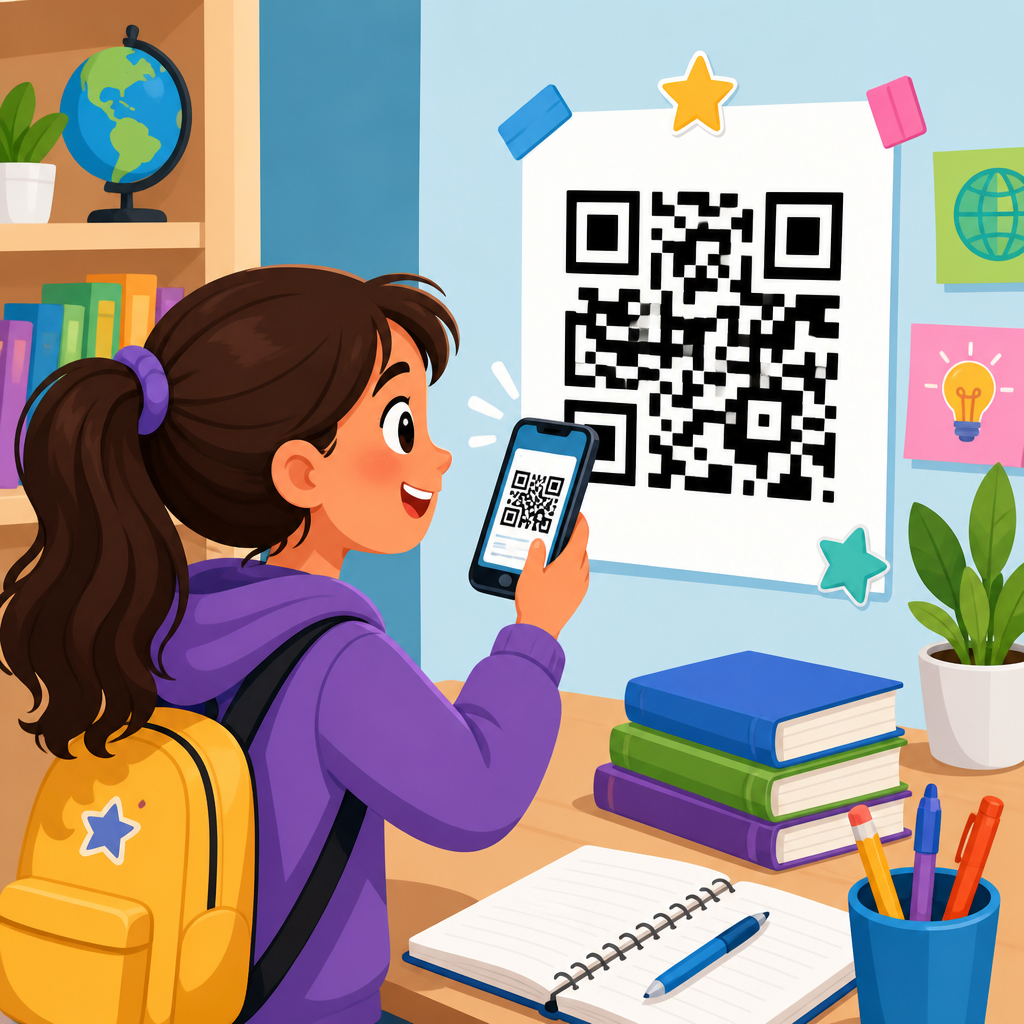
QR codes for student assignments and resources have moved from novelty to infrastructure in modern education, giving schools a simple way to connect printed materials, classroom displays, and digital learning spaces without adding friction for students or teachers. In practical terms, a QR code is a scannable two-dimensional barcode that opens a destination such as a document, video, form, quiz, shared drive folder, slide deck, attendance page, or learning management system resource. When I have implemented them in school settings, the value has rarely been the code itself; the value comes from reducing the number of steps between a learner and the exact material they need at the exact moment they need it.
For educators, that matters because access is often the hidden barrier behind incomplete homework, missed directions, and uneven participation. A student may understand the lesson but lose the worksheet link, mistype a long URL, or fail to navigate a crowded course page. A well-placed QR code removes those small points of failure. One scan can take a student from a printed assignment sheet to a rubric, exemplar, reading passage, or submission form. In classrooms where device time is limited, every saved minute counts. In blended and one-to-one environments, QR codes support smoother transitions between physical and digital work.
In education, the phrase student assignments and resources covers a wide set of materials: homework instructions, lab procedures, syllabus documents, tutoring schedules, library guides, classroom norms, parent updates, formative assessments, and extension activities. A good hub page on this topic must therefore address more than how to generate a code. It should explain where QR codes fit in teaching workflows, what problems they solve, which standards and privacy issues matter, and how schools can use them consistently across grade levels and departments. That broader view is what turns a useful tactic into a scalable practice.
Schools are adopting QR codes because they work across common educational systems. They can link to Google Classroom, Canvas, Schoology, Microsoft Teams, Google Drive, OneDrive, Flip, Kahoot, Quizizz, Padlet, Jamboard alternatives, library catalogs, and district web pages. They also adapt well to print-heavy environments. A code on a worksheet can launch a read-aloud for early readers, a worked example for math support, or a source database for research projects. A code posted near a science station can open safety instructions or data tables. In special education and multilingual classrooms, QR codes can also deliver translated directions, audio support, and step-by-step modeling in a format students can access independently.
How QR codes improve assignment access and classroom workflow
The strongest use case for QR codes in education is direct access to assignments. Instead of asking students to copy down links from a board or search through multiple tabs in a learning management system, a teacher can place one code on a handout, slide, or bulletin board that opens the exact destination. This reduces cognitive load. Students spend less effort finding materials and more effort completing them. In my experience, that simple shift noticeably reduces repeated questions such as “Where is the document?” or “Which version are we using?”
QR codes also improve workflow by creating cleaner pathways between stages of a task. A printed lab sheet can include separate codes for the procedure, safety video, data entry form, and analysis template. An English assignment can include one code for the text, one for annotation instructions, and one for the rubric. A history project board can link students to primary sources, citation help, and a final submission folder. Because each code points to one distinct destination, teachers can structure work more intentionally and avoid overloading a single class page with too many links.
Another practical advantage is flexibility. Dynamic QR codes allow the destination URL to be updated without reprinting the code, which is especially useful for recurring assignments, rotating station activities, semester resource boards, and department posters. If a shared document moves, a video is replaced, or a form closes, the teacher or administrator can change the destination behind the same printed code. For schools trying to save print budgets and maintain continuity across classrooms, that is a major operational benefit.
Core education use cases across grade levels and subjects
QR codes support different instructional goals depending on the age of the student and the subject being taught. In elementary classrooms, teachers often use them to provide audio directions, phonics practice, sight word review, parent communication, and centers-based activities. Young students who cannot reliably type URLs can still access content independently by scanning a code with a classroom tablet. In secondary settings, codes are more often used for assignment distribution, station rotation, attendance, peer review forms, research databases, and portfolio links. In higher education, professors use them for lecture resources, lab manuals, office hour booking, discussion prompts, and course evaluation forms.
Subject use cases are equally broad. Mathematics teachers place QR codes next to problem sets that open worked examples or Desmos activities. Science teachers attach codes to apparatus bins that link to setup instructions and safety reminders aligned with laboratory protocols. Language arts teachers use them on independent reading logs, vocabulary walls, and writing checklists. Social studies teachers link them to maps, archive collections, and short documentary clips. Arts educators use them to connect physical displays to artist statements, rehearsal tracks, or technique demonstrations. Career and technical education programs can embed codes on equipment signage that opens standard operating procedures and certification prep materials.
When used well, these examples share one feature: the QR code removes a known bottleneck. It does not add technology for its own sake. It shortens access time, increases clarity, or extends support beyond what fits comfortably on paper.
Best practices for creating QR codes for student assignments and resources
Effective classroom QR codes start with the destination, not the design. Before generating a code, decide exactly what the learner should see after scanning and what action they should take. The landing page should be mobile friendly, require as few clicks as possible, and avoid login walls when practical. If students must authenticate through Google Workspace for Education or Microsoft 365 Education, state that clearly on the printed material so they know what to expect. File permissions should be tested using a student account, not a teacher account, because many access failures come from mismatched sharing settings.
Size and placement matter. In print, a QR code should generally be large enough to scan from the intended distance and printed with strong contrast, typically black on white. Avoid placing codes across folds, glossy glare zones, or cluttered backgrounds. In classrooms, wall-mounted codes need more whitespace than codes placed on handouts because students scan them from farther away. If a code appears on slides, leave it on screen long enough for the last row to scan comfortably. Add a short text label under the code such as “Scan for rubric” or “Scan for Spanish audio directions.” Students should know what the code does before they use it.
Tracking and maintenance are equally important. If a school uses dynamic QR code software, analytics can show scan counts by date, device type, and sometimes location. Those metrics help identify whether students are actually using the resource and whether a posted code remains relevant. Common tools include Bitly QR Codes, QR Code Generator, Flowcode, Canva, and enterprise platforms built into school communication systems. For broad school adoption, create naming conventions, ownership rules, and expiration reviews so codes do not accumulate into a confusing layer of dead links.
Implementation models for classrooms, schools, and district programs
Schools usually succeed with QR codes when they standardize a few repeatable models rather than letting every teacher invent a different system. The table below outlines common implementation patterns and the tradeoffs I have seen during rollout.
| Model | Typical Use | Benefits | Limitations |
|---|---|---|---|
| Assignment sheet codes | Homework, project instructions, rubrics | Fast access, fewer lost links, easy for absent students | Requires updated permissions and reliable student devices |
| Station rotation codes | Centers, labs, group tasks | Clear transitions, self-paced learning, less teacher repetition | Can create congestion if too many students scan one location at once |
| Resource wall or bulletin board | Tutoring, counseling, library, tech help | Always-on access, strong for schoolwide support | Needs regular audits to prevent outdated destinations |
| Syllabus and family communication codes | Course info, calendars, sign-up forms | Bridges print and digital for caregivers | Some families may still prefer direct links by email or SMS |
| Equipment or location codes | Labs, makerspaces, media centers | Supports safety, training, and independent use | Physical wear and environment can damage printed codes |
At the classroom level, the simplest model is one recurring assignment code zone. Teachers place all current codes in the same corner of the board, slide template, or LMS page so students learn where to look. At the school level, departments can create common code categories for tutoring, clubs, counseling appointments, digital citizenship resources, and library services. At the district level, QR codes can support enrollment packets, device care instructions, transportation updates, and multilingual family resources. Consistency matters because students and families benefit when codes behave predictably across contexts.
Training should cover both pedagogy and operations. Teachers need examples of how QR codes improve access, but they also need concrete guidance on testing links, managing permissions, and retiring old materials. Media specialists, instructional coaches, and technology coordinators are well positioned to lead this work because they already manage resource access and tool adoption.
Accessibility, privacy, and policy considerations in education
Any discussion of QR codes for student assignments and resources must address accessibility. A QR code alone is not accessible content; it is only a pointer. Students still need an accessible destination that works with screen readers, keyboard navigation, captions, alt text, readable contrast, and plain language structure. If a code links to a worksheet image instead of a properly formatted document, the scan solved one problem but created another. Follow established accessibility guidance such as the Web Content Accessibility Guidelines and your district’s digital accessibility policy.
It is also important to provide a non-QR alternative. Some students may not have a camera-ready device, may use assistive technology that handles links better than scans, or may be blocked by mobile management settings. Include a short URL, an LMS path, or a printed fallback instruction. In special education settings, I have found that multimodal access matters more than any single tool. QR codes are most effective when they expand options rather than replace them.
Privacy requires equal care. Avoid linking publicly to student-specific records, graded work, or forms that expose personally identifiable information. In the United States, schools should evaluate QR-linked workflows in light of FERPA and local data governance policies. If a third-party tool collects analytics or stores destination data, review vendor terms, student data agreements, and administrator controls. Static codes are simple, but dynamic code platforms may involve external dashboards and tracking features that require procurement review. For younger students, family communication about how codes are used can prevent confusion and build trust.
Measuring results and building a sustainable education hub strategy
Schools should judge QR code success by educational outcomes, not by the number of codes posted. Useful measures include assignment completion rates, reduced time spent locating materials, fewer access-related help requests, stronger parent participation, and increased use of optional supports such as tutoring or library guides. Teachers can compare scan analytics with submission data to see whether a resource is being opened but not acted on, which often signals that the content needs simplification or the next step is unclear.
As a hub within a broader education topic, this page should connect to deeper articles on classroom management, parent communication, library services, campus events, student portfolios, school marketing, attendance workflows, and device onboarding. That structure reflects how schools actually use QR codes: not as a single tactic, but as a flexible bridge across instruction, operations, and communication. The central principle remains the same in every case. A good QR code shortens the path to a useful educational action.
For schools ready to expand, start small and document what works. Choose one high-friction assignment process, one shared student resource area, and one family communication touchpoint. Test the full experience with real users, including students who struggle with navigation and caregivers using only a phone. Standardize naming, ownership, and review cycles before scaling. QR codes for student assignments and resources deliver the most value when they are clear, accessible, secure, and intentionally tied to learning goals. If you are building an education QR strategy, begin with access problems you can see today, then create scan paths that make those problems disappear tomorrow.
Frequently Asked Questions
How can QR codes improve the way students access assignments and classroom resources?
QR codes make access immediate, which is one of the biggest reasons they work so well in education. Instead of asking students to type long URLs, search through a learning management system, or track down a file shared in email, a teacher can place a single QR code on a worksheet, classroom wall, slide presentation, syllabus, or lab station. When students scan it with a phone, tablet, or Chromebook camera, they are taken directly to the intended resource. That might be a homework document, a reading assignment, a video explanation, a vocabulary set, a shared folder, a practice quiz, or a submission form.
This reduces small barriers that often slow learning down. Even a minor obstacle such as entering a web address incorrectly can interrupt focus, especially for younger students or in fast-moving classroom transitions. QR codes streamline that process, helping students move from instruction to action in seconds. They also support more flexible teaching because one printed resource can lead to rich digital content, making it easier to blend paper-based and online learning. In practice, that means a textbook page can connect to a simulation, a lab sheet can open safety instructions, and a bulletin board can link to enrichment materials without requiring extra handouts.
For teachers, QR codes also help standardize access. Everyone scans the same code and lands at the same destination, which cuts down on confusion and repeated directions. Over time, this can improve workflow, make classroom routines more consistent, and give students more independence in locating the materials they need.
What types of student assignments and resources work best with QR codes?
QR codes are highly versatile, which is why they fit so many instructional situations. They work especially well for assignments and resources that benefit from quick access, frequent use, or connection to physical materials. Common examples include homework instructions, Google Docs or Microsoft Word templates, Google Forms exit tickets, digital quizzes, recorded mini-lessons, class calendars, reading passages, attendance check-ins, presentation slides, and links to LMS pages such as Google Classroom, Canvas, Schoology, or Moodle.
They are also particularly effective in station rotation, project-based learning, and differentiated instruction. At a learning station, a QR code can open task directions, a reference video, or a collaborative document. In project work, students can scan codes that lead to research folders, rubrics, source databases, or submission portals. For differentiated classrooms, teachers can create separate QR codes for support materials, on-level work, and extension tasks, allowing students to move to the right resource without drawing unnecessary attention to learning differences.
Physical classroom items become more useful when paired with QR codes as well. A science lab setup can link to procedures and data sheets. A library display can connect to book trailers or reading logs. A math worksheet can include worked examples. A student art display can open reflective writing or artist statements. The best use cases are usually the ones where a scan replaces multiple steps and gives students a faster path to relevant, purposeful content.
Are QR codes a good fit for all grade levels and subject areas?
Yes, QR codes can be adapted successfully across grade levels and academic subjects, although implementation should match student age, device availability, and digital readiness. In elementary settings, teachers often use QR codes for simple and guided tasks such as listening centers, sight word practice, read-aloud recordings, parent communication, or accessing one clearly defined activity. Younger learners typically benefit from visual cues, consistent placement, and direct supervision, so the QR code becomes part of a structured routine rather than an open-ended navigation tool.
In middle and high school, QR codes become even more powerful because students are usually managing more classes, more resources, and more independent work. Teachers can use them to distribute assignment instructions, connect students to revision materials, post bell-ringer tasks, launch polls, or provide instant access to citation guides, source packets, or recorded lectures. In these settings, the efficiency gain is significant because students can move quickly between printed and digital learning without wasting time searching for files.
Subject area use is just as broad. English teachers can link to readings, annotation tools, and discussion prompts. Math teachers can connect to worked examples, Desmos activities, and practice sets. Science teachers can link to virtual labs, safety checklists, and data collection forms. Social studies teachers can provide primary sources, maps, and timeline resources. Arts, world languages, physical education, and career-technical programs can all use QR codes to distribute demonstrations, portfolios, and performance criteria. The format is flexible enough to support nearly any instructional goal where fast access to digital content matters.
What are the most important best practices for using QR codes in schools?
The most important best practice is to make sure the destination is useful, mobile-friendly, and easy to understand once students arrive there. A QR code should save time, not create another layer of confusion. That means linking directly to the exact assignment or resource whenever possible, rather than sending students to a homepage where they still have to search. Clear labeling matters too. Students should know what they are scanning before they scan it, so it helps to include a short description such as “Scan for today’s lab sheet,” “Scan for homework video,” or “Scan to submit your exit ticket.”
Teachers should also test codes on the actual devices students use. A link that works well on a teacher laptop may not open cleanly on a student tablet or may require login permissions that block access. Before publishing a code on printed materials or classroom posters, it is smart to verify that sharing settings, file permissions, and district content filters allow students to reach the resource. Size and placement matter as well. QR codes should be large enough to scan easily, printed clearly, and positioned where lighting and distance will not interfere.
Another strong practice is to use dynamic QR codes when appropriate. Dynamic codes allow the destination to be updated without reprinting the code, which is especially useful for recurring classroom routines, resource hubs, or seasonal materials. Tracking scan activity can also help schools understand whether resources are being used. Finally, accessibility should always be considered. Provide a short URL or alternative access option for students who cannot scan, and ensure linked materials meet accessibility standards for reading, captions, and navigation.
Are there privacy, security, or management concerns schools should consider when using QR codes?
Yes, and schools should take these concerns seriously. While QR codes themselves are simple, they act as gateways to digital resources, which means the real considerations involve what they link to, who can access those destinations, and what student information may be collected there. If a QR code opens a form, attendance page, shared folder, or assignment submission tool, teachers should confirm that permissions are set correctly and that only the intended audience can view or edit content. Publicly posted codes should never link to sensitive student data, internal staff resources, or anything requiring broad exposure beyond the classroom community.
Security also depends on consistency and trust. Students should be taught to scan codes provided by their school or teacher and to be cautious about unknown codes found in public spaces or online. In managed school environments, it is helpful to use approved platforms and district-supported tools so that content filtering, account authentication, and usage oversight remain in place. Teachers and administrators should also think about link maintenance. Broken links, outdated folders, and changed permissions can quickly make QR systems unreliable, so there should be a simple process for reviewing active codes periodically.
From a management perspective, organization matters more than many schools expect. Naming conventions, central storage for destination links, and documentation of where codes are posted can save time when materials need updating. If a school plans to use QR codes at scale for assignments, signage, library resources, and event communication, it is worth developing shared standards for branding, accessibility, security, and lifecycle management. When those basics are handled well, QR codes become not just convenient, but dependable infrastructure for teaching and learning.





