
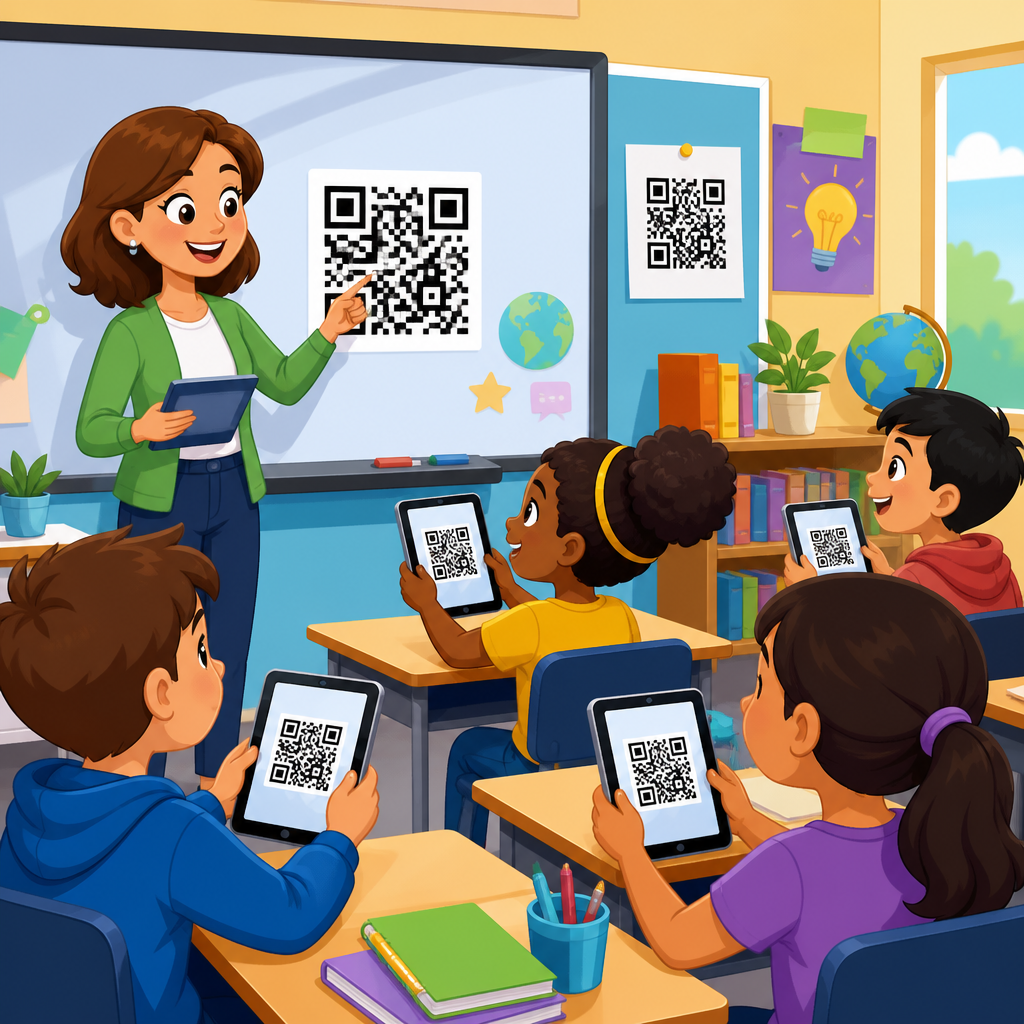
QR codes have become one of the simplest, most flexible classroom tools because they connect printed materials, devices, and physical spaces with almost no learning curve. In education, a QR code is a two-dimensional barcode that students, teachers, or families scan with a phone, tablet, Chromebook camera, or dedicated scanner to open digital content instantly. I have used them in lesson stations, parent communication packets, hallway displays, assessment workflows, and classroom libraries, and their value is practical rather than trendy: they remove friction. Instead of asking a student to type a long URL, search for a document, or navigate a learning platform menu, a teacher can place one small scannable square on paper, a wall, a lab bin, or a slide and send that learner directly to the right resource.
That matters because classroom time is limited, student attention is fragmented, and teachers need systems that work across grade levels and subject areas. Used well, QR codes support differentiated instruction, blended learning, classroom management, accessibility, and family engagement. They can link to read-aloud audio, lab safety videos, assignment directions, translation support, digital portfolios, exit tickets, behavior expectations, or sign-up forms. They also fit naturally into common education tools such as Google Classroom, Microsoft Teams, Canvas, Seesaw, Padlet, Flip, and school websites. For schools building a broader education technology strategy, QR codes are not the strategy itself; they are a delivery layer that makes existing content easier to reach, more visible, and more likely to be used correctly.
This hub explains how teachers use QR codes in the classroom across core instructional and operational scenarios, where they work best, and what limits schools should consider before rolling them out widely. It covers the education use case comprehensively so curriculum leaders, classroom teachers, media specialists, and school administrators can see how one simple tool supports instruction from early elementary through secondary classrooms. The central idea is straightforward: when access gets easier, participation usually improves.
Lesson delivery, centers, and differentiated instruction
The most common classroom use for QR codes is direct lesson delivery. A teacher places a code on a worksheet, station card, anchor chart, lab handout, or slide deck, and students scan it to reach a specific video, article, audio clip, interactive simulation, or teacher recording. In elementary literacy, I have seen teachers attach QR codes to independent reading response sheets so students can hear directions read aloud and replay them without waiting for adult support. In middle school science, station rotation works better when each lab station has a code linking to its own procedure video and safety reminder. In high school math, codes can point to worked examples for students who need one more model before practicing independently.
This improves differentiation because one printed activity can branch into multiple support levels. A single assignment sheet might include one code for the core lesson, another for vocabulary review, and a third for extension problems. Students do not have to self-identify publicly for help; they simply scan the support they need. Teachers can also separate remediation and enrichment cleanly. For example, after a formative check, students who missed key concepts can scan a reteach code tied to a short Loom or Screencastify explanation, while advanced learners scan an application challenge hosted in Desmos, Nearpod, or a teacher-created Google Form. The paper handout stays uncluttered, but the instructional pathways become richer.
QR codes also reduce transition loss during centers. Young students often spend more time asking what to do than doing it. A center sign with a picture cue and a QR-linked audio explanation makes routines far more independent. In multilingual classrooms, that same center can include translated directions or visual modeling. For special education settings, codes can connect to repeated instructions, social stories, or task analysis videos that students access privately as often as needed. The key instructional benefit is consistency: every learner gets the exact same directions, examples, and scaffolds, delivered on demand.
Assessment, feedback, and student demonstration of learning
Teachers also use QR codes to streamline formative assessment and feedback. The simplest version is an exit ticket code posted near the door that sends students to a Google Form, Microsoft Form, or Canvas quiz. Because the link is immediate, completion rates are usually higher than when students must search within a platform. During observations and coaching cycles, I have watched teachers collect same-day understanding checks this way and adjust grouping before the next period begins. In classrooms using standards-based grading, a QR code on a retake form can lead students directly to targeted review materials aligned with the standard they need to revisit.
For paper-based assessments, QR codes bridge analog and digital evidence. A student can complete written work on paper, then scan a code to record a verbal explanation of thinking using Flip, Seesaw, or a simple audio recorder. This is especially valuable in primary grades, world language classes, and intervention settings where oral language shows understanding more clearly than written production alone. Art teachers can attach codes to display labels that link to a student artist statement. Career and technical education teachers can place codes on project rubrics that open demonstration videos showing what proficient work looks like. Physical education teachers can link skill cards to movement exemplars and student self-assessment forms.
Feedback becomes more personal with audio and video comments. Instead of writing the same note repeatedly, a teacher can attach a QR code sticker to an essay or lab report that opens a brief personalized screencast. Students scan, hear the explanation, and can replay it while revising. This does take more preparation time at first, but the feedback quality is often stronger because tone and modeling are clearer than margin notes. When used selectively for major tasks or recurring misconceptions, QR-based feedback can save time while improving comprehension.
Classroom management, routines, and communication
Beyond instruction, QR codes improve classroom systems. Teachers use them for attendance alternatives at events, bathroom or hallway pass logs, device checkout forms, supply requests, and classroom job charts. A code near the turn-in tray can link to late-work policies or missing-assignment recovery steps. A code on the board can open the daily agenda, bell ringer, or substitute plans. In self-paced classrooms, a “What do I do next?” code can point students to extension tasks, reducing interruptions during small-group instruction.
Family communication is another strong use case in education. Teachers place QR codes on newsletters, syllabi, open house handouts, field trip forms, and student portfolios so families can reach translated information, sign-up forms, classroom wish lists, and calendars quickly. In the early grades, a take-home reading log can include a code to a modeled read-aloud or phonics practice page, helping caregivers support instruction even if they are unfamiliar with school platforms. For secondary courses, a syllabus code can connect families to grading policies, tutoring schedules, and teacher contact forms. The communication advantage is convenience: a parent can scan immediately instead of remembering to type a link later.
Schools also use hallway and campus signage effectively. Library shelves can feature QR codes linking to book trailers or reading recommendations. Bulletin boards can connect student work displays to videos, reflection recordings, or research sources. Counselors can post codes for appointment requests, scholarship lists, or social-emotional resources. These examples show that QR codes are not limited to the classroom period; they can support the wider learning environment wherever a physical space needs a digital layer.
Accessibility, inclusion, and support for diverse learners
One of the most useful education benefits of QR codes is accessibility. When teachers attach a code to a printed text that opens audio narration, enlarged text, captions, translation, or visual supports, they make the same core material more reachable for more learners. This is not a replacement for formal accommodations or accessible document design, but it is a practical enhancement teachers can implement quickly. In my experience, the strongest results come when QR codes are planned as part of universal access from the beginning rather than added later after students struggle.
Students with dyslexia may benefit from codes linking to text-to-speech versions of passages. English learners can scan for home-language vocabulary previews, picture glossaries, or sentence frames. Students with executive functioning challenges can access chunked instructions, checklist videos, or examples of completed work. For students who are absent, a code on the make-up work folder can open all missed directions in one place. In schools serving mixed device environments, teachers should test whether the linked content works on phones, tablets, and managed student laptops, because accessibility breaks down quickly when a code opens a file type students cannot use.
Privacy and safety matter here. Teachers should avoid linking QR codes directly to public folders containing student information, and they should check permissions before printing codes widely. FERPA considerations are real whenever a code points to student work, rosters, or class-specific data. Public hallway displays should lead to approved, view-only content with no private identifiers. Accessibility and compliance work best together when schools use district-approved platforms, standard sharing settings, and clear review processes.
Implementation best practices, tools, and common mistakes
Successful classroom QR code use depends less on the code itself and more on the workflow behind it. Start with a clear purpose: save time, give directions, collect responses, or extend learning. Then choose a reliable destination such as a Google Doc in view-only mode, a Microsoft Form, a district LMS page, or a teacher-recorded video. Static QR codes work for permanent links, while dynamic QR codes are better when the destination may change because they allow edits after printing and often provide scan analytics. Many educators use tools such as QR Code Generator, Canva, Adobe Express, Bitly, and classroom management platforms that build codes automatically.
| Use case | Best destination | Why it works |
|---|---|---|
| Station directions | Short teacher video | Students can replay steps independently |
| Exit tickets | Google Forms or Microsoft Forms | Fast collection and automatic response data |
| Family communication | Translated landing page or signup form | Reduces barriers for caregivers |
| Student portfolios | Seesaw, Padlet, or LMS page | Connects physical work to digital reflection |
| Library recommendations | Book trailer or catalog record | Prompts discovery at the shelf |
There are several common mistakes. The first is overuse. If every surface in a classroom has a code, students stop noticing them. The second is poor testing. A code that works on a teacher phone but fails on student devices undermines trust quickly. The third is weak placement and sizing. Codes must be large enough to scan, high contrast, and positioned where lighting and traffic allow easy access. The fourth is link decay. Videos get moved, permissions change, and websites expire, so teachers need a review routine, especially for materials reused each semester. The fifth is assuming all students have equal scanning ability outside school. Homework codes are helpful only if families have devices and connectivity.
For schools treating this page as a hub within broader QR code use cases by industry, education stands out because implementation touches instruction, operations, communication, and student support at the same time. A retailer may use QR codes mainly for product information, and a restaurant may use them for menus, but teachers use QR codes in the classroom as a daily bridge between physical learning artifacts and digital experiences. That breadth makes planning important. Districts benefit from simple guardrails: approved generators, naming conventions, accessibility checks, and guidance on when to use dynamic versus static codes. With those basics in place, teachers can adopt the tool quickly without creating technical debt.
QR codes work in classrooms because they solve a specific, recurring problem: too many learning resources are hard to reach at the moment students need them. By making access immediate, teachers can strengthen lesson delivery, differentiate support, collect assessment data faster, improve family communication, and add accessibility features to ordinary printed materials. The best classroom uses are not gimmicks. They are tied to a clear instructional or operational purpose, supported by reliable platforms, and tested on the devices students actually use.
For education teams building a practical QR strategy, the priority is not creating more codes; it is creating better pathways. Use QR codes where they remove friction, preserve teacher time, and increase student independence. Review links regularly, protect student privacy, and design every destination for clarity on mobile and laptop screens. When those fundamentals are in place, QR codes become a lightweight system that supports teaching across subjects, grade bands, and school settings.
If you are expanding your school’s approach to education technology, start with three high-impact uses this month: one instructional code, one assessment code, and one family communication code. Measure whether access improves, whether students use the resource correctly, and whether the workflow saves time. From there, build your classroom or district playbook around the uses that deliver consistent results.
Frequently Asked Questions
How do teachers use QR codes in the classroom on a day-to-day basis?
Teachers use QR codes in the classroom as quick access points to digital content, instructions, and activities that support everyday learning. A single code can send students to a read-aloud video, a Google Form exit ticket, a vocabulary practice game, a tutorial, a class website, or a digital copy of an assignment. Because students can scan and open resources instantly, teachers spend less time passing out links or troubleshooting typing errors and more time focusing on instruction. This is especially helpful in elementary classrooms, mixed-grade settings, and intervention groups where speed and simplicity matter.
On a practical level, QR codes fit naturally into lesson stations, independent work bins, classroom libraries, hallway displays, and small-group rotations. For example, a teacher might place one code at a science station to open an experiment demo, another on a math task card to reveal hints, and another in the classroom library to link to book trailers or comprehension questions. Teachers also use them for parent communication by adding scannable codes to newsletters, conference packets, and back-to-school materials. The biggest advantage is flexibility: QR codes bridge printed materials, devices, and physical classroom spaces with almost no learning curve.
What are the best classroom activities and lessons for using QR codes?
The best classroom activities for QR codes are the ones that benefit from movement, instant access, and student independence. Learning stations are one of the strongest examples. Teachers can place different codes around the room so students scan for directions, videos, questions, or response forms at each stop. This keeps materials organized and reduces the need for repeated teacher explanations. Scavenger hunts are another popular option, especially for review days, vocabulary practice, problem-solving tasks, and icebreaker activities. Students scan a code, complete a challenge, and move to the next location, turning review into an active experience.
QR codes also work extremely well in blended learning and flipped classroom models. A teacher can attach codes to printed notes, anchor charts, lab sheets, or homework pages so students can access mini-lessons, worked examples, and enrichment resources when they need support. In reading instruction, codes can link to author interviews, read-aloud recordings, fluency models, and comprehension extensions. In writing, students can scan to access mentor texts, rubrics, or peer feedback forms. In assessment workflows, teachers can place codes on exit tickets, self-check quizzes, and reflection prompts. The most effective uses are purposeful: the QR code should remove friction, not add novelty for its own sake.
What are the benefits of using QR codes for students, teachers, and families?
For students, QR codes make classroom resources easier to access and often more engaging. Instead of copying long web addresses or waiting for a teacher to project everything, students can scan and begin right away. This supports independence, especially during centers, early finisher tasks, and make-up work. QR codes also help accommodate different learning needs by connecting students to audio directions, translated resources, visual supports, and replayable instructional videos. That immediate access can reduce confusion and help students work at a more comfortable pace.
For teachers, the main benefits are efficiency, organization, and versatility. QR codes can be attached to almost any printed material and reused across multiple class periods or even multiple years with editable links. They simplify routines like attendance check-ins, formative assessment, and station setup. Teachers can also use them to connect physical displays to dynamic content, which is useful for bulletin boards, student work showcases, and interactive hallway projects. For families, QR codes make communication more convenient. A code on a handout can open a sign-up form, classroom calendar, translated message, supply list, or video explanation of a school event. In that sense, QR codes strengthen the home-school connection by making important information easier to reach on a phone.
Do students need special devices or apps to scan QR codes at school?
In most cases, no special app is required. Many phones, tablets, and Chromebooks can scan QR codes directly through the built-in camera, which makes classroom use much more practical than it was years ago. Some schools also use dedicated scanner apps or classroom management tools with built-in QR features, but for many teachers, the standard camera is enough. If students are using shared devices, it is still a good idea to test the process ahead of time and make sure camera permissions are enabled. Reliable internet access is also important if the code opens web-based content.
That said, successful implementation depends less on advanced technology and more on clear classroom routines. Teachers should model how to scan, where to hold the device, what to do if a link does not open, and how to move responsibly through the room if codes are posted in different areas. It is also wise to provide a backup access method, such as a shortened link printed below the code, especially for younger students or classrooms with inconsistent device availability. When teachers plan for accessibility and logistics, QR codes remain one of the lowest-barrier digital tools available in education.
What are the best practices for creating effective QR codes for classroom use?
The best QR codes are simple, tested, and tied to a clear instructional purpose. Before printing anything, teachers should make sure the destination link works on student devices and leads directly to the intended resource without unnecessary logins or confusing navigation. If a code will be used by younger students, it helps to place a short label beside it such as “Scan for directions,” “Scan for the video,” or “Scan to submit your exit ticket.” That small step reduces uncertainty and helps students know exactly what to expect. Size and placement matter too: codes should be large enough to scan easily and positioned where lighting and traffic flow will not create frustration.
It is also smart to think about durability and long-term management. Teachers often get better results by organizing QR codes by unit, subject, or routine and keeping a master document of what each one links to. Dynamic QR codes can be especially useful because the destination can be updated without reprinting the code, which saves time when resources change. In addition, teachers should avoid overloading lessons with too many scans in a row. QR codes work best when they streamline access, support independence, or connect physical materials to meaningful digital content. Used strategically, they become a dependable classroom system rather than just a tech extra.





