
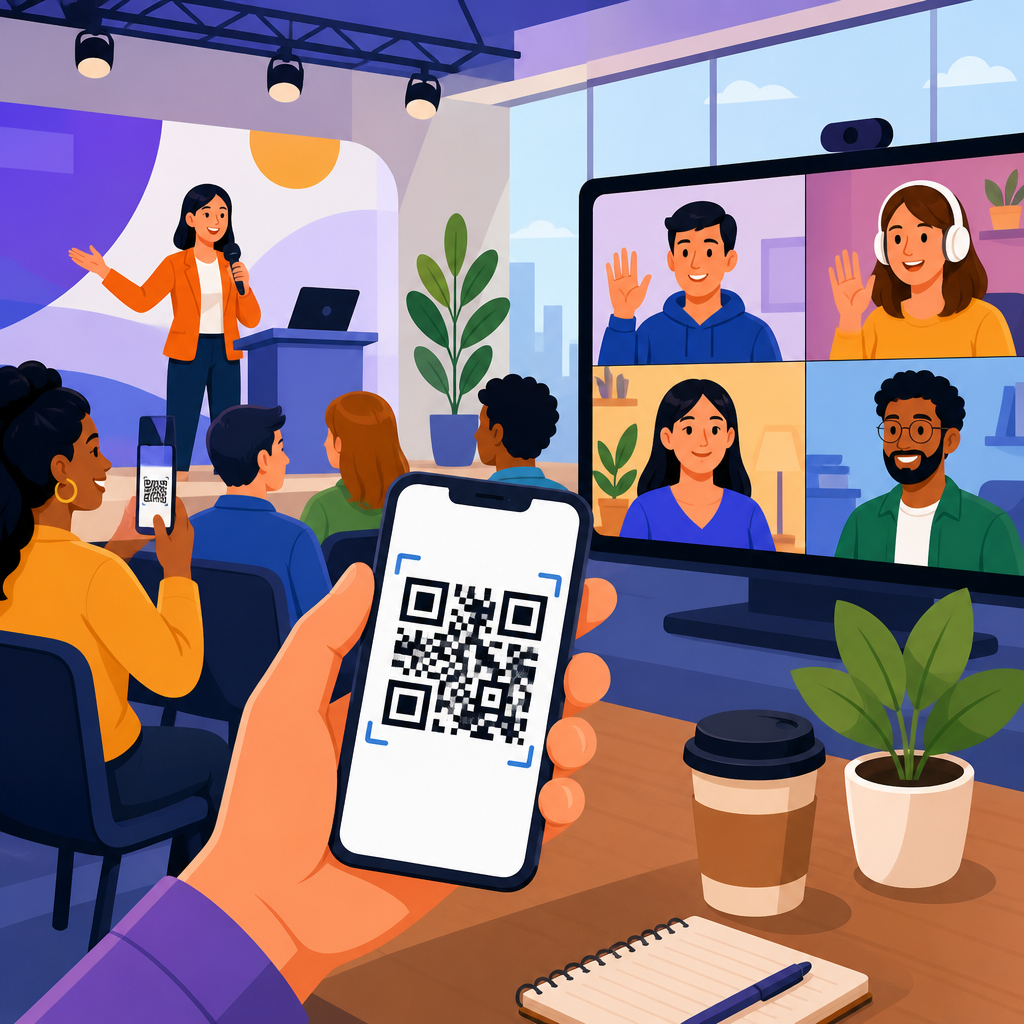
QR codes for hybrid and virtual events have moved from a novelty to core event infrastructure because they solve a basic problem every organizer faces: connecting physical attendees, remote participants, sponsors, speakers, and ticketing systems through one fast, scannable touchpoint. In events and ticketing, a QR code is a two-dimensional barcode that stores a URL, contact card, file, payment link, check-in token, or app action. “Hybrid events” combine in-person and online participation, while “virtual events” happen entirely through digital platforms such as Zoom Events, Hopin, Microsoft Teams, Webex, or custom event portals. I have used QR workflows in conferences, trade shows, training sessions, fundraising galas, and multi-venue festivals, and the difference is practical: fewer queues, cleaner attribution, faster attendee actions, and better post-event data.
For organizers building an events and ticketing strategy, QR codes matter because they reduce friction at every stage of the attendee journey. A single scan can confirm registration, open an agenda, join a livestream, download exhibitor resources, submit feedback, claim continuing education credits, or add a contact to a CRM. That convenience is not only operationally useful; it affects attendance rates, engagement depth, sponsor value, and support costs. Event teams also benefit from dynamic QR codes, which allow the destination to be changed after printing. If a session room moves, a speaker replaces a deck, or a livestream URL changes minutes before start time, the printed code stays the same while the linked destination updates instantly. That flexibility is why QR codes now sit at the center of modern event operations rather than at the edge.
This article serves as the hub for events and ticketing use cases. It explains where QR codes fit across registration, entry, wayfinding, networking, lead capture, sponsor activations, cashless payments, on-demand content, analytics, and security. It also addresses the practical questions organizers ask before rollout: Which code type should you choose? What should each sign or screen link to? How do you prevent bottlenecks? What metrics actually matter? Used well, QR codes create a consistent bridge between venue spaces and digital experiences. Used poorly, they create confusion, dead links, and scanning fatigue. The goal is not to place codes everywhere. The goal is to place them where a scan removes effort and advances a measurable event objective.
Why QR codes are foundational in events and ticketing
Events compress a high number of decisions into a short window. Attendees need directions, schedules, access credentials, content links, and support. Sponsors want measurable engagement. Speakers need simple ways to distribute materials. Operations teams need reliable throughput. QR codes work in this environment because they are universal, low-cost, and device-native. Most smartphone cameras read them without an additional app, which lowers adoption barriers. That matters in busy lobbies and crowded halls, where every extra step reduces scan completion rates.
In ticketing, QR codes are especially valuable because they unify identity and access. A ticket QR can encode a unique token tied to a registration record in Eventbrite, Cvent, Bizzabo, Ticket Tailor, or a custom platform. At entry, staff scan the code, validate the record, and update attendance status in real time. For virtual events, the same attendee may receive a separate QR that opens a personal event hub, not a shareable livestream link. This distinction is important. Public URLs are easy to forward; tokenized QR destinations can be tied to login state, reducing unauthorized access.
From an operational perspective, QR codes also support contingency planning. Printed signage can point to mobile web pages that your team can update throughout the day. If weather forces an outdoor activation indoors, a dynamic code on the original sign can reroute visitors to the new location map. If a keynote reaches room capacity, the code outside the room can redirect overflow attendees to a live simulcast page. These are not edge cases. They happen at real events constantly, and QR-driven redirection is often the fastest way to adapt without reprinting materials.
Where QR codes fit across the attendee journey
The most effective event QR strategy starts before the event and continues after it ends. Pre-event, codes in email confirmations and calendar invites can open ticket wallets, event apps, venue maps, travel guidance, or profile setup forms. During the event, codes support arrival, badge pickup, lead retrieval, polling, networking, resource downloads, food ordering, donations, and certificate requests. Post-event, they drive session replays, sponsor follow-ups, surveys, and community signups.
Think of the attendee journey as a sequence of micro-conversions. A registration confirmation should lead to one next action, such as adding the ticket to Apple Wallet or Google Wallet. Lobby signage should answer one urgent question, such as “Where do I check in?” Session-room slides should point to one high-value outcome, such as downloading a template or asking a question. When I audit underperforming event QR programs, the issue is rarely the code itself. It is usually a mismatch between context and destination. An attendee scanning from the back of a ballroom cannot be expected to complete a ten-field form. A sponsor-booth code that opens a generic homepage wastes the interaction. The destination must fit the moment.
| Event stage | Best QR use case | Primary goal | Recommended destination |
|---|---|---|---|
| Pre-event | Ticket confirmation | Reduce support requests | Mobile wallet pass or attendee portal |
| Arrival | Check-in and badge pickup | Speed entry | Unique validation token in ticketing system |
| During sessions | Slides, polls, Q&A | Increase engagement | Session-specific landing page |
| Expo floor | Sponsor lead capture | Generate qualified leads | Tracked form or product page |
| Networking | Digital business card exchange | Build connections | vCard, LinkedIn, or contact form |
| Post-event | Survey and replay access | Extend value | Feedback page and on-demand library |
This structure helps event teams prioritize. Not every use case belongs in every event. A leadership summit may emphasize content delivery and networking, while a music festival may prioritize access control, cashless payments, and venue navigation. A virtual user conference may focus on session hopping, sponsor rooms, and post-event replay consumption. The common principle is that each QR placement should map to one operational or revenue outcome.
Check-in, access control, and ticket validation
The highest-stakes QR use case in events and ticketing is entry. If scanning fails at the door, confidence drops immediately. For that reason, access control QR codes should be treated differently from marketing QR codes. Use unique, non-guessable identifiers linked to a live attendee record. Avoid storing sensitive personal data directly in the code. The scanner should call the registration database or access control platform, verify status, and return a clear response such as valid, already used, wrong day, VIP, staff, or restricted session. Major venues and event teams often integrate this with Zebra or Honeywell handheld scanners, although many smaller events run effectively on tablet-based apps.
Good access design also accounts for offline scenarios. Wi-Fi congestion and venue dead zones are common. Strong event platforms cache recent validation records, support intermittent sync, and provide visual fail states to staff. If you are running timed entry, assign admission windows in the ticketing record and train staff on exception handling. If you are issuing badges on-site, connect the scan flow to instant badge printing through platforms like Cvent OnArrival or specialized kiosks. The less manual lookup required, the higher your throughput.
For hybrid events, access control extends beyond the front door. Paid registrants may receive a QR code on their confirmation screen that opens a logged-in event portal, while in-person badges may include another code for session attendance tracking. This allows organizers to distinguish between event entry and content participation. That distinction improves continuing education reporting, sponsor analytics, and revenue attribution by showing which registrants actually consumed specific experiences.
Session engagement, content delivery, and networking
Inside sessions, QR codes are best used to turn passive viewing into measurable participation. A code on the opening slide can link to polls, live Q&A, downloadable worksheets, research cited by the speaker, or a session feedback form. A code on the closing slide can route attendees to a recap page containing the deck, transcript, resource links, and related sessions. This is more effective than flashing a long URL because the scan captures intent immediately. It also creates a data point tied to session interest.
For hybrid audiences, session QR codes should support both in-room and remote attendees. One common approach is a session landing page with tabs for watch live, ask a question, download slides, speaker bio, and follow-up resources. That way, the same code works on venue screens, printed agendas, and livestream overlays. If a speaker references a product demo, framework, or case study, the page should surface those materials directly rather than forcing visitors to search the broader website.
Networking is another strong fit. Digital badges can include QR codes that open a person’s profile, company, interests, or preferred contact method. Exhibitors can scan attendee badges for lead capture, while attendees can scan speaker or sponsor codes to save details without swapping paper cards. The best implementations ask for a minimal action, such as “save contact” or “request follow-up,” and sync the result to Salesforce, HubSpot, Marketo, or another CRM. This reduces lost leads and creates cleaner attribution than manual badge notes.
Sponsor activations, exhibitors, and event monetization
QR codes create measurable sponsor inventory, which is why they are increasingly written into exhibitor packages. A booth can display separate dynamic codes for product sheets, giveaway entry, demo booking, catalog download, and newsletter signup. Because each code can have its own UTM parameters, destination, and analytics stream, sponsors can see which interaction produced the most valuable leads. Organizers benefit too because premium placements near stages, lounges, charging stations, or photo walls can be sold with clear reporting expectations.
The key is to match scan value to buyer intent. A booth visitor comparing software options may want pricing, integrations, or a sandbox request, not a generic homepage. A food and beverage sponsor may use a QR code to deliver coupons or mobile ordering. A nonprofit gala may route table cards to a donation page with preset amounts and Apple Pay. At festivals, merchandise stands can use QR codes to shorten queues by sending attendees to mobile checkout for pickup. These examples show that event monetization is broader than sponsorship visibility; it includes faster conversion and cleaner attribution.
In my experience, sponsors are happiest when organizers standardize landing page guidance. Provide recommended dimensions, contrast rules, destination best practices, and naming conventions before the event. Encourage dynamic codes so sponsors can correct links after assets are printed. Require a clear privacy notice on lead forms, especially where GDPR or CCPA applies. This level of governance improves attendee experience while protecting the commercial value of the package.
Analytics, security, and implementation best practices
QR code analytics should be interpreted alongside event metrics, not in isolation. A high scan count may indicate strong interest, poor signage elsewhere, or confusion that forced attendees to scan for basic directions. Measure scan-through rate, unique scans, repeat scans, destination conversion rate, time by location, device mix, and downstream actions such as form completions, replay views, or booked meetings. Pair code data with registration, app engagement, session attendance, and CRM outcomes to understand what actually moved revenue or satisfaction.
Security deserves equal attention. Use HTTPS destinations, branded domains where possible, and short but readable URLs on signs so attendees can preview the destination before scanning. For ticket validation and private content, prefer tokenized links with expiration logic over static public pages. Monitor for duplicate scans, screenshot abuse, and redirect tampering. If codes are placed in public areas, inspect signage periodically for sticker replacement or malicious overlays. These risks are manageable, but they are real.
Implementation quality often comes down to fundamentals: maintain strong contrast, leave quiet space around the code, test at expected viewing distance, and avoid placing critical codes where glare, crowding, or poor lighting reduce scan success. For screens, animate sparingly and hold the code long enough to scan comfortably. For print, export in a format that preserves sharp edges. Above all, test on different phones, networks, and user states before launch. A QR code strategy succeeds when the scan is effortless and the destination is immediately useful.
How to build your events and ticketing QR hub
As a hub topic under QR code use cases by industry, events and ticketing should connect several deeper workflows: conference check-in, festival ticketing, exhibitor lead capture, venue wayfinding, contactless payments, digital menus, fundraising, speaker resources, and on-demand content. The hub page should define the category, explain strategic patterns, and direct readers to detailed subpages for each implementation. That structure helps teams compare use cases without losing the big picture.
The strongest event QR programs start small and scale deliberately. Begin with one access flow, one content flow, and one sponsor flow. Document scan rates, friction points, and support requests. Then expand into networking, navigation, post-event follow-up, and advanced segmentation. If you manage events across formats, design a repeatable governance model covering naming, ownership, redirects, analytics, privacy, and archival rules. That discipline prevents link decay and keeps future events easier to launch.
QR codes for hybrid and virtual events work best when they are treated as infrastructure, not decoration. They shorten lines, connect audiences across channels, improve sponsor reporting, and make content easier to access at the exact moment people need it. For event organizers, the main benefit is simple: better attendee flow with better data. Audit your current attendee journey, identify the moments where a scan can remove friction, and build your events and ticketing QR hub around those high-value actions first.
Frequently Asked Questions
How are QR codes used in hybrid and virtual events?
QR codes are used as a central bridge between the in-person and digital sides of an event. At a hybrid event, one code can move an attendee from a printed badge, sign, screen, or handout directly into a live stream, session agenda, speaker bio, exhibitor page, survey, networking form, or event app. For virtual attendees, QR codes displayed on screen, included in email reminders, or added to presentation slides can link to downloadable resources, sponsor offers, breakout rooms, polls, or post-event content without forcing people to search through menus or long URLs.
They are especially valuable because they reduce friction. Instead of asking attendees to manually enter links, download files from follow-up emails, or navigate several steps to access content, organizers can give them one fast, scannable entry point. This makes QR codes useful for registration, ticket validation, session check-in, lead capture, contact sharing, digital business cards, feedback collection, and even payment flows for upgrades or donations. In practical terms, they function as lightweight event infrastructure: simple for users, but powerful enough to connect ticketing systems, CRM tools, streaming platforms, sponsor activations, and engagement analytics in one place.
What are the main benefits of using QR codes for hybrid and virtual events?
The biggest benefit is speed. QR codes let attendees access information instantly, which improves the event experience and reduces drop-off. When people can scan a code to check in, join a session, download a presentation, or connect with a sponsor in seconds, the event feels smoother and more professional. That speed matters even more in hybrid and virtual formats, where any extra step can reduce participation.
Another major advantage is flexibility. A single QR code can point to a registration page, stream link, exhibit booth, networking profile, map, resource library, or post-event replay. If organizers use dynamic QR codes, they can update the destination without reprinting signage or reissuing materials, which is extremely useful when agendas shift, speakers change, or links need to be corrected at the last minute. QR codes also support better measurement. Organizers can track scan activity by time, location, campaign, or touchpoint to understand which sessions, sponsors, or calls to action are getting attention. On top of that, they support a more contactless and sustainable event model by replacing printed packets, paper forms, and manual handouts with digital access points.
Can QR codes improve event check-in, ticketing, and attendee management?
Yes, and this is one of their strongest use cases. In ticketing and attendee management, QR codes can serve as unique check-in tokens linked to each registration record. When attendees arrive on site, staff can scan the code from a mobile ticket, confirmation email, or printed pass to verify entry quickly and accurately. This speeds up lines, reduces manual lookup errors, and gives organizers real-time attendance visibility. For hybrid events, the same attendee profile can be connected to both on-site check-in and digital participation, making it easier to understand who attended in person, who joined online, and which sessions each person engaged with.
QR codes also help manage access control. Organizers can assign codes to specific ticket types, VIP areas, workshops, meal selections, or sponsored sessions, which makes it easier to validate permissions at multiple touchpoints throughout the event. For virtual experiences, QR codes can direct users into gated content, private communities, or app-based event spaces tied to their registration status. When integrated with event software, this creates a much more seamless operational flow, from registration and badging to attendance tracking and post-event reporting. The result is not just convenience for attendees, but cleaner data and better control for organizers.
What should organizers include behind a QR code for the best attendee experience?
The most effective QR code destinations are useful, mobile-friendly, and specific to the moment in which the attendee scans. For example, an entry signage QR code should probably lead to check-in instructions, the event app, or the live agenda. A code shown during a keynote might link to speaker slides, a poll, a Q&A form, or related resources. Sponsor booth codes often work best when they open a product demo, booking form, giveaway entry, or contact capture page rather than a generic homepage. The key is to match the code’s placement with clear intent so attendees instantly understand the value of scanning.
Organizers should also make sure the landing experience is optimized for phones, loads quickly, and does not require unnecessary steps. If possible, use branded landing pages that feel consistent with the event experience, and keep forms short unless the interaction clearly justifies more detail. It is also smart to include backup context near the code, such as “Scan to join the live stream,” “Scan for session materials,” or “Scan to book a sponsor demo,” so users know what will happen next. In hybrid and virtual events, where audiences move between devices and environments, the best QR implementations are direct, relevant, and easy to act on immediately.
Are there any best practices or common mistakes to avoid when using QR codes at events?
There are several best practices that make a major difference. First, always test every QR code across different devices, lighting conditions, and screen sizes before the event starts. A code that works on a desktop mockup may fail when placed too high on signage, shrunk on a badge, or displayed on a low-resolution projector. Second, use dynamic QR codes whenever possible so you can change the destination if schedules, rooms, stream links, or sponsor offers change. Third, prioritize visibility and context: place codes where attendees naturally pause, size them appropriately, and add a short instruction telling people why they should scan.
Common mistakes include linking to pages that are not mobile-optimized, sending users to generic homepages, overloading a single code with too many choices, or failing to plan for connectivity issues. It is also a mistake to treat QR codes as decoration rather than as functional entry points. Every code should have a clear purpose and measurable goal. From a security and trust standpoint, branded domains and recognizable event design help attendees feel confident about scanning. Finally, think beyond launch day: review scan analytics after the event to see which touchpoints performed best, where engagement dropped, and how future hybrid or virtual events can be improved. The most successful event QR strategies are intentional, tested, and connected to broader attendee journey planning.





