
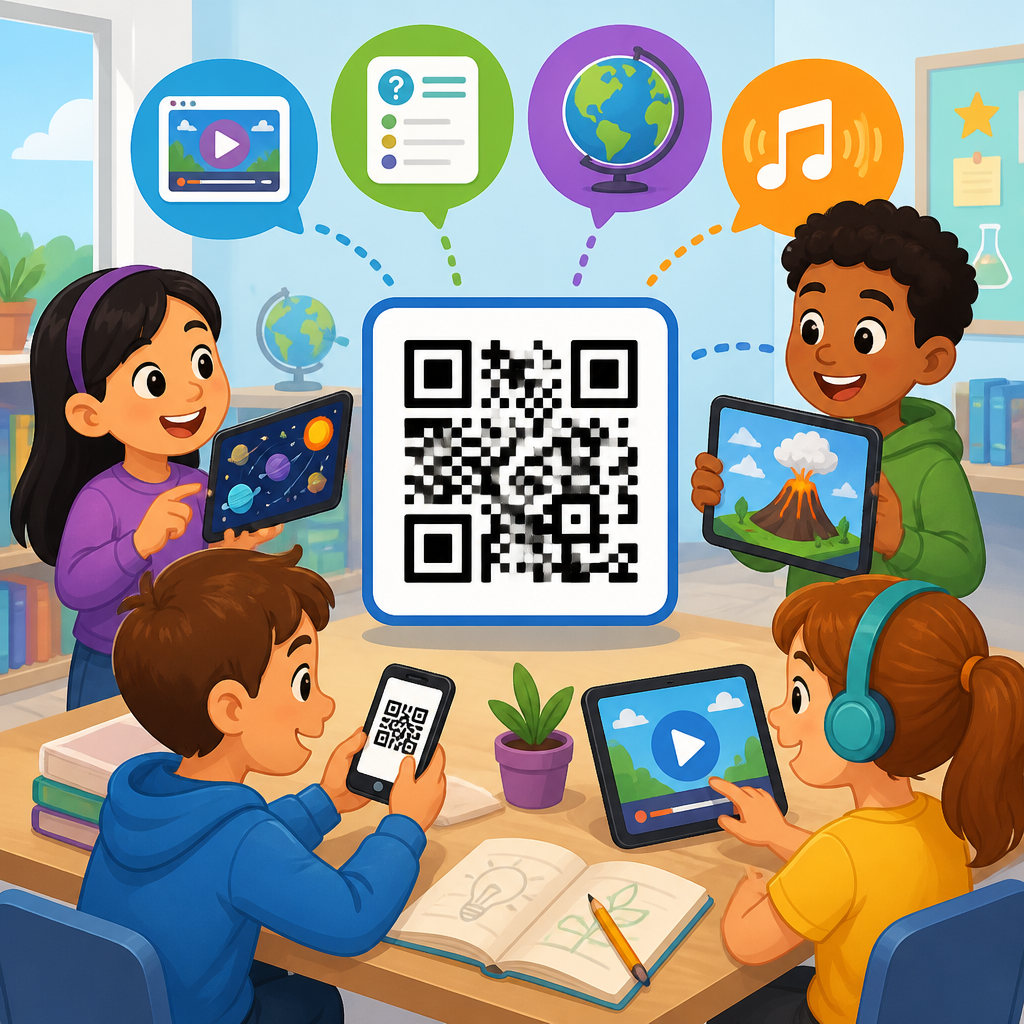
QR codes for interactive learning experiences have moved from novelty to infrastructure in modern education, giving schools, universities, training teams, and museums a simple bridge between printed materials and digital content. A QR code, or quick response code, is a two-dimensional barcode that stores information such as a URL, file link, text string, app action, or authentication token. In classrooms, that means a student can scan a worksheet, poster, textbook page, lab bench card, or library shelf sign and instantly reach a video lesson, quiz, simulation, discussion board, attendance form, or multilingual support resource. That direct connection matters because learning now happens across physical and digital environments, and the transition between them needs to be fast enough that it does not interrupt attention.
I have seen the difference in implementation quality firsthand. When a school treats QR codes as a gimmick, students scan once and rarely return. When educators map codes to a clear instructional purpose, update destinations regularly, and test the experience on real devices, engagement rises because friction falls. A science teacher can link a specimen tray to a microscope tutorial. A university department can place codes outside faculty offices for appointment booking and advising resources. A district can attach codes to take-home packets so families can access translations, assignment videos, and support contacts in seconds. In each case, the code is not the lesson itself; it is the access layer that makes the lesson easier to reach, repeat, and personalize.
This matters across the full education sector because interactive learning depends on timely feedback, differentiated instruction, and content that meets students where they are. QR codes support all three. They can launch self-paced review, connect formative assessment tools like Google Forms, Microsoft Forms, Kahoot, Quizizz, or Nearpod, and deliver alternative formats for accessibility. They also support operational needs that affect learning outcomes indirectly, including attendance, device pickup, event registration, library circulation, and campus navigation. For education leaders building a long-term strategy, QR codes are one of the lowest-cost ways to connect print, spaces, and objects to trackable digital experiences without requiring students to type long links or search manually.
As a hub topic within education, QR codes touch early childhood classrooms, K-12 instruction, higher education, adult learning, tutoring, campus services, and informal learning environments. The most effective programs are built around a few core principles: use dynamic codes when destinations may change, design around mobile-first behavior, protect student privacy, follow accessibility standards, and measure outcomes beyond scans alone. The sections below explain where QR codes fit in education, how to deploy them well, which use cases create the most value, and what schools should consider before scaling.
How QR Codes Support Interactive Learning in Education
Interactive learning means learners do something active with content rather than simply receiving it. They answer, explore, compare, simulate, annotate, discuss, and apply. QR codes enable that interaction by reducing the time between curiosity and response. Instead of writing a URL from the board, students scan and enter the activity instantly. That speed matters more than it seems. In classroom observation work, every extra step cuts participation. A ten-second task becomes a two-minute disruption if half the room mistypes a link, switches apps, or gives up.
In K-12 settings, QR codes commonly connect physical materials to digital reinforcement. A reading corner can include scan-to-hear audio for emerging readers. A math station can link manipulatives to worked examples or short reteach videos. Hallway bulletin boards can become interactive by linking student projects to recorded explanations. In science, QR codes on lab equipment can open safety procedures, demonstration clips, and cleanup checklists. In social studies, timeline posters can point to primary sources, oral histories, and map overlays. These uses work because they extend learning without adding a large technical burden for teachers.
In higher education, QR codes often support independent learning and campus logistics at once. Professors place codes on slides for polling, source downloads, and office hour scheduling. Libraries use codes on shelves to direct students to citation guides, digital collections, and research consultations. Labs use them for equipment booking, protocols, and hazard documentation. Museums and academic exhibitions use QR codes for object interpretation, multilingual text, and extended media. Adult learning and workforce training follow the same pattern: one scan delivers just-in-time instruction at the point of need.
The strongest educational value appears when codes are matched to explicit outcomes. If the goal is retrieval practice, the code should launch a short quiz with immediate feedback. If the goal is differentiation, the code should offer levels of support, such as beginner, standard, and extension materials. If the goal is family engagement, the code should open translated instructions, calendar information, or a teacher message optimized for mobile use. Clear alignment prevents QR fatigue and makes every scan feel worthwhile.
High-Value Education Use Cases Across Classrooms and Campuses
Schools often ask where QR codes produce the fastest return. The answer is in high-frequency moments where access friction hurts instruction or support. Assignment support is one of the best examples. A printed homework sheet with a QR code to a worked example, rubric, and teacher explainer can reduce confusion for students and guardians. In intervention programs, QR codes on skill cards can route each learner to the exact review material they need. That shortens the gap between identifying a learning need and delivering support.
Assessment is another strong use case. Teachers can place QR codes on exit tickets, station cards, or whiteboards to launch quick formative checks. Because tools like Google Forms and Microsoft Forms timestamp responses and export data automatically, teachers gain immediate insight into misconceptions. In blended learning, QR codes can move students between offline work and online checks without derailing momentum. For project-based learning, teams can scan codes to submit progress updates, peer feedback, or reflection journals from any device.
Campus operations also benefit. Universities use QR codes for event check-in, attendance verification, room wayfinding, and service requests. Student services teams place them in advising centers, residence halls, and health offices so students can access forms, FAQs, and booking pages discreetly. Libraries use codes for shelf-level navigation, ebook access, and equipment lending rules. Career centers use them on posters and handouts to connect students to internship boards, resume workshops, and appointment scheduling. These may look administrative, but smoother operations free time and attention for learning.
Informal and experiential learning may be the most exciting area. A school garden can include plant markers linked to climate data and care instructions. An art show can let student artists narrate their own work. A maker space can place codes on tools that open training modules before use. Field trips can become self-guided scavenger hunts with location-based prompts and reflection forms. In each example, QR codes make places and objects instructional.
| Education setting | Common QR code use | Main benefit |
|---|---|---|
| Elementary classroom | Read-aloud audio, station directions, parent resources | Improves independence and family support |
| Middle and high school | Exit tickets, lab guides, assignment help, club sign-ups | Speeds access and increases participation |
| University campus | Lecture polls, advising links, library guides, event check-in | Connects academic and support services |
| Adult learning and training | Job aids, safety instructions, microlearning modules | Delivers instruction at the moment of need |
| Museums and informal learning | Object interpretation, audio tours, multilingual content | Deepens engagement without printed overload |
Instructional Design Best Practices for QR Code Learning Activities
Effective QR code learning experiences are designed backward from the learner task. Start by asking what should happen after the scan. Should students watch, answer, compare, create, or submit? The destination must load quickly, display well on a phone, and require as little navigation as possible. I recommend a one-scan, one-action rule for most classroom use. If students scan a code and then must click through multiple menus, sign in twice, or pinch and zoom to read a desktop page, the instructional benefit collapses.
Dynamic QR codes are usually the better choice for education hubs because the destination can be edited without reprinting the code. That matters when a teacher updates a slide deck, a department changes a form, or a district replaces a platform. Static codes are fine for permanent data like plain text or fixed links, but dynamic codes are more resilient for evolving curriculum. Many QR platforms also provide scan analytics, which can reveal whether a resource is actually being used, at what times, and on what device types.
Accessibility is not optional. Students may use screen readers, older devices, limited bandwidth, or shared family phones. The linked content should use clear headings, alt text where needed, captioned video, readable contrast, and minimal file sizes. It is also wise to place a short fallback URL near the code for users who cannot scan. For multilingual communities, pair the code with simple language labels such as “Scan for Spanish instructions” or “Scan for audio directions.” Context increases confidence and reduces random scanning.
Placement and print quality affect success more than many teams expect. Codes should be large enough to scan from the intended distance, printed with strong contrast, and positioned where glare or crowding will not interfere. Test on both iPhone and Android camera apps before launch. If the code is in a hallway, students may need a destination that loads instantly and does not require login. If it is in a classroom with managed devices, a more complex authenticated workflow may be acceptable. Good implementation respects the environment.
Privacy, Security, and Accessibility Considerations for Schools
Because education often involves minors and regulated data, privacy and security must be built into any QR code strategy. A QR code itself is not dangerous, but it can send users to poor destinations if governance is weak. Schools should publish clear rules about who creates codes, what tools are approved, how links are maintained, and which destinations may collect student information. If a code leads to a form, confirm that the platform aligns with district policy and applicable laws, including FERPA in the United States. Avoid exposing student names, grades, schedules, or personal identifiers through public codes.
Link management is a practical security issue. Dynamic codes should be stored in a shared account controlled by the institution, not by a single teacher who may leave. Naming conventions help teams audit resources later. I have seen campuses with hundreds of unlabeled codes taped to doors and desks, impossible to update because nobody knows who owns them. A simple spreadsheet or asset register with location, purpose, destination, owner, and review date prevents that problem.
Accessibility overlaps with compliance and learning quality. Physical placement must account for wheelchair users, younger students, and crowded spaces. Audio-linked experiences need transcripts. Video needs captions. If a learning activity requires scanning, schools should provide an equivalent route for students whose devices cannot scan or who do not have camera access. Equity matters here. A family handout that assumes unlimited data, personal smartphones, and fast home internet can unintentionally exclude the students who need support most. Offline alternatives and school-provided access points remain essential.
There is also a trust issue with public scanning behavior. Students are increasingly cautious about unknown QR codes because of phishing awareness. That is healthy. To encourage safe participation, label every code clearly, use branded landing pages when possible, and teach students how to verify links before submitting information. Digital literacy should be part of the rollout, not an afterthought.
How to Build an Education QR Code Hub That Scales
For this education subtopic to function as a hub, schools and content teams should think in clusters rather than isolated examples. One strong hub page introduces the major use cases, then branches into focused guides such as QR codes for classroom management, QR codes for school marketing, QR codes for student attendance, QR codes for libraries, QR codes for museums, QR codes for campus events, and QR codes for parent communication. That structure helps readers find the exact implementation model they need while signaling the breadth of the topic.
At the operational level, scaling starts with templates. Create standard landing page formats for assignment help, event check-in, resource lists, and multilingual family support. Standardize design elements so users recognize official school QR experiences. Choose a QR platform that supports dynamic editing, bulk creation, folder permissions, and scan reporting. Popular options include QR Code Generator, Bitly, Beaconstac, and Uniqode, though the right choice depends on governance needs, analytics depth, and budget. Google Forms, Canvas, Moodle, Blackboard, and Microsoft 365 often integrate well as destinations.
Measurement should go beyond scan counts. A code may be scanned frequently because the instructions are unclear, not because the resource is effective. Track downstream outcomes such as form completion rate, assignment submission quality, reduced support requests, attendance lift at events, or improved quiz performance after resource access. In one implementation I supported, replacing typed lab links with QR codes increased protocol access sharply, but the real win was a drop in setup errors because students actually used the instructions at the bench.
The long-term benefit of QR codes in education is not the code itself. It is the creation of a reliable bridge between spaces, materials, and digital support. When that bridge is thoughtfully designed, interactive learning becomes easier to launch, easier to repeat, and easier to improve over time.
QR codes for interactive learning experiences work best when educators treat them as part of instructional design, not as decoration. They reduce friction between printed materials and digital resources, support active learning, and help schools serve students across classrooms, campuses, and community settings. In education, the most effective uses include assignment help, formative assessment, lab instructions, library guidance, multilingual family communication, event check-in, and self-guided exploration in informal learning spaces.
The core implementation rules are straightforward. Match every code to a clear learner task. Use dynamic codes when links may change. Test the full journey on real mobile devices. Keep destinations fast, accessible, and easy to understand. Protect student data through approved platforms and shared governance. Provide alternatives for learners who cannot scan or who need offline support. These steps are simple, but they separate a sustainable education QR code program from a scattered collection of one-off experiments.
For schools, colleges, and training organizations, the main benefit is practical: better access creates better participation. When students can reach the right resource at the right moment, engagement becomes more consistent and support becomes more equitable. If you are building out education content or implementing QR codes on campus, start with one high-friction learning moment, design the scan experience carefully, measure the result, and expand from there.
Frequently Asked Questions
What are QR codes, and why are they useful for interactive learning experiences?
QR codes are two-dimensional barcodes that can store and instantly deliver different types of information, including website links, videos, PDFs, audio files, quizzes, forms, app actions, maps, and more. In an educational setting, they serve as a practical bridge between physical learning materials and digital resources. Instead of asking students to type long URLs or search manually for the right content, educators can place a scannable code directly on a worksheet, bulletin board, textbook page, lab station, museum placard, library shelf, or training handout. A quick scan with a phone, tablet, or classroom device takes the learner exactly where they need to go.
That convenience matters because it reduces friction. The easier it is for a learner to access enrichment content, the more likely they are to engage with it. QR codes can turn static materials into interactive touchpoints by connecting students to demonstrations, vocabulary support, virtual tours, discussion prompts, assignment instructions, formative assessments, or differentiated content. They also support self-paced learning, which is especially valuable in mixed-ability classrooms, blended learning environments, and professional training programs. In short, QR codes are useful because they make learning resources more accessible, immediate, and interactive without requiring major changes to existing materials.
How can teachers and educators use QR codes effectively in classrooms, training programs, and museums?
QR codes are most effective when they are tied to a clear instructional purpose rather than used as a novelty. In classrooms, teachers often use them to link printed assignments to explainer videos, answer keys, extension activities, digital worksheets, or audio support for emerging readers and multilingual learners. A science teacher might place codes at lab stations for safety instructions and experiment demonstrations. A language arts teacher might add codes to reading passages so students can hear fluent read-alouds or access author background information. In math, codes can connect students to step-by-step solution walkthroughs, remediation resources, or challenge problems.
In higher education and workplace training, QR codes are useful for streamlining access to course portals, attendance check-ins, equipment guides, compliance materials, simulation modules, and assessment forms. Instead of emailing multiple links or printing lengthy instructions, facilitators can create a direct entry point from the physical environment to the exact digital resource needed. In museums, galleries, and cultural institutions, QR codes can enrich exhibits with multimedia storytelling, curator commentary, accessibility features, translation options, archival images, or interactive maps. Visitors can choose how deeply they want to engage, which makes the experience both more personalized and more informative.
To use QR codes well, educators should match the destination to the learning goal, test every code before distribution, and make the benefit obvious to the learner. Labels such as “Scan to watch the lab demo” or “Scan for a practice quiz” are far more effective than posting an unlabeled code. The strongest implementations are intentional, easy to use, and integrated into the broader learning experience rather than added as an afterthought.
What are the main benefits of using QR codes in education and learner engagement?
One of the biggest benefits of QR codes is improved access to learning materials. They remove unnecessary steps between the learner and the resource, which saves time and keeps attention focused on the lesson. That simple improvement can have a meaningful impact in busy classrooms, lecture halls, training centers, and informal learning spaces. When students can scan and immediately reach the right content, educators spend less time troubleshooting logistics and more time supporting actual learning.
QR codes also support differentiation and personalization. A single handout can include multiple pathways: one code for review content, another for advanced enrichment, another for translation support, and another for teacher feedback. This makes it easier to serve learners with different readiness levels, language backgrounds, and learning preferences without visibly separating students into different groups. They can also improve accessibility by linking to audio narration, captions, enlarged text, plain-language summaries, or assistive technology-compatible resources.
Another major benefit is engagement. QR codes introduce interactivity into printed environments, turning posters, textbooks, displays, and task cards into gateways for exploration. They can support scavenger hunts, station rotations, project-based learning, flipped lessons, and reflective check-ins. In addition, they are cost-effective and easy to implement. Schools and organizations do not need specialized hardware beyond common mobile devices, and codes can be generated quickly for a wide range of use cases. When used thoughtfully, QR codes help create a learning experience that feels more connected, flexible, and responsive.
Are there any challenges or best practices to consider when using QR codes for learning?
Yes, and addressing those challenges early is what separates a smooth learning experience from a frustrating one. The most common issues involve device access, internet connectivity, code placement, and link reliability. Not every learner has the same device or scanning app, and in some settings students may rely on shared tablets or school-managed phones. If internet access is inconsistent, even well-designed QR code activities can stall. It is also common for codes to be printed too small, placed in poor lighting, or positioned where scanning is awkward. On top of that, broken links or outdated files can quickly undermine trust in the tool.
Best practice starts with usability. Make QR codes large enough to scan comfortably, place them where learners can access them without crowding, and always include a short description of what the scan will open. Test codes on multiple devices before launch, and whenever possible, use dynamic QR codes or link management tools that allow updates without reprinting the code. That flexibility is especially helpful for semester-based courses, training documents, and museum exhibits that evolve over time.
It is also wise to think about privacy and safety. Educators should avoid linking to unsecured or ad-heavy destinations and should ensure that any student data collection complies with school, district, workplace, or institutional policies. If a code leads to a form, login page, or shared file, permissions should be checked in advance. Finally, always provide a backup access option, such as a short URL or printed instructions. QR codes work best when they expand access rather than create a barrier for learners who cannot scan in the moment.
How do QR codes support modern learning models like blended learning, self-paced study, and active exploration?
QR codes align naturally with modern learning models because they connect physical spaces and materials with on-demand digital experiences. In blended learning, they can link classroom resources to online modules, discussion boards, instructional videos, or interactive assessments. A student might scan a code during class to launch a collaborative activity, then scan another at home to review the concept independently. This continuity helps unify in-person and digital instruction, making transitions smoother and more intentional.
For self-paced study, QR codes give learners immediate control over when and how they access support. A student reviewing a difficult concept can scan for a tutorial, extra examples, or guided practice without waiting for a whole-class intervention. In skills training and higher education, learners can revisit procedures, reference documents, or recorded explanations as often as needed. This reinforces autonomy and helps learners take greater ownership of their progress. Because the code is attached to a specific object or moment in the learning flow, support becomes contextual rather than buried somewhere in a course platform.
QR codes also encourage active exploration. In classrooms and museums alike, they can be used to create inquiry trails, interactive exhibits, station-based tasks, and discovery activities that reward movement and curiosity. Learners are not just receiving information; they are uncovering it, choosing paths, and interacting with content in a more participatory way. That makes QR codes especially effective for experiential learning, project work, field-based learning, and environments where educators want to spark curiosity beyond the printed page. When paired with strong instructional design, they become a simple but powerful tool for making learning more dynamic, connected, and learner-centered.





