
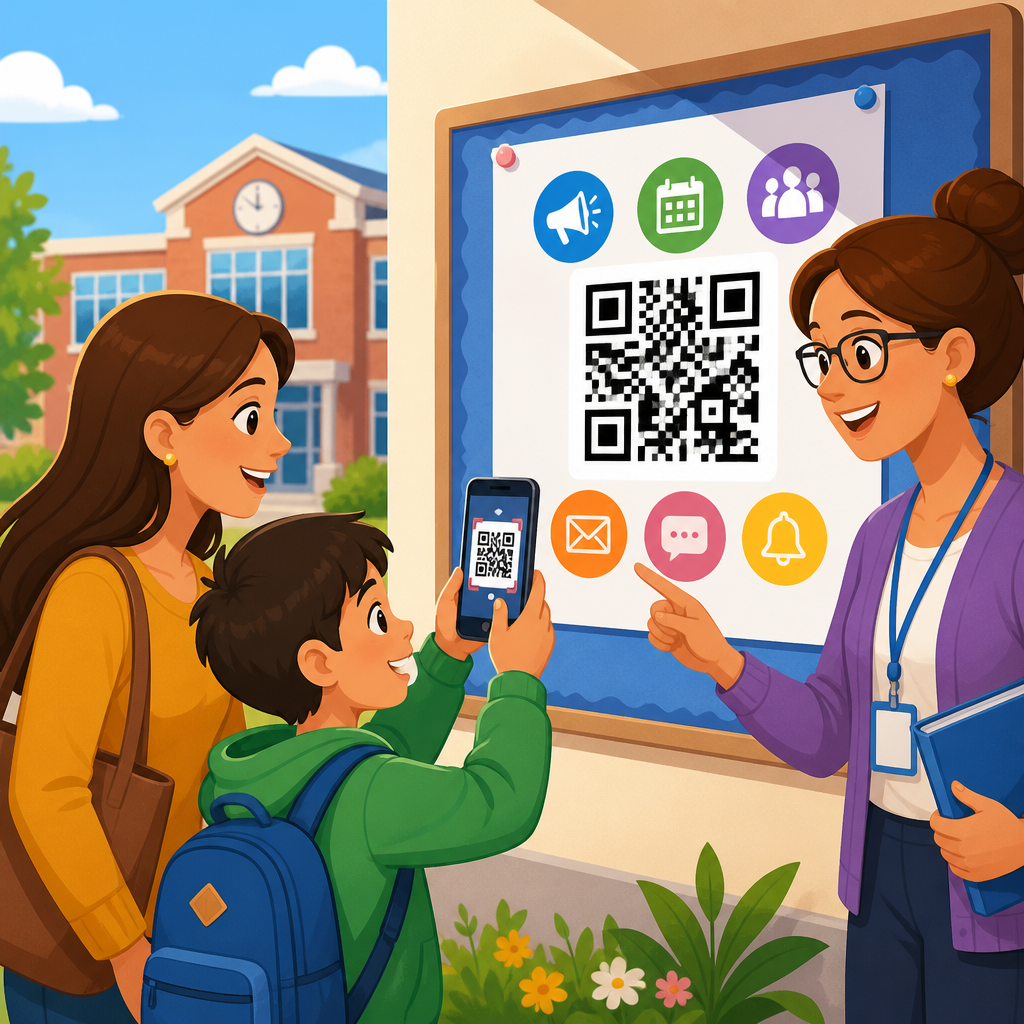
QR codes for school communication with parents have moved from a nice extra to a practical system for reducing friction, improving response rates, and making school information easier to access on any device. In education, a QR code is a scannable two-dimensional barcode that can open a website, PDF, form, video, calendar event, map, app page, Wi-Fi login, or prefilled message. School communication with parents includes every routine touchpoint that keeps families informed and involved: newsletters, permission slips, event registration, attendance updates, lunch menus, report card access, fundraising, emergency notices, and classroom resources. When these two ideas are combined well, schools shorten the path between receiving information and taking action.
I have seen the difference in schools that rely on paper-heavy communication versus schools that design around mobile access. Parents often intend to complete a form, sign up for a conference, or read a policy update, but competing demands get in the way. A printed URL typed by hand creates drop-off. A QR code removes that barrier. One quick scan can open the exact page needed, in the correct language, without requiring parents to search through portals or emails. For busy families, that convenience matters. For administrators and teachers, the result is better participation, fewer repetitive questions, and more measurable engagement.
This topic matters because parent communication is directly tied to student outcomes and school operations. Research from organizations such as the National PTA consistently points to family engagement as a strong contributor to attendance, behavior, and academic progress. Yet many schools still struggle with fragmented systems: flyers in backpacks, links buried in emails, portal logins forgotten, and translations that arrive too late. QR codes do not solve every communication challenge, but they do solve a specific and costly one: access friction. They help schools connect offline materials to digital actions instantly, which is especially valuable in districts serving multilingual communities or families who primarily use smartphones instead of desktop computers.
As a hub topic within education, this guide covers the main ways schools can use QR codes with parents, how to choose the right destinations, what compliance and privacy issues to consider, and how to measure success. It also outlines where schools should create supporting content such as QR codes for parent-teacher conferences, school event check-ins, digital permission slips, fundraising campaigns, campus maps, transportation updates, and classroom resource sharing. Used thoughtfully, QR codes become more than a shortcut. They become a reliable communication layer that fits the daily realities of modern school communities.
How QR codes improve school communication with parents
The main benefit of QR codes in schools is immediacy. Parents can scan from a handout, poster, ID card, classroom door, bus schedule, or presentation slide and land on the right digital destination without typing. That sounds simple, but in practice it changes response behavior. I have watched schools increase completion rates for routine forms by placing a dynamic QR code on printed notices and reminder signs at pickup. Parents waiting in line scanned and completed the form in less than two minutes. The same information sent only by email had produced far fewer responses because the action was deferred until later.
QR codes also support consistency across channels. A school can use one code on a printed flyer, in a front office display, on social media graphics, and in slide decks at open house events. If the code is dynamic, staff can update the destination without reprinting every asset. That is useful when a meeting room changes, a registration deadline extends, or a newsletter issue is replaced with a corrected version. For schools managing many family communications with limited staff time, that flexibility lowers operational strain.
Another practical advantage is language access. Instead of crowding a flyer with multiple long links for English, Spanish, Arabic, or Vietnamese versions, a school can place separate labeled QR codes or route users to a language selector page. In districts with diverse households, this improves clarity and shows respect for parent preferences. Accessibility improves further when the destination page is mobile responsive, written in plain language, and compatible with screen readers. The QR code itself is only the bridge; the landing experience determines whether the communication actually works.
Core education use cases every school should prioritize
Schools should start with high-frequency, high-friction communication points. Permission slips are an obvious example. Instead of sending a paper form home and hoping it returns in a backpack, schools can place a QR code on the notice that opens a digital consent form in Google Forms, Microsoft Forms, or a student information system workflow. Parent-teacher conference scheduling is another strong use case. A code on report card envelopes or hallway signage can open a Calendly page, SignUpGenius sheet, or district booking tool with available time slots.
Attendance and absence reporting also benefit. Many schools still receive attendance notes through voicemail or handwritten letters. A QR code on student planners, nurse office posters, or refrigerator magnets can open a simple absence reporting form with required fields such as student name, grade, date, and reason. Schools can route submissions directly to attendance staff, reducing phone traffic during peak morning hours. For events, QR codes can handle RSVPs, volunteer sign-ups, campus maps, parking instructions, and digital check-in pages for plays, sports nights, and curriculum fairs.
Academic communication is equally important. Teachers can place QR codes in newsletters that link parents to classroom updates, reading lists, homework explanations, or short videos showing how math strategies are taught. That helps parents support learning at home without relying on students to relay details accurately. QR codes are also effective for library programs, device care instructions, lunch account top-ups, transportation route updates, counseling resources, and annual policy acknowledgments. The common thread is simple: if parents routinely need information or need to complete a task, a QR code can shorten the path.
| School communication task | Best QR destination | Why it works |
|---|---|---|
| Permission slip | Mobile-friendly digital form | Faster completion and automatic recordkeeping |
| Parent-teacher conference | Scheduling page | Parents book instantly without calling the office |
| Event announcement | Landing page with RSVP, map, and agenda | One scan answers multiple parent questions |
| Attendance reporting | Absence form | Reduces voicemail volume and missing details |
| Classroom update | Newsletter or teacher hub page | Gives families one reliable source for assignments and dates |
| Emergency notice | Live status page | Allows schools to update information without reprinting materials |
Best practices for creating effective parent-facing QR code campaigns
The first rule is to match the code to a single parent intent. Do not send families to a crowded homepage when they need a specific action. A QR code on a field trip letter should open the exact permission form, not the district website. A code on a sports poster should open the event details page, not a general athletics section. This sounds basic, but it is the most common implementation mistake I see. Precision improves scan-to-completion rates because it removes decision points.
Design and placement matter just as much as the destination. Use a high-contrast code, maintain a quiet zone around it, and print it large enough to scan from the expected distance. A letter-sized handout can use a code around 1 x 1 inch, while a hallway poster needs a much larger size. Always add a short instruction line such as “Scan to RSVP for Back-to-School Night” so parents know exactly what will happen. Including a fallback short URL is important for accessibility and for families whose phone cameras struggle with damaged prints or poor lighting.
Dynamic QR codes are usually the better fit for school communication because they allow edits, analytics, and campaign control. Teams can track scans by date, location, and device type, then compare those figures with actual form submissions or registrations. If a flyer is distributed district-wide but scans remain low at one campus, staff can investigate placement, wording, or parent outreach practices. Branded domains also build trust. Parents are more likely to scan when the preview URL clearly belongs to the school or district rather than an unfamiliar shortener.
Privacy, safety, and compliance in education settings
Any discussion of QR codes in education has to address privacy. The code itself is not risky; the destination and data workflow are. Schools should avoid linking directly to pages that expose student information without proper authentication. For example, a QR code can take parents to the sign-in page for a secure portal, but it should not contain personal data in the URL or open a page that bypasses access controls. In the United States, schools must think carefully about FERPA implications whenever communication touches education records. If a third-party form or platform is used, districts should confirm data handling terms, retention policies, and administrative controls.
There is also a safety consideration around spoofing and misplaced trust. Parents are increasingly aware that malicious QR stickers can redirect to fake pages. Schools should reduce that risk by using official branding, consistent placement, and clear messaging about where legitimate codes appear. Front offices can educate families during orientation: school QR codes will always point to district-owned domains or approved platforms. Laminated signage should be checked regularly so no one can cover a real code with a fraudulent one during public events.
Student age also affects implementation. Elementary communications usually target parents directly, while middle and high school materials may be scanned by both students and caregivers. That means schools should separate parent actions from student-facing resources where needed. A transportation code placed on a bus pass, for instance, should not open sensitive family account data. The safest pattern is to route to a secure landing page that explains next steps and requires login for anything private. Convenience should never come at the expense of confidentiality or child safety.
How schools can build an education QR code hub that scales
Because this topic sits under broader industry use cases, schools benefit from treating education QR code content as a structured hub rather than a collection of random tactics. Start with a central parent communication page that explains common actions and links to deeper resources. Supporting pages can focus on distinct scenarios: QR codes for enrollment packets, open house materials, school fundraising, classroom newsletters, lunch menus, transportation changes, athletics, libraries, emergency updates, and volunteer management. This structure helps parents find what they need and helps school marketing or communications teams maintain consistent standards.
Operationally, the best systems assign ownership. Someone should manage the QR code generator account, naming conventions, destination testing, analytics reviews, and retirement of old codes. I recommend a simple taxonomy by campus, department, purpose, and date, such as “LincolnMS_Attendance_Form_Fall2026.” Without naming discipline, schools quickly lose track of what is active, where it was printed, and whether the destination is still correct. A shared spreadsheet or project board can document each code, physical placement, linked asset, launch date, and responsible staff member.
Measurement should go beyond scan counts. A successful school communication QR code strategy tracks outcomes: conference bookings completed, permission slips returned, volunteer shifts filled, event attendance, and reduced calls to the office. Pair QR analytics from tools such as Bitly, Beaconstac, QRCodeChimp, or district-approved platforms with form completion and portal data. Then refine. If scans are strong but submissions are weak, the landing page likely needs improvement. If posters scan well but backpack flyers do not, distribution timing may be the issue. Schools that iterate this way turn QR codes into an accountable communication channel rather than a decorative add-on.
QR codes for school communication with parents work best when schools treat them as part of a larger family engagement system, not as isolated graphics dropped onto flyers. The value is straightforward: fewer barriers between information and action. Parents can sign forms, book meetings, find event details, report absences, read updates, and access resources in seconds from the materials already in front of them. For schools, that means clearer communication, stronger participation, better recordkeeping, and less time spent chasing routine responses.
The most effective programs focus on practical use cases first, send every code to a precise mobile-friendly destination, and support families with clear instructions and trusted branding. They also respect the realities of education operations. Not every household prefers the same channel, so QR codes should complement email, SMS, print, portals, and phone outreach rather than replace them. Privacy, authentication, and platform governance matter, especially when student data is involved. A quick scan should make access easier, but secure processes must remain intact.
If you are building out education content under a broader QR code use case strategy, this page should anchor that effort. Use it to map the main parent communication journeys, then create supporting resources for enrollment, conferences, events, fundraising, transportation, classroom communication, and emergency messaging. Start with one or two high-impact workflows, measure response improvements, and expand from there. When implemented carefully, QR codes help schools meet parents where they already are: on their phones, in real time, ready to act.
Frequently Asked Questions
How can QR codes improve school communication with parents?
QR codes make school communication faster, simpler, and more accessible by removing extra steps between a parent and the information they need. Instead of asking families to type a long web address, search through emails, download attachments, or log in to multiple platforms, a school can place one scannable code on a flyer, newsletter, poster, handbook, student agenda, report, or front-office sign. With a quick scan from a phone camera, parents can immediately open announcements, permission forms, event calendars, teacher contact pages, lunch menus, bus updates, volunteer sign-ups, or translated resources.
This convenience matters because school communication often breaks down when information is technically available but hard to reach in the moment. A QR code reduces that friction. Parents can scan while standing at pickup, reviewing a backpack handout, attending open house, or reading a notice on the refrigerator. That ease of access can improve response rates for forms, increase attendance at events, and help families stay engaged without needing advanced technical skills.
QR codes also support consistency. Schools can create a predictable communication system where every printed or digital item includes a code linked to the next action: read more, sign up, reply, pay, watch, confirm, or download. When used well, QR codes do not replace existing communication channels such as email, text, apps, or printed notices. They strengthen them by making those channels easier to access from any device.
What types of school information can parents access through QR codes?
Parents can use QR codes to access almost any type of school information that is normally shared through paper, email, websites, or apps. Common examples include newsletters, classroom updates, event registrations, parent-teacher conference booking forms, field trip permission slips, health forms, transportation details, school policy documents, emergency contact update forms, and cafeteria menus. Schools can also link QR codes to videos from administrators or teachers, orientation materials, tutorial content, translated family guides, maps for events, volunteer opportunities, PTA pages, fundraising information, and student performance resources.
One of the biggest advantages is flexibility. A single QR code can open a website, PDF, online form, calendar event, Wi-Fi login page, app download page, or prefilled email or text message. That means a school can choose the format that best fits the message. For example, a QR code on a sports flyer could open a schedule and waiver form, while a code on a kindergarten welcome packet might lead to a short welcome video, supply list, and school tour map.
Schools can also organize communication by audience. One code might be used for district-wide updates, another for classroom-specific resources, and another for language support materials. This helps parents find the right information quickly instead of sorting through a large amount of general communication. When paired with clear labels and mobile-friendly pages, QR codes become a practical bridge between school messages and parent action.
Are QR codes a secure and reliable way to share information with parents?
QR codes are generally a secure and reliable communication tool when schools use them thoughtfully and follow standard digital safety practices. A QR code itself is simply a way to deliver someone to a destination, such as a form or webpage. The safety of the experience depends on where that code leads. If the linked page is managed by the school, district, or a trusted approved platform, QR codes can be a very dependable way to distribute information without requiring families to manually enter links.
To keep the process secure, schools should use trusted domains, avoid linking to public pages that expose sensitive student data, and clearly label what each code does before a parent scans it. If a code leads to a form, login page, or payment portal, that should be stated directly on the printed or digital material. It is also wise to use HTTPS-secured links, district-approved tools, and access controls when the content includes private information. For example, a QR code can safely link to a parent portal login page, but it should not reveal confidential student records without authentication.
Reliability improves when schools test every QR code on multiple devices, keep landing pages mobile-friendly, and use dynamic QR codes when appropriate. Dynamic codes allow a school to update the destination later without reprinting the code, which is especially useful for calendars, rotating announcements, and time-sensitive forms. In short, QR codes are not risky by default. They are as secure and effective as the systems behind them, and with proper planning, they can become a trusted part of parent communication.
What are the best practices for using QR codes in newsletters, handouts, and school events?
The most important best practice is clarity. Every QR code should be accompanied by a short explanation telling parents exactly what they will get when they scan it. A code labeled “Scan for October Newsletter,” “Scan to RSVP for Family Night,” or “Scan for Bus Route Updates” performs much better than an unlabeled code placed on a page with no context. Parents are far more likely to scan when they understand the value immediately.
Design and placement also matter. QR codes should be large enough to scan easily, printed with strong contrast, and surrounded by enough white space so phone cameras can read them quickly. Avoid placing them in visually crowded areas or on folded edges of flyers. For school events, put codes at decision points: front entrance signs, registration tables, classroom doors, gym walls, cafeteria stations, and take-home materials. In newsletters and handouts, place them near the related content so parents connect the code with the action.
Schools should also focus on mobile usability. The destination page must load quickly, display well on smartphones, and minimize unnecessary login barriers. If a parent scans a code during a busy moment, the experience should be immediate and simple. It also helps to provide a backup option, such as a short URL or printed instructions, for families who prefer not to scan. Finally, schools should track usage when possible. Measuring scans and completion rates can show which communications are working, which forms need simplification, and where parent engagement can be improved over time.
How can schools make QR code communication more inclusive for all families?
Inclusive QR code communication starts with the understanding that not every family has the same level of digital access, language fluency, or confidence with school technology. QR codes can support inclusion very well, but only when they are used as a convenience tool rather than the only path to essential information. Schools should continue offering alternate ways to access important updates, such as printed copies, direct emails, translated notices, phone support, office assistance, or links sent by text.
Language access is a major opportunity. A QR code can lead parents directly to translated newsletters, multilingual forms, audio explanations, or videos with subtitles. This can be far more effective than sending a single English-only paper notice home. Schools can also use separate labeled QR codes for different languages or direct families to a landing page where they choose their preferred language first. When done well, this reduces confusion and helps parents feel welcomed and informed.
Accessibility also includes ease of use. Instructions should be simple, plain-language, and visible: “Open your phone camera and point it at the code.” Staff can demonstrate scanning during orientations, curriculum nights, and registration events. For families with limited internet access, schools should avoid linking only to large downloads and should ensure key pages are lightweight and easy to open on mobile data. In practice, the most inclusive strategy is to pair QR codes with strong communication habits overall: clear labeling, translated content, mobile-friendly pages, and non-digital backups. That combination helps more families participate fully in school life.





