
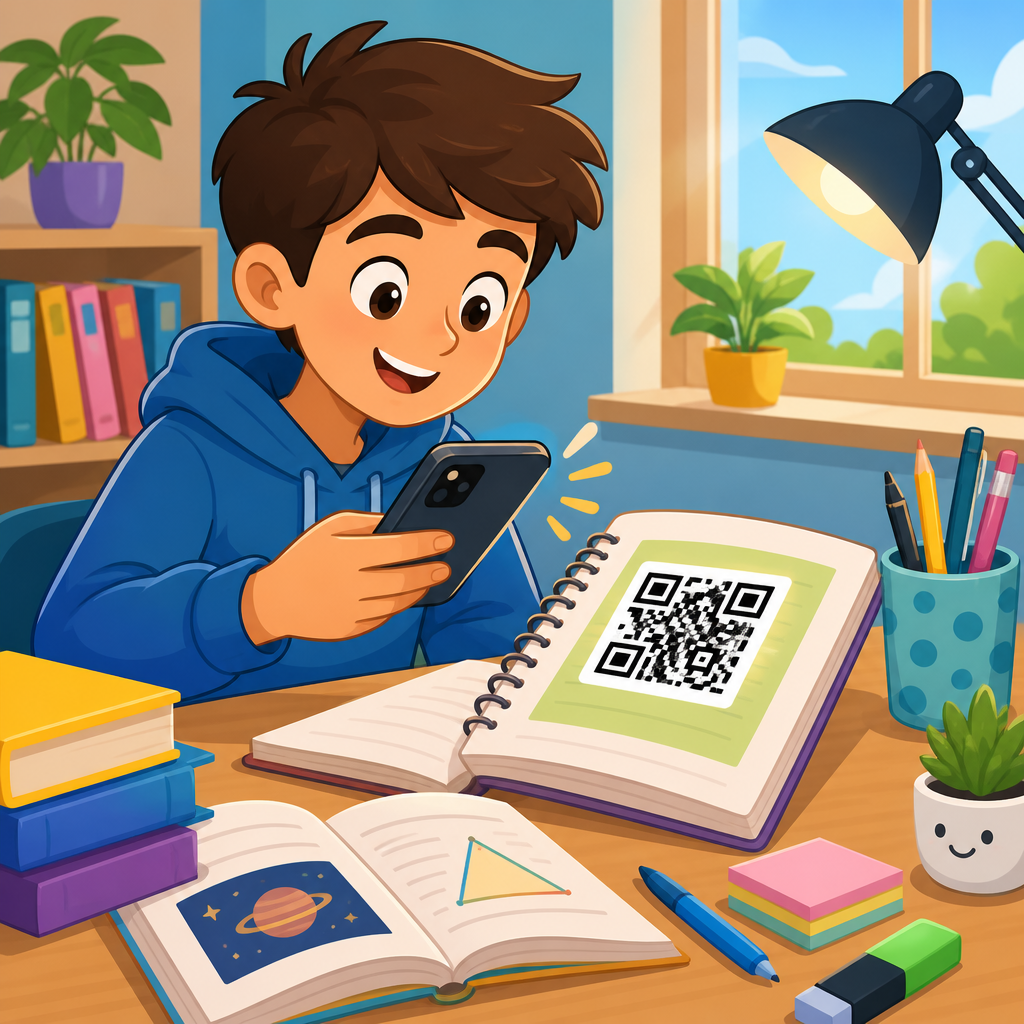
QR codes for homework and study materials give schools a practical way to connect printed assignments, classroom displays, and student devices without adding friction for teachers or families. In education, a QR code is a scannable image that opens digital content such as a worksheet, video lesson, quiz, feedback form, vocabulary deck, or classroom portal. I have used them in course handouts, parent packets, lab stations, and revision guides, and the value is consistent: students reach the right resource faster, teachers reduce repetitive instructions, and schools create a more flexible learning environment. This matters because learning now happens across paper and digital channels at the same time. A homework sheet may need a video explanation, an accessibility support file, and a submission link. Study materials often need updates during the term. QR codes solve that bridge problem cheaply and at scale. For education teams building a reliable system, the goal is not novelty. The goal is easier access, fewer lost links, better completion rates, and stronger continuity between classroom teaching, home study, and family communication.
As a hub topic within education, this article covers how QR codes support homework, revision, classroom resources, assessment, parent communication, accessibility, and administration. It also explains when to use static or dynamic codes, what content formats work best, how to print codes effectively, and which privacy rules matter in schools. Used well, QR codes can support primary, secondary, higher education, tutoring, and blended learning programs. Used badly, they create dead links, confusion, or equity issues for students without dependable devices. The difference comes from planning. Schools need a clear content structure, a naming convention, mobile-friendly destinations, and a process for review. When those pieces are in place, QR codes become one of the simplest high-impact tools available to education teams.
How QR codes improve homework access and completion
Homework often fails for operational reasons, not academic ones. Students miscopy a URL from the board, lose a paper login card, forget which platform holds the task, or cannot explain the assignment at home. A QR code removes several of those failure points. On a worksheet, it can open the exact lesson page, assignment instructions, worked examples, and due-date details in one scan. In practice, this is especially effective for younger learners and multilingual households because it reduces typing and navigation demands. A Year 6 maths sheet can include one code linking to a short model video and another linking to optional practice. The student no longer needs to search across a learning management system or rely on memory.
Teachers also gain consistency. Instead of writing a different short link each week, they can place a standard QR code area on every homework template: instructions, help video, submission form, and extension task. In classes I have supported, this lowered “I couldn’t find it” messages and made after-school support more targeted. It is also useful in higher education. A seminar reading pack can include QR codes for journal access, citation guidance, and lecture recap slides. For tutoring programs, a single code on a practice booklet can route students to answer keys released after completion. The point is direct retrieval. When the route to the resource is obvious, students spend more time learning and less time troubleshooting.
Best study materials to connect with QR codes
The strongest education use cases pair QR codes with resources that add context, explanation, or interactivity. Printed revision guides can link to audio summaries for commuting students, flashcard decks in Quizlet or Anki-style systems, and teacher screencasts that demonstrate problem solving step by step. Science lab manuals benefit from codes to safety procedures, apparatus setup videos, and data recording templates. Language classes can place codes beside vocabulary lists so students hear pronunciation immediately. In humanities, source packs can open museum archives, timelines, and annotation guides. Music teachers can connect scores to rehearsal tracks. Physical education teachers can attach codes to skill circuits that show proper form and progression.
Formats matter. PDF worksheets remain common, but mobile-friendly pages are usually better because they load faster and adapt to small screens. Video should be captioned. Audio should have transcripts where possible. Interactive content should not require multiple app installs. For this education hub, the most useful categories are clear enough to standardize across departments and year levels.
| Study material | What the QR code should open | Why it works in education |
|---|---|---|
| Homework sheet | Assignment instructions, worked examples, submission page | Reduces confusion and supports independent completion |
| Revision guide | Topic recap video, quiz, flashcards | Adds retrieval practice and multimodal review |
| Lab handout | Safety checklist, method demo, results template | Improves compliance and procedural accuracy |
| Reading pack | Digital article, glossary, citation help | Supports comprehension and academic writing |
| Classroom display | Extension task or explanation page | Turns wall space into active learning support |
Static vs dynamic QR codes in schools
Schools should choose static or dynamic QR codes based on whether the destination might change. A static code points to one fixed URL forever. It is suitable for evergreen pages such as a department homepage, behavior policy, or a stable reading list. A dynamic QR code uses a short redirect URL controlled from a dashboard, so the destination can be edited later without reprinting the code. For homework and study materials, dynamic codes are usually the better choice because assignments, teacher ownership, and platform links change often. A revision booklet printed in September may need fresh exam board guidance in February. With a dynamic code, staff can update the target and preserve the printed asset.
Dynamic codes also provide scan analytics such as date, approximate location, device type, and total scans, depending on the provider and privacy settings. In education, these numbers are useful when interpreted carefully. If a revision code receives almost no scans, the issue may be visibility, timing, or a weak explanation of value. If a parent information packet gets many scans on one evening, that may indicate successful event follow-up. However, analytics should not become surveillance. Schools must avoid collecting unnecessary personal data and should align implementation with local privacy law, district policy, and student safeguarding practices. For most schools, the right pattern is simple: use dynamic codes for changing learning resources, keep tracking aggregated, and maintain an internal register showing who owns each code and what it links to.
Using QR codes across the education journey
QR codes are useful across age groups, but the design should reflect the learner. In elementary education, codes work best when they support family participation and independent access. Think phonics sheets linking to pronunciation clips, take-home reading logs linking to teacher read-alouds, or parent newsletters linking to class updates in multiple languages. In secondary school, the focus shifts toward subject specificity and study habits. GCSE or high school revision packs can include codes to mark schemes, exam technique videos, and self-check quizzes. In sixth form, college, and university settings, codes become a bridge to specialist resources: library databases, rubric explanations, office-hour booking, fieldwork maps, and research ethics forms.
Special education and intervention programs can benefit even more because QR codes offer multiple representations of the same material. A printed comprehension task can link to text-to-speech, visual vocabulary supports, and chunked instructions. For English language learners, the same page can link to translated summaries and oral explanations. Adult education providers use QR codes effectively in job-readiness courses by connecting workbook tasks to application examples, policy documents, and recorded walkthroughs. The lesson from real deployments is that one schoolwide policy is not enough. Education teams need shared standards, but each phase and department should map QR code use to actual student needs, device access, and curriculum goals.
Practical implementation: creation, placement, and testing
Successful QR code programs in education depend on routine execution. Start with destination quality. Every code should open a page that loads quickly, works on mobile, and answers the student’s next question within seconds. Name resources clearly, using course, unit, and task labels. Then generate the code in a trusted platform that supports error correction, editable targets, and export in print-ready formats such as SVG or high-resolution PNG. Common tools include QR Code Generator, Beaconstac, Bitly with QR features, and some school communication platforms. If a school uses Google Classroom, Microsoft Teams for Education, Canvas, Schoology, or Moodle, codes should point to the most stable student-facing entry point rather than a teacher editing page.
Placement affects scan rates more than many schools expect. Codes should be large enough for the expected distance, printed with strong contrast, and surrounded by white space so camera apps detect them quickly. On worksheets, place codes near the relevant instruction, not buried in the footer. On slides, leave them visible long enough for students to scan without rushing. In corridors or libraries, add a plain-language call to action such as “Scan for practice quiz” or “Scan for model answer.” Always test on iPhone and Android, on school Wi-Fi and home networks, and with student accounts, not just staff accounts. I also recommend a human-readable short URL beneath important codes. That small redundancy prevents access failure when a camera is damaged, a printout is blurred, or a family uses an older device.
Privacy, accessibility, and equity considerations
QR codes in education are only effective when they are inclusive and compliant. Privacy comes first. Do not encode sensitive student information directly into a QR code. Link to secure systems instead, with proper authentication and role-based access. If using analytics, publish a straightforward explanation of what is tracked and why. Avoid requiring students to create third-party accounts unless approved by school policy. Accessibility is equally important. A code itself is not accessible content; the destination must be. Videos need captions, images need alt text where relevant, documents should be screen-reader friendly, and color should never be the only cue. If a worksheet says “scan the blue code,” some students will miss the instruction or struggle with the contrast.
Equity is the issue that determines whether QR codes help or exclude. Not every student has a current smartphone, enough data, or a quiet place to use online materials at home. Schools should assume mixed access and plan alternatives. That means printable backups, downloadable files that work offline, library or study-center device access, and URLs students can type from shared computers. QR codes should simplify access, not become the only route. When schools make that distinction clear, adoption improves. Families see the code as a convenience rather than a requirement, and teachers can innovate without creating a new barrier.
QR codes for homework and study materials work because they solve a specific education problem: the gap between where learning is assigned and where learning is completed. They turn paper into a gateway to explanation, practice, feedback, and support. For schools building an education-wide approach, the priorities are straightforward. Use codes where they remove friction, especially on homework sheets, revision guides, lab handouts, reading packs, and classroom displays. Choose dynamic codes for resources that may change. Standardize naming, ownership, testing, and mobile design. Protect privacy, provide accessible destinations, and keep offline alternatives available for students with limited device access.
As the hub page for education within QR code use cases by industry, this topic connects naturally to classroom management, parent communication, school events, campus signage, library services, admissions, and staff training. The same implementation principles apply across all of them: clear purpose, reliable destination, and inclusive access. When schools treat QR codes as infrastructure rather than decoration, they become a durable part of teaching and learning. Review your current homework and study materials, identify the places students get stuck, and add QR codes where a single scan can remove that barrier. That is the simplest way to make educational resources easier to reach and more likely to be used.
Frequently Asked Questions
What are QR codes for homework and study materials, and how do they help students?
QR codes for homework and study materials are scannable images that link printed learning resources to digital content. In a school setting, that can include worksheet instructions, recorded explanations, video lessons, quizzes, vocabulary practice, revision guides, feedback forms, reading passages, classroom portals, or assignment submission pages. Instead of asking students or families to type a long web address, search for the correct file, or navigate through multiple menus, a student can scan the code with a phone, tablet, or school device and go straight to the intended resource.
The biggest advantage is simplicity. Teachers can place a QR code on homework sheets, textbooks, anchor charts, lab stations, parent packets, and classroom displays so students reach the right material quickly. That reduces confusion, saves class time, and supports independent learning. It is especially useful when students need access to differentiated resources, step-by-step examples, or extra support outside class. A single printed page can instantly connect to a help video, an audio version of instructions, and an extension task. For families, QR codes also make communication easier because they can open school information, policies, and support materials without logging into multiple systems. Used well, QR codes create a smoother bridge between paper-based learning and digital instruction.
How can teachers use QR codes effectively in homework assignments?
Teachers can use QR codes in homework assignments to remove barriers and make instructions more consistent. A code can link directly to the exact resource students need, such as a digital worksheet, a teacher-recorded walkthrough, a model answer, a rubric, a quiz, or a class folder. This helps students avoid the common problem of losing links, mishearing directions, or accessing the wrong file. For example, a math homework page can include one QR code for worked examples, another for answer checking, and another for extension practice. An English assignment can link to a reading passage, audio narration, and vocabulary review. In science, a homework sheet can point students to a lab simulation or revision video that reinforces classroom content.
The most effective use is intentional rather than decorative. Each QR code should serve a clear purpose, be labeled clearly, and lead to mobile-friendly content. Students should know what will open before they scan, such as “Scan for video explanation” or “Scan for submission form.” Teachers should also test every code before distributing materials and make sure the linked content is accessible on common student devices. In many classrooms, the best approach is to use QR codes to support consistency: one code for assignment instructions, one for help, and one for submission or review. That structure reduces cognitive load and helps students build routines. Over time, QR codes can become a reliable part of homework design, making learning materials easier to access and easier to complete accurately.
What kinds of study materials work best with QR codes?
QR codes work best with study materials that benefit from quick digital access, repeated review, or multimedia support. Revision guides are one of the strongest examples because a printed guide can link students to topic videos, self-check quizzes, flashcards, model responses, and exam tips. Vocabulary lists are also ideal, especially when the code opens pronunciation audio, digital flashcards, or retrieval practice activities. In subjects where visual or procedural explanation matters, such as math, science, technology, and world languages, QR codes can connect students to short demonstrations that clarify exactly how to approach a task.
They are also highly effective in interactive study setups. At lab stations, a QR code can open safety instructions, data tables, or a demonstration clip. On classroom posters or displays, codes can provide extension activities or enrichment reading without cluttering the physical space. In parent packets, they can link to curriculum overviews, homework policies, and support resources. Study planners, reading logs, intervention packets, and differentiated revision sheets also benefit because they can offer the right level of support without overwhelming the printed page. The best materials for QR code integration are those where direct access improves understanding, reduces friction, or supports review over time. In practice, if students regularly need to switch from paper to digital help, that material is usually a strong candidate for a QR code.
Do students and families need special apps or technical skills to use educational QR codes?
In most cases, no special app or advanced technical skill is required. Most modern smartphones and tablets can scan QR codes directly through the built-in camera app, and many school-issued devices support scanning through native tools or standard browser-based scanners. That makes educational QR codes one of the most accessible ways to connect printed homework and study materials to digital resources. For students, the process is usually simple: open the camera, point it at the code, and tap the link that appears. For families, this ease of use is one of the main reasons QR codes are so practical in school communication and homework support.
That said, successful implementation still depends on thoughtful planning. Teachers should assume that not every household has the same level of device access, internet quality, or familiarity with school technology. It helps to provide a short explanation the first time QR codes are used, including what the code opens and what to do if scanning is not possible. A printed backup link or short URL is a smart addition, especially for important assignments or parent-facing documents. Schools should also make sure linked content does not require unnecessary logins or confusing navigation steps. The goal is to reduce friction, not replace one complicated process with another. When teachers combine clear labeling, tested links, and simple alternatives, QR codes become easy for most students and families to use confidently.
What are the best practices for creating QR codes for classroom and homework use?
The best practices start with clarity, reliability, and accessibility. First, every QR code should link to a specific, mobile-friendly resource that opens quickly and works well on student devices. Avoid sending students to a general homepage when they really need a single worksheet, video, form, or assignment page. Label each code clearly so users know what it does before scanning. For example, “Scan for homework instructions,” “Scan for revision quiz,” or “Scan for parent guide” is much more useful than placing an unlabeled code on a handout. It is also important to test each code on multiple devices before sharing it, because a link that works on a teacher laptop may not behave the same way on a phone or tablet.
Presentation matters too. The code should be large enough to scan easily in print, with strong contrast and enough white space around it. If it appears on wall displays or station cards, it should be placed where students can scan comfortably without crowding. Teachers should keep the experience focused by avoiding too many codes on one page unless each is clearly organized. From an instructional standpoint, consistency is powerful: using a predictable pattern for support, practice, and submission helps students know where to look. Finally, think about privacy and sustainability. Do not link to content that exposes student data publicly, and use editable or dynamic links when possible so resources can be updated without reprinting every material. When these best practices are followed, QR codes become a dependable tool that saves time, improves access, and strengthens the connection between physical classroom materials and digital learning.





