
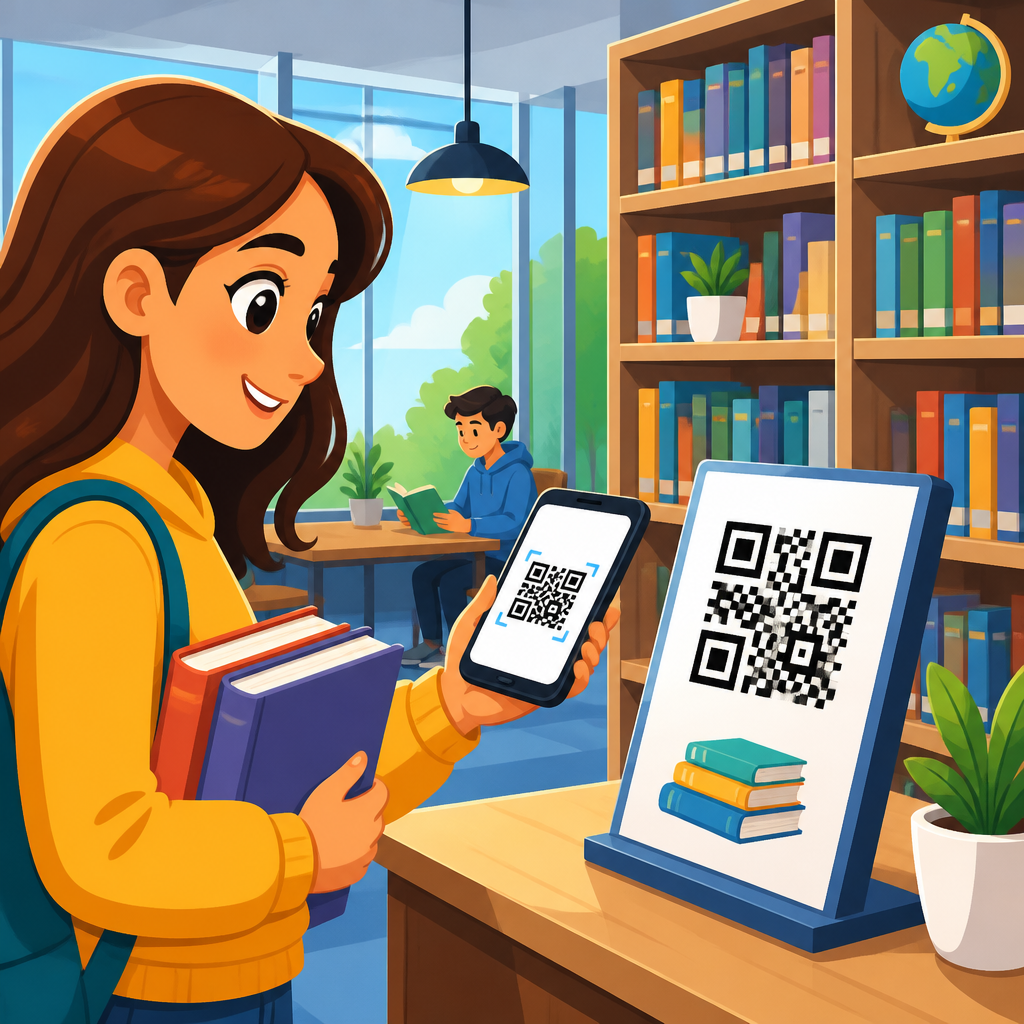
QR codes for library systems and book access have moved from novelty to infrastructure, giving schools, colleges, and public learning spaces a practical way to connect physical collections with digital services. In education, a QR code is a scannable matrix barcode that opens a web link, file, app action, or database record when read by a phone, tablet, or dedicated scanner. Library systems include the catalog, circulation workflows, discovery layers, digital lending platforms, room booking tools, archives, and student support services. Book access covers far more than locating a title on a shelf. It includes discovering related resources, checking availability, reserving copies, opening ebooks, listening to audiobooks, viewing accessible formats, and reaching research guides without typing long URLs.
I have seen the strongest results when libraries use QR codes to remove friction at moments where patrons usually pause: finding the right shelf, interpreting call numbers, locating course reserves, downloading citation records, or moving from a print book to a companion database. The value matters because education libraries serve users with very different levels of digital confidence. A first-year student, a primary school reader, a faculty researcher, and a parent visiting a community library all benefit when a code turns a confusing process into a one-step action. For institutions under staffing pressure, QR codes also extend service without lowering quality. They can answer common questions, surface self-service options, and support access outside staffed hours.
As a hub topic within education, this article explains how QR codes fit library operations, what use cases produce measurable gains, which implementation standards prevent problems, and how schools can build a scalable program across branches and grade levels. It also helps readers evaluate when a static code is enough, when a dynamic code is better, how accessibility changes design choices, and how success should be measured. Used thoughtfully, QR codes improve circulation, discovery, inclusion, and independent learning.
How QR Codes Improve Library Discovery and Access
The most direct benefit of QR codes in libraries is faster discovery. A code placed on shelf ends, catalog screens, book displays, or printed handouts can send patrons straight to the online public access catalog record, a LibGuide, an ebook platform, or a subject collection. Instead of asking users to search again from scratch, the library gives them a precise next step. In school libraries, that might mean a “Read-alike picks” code beside a popular series. In an academic library, it could mean a code on a course reserve sign that opens real-time availability, loan rules, and digital alternatives.
Libraries also use QR codes to bridge print and digital collections. A biology textbook can include a code linking students to licensed journal databases, anatomy videos, or citation help. A history monograph display can link to digitized archival sources from the same period. In practice, this increases collection visibility because many valuable digital resources remain underused when they sit behind multiple clicks in a discovery layer. Scanning is not a replacement for robust search, but it is often the shortest path from intent to access.
Wayfinding is another high-value use. Multi-floor libraries and large school media centers generate frequent directional questions. QR codes on maps, floor signage, and service desks can open interactive maps, call number guides, and short videos explaining classification systems such as Dewey Decimal or Library of Congress. I have found these especially effective during orientation weeks, when staff are overwhelmed and students need self-serve guidance immediately.
Core Use Cases Across School, College, and Public Education Libraries
In K–12 education, QR codes support reading engagement, classroom integration, and parent communication. Teachers place codes inside independent reading books that open age-appropriate comprehension questions, author interviews, or pronunciation audio for multilingual learners. School librarians add codes to genre shelves, seasonal reading challenges, and makerspace stations. A simple code on a library card sleeve can open borrowing policies, opening hours, and the student catalog homepage. For younger readers, visual prompts are critical: icons, color coding, and plain language outperform text-heavy signage.
In colleges and universities, the use cases widen. Course reserves benefit from codes that open item status, ebook copies, and scanning request forms. Subject librarians use QR codes on workshop slides, posters, and print bibliographies to route students to discipline-specific guides. Special collections teams place codes near exhibits so visitors can access item metadata, oral history clips, and finding aids without crowding labels. Research support desks use them for appointments, interlibrary loan forms, data management guidance, and citation management tutorials in Zotero or EndNote.
Public libraries with an education mission use QR codes for homework help, literacy programs, language learning subscriptions, and event registration. Community branches often support users on shared devices with limited time. A code on a noticeboard can open tutoring schedules, digital newspaper access, or a children’s storytime signup in seconds. These applications work best when the destination page is mobile optimized and requires minimal authentication friction.
| Use case | Typical QR destination | Primary benefit | Best-fit setting |
|---|---|---|---|
| Shelf signage | Catalog record or subject guide | Faster discovery of relevant titles | School and academic libraries |
| Course reserves | Availability page, ebook copy, loan rules | Reduces search time for assigned reading | Colleges and universities |
| Book displays | Read-alikes, reviews, author content | Boosts circulation and reader engagement | K–12 and public libraries |
| Wayfinding signs | Interactive map or call number guide | Cuts directional questions and confusion | Large campuses and multi-floor branches |
| Special collections exhibits | Metadata, audio, digitized archive | Adds context without cluttering labels | Academic and research libraries |
Supporting Digital Equity, Accessibility, and Inclusive Learning
QR codes can improve equity only if the library designs for real access conditions. Not every student has a current smartphone, strong data service, or confidence using device settings. That means QR implementations must be optional pathways, not the only route to information. Every code should be paired with a short URL or clear printed instruction. In staffed environments, signage should state what the code does before a user scans it. Trust rises when patrons know whether they are opening a catalog page, PDF, video, or form.
Accessibility deserves the same level of planning. A code by itself is not accessible to a blind user unless there is tactile or verbal context. Good practice includes high-contrast printing, sufficient quiet space around the code, large labels, and nearby text that works with screen reader support through the destination page. Libraries serving dyslexic learners and multilingual communities often link codes to read-aloud tools, translated instructions, and alternate formats such as EPUB, MP3, or captioned video. In higher education, compliance expectations may involve WCAG principles and institutional disability service policies. The scan experience should not introduce barriers that the original service had already solved.
Privacy is another inclusion issue. Students may hesitate to scan a code if they expect tracking or account login prompts. Libraries should explain when analytics are aggregated and when personal data is processed by third-party vendors. Clear governance matters, especially where minors are involved or where licensed content sits behind proxy authentication.
Implementation Strategy: From Code Type to Content Governance
The first strategic decision is whether to use static or dynamic QR codes. Static codes point to a fixed destination and work well for permanent pages such as the main catalog, borrowing policies, or a branch homepage. Dynamic codes redirect through a managed short link, allowing the destination to change without reprinting the code. For libraries, dynamic codes are usually the better long-term choice for book displays, semester-specific reserves, rotating exhibits, and temporary service changes. They also support scan analytics, which helps evaluate placement and usefulness.
Destination quality determines success more than code generation does. Every landing page should be mobile friendly, fast, and task oriented. If a student scans a code to access a book, the page should display title, availability, call number, location, and immediate actions such as reserve, open ebook, or ask for help. Avoid sending users to generic homepages that force another search. In implementations I have audited, the biggest failure pattern was not the code itself but poor landing page design.
Governance is essential at scale. Libraries need a naming convention, owner, review schedule, and retirement process for each code. A spreadsheet can work for small schools, but larger systems benefit from a shared asset register with fields for location, purpose, destination, creation date, owner, and last verification date. Broken destinations undermine trust quickly. I recommend testing all public-facing codes at least once per term in schools and once per quarter in year-round institutions.
Integrating QR Codes With Catalogs, LMS Platforms, and Library Services
QR codes become far more useful when they connect with existing education systems rather than sitting as isolated marketing tools. In academic libraries, catalog vendors and discovery layers can support persistent record links, holdings pages, and account actions that work well as QR destinations. Learning management systems such as Canvas, Moodle, Blackboard, and Google Classroom can embed codes for course reading lists, librarian contact points, or database tutorials. Faculty appreciate this because students move from the syllabus directly into approved library resources.
Circulation and self-service workflows also benefit. A code near pickup lockers can explain collection procedures. Study room doors can display booking codes linked to the reservation system. Printer stations can open quick setup guides. Interlibrary loan desks can use codes for request forms and turnaround expectations. In archives, box labels and exhibit cases can link to Encoded Archival Description finding aids or digital object records, expanding access without physically handling fragile materials.
For book access specifically, one powerful pattern is the “format bridge.” A code on a print title can open ebook access, audiobook availability, citation export, and related editions. This helps commuters, students with print disabilities, and users who start with one format and need another later. It also supports collection development by revealing demand patterns across formats.
Measurement, Maintenance, and Common Mistakes to Avoid
Libraries should measure QR code performance against service outcomes, not just scan counts. Useful metrics include click-through to holds, ebook opens, room bookings, reduced repetitive desk questions, increased circulation from curated displays, and completion of targeted tasks such as workshop registration. Dynamic QR platforms, URL shorteners with analytics, and web tools such as Google Analytics 4 or Matomo can attribute traffic to specific placements when configured carefully. A code that receives modest scans but consistently leads to successful holds may be more valuable than a heavily scanned poster that produces no downstream action.
Maintenance is where many projects fail. Codes get copied into new signs after the destination has changed. Printed materials outlive semesters. Vendor URLs break after platform migrations. To prevent this, libraries should avoid embedding unstable session links, use persistent URLs whenever available, and assign ownership to the department closest to the service. During discovery layer migrations or proxy changes, QR codes should be part of the formal testing checklist.
Several mistakes appear repeatedly. Tiny codes are hard to scan from normal standing distance. Glossy lamination creates glare under fluorescent lights. Codes placed too low are unusable for wheelchair users or crowded hallways. Signs that say only “Scan me” underperform because they provide no reason to act. And codes leading to PDFs often frustrate mobile users unless the file is lightweight and readable on small screens. Better labels are direct: “Scan for ebook access,” “Scan to locate this call number,” or “Scan to reserve this title.”
Building an Education Hub Around QR Code Library Use Cases
Because this topic sits inside a broader education cluster, the most effective hub page connects library QR code strategy to adjacent institutional needs. Schools researching QR codes for library systems usually also need guidance on classroom resource sharing, campus wayfinding, attendance, worksheets, student services, museum labels, and event check-in. A strong hub therefore explains the library as a central educational environment where discovery, instruction, and support intersect. From there, deeper articles can branch into QR codes for school libraries, academic library wayfinding, textbook access, archives and special collections, reading programs, and accessible digital content delivery.
This hub role matters for implementation planning as well. Education leaders rarely approve technology one micro-use case at a time. They look for repeatable standards that can work across departments. A library QR program can become the model for naming conventions, accessibility requirements, analytics, print specifications, and privacy review used elsewhere in the institution. That is one reason libraries often lead successfully here: they already manage metadata, user journeys, licensing constraints, and public service communication with precision.
QR codes for library systems and book access work best when they solve a defined user problem, point to a clean mobile destination, and fit into a maintained institutional workflow. In education, they shorten the path between curiosity and content, whether the user is a child choosing a first chapter book, a student finding course reserves at midnight, or a researcher opening a digitized archive from an exhibit case. Start with two or three high-friction moments, test clearly labeled dynamic codes, measure completed actions, and expand only after the process is reliable. Done well, QR codes turn the library into a more discoverable, inclusive, and independent learning environment. Review your current patron journey, identify one access bottleneck, and pilot a code where it will save users the most time.
Frequently Asked Questions
How are QR codes used in library systems and book access?
QR codes help libraries connect physical materials, spaces, and services to digital information in a fast, low-friction way. When a student, faculty member, or public library visitor scans a code with a phone, tablet, or scanner, it can open a catalog record, a digital checkout page, an ebook platform, a research guide, an author page, or a room booking tool. This turns a printed label, shelf sign, bookmark, or poster into a direct access point for library services without requiring users to manually type long URLs or search through multiple menus.
In practice, libraries use QR codes across the full patron journey. A code on a shelf marker can link to a subject-specific book list. A code inside a print book can lead to related databases, citation tools, or accessibility formats such as audio and screen-reader-friendly files. A code at a service desk can open library hours, chat support, or borrowing policies. In academic settings, QR codes may connect students to course reserves, journal databases, interlibrary loan forms, or wayfinding maps for finding a call number area. In school libraries, they are often used to promote reading programs, book trailers, and age-appropriate digital resources.
What makes QR codes especially valuable is that they support discovery at the moment of interest. Instead of separating the physical collection from online systems, they bridge them. That means better access, fewer navigation barriers, and a more intuitive library experience for users who expect instant digital connections from physical environments.
What are the main benefits of using QR codes in schools, colleges, and public libraries?
The biggest benefit is convenience. QR codes shorten the path between a user and the information or service they need. Rather than asking patrons to search a catalog from scratch, remember a complicated database name, or type a long web address, a scan takes them directly to the right destination. This can improve access to books, digital content, library accounts, event registration, and self-service options, especially for users who are mobile-first.
Libraries also benefit from improved engagement and more flexible service delivery. QR codes can be placed almost anywhere: book displays, shelf ends, circulation receipts, posters, handouts, study rooms, and classroom materials. That makes them useful for promoting underused collections, highlighting new arrivals, supporting instruction, and extending help beyond staffed service hours. A single code can also be updated to point to new content over time if the library uses dynamic QR code management, which reduces the need to reprint materials.
Another major advantage is support for blended physical-digital experiences. Libraries are no longer only places where users browse shelves; they are access hubs for streaming media, ebooks, audiobooks, institutional repositories, learning platforms, and online research tools. QR codes make these systems easier to reach from the physical library environment. They can also support analytics, allowing staff to see which signs, collections, or services receive the most scans and use that data to improve user experience.
For educational institutions, QR codes can also support instruction and accessibility. Teachers and librarians can embed them into reading guides, assignments, orientation tours, and literacy activities. Public libraries can use them for multilingual support, program sign-ups, and community resource links. When implemented thoughtfully, QR codes improve discoverability, reduce friction, and make library services more responsive to how people actually seek information today.
Where should libraries place QR codes for the best user experience?
Effective placement depends on context, but the most successful QR codes are placed where a user naturally needs the next step. In the stacks, codes can appear on shelf signage, endcaps, and subject displays to link to curated book lists, digital companions, or call number guides. Near circulation desks, they can direct patrons to library card registration, borrowing rules, account login pages, fine policies, or self-checkout instructions. In study areas, they can connect to room booking systems, printing help, Wi-Fi instructions, and research support services.
Inside or on books, QR codes can be particularly powerful when they enhance the reading experience rather than distract from it. A code on a bookplate or insert might link to an ebook version, audiobook access, discussion questions, related articles, author interviews, or classroom resources. In academic libraries, they can support reserve collections by linking directly to the catalog record or to supplemental databases relevant to the title or subject. In children’s and teen sections, they can link to reading challenges, book trailers, and interactive literacy content.
Placement should always consider visibility, scanability, and user intent. Codes should be large enough to scan comfortably, printed with strong contrast, and positioned in good lighting. Just as important, they should include a clear call to action such as “Scan to view ebook,” “Scan for catalog record,” or “Scan to reserve this study room.” Users are far more likely to engage when they know exactly what will happen after scanning.
Libraries should also avoid overusing QR codes. Too many codes in one area can create confusion and reduce trust. It is better to deploy them strategically at meaningful decision points, where they save time or add clear value. A well-placed QR code feels helpful and immediate, not decorative or redundant.
Are QR codes secure and reliable enough for library catalogs, digital lending, and patron services?
Yes, QR codes can be secure and reliable for library use when they are managed properly. A QR code itself is simply a machine-readable way to store a destination such as a URL or action. The security depends on where that code sends users and how the linked systems are maintained. If a code directs patrons to the library’s official catalog, digital lending platform, booking system, or institutional domain over secure HTTPS connections, it can be a dependable access tool for both everyday and high-volume use.
To maintain trust, libraries should use clear governance and quality control. Codes should link only to approved destinations, be tested regularly, and be updated if systems change. Dynamic QR codes are often useful because they allow staff to change the destination without reprinting the code, but they should be managed through a reputable platform with access controls. If a library uses static codes, it should have a maintenance process to catch broken links before they frustrate users. Reliability matters because a QR code that leads to an error page quickly loses credibility.
Libraries should also think about user safety and privacy. Patrons should be able to tell that a code belongs to the library, either through branding, nearby instructions, or placement in trusted materials. Avoid linking directly to pages that expose personal account data without proper authentication. Instead, direct users to secure login flows where needed. It is also wise to post a short note encouraging patrons to scan official library codes only, especially in public spaces where unofficial stickers could theoretically be placed over signage.
From an operations perspective, QR codes are highly reliable when tied to stable systems such as integrated library systems, discovery layers, ebook vendors, event registration pages, and knowledge base articles. With routine testing, secure links, and thoughtful oversight, they can serve as a trustworthy extension of core library infrastructure.
What are the best practices for implementing QR codes in a modern library environment?
Start with a clear purpose. Every QR code in a library should solve a real user need, whether that is finding a book, accessing a digital format, booking a room, joining a program, or getting research help. Codes work best when they remove a step, reduce confusion, or provide context exactly when it is needed. Before deployment, libraries should decide what success looks like: more catalog use, better event registration, higher ebook discovery, improved wayfinding, or easier access to support services.
Design and usability matter just as much as the technical setup. Use high-contrast codes, print them at a scannable size, and place them on clean, uncluttered materials. Always include a plain-language label explaining what the scan will do. If possible, add a short backup URL for users who cannot scan. The landing page should be mobile-friendly, fast-loading, and relevant to the promise made by the sign. A QR code that opens a confusing desktop-only page undermines the user experience, even if the code itself scans perfectly.
Libraries should also build QR codes into broader service design rather than treating them as isolated add-ons. For example, a code on a shelf display can connect to a curated list that is updated monthly, tied to programming, and promoted through social media and classroom instruction. A code in a study area can connect to room reservations, technology support, and usage policies from a single mobile page. The strongest implementations are integrated into workflows, signage systems, and user education.
Finally, measure and refine. Track scan activity where possible, review which locations and use cases perform best, and gather feedback from patrons and staff. Libraries may find that some codes generate strong engagement while others need better wording, placement, or destination pages. Accessibility should remain central throughout implementation, including readable surrounding text, logical placement, device compatibility, and alternatives for users who do not scan codes. When libraries combine purposeful planning, good design, secure destinations, and ongoing evaluation, QR codes become a practical and scalable tool for book access and library service delivery.





