QR codes for in-store to online conversions turn physical attention into measurable digital action, giving retailers a direct bridge between shelf, signage, packaging, receipts, and mobile experiences. In practical terms, a quick response code is a scannable two-dimensional barcode that opens a destination such as a product page, loyalty signup, app download, coupon, review form, or checkout flow. Offline-to-online integration means designing that handoff intentionally so a customer who notices something in a store can continue the journey on a phone without friction. For retailers, restaurant groups, event operators, and service businesses, this matters because store traffic is expensive to generate, while digital channels are easier to personalize, retarget, and attribute. When I have implemented QR campaigns on endcaps, window posters, and packaging, the highest performers were never just “scan for more.” They connected a clear in-store moment with a useful next step: verify inventory, redeem an offer, compare colors, join rewards, or get care instructions. That combination increases conversion rates because it answers immediate customer intent.
The business case is straightforward. A shopper may be interested but not ready to buy on the spot, or an associate may not have every variant available in store. QR codes preserve momentum. Instead of losing the sale, the brand captures an email, app install, or online order. They also reduce operational friction by moving routine tasks to self-service pages, such as warranty registration or booking a follow-up appointment. Industry adoption accelerated after smartphone cameras made scanning native and contactless behavior became normal. Yet adoption alone does not guarantee performance. Effective QR code marketing requires destination relevance, page speed, analytics tagging, staff awareness, and creative placement. A code printed too small, linked to a generic homepage, or launched without UTM parameters wastes traffic. This hub explains how to plan, deploy, and measure QR codes for in-store to online conversions, covering strategy, placement, landing pages, data, compliance, and optimization so each scan supports revenue, not just curiosity.
How offline-to-online integration works in a store environment
Offline-to-online integration begins with intent mapping. Every store has moments where a shopper wants more information than the physical environment can provide. A cosmetics customer wants tutorials and shade matching. A furniture buyer wants dimensions, delivery timing, and room previews. A grocery shopper wants recipes and nutrition details. A QR code acts as the access point, but the real system includes signage copy, landing page design, analytics, and follow-up messaging. I usually map this by asking one question at each touchpoint: what does the customer need right now to move one step closer to purchase or loyalty? The answer determines the destination. If intent is transactional, send the scan to a preloaded product detail page or cart. If intent is educational, send it to a guide, comparison page, or short video with clear next actions.
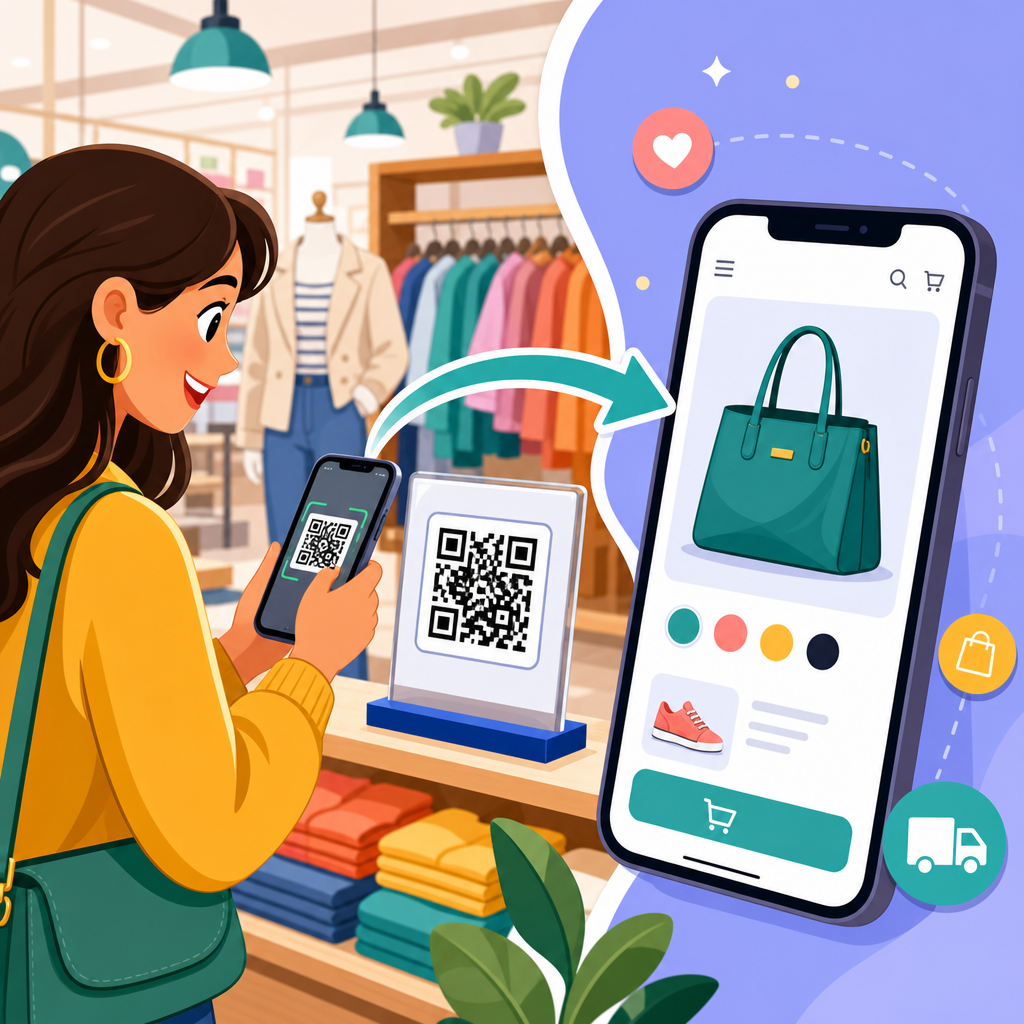
The handoff should feel seamless. A customer scans a shelf talker and lands on a mobile page that matches the exact product, offer, or category referenced in the store. The page should load in under three seconds on mobile data, display the same price or promotion when possible, and remove unnecessary navigation. Deep links can open an installed app directly, while fallback URLs serve mobile web if the app is absent. Dynamic QR codes are usually preferable because they allow destination changes without reprinting, which is essential for campaigns tied to inventory, seasonal promotions, or regional pricing. They also support scan tracking by location, time, and device. Static codes still have value for permanent uses such as warranty access or care instructions, but for conversion-focused retail programs, dynamic infrastructure is the safer operational choice.
Where QR codes drive the highest in-store to online conversion rates
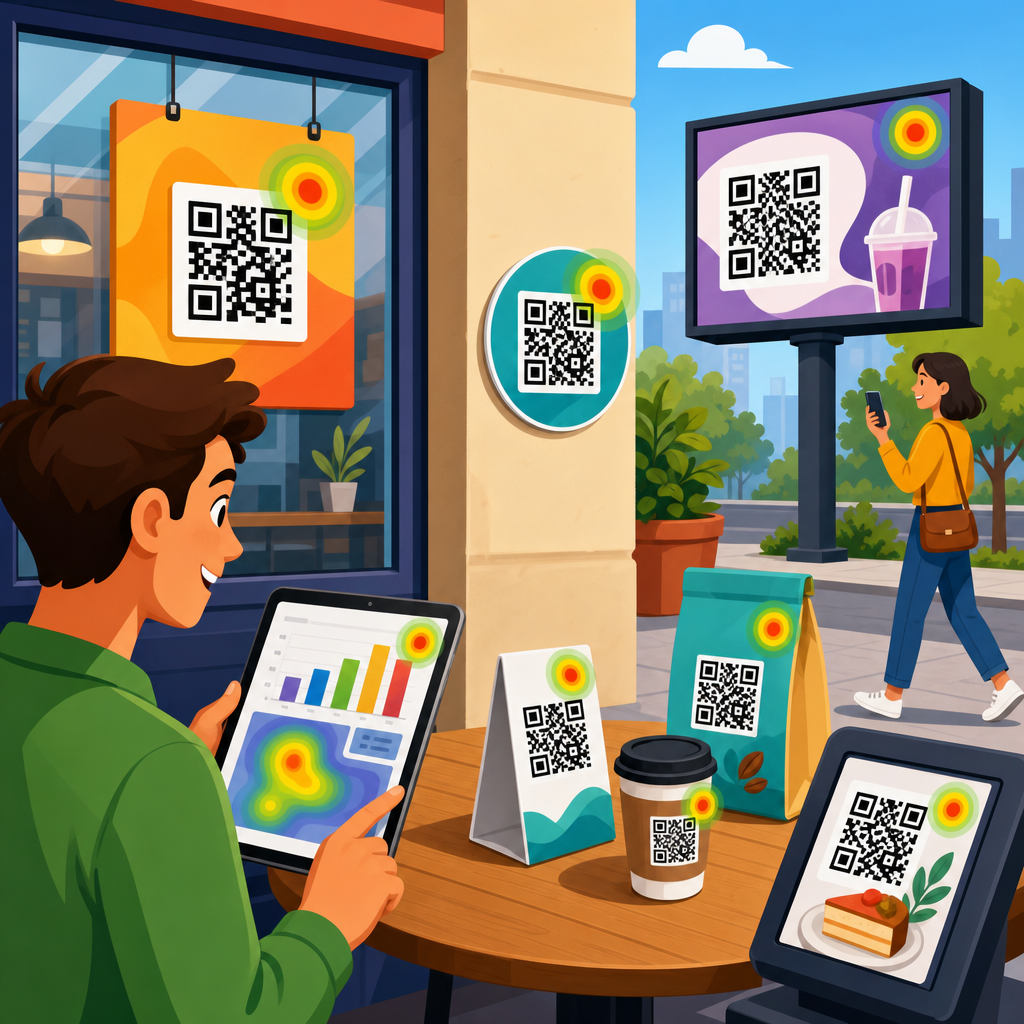
Placement matters more than many teams expect. The best locations are high-intent surfaces where customers naturally pause, compare, or wait. Shelf edges and endcaps work well for product education and variants unavailable in store. Fitting rooms are effective for requesting another size, saving items to a wishlist, or joining loyalty in exchange for a first-purchase incentive. Window signage captures after-hours traffic by sending passersby to browse online inventory or book services. Receipts are ideal for post-purchase actions such as reviews, reorder flows, referral offers, and account creation. Packaging can support replenishment, setup instructions, or cross-sell recommendations after the customer leaves the store. Table tents in restaurants can launch menus, allergen details, waitlist enrollment, or limited-time offers tied to app ordering.
Context determines performance. A beauty retailer may place a code beside a tester display that opens user-generated tutorials and shade recommendations; that is stronger than linking to the home page because it resolves uncertainty. A footwear chain can use aisle signage to offer “scan for your size online” when stockouts occur, preserving demand that would otherwise disappear. A home improvement store can place QR labels on bulky products to show assembly videos, financing options, and delivery slots. In each case, the code succeeds because it removes a specific barrier. Signage language should state the payoff in plain words: “See more colors,” “Order your size,” “Get installation steps,” or “Join rewards for 10% off.” Customers do not scan because the technology is novel. They scan because the value proposition is immediate and clear.
Designing landing pages that convert scans into sales or leads
The landing page is where most QR programs win or fail. Mobile usability is nonnegotiable because the scan almost always happens on a phone. The page should mirror the in-store prompt exactly, with a consistent headline, product image, offer, and next step above the fold. If a sign says “Scan to get 15% off your first online order,” the landing page should open with that offer, not force the visitor to search. Reduce form fields, enable autofill, and make buttons thumb-friendly. For commerce, prioritize Apple Pay, Google Pay, Shop Pay, or saved payment methods. For lead capture, ask only for essential information and explain what the customer gets in return. The fastest conversion flows I have seen often use one focused page rather than sending traffic into a full site navigation structure.
Technical details strongly influence results. Add UTM parameters to every destination so analytics platforms can separate scans by store, placement, campaign, and creative. If multiple stores share assets, append location identifiers in the URL or use dynamic QR rules. On the page, fire events for view content, add to cart, begin checkout, signup, and purchase in tools such as Google Analytics 4, Adobe Analytics, Segment, or a customer data platform. If the goal is app adoption, use deferred deep linking so the user lands in the correct screen after installation. Accessibility also matters: pages should meet WCAG expectations for text contrast, readable font sizes, and keyboard support where relevant. Privacy disclosures must be visible when collecting emails, SMS consent, or location data. Conversion rate improves when trust signals are obvious and the next action is unmistakable.
Measurement, attribution, and operational setup
Measuring QR codes for in-store to online conversions requires more than counting scans. A useful measurement framework tracks four stages: exposure, scan, visit quality, and business outcome. Exposure is estimated from foot traffic, impressions near the placement, or store audits confirming the code was visible and in stock locations were current. Scans show initial interest. Visit quality includes bounce rate, engagement time, page depth, and add-to-cart behavior. Business outcomes include ecommerce revenue, account creation, loyalty enrollments, bookings, reviews, and assisted conversions across later sessions. In real retail environments, not every scan becomes an immediate sale, so reporting should include both direct and influenced value. A customer might scan in store, research later, and purchase from email retargeting two days afterward.
| Metric | What it indicates | Recommended tool | Common action if weak |
|---|---|---|---|
| Scan-through rate | Whether placement and message attract attention | Dynamic QR platform, store audit data | Change signage copy, size, or position |
| Landing page conversion rate | Whether the destination matches intent | GA4, Adobe Analytics, heatmaps | Simplify page and tighten offer-message match |
| Revenue per scan | Commercial value of each QR interaction | Ecommerce analytics, CRM | Route traffic to higher-intent pages |
| Store-level performance | Operational differences by location | BI dashboard, POS data | Retrain staff or localize creative |
Operationally, governance prevents small issues from undermining results. Maintain a QR inventory document that records code owner, destination URL, campaign dates, print locations, and fallback plans. Use redirects you control so destinations can be updated if products change. Test scans on iPhone and Android over cellular, not just office Wi-Fi. Coordinate with store operations so associates know what each code does; customer confidence increases when staff can explain the benefit quickly. For attribution, connect campaign data to CRM or loyalty IDs where consent allows, enabling analysis of repeat purchase, lifetime value, and channel overlap. This is especially important for categories with longer consideration windows, such as furniture, electronics, and automotive service.
Best practices, risks, and examples by business type
Best practices are consistent across sectors, but execution differs by business model. Retail apparel brands often use QR codes to solve assortment constraints: “Not your size here? Order now with free shipping.” Grocery and consumer packaged goods brands focus on recipes, sourcing details, loyalty offers, and replenishment. Restaurants use table, counter, and takeaway packaging codes to drive app orders and repeat visits. Healthcare and wellness providers can use codes in waiting rooms for intake forms, appointment booking, and educational content, though compliance requirements are stricter. Across all of these, concise calls to action, dynamic URLs, fast pages, and measurable outcomes are nonnegotiable. The strongest programs are built around customer jobs to be done, not around the code itself.
There are also risks and limitations. Security concerns are real because consumers know malicious codes can redirect to unsafe destinations. Brands should use recognizable domains, place brand cues around the code, and avoid excessive redirects. Physical maintenance matters; damaged signs, poor lighting, glare, or codes printed on curved surfaces reduce scan success. Some audiences still prefer human assistance, so QR should augment staff, not replace them. Incentives can lift response, but discount dependency can erode margin if every scan is trained to expect a coupon. Finally, privacy and consent rules for email and SMS capture vary by jurisdiction and platform, so legal review is prudent. When those safeguards are in place, QR codes become a reliable bridge from store discovery to digital conversion. If you want stronger offline-to-online integration, audit your current touchpoints, identify one high-intent in-store moment, launch a tightly matched QR journey, and measure the revenue impact before scaling.
Frequently Asked Questions
What are QR codes for in-store to online conversions, and why do they matter for retailers?
QR codes for in-store to online conversions are scannable codes placed in physical retail environments that send shoppers directly into a digital experience on their phones. That destination might be a product detail page, a limited-time offer, a loyalty enrollment form, a how-to video, an app download page, a review request, or even a mobile checkout. The value comes from how efficiently they connect real-world attention to measurable online action. Instead of hoping a customer remembers a URL, searches later, or returns after leaving the store, a QR code creates an immediate handoff at the exact moment interest is highest.
For retailers, this matters because it reduces friction between discovery and conversion. A shopper sees a product on a shelf, display, window sign, package, or receipt and can act right away with a scan. That can increase email signups, coupon redemptions, app installs, repeat purchases, review volume, and completed transactions. Just as important, QR codes make offline marketing more measurable. Retailers can track scans, landing page visits, campaign timing, location performance, and downstream actions such as purchases or signups. In short, QR codes help stores turn foot traffic into digital engagement while giving marketing teams clearer insight into what in-store touchpoints actually drive results.
Where should retailers place QR codes in a store to get the best conversion results?
The best placement depends on customer intent and the action you want them to take. High-performing locations usually align with moments of curiosity, hesitation, or purchase readiness. On-shelf signage works well when customers need product details, comparisons, ingredients, sizing help, or social proof. Endcaps and promotional displays are effective for highlighting featured collections, seasonal campaigns, and limited-time offers. Window displays can capture passersby even when the store is closed, sending them to product launches, store locators, or ecommerce pages. Packaging is ideal for post-purchase engagement such as setup instructions, warranties, refill ordering, or review requests. Receipts are valuable for loyalty signups, bounce-back coupons, reorder links, and customer feedback.
Placement should also consider visibility, ease of scanning, and context. A QR code needs enough physical space, strong contrast, and a clear call to action so customers understand why they should scan it. “Scan to see colors in stock” or “Scan for 10% off your next purchase” will typically outperform a code with no explanation. It also helps to match the destination to the shopper’s stage in the journey. Someone at the entrance may respond well to a store map, featured promotion, or membership offer, while someone standing at a product display is more likely to engage with product specs, tutorials, or mobile checkout. The most successful retailers treat placement strategically rather than adding codes randomly across the store.
What should happen after a customer scans a QR code in-store?
After a customer scans, the experience should be fast, relevant, and designed for mobile conversion. The landing page should load quickly, match the promise of the sign or product, and make the next step obvious. If the code says “Scan for product reviews,” the page should open directly to that product’s reviews, not a generic homepage. If the offer is “Scan to join our rewards program,” the signup flow should be short, mobile-friendly, and easy to complete in under a minute. Every extra click creates friction, and in-store shoppers are often distracted, standing, carrying items, or short on time.
Retailers should also think beyond the first scan and build a complete conversion path. That means using dedicated landing pages, concise copy, clear buttons, and minimal form fields. It can also include personalized product recommendations, saved carts, SMS or email capture, wallet-pass coupons, or app deep links for existing customers. Trust signals matter too, especially if the page asks for personal information. Brand consistency, secure URLs, and a familiar design help reassure users they are in the right place. In the strongest implementations, scanning does not just create a digital visit; it moves the customer into a measurable journey that can continue after they leave the store through retargeting, email, loyalty, or repeat purchase campaigns.
How can retailers measure the success of QR codes used for offline-to-online integration?
Retailers should measure QR code performance at multiple levels, not just total scan volume. The first layer is engagement: scans, unique users, scan time, location, device type, and repeat scans. The second layer is behavior on the destination page: bounce rate, time on page, clicks, add-to-cart activity, form starts, and checkout progression. The third and most important layer is conversion: purchases, coupon redemptions, account creations, loyalty enrollments, app installs, review submissions, and revenue generated. Looking across these levels helps retailers understand not only whether people scanned, but whether the in-store QR code actually influenced meaningful business outcomes.
To get reliable data, retailers should use campaign-specific URLs, UTM parameters, QR code management platforms, and analytics tools connected to ecommerce or CRM systems. This allows them to compare performance by store, fixture, campaign, season, or product category. A/B testing can reveal which call to action, design, offer, or landing page converts best. For example, “Scan for 15% off” may outperform “Scan to learn more,” while a product-video page may outperform a long product description. Retailers should also evaluate assisted impact, since some customers scan in-store but complete the purchase later. When tracked properly, QR codes become more than a convenience feature; they become a measurable part of the retail conversion funnel.
What are the most common mistakes retailers make with QR codes, and how can they avoid them?
One of the biggest mistakes is using a QR code without a clear customer benefit. If shoppers do not know what they will get by scanning, many will ignore it. A second common issue is sending users to a generic homepage instead of a dedicated, mobile-optimized destination tied to the in-store context. Other problems include poor print quality, codes that are too small to scan easily, weak color contrast, awkward placement, slow-loading pages, and long forms that discourage completion. Retailers also sometimes forget to test codes under real store conditions, where lighting, distance, and customer movement can affect scan rates.
Avoiding these mistakes starts with intentional design. Each QR code should have a specific purpose, a clear call to action, and a landing experience built for mobile users. Use dynamic QR codes when possible so destinations can be updated without reprinting materials. Test every code across devices and in the physical environment where it will appear. Keep copy concise, benefits obvious, and next steps simple. It is also wise to align QR campaigns with broader customer journey goals, such as loyalty growth, product education, omnichannel sales, or post-purchase engagement. When retailers treat QR codes as strategic conversion tools rather than decorative technology, they are far more likely to create a smooth offline-to-online experience that customers actually use.