
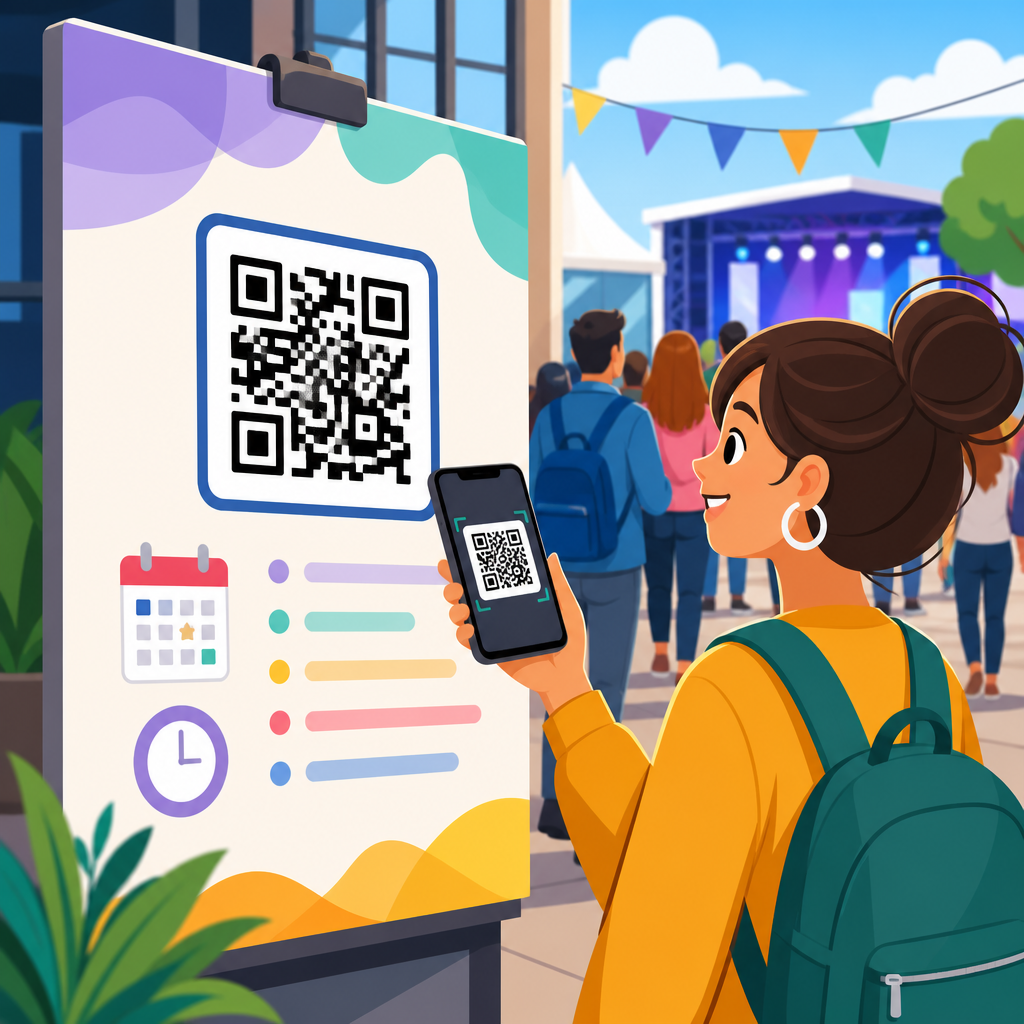
QR codes for event schedules and agendas have become one of the simplest ways to reduce confusion, cut printing costs, and keep attendees informed before, during, and after an event. In practical terms, a QR code is a scannable matrix barcode that opens digital content on a smartphone, while an event schedule or agenda is the structured timetable that tells participants what happens, where it happens, and when they need to be there. When these two tools are combined, organizers can publish one live source of truth instead of relying on posters, paper handouts, or last-minute verbal announcements. That matters because events are fluid environments: rooms change, speakers run late, workshops fill up, and weather can force sudden adjustments. I have used QR-based agendas for conferences, trade shows, internal summits, and nonprofit fundraisers, and the pattern is consistent: fewer attendee questions, faster updates, and a smoother on-site experience.
This topic sits at the center of events and ticketing because the schedule touches every stage of the attendee journey. A registration confirmation can include a QR code linking to the agenda. Venue signage can direct people to session times. Exhibitor booths can point visitors to demos or sponsor activations. Printed badges, tickets, lanyards, table tents, and digital displays can all carry the same scannable entry point. For organizers, that creates continuity across channels and reduces fragmentation. For attendees, it lowers cognitive load because the schedule is always one scan away. A strong hub article on QR codes for event schedules and agendas therefore needs to explain more than the code itself. It should cover setup, user experience, analytics, content governance, accessibility, security, and how agenda links connect with broader event operations such as ticketing, registration, session management, wayfinding, lead capture, and post-event follow-up.
The key principle is straightforward: the QR code should lead to a mobile-friendly agenda that loads quickly, updates in real time, and answers the attendee’s next question immediately. That next question might be “What starts now?” “Where is Room B?” “Has the keynote changed?” or “Which sessions match my interests?” If the destination page cannot answer those questions within seconds, the code has limited value. If it can, the QR code becomes an operational tool, not just a marketing gimmick. Used well, it improves attendee satisfaction, supports staff efficiency, and gives organizers measurable insight into schedule engagement.
Why QR Codes Fit Event Schedules Better Than Static Print
Printed agendas still have a place, especially at formal galas, high-security events, or audiences with lower smartphone use, but print fails whenever information changes. A static program is outdated the moment a room assignment moves or a speaker misses a flight. Dynamic QR codes solve that problem because the printed code stays the same while the destination content changes behind it. In one conference rollout I managed, a single keynote room shift would have made 2,500 printed schedules inaccurate. Because signage and badges linked to a live agenda, the update took minutes rather than requiring staff to cover old signs and reprint inserts.
QR codes also reduce clutter. Instead of squeezing a full day’s agenda onto a badge insert or trifold flyer, organizers can present a concise prompt such as “Scan for today’s live schedule.” The mobile page can then provide filters by track, speaker, venue zone, or attendee type. This is especially helpful for complex programs like trade shows with seminars, networking windows, sponsor demos, and entertainment blocks happening simultaneously. A scannable agenda can also support multilingual audiences by detecting language preferences or offering language toggles on the landing page.
From a cost perspective, the savings are real. Large events often reprint agendas multiple times as sponsors, session titles, and logistics evolve. Replacing many of those revisions with one dynamic destination lowers design, print, and distribution costs. It also supports sustainability goals by reducing paper waste. The tradeoff is dependence on mobile access, so organizers should still plan for Wi-Fi capacity, cellular dead zones, battery charging stations, and limited offline contingencies for essential information.
Where to Place QR Codes Across the Event Journey
The best event schedule QR codes appear wherever attendees naturally pause, decide, or look for direction. Pre-event placements include registration emails, ticket confirmation pages, calendar invites, and event apps. At this stage, the agenda code helps attendees plan their day and arrive prepared. On-site, the highest-performing placements are usually entrance signage, welcome screens, badge backs, lanyard cards, session-room doors, exhibitor guides, and table signage near help desks or catering zones. Each placement should match a user need. A code at the entrance should open the full agenda. A code outside a breakout room may open that room’s current and upcoming sessions.
Context matters. If attendees are moving quickly, such as during check-in, the instruction must be brief and obvious. “Scan for live agenda” works better than vague wording. If the code appears in a dim hallway or crowded expo floor, size and contrast become critical. Codes should be tested at expected scanning distances and printed with adequate quiet space around them. On digital screens, avoid animation or visual noise that interferes with smartphone cameras. For outdoor festivals, weatherproof signs and glare-resistant materials improve scan reliability.
Organizers should also think beyond attendee use. Staff-facing QR codes can point volunteers to shift schedules, room reset plans, or emergency procedures. Speaker-ready rooms can display codes linking presenters to timing cues, AV contacts, and session lineups. Sponsors can use agenda-linked codes to direct traffic toward activations timed around popular sessions. In a well-designed event system, QR placements are intentional touchpoints within operations, not decorative add-ons.
What the Agenda Landing Page Must Include
A QR code is only as useful as the page it opens. The landing page should load fast on mobile networks, use responsive design, and place the most time-sensitive information first. At minimum, an effective event agenda page includes current date and time, session titles, start and end times, room names, speaker names, and clear labels for breaks, registration windows, networking periods, and featured sessions. If the event spans multiple days, day tabs or sticky navigation reduce friction. If there are parallel tracks, filters should let users sort by topic, audience level, or location.
In practice, the most helpful agendas answer location questions as directly as timing questions. Room names should be clickable and tied to simple maps, floor plans, or wayfinding notes such as “Level 2, near Hall C escalator.” Session entries should include short descriptions, speaker bios, and whether seats are limited. For workshops, adding capacity indicators or waitlist status can prevent wasted trips. For hybrid events, each session should clearly distinguish in-person, livestream, and on-demand availability.
Accessibility is non-negotiable. Text must be legible without pinch-zooming, color contrast should meet WCAG guidance, and interactive elements need large tap targets. Screen-reader support matters because some attendees rely on assistive technology. Time zones should be explicit for virtual or hybrid audiences. If attendees need to log in, keep the process minimal; every extra barrier reduces scans that turn into useful schedule engagement.
Best Practices for Creating, Managing, and Updating Agenda QR Codes
Most event teams should use dynamic rather than static QR codes for schedules. A static code permanently stores one URL and cannot be changed after printing. A dynamic code redirects through a managed short link, letting organizers change the destination, add campaign parameters, and collect scan data without replacing the code itself. Reputable QR platforms and link managers such as Bitly, QR Code Generator, Beaconstac, Flowcode, and Uniqode make this workflow straightforward, while enterprise event platforms may offer built-in link management.
Governance is what separates a smooth deployment from chaos. One person or team should own the agenda source, whether that sits in Cvent, Bizzabo, Swoogo, Eventbrite integrations, a CMS, Airtable, Google Sheets with a front-end layer, or a custom microsite. Changes need approval rules, version control, and a clear update process during live event hours. I recommend defining service levels before doors open: for example, room changes updated within five minutes, speaker substitutions within ten, and canceled sessions flagged immediately on the landing page.
| Decision Area | Recommended Practice | Why It Matters |
|---|---|---|
| QR type | Use dynamic codes | Allows destination edits and scan tracking after print |
| Landing page | Mobile-first live agenda | Attendees scan on phones and need fast answers |
| Ownership | Assign one agenda manager | Prevents conflicting updates during the event |
| Placement | Put codes at decision points | Improves usage where attendees need direction most |
| Measurement | Tag links with analytics parameters | Shows which placements and sessions drive engagement |
| Fallbacks | Provide Wi-Fi help and limited print backup | Reduces risk for low-signal or low-battery attendees |
Testing should cover real conditions, not just desktop previews. Scan every code from multiple devices, operating systems, and distances. Check page speed with tools like PageSpeed Insights. Validate analytics events in Google Analytics 4 or your event reporting stack. Confirm that link shorteners, redirects, and consent banners do not slow access. Finally, rehearse update workflows with the event operations team so schedule corrections happen calmly when pressure is highest.
Analytics, Personalization, and Integration With Events and Ticketing
One advantage of QR codes for event schedules and agendas is measurability. With tagged links and event analytics, organizers can see total scans, unique users, peak scan times, device types, geographic patterns, and which placements outperform others. If the entrance banner receives far more scans than badge backs, that informs future signage strategy. If scans spike just before lunch, attendees may be using the agenda primarily for wayfinding and immediate decision-making rather than preplanning. Those are actionable insights.
Integration expands the value further. When the agenda is connected to registration and ticketing data, different attendee groups can see relevant content automatically. VIP ticket holders might access private receptions, sponsors might see exhibitor briefings, and workshop registrants might see reserved sessions pinned at the top. For multitrack conferences, a personalized agenda can reflect selected interests or previously bookmarked sessions. This does require careful handling of privacy, cookies, and authenticated access, especially for regulated sectors or events collecting personal data under GDPR or similar laws.
QR-based agendas also support related event use cases that deserve their own deeper articles within an events and ticketing hub. These include QR codes for digital tickets, check-in and access control, badge printing, exhibitor lead retrieval, venue maps, scavenger hunts, feedback forms, sponsor activations, menu access, health and safety notices, and post-event content libraries. The schedule sits at the center because it can link outward to all of them. A keynote entry can connect to slides, speaker profiles, polls, or session evaluations. A networking block can connect to matchmaking tools. A gala dinner slot can connect to seating charts or dietary information.
Common Mistakes, Limitations, and How to Avoid Them
The most common mistake is treating the QR code itself as the project. The real project is maintaining accurate, accessible, useful schedule content. A beautifully branded code that opens a slow PDF is a poor attendee experience. Another mistake is overdesign. Custom colors and logos can be effective, but only if they preserve contrast and error correction levels. If a designer compromises scannability for aesthetics, functionality loses.
Another frequent issue is inadequate connectivity planning. Even the best live agenda will frustrate users in venues with overloaded Wi-Fi or weak cellular service. Coordinate with the venue and AV provider early, estimate concurrent connections, and post network details near key signage. Battery drain is another practical limitation at all-day conferences and festivals, so charging stations and power banks matter more than many planners expect.
Security deserves attention too. Because people are trained to scan codes quickly, bad actors can exploit trust by placing malicious stickers over legitimate signage. Event staff should inspect physical placements regularly, use tamper-resistant materials where possible, and make branded destination URLs visible so attendees know what domain to expect. For sensitive events, short links should use HTTPS and direct users only to verified domains.
Finally, remember that not every attendee will want or be able to scan. Inclusive planning means offering alternative access through printed summaries, staffed information desks, public schedule screens, or SMS support. The goal is not to force one behavior. It is to make schedule access faster, more accurate, and easier for the majority while preserving support for everyone else.
QR codes for event schedules and agendas work because they solve a real operational problem: event information changes, but attendee expectations do not. People want immediate, reliable answers about what is happening now, where to go next, and whether plans have changed. A well-implemented QR agenda meets those expectations with less printing, faster updates, stronger analytics, and better coordination across events and ticketing touchpoints. It also creates a scalable foundation for related use cases such as check-in, maps, session feedback, sponsor engagement, and post-event resources.
The most effective implementations share the same traits. They use dynamic codes, mobile-first agenda pages, clear signage, disciplined content ownership, and rigorous testing under real event conditions. They respect accessibility, account for connectivity limits, and include fallback options for attendees who need them. Most importantly, they treat the schedule as a live service, not a one-time asset. That mindset is what turns a simple scan into a better attendee experience.
If you manage conferences, trade shows, festivals, fundraisers, or corporate meetings, audit your current agenda workflow and identify where a live QR schedule can replace outdated print or reduce staff interruptions. Start with one high-value event, measure scans and attendee behavior, and build the broader events and ticketing program from there.
Frequently Asked Questions
How do QR codes improve event schedules and agendas for organizers and attendees?
QR codes make event schedules easier to manage because they connect attendees to a live digital agenda instead of relying only on printed materials. For organizers, this means one scannable code can direct guests to the most current version of the schedule, including session times, speaker details, room assignments, venue maps, sponsor information, and last-minute updates. If a keynote runs long, a breakout room changes, or a networking session is added, the digital agenda can be updated immediately without reprinting signage, handouts, or inserts.
For attendees, the benefit is simplicity. Rather than searching through emails, apps, or paper programs, they can scan a code posted at registration desks, entrances, name badges, presentation screens, event signage, or confirmation messages and instantly view what is happening next. This reduces confusion, helps people navigate the event more confidently, and makes it easier to stay on time. It also improves the overall guest experience because attendees always have a portable, mobile-friendly reference point in their pocket.
Another major advantage is cost and efficiency. Printing hundreds or thousands of agenda booklets can be expensive, especially when the schedule changes frequently. QR codes help reduce waste, lower printing costs, and support more sustainable event operations. They also create opportunities for stronger communication before, during, and after the event by linking not just to the agenda, but also to speaker bios, downloadable resources, feedback forms, post-event recordings, and follow-up content.
What information should be included in a QR code event schedule or agenda?
A useful QR code agenda should include more than just a simple list of times. At a minimum, it should clearly display session titles, start and end times, room or location information, speaker names, and any breaks, meals, networking activities, or special announcements. The purpose is to give attendees a complete and easy-to-understand picture of the event flow so they can quickly decide where they need to be and when.
For larger or more complex events, it helps to include additional layers of detail. These can include venue maps, exhibitor listings, workshop capacity notes, check-in instructions, session descriptions, accessibility information, and links to calendar downloads. If the event spans multiple days or tracks, the schedule should be organized in a way that allows attendees to filter by date, topic, audience type, or room. A well-structured digital agenda is especially valuable for conferences, trade shows, festivals, university programs, and corporate meetings where many activities are happening at once.
It is also smart to include practical support content around the schedule itself. For example, the QR code landing page can provide Wi-Fi details, emergency contact information, transportation guidance, parking instructions, sponsor highlights, and a contact point for help. When possible, the agenda should be mobile-optimized so it loads quickly and is easy to read on a smartphone screen. The more useful and clearly organized the content is, the more likely attendees are to rely on it throughout the event.
Can a QR code event schedule be updated after the code has already been printed or shared?
Yes, and this is one of the biggest reasons event organizers use QR codes for schedules and agendas. If the code is linked to a dynamic destination, such as a hosted landing page, digital agenda platform, or editable event webpage, the content behind the code can be updated at any time without changing the printed code itself. This allows organizers to correct timing issues, add session details, replace speakers, change room assignments, or post urgent announcements while still using the same QR code on signs, brochures, badges, and promotional materials.
This flexibility is extremely valuable because event logistics often shift at the last minute. Speakers miss flights, sessions fill up, weather affects outdoor programming, and room changes happen unexpectedly. With a digital agenda connected to a QR code, organizers can react quickly and communicate changes in real time. Attendees benefit because they are far less likely to follow outdated information, which improves traffic flow and reduces frustration at the venue.
To get the most from this approach, organizers should use a dynamic QR code solution rather than a static one when possible. Static codes point directly to a fixed destination and usually cannot be changed once created. Dynamic codes, on the other hand, are built for flexibility and often come with analytics that show scan activity, time of use, device type, and engagement trends. That combination of real-time editing and measurable performance makes dynamic QR codes especially effective for live events.
Where should organizers place QR codes so attendees actually use the event schedule?
Placement matters a great deal. A QR code is only helpful if attendees see it at the right moment and can scan it without effort. The most effective strategy is to display the code in multiple high-visibility locations throughout the attendee journey. Before the event, organizers can place the code in email confirmations, registration pages, digital tickets, social posts, and reminder messages so guests can review the schedule in advance. On-site, the code should appear at entry points, registration counters, welcome signs, badge holders, table tents, directional signage, presentation screens, and printed programs.
Good placement also means considering scan conditions. The code should be large enough to scan easily, printed with strong contrast, and positioned where people can pause comfortably without blocking traffic. For example, posting a small code in a dim hallway or on a reflective surface often reduces engagement. In contrast, placing a clearly labeled QR code near check-in, outside session rooms, and in common gathering spaces encourages repeated use throughout the day.
It is also helpful to add a clear call to action next to the code, such as “Scan for Live Schedule,” “View Today’s Agenda,” or “Check Room Updates Here.” Many attendees will scan more readily when they immediately understand the value. Organizers should not assume everyone will know what the code is for. A short instruction and a visible benefit can make a significant difference in adoption and help turn the QR code into a central information tool rather than a decorative add-on.
What are the best practices for creating an effective QR code for event schedules and agendas?
The best QR code for an event schedule is simple, reliable, and designed around the attendee experience. First, link the code to a mobile-friendly page that loads fast and displays the agenda clearly on different screen sizes. A slow, cluttered, or hard-to-navigate landing page defeats the purpose of using a QR code in the first place. The destination should be easy to scan, easy to understand, and useful within seconds.
Second, prioritize readability and testing. Use high contrast, maintain adequate white space around the code, and choose a size appropriate for the viewing distance. Before publishing, test the code on multiple phones, under different lighting conditions, and from different printed surfaces or digital displays. If the event has heavy foot traffic, test whether users can scan quickly without slowing down lines. Reliability matters because even small scanning issues can discourage use.
Third, think beyond the code itself and build a complete communication workflow. Use a dynamic QR code when possible so the agenda can be updated anytime. Include branding carefully so the code still scans well, and label it with a direct call to action. Consider adding features such as downloadable calendars, personalized session links, maps, speaker profiles, or feedback forms to increase usefulness. Finally, monitor scan activity if analytics are available. This can help organizers understand when attendees are checking the schedule most often, which locations drive the highest engagement, and where future event communication can be improved.





