
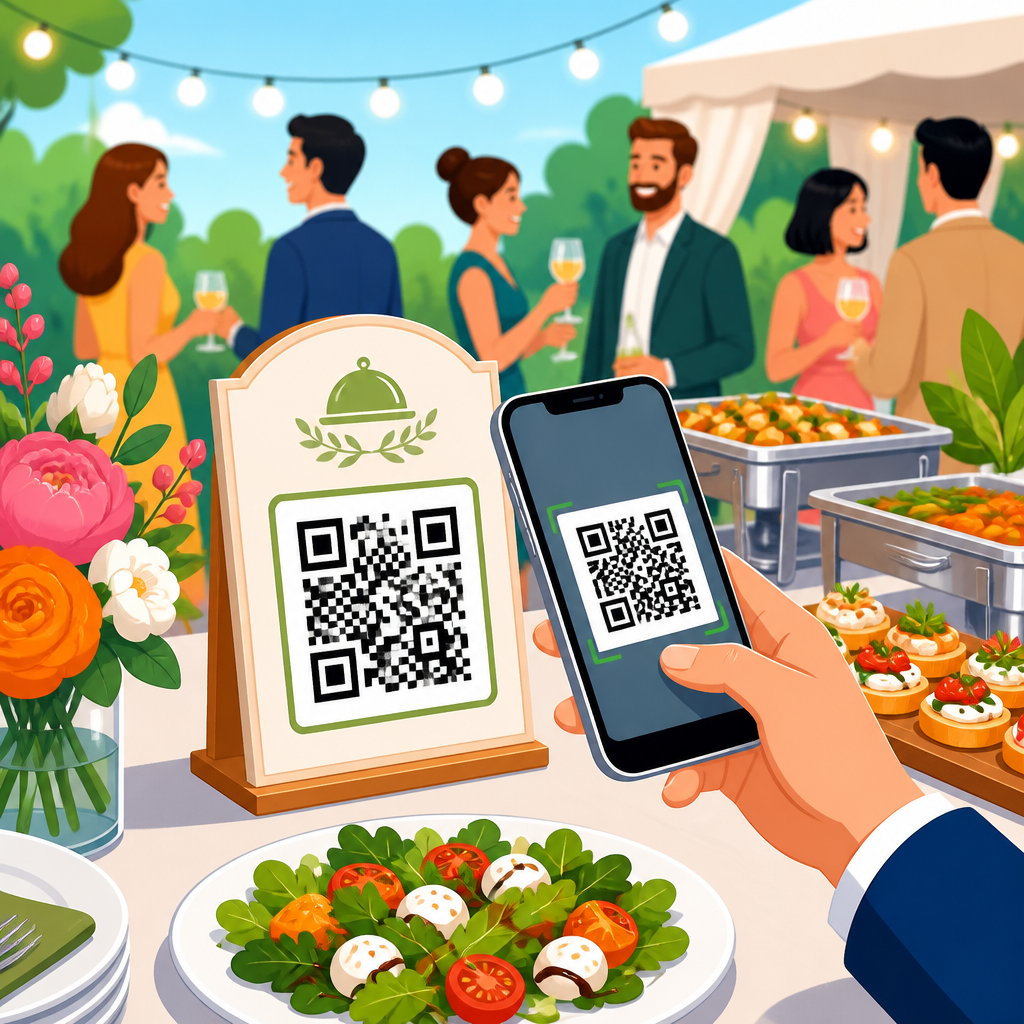
QR codes for event menus and catering have moved from a convenience feature to an operational standard across restaurants, hotels, conference venues, and mobile food service. In practice, they solve three persistent problems at once: printed menus become outdated, guests need fast access to accurate information, and event teams need a simple way to coordinate ordering, dietary guidance, and service changes without reprinting materials. A QR code is a scannable matrix barcode that opens a digital destination, usually a menu, order form, event microsite, or payment page. In hospitality settings, that destination can be tailored by event type, guest segment, table number, language, or service window. Event menus refer to curated food and beverage offerings for weddings, corporate meetings, banquets, festivals, galas, and private dining. Catering covers both the back-of-house production and the guest-facing service model, whether drop-off, buffet, plated, or hybrid.
I have worked with operators who started using QR menus during periods of rapid menu change and kept them because the data proved their value. A banquet team can swap a sold-out appetizer in minutes. A hotel can show breakfast, conference lunch, cocktail hour, and late-night menus from one code system. A caterer can attach ingredient disclosures and pickup instructions to each station without cluttering signage. This matters because event service is high-stakes: timelines are tight, guest expectations are high, and mistakes around allergens, pricing, or availability can be expensive. For restaurants and hospitality brands, QR codes also connect offline service to measurable digital behavior. When a guest scans, the venue can learn which menu sections get attention, which offers convert, and where service friction appears. Used well, QR codes improve speed, accuracy, accessibility, and profitability while supporting a more polished guest experience.
How QR Codes Improve Event Menu Operations
The main operational benefit of QR codes for event menus and catering is control. Printed banquet packets and table cards freeze information at one moment, but event service changes constantly. Headcounts rise, ingredients run short, weather forces layout changes, and premium upgrades need to be added quickly. A dynamic QR code lets staff update the linked content without changing the printed code itself. That means one centerpiece card, buffet sign, or welcome board can remain in place while the menu behind it changes in real time. In venues running multiple rooms, operators can assign separate links for ballroom A, terrace service, VIP lounge, and staff meal areas while keeping branding consistent.
Guest flow improves as well. At a wedding reception, a QR code can open the cocktail list, the dinner menu, allergen notes, and a late-night snack schedule on the guest’s phone. At a trade show, a code on each café table can direct attendees to order coffee, sandwiches, or sponsor-branded specials without waiting for a paper menu or verbal explanation. In hotel banquet service, I have seen QR codes reduce repetitive staff questions because guests can check ingredients, serving times, and bar packages themselves. The result is not a labor replacement. It is a labor optimization. Servers spend less time reciting details and more time guiding guests, handling exceptions, and maintaining service standards.
Accuracy is another clear advantage. Event menus often contain per-person pricing, package inclusions, wine pairings, and dietary accommodations. If one printed sign still shows an old entrée or an outdated bar cutoff time, confusion spreads quickly. A centralized menu platform reduces that risk. Many operators use tools such as Toast, Square, SpotOn, Tripleseat, Popmenu, or custom hotel content management systems to push updates across menu pages. When integrated properly, QR codes become a front-end access point for controlled data rather than a loose link pasted onto marketing material.
Best Use Cases Across Restaurants and Hospitality
Within restaurants and hospitality, QR codes for event menus and catering work best when matched to service style. Weddings use them for signature cocktail menus, seating-linked meal choices, and post-ceremony snack service. Corporate catering uses them for boxed lunch selection, timed pickup windows, and meeting-room beverage replenishment. Hotels use them across banquet orders, room service tie-ins, poolside event bars, and conference catering schedules. Resorts often create one event landing page with tabs for dining venues, private events, dietary forms, and spa refreshments, all accessed from signage placed at check-in, meeting registration, or guest tables.
Buffets and food stations are especially strong candidates. Instead of crowding sneeze guards with tiny printed ingredient cards, each station can display a QR code linked to full dish descriptions, allergen information, sourcing notes, and suggested beverage pairings. This is valuable for guests managing gluten, dairy, nuts, shellfish, halal, kosher, vegetarian, or vegan requirements. For plated service, codes can support pre-event selection forms. Guests can review entrée options before arrival, submit choices, and receive a confirmation linked to their RSVP or room block. For off-premise catering, delivery labels can include a QR code that opens setup instructions, reheating guidance, serving counts, and contact details for urgent issues.
Festivals, stadium hospitality, and pop-up dining benefit from QR menus because lines are costly. A concise mobile menu with clear modifiers and mobile payment can keep queues moving. Some operators assign QR codes by zone so they can compare demand at the beer garden, dessert tent, and VIP terrace. Others add sponsor content or loyalty enrollment after checkout. The most effective implementations stay useful first and promotional second. Guests scan for immediate value. If the first screen feels like an ad, scan rates drop.
| Hospitality setting | Best QR menu use | Primary benefit |
|---|---|---|
| Wedding venue | Cocktail list, meal selections, allergen notes | Better guest communication |
| Corporate catering | Boxed lunch ordering and pickup schedules | Fewer service delays |
| Hotel banquet | Multi-room menus and bar package updates | Real-time accuracy |
| Buffet or food station | Ingredients, dietary tags, pairing guidance | Improved accessibility |
| Festival or pop-up | Mobile ordering and payment | Shorter lines |
What to Include on a Digital Event Menu
A digital event menu should answer the practical questions guests have before they ask staff. At minimum, include item names, concise descriptions, pricing where relevant, dietary labels, and service timing. For beverage service, list pour options, package inclusions, and any cutoff times required by venue policy or licensing. For catering pickup or delivery, show order deadlines, arrival windows, setup notes, and contact information. If the event includes preorders, make the path obvious: select item, choose modifiers, confirm dietary notes, submit, and receive confirmation. Friction usually comes from hidden fees, unclear steps, or too many clicks.
Accessibility should be built in from the start. Use high-contrast design, legible font sizes, and plain language. Altogether, a good event menu should work on older phones, weaker venue Wi-Fi, and different screen sizes. PDF menus are common, but mobile-optimized landing pages usually perform better because they load faster, resize cleanly, and allow direct edits. If your audience includes international attendees, offer language toggles. If many guests are older or less comfortable with scanning, keep a small number of printed menus available. Hospitality is about accommodating people, not forcing one channel.
I recommend including context that a printed card rarely has room to show. For example, a carving station page can explain the sauce options and side dishes. A dessert station can note whether items are nut-free but still prepared in a shared kitchen. A wine page can identify region and varietal. This information helps guests decide faster and lowers the chance that servers need to correct assumptions later. Strong digital menus also support event upselling in a natural way: add a reserve wine option, an after-dinner coffee package, or branded gift-box upgrade where it makes sense, not as a pop-up interruption.
Implementation, Design, and Measurement
Effective implementation starts with the code itself. Use dynamic QR codes, not static ones, for event applications. Static codes are fixed to one URL and are harder to manage if pages change. Dynamic codes let teams update destinations, track scans, and create different versions for tables, rooms, or campaigns. Print codes at a size that scans easily from expected distance; on tabletop cards, around 1.2 inches square is often sufficient, while lobby signage usually needs larger placement. Contrast matters more than decoration. Black on white remains the most reliable format. Branded colors can work if the code still has strong contrast and a clear quiet zone around it.
Placement determines scan volume. Put QR codes where guests naturally pause: welcome signs, cocktail tables, buffet stations, conference room doors, tent poles near queues, and inside event programs. Always add a direct instruction such as “View menu,” “Order lunch,” or “See ingredients and allergens.” In testing, clear calls to action outperform bare codes because they remove ambiguity. Backup matters too. Venues should verify cellular strength, provide guest Wi-Fi where practical, and keep a short URL beneath the code for manual access. If a scan fails during peak service, confidence drops quickly.
Measurement is where QR codes become strategically valuable. Track total scans, scans by time of day, device type, top-viewed menu categories, conversion rate to order, average order value, and abandonment points. UTM parameters and analytics platforms such as Google Analytics 4 can attribute traffic from different signs or tables. Ordering systems can connect scans to revenue, revealing whether late-night snack pages drive meaningful incremental sales or whether one station consistently underperforms. I have also used scan data to improve staffing. If beverage menu scans spike fifteen minutes before intermission, bar prep can shift earlier. Data from physical spaces is often messy; QR interactions make it measurable.
Common Challenges and How to Avoid Them
The biggest mistake is treating QR codes as a novelty rather than a service tool. A code that leads to a generic homepage, slow PDF, or non-mobile page frustrates guests and burdens staff. Another common problem is overengineering. If guests must open the camera, scan, enter an email, create an account, and then search for the menu, the system has failed. For event use, the ideal path is short and obvious. Scan, view, decide, order if needed. Operators should test every flow on iPhone and Android devices before guests arrive.
Accessibility and inclusion are the second major challenge. Not every guest wants to use a phone, and not every venue has dependable connectivity. Best practice is hybrid service: QR-first, with printed backup and staff support. Privacy also deserves attention. If the code collects names, room numbers, dietary restrictions, or payment details, the linked platform should use secure connections and clear consent language. For hotels and corporate events, this is especially important because guest information may intersect with internal compliance policies.
Finally, content governance matters. Someone must own updates. In many properties, banquet sales creates menus, culinary changes items, marketing controls branding, and operations handles event-day execution. Without a simple approval process, digital menus drift out of sync. The solution is a defined workflow, version control, and a final day-of-event verification step. QR codes are powerful because they are flexible, but flexibility without ownership leads to errors.
Choosing the Right Platform for Event Catering QR Codes
The right platform depends on complexity. A single-location restaurant hosting occasional private parties may only need a QR generator and a mobile-friendly page builder. A hotel group or large catering company usually needs deeper integration with point-of-sale, banquet event orders, CRM records, and analytics. Key features to evaluate include dynamic code management, menu editing permissions, multilingual support, allergen fields, ordering and payment options, printable sign templates, and scan reporting. Platforms that separate front-end design from data management are easier to govern at scale because culinary teams can update content without breaking layout.
Integration should serve operations, not create extra work. If your POS already handles item availability and modifiers, connect the digital menu to that source of truth whenever possible. If your sales team relies on Tripleseat or Delphi for event details, make sure menu links can map cleanly to event records. If branded hospitality matters, check whether the platform supports custom domains and style controls so guests remain within your visual environment. During vendor reviews, request a live demo using an actual event scenario rather than a generic restaurant sample. A banquet bar package, buffet allergen list, and timed coffee break reveal gaps much faster than a standard dinner menu demo.
QR codes for event menus and catering work because they solve real hospitality problems with a familiar guest behavior: scan and see what you need. For restaurants, hotels, venues, and caterers, the strongest benefits are faster updates, clearer communication, better dietary transparency, smoother ordering, and measurable guest engagement. They are not a replacement for service standards, but they make good service easier to deliver consistently, especially when menus change quickly or events span multiple spaces and timelines.
The most successful programs keep the guest journey simple, build menus for mobile use, provide backup options, and connect scans to operational data. They also treat digital menus as living service assets, not one-time graphics. If you manage restaurants and hospitality operations, start with one event format, one clear menu flow, and one measurable goal such as fewer guest questions, faster ordering, or higher beverage attachment. Then expand the system across weddings, corporate catering, hotel banquets, and pop-ups with the same discipline. Done well, QR codes turn event menus into a flexible, trackable part of hospitality service. Audit your current event menu process, identify one friction point, and build your first QR-powered workflow around fixing it.
Frequently Asked Questions
How do QR codes improve event menus and catering operations?
QR codes improve event menus and catering operations by giving guests and staff instant access to a live digital menu instead of relying on printed materials that can become outdated the moment a dish changes, an ingredient runs out, or service timing shifts. For event planners, caterers, hotels, restaurants, and venue teams, this solves a major coordination problem: everyone works from the same current information. A single QR code can open a menu with item descriptions, pricing, ingredient notes, allergy details, beverage pairings, ordering instructions, and service updates, all without reprinting table cards, buffet signage, or handouts.
They also streamline service during fast-moving events. If a plated dinner changes to a buffet flow, if a late guest needs vegetarian options, or if a conference break menu needs to reflect substitutions, the digital menu can be updated in real time. This reduces confusion for guests and prevents staff from repeatedly answering the same basic questions. In many settings, QR codes also support direct ordering, preselection, contactless browsing, multilingual menu access, and easier coordination between front-of-house teams, kitchen staff, and event managers. The result is better accuracy, faster communication, less waste, and a more polished guest experience.
What information should be included in a QR code event menu?
A strong QR code event menu should include far more than a basic list of dishes. At a minimum, it should clearly present the event menu structure, including appetizers, mains, desserts, beverages, children’s options if relevant, and any late-night or specialty stations. Each item should have a concise description so guests know what to expect, especially at weddings, corporate functions, hotel banquets, trade shows, and catered private events where presentation matters. If prices are relevant, they should be easy to find, although some hosted events may prefer menu-only displays without visible pricing.
Dietary and allergy information is especially important. Guests should be able to quickly identify vegetarian, vegan, gluten-free, dairy-free, nut-free, halal, kosher, or other special-diet options. Ingredient transparency helps guests make decisions confidently and can reduce service delays caused by repeated dietary questions. It is also useful to include ordering deadlines, pickup or delivery instructions for room service or mobile catering, service times, and notes about customizations or substitutions.
For more advanced use, the menu can include photos, pairing recommendations, multilingual support, links to pre-order forms, table-specific ordering flows, or venue maps for larger events. Some event teams also add branded visuals, sponsor messaging, or links to schedules and guest resources. The key is clarity: the menu should be easy to scan, mobile-friendly, fast-loading, and organized in a way that helps guests get answers immediately.
Are QR code menus useful for managing dietary restrictions and allergy communication at events?
Yes, QR code menus are extremely useful for managing dietary restrictions and allergy communication, and this is one of their most practical advantages in event catering. Printed menus often leave out critical detail because of space limitations, while verbal explanations from staff can vary depending on timing, training, or last-minute menu changes. A digital menu accessed through a QR code gives caterers and venue teams a central place to publish accurate, detailed dietary guidance that guests can review at their own pace.
This can include labels for common dietary preferences and medically necessary restrictions, along with ingredient notes, preparation details, and warnings about allergens such as nuts, dairy, shellfish, soy, eggs, or gluten. If an ingredient changes before service, the digital menu can be updated immediately, which is much safer and more efficient than relying on outdated printed cards. For events with diverse guest lists, this kind of real-time accuracy helps reduce risk, improves trust, and supports a more inclusive dining experience.
QR code menus can also help staff work more efficiently. Instead of every server needing to repeat long explanations about each dish, guests can review the details themselves and ask more specific follow-up questions. That said, digital menus should support, not replace, direct communication for serious allergies. Best practice is to use QR codes as a clear informational tool while still training staff to confirm allergy-related requests and escalate concerns to catering managers or kitchen teams when necessary.
Can QR codes be updated after they are printed and placed at an event?
In many cases, yes, especially when using dynamic QR codes. A dynamic QR code points to a destination that can be changed without altering the printed code itself. This means event organizers can place QR codes on table tents, buffet signage, conference materials, room displays, welcome packets, or food truck panels, then update the linked menu later if service details change. For example, a caterer can revise menu descriptions, mark an item as unavailable, add a replacement dish, update beverage selections, or correct allergy details without reprinting every physical sign.
This flexibility is one of the main reasons QR codes have become an operational standard across hospitality and event environments. Event schedules often shift, ingredient availability changes, and guest counts can affect menu planning right up to service time. With a dynamic setup, the QR code remains the same for the guest, but the content behind it stays current. That greatly reduces print waste and helps maintain consistency across multiple service points.
Static QR codes are different because they are locked to a fixed destination once created. If the linked content changes substantially, a new code may be required. For that reason, dynamic QR codes are usually the better choice for catering and event menu applications. They offer better control, easier updates, and, in many platforms, access to scan data that can help event teams measure engagement and improve future service planning.
What are the best practices for using QR codes successfully at events?
The most effective use of QR codes at events starts with good placement and a strong mobile experience. Guests should be able to see and scan the code easily from where they are standing or seated, whether it is on a dining table, buffet line, cocktail station, hotel room display, conference badge insert, or food truck counter. The code should be printed at a readable size, placed with clear instructions such as “Scan to view menu,” and tested under real lighting conditions. If internet connectivity may be weak at the venue, planners should prepare for that in advance by optimizing the menu for fast loading and coordinating with venue Wi-Fi where possible.
The linked menu should be simple, responsive, and easy to navigate on a phone. Long PDFs are often less effective than mobile-designed pages because guests want quick answers, not a document that requires constant zooming and scrolling. Organize the content logically, use readable text, make dietary labels obvious, and keep branding polished but not distracting. If ordering is part of the experience, the steps should be intuitive and minimal.
It is also smart to provide a backup option. While QR codes are widely used, not every guest will want to scan one, and accessibility matters. Staff should be ready to assist, and printed menus or verbal guidance should remain available when needed. Finally, test everything before the event begins: the code, the landing page, the update process, the ordering flow, and the accuracy of dietary information. A QR code menu works best when it is treated as part of the service system, not just a piece of event tech.





