
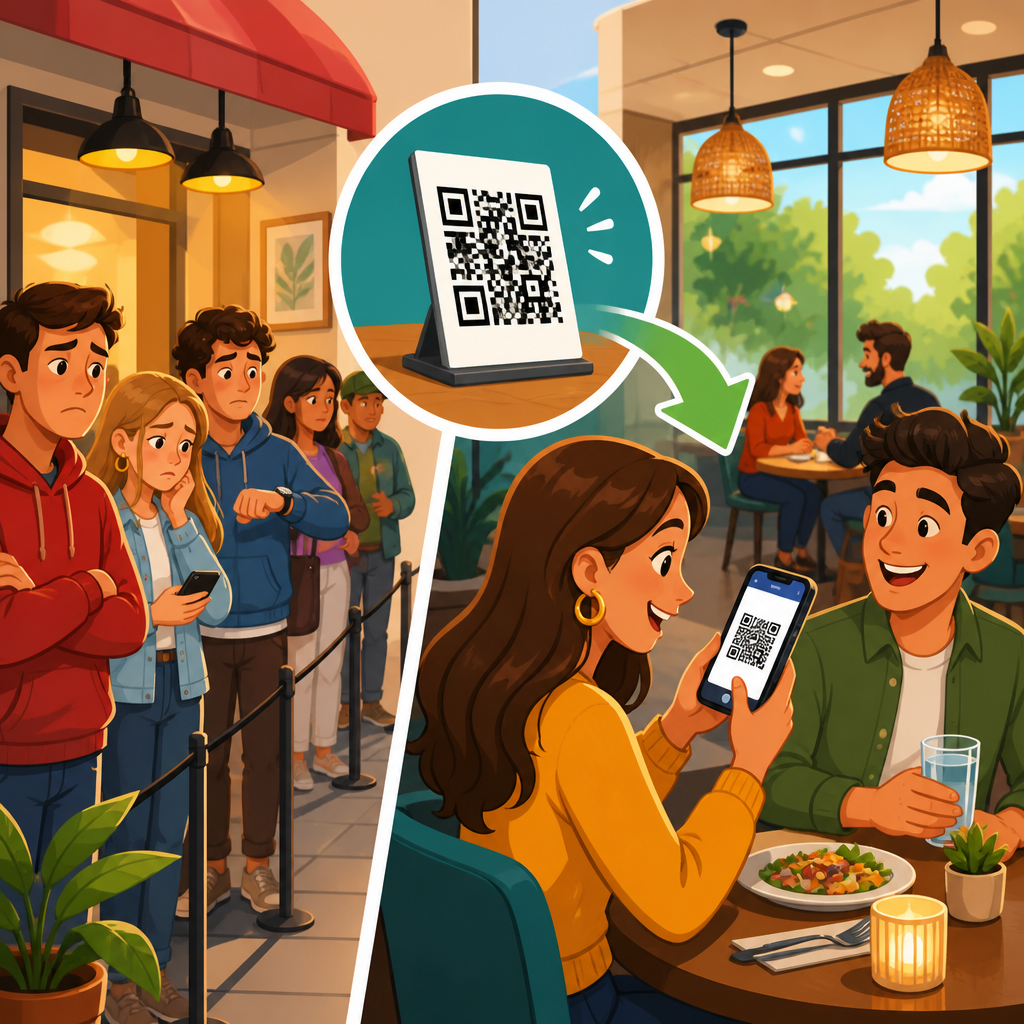
QR codes have moved from a novelty on tabletop tents to core restaurant infrastructure because they remove friction at the exact moments guests feel delay most sharply: waiting to see a menu, flag down a server, place an order, split a bill, or pay and leave. In restaurants and hospitality settings, a QR code is simply a scannable two-dimensional barcode that opens a digital destination such as a menu, ordering flow, payment page, loyalty program, feedback form, or multilingual guest guide. When these touchpoints are connected well, restaurants reduce perceived and actual wait times without cutting hospitality. I have seen this play out in quick-service counters, hotel lounges, brewpub patios, and full-service dining rooms where service bottlenecks were not caused by kitchen capacity alone, but by preventable handoffs between guests, servers, point-of-sale systems, and payment devices. That is why QR codes matter: they compress service steps, redistribute labor to higher-value interactions, and give operators measurable control over speed of service.
For this restaurants and hospitality hub, the key question is not whether QR codes are useful, but where they produce the clearest time savings and what tradeoffs operators should manage. Wait time in a restaurant is more than kitchen ticket time. It includes queue time at entry, menu decision time, order transmission time, payment settlement time, and the lag between a guest wanting help and a staff member becoming available. Hospitality operators also track related metrics such as table turn time, average check, labor minutes per cover, order accuracy, and guest satisfaction. QR systems influence all of them. A digital menu can eliminate the search for clean printed menus. A scan-to-order workflow can send items directly to the kitchen display system. A pay-at-table code can remove the final ten-minute stall that often happens after dessert. In hotels, pool bars, room service alternatives, and lobby cafes, the same mechanics apply. The best implementations use QR codes to accelerate routine tasks while preserving staff attention for recommendations, issue resolution, and upselling.
This article explains exactly how QR codes reduce wait times across restaurants and hospitality venues, where they work best, which tools and standards matter, and how to build a system guests will actually use. As the central resource for this topic, it covers menus, ordering, payments, staffing, guest communication, analytics, and accessibility in one place. If you operate a café, casual chain, fine-dining group, food hall stall, hotel restaurant, or resort bar, the lesson is consistent: QR codes are not a shortcut around service; they are a method for removing low-value pauses that interrupt service.
Where restaurant wait times really come from
Most operators first blame slow kitchen output, but front-of-house delays are often just as costly. In a standard dine-in flow, guests arrive, wait to be seated, receive menus, review options, ask questions, place orders, request extras, ask for the check, wait for the terminal, pay, and leave. Every step creates a micro-queue. During rush periods, even efficient servers can become the bottleneck because one person must physically visit several tables in sequence. I have watched a six-table section collapse into delay when two new parties sat down, one table needed allergen clarification, another wanted to split the bill four ways, and a payment terminal battery died. None of those issues required more cooking capacity, yet all extended total dining time.
QR codes reduce these bottlenecks by shifting guest actions from sequential staff mediation to parallel self-service. Instead of waiting for one server to deliver six menus, six guests can scan immediately. Instead of holding an order in memory or on paper, the guest can submit directly into an integrated POS workflow. Instead of waiting for a check presenter and card machine, the bill can be reviewed and paid on the guest’s phone. That parallelism is the operational advantage. It does not replace staff, but it removes the dead time between intention and action. In high-volume service, saving even two minutes at three touchpoints can materially improve throughput, especially for lunch businesses where table turns determine revenue.
Digital menus remove the first service delay
The fastest win for most restaurants is replacing or supplementing printed menus with QR code menus. This shortens the period between seating and decision-making. Guests scan as soon as they sit down, often before a server reaches the table. They can browse categories, modifiers, photos, allergen notes, and availability in real time. If the kitchen runs out of a special, the digital menu can hide it instantly. That prevents the classic frustration of ordering an unavailable item after waiting ten minutes to decide.
Digital menus also reduce cognitive delay. A well-structured mobile menu uses simple categories, item descriptions, spice indicators, dietary tags, and suggested add-ons. For example, a brunch venue can place coffee, juice, and pastry prompts at the top because drinks are a high-probability early order. A sushi bar can group rolls by raw, cooked, and vegetarian options to simplify selection. In multilingual hospitality environments, QR menus can automatically open in the device language or present a clear language switcher, which cuts clarification time for international guests. This matters in hotels and tourist districts where language friction often slows service more than food preparation does.
There are limitations. Fine-dining venues may still want printed menus for ambiance, and some guests dislike scanning. The practical answer is hybrid service: keep a few printed menus available while making the QR experience superior through speed, readability, and accurate data.
Scan-to-order speeds ordering and improves accuracy
The second major delay happens when guests are ready to order but cannot access a server. QR ordering solves this by letting parties submit food and beverage selections directly from the table, room, or pool chair. In integrated systems, the order routes from the guest interface into the POS, then to the kitchen display system or bar printer without re-entry. That removes one full handoff and lowers transcription errors.
Accuracy matters because mistakes create hidden wait time. If a server mishears “no onions,” the remake extends the meal and ties up labor. Direct digital ordering captures modifiers exactly as selected. It also timestamps order submission, which helps managers distinguish between kitchen delays and front-of-house delays. In practice, this leads to better staffing decisions because operators can see whether ticket spikes originate from synchronized guest ordering or from slow table touches.
Scan-to-order works especially well in fast casual, food halls, breweries, stadium suites, hotel lounges, and limited-service patios where guests are comfortable ordering independently. Full-service restaurants can use it more selectively, such as for appetizers, kids’ meals, late-night service, or repeat drink rounds. The model is not all-or-nothing. Many successful operators let guests start digitally while servers handle recommendations and hospitality moments. That hybrid design reduces queueing without making the experience feel transactional.
QR payment shortens the longest final bottleneck
In many restaurants, the slowest portion of the meal is the last one. Guests ask for the check, wait for it to arrive, add a card, wait for pickup, wait again for the card terminal, complete payment, and wait for a receipt. If they are in a hurry, that final lag shapes their entire impression of service. QR pay-at-table compresses this sequence into a self-directed step that often takes less than a minute.
When implemented correctly, the guest scans a code tied to the table or open check, reviews items, selects tip, splits payment if needed, and receives confirmation instantly. For group dining, this is a major operational gain. Splitting a bill across four or six guests manually consumes staff time and often stalls terminal availability for other tables. Mobile payment removes that queue. It also improves table turn speed, which directly affects revenue at peak periods. On a busy Saturday night, shaving seven minutes from settlement across dozens of covers is significant.
Security and trust are essential. Restaurants should use PCI-compliant payment providers, clear branding, HTTPS pages, and printed instructions that explain exactly what the scan will do. Staff should still offer traditional card-present payment for guests who prefer it. Good hospitality means convenience without coercion.
Best use cases across restaurants and hospitality venues
Not every concept uses QR codes the same way. The strongest restaurant and hospitality applications differ by service model, guest expectations, and physical layout.
| Venue type | Best QR use case | Main wait-time benefit |
|---|---|---|
| Quick-service restaurant | Menu, queue-bypass ordering, loyalty | Shorter line at counter and faster order capture |
| Fast casual | Table ordering and reorder prompts | Less waiting for staff touchpoints |
| Full-service casual dining | Menu access, dessert or drink reorders, pay at table | Faster start and faster check closeout |
| Bars and breweries | Tab opening, repeat rounds, event tabs | Reduced bar crowding and quicker repeat purchases |
| Hotel restaurant or lounge | Multilingual menus, room-charge flows, late-night ordering | Less explanation time and easier service during lean staffing |
| Resort pool or beach service | Chairside ordering and location-linked delivery | No need to flag staff down across large areas |
| Food halls and ghost kitchens | Unified ordering and pickup notifications | Shorter decision and pickup wait times |
The pattern is simple: QR codes produce the best results where physical distance, limited staffing, or repeated low-complexity orders create friction. They are less effective when menus require extensive verbal guidance or when guest demographics strongly prefer traditional service.
Operational design determines whether QR actually saves time
A QR code by itself does nothing. Time savings come from workflow design. The landing page must load quickly, ideally in under three seconds on mobile data. Menu architecture should keep primary actions obvious: view menu, order now, reorder drinks, pay bill, call staff if needed. Integrations matter even more. If a guest submits an order through a QR page but staff still retype it into the POS, the restaurant has merely shifted effort, not removed it. Systems from providers such as Toast, Square, Clover, Lightspeed, and Oracle MICROS can support varying levels of integration, but operators must map the exact order path before launch.
Table identification is another common failure point. Static codes printed without table linkage can create confusion if guests order from the wrong location. The better approach is a unique code per table, seat zone, or room area, tied to the POS and floor plan. For hotels and resorts, location metadata is critical so runners know whether an order belongs to cabana twelve, the lobby sofa area, or room 418 pickup. Staff training must also change. Servers need a script for introducing the option, troubleshooting scans, and monitoring digital orders so guests never feel abandoned.
How QR codes affect labor, upselling, and guest satisfaction
Restaurants often ask whether QR ordering reduces staffing needs. In my experience, the more realistic benefit is labor reallocation. QR systems remove repetitive errands, allowing staff to focus on hospitality, pacing courses, handling allergy questions, and recovering service issues. During peak periods, this can prevent the need for an additional low-skill support role, but the bigger gain is consistency under pressure.
Upselling can improve when digital interfaces are designed thoughtfully. Suggestive prompts such as “add fries,” “pair with house lager,” or “make it a combo” appear at the right decision moment and do not depend on each server remembering every script. Average check can rise, but only if prompts feel relevant. Aggressive pop-ups slow ordering and irritate guests, which defeats the speed goal. Good systems also support loyalty enrollment, targeted offers during off-peak hours, and post-visit feedback collection, creating a feedback loop between service speed and retention.
Guest satisfaction usually improves when diners keep control. People dislike uncertainty more than short waits. A QR workflow shows progress clearly: menu viewed, order placed, payment completed. That visibility reduces anxiety. However, satisfaction drops quickly if the restaurant uses QR codes as an excuse to disappear. The strongest operators make digital service feel optional, supported, and fast.
Accessibility, hygiene, and implementation pitfalls
QR codes are often justified on hygiene and printing-cost grounds, but accessibility deserves equal weight. Menus should comply with basic mobile usability standards: readable font sizes, high color contrast, descriptive alt text where applicable, and compatibility with screen readers. Operators should maintain non-digital alternatives for guests without smartphones, with low battery, or with limited data access. Wi-Fi splash pages that block menu access are a frequent mistake; if a guest must surrender an email address before seeing the menu, the restaurant has added friction, not removed it.
Placement and maintenance matter too. Codes should appear at natural decision points: host stand, table tent, receipt, hotel room directory, pool chair, or bar top. They should be large enough to scan under dim lighting and printed on durable material that resists glare, spills, and wear. Dynamic QR codes are preferable because they allow destination changes without reprinting. Tracking should use campaign parameters and event analytics so managers can compare scans, order starts, completed orders, payment completion rates, and device types. This measurement is what turns QR from a gimmick into an operating tool.
For restaurants and hospitality brands, QR codes reduce wait times most effectively when they eliminate handoffs, not human warmth. Start with the moments guests routinely wait: menu access, order submission, and bill payment. Build fast mobile pages, connect them directly to the POS, train staff to support rather than resist the workflow, and keep a hybrid option for guests who prefer traditional service. The payoff is practical and measurable: faster turns, fewer errors, clearer staffing insight, and a smoother guest experience from arrival to payment. If you manage a restaurant, bar, hotel outlet, or resort venue, audit one service bottleneck this week and test a QR solution where delay is most visible. That is where the technology proves its value.
Frequently Asked Questions
How do QR codes actually reduce wait times in restaurants?
QR codes reduce wait times by removing several of the small delays that add up during a typical dining experience. Instead of waiting for a server to drop off printed menus, explain specials, return to take an order, bring the check, and process payment, guests can access those steps immediately from their phones. A single scan can open a digital menu, start an ordering flow, allow guests to customize items, and even connect directly to pay-at-table checkout. That means fewer bottlenecks at the exact moments customers notice delay most: when they first sit down, when they are ready to order, and when they want to leave.
From an operations standpoint, QR codes also streamline communication between the table, the front-of-house team, and the kitchen. Orders submitted digitally can go straight into the restaurant’s POS or kitchen workflow, reducing manual re-entry and cutting down on the back-and-forth that slows service. Guests do not need to wait to flag down staff for routine actions, and staff can focus more on hospitality, problem-solving, and table turns instead of repetitive transactional tasks. The result is a faster, smoother service experience that benefits both diners and restaurant teams.
What parts of the restaurant experience can a QR code speed up?
QR codes can accelerate nearly every major step of the guest journey. The most obvious use is instant menu access, which removes the wait for printed menus and allows updates in real time. They can also speed up ordering by letting customers browse, customize, and submit food and drink selections without waiting for a server to return. In quick-service, fast-casual, and hybrid full-service environments, that can dramatically reduce line congestion and help guests move through the ordering process at their own pace.
Beyond ordering, QR codes are especially effective at the end of the meal, where delays are often most frustrating. Guests can scan to view the bill, split checks, add tips, and pay immediately without waiting for the check presenter or card processing. Restaurants also use QR codes for waitlists, loyalty sign-ups, multilingual menus, table-specific service requests, guest feedback, and promotional offers. Because one code can connect diners directly to the right digital action in seconds, it eliminates friction across multiple touchpoints rather than solving just one isolated problem.
Do QR code menus and ordering systems replace servers?
No, in most restaurants QR codes work best as a service enhancer, not a replacement for staff. Their main advantage is that they handle routine, time-sensitive tasks that often create friction, such as menu access, basic ordering, reordering, and payment. That gives servers more time to do the parts of hospitality technology cannot replicate well: answering questions, making recommendations, accommodating special requests, handling issues, and creating a welcoming guest experience. In other words, QR codes reduce administrative drag so staff can be more present where it matters most.
This is especially important in full-service restaurants, where diners still value human interaction. A QR system can support a hybrid model in which guests have control and speed when they want it, while staff remain available for personal service. For example, a table may scan to review the menu and place drink orders quickly, then rely on the server for wine guidance, allergy clarification, or pacing the meal. Restaurants that implement QR codes thoughtfully usually see the technology as a way to reduce wait-related frustration while preserving the hospitality standards guests expect.
Are QR codes useful for both full-service and quick-service restaurants?
Yes, QR codes are highly adaptable and can improve speed in both full-service and quick-service formats, though the use cases differ slightly. In quick-service and fast-casual settings, QR codes can reduce queue pressure by moving ordering and payment directly to the customer’s phone. This shortens lines, improves throughput during rush periods, and helps restaurants serve more guests without expanding counter staff. Customers can order ahead, customize items accurately, and pay before reaching the pickup stage, which keeps operations moving efficiently.
In full-service restaurants, the value often comes from removing idle waiting at the table. Guests can scan to see menus instantly, place initial orders faster, request another round, review the check, and pay when ready. That speeds up service without forcing a fully self-service model. QR codes are also valuable in hospitality environments such as hotel restaurants, bars, poolside service, room service guides, and multilingual guest communication, where convenience and clarity directly influence satisfaction. Because the technology is flexible, restaurants can apply it to the service model they already have rather than redesigning the entire guest experience around it.
What should restaurants do to make QR codes effective without frustrating guests?
For QR codes to truly reduce wait times, the experience after the scan has to be fast, intuitive, and mobile-friendly. Restaurants should link codes to pages that load quickly, display clearly on smartphones, and require as few steps as possible to complete the task. Menus should be easy to read, modifiers should be simple to use, and payment flows should feel secure and familiar. Table-specific codes should direct guests to the correct menu, order flow, or check automatically so there is no confusion. Staff should also be ready to explain the process briefly and help anyone who prefers assistance.
It is equally important to offer QR codes as a convenience, not as a barrier. Some guests will still want a printed menu, verbal recommendations, or traditional payment handling, and restaurants should maintain those options where possible. Clear signage, reliable Wi-Fi or cellular access, accurate digital menu data, and POS integration all make a major difference. When implemented well, QR codes feel invisible because they remove friction instead of adding it. Guests simply notice that service feels faster, ordering is easier, and leaving the restaurant no longer involves one last unnecessary wait.





