
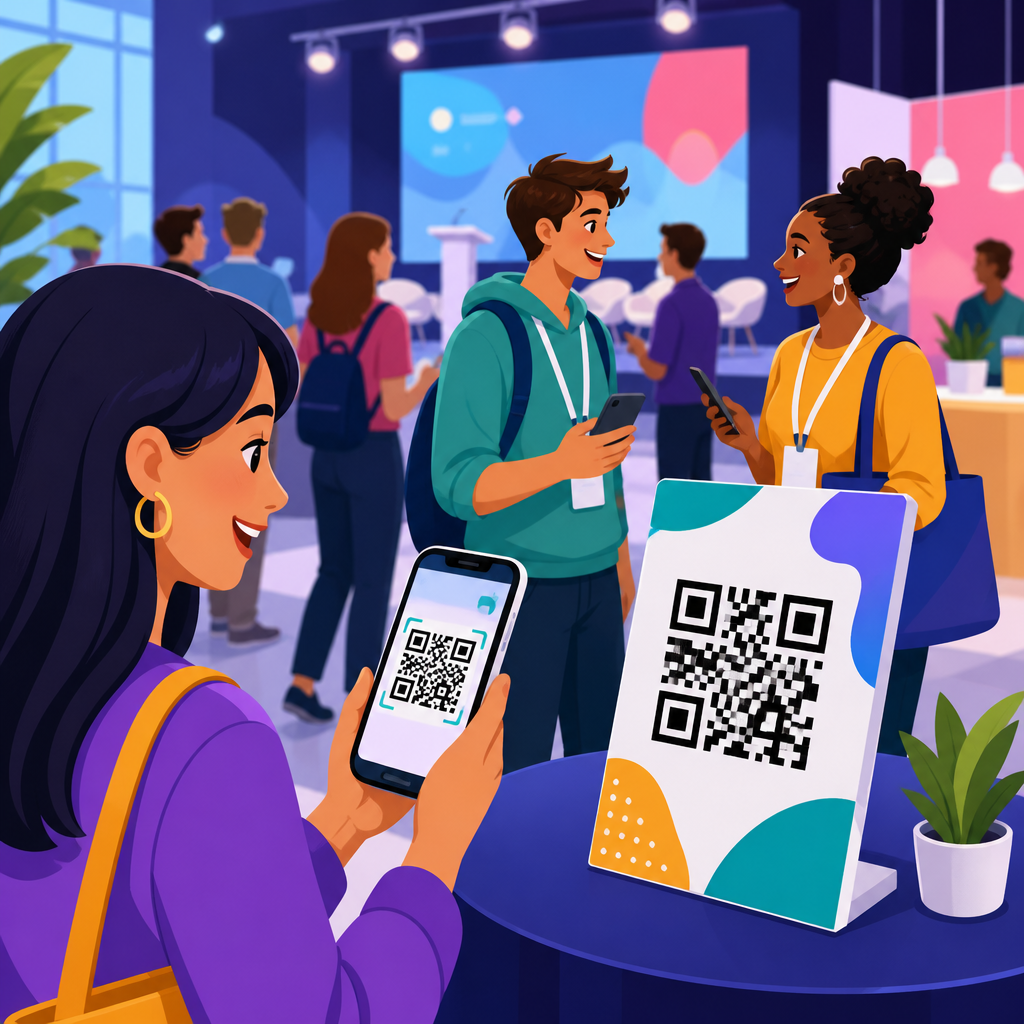
QR codes have become one of the most practical tools for attendee engagement at events because they connect printed spaces, physical venues, and live audiences to digital actions in seconds. In events and ticketing, a QR code is a scannable square barcode that stores a URL, file, contact record, payment link, check-in credential, or app action. When an attendee points a phone camera at the code, they can register, enter a venue, download schedules, join giveaways, answer polls, or retrieve presentation materials without typing a long address. I have implemented QR workflows for conferences, trade shows, fundraisers, and festivals, and the consistent result is lower friction. When the path from interest to action shrinks, participation rises.
This matters because event success now depends on more than attendance counts. Organizers are measured on registration conversion, on-site flow, sponsor visibility, session participation, lead capture, and post-event follow-up. QR codes support all of those goals when they are planned as part of the attendee journey rather than added as decoration. A code on a badge can speed entry. A code on signage can drive app downloads. A code on a booth can qualify interest by product category. A code on slides can collect questions in real time. For event teams, that means fewer paper forms, cleaner analytics, and easier updates through dynamic destinations.
As a hub for events and ticketing, this guide explains how to use QR codes across the full lifecycle: promotion, registration, check-in, navigation, networking, sponsorship, content access, feedback, and remarketing. It also clarifies the difference between static and dynamic QR codes, outlines good design rules, and shows where measurable returns usually appear first. The central principle is simple: every QR code at an event should answer one attendee question clearly. Where do I go? How do I get in? What happens next? If the code solves that question immediately, engagement increases and operational pressure drops.
How QR codes improve event marketing before attendees arrive
Before an event starts, QR codes help convert awareness into registration by making response immediate. Instead of asking prospects to remember a URL, search for a landing page, or manually enter a promo code, organizers can place a QR code on posters, direct mail, speaker graphics, social assets, venue signage, or partner collateral. Scanning the code should open the exact destination matched to the campaign source, such as a registration page with UTM parameters, prefilled fields, or a ticket tier already selected. In my experience, this is where dynamic QR codes outperform static codes most clearly, because campaigns change often and late edits are common.
For example, a music festival can place separate QR codes on street posters, radio partner graphics, and local cafe table cards. Each code points to the same ticketing flow, but with different tracking values. After two weeks, the organizer can compare scans, completed purchases, and cost per conversion by placement. A B2B conference can do the same across email signatures, speaker promo kits, and print ads in association newsletters. Named tools such as Google Analytics 4, Bitly, Eventbrite, Cvent, and HubSpot make attribution straightforward when the code destination is tagged properly. That tracking allows teams to shift budget toward the channels that generate paid registrations rather than just traffic.
QR codes also strengthen reminder campaigns. Registration confirmation emails can include a code to add the event to a mobile wallet, retrieve the ticket, or join a waitlist for workshops. Venue partners can display lobby signs with a code linking to the agenda or parking instructions. Because people often decide whether to attend, upgrade, or invite colleagues in moments of convenience, reducing taps matters. A good event QR code campaign before the event does not chase novelty. It eliminates extra steps and produces measurable registration data.
Using QR codes for ticketing, check-in, and faster on-site operations
The most established use of QR codes in events and ticketing is entry management. A ticket QR code can encode a unique attendee identifier tied to a registration record in the event platform. At the entrance, staff scan the code with dedicated devices or mobile apps, verify the credential, and mark the attendee as checked in. This shortens lines, reduces manual lookup errors, and improves security compared with printed guest lists. It also creates a precise timestamp for arrival, which helps event managers understand traffic peaks, staffing needs, and no-show rates.
There are important implementation details. The QR code used for admission should typically be unique, access controlled, and validated against a live database. For paid events, one-time redemption is essential to prevent duplicate entry. For multi-day events, the platform may issue a persistent code tied to badge printing and session access permissions. Major providers including Eventbrite, Cvent, Bizzabo, and Splash support these workflows, while enterprise access systems often integrate with CRM and marketing automation tools. At larger venues, offline scanning capability is useful in case of weak connectivity. Staff training is equally important: poor lane design can erase the speed benefit of a good code system.
QR codes also streamline ancillary operations. Parking passes, meal vouchers, VIP access, cloakroom retrieval, and workshop admissions can each be tied to separate permissions within the same attendee profile. That means one registration can control multiple touchpoints without requiring attendees to manage paper coupons. At a trade show I supported, exhibitors received QR credentials that unlocked move-in instructions, loading dock schedules, and badge pickup windows before attendee arrival. That reduced support emails significantly because essential operational information was one scan away. For organizers, the practical value is not just speed at the door. It is cleaner data and fewer service bottlenecks across the venue.
Where QR codes drive attendee engagement during the event
Attendee engagement grows when QR codes are tied to useful actions throughout the program. Common examples include agenda access, live polling, Q&A submission, contest entry, resource downloads, exhibit hall maps, networking forms, and session evaluation surveys. The best placements are intuitive: a code at registration linking to the event app, a code outside each room linking to session notes, a code on stage screens for audience questions, and a code at sponsor booths for lead capture. Every placement should have a plain-language call to action, because scan rates drop sharply when people have to guess what happens next.
For conferences and trade shows, QR codes are particularly effective for booth engagement. Instead of collecting business cards in a fishbowl, exhibitors can display codes that route visitors to a short form asking about budget, timeline, and product interest. That produces structured lead data and can trigger tailored follow-up automatically. For attendees, the exchange feels lighter because they can choose to engage without waiting for a representative. For sponsors, the value is better qualification. A visitor who scans a code for a product demo, a pricing sheet, or a meeting request has shown a clearer intent signal than someone who simply walked by the stand.
Session rooms offer another high-value use case. Presenters can place a QR code on the opening slide linking to downloadable decks, speaker bios, or supplementary reading. During the session, a second code can open a moderated Q&A page or a poll. After the session, a code near the exit can launch a two-question feedback survey while impressions are fresh. This sequence works because it aligns with natural attendee behavior before, during, and after the talk. In practice, the highest engagement comes from immediate utility rather than broad portals with too many options.
Best event QR code use cases by objective
Different event goals call for different QR code workflows. Teams get better results when they map each code to one objective, one audience, and one metric. The table below summarizes common event QR code use cases and the operational outcomes they typically support.
| Objective | QR code placement | Destination | Primary metric |
|---|---|---|---|
| Sell tickets | Posters, print ads, partner collateral | Registration landing page | Completed purchases |
| Speed entry | Email tickets, wallets, badges | Unique check-in credential | Scan-to-entry time |
| Drive app adoption | Welcome signage, confirmation pages | App download or deep link | Installs and logins |
| Increase session participation | Slides, room signage, seat cards | Poll or Q&A form | Responses per session |
| Support sponsors | Booths, activations, product displays | Lead form or meeting scheduler | Qualified leads |
| Collect feedback | Exits, badges, follow-up emails | Survey page | Completion rate |
In hub planning, these use cases often become supporting articles of their own: QR codes for event registration, QR codes for conference check-in, QR codes for exhibitor lead capture, QR codes for festival ticketing, and QR codes for post-event surveys. Organizers benefit from treating this page as the master framework and then building detailed playbooks for each scenario. That structure mirrors how event teams actually work, because marketing, operations, sponsorship, and content teams usually own different parts of the attendee journey.
Design, testing, and analytics that make QR codes perform
A technically valid QR code is not automatically an effective event QR code. Performance depends on size, contrast, destination quality, and testing. For print, a practical baseline is at least 2 x 2 centimeters for close scanning, with larger formats for signs viewed from several feet away. High contrast, generous quiet space around the code, and nonreflective surfaces improve readability. Branded colors can work, but dark foreground on a light background remains the safest choice. I advise event teams not to distort codes excessively with logos or decorative frames unless they test them across multiple phone models. Camera quality varies, venue lighting changes, and glossy materials can create failures that are hard to diagnose on site.
Dynamic QR codes are usually the right choice for event campaigns because they allow destination edits without reprinting assets. If a room changes, a session URL moves, or a sponsor updates an offer, the code can stay the same while the link changes behind it. They also support scan analytics, including time, device type, and sometimes approximate location. Those data points are useful, but they are not enough on their own. The real value comes from combining QR analytics with landing page conversions, app events, CRM updates, and ticketing outcomes. GA4, Adobe Analytics, and platform dashboards can all contribute, but naming conventions must be disciplined from the start.
Testing should happen in the actual venue conditions whenever possible. Scan each code from the expected distance, under event lighting, using both iPhone and Android devices, with and without the event app installed. Confirm that the landing page loads quickly on cellular networks, not just office Wi-Fi. Verify that forms are mobile friendly and that the call to action is visible without pinching or horizontal scrolling. The most common failures I see are not broken codes but weak destinations: cluttered pages, login barriers, and unclear next steps. Good event QR code strategy extends beyond the square itself.
Privacy, accessibility, and limitations organizers should address
QR codes improve attendee engagement, but they are not frictionless for every person or every context. Some attendees do not want to use personal phones for event tasks. Others may have accessibility needs, limited battery life, or poor connectivity. That means critical functions such as admission, wayfinding, and emergency information should never rely exclusively on QR codes. A resilient event design provides alternatives: staffed help points, printed essentials, accessible web pages, and manual verification processes. In regulated environments, teams should also disclose what data is collected after a scan and how it will be used.
Privacy is especially important when QR codes route to forms that capture names, email addresses, company details, or behavioral data. Consent language should be clear, and integrations with CRM or marketing tools should match applicable requirements under laws such as GDPR or CCPA where relevant. Security matters as well. Bad actors can place fraudulent stickers over legitimate codes, particularly in public venues. Regular inspection, secure mounting, and brand-consistent design help reduce that risk. For ticketing, unique encrypted identifiers and server-side validation are standard safeguards.
The main limitation of QR codes is strategic, not technical: too many codes create noise. When every surface asks attendees to scan something, attention fragments and adoption falls. The strongest event programs use fewer codes with stronger intent. One code for entry, one for agenda access, one for each high-value sponsor interaction, and one for feedback often outperforms a venue saturated with low-priority prompts. Used selectively, QR codes simplify the event experience. Used indiscriminately, they clutter it.
QR codes for attendee engagement at events work best when they are built into the event journey from the first promotion to the final follow-up. They help prospects register faster, attendees enter smoothly, sponsors capture better leads, speakers extend session value, and organizers collect cleaner data. Across events and ticketing, the pattern is consistent: when a scan leads directly to a relevant action, participation improves. That is why QR codes remain one of the most useful bridges between physical events and digital engagement.
For this events and ticketing hub, the most important takeaway is to think in workflows, not isolated codes. Match each QR code to a specific moment, define the metric that proves success, use dynamic management where updates are likely, and test every destination on real phones in real venue conditions. Keep accessibility, privacy, and operational backups in scope from the beginning. Those details determine whether a code becomes a convenience or a frustration.
If you are building or refining an event QR strategy, start with three priorities: registration, check-in, and one high-value engagement action such as session Q&A or sponsor lead capture. Measure results, remove weak placements, and expand from there. A focused rollout will show quickly where QR codes create the most value for your attendees and your event team.
Frequently Asked Questions
How do QR codes improve attendee engagement at events?
QR codes improve attendee engagement by removing friction between physical event spaces and digital experiences. Instead of asking people to type a long URL, search for an app, or stand in line for printed information, organizers can place a scannable code on signage, badges, tables, screens, booths, and handouts. In a single scan, attendees can open schedules, session maps, speaker bios, live polls, feedback forms, networking pages, giveaway entries, or exclusive content. That speed matters in event environments, where people are moving quickly and attention is limited.
They also make engagement more immediate and measurable. For example, a QR code shown during a keynote can direct attendees to vote in a live poll, submit questions, or download related resources while interest is highest. A code at a sponsor booth can launch a product demo or lead capture form without requiring a sales representative to manually enter information. Because each scan creates a clear digital action, organizers can track participation rates, understand which touchpoints performed best, and refine future event strategy. In practical terms, QR codes turn static materials into interactive channels, which helps events feel more responsive, connected, and useful.
What are the best ways to use QR codes throughout the attendee journey?
The most effective use of QR codes starts before attendees even arrive. In the pre-event stage, QR codes can link to registration pages, ticket confirmation details, calendar holds, venue directions, and event apps. On invitations, social posts, posters, and email signatures, they create a simple path from promotion to sign-up. Once attendees are registered, organizers can continue using codes for agenda access, hotel details, exhibitor previews, and pre-event surveys that help personalize the experience.
During the event, QR codes are especially valuable at moments where speed and convenience matter most. They can power check-in and access control, open digital badges or credentials, provide room-level schedules, connect guests to interactive maps, and make session participation easier through polls, quizzes, Q&A forms, and downloadable presentation materials. At exhibitor booths, they can unlock brochures, catalogs, demos, discount codes, or meeting booking forms. After the event, QR codes can still support engagement by linking to recap videos, presentation slides, certificates of attendance, post-event surveys, sponsor offers, and early registration for next year’s event. When planned across the full attendee journey, QR codes become more than a one-time tool; they become a continuous engagement layer from first touch to follow-up.
Are QR codes useful for event check-in, ticketing, and access control?
Yes, QR codes are one of the most practical tools for event check-in, ticketing, and access control because they allow organizers to confirm attendance quickly and accurately. A QR code can function as a digital credential tied to a registration record, ticket type, seat assignment, or access level. When scanned at entry, it can instantly validate whether the attendee is approved for general admission, VIP areas, workshops, meals, or other restricted zones. This reduces bottlenecks, minimizes manual list-checking, and helps create a smoother first impression at the venue.
They are also useful from an operational and security standpoint. Because each code can be uniquely generated, event teams can reduce duplicate entries, monitor attendance in real time, and maintain cleaner reporting on arrivals and session participation. For multi-day or multi-track events, QR-based credentials make it easier to manage re-entry and separate permissions without printing multiple passes. To get the best results, organizers should use reliable scanning hardware or mobile scanning apps, ensure internet connectivity or offline backup options, and test code readability across screens and print sizes in advance. When properly implemented, QR codes streamline entry while improving both attendee convenience and organizer control.
What should event organizers include in a QR code experience to make it effective?
An effective QR code experience begins with a clear purpose. Every code should answer a specific attendee need, such as “view the agenda,” “join the giveaway,” “check in here,” or “download the speaker slides.” If the destination is vague or low-value, people are far less likely to scan. Organizers should pair every code with a short call to action so attendees know exactly what they will get. Placement matters too. Codes should appear where the action is relevant, such as near stage entrances for session materials, at booths for product information, or on tables for menu ordering, feedback, or networking links.
The landing experience is just as important as the code itself. The destination should be mobile-friendly, fast-loading, easy to navigate, and optimized for short attention spans. Long forms, cluttered pages, mandatory app downloads, or confusing next steps often reduce participation. It is also smart to use dynamic QR codes when possible, since they allow organizers to update the destination without reprinting materials and often provide scan analytics. Branding can improve trust as well, especially when attendees are scanning in busy public environments. In short, the most effective QR code experiences are relevant, clearly labeled, easy to scan, and immediately rewarding once opened.
How can organizers measure the success of QR codes for attendee engagement?
Organizers can measure QR code success by looking beyond total scans and focusing on what happened after the scan. A high scan count is useful, but the more meaningful metrics are tied to the intended outcome: registrations completed, check-ins processed, poll responses submitted, files downloaded, meetings booked, leads captured, feedback forms finished, or purchases made. If a QR code was placed in multiple locations, comparing performance by placement can reveal which signs, booths, sessions, or traffic areas generated the strongest engagement. This helps event teams understand not just whether attendees scanned, but where and why they took action.
It is also important to evaluate timing, device behavior, and user flow. For example, organizers can identify whether scans spiked before a keynote, during sponsor activations, or after sessions ended. They can review bounce rates, conversion rates, and completion rates on the landing pages connected to each code. If many attendees scanned but abandoned the page, that may signal a poor mobile experience or weak offer. Combining QR analytics with broader event metrics, such as attendance numbers, app activity, and survey feedback, creates a more complete picture of engagement. When measured thoughtfully, QR codes give event teams practical data they can use to improve attendee experiences, sponsor ROI, and future event performance.





