
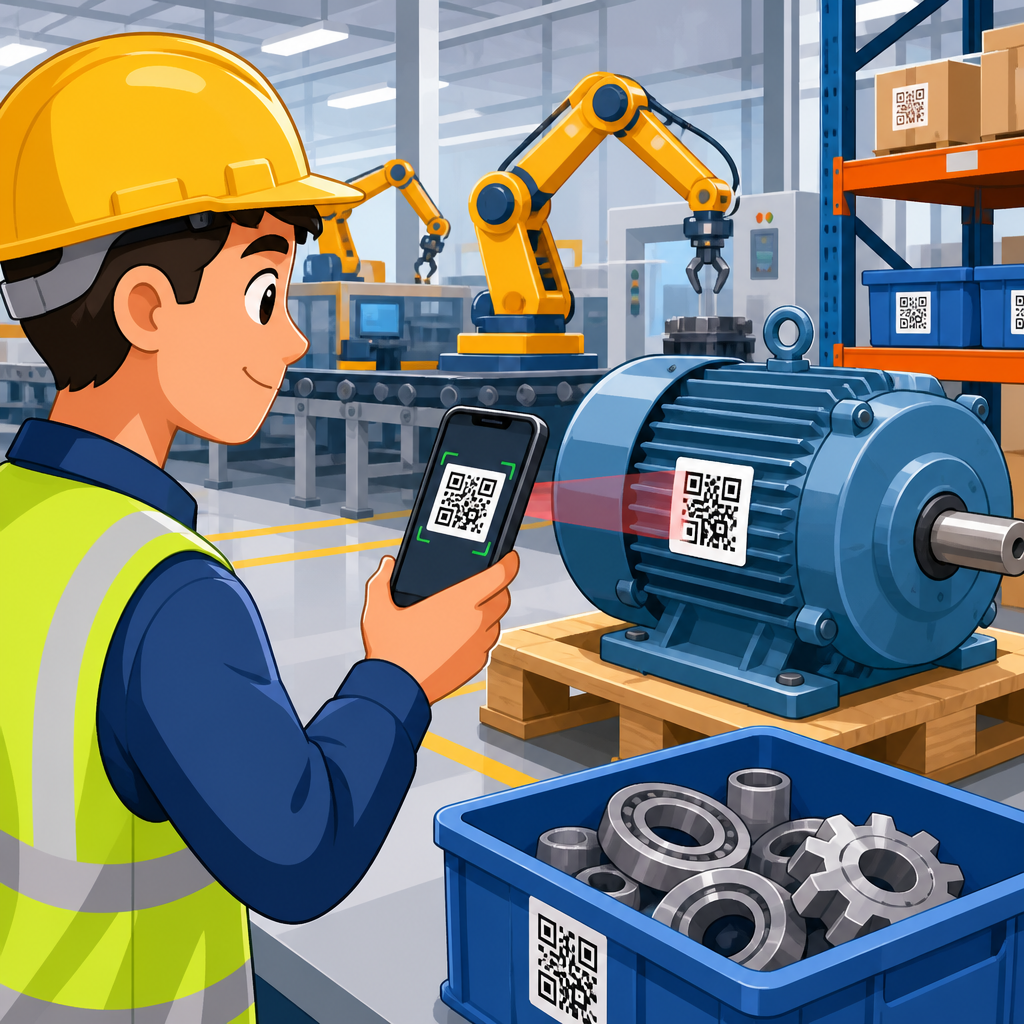
QR codes for asset tracking in manufacturing give plants a low-cost, high-accuracy way to identify tools, machines, containers, work-in-progress, and finished goods across production and logistics operations. In practical terms, a QR code is a two-dimensional barcode that stores a unique identifier, URL, or structured data string. Asset tracking is the discipline of assigning that identifier to a physical item, scanning it at key points, and updating a system of record such as an enterprise asset management platform, warehouse management system, manufacturing execution system, or ERP. When deployed well, QR codes create a digital thread between the factory floor and back-office systems, helping teams answer simple but critical questions: What is this asset, where is it now, who used it last, what condition is it in, and what needs to happen next?
This matters because manufacturing and logistics depend on timing, traceability, and equipment availability. A missing torque wrench can stop a line. An unverified forklift inspection can create safety risk. A returnable container without location history can disappear into a customer yard for months. In plants I have worked with, the biggest gains usually come from replacing handwritten logs, spreadsheet-based checkouts, and memory-based searches with scan-driven workflows that operators can complete in seconds. The result is better inventory accuracy, faster maintenance response, stronger audit readiness, and lower replacement spend. For manufacturers building a broader digital transformation roadmap, QR-based asset tracking is often one of the fastest projects to pilot because labels are inexpensive, smartphones and rugged scanners are common, and integration can start small before expanding across sites, suppliers, and distribution networks.
How QR code asset tracking works on the factory floor
At its core, the process is straightforward. Each asset receives a unique identifier linked to a master record in software. That identifier is encoded into a QR label, direct part mark, or durable nameplate attached to the asset. When an operator, technician, material handler, or supervisor scans the code, the application pulls up the asset record and can trigger a transaction such as check-in, check-out, location update, inspection completion, calibration verification, maintenance request, or status change. Because the code can store more characters than a traditional one-dimensional barcode and can still be read when partially damaged thanks to error correction, it works well for manufacturing environments where labels face oil, abrasion, and variable lighting.
In real operations, scan events happen at predictable control points. Receiving teams tag incoming fixtures and spare parts. Tool cribs issue handheld tools to operators by scanning both the employee badge and the tool label. Maintenance teams scan machines to review service history and log corrective work. Warehouse staff scan pallets and returnable transport items as they move from production to staging to outbound shipping. Quality teams scan gauges before use to confirm calibration is current. These workflows reduce manual keying errors and create event histories that are far more reliable than paper sign-off sheets. The best implementations also standardize naming conventions, location hierarchies, and user permissions so data stays clean as usage scales across departments.
QR codes can function as stand-alone identifiers, but they become much more valuable when connected to established manufacturing systems. In many plants, the hub article for this subject links naturally to deeper pages on inventory control, preventive maintenance, warehouse labeling, returnable packaging, and shipment verification because each use case relies on the same scan-to-record pattern. A maintenance planner may scan a compressor and open a CMMS work order. A warehouse associate may scan a rack location and pallet ID in the WMS. A line leader may scan a fixture and update status in the MES. The code is not the database; it is the doorway to the correct record, transaction, and workflow.
What assets manufacturers track with QR codes
Manufacturers use QR codes across far more than finished goods. High-value tools are one of the most common categories because loss and idle time are easy to quantify. Torque tools, crimpers, weld guns, inspection devices, and portable test equipment can all be labeled and checked in or out. Maintenance departments track critical spares, lubricants, motors, pumps, and removable components to know what is available and what has been installed. Production teams track reusable fixtures, molds, dies, bins, totes, pallets, carts, and kitting trays that move repeatedly between work areas. Facilities and safety teams track ladders, fall-protection gear, fire extinguishers, eyewash stations, and forklifts to document inspections and service dates.
There is also a strong logistics dimension. Returnable transport items such as racks, cages, pallets, and containers are expensive and frequently dispersed across supplier and customer networks. Labeling each asset with a QR code lets companies build a movement history by site, lane, or customer account, which supports cycle counting and loss analysis. Cold-chain and regulated manufacturers often extend this to mobile equipment and serialized handling units. While QR codes do not replace product serialization standards where a specific industry mandates Data Matrix or GS1 structures, they can still support internal asset management around those regulated flows. The key is matching the identifier format to the operational question being asked.
| Asset type | Typical scan event | Primary benefit |
|---|---|---|
| Hand tools and gauges | Issue, return, calibration check | Less loss, stronger accountability |
| Machines and line equipment | Maintenance, inspection, downtime logging | Faster service and better history |
| Returnable containers and pallets | Location transfer, shipment, receipt | Higher recovery and utilization |
| Work-in-progress carriers | Process step confirmation | Improved traceability |
| Safety and facility assets | Inspection completion | Clear compliance records |
Choosing the right asset classes for an initial rollout matters. I usually advise manufacturers to begin where three conditions exist: the item moves frequently, the item has meaningful value or compliance risk, and staff can scan it without interrupting production. That often means tools, returnables, and mobile equipment first. Once the team proves label durability, scanner usability, and data governance, it can expand into fixed equipment, MRO inventory, and broader logistics flows.
Operational benefits across manufacturing and logistics
The first measurable benefit is usually visibility. When every scan updates a time-stamped record, supervisors stop relying on tribal knowledge to locate assets. Search time drops, and that translates directly into labor savings. Aberdeen and other operations benchmarking groups have long shown that poor inventory and asset visibility increase working capital, downtime, and expediting costs. On a plant floor, the impact is immediate: technicians spend less time hunting for a calibrated meter, and production no longer waits while someone tracks down a missing fixture. Even modest reductions in search time can produce meaningful annual savings when multiplied across shifts and sites.
Accuracy is the second major gain. Manual asset logs often fail because entries are delayed, skipped, or written inconsistently. Scan-based transactions enforce standardized fields such as asset ID, user, location, timestamp, and status. That improves cycle counting, root-cause analysis, and auditability. During internal audits, I have seen teams move from incomplete paper histories to near-instant retrieval of inspection and maintenance records simply by scanning the asset label. For manufacturers subject to ISO 9001 quality management requirements or IATF 16949 automotive controls, that record quality matters because process discipline must be demonstrated, not assumed.
QR code asset tracking also supports maintenance performance. When a machine or auxiliary device has a scannable ID at the point of use, technicians can open the exact record without searching by asset name or serial number. They can review recent failures, parts replaced, and pending preventive tasks before touching the equipment. If the plant uses a CMMS such as Fiix, UpKeep, eMaint, or IBM Maximo, the scan can launch directly into the correct work order screen. Better data capture improves mean time to repair analysis and can expose chronic issues such as repeated failures after a changeover or lubrication task.
In logistics operations, the benefit often appears as tighter control of returnable assets and warehouse handling units. A company shipping engines in custom steel racks may have thousands of dollars tied up in each rack. Without scan history, racks disappear into buffers, third-party warehouses, and customer yards. With QR codes tied to transfer transactions, planners can see dwell time by location and identify where assets are being stranded. Similar logic applies to carts, totes, and pallet pools inside the plant. Better utilization reduces unnecessary purchases and helps procurement defend or delay capital requests with real data.
Implementation requirements, labels, and system integration
A successful rollout starts with asset data, not with printing labels. Every asset needs a unique ID, a clean description, ownership, status rules, and a defined location structure. If two departments use different names for the same tool category or storage area, reports become unreliable fast. Good master data design includes naming standards, parent-child relationships for assemblies, and clear lifecycle states such as active, in repair, scrapped, or lost. Once that foundation exists, the team chooses label materials based on environment. Polyester labels work for many indoor cases, while anodized aluminum tags, laminated labels, or chemical-resistant synthetics are better near heat, solvents, or outdoor exposure.
Printing and scanning choices also affect adoption. Industrial printers from Zebra, Brady, and SATO are common in factories because they support durable media and repeatable label quality. Scanning may be done with handheld barcode scanners, rugged mobile computers from Zebra Technologies or Honeywell, or standard smartphones if conditions allow. Smartphone-based scanning can lower pilot costs, but gloves, screen durability, and network coverage should be tested on the actual floor. I recommend validating scan distance, low-light performance, and damaged-label readability before large purchases. A code that works in the conference room may fail on an oily machine base or a scratched cart handle.
Integration is where the real value compounds. The QR code should map to the system that governs the asset process being improved. For maintenance, that is usually a CMMS or EAM. For warehouse movement, it may be the WMS or ERP. For production tooling and process confirmation, it could be the MES or a no-code workflow platform that synchronizes with core systems. Integration can be simple at first: a scan opens a cloud record or form. Over time, mature programs automate events such as status changes, notifications, exception flags, and dashboard updates. The objective is to reduce duplicate data entry and keep a single source of truth for each workflow.
Best practices, limitations, and where QR codes fit among other tracking methods
QR codes are not the answer to every tracking problem, and manufacturers should understand the tradeoffs. They require line of sight and a deliberate scan action. If the business needs continuous, hands-free location tracking over large yards or through dock doors, RFID, Bluetooth Low Energy beacons, ultra-wideband, or GPS may be more suitable. For tiny components or highly regulated direct part marking, Data Matrix may be preferred because of industry standards and marking density. Still, QR codes remain one of the most practical choices for broad manufacturing use because they are inexpensive, easy to generate, and readable by common devices without specialized infrastructure.
Several practices consistently separate strong deployments from disappointing ones. First, place labels where users can scan them safely and naturally during the work step, not in hidden or high-heat locations. Second, define mandatory scan points carefully; too many required scans create workarounds, while too few leave data gaps. Third, train around the specific behavior change, not just the software screen. Operators need to know why scanning protects uptime, quality, and accountability. Fourth, create exception handling for damaged labels, offline devices, and assets that change configuration. Fifth, measure adoption with metrics such as scan compliance, asset recovery rate, search time, maintenance response time, and inventory accuracy.
As a hub topic within manufacturing and logistics, QR code asset tracking naturally connects to related applications that companies often implement next. Those include QR codes for inventory management, equipment maintenance, warehouse picking, shipment verification, supplier receiving, production traceability, and returnable packaging control. The technology remains the same, but the workflow and system integration differ by use case. Understanding that distinction helps leaders build a phased roadmap instead of treating every barcode project as an isolated pilot.
QR codes for asset tracking in manufacturing work because they solve a practical problem with minimal friction: they make physical assets instantly identifiable and connect every scan to a usable digital record. For manufacturers and logistics teams, that translates into better visibility, cleaner maintenance history, faster audits, reduced loss of tools and returnables, and more reliable movement data across the plant and supply chain. The most successful programs start with clear asset data, durable labeling, simple workflows, and integration into the systems people already use.
The central lesson is that asset tracking is not really about labels; it is about operational control. A QR code only delivers value when it supports a defined process such as issuing tools, verifying inspections, locating containers, or updating equipment status. When those processes are designed well, the gains are measurable and scalable. Start with a high-impact asset class, test labels and scanning in real conditions, connect scans to the right software record, and expand from there. If you are building out manufacturing and logistics use cases, make this page your starting point and map the next workflow you want to improve with QR codes today.
Frequently Asked Questions
How do QR codes improve asset tracking in a manufacturing environment?
QR codes improve asset tracking by giving every physical asset a fast, inexpensive, and highly reliable digital identity. In a manufacturing plant, that can include tools, fixtures, machines, returnable containers, work-in-progress, spare parts, and finished goods. Each QR code can store a unique identifier, a URL, or a structured data string that links the item to a system of record such as an ERP, MES, CMMS, or warehouse management platform. When operators scan the code at receiving, staging, setup, production, maintenance, quality inspection, storage, or shipping, the system updates the asset’s location, status, owner, condition, or transaction history in real time or near real time.
This matters because many plants still rely on manual logs, spreadsheets, or inconsistent naming conventions, which introduce delays and errors. QR-based workflows reduce data entry, improve traceability, and create a clearer chain of custody throughout production and logistics. Teams can quickly answer practical questions such as where an asset is, who last used it, whether it passed inspection, when it was last serviced, and whether it is available for the next job. That increased visibility supports leaner operations, fewer misplaced items, better scheduling, and stronger compliance documentation. For manufacturers looking for a low-cost path to digital tracking, QR codes are often one of the easiest technologies to deploy at scale.
What types of manufacturing assets are best suited for QR code tracking?
QR code tracking works well for a wide range of manufacturing assets, especially those that move frequently, change hands between departments, or need documented status updates over time. Common examples include handheld tools, gauges, jigs, dies, molds, maintenance equipment, forklifts, pallets, bins, racks, totes, returnable transport items, subassemblies, work-in-progress units, and finished goods. It is also useful for higher-value fixed assets such as machines and production line equipment, where the QR code may serve as a gateway to maintenance records, operating procedures, spare parts lists, calibration logs, and service history.
The best candidates are assets that benefit from quick identification and regular scanning at process checkpoints. For example, a QR code on a container can confirm which lot it carries and where it should go next. A code on a machine can allow technicians to instantly pull up maintenance instructions and record completed work. A code on a tool can support issue-and-return tracking, helping reduce loss and improve accountability. Even if the asset itself does not move often, QR codes can still add value by simplifying audits, inspections, and lifecycle recordkeeping. In short, if an item needs to be identified accurately, located efficiently, or tracked through a repeatable workflow, it is likely a strong fit for QR-based asset tracking.
What information can a QR code hold for asset tracking, and where is the data usually stored?
A QR code can hold several kinds of information, but in most manufacturing asset tracking programs, the code itself contains only the minimum data needed to uniquely identify the item and trigger the correct record in a backend system. That may be a serialized asset ID, a part or container number, a URL, or a structured string with fields such as plant, asset class, serial number, and revision. Keeping the encoded content concise is usually the best approach because it simplifies label design, improves scan reliability, and makes it easier to maintain records centrally.
The richer asset data is typically stored in connected business systems rather than directly inside the QR code. Once scanned, the code points the user or device to information in an ERP, MES, CMMS, EAM, WMS, or a dedicated asset tracking application. That record may include current location, custody, maintenance history, calibration due dates, production status, associated work orders, quality checks, lot numbers, and transaction timestamps. This architecture is important because manufacturing data changes constantly. If every change had to be reprinted into the code itself, the process would quickly become unmanageable. By storing dynamic information in the system of record and using the QR code as the access key, manufacturers get both durability on the floor and flexibility in their data model.
Are QR codes durable and accurate enough for harsh manufacturing conditions?
Yes, QR codes can be highly effective in demanding manufacturing settings, provided the labels and placement are chosen correctly. Production environments often involve oil, dust, abrasion, heat, chemicals, vibration, and repeated handling, so durability depends less on the QR format itself and more on the material, print method, adhesive, and surface preparation. Manufacturers commonly use laminated polyester labels, anodized aluminum tags, chemical-resistant synthetics, or direct part marking strategies where appropriate. Selecting the right label construction for the asset and environment is critical to long-term scan performance.
From an accuracy standpoint, QR codes are strong performers because they include built-in error correction, which allows scanners to read codes even when part of the symbol is damaged or obscured. They also store more data in a smaller footprint than traditional one-dimensional barcodes, which can be useful when label space is limited. To maximize reliability, companies should standardize code size, contrast, quiet zones, and mounting location, and they should test labels under real operating conditions before full rollout. It is also wise to define cleaning and replacement procedures for assets exposed to extreme wear. When these implementation details are handled well, QR codes deliver excellent scan rates and dependable identification across a broad range of manufacturing applications.
What are the key steps to successfully implement a QR code asset tracking system in manufacturing?
A successful implementation starts with process design, not just label printing. Manufacturers should first define what they want to track, why they want to track it, and which operational decisions the data should support. That means identifying asset categories, required status changes, scan points, responsible users, and system integrations. For example, a plant may want to track tools from crib checkout to line use and return, or containers from receiving through production and shipping. Clear workflows help determine the data model, naming standards, exception handling, and reporting requirements before any technology is deployed.
Next comes system configuration and physical execution. Each asset needs a unique identifier and a durable QR label or tag matched to the operating environment. Scanning devices may include handheld scanners, tablets, smartphones, or fixed stations, depending on throughput and workflow complexity. The QR codes should connect to a central platform such as an ERP, MES, CMMS, or asset management system so every scan updates the authoritative record. Training is also essential. Operators, technicians, warehouse staff, and supervisors need simple, consistent scanning procedures that fit naturally into existing work. Finally, companies should start with a pilot, measure results, and refine the process before scaling. A well-run pilot can uncover issues with label placement, user adoption, scan timing, and integration logic. When manufacturers approach implementation as both a process change and a technology project, QR code asset tracking can produce fast gains in visibility, accuracy, and operational control.





