
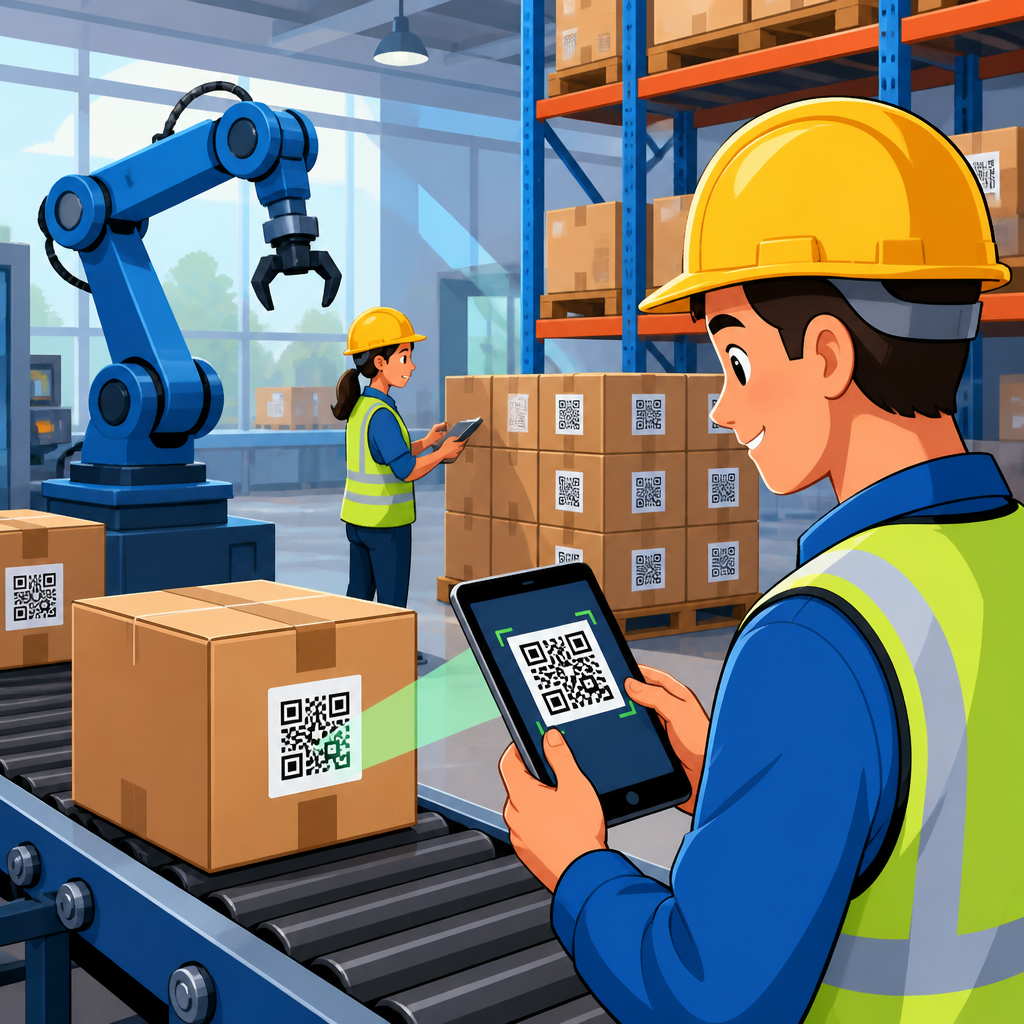
Manufacturers use QR codes for inventory tracking because the technology is cheap, durable, and precise enough to follow raw materials, work in progress, finished goods, and spare parts across complex facilities. In manufacturing and logistics, inventory tracking means knowing what item is on hand, where it is located, what status it holds, and what transaction changed that status. A QR code, or quick response code, stores machine-readable data in a two-dimensional symbol that scanners, mobile devices, fixed mount cameras, and industrial readers can capture quickly, even when the code is small or partially damaged. I have helped operations teams deploy these systems on plant floors, and the practical value is always the same: fewer search hours, fewer receiving mistakes, better traceability, and faster decisions.
This matters because inventory errors ripple through the entire operation. If a plant cannot confirm component availability, production scheduling becomes guesswork. If lot numbers are not tied to movements, quality investigations slow down. If warehouse teams rely on handwritten labels or memory, cycle counts drift and expedited freight costs rise. Manufacturers adopted barcodes decades ago, but QR codes expanded what can be encoded directly on the label, including part number, serial number, lot, supplier, date, revision level, and destination. They also work well in environments where teams use phones, tablets, and wearable devices instead of dedicated laser scanners alone.
For manufacturing and logistics, QR codes sit at the intersection of material handling, warehouse management, production control, and compliance. They support common systems such as enterprise resource planning platforms, warehouse management systems, manufacturing execution systems, computerized maintenance management systems, and transportation workflows. A receiving clerk scans a pallet label to create inventory. A line operator scans components to issue material to a work order. A quality technician scans a suspect lot to view genealogy. A shipping associate scans cartons before loading. In each case, the code acts as a fast identity layer that connects the physical item to a live record in software.
The strongest inventory tracking programs do not treat QR codes as a simple labeling upgrade. They design data standards, scan rules, exception handling, and integration with ERP and MES from the start. That is why this hub matters. It explains how manufacturers and logistics teams use QR codes across the full inventory lifecycle, where they fit better than linear barcodes, what implementation decisions shape success, and what tradeoffs operators should expect in real plants and warehouses.
What QR codes track across manufacturing and logistics
QR codes support inventory tracking at multiple levels: item, inner pack, carton, pallet, rack location, returnable container, and transport asset. In discrete manufacturing, the code often identifies individual components, serialized assemblies, tooling, bins, and finished units. In process manufacturing, teams more often label lots, batches, totes, drums, and pallets because material is consumed and transformed in bulk. Logistics operations extend tracking to staging lanes, trailers, cross-dock zones, and reusable packaging. The critical point is that the code identifies the physical object at the level needed for control and traceability.
Manufacturers usually encode one of two things. The first is a unique identifier, such as a serial number or license plate number, that points to a database record. The second is a structured payload that includes several data elements inside the code itself. Standards such as GS1 Digital Link and traditional application identifiers make that payload more interoperable across trading partners. In practice, most plants use a hybrid model: the QR code carries a unique ID plus essential attributes, while the source system stores the full history, ownership, and transaction log.
Common tracked attributes include SKU, part number, revision, supplier ID, batch number, expiration date, quantity, unit of measure, storage condition, and inspection status. For regulated industries such as medical devices, food, aerospace, and pharmaceuticals, traceability fields become even more important because recalls, audit trails, and chain of custody must be reconstructed quickly. I have seen quality teams cut investigation time dramatically when every movement from receiving to shipment was captured by scan rather than handwritten logs.
How QR code inventory tracking works on the plant floor
The typical workflow begins when labels are printed at the supplier, receiving dock, production line, or packaging station. A worker scans the code during receipt, and the scan event creates or validates inventory in the system. The item is then scanned again when it moves to quarantine, putaway, line-side storage, kitting, production consumption, finished goods, or shipping. Each scan updates location, status, quantity, or ownership. Good systems also capture user, timestamp, device, and transaction type so supervisors can audit exceptions and identify process bottlenecks.
Scanning can be done with industrial handheld readers from Zebra or Datalogic, mobile computers, tablets in rugged cases, or fixed vision systems mounted on conveyors and cells. The right device depends on distance, speed, lighting, and operator workflow. A forklift driver may use a long-range scanner to capture pallet labels from the seat. A cell operator may use a tablet camera for issuing parts to a job. A conveyor line may rely on fixed cameras connected to a PLC and MES. The best deployments reduce operator motion and avoid adding extra scan steps that do not create operational value.
Integration is what turns scans into usable inventory control. ERP systems such as SAP S/4HANA, Oracle NetSuite, Microsoft Dynamics 365, and Infor hold item masters, transactions, and financial inventory. MES platforms manage work orders, routing, and consumption. WMS applications govern slotting, replenishment, and warehouse execution. QR scans feed these systems through APIs, middleware, or mobile transaction apps. If integration is weak, teams end up with labels that look modern but still require manual reconciliation, which defeats the purpose.
| Manufacturing stage | Typical QR code use | Primary inventory benefit |
|---|---|---|
| Receiving | Scan supplier pallet, carton, or lot labels | Faster receipt confirmation and fewer data-entry errors |
| Putaway | Scan item and storage location | Accurate bin-level visibility |
| Production | Scan components to issue to work orders | Real-time material consumption and genealogy |
| Quality | Scan lot or serial during inspection and hold | Status control and faster containment |
| Shipping | Scan cartons and pallets before loadout | Order verification and traceable dispatch |
Why manufacturers choose QR codes over other labeling options
QR codes are not the only option for inventory tracking, but they solve several manufacturing problems well. Compared with one-dimensional barcodes such as Code 128, a QR code stores more data in less space and remains readable with some surface damage because it includes error correction. That matters for small components, dense labels, and harsh environments where abrasion, oil, or dust can degrade print quality. Camera-based scanning is also easier for many mobile workflows because operators do not need the same precise line-of-sight orientation required by laser scanners.
Another advantage is versatility. A QR code can support internal inventory control and external service use on the same label. A finished machine might carry a production serial code that also links a field technician to service history, manuals, and parts lists. Returnable containers can be scanned by both plant personnel and third-party logistics partners using ordinary smartphones when dedicated hardware is unavailable. This flexibility lowers adoption friction, especially across mixed environments with older systems and newer mobile apps.
That said, QR codes are not automatically better in every case. For very long read distances on fast-moving pallets, some linear symbologies and specialized imagers still perform better. Radio frequency identification can outperform any optical code when non-line-of-sight bulk reads are needed, such as counting many tagged assets at once. Data Matrix is often preferred for direct part marking on small metal or plastic components in automotive and aerospace. The right choice depends on substrate, scan distance, information density, standards, and budget.
Use cases that make the biggest operational difference
Inbound material control is usually the fastest win. When suppliers place standardized QR labels on cartons and pallets, receiving teams can validate purchase orders, capture lot data, and trigger putaway in seconds. This reduces dock congestion and shortens the time between arrival and material availability. In one common scenario, an electronics manufacturer receiving reels of components scans supplier codes into the ERP, then relabels internal bins with plant-specific IDs for line-side replenishment and traceability.
Work-in-progress tracking is another high-value use case. Manufacturers often lose time locating partially completed assemblies, subassemblies awaiting inspection, or kits staged for the next operation. By scanning a QR code at each routing step, supervisors can see the last confirmed location and status without walking the floor. This improves schedule adherence and helps planners distinguish true shortages from misplaced inventory. In high-mix, low-volume environments, that visibility can materially improve throughput because expediters stop spending hours hunting for jobs.
Finished goods and shipping verification also benefit. QR codes on cartons and pallets support pack verification, load sequencing, and proof of shipment. If a customer dispute arises, the shipper can review the scan history to confirm what was packed, when, and by whom. Reverse logistics teams use the same structure for returns, repair loops, and warranty evaluation. Spare parts stores, maintenance cribs, and tool rooms similarly use QR labels to control issue and return transactions, which cuts stockouts and helps maintenance teams trust system balances.
Implementation best practices for reliable results
Start with labeling standards before buying devices. Decide what each code identifies, which fields are encoded, what print size is acceptable, and where labels will be placed on each packaging level. Establish quiet zone requirements, contrast standards, and naming conventions for locations. Then map the required transactions: receipt, move, issue, adjust, count, pick, pack, ship, return, and scrap. Plants that skip this design phase often create inconsistent labels and duplicate scan logic, which leads to user workarounds and poor data quality.
Print quality and material selection matter more than most teams expect. Thermal transfer labels usually outperform direct thermal for long-life industrial use because heat, sunlight, and abrasion can fade direct thermal prints. Synthetic label stock may be necessary for chemical exposure, cold storage, or outdoor yards. Curved surfaces, oily parts, and returnable containers often need specialized adhesives or tag holders. Verification tools from companies such as Cognex or label inspection software can confirm symbol quality before bad labels spread through the operation.
Training must cover exceptions, not just normal scans. Workers need to know what to do when a label is unreadable, quantity differs from the code, material is split, or mixed lots appear on a pallet. Supervisors need dashboards for scan compliance, aging inventory, and transaction errors. Cycle counting should continue after go-live because it validates whether the process actually improved record accuracy. In my experience, plants succeed when they pilot one area, measure receipt time, pick accuracy, and count variance, then scale based on hard results.
Challenges, limitations, and where the technology is heading
The main challenge is not generating QR codes; it is enforcing disciplined scanning in a busy operation. If transactions are bypassed during overtime, shutdowns, or rush orders, system accuracy decays quickly. Legacy ERP customizations can also complicate integration, and supplier label inconsistency can undermine receiving efficiency. Environmental conditions matter too. Poor lighting, reflective wrap, damaged labels, and awkward placement can reduce scan rates. These are process design issues, not flaws in the symbol itself, but they must be addressed upfront.
Security and governance deserve attention. If codes expose sensitive information, use unique identifiers linked to secured records rather than embedding everything on the label. Control who can print labels, void IDs, and perform inventory adjustments. Maintain audit trails and role-based permissions. For industries with compliance obligations, validate that retention periods, electronic records, and traceability reports align with regulatory expectations. A QR code system becomes part of the quality system once it supports release, genealogy, or recall activity.
Looking ahead, manufacturers are combining QR codes with machine vision, IoT sensors, digital work instructions, and predictive analytics. A code scan can now trigger replenishment logic, display setup guidance, confirm serialized genealogy, or open a maintenance checklist tied to a specific asset. As industrial software moves toward event-driven architectures and richer digital thread models, QR codes remain a practical data capture point because they are inexpensive and human-visible. For most manufacturers, that balance of cost, flexibility, and traceability is exactly why QR codes remain central to inventory tracking strategy.
QR code inventory tracking gives manufacturers a practical way to connect physical material flow with accurate digital records. When labels are standardized, scans are built into receiving, putaway, production, quality, and shipping, and data flows cleanly into ERP, WMS, and MES, the result is measurable control. Teams reduce manual entry, shorten search time, improve lot and serial traceability, and make cycle counts more reliable. Those gains matter in every manufacturing and logistics environment, from high-volume distribution centers to complex high-mix plants.
The most important lesson is that success depends on process discipline as much as technology. A QR label alone does not fix inventory accuracy. Clear data standards, durable label materials, well-chosen scanners, operator training, and exception handling are what make the system trustworthy. Manufacturers should also match the symbol to the use case. QR codes are excellent for dense data, flexible mobile scanning, and broad interoperability, but some operations will still use linear barcodes, Data Matrix, or RFID where those tools fit better.
As a hub for manufacturing and logistics use cases, this topic leads naturally into deeper questions: supplier labeling, warehouse slotting, work-in-progress genealogy, maintenance storeroom control, shipping verification, and recall readiness. If you are evaluating QR codes for inventory tracking, start by mapping your highest-friction inventory transactions and measuring today’s error rate, search time, and count variance. Then pilot QR-based scanning in one contained area, prove the operational lift, and expand with confidence across the rest of the network.
Frequently Asked Questions
How do manufacturers use QR codes to track inventory throughout production?
Manufacturers use QR codes as a simple but highly effective way to identify and monitor inventory at every stage of the production cycle. A QR code can be attached to raw materials, bins, pallets, components, work-in-progress items, finished goods, and spare parts. When that code is scanned, the system can instantly pull up key inventory details such as item number, batch or lot number, serial number, storage location, quantity, production status, and transaction history. This gives teams a clear view of what is on hand, where it is located, and what event last changed its status.
In practice, QR code inventory tracking supports movement across receiving, storage, picking, assembly, quality checks, packaging, shipping, and maintenance operations. For example, when raw materials arrive, warehouse staff can scan QR codes to log receipt and assign a storage location. As those materials are issued to the production floor, another scan can update the system to show they have moved from available stock into work in progress. During assembly, additional scans can confirm which components were used in a specific job or product run. Once items are completed, scanned QR labels on finished goods can update stock records again and prepare those items for shipment or warehouse transfer.
This process reduces manual entry, improves speed, and creates more accurate records across complex facilities. Instead of relying on paper logs or disconnected spreadsheets, manufacturers can use QR codes to maintain a real-time trail of inventory activity. That level of traceability is especially valuable when operations span multiple workstations, buildings, or storage areas, because it helps prevent misplaced stock, production delays, and costly counting errors.
What information can a QR code hold for manufacturing inventory tracking?
A QR code can hold a wide range of machine-readable information, and in manufacturing settings it is often used either to store essential data directly or to act as a fast access point to a more detailed digital record in inventory software, ERP platforms, warehouse management systems, or manufacturing execution systems. Common data linked to a QR code includes part number, SKU, product description, lot or batch number, serial number, supplier information, production date, expiration date, revision level, quantity, unit of measure, storage location, and current inventory status.
Many manufacturers use QR codes strategically rather than trying to place every possible detail inside the symbol itself. In those cases, the QR code may simply contain a unique identifier. Once scanned, that identifier connects the user to a live system record with full transaction history. That history can show when the item was received, moved, consumed, inspected, repaired, counted, or shipped. This approach is especially useful because inventory details often change over time, while the code on the label remains the same. A static identifier paired with a dynamic database record gives manufacturers both consistency and flexibility.
QR codes are also helpful because they can store more information than traditional one-dimensional barcodes and still remain compact enough for labels, bins, shelf tags, and equipment plates. Their structure allows for fast scanning and strong readability even when labels are relatively small. That makes them a practical option for environments where manufacturers need detailed identification without sacrificing scan speed or label durability.
Why are QR codes a good fit for manufacturing and warehouse environments?
QR codes are a strong fit for manufacturing and warehouse operations because they are inexpensive to produce, easy to deploy, durable in demanding settings, and precise enough to support detailed inventory control. A manufacturer can print QR code labels on paper, polyester, metalized tags, or other industrial materials depending on environmental conditions. This keeps implementation costs low while allowing the system to scale from a single stockroom to an enterprise-wide operation.
Another major advantage is scan reliability. QR codes can be read by handheld scanners, industrial readers, tablets, and smartphones, which gives manufacturers flexibility in how they build workflows. Teams on receiving docks, production lines, warehouse aisles, and maintenance areas can all use the same basic identification method even if they are working with different devices. Because QR codes are two-dimensional and include error correction, they can often still be scanned even if part of the label is dirty or slightly damaged. That matters in facilities where dust, oil, moisture, abrasion, and frequent handling are common.
From an operational perspective, QR codes improve consistency. Instead of depending on handwritten labels or verbal updates, staff can scan an item and record a transaction immediately. This helps reduce keying mistakes, duplicate records, and inventory discrepancies. It also supports faster cycle counts, better location accuracy, and stronger traceability. For manufacturers that need to know exactly which materials were used, which jobs consumed them, and where finished goods are staged, QR codes provide a practical balance of low cost and high visibility.
Can QR codes improve inventory accuracy and traceability in manufacturing?
Yes, QR codes can significantly improve both inventory accuracy and traceability when they are integrated into standard manufacturing workflows. Accuracy improves because scanning replaces many of the manual steps that typically cause inventory errors. When employees type part numbers, quantities, or locations by hand, mistakes are common. A QR-based process reduces that risk by capturing item identity quickly and consistently. As a result, manufacturers are more likely to maintain accurate on-hand balances, correct storage locations, and reliable status information for raw materials, work in progress, and finished products.
Traceability improves because every scan can create a digital record of who handled an item, when the transaction occurred, where the item was located, and what action was taken. This is especially important for manufacturers that manage regulated products, high-value components, batch-controlled materials, or serialized assets. If a quality issue arises, QR code records can help teams identify affected lots, isolate suspect inventory, trace consumed components back to suppliers, and determine which finished goods may have been impacted. That makes investigations faster and often less disruptive.
Better traceability also supports process improvement. Manufacturers can analyze movement data to spot bottlenecks, delays, and repeated handling steps. If materials are frequently scanned into temporary staging areas or if work in progress spends too long between operations, managers can see that pattern and respond. In that way, QR code inventory tracking does more than improve stock records. It also creates operational visibility that can strengthen planning, quality control, and overall production efficiency.
What should manufacturers consider when implementing a QR code inventory tracking system?
Manufacturers should begin by defining exactly what they need to track and what business questions the system must answer. Inventory tracking in a manufacturing environment is not just about counting items. It also means knowing what item is available, where it is stored, what status it has, and which transaction changed that status. With that in mind, companies should decide whether they need to track materials by item, lot, batch, serial number, container, pallet, or production order. They should also identify the key scan points in their process, such as receiving, put-away, line-side replenishment, work order issue, production completion, inspection, transfer, and shipment.
Label design and durability are also critical. QR codes need to remain readable in real operating conditions, which may include heat, chemicals, outdoor storage, washdowns, vibration, or repeated contact. Manufacturers should choose label materials, adhesives, tag sizes, and print quality based on the environment. They should also consider how and where labels will be placed so they are accessible for fast scanning without disrupting workflows. A code that is technically readable but awkwardly positioned can still create process inefficiencies.
Finally, the system should connect to the software that manages inventory records. QR codes deliver the most value when scans update a central system in real time or near real time. Integration with ERP, warehouse management, or manufacturing execution software helps ensure that every scan changes the item record appropriately. Training is just as important as technology. Employees need clear scan procedures, standardized transaction rules, and an understanding of why accurate scanning matters. When implementation combines durable labels, sensible workflows, integrated software, and consistent staff adoption, QR code inventory tracking can deliver lasting gains in visibility, speed, and control.





