
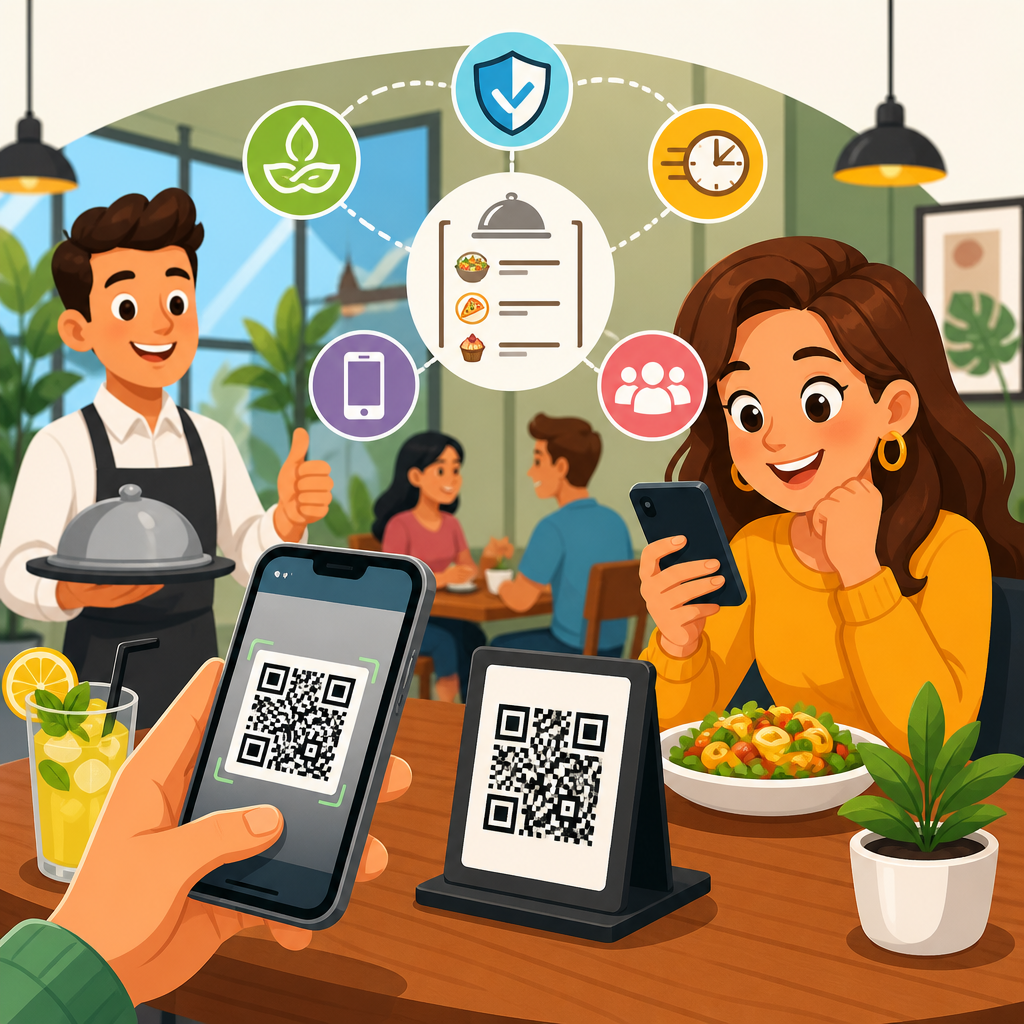
QR code menus moved from a niche convenience to a standard operating tool in restaurants and hospitality because they solve several practical problems at once: they reduce printing waste, speed up menu updates, support contactless service, and create a bridge between the physical table and the digital guest journey. In simple terms, a QR code menu is a scannable code placed on a table, receipt, tent card, hotel room directory, or window sign that opens a digital menu on a guest’s phone. In practice, the best systems do much more than display food items. They connect to point-of-sale platforms, pull live pricing, manage modifiers, surface allergy details, and sometimes enable ordering and payment without staff intervention.
For restaurant operators, cafés, bars, hotels, food halls, and resorts, this matters because menus are operational documents, marketing assets, and compliance tools all at once. I have worked with hospitality teams that changed menus weekly because of ingredient costs, supplier outages, or seasonal promotions, and every print cycle created delays, inconsistency, and unnecessary expense. A digital menu delivered through a QR code removes most of that friction. It also creates measurable data. Operators can see which menu categories get opened, which items receive the most taps, and where guests abandon the journey. That insight helps improve engineering decisions, from item placement to upsell strategy.
Guest expectations have also changed. Many customers now expect fast access to item photos, dietary information, language options, and current availability. A printed menu cannot easily show that a dish is sold out, highlight a happy hour that starts in ten minutes, or switch from brunch to dinner at a specific time. A QR code menu can. At the same time, not every venue or audience wants a phone-first experience, so the real opportunity is not replacing hospitality with technology. It is using digital access to remove friction while preserving service. That balance is what separates a useful QR menu from a frustrating one.
As a hub topic within restaurants and hospitality, QR code menus sit at the center of several related use cases: contactless ordering, hotel room service menus, multilingual menus for tourists, event and banquet signage, loyalty enrollment, review generation, and post-visit remarketing. Understanding the benefits and best practices helps operators choose the right setup for their concept, service model, and guest profile rather than copying a trend blindly.
What QR Code Menus Actually Do in Restaurants and Hospitality
A QR code menu gives guests instant access to a mobile web page, PDF, app screen, or ordering interface. The most effective format is a mobile-optimized web menu, not a static PDF, because responsive pages load faster, adapt to different screen sizes, and support structured navigation. In full-service restaurants, the code typically opens a food and beverage menu with categories, modifiers, and item descriptions. In quick-service and fast-casual settings, it may go further and support ordering, payment, and pickup alerts. In hotels, the same model can power room service, minibar ordering, spa services, poolside dining, and property directories.
Operationally, QR menu systems fall into three broad types. First, basic hosted menus display information only. Second, dynamic menus connect to a content management system so staff can update items, prices, hours, and availability in real time. Third, integrated platforms connect to POS, kitchen display systems, payment gateways, and customer databases. Tools such as Toast, Square, Clover, Lightspeed, and Oracle MICROS often support some level of QR-based digital dining flow, while specialist vendors focus on design, ordering, and analytics layers. The right choice depends on volume, complexity, and whether the business wants simple access or full table-side commerce.
The hospitality use case extends beyond the dining room. A rooftop bar can use table QR codes for drink menus and event schedules. A resort can place scannable codes on pool chairs for snack ordering. A boutique hotel can replace printed compendiums with digital room guides that include restaurant menus, Wi-Fi instructions, checkout details, and local recommendations. Because the destination is digital, one code can become a service gateway rather than a single-purpose link.
Core Benefits for Operators and Guests
The main benefit of QR code menus is operational agility. If a supplier runs out of halibut at 6:30 p.m., the item can be hidden instantly instead of creating disappointment at the table. If ingredient costs force a price change, the update appears across all access points immediately. If the chef launches a seasonal dish, it can be promoted on the homepage of the digital menu within minutes. I have seen this save managers hours each week, especially in concepts with frequent specials, multiple locations, or volatile purchasing conditions.
Cost control is another clear advantage. Printing durable menus is not cheap, especially for venues that update prices often or run multiple dayparts. Laminated menus wear out, inserts look inconsistent, and rushed reprints often contain errors. QR code menus reduce that recurring expense. The savings are strongest in bars with rotating taps, restaurants with high seasonal turnover, and hotels with broad in-room collateral. While digital menu software has a subscription cost, many operators offset it quickly through reduced printing, fewer comps from misinformation, and better upsell conversion.
Guests benefit from speed and clarity. They can browse without waiting for a server, zoom in on text, switch languages, and review allergy information privately. For international travelers, a multilingual digital menu can materially improve confidence and ordering accuracy. For guests with dietary restrictions, structured tags for gluten-free, dairy-free, vegetarian, halal, or nut-containing items are more useful than relying on small-print footnotes. Good digital menus also support richer descriptions, pairing suggestions, and photos, which can lift average check values when done carefully.
There is also a measurable marketing advantage. Because digital menus are web destinations, operators can feature loyalty offers, promote gift cards, highlight private dining, or guide users to other service points. A hotel restaurant can cross-promote breakfast, rooftop reservations, or spa packages. A café can collect email signups for seasonal launches. A neighborhood bistro can encourage online reservations during slower periods. The menu becomes a conversion surface, not just a list of items.
Best Practices for QR Code Menu Design and User Experience
The first best practice is to send guests to a fast mobile webpage instead of a PDF whenever possible. PDFs are difficult to navigate on small screens, often load slowly on weak guest Wi-Fi, and limit structured content. A proper mobile menu should open in under three seconds, present categories clearly, and minimize pinching or horizontal scrolling. Compress images, use a clean typography hierarchy, and keep the path from scan to menu as short as possible. Every extra click reduces usage.
The second best practice is to mirror how people actually decide what to order. Put high-intent categories first, use consistent item naming, and keep descriptions informative but concise. Mention key ingredients, preparation style, and important dietary notes. If you use photos, use them selectively and professionally. Low-quality images reduce trust. Good restaurant menu design principles still apply in digital form: visual hierarchy, strategic placement of profitable items, and clear pricing without clutter.
Accessibility is essential. Use sufficient color contrast, readable font sizes, descriptive link labels, and layouts that work with screen readers. If the venue serves older guests, test whether the menu can be used comfortably without zooming. In multilingual environments, offer a visible language switch at the top of the experience rather than hiding it in a footer. If service charges, taxes, or ordering fees apply, disclose them clearly before checkout. Transparency prevents friction and protects trust.
Placement of the QR code matters more than many operators realize. Table tents, check presenters, host stands, windows, room placards, and pool signage each support different guest intents. Codes should be large enough to scan easily, printed with strong contrast, and accompanied by a direct instruction such as “Scan to view menu” or “Scan for room service.” Never assume every guest understands what the code does. A short callout improves scan rates significantly.
| Best practice | Why it matters | Example in hospitality |
|---|---|---|
| Use a dynamic mobile menu | Supports instant updates and cleaner navigation | A steakhouse hides sold-out cuts during dinner service |
| Connect to POS when possible | Reduces manual errors and sync issues | A hotel room service menu reflects live breakfast pricing |
| Add dietary and language options | Improves accessibility and guest confidence | A resort serves international travelers with English and Spanish menus |
| Display clear calls to action | Increases scans and next-step completion | A bar table card says “Scan to order cocktails and pay” |
| Offer a non-digital fallback | Prevents exclusion and service friction | A café keeps printed large-type menus available on request |
Implementation, Integration, and Operational Standards
Successful implementation starts with infrastructure, not graphics. Before printing a single code, confirm that guest Wi-Fi is reliable, cellular reception is usable, and landing pages are secure over HTTPS. Restaurants often focus on the code itself, but the full experience depends on network quality, page speed, and clean redirects. Use dynamic QR codes rather than static ones when possible. A dynamic code lets you change the destination without reprinting the sign, which is critical for seasonal menus, campaign tracking, and troubleshooting.
Integration choices affect labor and accuracy. If the QR menu is separate from the POS, staff may need to update two systems, which creates version conflicts. If the menu is integrated with inventory, ordering, or payment tools, updates flow more cleanly but setup can be more complex. In enterprise hospitality environments, governance matters. Brand standards, location permissions, tax settings, service charges, and modifier logic should all be documented. A room service burger with optional add-ons sounds simple until late-night pricing, outlet-specific availability, and kitchen cutoff times enter the workflow.
Analytics should be configured from day one. Track scans, menu sessions, top-viewed categories, item clicks, order conversion, abandonment, and device type. UTM parameters, platform dashboards, and event tracking through tools such as Google Analytics 4 help operators understand whether guests are engaging and where the experience breaks down. I have seen properties discover that a poolside menu had strong scan volume but weak ordering because the payment page timed out on poor Wi-Fi. Without analytics, staff would have blamed guest behavior instead of fixing the technical bottleneck.
Security and compliance deserve equal attention. Use reputable payment processors, limit unnecessary data collection, and review privacy disclosures. If staff place QR codes on tables, inspect them regularly to prevent tampering, where malicious actors place stickers over legitimate codes. This risk is manageable, but operators should train teams to spot altered signage and replace damaged materials quickly. Trust is part of the guest experience.
Common Mistakes, Limitations, and How to Avoid Them
The biggest mistake is forcing every guest into a phone-based journey with no alternative. Some people have accessibility needs, dead batteries, limited data, or simple preference for a physical menu. Good hospitality means offering choice. Keep printed menus available, especially in fine dining, senior-focused venues, and properties serving guests who may be traveling without reliable connectivity. A QR code menu should expand access, not narrow it.
Another common error is publishing a digital menu that is harder to use than paper. Tiny fonts, endless scrolling, inconsistent categories, broken links, and out-of-date prices create frustration fast. The solution is routine menu governance: assign ownership, test changes before service, and review the guest flow on actual phones, not just desktop previews. Front-of-house teams should know how the menu works and how to help guests who get stuck.
Operators also underestimate content discipline. A digital menu makes updates easy, but that can lead to clutter, bloated descriptions, and too many promos. Treat the menu like a high-value product interface. Keep naming consistent, remove expired campaigns, and maintain photography standards. Finally, avoid measuring success by scan count alone. The real question is whether the QR menu improves service speed, order accuracy, guest satisfaction, and revenue per cover. Audit your current menu experience, test a well-structured QR code menu, and build from there.
QR code menus are now a foundational tool in restaurants and hospitality because they combine flexibility, cost control, guest convenience, and measurable performance in one system. They help operators respond quickly to sold-out items, price changes, daypart shifts, and seasonal promotions without reprinting menus or confusing staff. They also give guests faster access to descriptions, dietary information, translations, and in many cases ordering and payment. When connected to POS, inventory, and analytics tools, they become part of a broader digital service model that supports smarter menu engineering and smoother operations across restaurants, bars, cafés, hotels, resorts, and event spaces.
The strongest results come from thoughtful execution. Use a mobile-optimized menu instead of a static PDF, keep navigation simple, make pricing and fees transparent, and place codes where guest intent is clear. Support accessibility with readable design and language options. Protect trust with secure links, regular signage checks, and accurate, current content. Just as important, preserve hospitality by offering a printed fallback for guests who do not want to use their phones. Technology should remove friction, not create it.
As the hub for restaurants and hospitality within broader QR code use cases by industry, this topic connects directly to contactless ordering, hotel room service, multilingual guest communication, loyalty capture, review generation, and venue-wide service directories. If you want better menu agility and a more useful digital guest journey, start by mapping your service model, selecting the right QR menu platform, and testing the full experience in real conditions before scaling property-wide.
Frequently Asked Questions
What is a QR code menu, and how does it work in a restaurant or hospitality setting?
A QR code menu is a digital menu that guests access by scanning a printed QR code with their smartphone camera. The code can be placed almost anywhere guests are likely to notice it, including dining tables, tent cards, receipts, entry windows, hotel room directories, and waiting areas. Once scanned, it opens a mobile-friendly web page that displays the menu, beverage list, specials, ordering instructions, or other service information. In many cases, it can also connect guests to reservation tools, loyalty programs, payment options, and promotional offers.
What makes QR code menus especially valuable is that they create a direct bridge between the physical guest experience and the restaurant’s digital service flow. Instead of relying solely on printed menus that must be reprinted every time prices or items change, operators can update one digital source and make those changes instantly visible to every guest. This is practical for daily specials, limited inventory, seasonal items, happy hour menus, and event-based offerings. In hospitality settings, the same concept can be expanded beyond food service to include spa menus, room service, property guides, and amenity information.
From the guest’s perspective, the experience is simple and increasingly familiar. Most modern smartphones scan QR codes directly from the camera app, so no special download is usually required. From the operator’s perspective, the QR code itself is just the access point. The real value comes from the digital menu behind it: faster updates, better operational control, and a more flexible guest experience that can adapt in real time.
What are the main benefits of using QR code menus instead of traditional printed menus?
The biggest advantage of QR code menus is operational flexibility. Printed menus are static, which means every update creates work and expense. If an item sells out, a price changes, an allergen notice must be added, or a seasonal promotion launches, printed menus can quickly become outdated. QR code menus solve this by allowing instant edits without the delay and cost of redesigning, reprinting, and redistributing physical materials. For restaurants with frequently changing inventory or rotating specials, this alone can make a major difference.
Another key benefit is waste reduction. Reprinting menus repeatedly uses paper, ink, laminates, and shipping resources, especially for multi-location operators or properties with large room counts. Digital menus help reduce that recurring waste while supporting a cleaner, more sustainable operating model. This is not just an environmental benefit; it is also a cost-control benefit that compounds over time.
QR code menus also support contactless service and improve convenience. Many guests now expect a fast, self-directed way to browse offerings on their own phone. That can shorten the time between seating and ordering, reduce bottlenecks during peak periods, and give staff more time to focus on hospitality rather than repeatedly managing menu changes or replacing worn copies. In some setups, QR code menus can also be linked to ordering and payment systems, creating an even smoother table-service or quick-service experience.
Finally, QR code menus open up digital possibilities that print cannot match. Restaurants can include photos, detailed item descriptions, allergy and dietary filters, upsell suggestions, featured promotions, loyalty signups, and multilingual options. They can also measure scans, menu views, and engagement patterns to better understand guest behavior. In short, QR code menus are not just a substitute for paper menus; they are a more adaptable and data-friendly service tool.
What are the best practices for creating an effective QR code menu experience?
The first best practice is to make the menu mobile-friendly above all else. Guests are accessing it on their phones, often quickly and in varied lighting conditions, so the experience should be fast, clear, and easy to navigate. Use readable font sizes, clean category organization, strong contrast, and simple tap targets. Avoid cluttered layouts, oversized file loads, or designs that force excessive zooming and scrolling. A digital menu should feel easier than a printed menu, not more complicated.
Speed matters just as much as design. The QR code should open directly to the menu without unnecessary redirects, pop-ups, or forced app downloads. Every extra step increases the chance that guests will abandon the experience or ask staff for help. Ideally, the destination page loads quickly, works well on both iPhone and Android devices, and does not require account creation just to browse basic items.
Placement is another essential best practice. The QR code should be easy to find and easy to scan. Use table tents, placards, stickers, receipts, counter displays, and other visible materials where they naturally fit the guest journey. The code should be printed at a size that scans reliably, with sufficient contrast and a quiet zone around it. It is also smart to include a short instruction such as “Scan to view menu” so guests immediately know what to do.
Content quality is equally important. Keep prices, availability, descriptions, modifiers, and dietary notes accurate and current. If the menu contains allergen or dietary information, review it carefully and consistently. Include high-value details that help guests decide faster, such as spice level, portion style, vegetarian or gluten-aware labels, or pairing suggestions. If appropriate for the concept, adding appealing photos can improve clarity and increase order confidence.
Finally, always preserve a guest-friendly fallback option. Not every customer wants to scan a code, and some may have device, accessibility, or connectivity limitations. Best practice is to offer a printed menu on request or maintain an alternative way to browse. The goal is convenience, not forced digital adoption. The strongest QR code menu strategy improves service while still meeting different guest preferences comfortably.
Are QR code menus good for customer experience, or do guests still prefer printed menus?
QR code menus can absolutely improve the customer experience when they are implemented thoughtfully, but the answer depends on execution. Guests tend to appreciate QR code menus when they are fast, intuitive, and genuinely useful. If scanning the code quickly opens a clean, accurate menu with good descriptions, dietary details, and current availability, the experience feels modern and efficient. Many guests also like using their own phone because it gives them control over pacing, viewing, and in some cases language or accessibility settings.
That said, guest preference is not one-size-fits-all. Some diners still prefer printed menus for comfort, ease of comparison, or simply because they do not want to use their phone during a meal. Others may have older devices, limited battery, poor connectivity, or accessibility needs that make digital browsing less convenient. In hospitality environments with a broad customer base, assuming every guest wants a QR-first interaction can create friction if no alternative is offered.
The most effective approach is to treat QR code menus as a service enhancement rather than a rigid replacement. They work best when they reduce waiting, improve accuracy, and offer richer information without making the process feel impersonal. Staff should still be ready to guide guests, answer questions, and provide a physical menu if requested. In other words, technology should support hospitality, not overshadow it.
When operators strike that balance, QR code menus often strengthen the overall experience. They can speed up access to information, help guests discover specials and add-ons, and reduce the frustration of outdated printed menus. But success comes from flexibility and thoughtful design. Guests respond best when digital convenience is available, reliable, and optional rather than forced.
How can restaurants and hotels use QR code menus strategically beyond just listing menu items?
QR code menus are most powerful when viewed as part of a larger digital guest journey rather than as a simple online replacement for a paper menu. At a basic level, they provide access to food and beverage listings. Strategically, however, they can become an entry point into ordering, upselling, loyalty enrollment, customer feedback, event promotion, gift card sales, and direct marketing. A guest who scans a table code to view dinner specials may also be prompted to explore wine pairings, desserts, upcoming events, or limited-time offers.
In restaurants, this can support revenue growth by improving merchandising. Operators can highlight high-margin items, chef recommendations, combo suggestions, premium upgrades, and seasonal add-ons in ways that are easier to update than print. They can also tailor menus by daypart, location, or event, ensuring guests see the most relevant content at the right moment. For quick-service and hybrid-service models, QR menus may connect directly to mobile ordering and payment, reducing friction and improving throughput.
In hotels and broader hospitality settings, QR code menus can do even more. A code in a guest room can link not only to room service but also to spa services, concierge recommendations, amenity guides, property maps, local partnerships, late checkout options, and guest support channels. This turns a simple scan into a centralized service hub that reduces confusion and helps staff handle requests more efficiently. Because digital content can be updated instantly, properties can adapt messaging for holidays, conferences, weather events, and occupancy patterns without replacing printed collateral.
There is also a valuable analytics component. By tracking scans, page visits, click paths, and conversion behavior, operators can learn which placements perform best, which menu sections get the most attention, and where guests drop off. Those insights can inform design decisions, promotional strategy, and service improvements. Used strategically, QR code menus are not just operational tools; they are flexible marketing, service, and optimization assets that connect the in-person experience with measurable





