
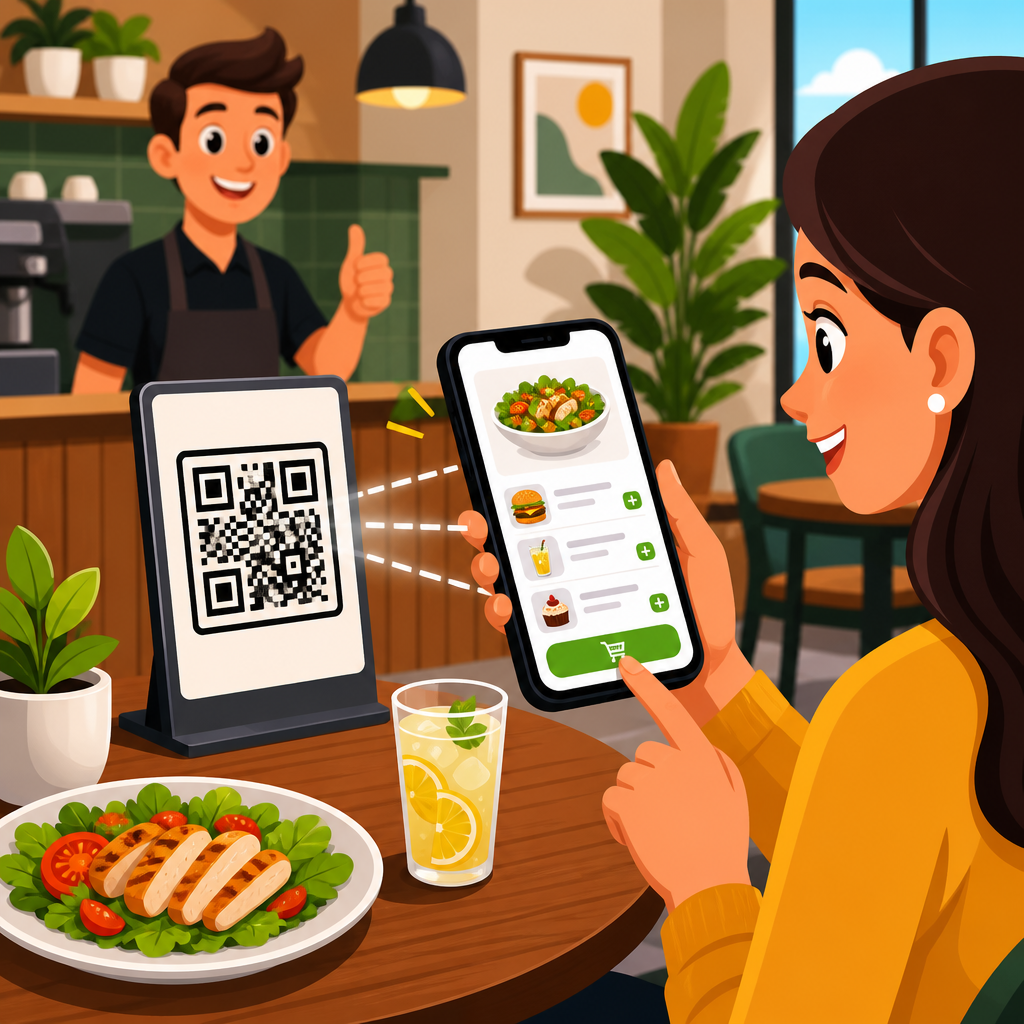
Contactless ordering with QR codes has moved from emergency workaround to core operating model for restaurants and hospitality businesses. A guest scans a code with a phone, views a digital menu, places an order, and often pays without waiting for a printed check or a staff member to return to the table. In practical terms, it combines mobile web menus, table identifiers, payment gateways, and kitchen workflows into a single service experience. For operators, that means faster table turns, fewer ordering errors, better menu control, and richer first-party customer data.
In restaurant and hospitality settings, contactless ordering usually refers to three related systems: scan-to-view menus, scan-to-order at the table, and scan-to-pay at the end of service. Hotels use the same model for poolside food, room service, minibar replenishment, and lobby bars. Cafes use it to reduce lines. Quick-service brands use it to extend ordering to pickup shelves and outdoor seating. I have helped operators roll out these systems across single-location restaurants and multi-unit groups, and the difference between a smooth launch and a frustrating one almost always comes down to setup details rather than the QR code itself.
That is why this topic matters. Guests now expect a low-friction mobile experience, but they will abandon it quickly if menus load slowly, modifiers are confusing, or payment fails on weak Wi-Fi. Meanwhile, staff need a process that supports hospitality rather than replacing it. A good contactless ordering setup keeps service personal while removing avoidable delays. This hub article explains how to set up contactless ordering with QR codes for restaurants and hospitality businesses, what technology you need, how to design the guest journey, how to train staff, how to measure results, and where this model works best across the broader industry.
Choose the right contactless ordering model for your venue
The first decision is not which QR code generator to use. It is which operating model fits your service style. Full-service restaurants often benefit most from table-specific scan-to-order, where each code is tied to a table number or zone. Guests can browse, submit items directly to the kitchen, and optionally open, add to, or close a tab. In fast casual settings, a simpler code that opens a web menu and routes the order to a pickup counter may be enough. Hotels usually need location-aware ordering, so a pool lounger, guest room, and rooftop bar each display a different code linked to a specific fulfillment workflow.
Static and dynamic QR codes also matter. Static codes point to one fixed URL and are cheap to print, but they are hard to update once distributed. Dynamic codes redirect through a management platform, so you can change the destination menu, track scans, pause a campaign, or route by daypart without reprinting signage. In hospitality, dynamic codes are usually the better choice because menus, pricing, service hours, and promotions change often. They also support analytics, which are essential for understanding adoption by table, shift, and location.
The ordering path should match your existing service system. If your point-of-sale is Toast, Square, Clover, Lightspeed, or Oracle Simphony, confirm whether the QR ordering tool posts orders directly into the POS and kitchen display system. Direct integration reduces duplicate entry and prevents a common failure point: staff having to re-key mobile orders manually. The same principle applies to payment. Stripe, Adyen, Square, and integrated POS payments all work, but the best option is the one that reconciles cleanly with your daily close and tip reporting.
Build the technology stack and connect core systems
A reliable contactless ordering setup depends on four layers working together: the guest-facing menu, ordering and payment software, venue connectivity, and back-of-house routing. Start with the menu layer. A mobile menu must be responsive, quick to load, and structured for small screens. Photos can help, but compress them aggressively. If your page takes several seconds to render over cellular data, scan completion rates will fall. Google has long emphasized page speed and mobile usability, and those principles matter even more when a hungry guest is standing at a table ready to buy.
The second layer is commerce. Your ordering platform should support item modifiers, allergen notes, upsells, taxes, service charges, and payment tokenization. In a bar, that may mean allowing guests to keep a tab open. In a hotel, it may mean charging orders to the room through a property management system such as Oracle OPERA or Cloudbeds. In full-service dining, coursing and fire timing can be critical. If the software cannot handle those service rules, staff will work around it, and the promise of efficiency disappears.
The third layer is connectivity. Contactless ordering fails quietly when Wi-Fi dead zones, captive portals, or old routers interfere with scans and payment authorization. I recommend mapping signal strength across dining rooms, patios, rooftops, pool decks, and guest corridors before launch. In many properties, outdoor hospitality spaces are the weak point. Provide both reliable guest Wi-Fi and a mobile-optimized fallback for cellular users who do not want to join a network. Avoid forcing an app download; browser-based ordering consistently converts better for first-time users.
The fourth layer is routing. Orders must reach the right prep station, printer, kitchen display, or service team without ambiguity. Use table IDs, zone tags, and fulfillment rules so an appetizer ordered from Table 12 goes to the hot line while a bottle of wine alerts the server or bartender. If your operation spans multiple revenue centers, define who owns each ticket. Clear routing is what turns a QR code from a novelty into a dependable ordering channel.
Design the guest experience from scan to payment
The best contactless ordering systems feel obvious. Guests scan, land on the correct menu instantly, understand what to do next, and can complete an order in under two minutes for simple items. Start with signage. Codes should be printed at a size that scans easily in low light, placed where guests naturally look, and labeled with a clear instruction such as “Scan to view menu and order.” Acrylic table tents work indoors, while weatherproof decals and metal plaques perform better on patios and pools. Every code should be tested on both iPhone and Android devices before deployment.
Menu design deserves as much attention as the QR code. Organize categories logically, keep item names recognizable, and surface popular items near the top. Use concise descriptions, then support them with modifiers for doneness, sides, allergies, and add-ons. In real deployments, I have seen conversion improve when operators reduced modifier overload. Instead of presenting twelve cheese options on the first screen, group them under a simple “Customize” step. Good mobile ordering mirrors a skilled server: it guides choices without overwhelming the guest.
Payment and tipping need equal care. Offer Apple Pay and Google Pay where possible because they reduce abandoned checkouts. If cards are entered manually, keep the form short and mobile-friendly. Make tipping easy but not coercive. Guests should understand whether gratuity supports servers, runners, or pooled service. If service charges apply, explain them before payment rather than at the final confirmation screen. Transparency reduces disputes and negative reviews, especially in hotels and resort settings where multiple fees may already exist.
| Venue type | Best QR ordering setup | Main operational priority | Common risk to solve |
|---|---|---|---|
| Full-service restaurant | Table-specific scan-to-order with integrated POS and optional pay-at-table | Order accuracy and faster table turns | Modifier complexity and duplicate courses |
| Cafe or fast casual | Menu browse plus counter pickup workflow | Queue reduction during peak periods | Guest confusion about pickup handoff |
| Bar or taproom | Open-tab mobile ordering linked to seat or zone | Higher reorder frequency | Age verification and tab management |
| Hotel pool or resort | Location-based ordering tied to lounger, cabana, or room | Labor efficiency across large outdoor areas | Weak connectivity and long delivery paths |
Prepare operations, staff training, and compliance
Technology alone does not create hospitality. Staff training determines whether contactless ordering feels convenient or impersonal. Train hosts to mention the option naturally, servers to explain when mobile ordering is fastest, and managers to monitor exceptions. A common best practice is assisted adoption: invite guests to scan, but keep staff available for recommendations, dietary questions, and manual order taking. This hybrid approach usually drives better satisfaction than forcing every table into the same workflow.
Service standards must be rewritten around the new channel. Define who greets the table, who watches incoming mobile tickets, who verifies delivery, and how guests request help if they do not want to order more food. Some venues add a “Need assistance?” button inside the menu; others keep a call button or visible server presence. For hotels, coordinate with housekeeping and front desk teams if codes are used in rooms or public spaces. Otherwise, guests may place an order without understanding expected delivery windows or service availability.
Compliance matters as well. Payment flows must meet PCI DSS requirements through a secure processor. Accessibility should not be treated as optional; digital menus need readable fonts, strong contrast, and compatibility with screen readers where possible. If alcohol is sold, build in age-verification procedures that align with local law. For allergy communication, never rely only on a free-text note from the guest. High-risk allergens should trigger a confirmation workflow in the kitchen or service team. These controls protect both guests and the business.
Finally, create fallback procedures. Printers jam, internet connections drop, and guests sometimes refuse digital ordering. Keep a small number of printed menus, empower staff to take orders manually, and document how to switch to offline operations during an outage. The most resilient restaurants treat QR ordering as a high-performing channel within service, not as the only way service can happen.
Measure performance and expand across restaurant and hospitality use cases
Once the system is live, track performance weekly. The most useful metrics are scan rate by table or zone, menu-to-order conversion rate, average order value, reorder rate, payment completion rate, order error rate, and table turn time. Compare these figures by daypart and venue area. In one rollout I worked on, patio tables produced more scans but fewer completed orders than the main dining room. The cause was not demand; it was glare on laminated signs and weaker connectivity near the perimeter. Small operational fixes lifted completion quickly.
This hub sits within a broader restaurants and hospitality theme because QR codes support far more than table ordering. The same infrastructure can power waitlists, digital wine lists, loyalty capture, review requests, event menus, banquet service, minibar ordering, spa upsells, and in-room guest directories. A hotel group might begin with poolside food ordering, then add lobby bar tabs, room service menus, and checkout-time feedback forms. A restaurant group might start with pay-at-table, then extend QR codes into catering, curbside pickup, and seasonal patio service.
The main benefit is not novelty. It is operational clarity. When QR codes are tied to the right menu, the right workflow, and the right service standards, guests get faster access to what they want and staff spend more time on genuine hospitality. If you are building out your restaurants and hospitality QR strategy, start with one high-friction use case, integrate it cleanly with POS and payments, test it in real service conditions, and expand only after the basics perform consistently. That is how to set up contactless ordering with QR codes in a way that actually improves service.
Frequently Asked Questions
What do you need to set up contactless ordering with QR codes in a restaurant or hospitality business?
At a minimum, you need four connected pieces: a digital menu, unique QR codes, an ordering platform, and a payment system. The digital menu is the guest-facing experience they see after scanning the code, and it should include clear item descriptions, pricing, modifiers, allergy information, and availability updates. The QR codes themselves should be tied either to specific tables, rooms, seats, or service zones so the order can be routed accurately. The ordering platform is what handles the actual transaction, including menu browsing, item selection, special requests, order submission, and confirmation. Finally, the payment layer allows guests to pay securely on their phones without waiting for staff to drop off and pick up a check.
Beyond those basics, the most successful setups also connect to point-of-sale systems, kitchen display systems, printers, and staff workflows. That integration matters because a QR ordering system should not create a second, disconnected process that employees have to manage manually. Ideally, incoming orders flow directly into the same operational environment the team already uses, whether that means the POS, kitchen screens, or an order management dashboard. You will also need reliable internet connectivity, mobile-friendly design, and a plan for labeling and placing the QR codes so they are easy to find and scan in real service conditions.
It is also wise to think through the guest journey before launch. For example, decide whether guests will order and pay entirely on their own, open a tab and add items over time, or request staff assistance when needed. Consider how alcohol verification, tipping, discounts, loyalty rewards, and split payments will work. In practice, contactless ordering works best when it is treated as a full service model rather than just a menu link. The more clearly you define how guests order, how the kitchen receives tickets, and how staff intervene when needed, the smoother the rollout will be.
How do QR code menus and ordering systems improve restaurant operations?
QR code ordering can improve operations in several measurable ways. First, it reduces friction in the ordering process. Guests do not have to wait for a server to hand them a menu, return for drink orders, come back for entrees, and later present the check. That compressed timeline often leads to faster ordering, quicker kitchen firing, and shorter table occupancy times. For restaurants, that can translate into better table turns and more revenue opportunities during busy periods.
Second, digital ordering typically reduces avoidable errors. When guests choose items directly from the menu, select modifiers themselves, and review the cart before submission, there is less chance of misheard orders or handwritten mistakes. That can be especially helpful in high-volume environments, multilingual service settings, or venues with highly customizable menus. Digital menus can also update in real time, which means sold-out items, daily specials, and pricing changes can be reflected immediately without reprinting physical materials or asking staff to memorize temporary adjustments.
Third, QR ordering can improve labor efficiency without removing hospitality. Staff can spend less time on repetitive transactional steps and more time on food running, issue resolution, upselling, and guest care. In many businesses, that shift helps teams handle more covers with less pressure. Operators also gain access to cleaner data. Because every scan, order, modifier, and payment happens digitally, it becomes easier to analyze popular items, order timing, conversion rates, average ticket size, and peak demand patterns. Those insights can support menu engineering, staffing decisions, and promotional strategy. In short, the operational value comes from speed, accuracy, flexibility, and visibility across the service flow.
How should you design a QR code ordering experience so guests actually use it?
The most important principle is simplicity. Guests should be able to scan, understand, order, and pay in just a few steps without downloading an app. A mobile web experience is usually the best starting point because it removes a major barrier to entry. The landing page should load quickly, identify the table or location automatically, and present a clean menu structure with intuitive categories, strong item names, useful descriptions, and prominent buttons. If the interface is confusing, slow, or cluttered, adoption drops quickly.
Placement and presentation of the QR code also matter more than many operators expect. Codes should be visible, easy to scan in different lighting conditions, and printed at a size that works across devices. It helps to include a short instruction line such as “Scan to view menu and order” so guests know exactly what the code does. On the menu itself, use high-contrast design, readable font sizes, clear pricing, and straightforward modifier choices. Highlighting bestsellers, add-ons, pairings, and specials can improve average order value without making the experience feel pushy.
Good design also accounts for trust and accessibility. Guests want to know they are in the right place, so branding, table number confirmation, and secure payment indicators are important. The ordering flow should make it easy to review the cart, edit items, add notes, and understand taxes, fees, and tipping before payment. Accessibility considerations such as screen-reader compatibility, language options, and logical navigation can make the system usable for a much wider audience. Finally, always keep a staff-assisted path available. The best contactless ordering systems give guests a choice rather than forcing every diner into one method, which helps preserve hospitality while still capturing the efficiency benefits.
Can contactless ordering with QR codes integrate with your POS, kitchen, and payment systems?
Yes, and integration is one of the most important factors in a successful setup. A standalone QR menu may be quick to launch, but if staff have to manually re-enter orders into the POS or relay them to the kitchen, the operational benefits shrink fast. A stronger system connects directly with your existing technology stack so guest orders move automatically into the workflows your team already depends on. That usually includes POS synchronization for menu data and sales reporting, kitchen display system or printer routing for fulfillment, and payment gateway integration for secure transactions.
When evaluating platforms, look closely at how menu sync works, how table identifiers are handled, and how the system manages real-world restaurant complexity. For example, can it support item modifiers, course pacing, timed firing, prep stations, taxes, service charges, and location-based menus? Can it handle open tabs, repeat ordering from the same table, and orders placed at different times by different guests? Does it reconcile payments properly in your reporting environment? These are not minor details. They directly affect whether the system feels like a seamless extension of service or an awkward add-on.
Payment integration deserves special attention. Guests expect fast, secure checkout with support for cards, digital wallets, and in some markets local payment methods. Operators should confirm how tips are collected, how refunds are processed, and whether chargeback management is supported. Security and compliance are also critical, particularly around payment data handling. In practical terms, the best integrations reduce duplicate work, improve order accuracy, and make reporting cleaner across front-of-house and back-of-house operations. Before launch, test every path thoroughly, including failed payments, sold-out items, order edits, and kitchen exceptions, so there are no surprises during live service.
What are the biggest challenges when implementing QR code ordering, and how can you avoid them?
The biggest implementation mistake is assuming the technology will solve service problems on its own. Contactless ordering works best when it is supported by a clear operating model, staff training, and thoughtful guest communication. One common challenge is low guest adoption. This usually happens when instructions are unclear, the QR code is hard to find, the page loads slowly, or guests are forced into an app download. Another challenge is operational confusion behind the scenes, especially if staff are unsure when to greet the table, who monitors incoming orders, how food is delivered, or how to handle exceptions like allergy questions, voids, or age-restricted items.
Menu quality is another frequent issue. A paper menu does not automatically become an effective digital menu just because it is posted online. Long lists, unclear modifier logic, missing images, poor descriptions, and outdated availability can frustrate guests and cause abandoned orders. Technical reliability also matters. Weak Wi-Fi, broken links, low-quality printed codes, or disconnected integrations can interrupt service and quickly undermine trust. That is why it is important to test the system in real operating conditions using different phone types, browsers, and payment methods.
You can avoid most of these problems with a phased rollout and a strong checklist. Start by mapping the full guest journey from scan to payment to fulfillment. Train staff not only on the software, but on how to introduce it confidently and assist guests who prefer traditional service. Use table-specific codes, clear signage, and a streamlined menu design. Monitor early metrics such as scan rate, order completion rate, average ticket, payment success, and guest feedback. Most importantly, keep hospitality at the center. Contactless ordering should reduce friction, not make guests feel abandoned. When the technology supports the service team rather than replacing the service mindset, adoption and performance are both much stronger.





