
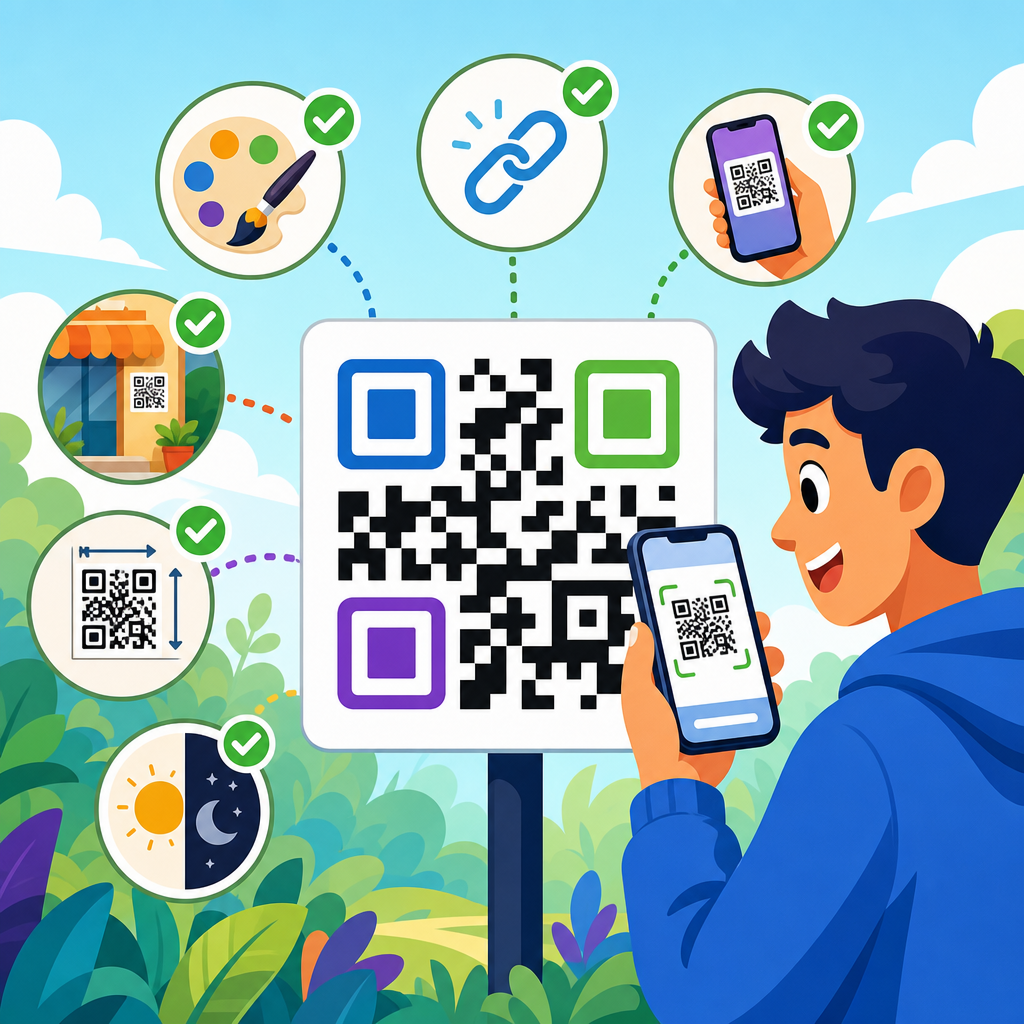
QR codes have moved from novelty to infrastructure, and any team publishing packaging, signage, menus, mailers, labels, manuals, or event materials needs a dependable QR Code Best Practices Reference Guide. A QR code, or Quick Response code, is a two-dimensional barcode that stores data such as a URL, vCard, Wi-Fi credential, payment token, PDF download, or app deep link. Unlike a linear UPC barcode, it encodes information both horizontally and vertically, which increases capacity and allows robust error correction. In practice, that means a smartphone camera can scan a slightly damaged or partially obscured code and still recover the destination.
This guide matters because most QR code failures are not technical failures of the symbol itself. They happen upstream in planning or downstream in production: the destination page is slow, the code is printed too small, the contrast is weak, the quiet zone is ignored, or the campaign launches without analytics. I have audited QR programs for retail packaging, restaurant ordering, trade-show booths, and direct-mail campaigns, and the same preventable issues appear repeatedly. Teams often focus on generating a code, when the real work is choosing the right data type, file format, print specification, and testing protocol.
As a hub for glossary and reference material, this article defines the terms, standards, and decision points you need before diving into individual how-to articles, templates, and tools. It explains static versus dynamic QR codes, error correction levels, modules, quiet zones, scan distance, vector files, redirects, UTM parameters, and accessibility considerations. It also clarifies where standards apply. The core QR specification originates from Denso Wave and is standardized internationally under ISO/IEC 18004, while mobile scanning behavior depends on device cameras, operating systems, and browser handling. Those distinctions matter when a code works perfectly in one environment and underperforms in another.
If you need one principle to carry through this entire guide, use this one: optimize for the full scan experience, not just the symbol. A successful QR code is easy to notice, easy to scan, safe to trust, fast to resolve, and useful after the scan. That is why best practices span design, content, analytics, compliance, and maintenance. The sections below serve as a reference framework you can return to whenever you create, review, or troubleshoot a QR code asset.
Core QR code terminology every team should know
A QR code reference guide should start with a shared vocabulary. The smallest square in a QR code is called a module. Groups of modules form patterns that help scanners orient and decode the symbol. The three large squares in the corners are finder patterns; they tell the scanner where the code begins and how it is rotated. Alignment patterns, timing patterns, and format information support accurate decoding, especially in larger versions. Around the entire symbol sits the quiet zone, a clear margin free of text, borders, or images. If the quiet zone is compromised, scan rates drop quickly.
Version refers to the physical matrix size of the QR code, from Version 1 at 21 by 21 modules up to Version 40 at 177 by 177 modules. More data requires a larger version, which means denser modules and potentially worse real-world performance if the printed size does not increase proportionally. Error correction is another foundational term. QR codes support four levels: L, M, Q, and H. Higher levels allow more damage or obstruction while still decoding, but they also increase symbol density. In my experience, marketers often choose the highest level by default, then unintentionally create a code that is too dense for a small label.
You also need to distinguish static and dynamic QR codes. A static QR code encodes the final destination directly; once printed, it cannot be changed. A dynamic QR code usually points to a short redirect URL controlled in a dashboard, letting you change the final destination, track scans, pause campaigns, and manage expiration. Dynamic codes are usually the right choice for marketing, support, and event use cases. Static codes remain useful for permanent data, such as Wi-Fi onboarding in a small office, product serial lookup embedded in internal systems, or when long-term independence from a vendor is essential.
Finally, file format terms influence production quality. SVG, EPS, and PDF are vector formats that scale without losing sharpness and are the correct choice for print. PNG is raster and can work for digital placements if exported at sufficient resolution, but it should not be stretched casually in layout software. Understanding these terms eliminates most avoidable mistakes before creative review even begins.
Design and print specifications that determine scan reliability
Good QR code design is not decorative styling; it is engineering for fast capture. The first rule is contrast. Dark modules on a light background scan best. Black on white remains the benchmark because smartphone auto-exposure handles it reliably. Reversed codes, gradients, metallic inks, transparent overlays, and low-contrast brand palettes can work, but they require more testing across devices and lighting conditions. If a creative concept depends on subtle contrast, assume scan reliability will decline.
Size is the second major variable. A practical guideline I use for print is a minimum square of 0.8 inches, about 20 millimeters, for typical short URLs at close range, with larger sizes for denser codes or longer scan distances. Another field rule is the ten-to-one ratio: scanning distance should be no more than roughly ten times the code width. A 1-inch code is comfortable at about 10 inches away, while a poster intended to be scanned from 6 feet needs a much larger symbol. This is why codes that work on a business card often fail on overhead signage, even when the file itself is technically valid.
Quiet zone compliance is nonnegotiable. Maintain a margin of at least four modules on all sides. Do not place borders, cut lines, patterns, or body text into that space. Logos embedded in the center can be effective when handled carefully, but they should be paired with appropriate error correction and tested at final size. The common failure is not the logo itself; it is combining a logo, high error correction, rounded modules, and reduced size until the code becomes visually attractive but operationally fragile.
Print production introduces another layer. Use vector artwork, avoid excessive dot gain on porous materials, and review proofs on the actual substrate when possible. Corrugated packaging, textured labels, curved bottles, and reflective laminates all affect readability. For indoor signage, matte finishes usually outperform glossy finishes because glare interferes with camera focus. For apparel, embroidery is generally a poor medium because stitch variation distorts module edges. The specification should be approved in context, not in isolation on a clean monitor.
Choosing the right QR code type, destination, and campaign structure
The best QR code type depends on the user task. If the goal is website traffic, a URL QR code is standard, but the destination should be mobile optimized and task specific. Sending users to a generic homepage wastes intent. A poster advertising an event should land on registration details, not a corporate menu. A product package should open setup instructions, warranty activation, or reorder pages, not a broad catalog. When I review underperforming campaigns, irrelevant landing pages are as damaging as bad print quality.
Other data types have distinct uses. vCard codes support contact sharing, though many teams now prefer a short mobile page with “save contact” actions because browser handling is more predictable. Wi-Fi codes are excellent in hospitality and offices. PDF codes can work for manuals and spec sheets, but linking to a mobile web page that offers PDF download plus accessible text is usually stronger. App deep links are powerful for logged-in experiences, but they need fallback behavior for users who do not have the app installed.
Dynamic campaign structure deserves deliberate planning. Decide whether each placement gets a unique code or whether multiple placements share one redirect. Unique codes improve attribution by location, creative, and time period. Shared codes simplify inventory and reduce design complexity. For large programs, use a naming convention that includes channel, placement, market, and launch date. Pair each code with UTM parameters or equivalent analytics tags so web analytics can separate QR traffic from other direct visits. Without disciplined naming, dashboards become cluttered and comparisons become unreliable.
| Use case | Recommended code type | Best destination | Common mistake |
|---|---|---|---|
| Retail packaging | Dynamic URL | Mobile product support or reorder page | Sending traffic to the homepage |
| Restaurant table tent | Dynamic URL | Menu or order flow with device-specific routing | Using a PDF menu only |
| Office guest access | Static Wi-Fi | Direct network credential handoff | Printing credentials as plain text nearby |
| Trade-show booth | Dynamic URL | Lead capture page with source tagging | Using one code for every event |
Analytics, security, and compliance considerations
Tracking QR code performance starts before launch. Define what counts as success: scans, unique users, completed forms, purchases, downloads, account activations, or support deflection. A scan is only the first measurable event, and it can be misleading. I have seen campaigns with impressive scan volume but poor conversion because the landing page was slow on cellular networks. Use redirect analytics for scan counts and timestamps, but rely on web analytics and product analytics to measure outcomes after the redirect.
Security matters because users are being asked to trust a visual pattern with no visible destination. Branded short domains improve confidence and reduce the risk associated with generic link shorteners. HTTPS is mandatory. Avoid unnecessary redirect hops because each hop adds latency and increases failure risk. For regulated sectors, include consent language or disclosures where needed, especially if scans initiate data collection, payments, or messaging enrollment. If a code appears in public for a long period, build a monitoring routine so hijacked destinations, expired certificates, or retired campaign pages are caught quickly.
Compliance and accessibility are often treated as afterthoughts, yet they shape user experience. A QR code should not be the only way to access important information. Always provide a short human-readable URL or equivalent alternative, particularly on receipts, product packaging, healthcare forms, and public signage. Add a clear call to action telling users what they will get after scanning, such as “Scan for setup video” or “Scan to view ingredient details.” For accessibility, ensure the destination page supports screen readers, sufficient color contrast, keyboard navigation, and plain-language headings. The code itself is not accessible to every user, so the surrounding design must compensate.
Testing, troubleshooting, and maintenance workflows
Testing should happen in the same environment where the QR code will live. Scan on iPhone and Android devices, under bright and dim light, on cellular and Wi-Fi, and from the expected user distance and angle. Test native camera apps first because that is how most users scan today, then test in social apps or dedicated scanners only if your audience relies on them. Verify that redirects resolve quickly, app links fall back correctly, and forms are usable on small screens. If the code is printed on packaging, test on the curved package, not just on a flat proof sheet.
When a QR code fails, troubleshoot in order. First inspect the destination: is the URL live, secure, and mobile friendly? Second inspect the symbol: adequate size, strong contrast, intact quiet zone, and no distortion from stretching. Third inspect context: glare, wrinkles, curvature, or placement too high or too low for easy scanning. Fourth inspect data density: a long encoded URL may require a simpler dynamic redirect. Fifth inspect analytics configuration: some teams mistake low tracked scans for low actual scans when redirects are bypassed or tagging is inconsistent.
Maintenance is what separates a one-off QR project from a durable QR program. Keep a registry of every live code, owner, destination, creation date, and retirement date. Review evergreen codes quarterly, especially those on packaging, installed signage, manuals, and point-of-sale materials that may remain in circulation for years. If a campaign ends, redirect the code to a useful fallback rather than leaving users at a dead page. That simple practice protects brand trust and preserves residual traffic from older print assets.
A strong QR code program is built on standards, context, and disciplined execution. The essentials are straightforward: use the right code type, keep the destination mobile and specific, preserve contrast and quiet zones, size the symbol for real scan distance, and test on actual devices in actual conditions. Add analytics, security, accessibility, and maintenance, and the QR code becomes a reliable bridge between physical touchpoints and digital outcomes rather than a gamble hidden inside a square graphic.
As the reference hub for glossary and guide content under QR Code Resources, Templates & Tools, this page should anchor your process. Use it to align marketers, designers, developers, print vendors, and operations teams around shared terms and consistent review criteria. Then expand into your deeper articles on templates, sizing charts, dynamic code management, landing page optimization, packaging workflows, and troubleshooting checklists. A hub works when it reduces repeated mistakes across all related projects.
The main benefit of following QR code best practices is simple: more successful scans that lead to measurable action. Better scan reliability lowers user friction, better destinations improve conversion, and better governance protects long-term performance. Before publishing your next code, run it against this reference guide, document the specification, and test the full experience from first glance to final conversion.
Frequently Asked Questions
What is a QR code, and why does it matter in modern print and digital workflows?
A QR code, short for Quick Response code, is a two-dimensional barcode designed to store and deliver information quickly when scanned with a smartphone or other imaging device. Unlike traditional one-dimensional barcodes such as UPC codes, which store data in a single direction, QR codes encode data both horizontally and vertically. That added structure gives them greater capacity and flexibility, allowing them to point to websites, download files, launch app deep links, open maps, initiate payments, share contact records, connect users to Wi-Fi, or trigger other digital actions with minimal friction.
What makes QR codes so important today is that they have become a practical bridge between physical and digital environments. Teams using packaging, point-of-sale displays, manuals, labels, direct mail, menus, signage, event materials, and product inserts can use QR codes to move users from a printed surface into a measurable digital experience instantly. That means less typing, fewer user errors, faster access to information, and more opportunities to update destination content over time. In many industries, QR codes are no longer seen as a novelty. They function as infrastructure for customer support, product education, authentication, onboarding, tracking, and conversion.
From a best-practices standpoint, the real value of a QR code is not simply that it can be scanned, but that it creates a reliable user journey. A good QR implementation considers scan speed, destination relevance, device compatibility, print quality, contrast, size, placement, and accessibility. In other words, the code itself is only one part of the system. The surrounding experience matters just as much.
What are the most important design and printing best practices for making a QR code easy to scan?
The most important rule is simple: prioritize reliable scanning over visual experimentation. A QR code should have strong contrast, adequate size, clean edges, and enough quiet space around it so camera software can distinguish it from surrounding design elements. In most cases, a dark code on a light background performs best. Black on white is the standard because it offers the highest readability, but other high-contrast combinations can also work if tested carefully. Low-contrast palettes, glossy reflections, gradients, busy backgrounds, and transparency effects often reduce scan performance and should be treated cautiously.
Size matters more than many teams expect. A code that looks fine on a desktop monitor may fail in real-world conditions if printed too small on packaging, labels, or signage. The ideal printed size depends on scanning distance, but as a general principle, the farther away someone will be when scanning, the larger the QR code needs to be. A tiny code on a poster or storefront window will frustrate users because phone cameras cannot capture enough detail from a distance. For close-range applications such as business cards, product labels, or tabletop displays, smaller sizes may work well, but they still need to be tested on multiple devices.
The quiet zone is another critical requirement. This is the blank margin around the QR code, and it should remain free of text, borders, icons, patterns, or decorative clutter. Without sufficient quiet space, many scanning systems struggle to identify the code boundaries correctly. Teams should also avoid stretching or distorting the code, because changing its proportions can make it unreadable. If branding is added, such as a logo in the center, it should be done conservatively and only after verifying that the code still scans under real-world conditions.
Finally, print production quality cannot be overlooked. Blurry edges, ink spread, poor resolution, folded surfaces, warped packaging, or placement over seams can all damage scan reliability. Before finalizing any run, test printed samples in the exact material and environment where the code will appear. Scan with both older and newer phones, under different lighting conditions, and from realistic user distances. The goal is not whether the code scans once in ideal conditions, but whether it scans consistently for ordinary people in everyday use.
Should you use a static or dynamic QR code, and how do you choose the right type?
The choice between static and dynamic QR codes depends on how much flexibility, control, and measurement your project requires. A static QR code contains the final destination data directly in the code itself. For example, if it stores a URL, that URL is permanently embedded. Static codes are useful when the destination will never need to change, such as a long-term public standard, a fixed contact card, or a permanent reference link. They can be simple and cost-effective, but they are limited because once printed and distributed, the destination cannot be updated without creating and replacing the code everywhere it appears.
A dynamic QR code works differently. Instead of embedding the final destination directly, it points to a redirect layer that can be updated later. That means the printed code stays the same while the destination behind it can change. For teams managing campaigns, packaging, retail signage, support documentation, event assets, restaurant materials, or seasonal promotions, this flexibility is extremely valuable. If a landing page changes, a file is replaced, a campaign ends, or a URL structure is updated, the QR code can continue working without reprinting physical materials.
Dynamic codes also provide operational advantages beyond editability. They often support scan analytics such as scan counts, time of access, device type, and approximate location data, depending on the platform used and applicable privacy rules. That insight helps teams measure engagement and identify underperforming placements or channels. For many organizations, this turns a QR code from a static utility into a measurable performance asset.
That said, dynamic codes require dependable infrastructure. If the redirect service is misconfigured, expires, or is shut down, the QR code may stop working. For that reason, teams should choose a stable provider, document ownership, maintain access credentials, and establish governance around URL management. If longevity is the top concern and the destination truly will not change, static may be appropriate. If adaptability, analytics, and campaign management matter, dynamic is usually the stronger choice.
What should a QR code link to in order to create the best user experience?
A QR code should always lead to a destination that is fast, mobile-friendly, relevant, and immediately useful in the context where the code appears. The biggest mistake teams make is linking to a generic homepage and expecting users to find what they need. If someone scans a code on a package, manual, menu, event badge, or in-store display, they should arrive at content specifically connected to that item or situation. Relevance is essential because scanning is an action taken with intent. If the landing experience feels vague or disconnected, trust drops quickly.
The destination page should load quickly on mobile connections and display cleanly on a wide range of phones. It should not require unnecessary pinching, zooming, or multiple clicks to reach the promised content. If the call to action says “View setup instructions,” the QR code should open directly to setup instructions, not a product category page. If it says “Download the PDF,” it should lead straight to the file or a clear download screen. Reducing steps is one of the main reasons to use a QR code at all.
It is also important to match the destination format to the user’s likely needs. For example, a restaurant menu QR code should open a lightweight mobile menu, not a large desktop PDF unless there is a specific reason. A product label might link to troubleshooting, safety documentation, warranty registration, or how-to videos. Event signage may work best with maps, schedules, speaker bios, or check-in actions. Packaging may benefit from multilingual support pages, authenticity verification, refill ordering, or product storytelling. The key is to design the destination around context, not just convenience for the publisher.
Security and trust also matter. Users are more likely to scan when the brand is clear and the landing page looks legitimate. Where possible, use recognizable branded domains and avoid suspicious-looking link structures. If data collection is involved, disclose it clearly and request only the information necessary for the task. An effective QR destination respects the user’s time, device, and expectations, turning a quick scan into a smooth and useful experience rather than a detour.
How can teams test, manage, and maintain QR codes over time to avoid broken experiences?
QR code management should be treated as an ongoing operational process, not a one-time design task. Before launch, every code should be tested across multiple devices, operating systems, browsers, camera apps, and lighting conditions. Testing should include both the technical scan itself and the full destination experience. A code may scan correctly but still fail the user if the landing page is slow, the file is unavailable, the form is broken, or the content is not optimized for mobile. Teams should test from realistic angles and distances, especially for wall signage, window graphics, outdoor displays, and curved packaging.
After launch, ownership becomes essential. Someone should be responsible for the QR inventory: where codes are used, what they point to, whether they are static or dynamic, when they were created, and who has authority to change their destinations. This is especially important in organizations with many products, markets, campaigns, or departments. Without documentation, teams often lose track of codes embedded in packaging, field materials, trade show assets, and printed collateral, which can lead to broken links, outdated messaging, or analytics blind spots.
Regular maintenance should include link monitoring, destination audits, and performance review. Dynamic codes should be checked to





