
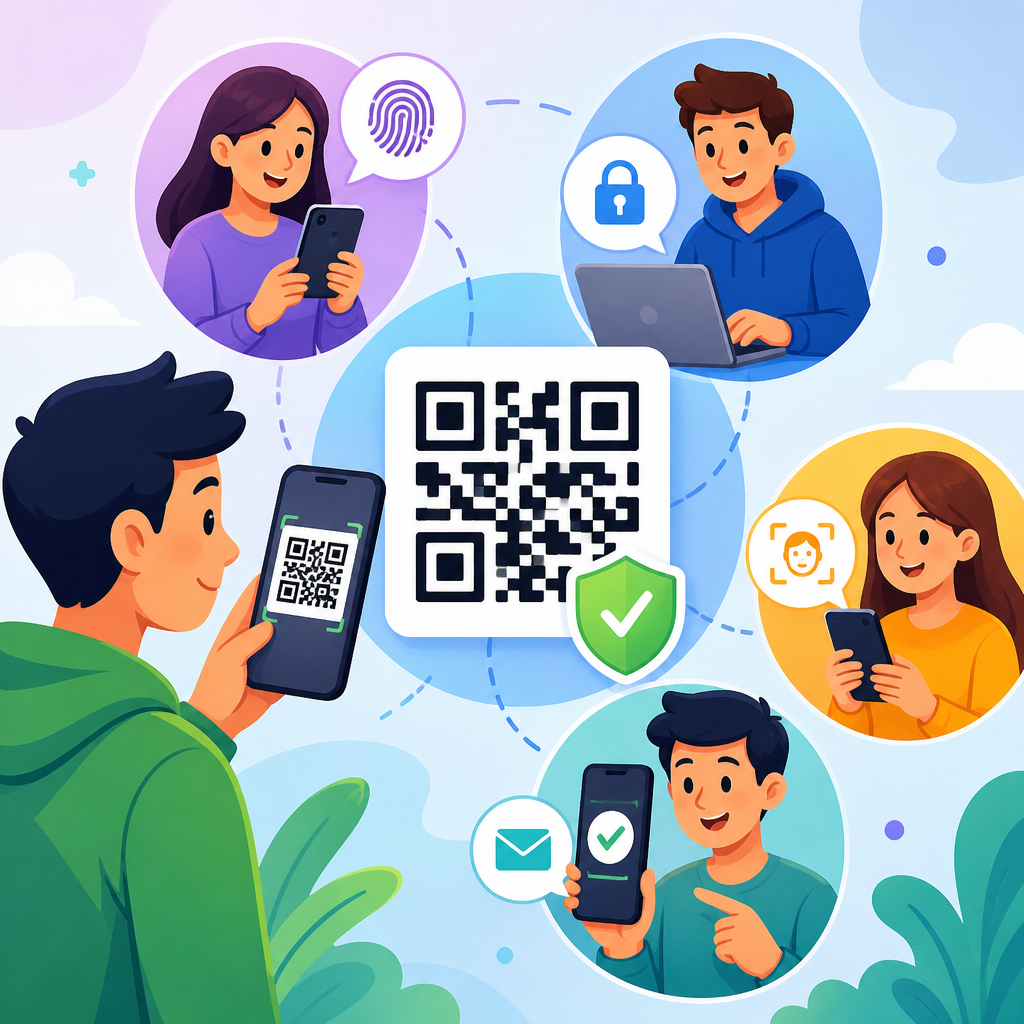
QR code authentication methods are now a core part of secure QR code practices because they connect physical objects, mobile devices, and online accounts in a single scan. In security work, I have seen the same black-and-white square serve very different purposes: logging employees into shared workstations, proving event tickets are genuine, pairing banking apps with customer accounts, and approving payments without exposing card details. Authentication in this context means verifying identity, device ownership, transaction intent, or document legitimacy through data encoded in a QR code and validated by software on the receiving end.
A QR code, short for Quick Response code, is a two-dimensional barcode that stores data in a machine-readable pattern. Authentication is the process of confirming that a user, asset, session, or request is what it claims to be. Secure QR code practices bring those ideas together by controlling what the code contains, how long it remains valid, who can scan it, and what checks occur after the scan. A static code that always points to the same URL is simple, but it is also easier to copy, replace, or misuse. A dynamic code tied to a signed token, expiring session, or backend challenge is far more resilient.
This matters because QR code adoption has outpaced security awareness. Restaurants, logistics teams, hospitals, retailers, universities, and payment providers all rely on scans that users often trust without hesitation. Attackers know that trust is convenient. They place fraudulent stickers over real codes, redirect users to phishing pages, replay old session codes, or scrape visible codes from photos and printed material. The result can be account takeover, payment fraud, unauthorized building access, or theft of sensitive data. A strong QR code security program therefore focuses not just on generating codes, but on choosing the right authentication method, validating every scan, and reducing opportunities for tampering.
This hub explains the main QR code authentication methods, when each method works best, and the controls that make those methods trustworthy in production. It also ties those methods to the broader discipline of secure QR code practices so teams can design systems that are usable, auditable, and resistant to common attack paths.
How QR Code Authentication Works in Practice
At a technical level, QR code authentication follows a simple flow: generate a code, scan it with a trusted device, send the embedded data to a verification service, and decide whether to approve or deny the action. The complexity lies in what the code contains and what the verifier checks. In basic deployments, the code may contain only an identifier, such as a ticket number or login session ID. In stronger designs, it carries a nonce, expiration time, cryptographic signature, device binding reference, or tokenized transaction request. The scanner app then submits that payload to a backend that validates freshness, origin, permissions, and status before granting access.
In real environments, the code itself is rarely the only security control. Secure systems combine visible scan convenience with server-side enforcement. For example, a warehouse badge may display a QR code, but the access system also checks employee status in the identity directory, verifies the time window for entry, and records a scan event with location and scanner ID. A banking app may show a QR code for account pairing, yet the backend additionally verifies the mobile device fingerprint, transaction risk score, and user approval inside the enrolled app. The code starts the process; the authentication decision happens across the whole system.
The practical design question is not whether to use QR codes, but which authentication model fits the risk. That model should account for scan environment, user behavior, offline requirements, revocation speed, and the cost of compromise.
Static, Dynamic, and One-Time QR Authentication Methods
The first major distinction in QR code authentication is whether the code is static, dynamic, or one-time use. Static QR codes do not change. They usually encode a permanent URL, identifier, or fixed account reference. They are inexpensive and easy to deploy on packaging, ID cards, posters, and signage. However, static codes are weak for authentication unless backed by another factor. Anyone who copies the image can reproduce the same scan experience. I generally advise using static codes only for low-risk lookups, or when the backend can still perform strong post-scan validation against a current record.
Dynamic QR codes are generated on demand and usually resolve through a service that can change the destination or attached metadata. They support analytics, revocation, expiration rules, and policy enforcement. For login, a desktop screen can show a dynamic QR code containing a session challenge. A user scans it with an already authenticated mobile app, approves the session, and the server pairs the browser to the account. This approach is common in messaging platforms and enterprise single sign-on flows because it reduces password entry and limits phishing opportunities when implemented correctly.
One-time QR codes are the strongest variation of dynamic codes. They are valid for a single transaction, session, or event, then expire immediately after use or after a short time limit. Ticketing systems use this method to stop duplicate entry. Payment providers use one-time transaction codes to bind a payment amount and merchant reference to a customer confirmation. In healthcare, a one-time patient check-in code can reduce mix-ups while limiting the value of a copied screenshot. If a code is exposed, its usefulness collapses quickly because the verifier rejects replayed or stale values.
| Method | Typical use case | Main advantage | Main security limitation |
|---|---|---|---|
| Static QR code | Product lookup, basic ID reference, poster links | Simple, cheap, easy to print | Easy to copy or replace; weak against replay |
| Dynamic QR code | Login sessions, app pairing, managed redirects | Can expire, revoke, and enforce policy server-side | Requires backend availability and good token design |
| One-time QR code | Payments, tickets, check-in, high-risk approvals | Strong replay resistance and narrow exposure window | More orchestration, tighter timing, user support needs |
For most organizations, dynamic or one-time models are the right baseline for secure QR code practices. Static codes remain useful, but only when the data they reveal or trigger cannot be abused on its own.
Token-Based and Cryptographically Signed QR Codes
Many secure QR authentication systems rely on tokens rather than plain identifiers. A token is a structured data object that represents a session, claim, or authorization request. It can include fields such as issuer, subject, audience, expiration, nonce, and scope. The backend checks those claims before taking action. In enterprise deployments, I have often used short-lived tokens encoded in QR payloads to connect kiosk sessions to a user’s enrolled mobile app. Because the token is temporary and audience-restricted, a copied image has limited value outside the intended flow.
Cryptographic signing is what turns a token or payload from merely formatted data into tamper-evident data. With a digital signature, the issuing system signs the payload using a private key, and the verifying system checks it with the corresponding public key. If an attacker changes the account number, URL path, expiration timestamp, or permission scope, signature validation fails. This principle is widely used in digital certificates, software signing, and modern identity protocols, and it is equally effective in QR code authentication.
Signed QR codes are especially valuable in offline or semi-offline scenarios. Consider event admission at a venue with intermittent connectivity. A ticket can contain a signed payload with seat, event, date, and serial number. The scanning app validates the signature locally, then later syncs redeemed codes to a central service. Offline validation alone does not prevent double use across separate gates, but it still prevents simple forgery. Add local cache synchronization and rapid redemption updates, and the system becomes much harder to abuse. Similar patterns appear in transit passes, visitor badges, and signed document verification.
The key management behind signed QR systems matters as much as the code format. Private signing keys should live in hardened services or hardware security modules where possible. Key rotation must be planned in advance. Verifiers need a trusted public key distribution mechanism. Without disciplined key governance, the strongest-looking signed code design can fail operationally.
Multi-Factor, Device-Bound, and App-Based QR Authentication
QR scanning becomes much more secure when it is linked to something the user already possesses and controls, usually a registered mobile device. This is why app-based login by QR code has become a favored method for high-volume consumer services and internal workforce systems. The QR code displayed on a browser or kiosk is only a challenge. The real authentication occurs when the trusted app, already bound to the user through prior enrollment, receives the challenge, proves possession of device credentials, and asks the user to approve.
Device binding usually relies on a private key stored in a secure enclave, trusted execution environment, or platform keystore. When the app scans a login QR code, it signs a server-provided challenge and sends that proof back over a protected channel. The server verifies the signature, confirms the account relationship, evaluates risk signals, and completes the login. This method resists credential phishing better than password-only login because the browser never sees the secret. It also reduces shared-secret exposure since the device proves possession cryptographically.
Multi-factor protections can be layered onto the same flow. The user may need biometric unlock before the app can approve the scan. The backend may require step-up approval if the scan originates from a new geography, unmanaged device, or unusual time. In payment contexts, strong customer authentication can combine possession of the enrolled device, local biometric verification, and transaction details displayed for confirmation. The most secure implementations always show the user what they are approving, such as merchant name, amount, or workstation identity, to prevent blind consent.
However, app-based QR authentication introduces operational tradeoffs. Enrollment and recovery flows must be carefully designed, especially when users change phones, lose access, or reinstall apps. Support teams need secure fallback procedures that do not silently weaken the entire system. Good security architecture plans for those edge cases from the start.
Common Threats and the Controls That Prevent Them
The most common QR code security threat is code substitution. An attacker places a malicious sticker over a real code or swaps an image in a document, menu, meter, or noticeboard. Users scan what looks legitimate and land on a phishing site or fraudulent payment page. The best defenses are branded scanner apps or in-app scanning, visible destination previews, signed payloads, tamper-evident labels, and frequent inspection of physical placements. In high-risk locations such as parking meters and public kiosks, physical monitoring is not optional.
Replay attacks are another major issue. If the same authentication QR code can be reused, a photo or screen capture may be enough to trigger unauthorized access later. Short expiration windows, one-time nonces, server-side redemption tracking, and audience binding stop most replay attempts. Session fixation can also occur when an attacker tricks a victim into approving a session that the attacker initiated. To prevent this, the approval app should display contextual details such as browser type, city, and requested action before the user confirms.
Malicious redirection remains a persistent risk when QR codes encode URLs. Open redirect weaknesses, poorly validated deep links, and long unreadable domains help attackers disguise malicious destinations. Organizations should use allowlists for redirect targets, minimize redirects, and prefer app links or universal links that map directly into trusted applications. Mobile scanning apps should normalize and inspect URLs before launch, and high-value workflows should avoid sending users to generic browsers whenever possible.
Data leakage is more subtle but equally important. Some teams embed personal data, account numbers, or internal references directly into visible QR codes. Anyone with a camera can harvest that information at scale. Safer designs put only opaque references or short-lived tokens in the code and retrieve sensitive data server-side after authorization. Logging is critical too. Every scan tied to authentication should produce audit records showing timestamp, result, code type, scanner version, and relevant risk indicators. Those logs are indispensable for incident response and fraud analysis.
Best Practices for Building a Secure QR Code Authentication Program
A strong program starts with classification. Define which QR code use cases are low, medium, and high risk based on what a successful fraudulent scan would enable. For low-risk informational scans, static codes may be acceptable. For account access, payments, ticket redemption, or regulated data access, use dynamic or one-time codes with server-side validation. Match the method to the consequence of abuse rather than to convenience alone.
Next, establish design standards. Use HTTPS everywhere. Require short expirations for authentication challenges. Sign or otherwise protect payload integrity. Store as little sensitive data in the code as possible. Bind approvals to a trusted app or managed scanner where feasible. Validate redemption status centrally. Display clear user context during approval. Maintain key rotation schedules and revoke compromised issuers quickly. These standards should be documented and reused across teams so QR security does not vary randomly between projects.
Operational controls make the difference between a well-designed pilot and a secure production service. Monitor scan anomalies, such as repeated failures from one device, impossible travel patterns, or bursts of redemption attempts against the same code family. Test physical tamper scenarios in public locations. Train users to distrust unexpected QR prompts and to verify approval details before accepting. Review third-party QR generation platforms carefully, especially if they host redirects or analytics. Contracts should address data handling, retention, incident notification, and access controls.
As a hub for secure QR code practices, this topic also connects naturally to related areas: phishing-resistant login, mobile device trust, secure event ticketing, QR payment security, anti-counterfeit packaging, and privacy-aware scan analytics. Teams that build around these connections create systems that are easier to extend and easier to defend.
QR code authentication methods are effective when organizations treat the code as one component of a broader trust decision, not as the trust decision itself. Static codes suit simple lookups, but dynamic and one-time QR codes provide the control needed for serious authentication. Token-based designs, digital signatures, device-bound approvals, and strong server-side validation protect against tampering, replay, phishing, and unauthorized reuse. Just as important, secure QR code practices limit exposed data, log every meaningful event, and plan for recovery, revocation, and physical tamper risks from day one.
The main benefit of getting this right is practical security without unnecessary friction. Users can scan quickly, approve confidently, and complete high-value actions with less dependence on passwords or printed credentials. Security teams gain better auditability, tighter policy enforcement, and clearer paths for incident response. Business teams gain a reusable pattern that works across access control, payments, ticketing, document verification, and product authenticity checks.
If you are building or reviewing any QR-enabled workflow, start by mapping the risk, choosing the correct authentication method, and tightening the validation controls behind every scan. Then use that standard across all secure QR code practices in your environment so each new deployment becomes safer, faster, and easier to trust.
Frequently Asked Questions
What does authentication mean in the context of QR codes?
In QR code security, authentication means confirming that a person, device, session, or physical item is really what it claims to be after a scan takes place. The QR code itself is usually just a carrier for information such as a login token, device pairing request, encrypted session identifier, signed URL, ticket record, or payment instruction. The real security work happens in the system behind the scan, where the code is checked against a trusted server, digital signature, cryptographic key, time limit, account record, or approval workflow.
This is why the same QR code format can support very different authentication jobs. In one environment, a QR code may let an employee sign in to a shared workstation without typing a password. In another, it may prove an event ticket was genuinely issued and not duplicated. In banking, it may connect a mobile app to a customer account or allow payment approval without revealing card data. In each case, authentication is the process of verifying identity or legitimacy before access, pairing, entry, or payment is granted.
It is also important to separate authentication from simple scanning. A QR code that opens a website is not automatically authenticating anything. True authentication requires validation steps such as checking whether the code was issued by a trusted source, whether it has expired, whether it has already been used, whether the user must confirm the action in an app, and whether the device or account meets policy requirements. Strong QR code authentication methods combine convenience with back-end verification so that a scan becomes a secure proof step rather than just a shortcut.
What are the main QR code authentication methods used today?
The most common QR code authentication methods fall into a few practical categories. One major method is token-based authentication, where the QR code contains a short-lived token or session reference tied to a server-side login or transaction. When scanned, the app or browser sends that token to the server, which verifies that it is valid, unexpired, and associated with the correct user or device. This is widely used for logging into web sessions from a mobile app and for approving account actions without entering credentials on a shared screen.
Another widely used approach is digitally signed QR code authentication. In this model, the data in the code includes a signature created by a trusted issuer. The scanning system verifies the signature using a public key, which helps prove that the content has not been altered and was generated by an authorized source. This is especially useful for tickets, identity credentials, certificates, and anti-counterfeit labeling because it helps distinguish a legitimate code from a copied or tampered one.
A third category is device pairing and account binding. Here, the QR code links one device to another or connects an app installation to a specific account. For example, scanning a desktop login QR code with a registered mobile app can authenticate the user by transferring trust from the already-authenticated phone to the new session. Similarly, a banking app may scan an onboarding QR code to securely bind the app to a customer profile under controlled conditions.
There are also one-time and dynamic QR codes, which are increasingly preferred over static codes for security-sensitive workflows. Dynamic codes can change per session, per user, or per transaction, making them much harder to reuse fraudulently. Some systems also layer in multi-factor authentication, such as requiring biometric confirmation in the mobile app after the code is scanned. In stronger designs, the QR code is just the initiation point, while the actual authentication depends on signed requests, app-based approval, cryptographic verification, and back-end policy checks.
Are static or dynamic QR codes better for authentication?
For most authentication use cases, dynamic QR codes are significantly better than static QR codes. A static QR code always contains the same data, which makes it easy to print, distribute, and scan repeatedly, but also makes it much easier to copy, photograph, share, or misuse. If a static code is tied directly to access or trust without additional verification, it can become a weak point. Attackers may duplicate the code, place a fraudulent copy over the original, or reuse the same encoded information in unauthorized contexts.
Dynamic QR codes improve security because they can be generated uniquely for each session, login attempt, device pairing request, ticket validation event, or payment approval. They often include expiration times, nonce values, transaction references, or server-side state that limits how long the code remains valid and what action it can authorize. That means even if someone captures the image, the window for abuse is much smaller, and replay attacks are much harder to pull off.
That said, static codes still have legitimate uses. They can work well when the code only identifies an object or points to a trusted verification service, and when the actual authentication occurs on the server after additional checks. For example, a product label might use a static QR code that directs a user to verify serial and issuance data online. The static code alone is not the proof; it is only the lookup key. In contrast, if the QR code itself functions as the complete credential, a dynamic design is usually the safer choice. In practice, secure systems often reserve static QR codes for low-risk identification and use dynamic, time-bound, or cryptographically protected codes for real authentication and authorization steps.
How do QR codes help with secure login, device pairing, and payment approval?
QR codes are effective in these workflows because they reduce friction while shifting sensitive actions into a more trusted environment, usually a registered mobile app. For secure login, a website or workstation displays a QR code representing a temporary session challenge. The user scans it with a mobile app that is already authenticated to the account. The app sends a signed approval or token exchange to the server, which then logs the user into the desktop or browser session. This avoids typing passwords on shared machines and can reduce exposure to keyloggers and shoulder surfing.
For device pairing, QR codes simplify the secure exchange of setup information. Instead of manually entering long codes or configuration strings, one device displays a QR code containing pairing metadata, a one-time secret, or a reference to a pairing request. The second device scans it and completes the trust process through server validation, local cryptographic exchange, or both. This is common in enterprise tools, messaging platforms, authentication apps, and banking app onboarding. The key advantage is that the scan transfers accurate data quickly while reducing user error.
In payment approval, QR codes are often used so that card details or account credentials never need to be shared directly with the merchant terminal. The code may encode a merchant identifier, invoice reference, payment request, or transaction token. The customer scans it using a banking or wallet app, reviews the exact payment details, and authorizes the transaction using a PIN, biometric check, or in-app approval. The app then communicates with the payment network or bank to complete the transaction securely. This approach can lower the risk of exposing card numbers and gives the customer a direct confirmation step before money moves.
Across all three use cases, the strongest implementations do not treat the QR code as the sole proof of trust. They combine the scan with app registration, transport encryption, server-side validation, device binding, and user confirmation. That layered design is what turns a simple black-and-white square into a secure login trigger, pairing mechanism, or payment approval method.
What security risks should organizations watch for when using QR code authentication?
The biggest risk is assuming that a QR code is secure just because it looks technical. QR codes can be copied, replaced, redirected, or socially engineered like any other interface element. One of the most common threats is QR phishing, sometimes called quishing, where a malicious actor places a fake code over a legitimate one or tricks users into scanning a fraudulent code that leads to a lookalike site or approval flow. If users are trained to scan without checking context, attackers can exploit that habit very effectively.
Replay and reuse attacks are another concern, especially with static or long-lived QR codes. If a code can be photographed and used later, it may allow unauthorized access, duplicate entry, or unintended transaction approval. This is why expiration times, one-time usage rules, and server-side transaction binding are so important. For tickets and physical item authentication, organizations also need to consider duplication fraud, where a genuine code is copied many times unless the validation system can detect prior use or verify a unique issuance history.
There are also risks around weak back-end validation. A QR code should not directly grant trust without checking issuer authenticity, session state, intended action, and policy conditions. If the server accepts any valid-looking token without confirming where it came from, whether it matches the right user, or whether the request is still active, the overall design can fail even if the QR code format itself is fine. Similarly, if device pairing is not bound to a registered app or if payment approvals do not clearly show the merchant and amount, users may unknowingly authorize the wrong action.
To reduce risk, organizations should use short-lived dynamic codes, digital signatures where appropriate, strong TLS protection, app-based confirmation, clear transaction details, anti-tamper controls for printed codes, and monitoring for unusual scan behavior. User education also matters. People should know to verify the source of a QR code, watch for physical tampering, and review what their app is asking them to approve. The safest QR code authentication systems rely on layered controls, not on the code image alone.





