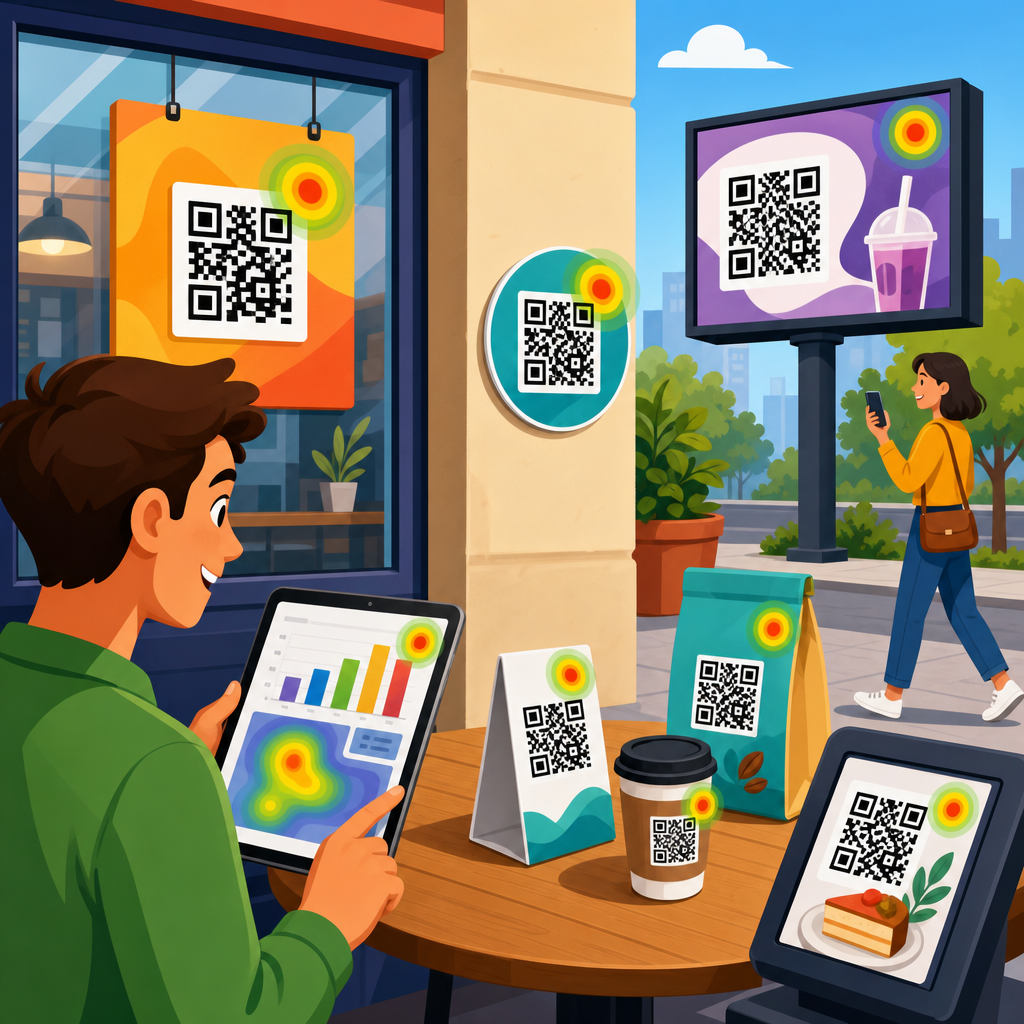
Google Analytics with QR codes turns an offline scan into measurable digital behavior, letting marketers see which printed assets drive visits, leads, and revenue. A QR code is a scannable matrix barcode that sends a user to a URL, app, form, file, or action. Google Analytics is the reporting platform that records sessions, events, conversions, traffic sources, and user paths on a website or app. When you connect the two correctly, you stop treating posters, packaging, direct mail, menus, trade show signage, and retail displays as untrackable channels. You can attribute scans to campaigns, compare locations, test creative, and improve return on ad spend with evidence instead of guesswork.
This matters because QR code marketing often bridges expensive physical distribution with digital conversion. If a brand prints fifty thousand product inserts or installs codes across one hundred stores, even a small difference in scan rate or conversion rate has real budget impact. I have implemented QR tracking for retail launches, event booths, restaurant promotions, and field sales collateral, and the same pattern appears every time: teams generate a code, point it to a homepage, and lose the context that would have made the campaign useful. The fix is straightforward. Use disciplined URL structure, campaign parameters, redirect governance, and conversion setup inside Google Analytics 4 so every scan can be analyzed by source, medium, content, landing page, and outcome.
At a practical level, using Google Analytics with QR codes means answering a set of specific questions. How many people scanned? Which asset or placement drove the scan? Did users engage or bounce? Did they purchase, submit a form, call, or download? Which geography, store, or event performed best? How did mobile operating systems behave differently? Can you distinguish scans from paid social clicks or email traffic? You can answer all of those questions if you build each QR destination URL with standardized campaign tagging, keep naming consistent, and define conversions before launch. This article serves as the hub for tracking and analytics within QR Code Marketing & Strategy, covering setup, reporting, attribution, governance, and the common mistakes that corrupt data.
Start with a measurement plan before you generate any QR code
The most effective QR analytics projects begin with a measurement plan, not a design file. First define the business objective for the code: sales, lead generation, app installs, menu views, coupon redemptions, video plays, or in-store appointment bookings. Then define the primary conversion in Google Analytics 4. For ecommerce, that may be purchase. For lead generation, it might be generate_lead, form_submit, or schedule_demo. For a restaurant, it could be menu_view followed by order_start. Without a primary conversion, scan counts become vanity metrics.
Next map the dimensions you need to compare later. In my campaigns, the minimum fields are campaign, source, medium, content, destination page, launch date, placement, owner, and expiration policy. If a retailer has ten stores and three sign types per store, content should identify the exact sign, not just the general promotion. For example, source might be qr, medium might be offline, campaign might be spring_launch_2026, and content might be store_014_window_cling. That level of naming lets you isolate performance without building custom reports from memory after the campaign ends.
Also decide whether you need dynamic QR codes. A static QR code permanently contains the final URL. A dynamic QR code points to a short redirect URL that can be edited later. Dynamic codes are better for most marketing use cases because they let you change the destination, pause broken pages, and preserve printed inventory. They also create a clean control point for governance, though scan counts inside a QR platform should not replace Google Analytics reporting on downstream behavior.
Build trackable URLs that Google Analytics can classify correctly
The core connection between Google Analytics and QR codes is the destination URL. To track scans, append campaign parameters to the landing page URL. In Google Analytics 4, these parameters are still the standard UTM fields: utm_source, utm_medium, utm_campaign, with optional utm_content and utm_term. A simple example is example.com/summer-menu?utm_source=qr&utm_medium=offline&utm_campaign=summer_menu_2026&utm_content=table_tent_a. When someone scans the code, GA4 records a session with those campaign values, assuming consent and tagging are functioning.
Use consistent taxonomy. I recommend reserving utm_source for the channel origin, such as qr, and using utm_medium for classification such as offline, print, packaging, event, or in_store only if your reporting model requires that distinction. Keep utm_campaign aligned to the marketing initiative. Use utm_content for granular asset identification because that is where most useful comparison happens. If you overload source and medium with inconsistent values like QRCode, qr-code, flyer, and brochure, channel reporting becomes fragmented and difficult to trust.
Avoid tagging internal links after the landing page. If a scanned user reaches a page and then clicks another button on your site, internal UTM parameters can overwrite the original QR attribution and break session source data. If you need more detailed path analysis, rely on GA4 events, custom dimensions, and exploratory reports rather than internal campaign tags. Also confirm that auto-tagging from Google Ads, cross-domain measurement, and consent mode do not conflict with your QR URL strategy.
Set up Google Analytics 4 to capture meaningful QR code outcomes
URL tagging tells GA4 where the visit came from, but real analysis depends on event and conversion setup. At minimum, configure enhanced measurement, define key events, and test them on the landing page tied to your QR campaign. Common useful events include view_item, add_to_cart, begin_checkout, purchase, generate_lead, sign_up, file_download, video_start, click_to_call, and map_open. If the QR destination is a single-purpose page, create custom events that reflect the actual intent, such as coupon_reveal or warranty_register_start.
Mark the events that represent business value as conversions. In GA4, conversions are event-based, and this model works well for QR campaigns because scanned traffic often lands on focused mobile pages with clear actions. For example, a property developer might place QR codes on site boards that drive to floor-plan pages. A useful event stack would be view_floor_plan, click_whatsapp, and schedule_visit, with schedule_visit marked as a conversion. This makes it possible to compare not just scan-driven sessions, but high-intent outcomes by placement.
Link GA4 with Google Ads, Search Console, and BigQuery when appropriate. BigQuery is especially valuable for larger QR programs because it allows raw event-level analysis. In one retail rollout, exported GA4 data showed that scans from shelf talkers peaked on weekends, while packaging scans peaked on weekday evenings after purchase. That insight changed staffing and remarketing timing. Standard reports are useful, but event-level exports reveal patterns that broad dashboards can hide.
Use landing pages and redirects that preserve context and improve conversion
A QR code should rarely send users to a generic homepage. Scanners expect immediate relevance because they are acting in a physical context and usually on a mobile device. Send each code to a page that matches the promise of the asset they scanned. A code on a product box should open the product support page, setup guide, or warranty form. A code on an event booth banner should open the event-specific lead page, not the company root domain. Relevance improves engagement and keeps the attribution useful.
Redirect design matters too. If you use dynamic QR codes, choose a redirect method that preserves UTM parameters and minimizes latency. A 301 or 302 redirect can work, but test the final landing URL in mobile browsers to confirm parameters survive. Avoid redirect chains, because every extra hop increases the chance of slow load times, broken attribution, or lost users. I have seen campaigns fail simply because a code went through a shortener, then a campaign manager, then a geo redirect, and finally a cookie banner-heavy page that took too long to become usable.
Make the landing experience mobile-first. Compress images, reduce scripts, and keep forms short. Most QR scans happen on phones, so page speed has outsized influence on conversion. Google’s Core Web Vitals are not the only performance benchmark that matters, but they are a reliable standard for identifying pages that frustrate users. If scanned visitors bounce before GA4 records meaningful engagement, the problem is often the page experience, not the printed code.
Track the right metrics and build reports stakeholders can actually use
Once traffic is flowing, focus reporting on metrics that link scans to outcomes. Useful top-level metrics are sessions, engaged sessions, engagement rate, conversions, conversion rate, revenue, average engagement time, and key event count. For location-based campaigns, compare these by utm_content or a custom dimension representing store, branch, venue, or asset type. If the goal is awareness rather than immediate purchase, track scroll depth, video completion, or menu view completion, but keep the primary business action visible in every report.
GA4 Explorations are excellent for QR analysis because they let you break down performance by campaign fields and landing page. Look at path exploration to understand what scanners do next. Use funnel exploration for flows like landing page to product page to checkout to purchase. For executive reporting, build a Looker Studio dashboard that shows campaign performance by asset, date, and conversion type. Stakeholders should be able to answer three questions quickly: which codes were scanned, which scans converted, and where budget should move next.
| Reporting question | GA4 dimension or metric | Why it matters for QR campaigns |
|---|---|---|
| Which printed asset drove visits? | Session source/medium, session campaign, manual ad content | Separates poster, packaging, insert, table tent, or booth performance |
| Did scanners engage? | Engaged sessions, engagement rate, average engagement time | Shows whether landing pages matched user intent after the scan |
| Did scans produce business results? | Conversions, purchase revenue, key event rate | Connects offline placements to leads, sales, or other outcomes |
| Which locations or variants performed best? | Manual ad content, landing page, custom location dimension | Supports store-level optimization and creative testing |
If you need scan counts themselves, understand the distinction between a QR platform’s scan metric and GA4 sessions. A QR tool may register a scan when the redirect URL is hit, while GA4 counts a session only when the landing page loads and analytics fires under consent rules. Both numbers are useful, but they answer different questions. Scan metrics reflect code interaction. GA4 metrics reflect on-site behavior and business value.
Handle attribution, privacy, and data quality issues before they distort results
QR measurement is powerful, but it is not perfect. One common issue is attribution overlap. A user may scan a code, browse, leave, and return later through direct or paid search. GA4’s attribution settings influence which channel receives credit for the final conversion. For campaign evaluation, review both session-based acquisition reports and conversion attribution reports. If a QR code introduces the user but branded search closes the sale, that is still evidence that the offline asset mattered.
Privacy controls also affect data collection. Consent banners, browser restrictions, and app handoffs can reduce session visibility. On iOS in particular, movement between camera, browser, and apps can produce messy paths if pages are poorly configured. Make sure your analytics implementation respects consent while still recording allowed events reliably. Server-side tagging can improve resilience in some setups, but it is not a substitute for transparent consent and correct client-side configuration.
Data quality depends on governance. Maintain a QR inventory spreadsheet or database with the code image, final URL, tagged URL, owner, print status, physical location, and retirement date. Test every code before and after print. Use lowercase UTM values, avoid spaces, and define naming conventions centrally. Broken redirects, duplicate campaign names, and undocumented edits are the fastest way to make QR analytics unusable. Teams that treat QR codes as durable media assets get better data than teams that treat them as quick design add-ons.
Optimize campaigns with experiments, segmentation, and offline context
The real advantage of using Google Analytics with QR codes is optimization. After launch, compare variants by placement height, call-to-action, incentive, page layout, and audience context. A museum can test “Scan for audio guide” against “Scan to hear the story behind this piece.” A retailer can compare shelf-edge labels with endcap signage. A B2B exhibitor can compare codes on booth graphics versus badge-handout cards. Use QR-specific campaign tags so the winning creative can be identified without ambiguity.
Segment scanned traffic by device category, geography, new versus returning users, and landing page path. These segments often reveal operational insights. For example, if in-store QR traffic converts poorly on older Android devices, the issue may be page weight or form usability. If one venue scans heavily but has low lead quality, the audience fit may be wrong. If packaging scans surge after customer support emails go out, customers may be using the code for troubleshooting rather than promotion. Good analysis connects digital behavior to physical context.
Finally, document learnings and link this hub to supporting resources across your QR Code Marketing & Strategy library, including dynamic versus static QR codes, QR landing page best practices, UTM governance, event tracking setup, and retail or event-specific campaign playbooks. Tracking and analytics should not live in isolation. They are the operating system that makes every other QR tactic smarter, more accountable, and easier to scale.
Using Google Analytics with QR codes is ultimately about making offline marketing measurable at the level of sessions, engagement, conversions, and revenue. The essential process is consistent: define the business goal, build a measurement plan, create tagged destination URLs, use relevant landing pages, configure GA4 events and conversions, and report results by asset and context. When those pieces are in place, a QR code is no longer just a bridge to a webpage. It becomes a trackable campaign touchpoint that can be improved with evidence.
The biggest gains usually come from simple discipline. Do not send scans to generic pages. Do not publish untagged URLs. Do not rely only on scan totals from a QR generator. Use naming conventions, redirect controls, and conversion setup that let you compare store signs, packaging inserts, direct mail pieces, and event materials side by side. Where privacy limits visibility or attribution splits credit across channels, acknowledge the limitation and analyze patterns across reports rather than forcing certainty that the data cannot support.
If you manage QR campaigns at scale, treat this page as your tracking and analytics hub, then build outward into implementation guides for taxonomy, dashboards, landing page testing, and channel-specific use cases. The payoff is better budget allocation, clearer campaign accountability, and faster iteration on physical marketing assets that were once difficult to measure. Audit your current QR codes, tag the URLs properly, and test every path in Google Analytics 4 before the next print run.
Frequently Asked Questions
1. How do you track QR code scans in Google Analytics?
To track QR code performance in Google Analytics, the most reliable method is to send each QR code to a dedicated URL that includes UTM parameters. A QR code itself does not automatically report data into Google Analytics; instead, Google Analytics records what happens after the person scans and lands on your website, app landing page, form, or other digital destination. That means the tracking setup starts with the destination URL, not the image of the QR code.
A typical tracked QR code URL includes parameters such as utm_source, utm_medium, and utm_campaign. For example, a restaurant menu QR code might use a URL with values like source=print, medium=qr, and a campaign name tied to the promotion or location. This makes the traffic easy to identify inside Google Analytics reports. If you are using GA4, you can then review sessions, engaged sessions, conversions, revenue, and user behavior associated with that campaign traffic.
It is also smart to create unique URLs for each printed asset, placement, or audience segment. For example, if you place the same offer on product packaging, in-store signage, and direct mail, assign each one a slightly different tagged link. That gives you a much clearer picture of which offline channel actually drove the visit and which one produced leads or sales. Without that level of differentiation, all scans may appear grouped together and reduce the value of your analysis.
For better reporting, make sure your website has Google Analytics installed correctly on every landing page and that your conversion events are configured in GA4. If your goal is lead generation, track form submissions. If your goal is e-commerce, make sure purchases, add-to-cart actions, and other key events are implemented. That way, you are not just measuring visits from QR codes; you are measuring business outcomes tied to those scans.
2. What are the best UTM parameters to use with QR codes?
The best UTM structure for QR codes is one that is consistent, descriptive, and easy to analyze later. At minimum, most marketers should use utm_source, utm_medium, and utm_campaign. For QR codes, a common approach is to use a source that identifies the offline channel, a medium of “qr,” and a campaign that names the promotion, asset, season, or initiative. For example, a trade show handout could use source=tradeshow, medium=qr, campaign=spring_launch.
In many cases, adding utm_content is especially useful because it lets you distinguish between individual placements or creative variations. If you are testing different posters in different store locations, different product boxes, or multiple flyers with different calls to action, utm_content can hold the exact variation name. This helps you compare which print design, location, or message drove more sessions and conversions.
Consistency matters more than complexity. If one campaign uses “QR,” another uses “qr-code,” and another uses “qrcode,” your data becomes fragmented. Create a naming convention before launching. Use lowercase values, avoid unnecessary punctuation, and document your rules so everyone on the marketing team follows the same system. This becomes increasingly important when you manage many QR codes across retail, events, packaging, direct mail, menus, and outdoor advertising.
Finally, avoid overloading UTMs with vague labels like “campaign1” or “promo.” Months later, those names will not be useful in reporting. A clear structure makes it easier to filter data in Google Analytics, build Looker Studio dashboards, and connect offline materials to real business performance. Good UTM naming turns QR code tracking from a basic traffic log into a dependable measurement framework.
3. Can Google Analytics show which printed asset or location generated the most scans and conversions?
Yes, Google Analytics can help you determine which printed asset, campaign, or location generated the strongest results, but only if each QR code points to a uniquely tagged destination. Google Analytics does not identify the physical object being scanned on its own. It identifies the landing session based on the URL the user reached. That is why separate UTM-tagged URLs are essential for comparing posters, brochures, packaging, menus, direct mail pieces, event signage, or in-store displays.
For example, if you distribute flyers in three cities, each city should have its own QR code with a distinct campaign or content parameter. If you are testing two versions of product packaging, each version should get a separate URL. When users scan those codes, Google Analytics can then attribute sessions, engagement, conversions, and revenue back to the specific tagged link. This gives you a practical way to evaluate offline marketing performance using digital analytics.
In GA4, you can analyze this data through traffic acquisition reports, session source/medium dimensions, campaign dimensions, or custom explorations. You can also create comparisons and segments to evaluate how QR traffic behaves versus other traffic sources. If your conversions are properly configured, you can see not just which asset generated scans, but which asset drove deeper engagement, repeat visits, purchases, bookings, or form completions.
Many marketers go a step further by using landing pages tailored to each offline asset or region. This improves relevance for the user and creates even clearer reporting. For example, a QR code on a table tent can land on a dine-in offer page, while a packaging QR code can land on a product tutorial page. When combined with UTMs and conversion tracking, this setup turns printed materials into measurable acquisition channels instead of guesswork.
4. What is the difference between tracking QR code scans and tracking what users do after the scan?
This is one of the most important distinctions to understand. A QR code scan and a website visit are not always the same thing. The scan happens on the device when the camera recognizes the code, but Google Analytics typically tracks the session only when the user successfully opens the destination and the analytics tag fires on the page or app screen. In other words, Google Analytics is strongest at measuring post-scan behavior, not the physical act of scanning in isolation.
That means if someone scans a QR code but loses connection, closes the browser, or never fully loads the landing page, Google Analytics may not record a session. If you need precise scan counts independent of site visits, you may want to use a dynamic QR code platform or redirect service that logs each hit before sending the user to the final destination. That kind of tool can complement Google Analytics by giving you a closer estimate of raw scan activity.
Once the landing page loads, Google Analytics becomes extremely valuable because it shows what happened next. You can measure user engagement, events, conversion rates, pages viewed, time spent, checkout behavior, and revenue. This is often more important than raw scans alone. A QR code with fewer scans but more purchases may be far more valuable than one with many scans and little action.
The best measurement strategy is to treat QR code performance as a funnel. At the top is scan or redirect activity, if available. In the middle is website or app traffic captured in Google Analytics. At the bottom are conversions such as leads, sales, downloads, bookings, or sign-ups. Looking at all three levels gives you a more complete picture of how effective your offline-to-online experience really is.
5. What are the biggest mistakes to avoid when using Google Analytics with QR codes?
One of the most common mistakes is using the same QR code and the same destination URL for every printed asset. When that happens, all traffic gets lumped together, and you lose the ability to tell whether a scan came from a package insert, a store window, a magazine ad, or a conference booth. Unique tracking links are what make QR code reporting actionable, so skipping that step removes most of the strategic value.
Another frequent problem is forgetting to test the full user journey. Marketers sometimes verify that the QR code scans successfully but do not confirm that UTM parameters remain intact, the landing page loads quickly on mobile, the analytics tag fires correctly, and the conversion event is recorded in GA4. A broken redirect, slow page, or missing analytics configuration can quietly undermine the campaign and leave you with incomplete or misleading data.
A third mistake is sending users to a generic homepage instead of a relevant landing page. If someone scans a QR code from a menu, product label, or event sign, they expect a focused destination that matches the context. Generic pages often create friction and lower conversion rates. A dedicated landing page not only improves user experience but also makes the results easier to interpret because the intent behind the scan is clearer.
It is also important to avoid inconsistent campaign naming, neglecting mobile optimization, and failing to define success metrics in advance. Decide before launch whether you are optimizing for sessions, form fills, phone clicks, coupon redemptions, purchases, or some other conversion. Then build your GA4 reporting around that outcome. When the tracking setup, landing experience, and campaign structure all work together, QR codes become a measurable bridge between offline exposure and digital results.