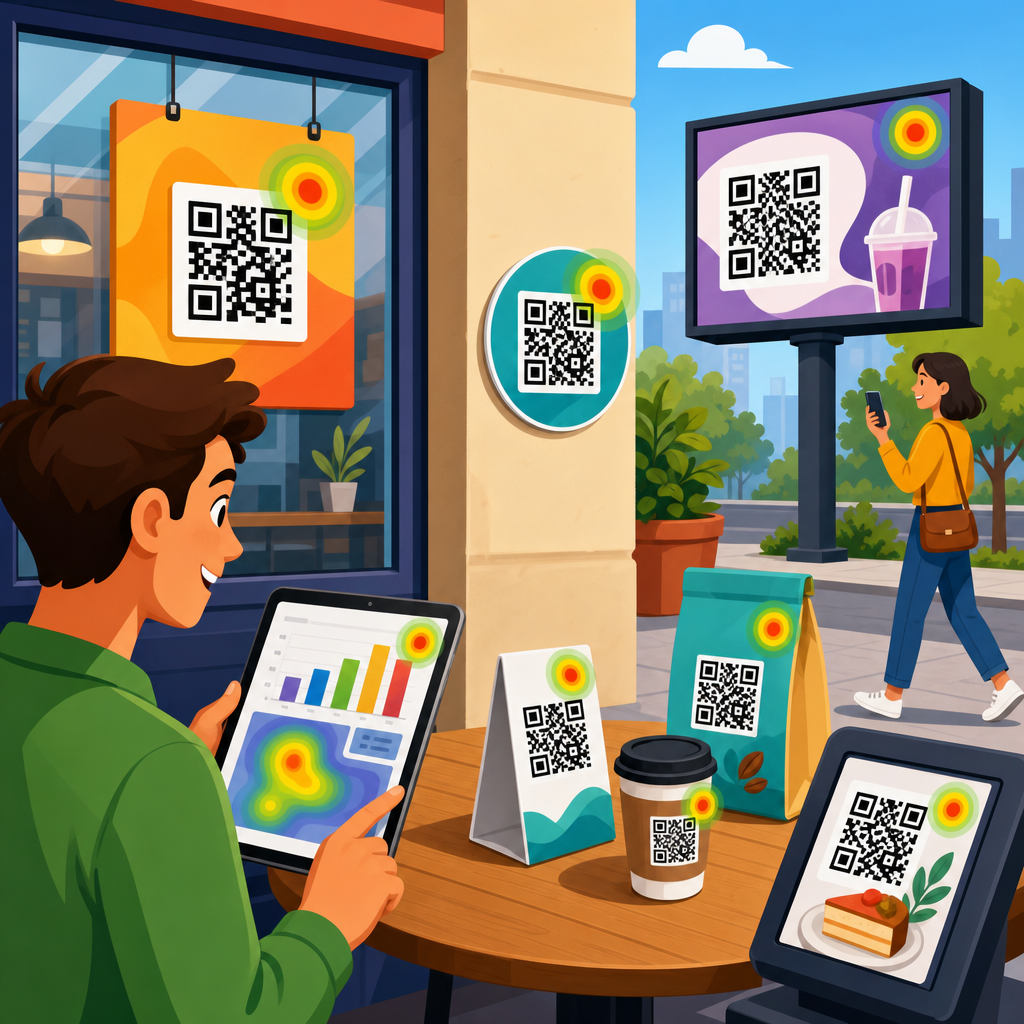
QR code conversion tracking turns an offline scan into measurable marketing data, allowing teams to connect printed materials, packaging, signage, direct mail, events, and in-store displays to website sessions, leads, sales, and downstream revenue. In practice, it means assigning a unique, trackable destination to each QR code, passing campaign parameters into analytics platforms, defining the actions that count as conversions, and reviewing performance at a level detailed enough to improve creative, placement, audience targeting, and return on ad spend.
This matters because QR codes now sit at the intersection of physical and digital customer journeys. A poster in a retail window may generate scans after store hours. A product insert may drive repeat orders weeks later. A restaurant table tent may push diners to a loyalty signup flow while they wait. Without conversion tracking, those scans look like isolated traffic spikes or unattributed direct visits. With proper setup, marketers can see which code was scanned, where it appeared, what device the visitor used, whether the session produced a purchase, and how that behavior compares across channels.
I have set up QR analytics for campaigns using Google Analytics 4, Adobe Analytics, Google Tag Manager, CRM forms, and call tracking platforms, and the same pattern appears every time: the codes that perform best are rarely the ones a team initially expects. Placement often beats design. A code on product packaging can outperform a paid social campaign for repeat purchase rate. A code printed on conference booth signage may generate fewer scans than one on handouts, but a much higher lead-to-opportunity rate. That is why a tracking framework matters more than simply generating a scannable image.
Before building anything, define three terms clearly. A scan is the action of opening the QR code URL, typically recorded as a landing page session or redirect hit. An engagement is the next measurable behavior, such as time on page, form start, add to cart, menu view, or click to call. A conversion is the business outcome you care about, such as a lead submission, booking, purchase, app install, coupon redemption, or qualified phone call. If a team treats scans as conversions, reporting becomes inflated and optimization decisions become weak.
Build the tracking architecture before you generate codes
The most reliable QR code conversion tracking starts with campaign architecture, not artwork. Every code needs a unique destination URL or redirect rule tied to a naming convention. I recommend defining campaign, channel, placement, asset, location, and date fields before design begins. For example, a UTM structure like utm_source=qr, utm_medium=print, utm_campaign=spring_launch, utm_content=store_poster_austin, and utm_id=2026q2 gives analysts enough information to compare scans by market and creative without guessing later.
Dynamic QR codes are usually the better choice for serious measurement because they route users through a managed short URL before forwarding to the final destination. That redirect creates flexibility. You can change the destination after printing, pause broken pages, tag traffic consistently, and collect scan metadata at the QR platform level. Static QR codes point directly to the final URL and can work for simple evergreen uses, but they offer little room to correct mistakes or update parameters once an asset is in the field.
Choose a primary source of truth early. For most organizations, that will be Google Analytics 4 for web behavior and a CRM such as HubSpot, Salesforce, or Marketo for lead outcomes. E-commerce brands may use Shopify analytics alongside GA4. Service businesses often pair GA4 with call tracking from CallRail or Invoca. The important point is consistency. If scan counts come from one platform, form submissions from another, and revenue from a third, you need shared identifiers, agreed attribution windows, and documented definitions so reports do not conflict.
A redirect domain also deserves attention. Branded short domains generally perform better than generic shorteners because they are recognizable and easier to trust when displayed near the code. They also simplify governance. In one rollout for multi-location retail, we used a branded redirect domain with path rules reflecting market and store ID. That made it possible to audit thousands of printed codes, align redirects with location metadata, and feed landing page traffic into a location-level dashboard without custom work for each store.
Configure analytics, tags, and conversion events correctly
Once the URL structure is set, configure analytics so scans can be tied to business outcomes. In GA4, first confirm that incoming UTM parameters are captured and available in traffic acquisition reports and explorations. Then define key events for actions that matter: generate_lead, sign_up, purchase, schedule_demo, file_download, add_to_cart, or phone_call_click. Mark only the final business-critical events as conversions. Secondary behaviors still matter, but they belong in engagement analysis, not headline performance metrics.
Google Tag Manager makes this easier because it centralizes event tracking without repeated developer releases. A form submission can trigger a custom event. A click on a tel: link can trigger a phone lead event. A thank-you page view can confirm success where form scripts are unreliable. For e-commerce, GA4 enhanced ecommerce should be enabled so purchases, revenue, item categories, and cart events can be associated with QR-originated sessions. If your checkout occurs on a separate domain, cross-domain measurement must be configured or conversion attribution will break.
Attribution windows should match the customer journey. A code on transit advertising may influence a purchase days later, while a restaurant menu QR code often drives action within minutes. GA4’s attribution reports help, but many teams need CRM-level reporting to see delayed outcomes. For B2B, capture hidden fields on forms that store UTM values, landing page URL, and first-touch versus latest-touch data. That allows sales teams to trace opportunities back to the exact QR campaign rather than lumping all leads into generic website traffic.
Phone calls require special handling. If a QR code lands on a page where many users call instead of filling out a form, install dynamic number insertion or use a trackable forwarding number unique to the campaign. Otherwise, the page may seem to underperform despite generating high-value leads. I have seen service businesses double the measured contribution of QR placements simply by connecting call data back to session source and medium. Without that step, revenue from offline-driven phone inquiries remains invisible.
Use a measurement plan that links scans to business goals
A QR code analytics hub should organize metrics by funnel stage so stakeholders can read results quickly. The basic model is scans, sessions, engaged sessions, conversion rate, cost per conversion, and revenue or pipeline generated. More advanced programs add assisted conversions, average order value, qualified lead rate, store visit lift, coupon redemption rate, and customer lifetime value. The right framework depends on whether the code promotes awareness, lead generation, app adoption, in-store activation, or repeat purchase behavior.
Start by mapping each QR use case to one primary conversion and a small set of supporting metrics. A packaging insert may target repeat purchase, with secondary metrics like email signup and product page views. An event badge code may target meeting bookings, with supporting metrics including brochure downloads and booth map views. A restaurant table code may target loyalty enrollment, while menu views and average time to order serve as diagnostic indicators. This discipline prevents reports from becoming a list of unrelated vanity metrics.
| QR use case | Primary conversion | Supporting metrics | Common tools |
|---|---|---|---|
| Direct mail | Lead form submission | Scan rate, form start rate, cost per lead | GA4, GTM, HubSpot |
| Retail signage | Online purchase | Store-level scans, add-to-cart rate, revenue per session | GA4, Shopify, Looker Studio |
| Product packaging | Repeat order | Returning user rate, email capture, coupon redemption | GA4, Klaviyo, CRM |
| Events and trade shows | Demo booking | Qualified lead rate, call bookings, opportunity creation | GA4, Salesforce, Calendly |
Benchmarking makes the numbers useful. A 3 percent conversion rate from QR traffic may be excellent for top-of-funnel outdoor signage and disappointing for product packaging aimed at existing customers. Compare each code to the nearest relevant baseline: other print placements, paid social landing pages, email traffic, or store-level benchmarks. Also compare unique scans to sessions and sessions to conversions. Large gaps between scans and sessions can signal redirect issues or slow page loads; large gaps between sessions and conversions often point to landing page friction.
Reporting cadence should reflect campaign speed. For events, daily reporting is appropriate because teams can change signage, scripts, or booth staff behavior immediately. For packaging or catalog inserts, weekly or monthly reporting is often enough because volume accumulates more slowly. Build dashboards that answer operational questions first: Which codes were scanned? Which placements converted? Which markets underperformed? Then reserve deeper analysis for monthly reviews where you can evaluate creative testing, audience differences, and attribution effects across channels.
Optimize landing pages, creative, and placement based on data
Tracking is only valuable if it changes decisions. The fastest gains usually come from landing page alignment. Users scan because the surrounding context promises something specific: a coupon, instructions, a menu, a product demo, a warranty registration, or an appointment booking. If the landing page repeats generic brand messaging, conversion rates drop. Pages tied to QR campaigns should match the promise on the physical asset, load quickly on mobile networks, minimize form fields, and place the primary action high on the screen.
Creative and placement testing often reveal non-obvious patterns. At one trade show, a large booth wall code generated attention but weak conversion because visitors scanned from a distance and delayed action until later. A smaller code on printed one-sheets performed better because attendees had immediate context and could keep the material. In retail, codes near checkout may outperform entrance signage because customers already have purchase intent. In restaurants, codes on table tents can beat codes on windows because indoor diners have more time and clearer motivation.
Mobile experience is not optional. Most scans happen on smartphones, so Core Web Vitals, page weight, tap target size, autofill support, and wallet-friendly coupon delivery affect outcomes directly. If a page exceeds three seconds to meaningful load on average mobile connections, expect abandonment. Compress images, defer nonessential scripts, and test the complete journey on both iPhone and Android devices. I also recommend using server-side redirects where possible, because slow or chained redirects can reduce successful sessions and distort scan-to-conversion reporting.
Do not ignore scan context. A code in a dim venue may need larger quiet zones and stronger contrast. A code on moving transit media needs shorter URLs behind the redirect, faster landing pages, and a simpler offer because users act under time pressure. A code on product packaging may support multilingual routing based on geography or browser language. These details affect both conversion rate and data quality. If users bounce because the experience does not fit the context, the analytics will show failure without explaining the operational cause.
Handle governance, privacy, and common tracking mistakes
QR code campaigns often fail at the governance layer, not the analytics layer. Teams print duplicate codes without documentation, use inconsistent UTM naming, point multiple assets to the same landing page without unique identifiers, or retire pages while codes remain in circulation. The fix is a simple registry. Maintain a spreadsheet or database containing code owner, campaign, live dates, destination URL, UTM values, creative description, print quantity, geography, and status. Once organizations adopt this habit, reporting becomes dramatically more reliable.
Privacy and consent still apply. If your site uses consent management, make sure analytics behavior for QR traffic follows the same rules as any other channel. For EU and UK audiences, review lawful basis and cookie settings carefully. For health, finance, or education use cases, avoid exposing sensitive information in URL parameters. Pass campaign metadata, not personal data. If you need user-level reconciliation between a scan and an offline outcome, do it through secure CRM workflows and first-party identifiers captured with clear notice.
Several technical mistakes appear repeatedly. First, teams forget to test UTMs after redirects and discover that parameters were stripped. Second, they count page views as conversions because no real event tracking was configured. Third, they launch codes to pages blocked by app interstitials, intrusive popups, or geofences. Fourth, they fail to separate internal scans by staff during setup from public traffic. A basic QA checklist should include live-device testing, analytics real-time verification, form completion tests, call tracking validation, and post-conversion source checks inside the CRM.
Long-term success comes from treating QR tracking as infrastructure, not a one-off tactic. Standardize naming conventions, create reusable landing page templates, define conversion events once, and document how stakeholders should interpret scan and revenue data. As your QR program expands, this page should function as the hub for deeper work on UTM strategy, dynamic versus static codes, event measurement, retail attribution, coupon redemption, and dashboard design. Start with one campaign, instrument it correctly, validate the data end to end, and then scale with confidence.
Frequently Asked Questions
What is QR code conversion tracking, and why is it important?
QR code conversion tracking is the process of connecting a QR code scan to measurable business outcomes such as website visits, form submissions, purchases, booked appointments, phone calls, or revenue. Instead of treating a scan as a vague engagement signal, conversion tracking turns it into actionable marketing data. This matters because QR codes are often used in offline channels like packaging, flyers, direct mail, retail displays, posters, trade shows, menus, and product inserts, where performance can otherwise be difficult to measure with precision.
When set up correctly, each QR code sends users to a unique, trackable destination URL that includes campaign parameters. Those parameters help analytics platforms identify where the visitor came from, which campaign or asset drove the visit, and what happened after the scan. From there, teams can define which actions count as conversions and evaluate whether a specific printed piece, sign, event booth, or in-store placement actually generated results.
The real value is visibility. QR code conversion tracking helps marketers move beyond assumptions and compare performance across channels, creative versions, locations, products, and time periods. It also gives sales and marketing teams a clearer way to attribute downstream outcomes to offline touchpoints. If a direct mail piece produced scans, and those scans led to quote requests and closed deals, tracking allows that full path to be measured rather than guessed. That makes budget allocation, creative testing, and campaign optimization much more reliable.
How do you set up QR code conversion tracking step by step?
The setup starts with defining the goal of the QR code campaign. Before generating any code, decide what action you want users to take after scanning. That could be landing on a product page, claiming an offer, watching a demo, downloading a resource, filling out a lead form, or completing a purchase. Clear goals are essential because they determine which page the QR code should link to and which conversion events should be measured in your analytics system.
Next, create a unique destination URL for each QR code use case. In many cases, that means using a dedicated landing page or a URL that includes UTM parameters such as source, medium, campaign, content, and term where appropriate. For example, a QR code used on product packaging should not use the exact same tracked URL as a QR code used on a trade show banner if you want to compare performance accurately. Unique URLs make attribution cleaner and reporting much more useful.
After the destination URL is prepared, generate the QR code using that full trackable link. If possible, use dynamic QR codes rather than static ones. Dynamic codes let you update the destination later, correct mistakes, and often provide scan-level data through the QR platform itself. That flexibility is especially valuable for printed materials because once they are distributed, changing a static code is impossible without reprinting.
The next step is configuring your analytics platform. In Google Analytics 4, for example, make sure the landing page is properly tagged and that events such as form submissions, purchases, add-to-cart actions, phone clicks, or appointment bookings are being captured. Then mark the important events as conversions. If you use a CRM or marketing automation platform, ensure those downstream actions are also tied back to the original campaign parameters wherever possible so you can measure lead quality and revenue, not just top-of-funnel scans.
Finally, test everything before launch. Scan the QR code on multiple devices, confirm the URL loads quickly, verify the campaign parameters appear correctly, and complete the intended conversion path yourself. Then review analytics to make sure sessions, events, and conversions are being recorded as expected. Once the campaign is live, monitor results by asset, location, and audience segment so you can identify which QR placements are generating meaningful outcomes and which ones need to be improved.
What should be tracked beyond just QR code scans?
Scan count is useful, but it is only the starting point. A high number of scans does not automatically mean a campaign is successful. To understand real performance, you need to track what happens after the user lands on the destination page. That includes engagement metrics such as sessions, bounce rate or engagement rate, pages viewed, scroll depth, time on page, clicks on key elements, and progression through the funnel.
More importantly, you should track conversion actions that reflect business value. Depending on the campaign, that may include newsletter signups, contact form submissions, demo requests, coupon redemptions, purchases, booked consultations, app installs, account creations, or store locator clicks. If the campaign supports a longer sales cycle, it is also worth tracking qualified leads, pipeline creation, and closed revenue through CRM integrations. This is where QR code conversion tracking becomes far more strategic than simple scan reporting.
Segmentation is another major part of meaningful measurement. Ideally, you should be able to compare performance by campaign, creative version, physical location, product line, date range, device type, and audience segment. For example, a QR code on shelf signage in one store region may drive more purchases than the same code on packaging nationally. Similarly, one flyer design may produce fewer scans but more completed purchases because the offer and messaging better match user intent.
In short, scans tell you that interest existed. Conversions tell you whether that interest turned into results. The best tracking setups measure both micro-conversions and macro-conversions so you can diagnose where performance is strong, where users drop off, and what improvements are most likely to increase return on investment.
What are the most common mistakes to avoid when setting up QR code conversion tracking?
One of the most common mistakes is using the same destination URL for every QR code across every offline channel. That makes it extremely difficult to know whether performance came from packaging, in-store signage, direct mail, or an event display. Without unique campaign parameters or distinct landing pages, attribution becomes muddy and optimization becomes guesswork.
Another frequent issue is tracking scans but not configuring actual conversions. If your analytics platform only shows incoming traffic from QR codes but does not record form completions, purchases, or other high-value actions, you are measuring activity without measuring outcomes. Teams often assume that traffic alone proves success, but without conversion definitions, there is no reliable way to judge effectiveness.
Poor landing page experience is also a major problem. A QR code may generate interest, but if the destination page is slow, not mobile-friendly, confusing, or mismatched to the printed call to action, users will drop off quickly. Since QR scans almost always happen on mobile devices, the post-scan experience must be fast, relevant, and easy to complete. Strong tracking cannot compensate for a weak user journey.
Other avoidable mistakes include failing to test before launch, using static QR codes when dynamic codes would be safer, neglecting CRM attribution for lead or revenue tracking, and not creating a consistent naming convention for campaign parameters. Small inconsistencies in UTM structure can make reports messy and hard to trust. The best approach is to standardize tracking rules, validate every code before distribution, and review early performance data quickly enough to catch problems while the campaign is still active.
How can you use QR code conversion data to improve marketing performance?
Once tracking is in place, the real advantage comes from optimization. QR code conversion data helps marketers identify which offline assets are producing high-quality traffic and which ones are underperforming. You can compare results across mailers, posters, packaging inserts, event booths, table tents, window displays, or product labels to see where scans are happening and, more importantly, where conversions are happening. That distinction is critical because the placement that gets the most scans is not always the one that generates the best leads or the most revenue.
Creative testing becomes much more effective with good tracking. You can evaluate different headlines, offers, designs, QR code placement, calls to action, incentives, and landing page variations. For instance, one printed ad may emphasize convenience while another highlights a discount. If each version has its own tracked QR code, you can measure not just scan volume but downstream conversion rate and average order value. That makes it easier to refine messaging based on evidence rather than preference.
Performance data also improves budget decisions. If direct mail is producing fewer scans than in-store signage but significantly more qualified leads, that insight should influence future investment. Likewise, if one store region or event type consistently outperforms others, you can scale what works and rethink weak placements. Over time, QR tracking helps teams build a stronger understanding of offline-to-online customer behavior and use that knowledge to improve campaign structure, media mix, and sales alignment.
The most effective teams review QR code performance regularly and treat it as part of a larger conversion system, not a one-time reporting task. They look at scan-to-session rate, session-to-conversion rate, cost per conversion, and contribution to pipeline or revenue. That level of analysis turns QR codes from a simple convenience tool into a measurable, optimizable marketing channel with clear business impact.