
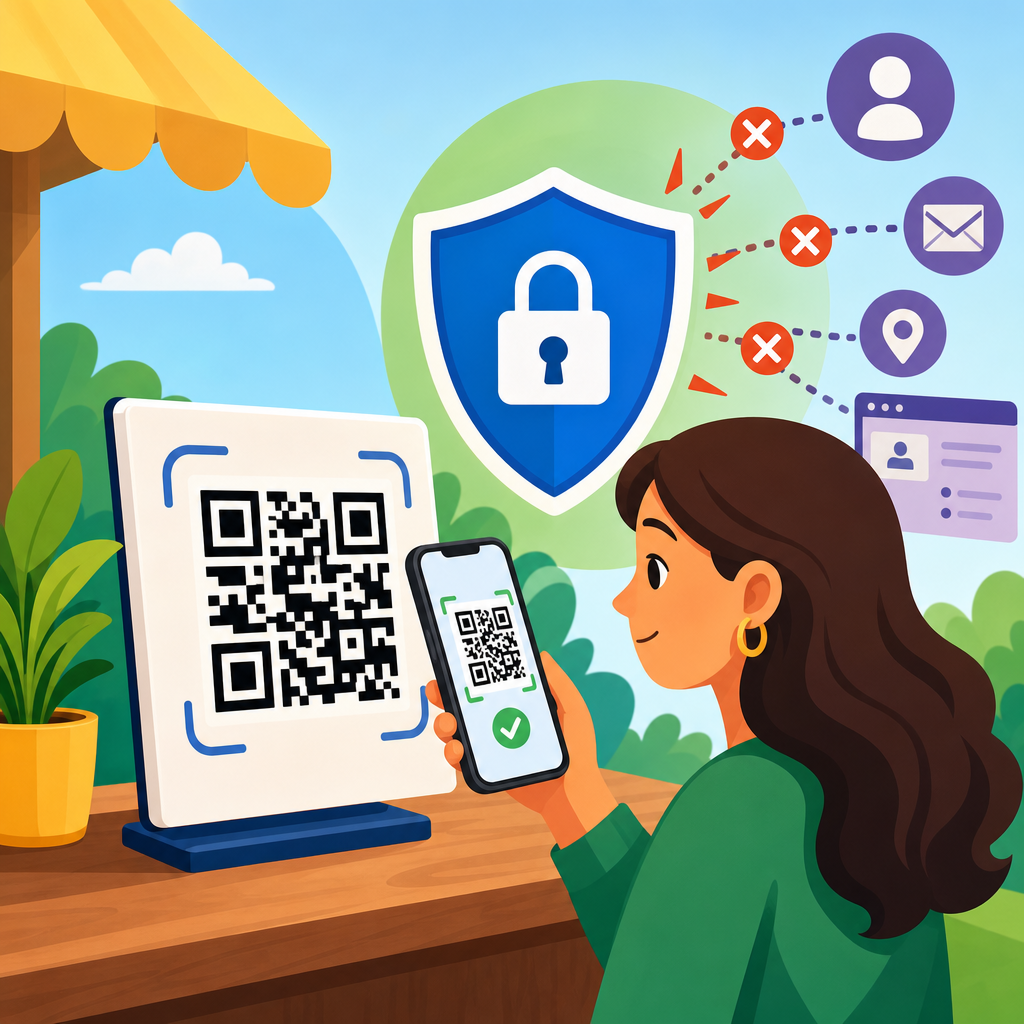
QR codes are convenient, cheap to deploy, and easy for customers to use, but they can quietly expand the amount of personal data a business collects. Limiting data collection with QR codes means designing campaigns, forms, landing pages, analytics, and vendor relationships so only the minimum necessary information is gathered, stored, and shared. In practice, that includes reducing tracking parameters, avoiding unnecessary form fields, shortening retention periods, and choosing platforms that support privacy controls by default. I have audited QR code programs for retailers, clinics, event teams, and property managers, and the pattern is consistent: most privacy risk does not come from the black-and-white square itself. It comes from the systems connected to the scan.
That distinction matters because QR code privacy is often misunderstood. A static QR code typically contains fixed information, such as a URL, Wi-Fi credential, vCard, payment address, or menu link. A dynamic QR code usually points to a short redirect managed by a platform, which can record scan time, device type, language, approximate location, and referral details before sending the visitor onward. If the destination page also loads analytics tags, ad pixels, session replay scripts, chat widgets, or embedded forms, the data footprint grows quickly. For privacy-conscious organizations, the goal is not to stop using QR codes. The goal is to control what happens before, during, and after the scan.
Why this matters is straightforward. Privacy laws such as the General Data Protection Regulation, the California Consumer Privacy Act, and sector-specific rules like HIPAA can apply when QR code journeys identify a person or connect usage data to a record. Even when no law is clearly triggered, over-collection creates operational risk. More data means more breach exposure, more access management, more deletion requests, and more internal confusion about purpose. Customers also notice. When a simple restaurant menu scan asks for exact location, email, date of birth, and marketing consent, trust drops immediately. Limiting data collection protects users, reduces compliance burden, and improves conversion by removing friction from the experience.
This article serves as a hub for data privacy concerns in QR code security and privacy. It explains what information QR code systems can collect, how to minimize collection without breaking business goals, and which design choices create the biggest privacy improvements. It also highlights the tradeoffs. Some organizations need measurement, fraud prevention, or personalization. Those needs are legitimate, but they should be addressed with data minimization, clear notice, proportionate retention, and strong vendor controls rather than defaulting to full-funnel surveillance. If you want a QR code program that is measurable, useful, and defensible, start by defining the smallest amount of data required to achieve the outcome.
What Data QR Codes Can Collect Directly and Indirectly
A QR code scan can trigger several layers of collection. The first layer is direct. If the code opens a form, asks for contact details, launches a payment flow, or adds an event ticket to a wallet, the user may provide personal information intentionally. The second layer is indirect. Redirect platforms often capture timestamp, country or city inferred from IP address, device operating system, browser, and unique scan counts. The third layer comes from the destination page, where analytics products such as Google Analytics 4, Adobe Analytics, Meta Pixel, or LinkedIn Insight Tag may set identifiers and enrich the visit profile.
In audits, indirect collection is the most overlooked category. Marketing teams often say, “We only collect email if the user opts in,” but the scan path already logs metadata before any form appears. That metadata may be personal data under many legal interpretations if it can identify or single out a person when combined with other records. For example, a QR code placed on employee badges at a private event can produce scan logs tied to a tiny audience, making reidentification easy even without names in the redirect platform. The same issue appears in apartment buildings, patient intake, and loyalty campaigns where context narrows anonymity.
Another common source of excess collection is URL design. Teams append UTM parameters, campaign IDs, affiliate IDs, store numbers, sales rep identifiers, language codes, and hidden referral values to destination URLs. Those parameters can be useful for attribution, but they can also leak sensitive context in browser history, server logs, screenshots, and shared links. If a medical clinic uses a QR code containing a parameter that reveals treatment type or appointment category, privacy problems arise before any form submission occurs. Good QR privacy work starts by inventorying every field and every parameter from scan to storage, including data created by third-party scripts.
Data Minimization: The Core Principle for Privacy-Safe QR Code Programs
The most effective way to limit data collection with QR codes is to apply data minimization from the start. Data minimization means collecting only what is relevant, adequate, and necessary for a clearly defined purpose. If the purpose is to show a restaurant menu, no personal data is required. If the purpose is to register visitors for a webinar, you may need a name and email, but probably not date of birth, home address, or demographic profiling. I advise teams to write the purpose in one sentence, then justify every field, parameter, and tracking event against that sentence.
Purpose discipline changes design decisions immediately. Instead of sending scans through a vendor dashboard that records granular location and device metrics by default, you may choose a direct link or a privacy-focused redirect service with IP truncation and aggregate reporting. Instead of asking users to complete a seven-field lead form after scanning a brochure, you may route them to a page with product details and an optional two-field inquiry form. Instead of retaining scan logs indefinitely, you may aggregate counts after thirty days and delete raw event data. Each of those choices reduces identifiable information without eliminating useful measurement.
Minimization also improves reliability. Excessive fields depress completion rates, and bloated landing pages slow mobile performance, especially where QR scans happen in weak-signal environments like trade shows, transit stations, warehouses, and stadiums. A privacy-first QR flow is usually a better user experience because it asks less, loads faster, and surprises people less. That is not an abstract principle. On several campaigns I have reviewed, removing nonessential form fields increased completion rates while reducing compliance complexity. Less data often produces better outcomes because it aligns the request with the user’s immediate intent at the moment of scan.
Practical Ways to Reduce Collection at the Scan, Redirect, and Landing Page Stages
Limiting data collection works best when you break the QR journey into stages: the printed or displayed code, the redirect layer, and the landing experience. At the code stage, avoid embedding sensitive values directly in the QR payload. Do not encode personal identifiers, patient numbers, access tokens, or detailed account references if the code can be photographed, forwarded, or stored in camera rolls. Use opaque short identifiers when necessary and resolve them securely server-side. For public materials, prefer generic URLs that reveal as little context as possible.
At the redirect stage, review vendor defaults carefully. Many QR management platforms offer scan analytics, geolocation estimates, device breakdowns, and retargeting integrations. Those features sound useful, but they can exceed what the campaign actually needs. Disable IP storage if the platform allows it. Turn off ad network sharing unless there is a documented need and a lawful basis. Avoid cross-campaign user profiling. If your objective is operational, such as directing tenants to maintenance instructions, aggregate scan counts are usually enough. You do not need user-level behavior stitched across properties and dates.
Landing pages deserve the closest scrutiny because they often create the largest privacy footprint. Remove unnecessary third-party scripts, especially session replay tools and marketing pixels on pages that only deliver informational content. Use server-side logs and first-party analytics where possible. Gate forms only when there is a real exchange of value. If a PDF guide, menu, assembly instruction sheet, or safety checklist can be provided without registration, do that. When a form is necessary, mark optional fields clearly and explain why the required fields are needed. Good privacy notices are brief, placed near the interaction, and tied to the exact purpose.
| QR stage | Common collection risk | Privacy-first control |
|---|---|---|
| Code payload | Sensitive parameters embedded in the URL | Use generic URLs or opaque identifiers resolved on the server |
| Redirect service | IP-based geolocation, device fingerprinting, long retention | Choose aggregate reporting, shorten retention, disable sharing |
| Landing page | Pixels, replay scripts, excessive forms | Strip third-party tags and collect only required fields |
| Form handling | Submission copied into multiple tools | Map data flows and restrict onward transfers |
| Storage | Indefinite retention of raw scan logs | Aggregate quickly and delete on a defined schedule |
Consent, Transparency, and Lawful Use of Scan Data
Not every QR code interaction requires consent, but every interaction benefits from transparency. If the scan simply opens a webpage without tracking beyond basic technical delivery, a concise notice may be enough. If the flow sets analytics identifiers, uses marketing cookies, links the scan to a customer account, or collects contact information for follow-up, then notice and consent requirements become much more important depending on jurisdiction and context. The safest operational approach is to separate essential functionality from optional tracking and give users a clear choice before nonessential data collection begins.
Transparency should happen where the user can act on it. A tiny privacy link buried in the footer of a landing page is weak notice for a scan initiated from a poster, package, invoice, or product label. Better patterns include a short disclosure beside the QR code, a pre-scan text label such as “Opens menu, no sign-in required,” or a just-in-time statement above the form explaining what will be collected and how long it will be kept. Plain language matters. “We use your email to send the guide and one follow-up message” is more useful than broad legal boilerplate that covers every possible future use.
Special contexts require stricter treatment. Healthcare, education, employment, children’s services, and access control all create heightened sensitivity. In those environments, avoid tying scans to named records unless absolutely necessary. If you must, conduct a documented assessment of purpose, necessity, vendor roles, retention, and access controls. Established standards can guide implementation: the NIST Privacy Framework helps organizations map data actions to risk outcomes, and ISO/IEC 27701 extends privacy management practices around existing security controls. Those frameworks do not make a deployment compliant on their own, but they force useful discipline around purpose limitation, data mapping, and accountability.
Vendor Selection, Retention Policies, and Internal Governance
Most QR privacy problems become manageable when procurement and governance improve. Start with the vendor. Ask where scan data is stored, which sub-processors are used, whether IP addresses are retained, whether data is shared for the vendor’s own analytics, and whether logs can be deleted on demand. Request a data processing agreement and verify role definitions. Some providers act as processors following your instructions; others reserve rights that make them independent controllers for parts of the data. That distinction affects disclosure, contracts, and risk allocation.
Retention is the second major lever. Raw scan logs are rarely needed forever. Define a schedule that matches the campaign purpose. Event operations may need only days or weeks. Retail attribution may justify a few months. Long-term trend reporting can usually rely on aggregate counts rather than event-level records. In practice, a short retention window paired with automated aggregation delivers most business value while sharply reducing breach impact and deletion workload. Retention rules should cover backups, exports, CRM syncs, and spreadsheet copies, because forgotten copies are often where privacy promises fail.
Finally, govern QR codes like any other data collection channel. Maintain an inventory of active codes, destinations, owners, vendors, purposes, and retention periods. Review old codes on packaging, signage, and printed collateral so retired campaigns do not keep collecting indefinitely. Restrict who can create dynamic redirects and who can add third-party scripts to landing pages. Train marketers and operations staff to recognize that a “simple scan” can still create personal data. If your organization already has privacy review for web forms and mobile apps, QR codes should enter that same workflow rather than bypassing it as a small design element.
Common Use Cases and the Lowest-Data Design for Each
The best privacy pattern depends on the use case. For restaurant menus, the lowest-data design is a direct link to a fast mobile page with no login, no marketing pixel, and no forced app install. For product packaging, send users to instructions, warranty information, or safety notices without registration unless there is a clear service reason. For event check-in, separate validation from marketing. A ticket scan can confirm entry without automatically subscribing attendees to campaigns or enriching ad audiences. For property management, QR codes for maintenance guidance should not silently create tenant behavior profiles.
Lead generation deserves extra caution because it is where over-collection is most normalized. A brochure QR code at a trade show does not justify collecting every field your CRM can store. Ask only what the sales team will use immediately. If qualification is needed, progressive profiling is better than front-loading everything into one mobile form. In healthcare and finance, the default should be even stricter. Use authenticated portals for sensitive actions, and keep public QR codes informational whenever possible. The closer the context is to essential services or vulnerable users, the stronger the case for minimal collection and short retention.
To strengthen your QR code privacy posture, audit one live scan journey this week. Map the code payload, redirect logs, page scripts, form fields, onward transfers, and retention periods. Remove one unnecessary field, one unnecessary tag, and one unnecessary data share. Those three changes often produce an immediate improvement in compliance, trust, and performance. The main benefit is simple: when you limit data collection with QR codes, you reduce risk without sacrificing usefulness. Build each scan flow around necessity, clarity, and deletion, and your entire QR program becomes easier to defend, manage, and scale responsibly.
Frequently Asked Questions
1. Why can QR codes increase data collection more than many businesses realize?
QR codes often look simple on the surface, but they can trigger a surprisingly complex chain of data collection behind the scenes. When someone scans a code, the destination link may capture information such as device type, browser, location inferred from IP address, time of scan, referral data, campaign identifiers, and behavior on the landing page afterward. If the QR code sends users to a form, the amount of data grows further through contact details, preferences, purchase intent, and any optional fields the business has added. Many organizations also connect QR campaigns to analytics platforms, customer relationship management systems, ad tools, and third-party vendors, which can multiply how much information is stored and shared.
This is why QR code privacy is not just about the code itself. The real issue is the entire system behind it. A business may think it is only measuring campaign performance, but if the setup includes detailed tracking parameters, long-form lead capture, persistent cookies, and broad vendor access, the campaign can quietly become a significant source of personal data. Limiting data collection starts with recognizing that every step after the scan matters. The safest approach is to design the experience so it gathers only what is necessary for the specific purpose, and nothing more.
2. What is the best way to apply data minimization to a QR code campaign?
Data minimization means collecting the least amount of information needed to accomplish a clear business goal. For a QR code campaign, that begins with defining the purpose before launch. If the goal is simply to send customers to a menu, product guide, event schedule, or support page, there may be no need to collect personal data at all. In that case, the landing page should avoid unnecessary cookies, optional trackers, or forms that ask for names, phone numbers, or email addresses. If the goal does require a form, such as signing up for a warranty, requesting a quote, or downloading a resource, each field should be justified individually.
A practical way to apply this principle is to review the campaign at five levels: the QR code link, the landing page, the form, the analytics setup, and the downstream systems. Remove extra UTM parameters or custom identifiers that are not essential. Keep forms short by asking only for the minimum information required to respond or fulfill the request. Turn off default data collection settings in analytics tools when possible, especially features that gather more detail than the campaign actually needs. Finally, make sure collected information is not automatically pushed into multiple systems unless there is a legitimate reason. Data minimization works best when it is intentional at every stage rather than treated as a quick legal checkbox at the end.
3. How can businesses reduce tracking and analytics from QR code scans without losing useful insights?
Businesses do not need to choose between total visibility and total privacy. It is possible to measure QR code performance in a restrained, useful way. The key is to focus on aggregated campaign data instead of user-level surveillance. For example, many businesses only need to know how many scans occurred, which location or printed asset performed best, what time period generated engagement, and whether users reached a key page or completed a simple action. Those insights can often be captured without creating detailed behavioral profiles or linking every scan to an identifiable individual.
To make that happen, simplify the measurement approach. Use fewer tracking parameters, avoid embedding unique identifiers in each code unless there is a strong operational reason, and configure analytics tools to limit retention and data sharing. Consider whether approximate location, general device categories, or total scan counts are enough instead of storing exact details. Review platform defaults carefully, because many analytics products are designed to collect more than most campaigns actually require. If you use third-party QR code generators or marketing tools, verify what they log automatically and whether that data is shared across accounts or used for their own purposes. Good analytics should answer business questions efficiently, not gather every possible signal simply because the technology allows it.
4. What form and landing page choices help limit personal data collection after someone scans a QR code?
The landing page is where most privacy decisions become visible to the user. If a QR code leads to a page with a long form, several trackers, and vague explanations of why information is needed, the business is likely collecting more than necessary. A better approach is to create a landing page that matches the purpose of the scan closely and removes friction as well as excess data capture. If users are trying to access instructions, menus, event details, or support content, provide that information directly instead of forcing registration first. If a form is genuinely needed, ask only for what is essential to complete the request.
Strong privacy-focused form design includes limiting required fields, clearly labeling optional fields, and explaining why each piece of information is being requested. For example, if an email address is needed to send a download link, say so plainly. Avoid collecting phone numbers, job titles, dates of birth, or full addresses unless they are truly necessary for fulfillment. It also helps to separate transactional needs from marketing goals. A customer should not have to provide broad consent for future promotions just to receive a receipt, service update, or event confirmation. On the landing page itself, reduce third-party scripts, avoid unnecessary pixels, and make privacy notices easy to understand. These design choices not only reduce data collection but also build trust by showing users that the business is being deliberate and respectful.
5. How do retention policies and vendor choices affect privacy in QR code campaigns?
Even when a business collects only a modest amount of information through QR codes, privacy risk increases if that data is stored for too long or shared with too many outside providers. Retention matters because information that sits in systems indefinitely can be reused for unrelated purposes, exposed in a security incident, or retained beyond what customers would reasonably expect. Vendor relationships matter because QR code platforms, landing page builders, analytics tools, form providers, CRM systems, and marketing automation platforms may each receive access to campaign data. If those vendors have broad rights to store, process, or combine that information, the original collection can expand well beyond the business’s intent.
To limit this risk, businesses should set retention periods based on actual operational need, then delete or anonymize data when that period ends. For example, a short-lived promotional campaign may only require raw scan logs for a limited reporting window, while customer service requests may need to be retained only until the issue is resolved or for a defined compliance period. Vendor review is equally important. Choose providers that support privacy-focused settings, limited logging, clear contractual protections, and transparent data handling practices. Make sure contracts and account configurations reflect the business’s minimization goals instead of relying on default settings. In simple terms, collecting less is only part of the job; keeping it for less time and sharing it with fewer parties is what turns privacy intent into real operational control.





