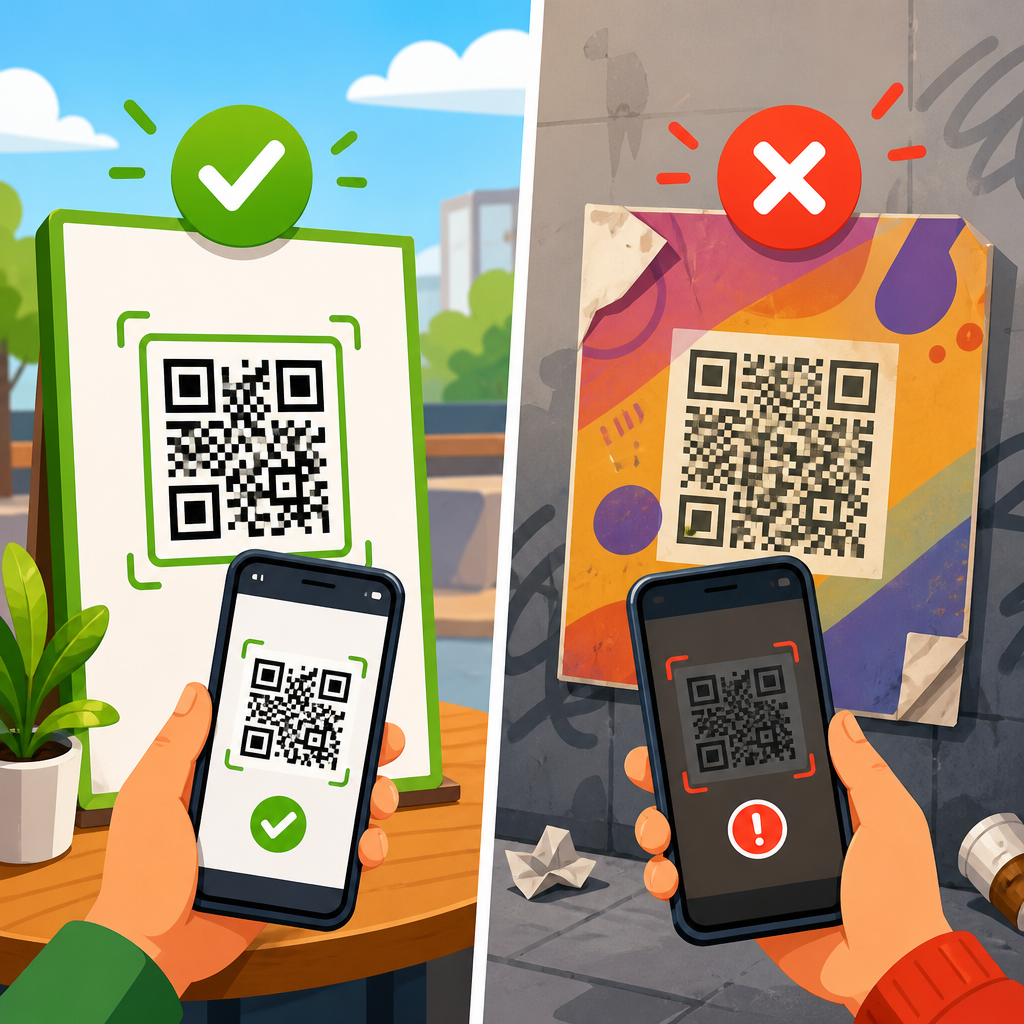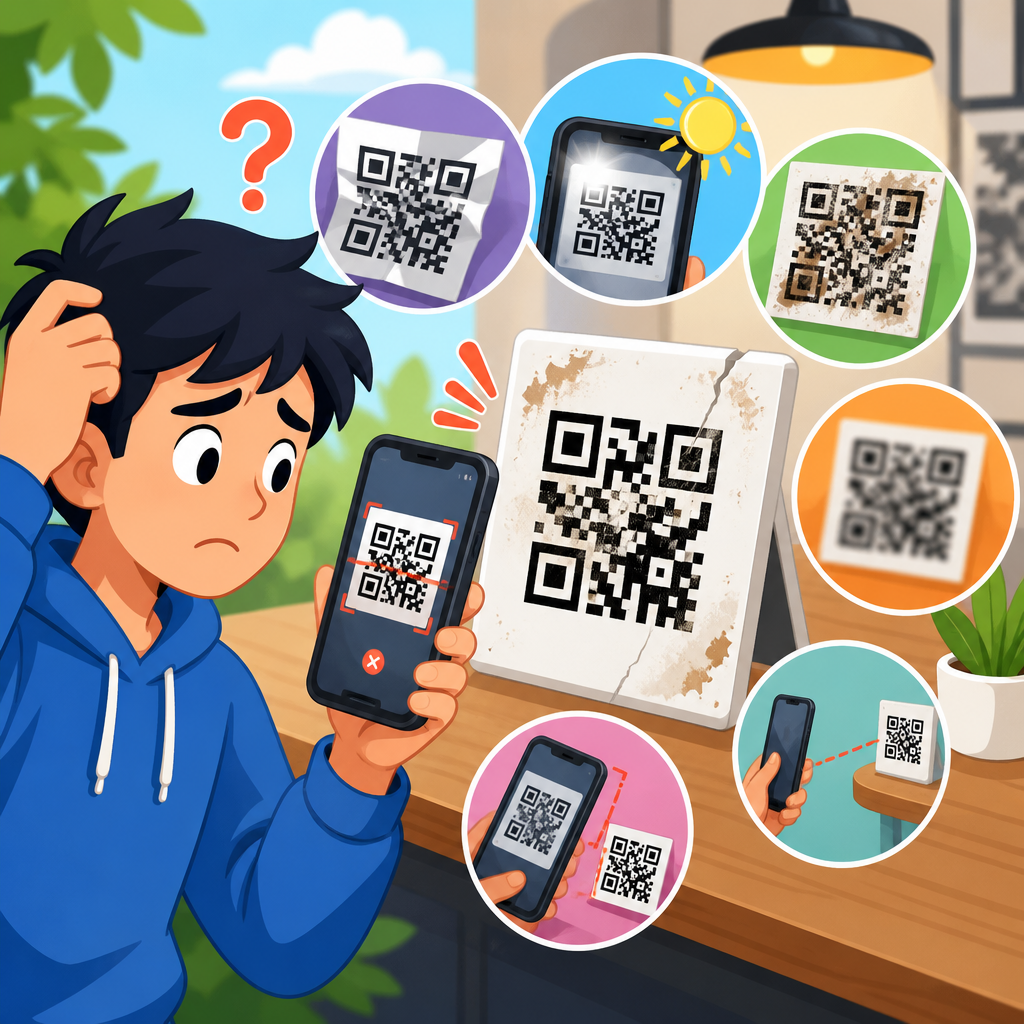
QR code redirect problems usually come from a short list of causes: the destination URL changed, the redirect chain is broken, the code points to the wrong domain, the phone blocks the handoff, or the QR image is too damaged to scan reliably. When I troubleshoot broken QR codes for packaging, posters, receipts, and event signage, I start by separating two issues that people often blend together: scan failure and redirect failure. A scan failure means the camera cannot decode the symbol into data. A redirect failure means the code scans, but the browser or app does not reach the intended page. That distinction matters because the fix is completely different.
A QR code can store a direct URL or a short URL that forwards visitors to a final destination. Static codes usually contain the final address and cannot be edited after printing. Dynamic codes usually point to a redirect service, which then routes the user to the live page. Redirects are useful for analytics, campaign updates, and device-specific destinations, but they also add dependencies: DNS, SSL certificates, hosting uptime, redirect rules, and app permissions. If any of those fail, users see 404 errors, “site can’t be reached” messages, security warnings, or endless loading screens.
This matters because QR campaigns fail in public, not in private. A broken code on a restaurant table hurts orders immediately. A shipping label with a dead return portal creates support tickets. A conference badge that opens the wrong page damages trust. Industry studies from mobile landing page audits consistently show steep abandonment when pages take more than a few seconds to load, and redirect chains are a common cause of delay. In practice, every additional hop increases the chance of timeout, blocked cookies, mixed-content errors, or an expired domain. The goal is not only to make the QR code work again, but to make it resilient across iPhone and Android cameras, in-app browsers, weak mobile networks, and printed formats that degrade over time.
This hub explains how to fix QR code redirect problems step by step. It covers the most common root causes, how to diagnose them quickly, and how to prevent repeat failures. If you are supporting marketing campaigns, retail displays, product manuals, or customer-service workflows, these are the checks that restore broken QR codes fastest and reduce future outages.
Start by identifying whether the problem is scanning or redirecting
The fastest diagnosis starts with a simple test: scan the QR code with at least two devices and two scanning methods. Use the native iPhone Camera app, a recent Android camera, and if possible a dedicated scanner app such as Google Lens. If no device can read the code, the issue is probably print quality, low contrast, quiet-zone violation, over-stylization, or physical damage. If the code reads and displays a URL but the page fails to open correctly, the symbol itself is fine and the redirect path is the problem.
I also check the raw encoded value with a decoder tool, because many teams assume the printed code matches the approved URL when it does not. It is common to find a typo in the domain, a missing slash, UTM parameters copied incorrectly, or a test environment link accidentally sent to production. Browser developer tools, command-line checks with curl, and online HTTP header inspectors help confirm what each server returns. You want the exact sequence: the original short URL, every 301 or 302 response, and the final status code. A healthy path resolves quickly to a 200 response over HTTPS.
If the issue appears only on one device type, test the browser context. Instagram, Facebook, WeChat, and some email clients open links inside in-app browsers with stricter cookie policies and occasional script limitations. A QR code may appear broken only because the landing page relies on blocked pop-ups, unsupported deep links, or JavaScript that fails in embedded browsers. That is still a redirect problem from the user’s perspective, but the fix sits on the destination experience, not the QR image.
Check the URL, redirect chain, and final destination status
Most broken QR code redirects come from changes made after the code was printed. Someone migrates a site, retires a campaign page, changes a slug, or removes a subdomain without updating the redirect map. Start with the encoded URL and inspect every hop until the final page. Redirect chains should be short. In production, I aim for one hop, two at most. More than that increases latency and failure risk, especially on captive Wi-Fi or poor cellular connections.
Look for common HTTP issues: 404 Not Found means the target page no longer exists; 403 Forbidden usually points to bot filtering, firewall rules, or geo restrictions that can also affect mobile browsers; 500-series errors indicate server instability; and redirect loops happen when HTTP-to-HTTPS rules, trailing slash rules, and CMS plugins conflict. A code that worked last month can fail today because the SSL certificate expired on an intermediate domain, not the final landing page. Many teams check only the destination page and miss the short-link host entirely.
Use this checklist to isolate the failure point quickly:
| Symptom | Likely cause | Best fix |
|---|---|---|
| Scans, then shows 404 | Page moved or deleted | Restore page or add a 301 redirect to the correct URL |
| Scans, then spins indefinitely | Redirect loop or slow chain | Remove conflicting rules and reduce to one redirect |
| Security warning | Expired SSL or mixed content | Renew certificate and force full HTTPS assets |
| Works on desktop, fails on phone | Mobile browser or in-app browser issue | Simplify landing page and test embedded browser compatibility |
| Only some regions fail | DNS propagation, CDN, or geo rules | Audit DNS, cache behavior, and regional access settings |
If the QR code uses a dynamic platform, verify the destination inside that platform first. Bitly, Rebrandly, QR Code Generator, Beaconstac, and similar services all allow destination edits, but a saved draft, expired account, paused campaign, or removed custom domain can silently break live codes. If the redirect is managed on your own server, inspect .htaccess, Nginx rules, CDN page rules, and CMS redirect plugins together. Conflicts between layers are common after website redesigns.
Fix domain, DNS, and certificate issues before changing the QR code
When a printed QR code is already in circulation, replacing the image should be your last option. First try to repair the infrastructure behind the existing URL. If the code points to a short domain you control, confirm that the domain is renewed, the nameservers are correct, DNS records still resolve, and the CDN or load balancer is healthy. I have seen “broken QR code” incidents caused by nothing more than an expired registrar card on a vanity short domain used only for print campaigns.
SSL problems are equally common. Mobile browsers are less forgiving than people expect, especially when the redirect path crosses domains. Every host in the chain must present a valid certificate, support current TLS versions, and avoid mismatched common names. If the first hop is secure but the second hop is not, the user still sees a warning or a hard failure. Tools such as SSL Labs, DNS Checker, and your hosting provider’s logs can confirm whether the issue is certificate expiration, incomplete chain installation, or regional propagation.
Do not overlook canonicalization rules. A code that points to non-www may fail if the server only handles www, or vice versa. The same goes for uppercase paths, trailing slashes, and language subfolders after a CMS migration. The safest approach is to create explicit 301 rules from every legacy variant to the preferred URL. That preserves scans from old packaging and prevents analytics from fragmenting across multiple destinations. Once the infrastructure is stable, retest from mobile data and Wi-Fi, because local caching can hide problems that real users still experience.
Resolve mobile browser, app, and landing page compatibility problems
Sometimes the redirect technically works, but the user journey still breaks on the phone. In my audits, this happens most often when the destination depends on heavy scripts, cookie consent tools that trap the screen, app deep links that fail without fallback logic, or forms that do not render well inside in-app browsers. A QR code should open a fast, simple mobile page first. Anything complex should happen after the page loads and confirms device compatibility.
Test the landing page in Safari, Chrome, Samsung Internet, and at least one in-app browser. If you use an app deep link, support both the app-installed and app-not-installed states. Universal Links on iOS and Android App Links can work well, but they need correct association files and fallback URLs. If those are misconfigured, users land in a dead end. For payment, ticketing, and authentication flows, avoid forcing third-party cookies or multiple pop-up windows. Embedded browsers often block them.
Performance is part of reliability. A page that technically opens after twelve seconds will be reported as broken by real users. Compress images, reduce JavaScript, use server-side redirects instead of script redirects, and keep the first paint fast on 4G. Google PageSpeed Insights and WebPageTest are useful here, but hands-on phone testing matters more. Stand where the code is physically displayed and test under the network conditions your audience actually has. Trade show halls, stadiums, subway platforms, and store entrances expose weaknesses that office Wi-Fi never reveals.
Repair print and design factors that look like redirect problems
A damaged or poorly produced code can create symptoms that resemble redirect failure because the scanner decodes the wrong data intermittently or struggles to read the symbol at all. If scans succeed only from certain angles or distances, inspect the physical code. QR codes need strong contrast, adequate quiet zone, sufficient size, and error correction appropriate for the design. As a working rule, at least 4:1 contrast between dark modules and light background is safer than trendy low-contrast branding.
Watch for glossy surfaces, curved packaging, window glare, fabric folds, and tiny labels. These reduce camera accuracy and can cause partial decodes or repeated scan attempts that users interpret as a bad link. If a logo or design overlay covers too much of the matrix, error correction may not save it in real-world conditions. ISO/IEC 18004 sets the formal QR code standard, but the practical lesson is simple: prioritize readability over decoration.
For reprints, regenerate the code from the verified live URL, export as SVG or high-resolution PNG, and test at the final print size before production. Avoid screenshots, compressed assets in messaging apps, and last-minute resizing in layout software. If old materials remain in circulation, preserve the original destination with redirects rather than assuming everyone will use the newest version. That is especially important for manuals, warranty cards, and product packaging with long shelf lives.
Build a prevention process so QR code redirects stay fixed
The best fix for QR code redirect problems is a maintenance process that treats printed links like permanent infrastructure. Keep a central inventory of every live QR code, where it appears, who owns it, the encoded URL, the final destination, and whether it is static or dynamic. During website migrations, campaign sunsets, or domain changes, review that inventory before any page is removed. This single habit prevents most “suddenly broken” codes.
Use monitoring on all QR destinations and short domains. UptimeRobot, Pingdom, Better Stack, and similar tools can alert you to downtime, SSL expiration, and unexpected status-code changes. Add scheduled crawl checks for known QR URLs so you catch 404s and redirect loops before customers do. For enterprise environments, tie QR landing pages into the same change-management process used for core web properties. If a team wants to retire a page, they should have to specify the replacement redirect.
Document fallback behavior too. If a campaign microsite must go away, redirect to a relevant evergreen page, not the homepage. If an app deep link fails, open a mobile web equivalent. If a coupon expires, show a clear expiration message plus the current offer. Users will tolerate changed content far more than dead links. As the hub for fixing broken QR codes, this guidance supports every related troubleshooting task: decoding failures, mobile compatibility checks, dynamic QR management, print QA, and redirect auditing. Start with the URL path, repair the infrastructure before reprinting, and put monitoring in place so the same QR code redirect problems do not come back. Audit your live codes this week and fix the weakest links before your customers find them first.
Frequently Asked Questions
What is the difference between a QR code scan failure and a QR code redirect failure?
A scan failure happens before the link ever opens. In that case, the phone camera or scanning app cannot reliably decode the QR symbol into usable data. This is usually caused by print quality problems, low contrast, glare, damage, poor sizing, bad placement, or too much visual interference around the code. If users point their camera at the code and nothing useful appears, or the scanner struggles to recognize it at all, you are dealing with a scan problem first.
A redirect failure happens after the QR code has already been scanned successfully. The code is readable, the phone extracts the URL, but the user lands on an error page, the wrong page, a dead short link, or a broken redirect path. This often happens because the destination URL changed, the short-link service was modified, the redirect chain includes an invalid step, the code points to the wrong domain, or the phone blocks the handoff between the scanner and the browser.
Separating these two issues is the fastest way to troubleshoot correctly. If multiple devices can scan the code and display a link, the symbol itself is probably fine and the problem is likely in the redirect logic or destination. If no device can consistently extract the URL, focus on the physical code image, print quality, and scanning conditions before investigating the web side.
What usually causes a QR code to redirect to the wrong page or stop working?
Most broken QR redirects come from a short list of predictable causes. The first is that the destination URL changed after the QR code was created. For example, a product page may have been moved, a campaign landing page may have expired, or a website migration may have altered the page structure without preserving the old path. If the QR code points to a URL that no longer exists, users will hit a 404 page or a generic error.
The second common cause is a broken redirect chain. Many QR codes do not go directly to the final page. Instead, they pass through a short link, tracking link, marketing platform, or redirect manager. If any step in that chain is deleted, misconfigured, blocked, or set to the wrong destination, the entire experience fails. Long redirect chains can also introduce timeout issues or inconsistent behavior across devices and browsers.
Another frequent issue is that the code points to the wrong domain. This can happen during rebranding, domain migrations, typo-based mistakes, or when teams accidentally use a staging environment instead of the live site. In some cases, the domain still exists but uses a security certificate or DNS configuration that causes mobile browsers to reject it.
Device-level behavior matters too. Some phones, privacy settings, or scanning apps may block the handoff from the camera preview to the browser, especially when the link uses unfamiliar schemes, aggressive tracking parameters, or repeated redirects. And finally, if the QR image is physically damaged or degraded, people may assume the redirect is broken when the scanner is actually reading the code inconsistently or misfiring due to print or display issues.
How do I troubleshoot a QR code redirect problem step by step?
Start by scanning the QR code with more than one device. Use at least one iPhone and one Android phone if possible, and test both the built-in camera scanner and a separate QR scanning app. If all devices decode the same URL, the QR symbol itself is likely working. At that point, copy the decoded URL and test it directly in a browser to remove the camera and scanner from the equation.
Next, inspect the full redirect path. Enter the scanned URL into a redirect checker or test it manually by watching each step. Confirm that the link resolves to the intended destination without hitting a 404 page, redirect loop, expired campaign URL, or blocked domain. If the code relies on a short-link platform, verify that the short link still exists, has not been disabled, and still points to the correct target.
Then verify the destination website itself. Make sure the final page loads on mobile, uses HTTPS correctly, does not present certificate warnings, and is not being redirected to a login page, geoblocked page, or desktop-only experience that breaks on phones. If the website was recently redesigned or migrated, check whether old URLs were properly forwarded.
Also test the code in the real-world context where people actually use it. A QR code on packaging, posters, receipts, or event signage may behave differently depending on lighting, viewing distance, reflections, wrinkles, or low-quality printing. If some users can scan it and others cannot, you may have both a scan reliability issue and a redirect issue at the same time.
Finally, document the exact failure mode. “QR code not working” is too broad to solve efficiently. You want to know whether the code will not scan, scans to the wrong link, opens a dead page, stalls in a redirect chain, or gets blocked during the browser handoff. Once that is clear, the fix usually becomes much more obvious.
Can a damaged or poorly printed QR code look like a redirect problem?
Yes, and this is one of the most common sources of confusion. A damaged, low-resolution, distorted, or badly placed QR code can produce inconsistent results that users interpret as a redirect issue. For example, one phone may scan it successfully while another struggles, or the same phone may only scan it under perfect lighting. That inconsistency often leads people to blame the link, when the real issue is scan reliability.
Physical condition matters a lot. QR codes printed on curved packaging, glossy posters, crumpled receipts, or outdoor signage can suffer from glare, warping, fading, scratches, and partial obstruction. If the quiet zone around the code is too small, the code is printed too small for its viewing distance, or the contrast is poor, cameras may have trouble decoding it quickly and accurately.
Error correction helps, but it is not a cure-all. A QR code can tolerate some damage, but only within limits. If branding overlays are too large, modules are blurred, or the image has been compressed or resized badly, the code may become unreliable. In those cases, people may think the redirect is random or broken because different scans produce different behavior, when in reality the symbol is simply hard to read consistently.
The best way to rule this out is to test a clean digital original of the code alongside the printed version. If the digital file scans perfectly but the physical copy does not, the problem is with the image quality, materials, print execution, or placement rather than the redirect destination.
How can I prevent QR code redirect problems in the future?
The most effective prevention strategy is to treat QR codes as long-term assets, not one-time graphics. Before printing anything, decide whether the code should point directly to a stable destination or go through a managed dynamic URL that you control. Dynamic QR destinations are often safer for packaging, signage, and other hard-to-update materials because you can change the final target later without reprinting the code.
Keep redirect chains short and simple. Every extra hop adds another place where things can break. If you use a shortener, analytics platform, campaign tracker, and final landing page all in one chain, you increase the risk of failures, timeout behavior, or mobile compatibility issues. Use HTTPS, maintain domain ownership, and avoid depending on temporary campaign pages unless you have a plan for permanent forwarding.
Testing should happen before and after launch. Scan the code on multiple devices, in different lighting conditions, and from realistic distances. Test the exact printed piece, not just the design file. Then keep monitoring after distribution, especially if the QR code appears on packaging, posters, receipts, or event signage that may remain in use for a long time. Periodic link audits can catch broken redirects before customers report them.
It also helps to build a fallback path for users. Include a short, readable URL near the QR code so people can still reach the page if scanning fails. That small addition can protect conversions and reduce frustration. In practice, the combination of durable URL planning, minimal redirect complexity, strong print quality, and routine testing prevents the vast majority of QR code redirect problems.