
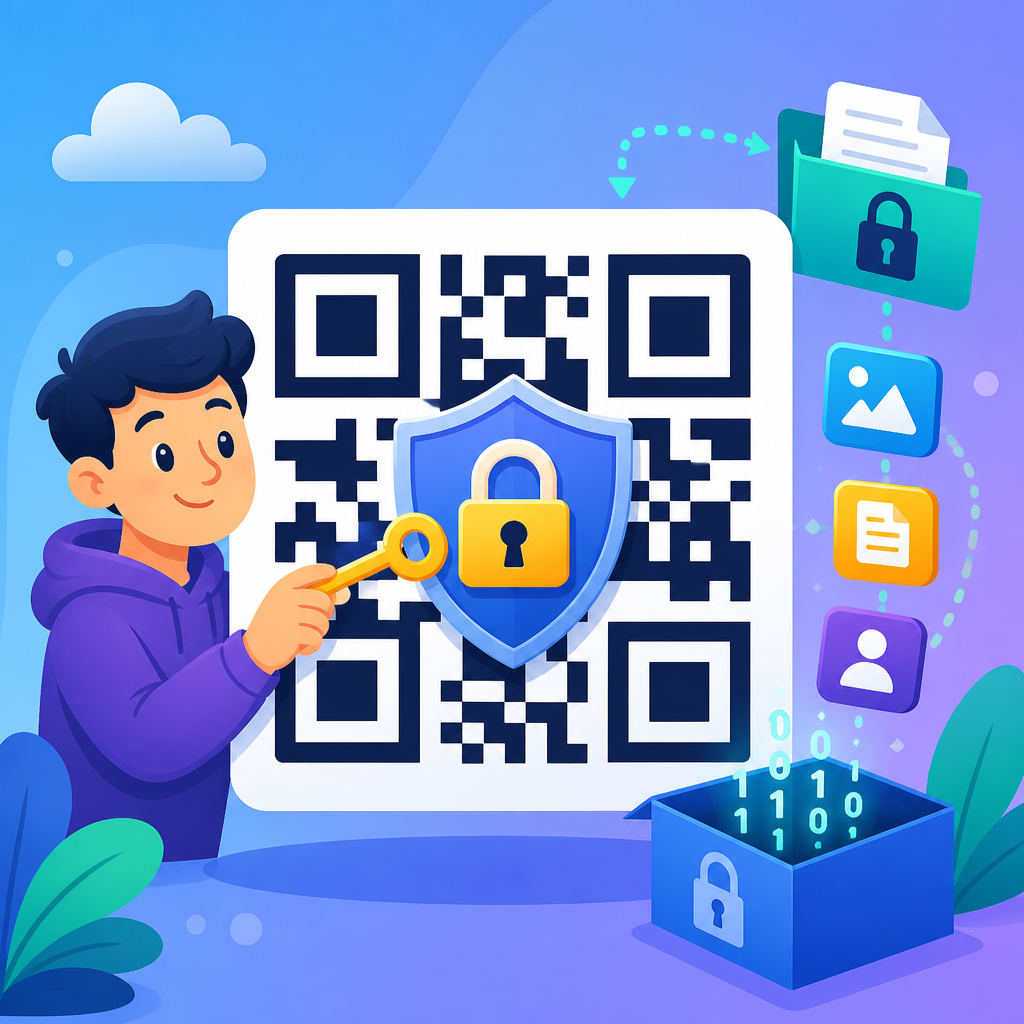
Encrypting QR code data means protecting the information encoded inside a QR symbol so that only authorized people or systems can read it, and it is one of the most important practices in any serious QR Code Security & Privacy program. A QR code is simply a two-dimensional barcode that stores text, a URL, contact details, Wi-Fi credentials, payment instructions, or app deep links. Encryption transforms that readable data into ciphertext using a cryptographic key, while decryption restores it for approved users. In practice, many teams confuse encryption with obfuscation, password protection, or merely shortening a link. Those are not equivalent. A shortened URL can hide a destination from casual inspection, but it does not protect the payload itself. A branded dynamic QR platform may offer access control, analytics, and expiry rules, but unless the underlying data or linked resource is cryptographically protected, the code is not truly encrypted. I have implemented QR systems for event access, equipment tracking, and mobile payments, and the same lesson appears every time: a QR code is only as secure as the data design behind it.
This matters because QR codes compress a lot of trust into a small square. Users scan quickly, often in public places, and they rarely inspect what happens next. That makes QR codes useful, but also attractive to attackers. Common threats include code replacement, phishing through malicious redirect links, leakage of personally identifiable information, replay attacks on static tokens, and unauthorized access when a printed code is photographed and shared. Secure QR code practices reduce those risks by combining encryption, digital signatures, tokenization, access controls, and careful operational management. If you are building a secure QR workflow, the central question is not just how to generate a scannable code. It is what data should be stored, how that data should be protected in transit and at rest, how scanners verify authenticity, and how quickly compromised codes can be revoked. This hub article explains those decisions clearly so you can design QR deployments that are private, trustworthy, and resilient.
What encrypted QR code data really means
An encrypted QR code does not mean the image itself becomes unreadable to a scanner. The symbol still follows standard QR encoding rules so cameras and decoding libraries such as ZXing, ZBar, or ML Kit can read it. What changes is the payload. Instead of plain text like “https://example.com/login?user=123” or “WIFI:T:WPA;S:Office;P:Secret123;;”, the payload contains ciphertext, often Base64- or Base45-encoded so it fits safely in the QR character set. When scanned, an application retrieves the payload and decrypts it using a symmetric key such as AES-256 or, less commonly, a private key in a public-key design. This is the direct answer to the most common search question: can you encrypt a QR code? Yes, but you encrypt the data placed inside it, not the visual pattern as a separate security layer.
In most production deployments, encryption should be paired with authentication. Confidentiality alone is not enough. An attacker who cannot read a payload may still alter it. That is why modern implementations use authenticated encryption modes such as AES-GCM or ChaCha20-Poly1305, which provide both secrecy and tamper detection. If your scanner accepts a decrypted payload without verifying integrity, you leave room for manipulation or parsing attacks. Another practical point is payload size. QR codes can hold thousands of characters under ideal conditions, but error correction overhead, camera quality, print size, and scan distance reduce usable capacity sharply. Encrypting data expands it because of initialization vectors, authentication tags, and encoding overhead. For that reason, secure systems often store a short signed token or identifier in the QR code and keep the sensitive data server-side.
When to encrypt the payload and when to use tokenization
The best secure QR code practice is usually data minimization. If the scanner only needs to resolve an identifier, do not embed names, account numbers, medical details, or credentials inside the code at all. Use a random token that maps to a server record, then protect the lookup with TLS, authentication, authorization, and auditing. In my projects, tokenization has consistently beaten heavy on-code payloads because it supports revocation, rotation, and analytics without forcing a reprint every time business rules change. A warehouse label, for example, can hold a nonsequential asset ID while the maintenance history stays in the backend. If a worker photographs the label, the image alone exposes very little.
Encryption is the better option when offline scanning is required, network access is unreliable, or the scanner must carry enough information to make a local decision. Event tickets are a common example. A venue may need to validate entry at gates with intermittent connectivity. In that case, the QR payload can include an encrypted ticket identifier, issue time, expiry time, seat section, and anti-replay nonce. The scanner app decrypts and validates locally, then syncs used tokens later. A similar pattern appears in digital identity cards, transit passes, and signed health certificates. The tradeoff is operational complexity: key distribution becomes critical, revocation is harder offline, and larger payloads can reduce scan speed. Choosing between tokenization and encryption is therefore a design decision driven by sensitivity, connectivity, lifecycle, and threat model, not by preference alone.
Core secure QR code practices that actually reduce risk
Strong QR security depends on layered controls rather than one feature. The most reliable deployments use a concise checklist that security, product, and operations teams can follow consistently.
| Practice | What it does | Example |
|---|---|---|
| Data minimization | Stores only what the scanner must know | Encode a random token instead of a customer record |
| Authenticated encryption | Protects confidentiality and integrity together | AES-256-GCM for an offline event pass payload |
| Digital signatures | Proves the code came from a trusted issuer | Ed25519 signature checked by a mobile app |
| Dynamic redirects | Allows destination updates and fast revocation | Disable a phishing-impacted campaign URL instantly |
| Short expiration windows | Limits replay and screenshot sharing | A payment QR valid for 60 seconds |
| Domain allowlisting | Blocks scans to unknown destinations | Scanner opens only approved company domains |
| Tamper-evident printing | Makes code replacement easier to detect | Destructible labels on kiosks and posters |
| Audit logging | Supports investigation and anomaly detection | Record scans by time, device, location, and outcome |
Each control addresses a different failure mode. Data minimization reduces the impact of exposure. Authenticated encryption protects payload confidentiality and integrity. Digital signatures matter when multiple issuers or verifier apps are involved, especially if the verifier should trust the issuer without sharing one symmetric key everywhere. Dynamic QR management helps when destinations must change after print, while expiration limits replay. Domain allowlisting is especially effective in enterprise scanner apps because it cuts phishing risk dramatically. Tamper-evident labels help in physical environments like parking meters, restaurant tables, or hospital rooms where sticker replacement is a real threat. Audit logs complete the picture because security without visibility degrades quickly; when something goes wrong, you need evidence.
Choosing the right cryptography and key management model
If you need to encrypt QR code data, use current, standard cryptography rather than custom schemes. For symmetric encryption, AES-256-GCM is the mainstream choice because it is widely supported, fast on mobile hardware, and provides authenticated encryption in one construction. ChaCha20-Poly1305 is also strong and often performs well on devices without AES acceleration. Avoid ECB mode entirely, and avoid designing your own serialization or checksum logic when mature libraries already handle nonces, tags, and encoding safely. Public-key encryption is useful when many issuers send data to one verifier, but for most QR workflows, signatures plus server lookup are simpler than encrypting large payloads with asymmetric cryptography.
Key management is where many QR projects fail. The encryption algorithm is usually fine; the secret handling is not. Keys should be generated by trusted cryptographic libraries, stored in a hardware security module or cloud key management service such as AWS KMS, Google Cloud KMS, or Azure Key Vault, and rotated on a defined schedule. Mobile apps that must decrypt offline data need extra care because embedded keys can be extracted from compromised devices. Practical mitigations include device binding, secure enclaves or hardware-backed keystores, short-lived content keys wrapped by rotatable master keys, and segmentation so one leaked key cannot decrypt every code your organization has ever issued. In regulated environments, align implementation with NIST guidance for key lengths, randomness, and lifecycle controls. A secure QR code architecture is mostly a key management architecture.
Static versus dynamic QR codes in secure deployments
Static QR codes never change after creation. They are simple and inexpensive, which makes them attractive for printed materials, but they create security limitations. If a static code contains plain data, anyone who scans it sees the same information forever. If it contains an encrypted payload, that payload still remains reusable unless you add expiry metadata and verifier-side checks. Revocation is difficult because the image cannot be updated once distributed. Static codes are acceptable for low-risk identifiers, offline signed credentials, or fixed destinations on trusted materials, but they are not ideal when abuse response must be immediate.
Dynamic QR codes point to a managed endpoint that can redirect, validate tokens, enforce policy, and collect telemetry. That server-side control makes dynamic codes the default recommendation for marketing, payments, customer service, and account access journeys. Suppose a retail poster links to a promotion page. If attackers place a malicious sticker over the original, your monitoring may detect a sudden traffic drop or unusual referers, and your managed domain can publish warnings or retire the campaign. In enterprise settings, dynamic codes also support one-time use, geofencing, device posture checks, and conditional authentication. The downside is operational dependence on backend availability and careful redirect security. Use HTTPS everywhere, HSTS on the domain, strict redirect validation, and monitoring for open redirect vulnerabilities. Dynamic does not automatically mean secure, but it gives you the control surface that secure operations need.
Real-world use cases: payments, tickets, credentials, and Wi-Fi
Different QR applications require different security patterns. Payment QR codes are high risk because users act quickly and money moves immediately. Merchant-presented payment codes should rely on trusted payment rails, signed transaction requests where supported, and clear payee verification in the wallet app. Time limits, amount binding, and transaction-specific references help stop replay and bait-and-switch attacks. Ticketing systems need anti-duplication controls. A strong design uses a signed or encrypted token with a unique ticket ID, validity window, gate rules, and a redemption state that syncs quickly across scanners. Without that redemption logic, screenshots become reusable credentials.
Identity and access credentials raise the bar further because the verifier needs assurance about issuer authenticity and claim integrity. In those projects, I favor signed payloads with selective disclosure where possible, plus local validation rules for offline environments. Wi-Fi QR codes illustrate the opposite case. They are convenient, but embedding a permanent network password in plain text is a poor practice in shared spaces. A better pattern is a guest network with segmented access, rotating credentials, and a captive portal token so the QR code never exposes production Wi-Fi secrets. Across all these examples, the principle stays constant: match the security controls to the consequences of compromise. A restaurant menu QR and a building access QR should not be designed to the same standard, and treating them as equivalent is one of the most common mistakes teams make.
Operational safeguards, testing, and governance
Secure QR programs succeed when operational discipline matches technical controls. Start with an inventory of every QR code campaign, location, owner, destination, and expiration date. Establish naming conventions, issuance approvals, and retirement procedures so orphaned codes do not linger on forgotten signage or packaging. Test print quality, module contrast, quiet zones, and scan performance under realistic lighting because failed scans lead users to workarounds, and workarounds weaken security. Conduct threat modeling before launch. Ask how an attacker could replace the code, replay the token, scrape personal data, spoof a landing page, or exploit an open redirect. Then verify mitigations through tabletop exercises and technical testing.
Ongoing monitoring matters just as much. Log scans, redemption attempts, decryption failures, issuer identifiers, and destination changes. Set alerts for unusual patterns such as a spike in scans from unexpected geographies, repeated failures on one code, or traffic to deprecated campaigns. Train staff to inspect physical QR placements and report tampering. Give users visible trust signals too: recognizable domains, branded scanner experiences, and concise warnings about what a legitimate scan should do. Finally, document incident response. If a QR code is compromised, your team should know how to disable redirects, revoke keys, reissue assets, notify users, and preserve logs for investigation. Good governance turns QR security from a one-time setup into a maintained capability.
To encrypt QR code data effectively, start by minimizing what the code stores, then decide whether the use case truly needs on-code encrypted content or whether a server-side token is safer and easier to manage. Use standard cryptography such as AES-GCM or ChaCha20-Poly1305, protect keys with a real key management system, and prefer digital signatures when authenticity matters across multiple verifiers. Choose dynamic QR codes when you need revocation, telemetry, and policy control, and reserve static codes for low-risk or carefully designed offline scenarios. Most importantly, treat QR security as a full system that includes physical protection, backend validation, user experience, monitoring, and incident response.
As the hub for secure QR code practices, this guide should help you evaluate every related topic under QR Code Security & Privacy with a clearer framework. Whether you are securing payments, tickets, credentials, Wi-Fi access, packaging, or marketing campaigns, the same discipline applies: reduce exposed data, verify trust, limit reuse, and maintain control after deployment. Review your current QR inventory, identify any codes exposing plain sensitive data or unmanaged redirects, and prioritize those for redesign first. A small architectural change now can prevent phishing, privacy loss, and costly fraud later.
Frequently Asked Questions
What does it mean to encrypt QR code data?
Encrypting QR code data means converting the information stored inside the QR code into unreadable ciphertext before the code is generated. Instead of embedding plain text such as a URL, Wi-Fi password, payment payload, contact record, or internal identifier directly into the symbol, you first protect that information with a cryptographic algorithm and key. Only someone with the correct key, authorized app, or secure backend process can decrypt the content and restore it to its original readable form.
This matters because a standard QR code does not provide privacy on its own. Anyone with a camera and a scanning app can read whatever is encoded if it is stored in plain text. Encryption adds a layer of confidentiality, which is especially important in regulated, commercial, enterprise, healthcare, finance, and access-control use cases. In a strong QR Code Security & Privacy program, encryption helps reduce the risk of exposed credentials, leaked customer data, intercepted business workflows, or unauthorized access to sensitive systems.
Why should you encrypt data before putting it into a QR code?
You should encrypt data before putting it into a QR code whenever the contents are sensitive, confidential, or capable of being misused if scanned by the wrong person. A QR code can be photographed, copied, shared, printed, forwarded, or scanned by any device, so anything encoded in plain text should be treated as publicly visible. If the code contains login tokens, patient references, private URLs, API instructions, internal inventory records, event credentials, or payment details, encryption helps ensure that unauthorized users cannot immediately read or exploit that information.
Encryption also supports broader security goals beyond simple secrecy. It can help with compliance, customer trust, secure onboarding, controlled access, and fraud reduction. For example, if a QR code is used in packaging, field operations, authentication, or secure document workflows, encrypted payloads make it much harder for bad actors to extract useful data just by scanning the code. It is still important to remember that encryption is only one control. You should also think about authentication, key management, expiration, digital signatures, secure transport, app hardening, and backend validation to build a complete and resilient solution.
How do you encrypt QR code data in practice?
In practice, the process usually starts by deciding exactly what data needs to be protected and whether that data should be stored directly in the QR code or referenced indirectly through a secure token or short identifier. Once the payload is defined, the data is encrypted using a trusted cryptographic method and a properly managed key. The resulting ciphertext, sometimes combined with metadata such as a version marker or initialization vector, is then encoded into the QR code. On the receiving side, an authorized application or backend service scans the code, extracts the encrypted payload, and decrypts it with the correct key.
A common best practice is to keep the QR payload as compact as possible because encryption can increase data length, and denser QR codes can become harder to scan reliably. Many secure implementations avoid placing all sensitive information directly in the symbol. Instead, they encode a token, opaque ID, or encrypted reference that points to data stored securely on a server. This approach improves revocation, auditing, rotation, and access control. In other words, practical QR encryption is not just about running data through an algorithm; it is about designing the entire scan-to-decrypt workflow so it is secure, efficient, and usable in real-world conditions.
What encryption methods are best for QR codes?
The best encryption methods for QR codes are the same modern, well-vetted methods recommended for secure application development generally. In most cases, that means using strong symmetric encryption such as AES for the payload because it is efficient and widely supported. If you also need to solve key-sharing or recipient-specific access, you may combine symmetric encryption with public-key cryptography, where a public key is used to protect the symmetric key and the private key is used to unlock it later. The right choice depends on your use case, the number of scanners, whether offline scanning is required, and how keys are distributed and rotated.
Equally important is choosing a secure mode of operation and a complete cryptographic design, not just a familiar algorithm name. You typically want encryption that protects confidentiality and also helps detect tampering. In many systems, authenticated encryption is preferred because it can confirm whether the scanned payload has been altered. You should avoid outdated or homegrown cryptography, weak key storage, hardcoded secrets, and ad hoc encoding tricks that are mistaken for real security. The strongest QR code security architecture uses established libraries, careful key management, integrity protection, and regular review rather than relying on obscurity or custom shortcuts.
Are there limitations or risks when using encrypted QR codes?
Yes, encrypted QR codes improve confidentiality, but they do not eliminate every risk. First, encryption increases payload size, which can make the QR code denser and potentially more difficult to scan, especially on small labels, damaged surfaces, low-quality prints, or low-light mobile environments. Second, if key management is weak, the entire protection model can fail. A perfectly encrypted payload is not truly secure if the decryption key is embedded insecurely in a mobile app, shared too broadly, or never rotated. Third, encryption alone does not prove authenticity. A malicious actor could still generate a fake QR code unless your system also validates signatures, server responses, or trusted issuers.
There are also operational and user-experience considerations. Encrypted QR codes often require a dedicated app, authenticated session, or backend connectivity to interpret the contents, which may add friction for users expecting a simple camera scan. If the decryption service is unavailable, access may fail even when the QR code itself is intact. For this reason, the best implementations balance security with reliability and usability. They define what must be encrypted, what can be tokenized, how keys are protected, how scans are audited, how compromised codes are revoked, and how the organization will respond if a code is copied, leaked, or abused. Done correctly, encrypted QR codes are extremely valuable, but they work best as part of a layered security strategy rather than as a standalone fix.





