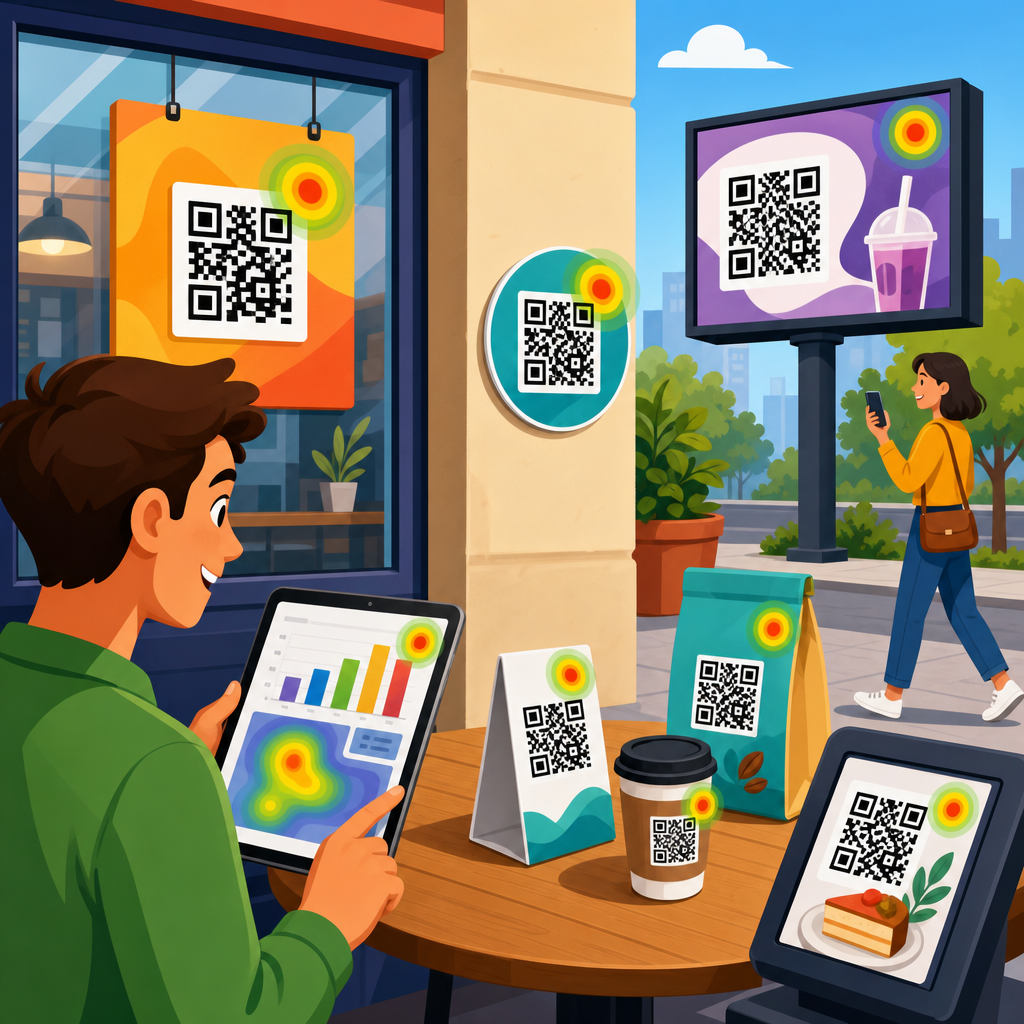
Best tools for QR code A/B testing help marketers compare design, placement, destination, and calls to action so they can improve scan rates, conversions, and campaign ROI with evidence instead of guesswork. QR code A/B testing means serving two or more controlled variants of a code-driven experience and measuring which version performs better against a defined goal, such as total scans, unique scans, form completions, app installs, coupon redemptions, or revenue. In practice, I have seen teams treat QR codes as static artwork, then wonder why response varies wildly across print runs, packaging, direct mail, retail displays, and event signage. The difference usually is not the code itself; it is the testing discipline around context, mobile landing experience, scanability, and attribution.
This matters because QR codes now sit at the intersection of offline media and digital analytics. A poster in a train station can trigger a product page visit, an in-store shelf talker can launch a discount workflow, and a mailer can drive an appointment booking flow. Without structured testing, marketers cannot know whether a larger quiet zone outperforms a branded center logo, whether a short vanity URL improves trust, or whether a plain landing page converts better than a rich product explainer. The best tools for QR code A/B testing combine dynamic code management, analytics, experimentation, and reporting. They make it possible to change destinations without reprinting assets, segment traffic by source, and understand what caused a lift, not just that a lift happened.
For a sub-pillar hub under QR code marketing and strategy, the core question is straightforward: which tools are best for planning, running, and interpreting QR code experiments at scale? The answer depends on your stack, budget, compliance needs, and campaign complexity. Some teams need all-in-one QR platforms with built-in analytics. Others need enterprise experimentation tools, web analytics, URL builders, and dashboards working together. The strongest approach is usually modular. Use a dynamic QR code platform for creation and redirects, an analytics platform for behavioral data, an experimentation framework for landing-page variants, and a reporting layer for campaign analysis. When these parts are connected correctly, QR code A/B testing becomes a repeatable growth process rather than a one-off creative exercise.
What to test in QR code campaigns
The best tools only matter if you test the right variables. In QR code A/B testing, the highest-impact variables usually fall into four groups: code design, physical placement, destination experience, and offer framing. Design includes contrast, size, error correction level, logo treatment, surrounding instructions, and whether the code uses a branded frame. Placement includes height, viewing angle, distance, lighting, dwell time, and nearby distractions. Destination experience includes page speed, message match, form length, app deep linking, and mobile usability. Offer framing includes urgency, discount depth, social proof, and call-to-action wording such as “Scan to compare plans” versus “Scan for 15% off today.”
Many marketers test the visible QR graphic but ignore the landing page, where most gains actually happen. In campaigns I have audited, a faster mobile page often outperformed a more visually polished one because users scanned while walking, shopping, or commuting. That behavior creates friction sensitivity. If the page takes more than a few seconds to render or the value proposition is unclear above the fold, drop-off spikes. For that reason, robust QR code A/B testing should connect scan data with downstream behavior. A code that generates more scans but fewer conversions is not the winner.
Another critical point is sample quality. QR code scans are shaped by environment. A code on product packaging may receive repeat scans from existing customers, while a code on out-of-home signage may attract colder traffic. Good tools let you separate unique and total scans, geo data, device type, and time of day. That segmentation prevents false conclusions. If variant B appears stronger only because it was placed in the better-performing store, your test is biased. The best platforms support campaign-level naming conventions, source tracking, and exportable data so analysis can account for those variables cleanly.
Best all-in-one QR code platforms for testing
If you want the fastest path to QR code A/B testing, start with dynamic QR code platforms. Uniqode, QR Code Generator PRO by Bitly, Flowcode, and Beaconstac are among the most practical choices because they allow editable destinations, scan analytics, campaign organization, and branded QR code creation. Dynamic codes are essential for testing because they point to a redirect layer that can be changed after printing. Static codes hardwire the destination and are poor choices for experiments unless every variant is printed separately and tracked manually.
Uniqode is strong for teams that need governance, bulk generation, folders, access controls, and integrations. In real campaign operations, that matters more than flashy design options. A regional retail chain running tests across stores needs naming discipline, expiration controls, and destination updates without relying on a designer every time. Beaconstac is often favored when brands need enterprise security, API access, and multi-user collaboration. Flowcode stands out for ease of use and straightforward reporting, which is useful for small and midsize businesses running seasonal promotions. Bitly’s QR features make sense when link management and branded short domains are already central to the stack.
What separates good from great in this category is not just scan counting. Look for unique scans, repeat scans, device and operating system data, location summaries, export support, customizable UTM parameters, and the ability to route by condition. Conditional redirects can send users to different destinations by device type or language, which is useful for reducing friction before a formal experiment even begins. Also check whether the platform supports custom domains. A branded domain improves trust and often lifts scans because users can see a recognizable URL in the frame or adjacent CTA. For regulated industries, review data retention, consent workflows, and SOC 2 or similar security assurances before rollout.
Analytics and experimentation tools that complete the stack
QR platforms tell you what happened at the scan layer. Analytics and experimentation tools tell you what happened after the scan. Google Analytics 4 remains the default measurement system for most teams because it tracks sessions, events, conversions, and user paths across landing pages and app destinations. Pairing dynamic QR codes with disciplined UTM tagging allows campaign, medium, source, content, and term parameters to identify each variant clearly. For example, a packaging test might use source=box, medium=qr, campaign=spring_launch, and content=blue_cta versus green_cta. That simple structure makes later analysis reliable.
For landing-page experiments, VWO, Optimizely, and AB Tasty are established options. They let you test headlines, layouts, images, forms, and offers after the scan without changing the printed code. I generally recommend isolating one major hypothesis per test. If you change headline, page length, and discount at once, you may get a winner but not learn why. Microsoft Clarity and Hotjar add qualitative insight through heatmaps, session recordings, and rage-click signals. Those tools are especially useful for QR traffic because mobile behavior often reveals friction that aggregate numbers hide, such as users repeatedly tapping a non-clickable image or abandoning a multi-step form.
Dashboarding matters too. Looker Studio, Tableau, and Power BI help combine scan metrics, web analytics, CRM outcomes, and ecommerce revenue in one view. That joined reporting is where QR code A/B testing becomes financially meaningful. A variant with fewer scans but higher average order value may beat a high-volume variant. When teams connect scans to pipeline stages in HubSpot or Salesforce, they can compare not only conversion rates but lead quality, sales acceptance, and revenue contribution. That is the level of measurement executives trust when deciding whether to expand QR investment across channels.
How to choose the best tools for QR code A/B testing
Choose tools based on campaign complexity, not marketing fashion. A local restaurant testing table tents may only need Flowcode or Uniqode plus GA4. A consumer packaged goods brand distributing millions of packages needs a platform with bulk management, redirect controls, API support, role permissions, and warehouse-level governance. If your campaign spans print, retail, events, and direct mail, insist on a custom domain, granular tracking, and data export. If legal review is strict, verify consent handling, data residency options, and contractual security terms before procurement.
The most useful buying criteria are practical. First, can the tool create dynamic QR codes at scale and update destinations instantly? Second, does it capture analytics that distinguish unique versus repeat scans and support UTM-based attribution? Third, can it integrate with your web analytics, CRM, and reporting stack? Fourth, does it make collaboration easy for designers, marketers, and analysts? Fifth, does the pricing model fit your expected volume? Some vendors price by scan volume, seats, or advanced features. Hidden limits on exports, custom domains, or historical retention can turn an affordable plan into a weak fit.
| Need | Best-fit tool type | Why it works for QR code A/B testing |
|---|---|---|
| Quick campaign launch | All-in-one QR platform | Creates dynamic codes fast, tracks scans, and avoids developer dependency |
| Landing-page optimization | Experimentation platform | Tests post-scan pages without reprinting physical assets |
| Behavior analysis | Web analytics plus heatmaps | Shows which variant converts and where mobile users struggle |
| Executive reporting | BI dashboard | Combines scans, conversions, and revenue in one decision-ready view |
| Enterprise scale | API-enabled QR platform | Supports bulk generation, permissions, governance, and custom workflows |
A final selection factor is operational discipline. The best tools fail when teams do not document hypotheses, control variables, or set stopping rules. Decide in advance what success means, how long the test will run, and what minimum sample you need. In many QR programs, practical significance matters more than textbook statistical purity. If variant B improves conversion by 18% over thousands of scans and the context remained stable, that is enough to act. Still, always sanity-check for confounders such as placement changes, seasonality, and store traffic differences.
Common mistakes and proven testing workflows
The most common mistake in QR code A/B testing is changing the printed code and the landing page at the same time. That creates attribution ambiguity. Change one layer first, measure, then move to the next. Another mistake is ignoring scanability basics: insufficient contrast, tiny size, glossy surfaces, cluttered backgrounds, and quiet zones that are too tight. I have seen expensive direct mail tests fail simply because the code was printed over a patterned image. No platform can rescue a code that many phones struggle to read under normal lighting.
A proven workflow starts with an audit. Confirm the QR code scans reliably across current iPhone and Android devices, under realistic distances and angles. Next, define a single hypothesis tied to a business outcome. Example: “Adding a clear incentive next to the code will increase unique scan rate by 15% on shelf signage.” Then create variants, assign tracking parameters, and launch in matched environments. After scans begin, monitor landing-page speed, bounce rate, and conversion events. When the test reaches a credible sample, review both top-of-funnel and bottom-of-funnel outcomes before declaring a winner.
Finally, document and operationalize what you learn. Build a testing log that records date range, audience, variables, asset photos, destinations, and results. Over time, patterns emerge. Retail displays may respond best to concise CTAs and high-contrast frames. Packaging may convert better when the QR code promises utility, such as setup help, recipes, or warranty registration, instead of generic “learn more” language. The best tools for QR code A/B testing support that iterative process by preserving campaign history, simplifying exports, and making successful patterns easy to replicate across future launches.
QR code A/B testing works best when you treat the code as one measurable step in a broader customer journey, not as a decorative add-on. The right tools let you test design, placement, destination, and offer with precision, then connect scans to meaningful business outcomes. For most teams, the strongest stack includes a dynamic QR platform such as Uniqode, Beaconstac, Flowcode, or Bitly, paired with GA4, a landing-page testing tool like VWO or Optimizely, and a dashboard layer for unified reporting. That combination gives you flexibility without sacrificing measurement quality.
The main benefit is clarity. Instead of debating creative preferences, you can see which QR code experience earns more scans, better engagement, and higher conversion value. Start with one high-traffic use case, implement disciplined tracking, and run a simple test with a clear hypothesis. Then expand what works across packaging, print, retail, events, and direct mail. If you want stronger performance from offline-to-online campaigns, build your QR code testing stack now and let measured results guide the next decision.
Frequently Asked Questions
What should I look for in the best tools for QR code A/B testing?
The best tools for QR code A/B testing should make it easy to compare controlled variations without creating tracking confusion or data gaps. At a minimum, a strong platform should support dynamic QR codes, flexible destination rules, reliable analytics, and clear reporting on campaign performance. Dynamic codes matter because they let you change the landing page, offer, or destination behavior without reprinting the code, which is essential when you want to test outcomes over time or optimize a live campaign. You should also look for tools that can distinguish between total scans and unique scans, track conversions beyond the first interaction, and segment results by device type, time, location, and traffic source when possible.
Another important feature is experiment control. A good QR code testing tool should let you compare variables such as code design, CTA wording, page experience, placement, incentive, and destination URL while keeping the rest of the campaign stable. If a platform does not give you confidence in version control, redirect logic, or attribution, your test results can become difficult to trust. Integration support is equally important. The most useful tools connect with analytics platforms, CRMs, ad systems, and marketing automation software so scan behavior can be tied to real business outcomes like purchases, leads, app installs, or coupon redemptions.
Marketers should also evaluate usability and governance. If your team cannot quickly generate variants, label experiments correctly, and export clean reports, testing slows down and insights get lost. Enterprise teams may need access controls, audit trails, custom domains, and privacy-friendly data handling. Smaller teams may prioritize affordability, dashboard simplicity, and fast deployment. In short, the best tool is not just the one that generates a QR code. It is the one that helps you run disciplined experiments, measure meaningful outcomes, and improve scan rates and conversions based on evidence instead of guesswork.
Which elements of a QR code campaign are best suited for A/B testing?
Several parts of a QR code campaign are highly testable, and the strongest opportunities usually involve variables that affect either the decision to scan or what happens after the scan. On the pre-scan side, marketers commonly test the QR code’s size, placement, surrounding design, contrast, branding treatment, and the call to action placed next to the code. For example, a code printed on product packaging may perform differently depending on whether it appears on the front label, side panel, or insert card. Likewise, “Scan to save 20%” may outperform a generic “Scan here” prompt because it gives users a clear incentive and expectation.
Post-scan variables are just as important and often have a larger impact on conversion. These include the destination page, page speed, mobile usability, offer structure, form length, app store routing, coupon experience, and message match between the physical placement and the landing experience. A campaign may generate a strong number of scans but still underperform if the landing page is slow, irrelevant, or asks for too much information. That is why experienced marketers do not stop at scan counts. They test deeper funnel metrics such as form completions, purchases, account signups, appointment bookings, or revenue per scan.
The key is to test one meaningful variable at a time whenever possible. If you change the QR code design, offer, and landing page all at once, it becomes much harder to know what actually caused the lift or decline. Start with a clear hypothesis tied to a business goal. For instance, if your goal is increasing unique scans, test visual prominence and CTA clarity. If your goal is increasing conversions after the scan, test the destination experience. The best QR code A/B testing tools support both types of experiments, helping you isolate what improves campaign ROI most effectively.
How do you measure success in QR code A/B testing?
Success in QR code A/B testing should be defined before the test begins, not after the data comes in. The right success metric depends on the campaign objective. If the purpose is awareness, you may focus on total scans, unique scans, scan rate by impression or distribution volume, and engagement by time or region. If the campaign is meant to drive action, stronger metrics include form submissions, purchases, coupon redemptions, app installs, qualified leads, or revenue generated per variant. In many cases, scan count is only a top-of-funnel indicator, while the real win comes from downstream behavior.
To measure accurately, you need consistent attribution. That means each QR code variant should be tied to a trackable destination or redirect logic that cleanly separates performance. It also helps to use analytics parameters, conversion events, and integrated reporting so you can connect the physical scan to the digital outcome. Good tools will show you not only how many times a code was scanned, but also whether those users bounced, completed a target action, returned later, or converted on a specific device. This fuller view prevents teams from choosing a variant that gets curiosity clicks but weak business results.
It is also important to look at statistical confidence and test validity. A variant that appears to win after a handful of scans may not actually be better once more data comes in. Seasonality, placement quality, audience differences, and campaign timing can all distort results if not controlled. For this reason, successful teams run tests long enough to gather meaningful sample sizes and avoid changing multiple variables midstream. A practical definition of success is simple: the winning variant should produce a measurable, repeatable improvement against the specific outcome your campaign values most, whether that is more scans, better conversion rates, lower acquisition cost, or higher revenue.
Why are dynamic QR codes usually better than static QR codes for A/B testing?
Dynamic QR codes are usually the better choice for A/B testing because they allow marketers to change the destination, routing logic, and tracking setup without changing the printed code itself. That flexibility is critical when you need to test multiple experiences, refine campaigns over time, or correct issues after launch. With a static QR code, the encoded destination is fixed. If you discover that one landing page performs poorly or want to compare a new offer, you often need to create and redistribute an entirely new code. That makes controlled testing slower, more expensive, and less practical, especially for packaging, posters, direct mail, retail displays, and other printed materials.
Dynamic QR codes also improve measurement. Since the code points to a managed redirect rather than a locked final URL, the platform can record scan activity and direct users to different destinations based on test conditions. This enables cleaner experiment design, stronger analytics, and faster optimization. For example, a marketer might use one printed QR code asset while splitting traffic between two landing pages to compare conversion rates. Or they may redirect users by time, geography, or device type to support more advanced testing and personalization. That kind of control is extremely difficult with static codes.
There are also operational advantages. Dynamic systems make it easier to pause tests, replace broken links, update campaign messaging, and consolidate reporting in one place. They reduce the cost of learning because you do not have to reprint materials every time you want to improve performance. Static codes still have a place in simple, permanent use cases where no testing or tracking is needed, but for marketers focused on A/B testing, optimization, and ROI, dynamic QR codes are almost always the more effective and scalable option.
What mistakes should marketers avoid when using tools for QR code A/B testing?
One of the most common mistakes is testing too many variables at once. If you change the QR code design, the incentive, the landing page, and the placement all in the same experiment, you may see a performance difference but have no idea what actually caused it. The better approach is to start with a clear hypothesis and isolate the variable most likely to affect the target metric. Another frequent error is focusing only on scan volume. More scans can look impressive in a dashboard, but if those users do not convert, the test may be improving curiosity rather than business value. Always connect the experiment to a meaningful goal such as lead quality, sales, signups, or redemption rate.
Poor tracking setup is another major issue. If variants are mislabeled, analytics parameters are inconsistent, or redirects are not configured correctly, the results can become unreliable very quickly. Some teams also ignore environmental factors that affect fairness, such as one version being placed in a higher-traffic location, displayed during a stronger promotional window, or shown to a different audience segment. These differences can make one variant appear better when the outcome was actually driven by distribution conditions rather than the tested change. Strong QR code A/B testing tools help reduce these risks, but disciplined campaign design still matters.
Marketers should also avoid neglecting the mobile experience after the scan. A beautifully designed QR code with a strong CTA will still underperform if the destination page loads slowly, displays poorly on phones, or presents friction like long forms and confusing navigation. Finally, do not end tests too early. Small sample sizes often produce misleading winners. Let the campaign run long enough to gather useful data, then review both the primary metric and secondary insights such as bounce rate, engagement depth, and conversion quality. The most effective teams treat QR code testing as an ongoing optimization process, not a one-time tactic.