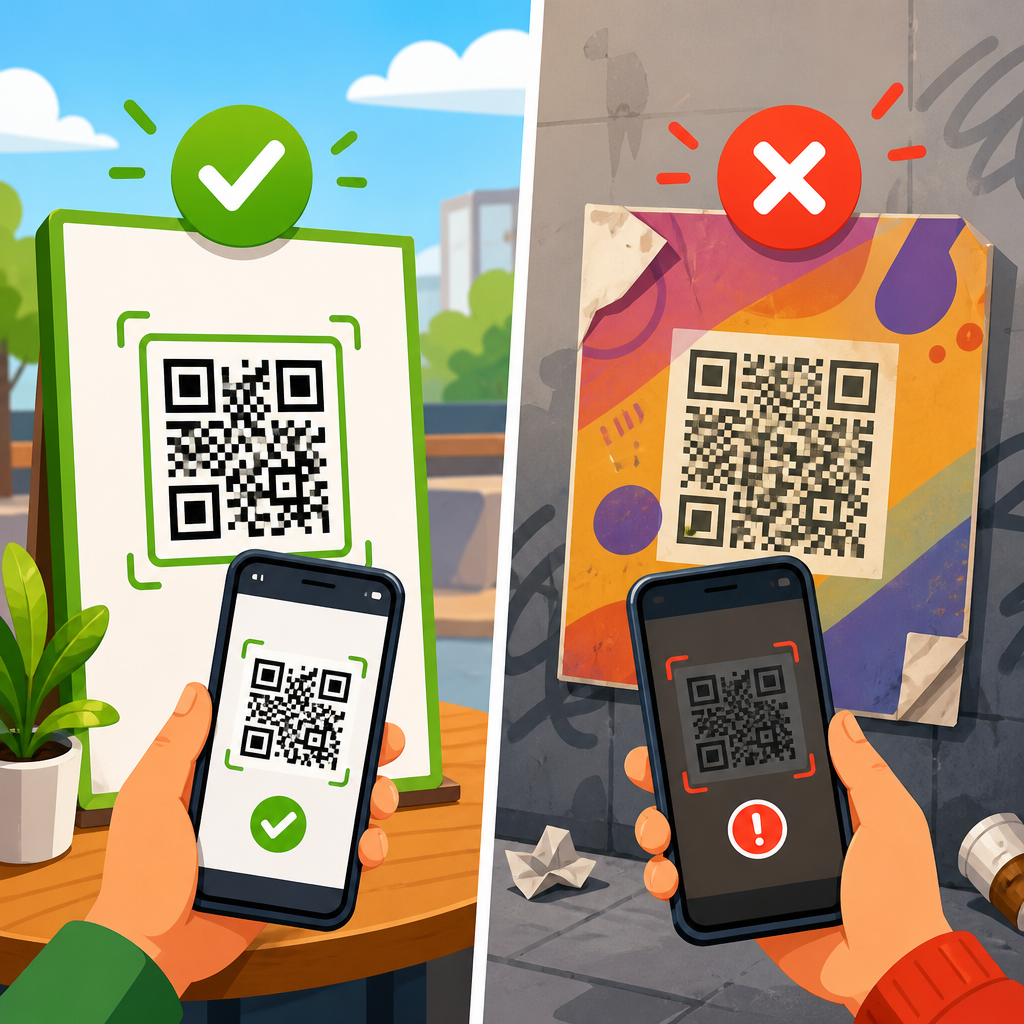
QR code HTTPS errors are among the most common causes of failed scans, broken campaigns, and lost customer trust, especially when a code opens a browser warning instead of the intended page. In practical terms, an HTTPS error happens when the destination behind a QR code cannot establish a secure connection, usually because the linked website, redirect chain, certificate, or server configuration is misconfigured. For businesses using QR codes on packaging, menus, posters, invoices, direct mail, or in-store signage, that matters immediately: one security warning can stop a customer, depress conversion rates, and make a legitimate brand look unsafe. I have diagnosed these failures across restaurant ordering pages, event check-in links, PDF download gateways, and dynamic QR platforms, and the pattern is consistent. The code image itself is rarely the problem. The issue is almost always in the URL path, the redirect behavior, or the server response after the scan. Understanding where HTTPS errors come from is the first step to fixing them quickly and preventing repeat incidents across your broader QR code troubleshooting and support workflow.
HTTPS stands for Hypertext Transfer Protocol Secure. It uses Transport Layer Security, or TLS, to encrypt data between a user’s browser and the web server. Modern phone cameras and in-app browsers expect secure connections by default, and major browsers such as Chrome, Safari, and Firefox actively warn users when a site fails certificate validation or falls back to insecure content. QR code redirect and link issues become more complex because a scan often passes through multiple hops: the QR code may point to a short URL, which redirects to a tracking link, which then redirects to a landing page. Any break in that chain can trigger warnings like “connection is not private,” “this site can’t provide a secure connection,” “too many redirects,” or a blank page inside an embedded browser. If you manage a sub-pillar hub on redirect and link issues, HTTPS deserves central attention because it intersects with certificate management, canonical domain choices, URL shortening, analytics parameters, mobile browser compatibility, and hosting reliability all at once.
The good news is that most QR code HTTPS problems are fixable with a structured checklist. You need to verify the exact scanned URL, test each redirect hop, inspect the SSL certificate, confirm DNS and hosting settings, and check whether mixed content or forced redirects are creating loops. You also need to account for real-world scanning conditions. Some users scan through native camera apps, others through social media in-app browsers, and others through older Android devices with outdated certificate stores. A proper fix is not just “install a certificate.” It is making sure every version of the URL resolves cleanly, securely, and consistently for every likely device. This guide explains how to diagnose the error, identify the root cause, repair the link path, and build a safer redirect structure for future QR campaigns.
What causes QR code HTTPS errors?
QR code HTTPS errors are usually caused by one of five issues: an invalid or expired SSL certificate, a redirect from HTTPS to HTTP, a redirect loop, a domain mismatch, or blocked content loaded over an insecure connection. In the field, I see certificate expiration most often on campaign microsites and temporary subdomains. A team launches a printed QR code for a promotion, the page works for three months, then the certificate renewal fails and scans begin showing warnings. Another frequent issue is a shortened link that uses HTTPS correctly but redirects users to an old destination that still runs on HTTP. Because smartphones evaluate the final landing page, not just the first link, the entire scan experience fails.
Domain mismatch is another common source of trouble. This happens when the certificate is issued for one hostname, such as www.example.com, but the QR code sends users to example.com or promo.example.com without the certificate covering that variant. Wildcard certificates can solve some cases, but not every setup uses them correctly. Redirect loops are equally disruptive. For example, Cloudflare may force HTTPS at the edge while the origin server’s .htaccess rules try to redirect requests again, creating an endless loop. In a QR campaign, that often appears as a spinning browser tab, a “too many redirects” error, or a page that never fully loads.
Mixed content problems can be subtle. The destination page may load over HTTPS, but one script, image, stylesheet, font, iframe, or payment widget still uses HTTP. Modern browsers block that insecure asset, and if it is essential to page rendering, users may see a broken or blank result after scanning. This is especially common on older landing pages cloned from previous campaigns. Because QR code users are often arriving cold, with no prior trust or patience, even a partial rendering failure harms outcomes. If the page is tied to payments, forms, ticket redemption, or app downloads, every second of uncertainty reduces completions.
How to diagnose the exact link and redirect problem
Start by identifying the exact URL embedded in the QR code. Do not rely on what the campaign owner believes is encoded. Decode the QR code using a trusted scanner, a browser-based decoder, or your QR platform dashboard, and copy the raw destination. Then test that URL manually on desktop and mobile. I usually run three checks first: paste the link into a desktop browser, inspect it with a redirect checker such as httpstatus.io or Redirect Checker, and review the certificate with SSL Labs’ SSL Server Test. Those three steps reveal most failures within minutes.
Next, map the full redirect chain from the scanned URL to the final landing page. A healthy path is short and predictable. A problematic path often includes multiple hops between a shortener, analytics platform, tag manager, CDN, and origin server. Every extra hop adds latency and increases the chance of a mismatch. Here is a practical troubleshooting table I use when auditing redirect and link issues for QR campaigns:
| Symptom after scan | Likely cause | How to verify | Typical fix |
|---|---|---|---|
| “Connection is not private” warning | Expired, self-signed, or mismatched SSL certificate | Check certificate details in browser or SSL Labs | Renew certificate and cover all domain variants |
| Page opens on HTTP | Redirect chain sends users to insecure final URL | Use a redirect checker to inspect each hop | Force final destination to HTTPS and update old links |
| “Too many redirects” | Conflicting server, CDN, or CMS redirect rules | Review .htaccess, Nginx rules, CDN SSL mode, plugins | Remove duplicate redirects and standardize canonical host |
| Blank or partially broken page | Mixed content or blocked scripts in in-app browser | Check browser console and security panel | Update all asset URLs to HTTPS and test embedded browsers |
| Works on desktop, fails on phone | Mobile browser compatibility, HSTS, or certificate chain issue | Test on iPhone, Android, and in-app browsers | Install full certificate chain and simplify redirects |
After that, inspect server responses directly. Tools like cURL, Chrome DevTools, and your hosting logs help confirm whether the server is returning 301, 302, 307, 403, or 500 responses. I recommend testing both the naked domain and the www version, plus any short subdomain used for dynamic QR codes. For example, if your code points to go.brand.com/menu, verify that go.brand.com has a valid certificate, resolves to the correct IP address, and does not hand off users to an unsecured endpoint. If a QR code platform provides dynamic redirects, also confirm the platform’s custom domain is fully provisioned. Misconfigured branded short domains are a recurring source of HTTPS warnings.
How to fix certificate, redirect, and domain configuration errors
Once you know the failure point, fix the infrastructure before reprinting or redistributing the QR code. If the certificate is expired, renew it immediately through your certificate authority or hosting control panel. Let’s Encrypt is reliable for many environments, but automatic renewal must be tested, not assumed. If the certificate mismatch involves www versus non-www or a subdomain, issue a certificate that explicitly includes every hostname used in the redirect chain. On managed platforms such as Shopify, Squarespace, and Webflow, verify the custom domain is connected correctly and the platform has finished provisioning SSL. A common mistake is switching DNS records but not waiting for certificate issuance to complete before launching a print asset.
If users are being redirected from HTTPS to HTTP, update the final destination and enforce HTTPS at the server level. On Apache, that usually means a clear 301 rule in .htaccess. On Nginx, it means a server block that redirects port 80 traffic to port 443 while serving the secure site correctly. In WordPress, confirm the Site URL and Home URL both use HTTPS, then update hardcoded internal links and media references. If a plugin is managing redirects, compare its rules with server-level rules to avoid overlap. One redirect from HTTP to HTTPS and one redirect to the canonical hostname is enough in most cases. More than that often creates loops or unnecessary delays.
CDN and proxy settings deserve special attention. Cloudflare, Fastly, and similar services can terminate SSL at the edge, but the origin configuration must match. In Cloudflare, Flexible SSL is frequently the wrong choice for QR landing pages because it can create redirect conflicts between the edge and the origin. Full or Full Strict is usually safer when the origin has a valid certificate. Also check HSTS settings carefully. HTTP Strict Transport Security improves security by forcing HTTPS on repeat visits, but a bad HSTS deployment can make a broken configuration feel worse because browsers keep insisting on HTTPS even after partial changes. Roll out HSTS only after the secure setup is stable across all subdomains you intend to include.
How to prevent mixed content and mobile browser scan failures
After the main certificate and redirect issues are resolved, validate the landing page itself. Many QR code HTTPS errors reported by users are really rendering failures inside mobile browsers. The page technically loads on HTTPS, but key assets are blocked. Open DevTools and review the Security and Console panels for mixed content warnings. Replace every HTTP asset reference with HTTPS, protocol-relative URLs only where appropriate, or locally hosted secure files. This includes images, JavaScript libraries, CSS files, tracking pixels, embedded videos, form actions, fonts, and third-party widgets. If a legacy vendor cannot serve assets securely, replace that vendor for the campaign page.
Testing on mobile matters more than desktop for QR code troubleshooting and support. I recommend checking the destination in iPhone Safari, Android Chrome, and at least one in-app browser such as Instagram or Facebook, because embedded browsers sometimes handle redirects, cookies, and script execution differently. We have seen payment buttons work in Safari but fail silently inside social app browsers because cross-site tracking protections blocked a handoff. The fix was not the QR code; it was simplifying the redirect chain and moving the call to action to a secure first-party page. For restaurant menus, event tickets, and lead forms, that kind of practical mobile testing catches issues analytics alone will miss.
Also review page performance. Long redirect chains, slow TLS negotiation, and bloated scripts can make users think the scan failed even when it eventually succeeds. Core Web Vitals are not just an SEO concern here; they affect the perceived reliability of the QR interaction. Compress images, minimize blocking scripts, and keep the path from scan to content as direct as possible. If you use UTM parameters for attribution, preserve them cleanly without triggering extra redirects. A short, secure URL architecture reduces both technical risk and abandonment.
Best practices for future QR code redirect and link management
The most effective way to fix QR code HTTPS errors is to build campaigns so the errors never appear. Use dynamic QR codes when you need editing flexibility, but host them on a properly secured branded domain that your team actually maintains. Keep a documented redirect policy: choose your canonical hostname, enforce HTTPS once, avoid chained shorteners, and retire outdated campaign domains instead of leaving them half-maintained. Monitor certificate expiration with automated alerts from your hosting provider, uptime platform, or certificate management tool. Services such as UptimeRobot, Pingdom, and Better Stack can notify you before a customer sees a warning.
Create a preflight checklist for every QR launch. It should include decoding the final URL, testing the redirect chain, confirming valid SSL coverage, checking mobile rendering, verifying analytics parameters, and reviewing any geo or device-based redirects. If the code appears in print, test from a real printed sample, not only on screen. Reflection, distance, and scanning speed change user behavior, and a slow redirect becomes more damaging when a person is standing on a sidewalk or at a checkout counter. For high-value uses such as payments, account logins, and document downloads, add a visible fallback short URL near the QR code so users can type it if scanning fails.
This hub page should anchor your wider redirect and link issues content because HTTPS errors often overlap with broken shortened links, DNS propagation problems, CMS migration mistakes, tracking parameter conflicts, and app deep-link failures. The core lesson is simple: a QR code is only as reliable as the secure web path behind it. When you validate the destination, reduce redirect complexity, maintain certificates, and test on real mobile devices, scan success rates improve and support requests drop. Audit your active QR codes now, fix any insecure hops, and standardize your link governance before the next campaign goes live.
Frequently Asked Questions
What does an HTTPS error mean when someone scans a QR code?
An HTTPS error means the web address embedded in the QR code is not completing a secure connection properly when the scanner opens it in a browser. Instead of loading the intended page, the user may see a warning such as “Your connection is not private,” “This site can’t provide a secure connection,” or a certificate-related message. In most cases, the QR code itself is not broken. The problem is usually with the destination URL, the SSL/TLS certificate, the redirect path, or the server configuration behind that link.
This matters because QR codes are often used in high-intent situations, such as restaurant menus, product packaging, posters, invoices, direct mail, and in-store signage. When a scan leads to a browser security warning, people frequently stop immediately rather than continue. That can hurt campaign performance, reduce conversions, and damage trust in the brand. If the page is supposed to support payments, lead capture, account login, or sensitive customer actions, the issue is even more serious because users are trained to avoid insecure pages.
In practical terms, an HTTPS error can happen if the website certificate is expired, issued for the wrong domain, missing an intermediate certificate, blocked by an outdated TLS setup, or interrupted by a redirect from HTTPS to HTTP. It can also appear if the QR code points to a short link or tracking URL that is secure on the first step but redirects to an insecure destination later. Fixing the issue usually starts with testing the exact URL encoded in the QR code, following every redirect, and verifying that every step in the chain loads securely on both mobile and desktop browsers.
What are the most common causes of QR code HTTPS errors?
The most common cause is an SSL/TLS certificate problem on the destination website. That includes expired certificates, self-signed certificates, certificates installed for the wrong hostname, or incomplete certificate chains. Mobile browsers are strict about HTTPS, so even a website that appears to work in one environment may still fail when opened from a QR code scan on a smartphone. If the domain in the QR code does not exactly match the certificate coverage, users can be shown a warning before the page ever loads.
Another frequent cause is a faulty redirect chain. For example, a QR code may link to a short URL, campaign tracker, or legacy landing page that then redirects through multiple domains before reaching the final destination. If any step in that sequence uses HTTP instead of HTTPS, has a certificate mismatch, or points to a domain with an invalid configuration, the user may encounter an error. This is especially common in marketing campaigns that rely on multiple systems, such as analytics platforms, URL shorteners, regional redirects, or old subdomains that were never fully secured.
Server and hosting misconfigurations are also a major factor. A website might force HTTPS incorrectly, support outdated TLS versions, fail under specific mobile user agents, or block certain requests at the CDN, firewall, or load balancer level. Mixed content can also create issues after the page loads if secure pages still request insecure scripts, images, or forms. In business environments where QR codes are printed on physical materials, even a small setup mistake can create a large operational problem because the same broken link may be scanned thousands of times before anyone notices. That is why regular testing, certificate monitoring, and redirect auditing are essential for any QR-driven campaign.
How can I diagnose and fix an HTTPS error in a QR code destination?
Start by testing the exact URL embedded in the QR code rather than assuming the printed code is the issue. Scan it with multiple devices and scan apps, then also paste the URL directly into a browser. Confirm whether the page loads, what warning appears, and whether the problem happens consistently across iPhone, Android, Chrome, Safari, and in-app browsers. Next, inspect the full redirect chain from the first scanned URL to the final landing page. Many HTTPS problems are hidden in intermediary steps, not the page you expected users to reach.
Then verify the SSL/TLS certificate on every domain involved. Check whether the certificate is valid, unexpired, and issued for the correct hostname, including any subdomains such as www, m., campaign., or track. Make sure the server presents the full certificate chain and supports modern TLS versions. If the site recently migrated, changed hosts, or switched to a new CDN, confirm the new certificate was installed correctly and propagated everywhere. It is also wise to review whether HTTP requests are being permanently redirected to HTTPS in a clean, single-step way without loops or insecure hops.
After that, review server logs, CDN settings, firewall rules, and application-level redirects. Look for problems such as redirect loops, forced routing to old domains, blocked mobile requests, or landing pages that call insecure assets. If the QR code uses a dynamic short URL, test both the short link and the final page independently. Once you make fixes, scan again on real mobile devices over both Wi-Fi and cellular networks. For printed QR codes on packaging, menus, posters, invoices, or direct mail, do not stop after a browser test on a desktop. The final validation should always mimic the real customer experience because that is where HTTPS issues do the most damage.
Can a dynamic QR code help prevent or resolve HTTPS errors?
Yes, a dynamic QR code can be very helpful because it allows you to change the destination URL without reprinting the code. If a printed static QR code points to a page with certificate or redirect problems, you may have no easy way to correct it once it is already on packaging, flyers, menus, labels, or mailers. With a dynamic QR code, you can update the destination behind the scenes and send future scans to a corrected, secure URL immediately. That flexibility can save a campaign and reduce costly reprints.
Dynamic QR codes are also useful for isolating where the problem exists. If the QR platform provides a secure, well-maintained short link, you can determine whether the HTTPS issue is happening at the QR management layer or on the final website. Many businesses discover that the QR code service itself is functioning properly, but the destination page, regional redirect, or tracking parameter route is what fails. Because dynamic platforms often include scan logs and link controls, they make it easier to test, monitor, and swap destinations quickly when something breaks.
That said, dynamic QR codes are not a complete substitute for proper HTTPS hygiene. The final destination still needs a valid certificate, a clean redirect structure, and secure server settings. If the short link is secure but it forwards users to an invalid or misconfigured page, the browser warning will still appear. The best approach is to use dynamic QR codes as a control layer while also maintaining strong certificate management, redirect reviews, and routine scan testing. Together, those practices greatly reduce the chances of failed scans, broken campaigns, and loss of customer trust.
How can businesses prevent QR code HTTPS errors before launching a campaign?
The best prevention strategy is to treat QR destinations like production-critical assets, not just marketing links. Before launch, test every QR code on multiple real devices and browsers, including common in-app scanners and native camera apps. Validate that the exact encoded URL resolves over HTTPS, that all redirects stay on secure domains, and that the final landing page loads without warnings. This is especially important for QR codes placed on packaging, menus, posters, invoices, direct mail, retail displays, and any long-lived printed material where mistakes are expensive to correct later.
Businesses should also implement certificate monitoring and renewal alerts. Many HTTPS failures happen because a certificate expires unnoticed or because a domain change introduces a mismatch. Maintain an inventory of every domain, subdomain, short link, and campaign URL involved in your QR ecosystem. Review CDN, DNS, and hosting changes carefully, particularly when using third-party landing page builders, analytics tools, payment providers, or URL shorteners. If any of those systems insert redirects, make sure they are included in testing. A clean redirect path with as few hops as possible is easier to maintain and less likely to fail.
Finally, create a launch and maintenance checklist. It should include scan testing, HTTPS validation, redirect verification, mobile usability checks, performance checks, and a post-launch monitoring plan. For ongoing campaigns, rescan printed codes periodically because websites, certificates, and infrastructure change over time. If the campaign is business-critical, use dynamic QR codes so you can redirect traffic quickly in an emergency. Preventing HTTPS errors is not just a technical task; it is part of protecting revenue, preserving brand credibility, and ensuring that every scan leads customers to a secure, seamless experience.