
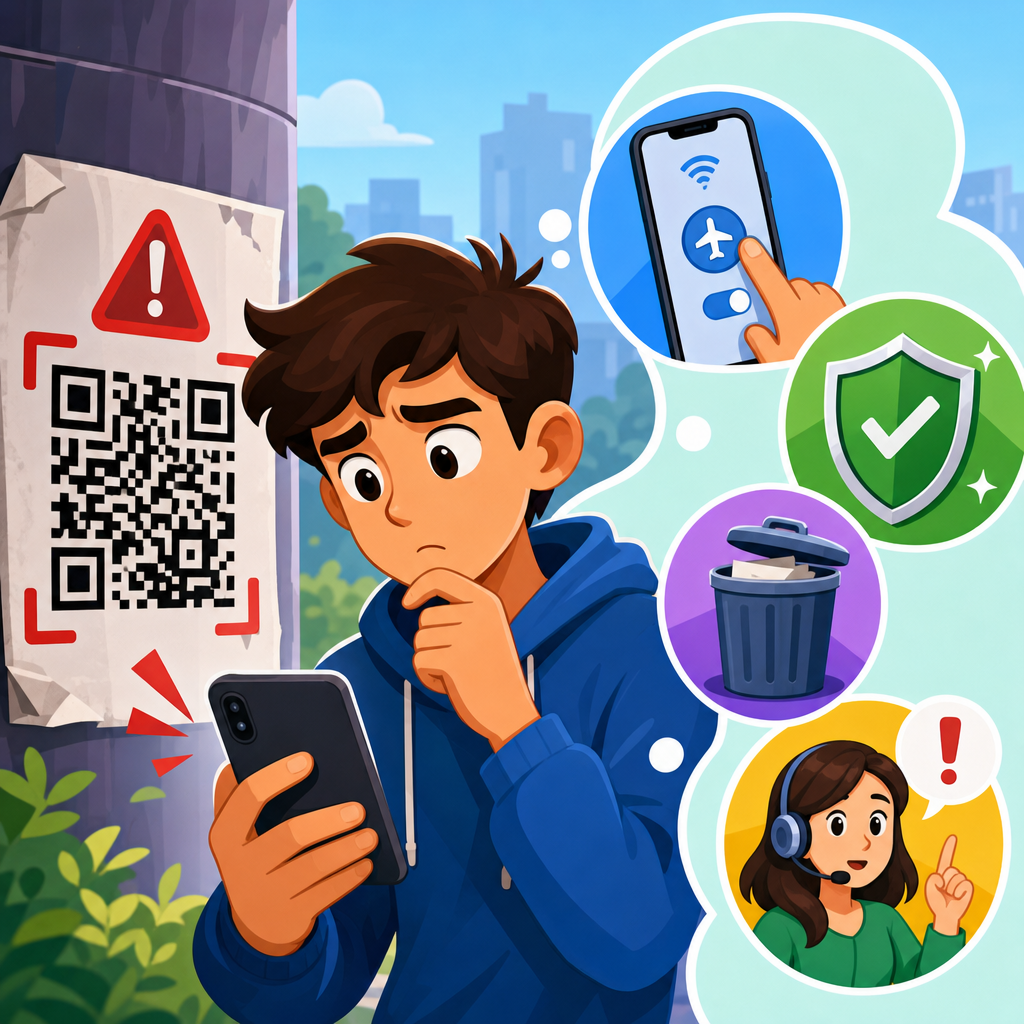
QR codes are convenient, fast, and now woven into daily life, but they also create a simple path for fraud when a code leads somewhere dangerous. If you scan a suspicious QR code, the right response is not to panic; it is to act quickly, contain potential exposure, and verify what happened before the risk spreads. A suspicious QR code is any code that appears tampered with, comes from an untrusted source, redirects you unexpectedly, requests sensitive information, or triggers a download, payment page, login prompt, or app installation you did not anticipate. In security teams, this attack pattern is often called quishing, short for QR phishing, because it uses a code instead of a visible link to hide the destination.
This matters because QR codes remove the visual clues people normally use to judge a web address. On a desktop email, users can hover over a link. On a poster, parking meter, restaurant menu, package insert, or text message, the QR code itself reveals nothing. I have investigated incidents where a single sticker placed over a legitimate payment code redirected customers to a fake checkout page that looked authentic enough to capture card details in minutes. Criminals exploit urgency, trust in physical locations, and the assumption that a code printed in public must be safe.
The most common QR code risks fall into a few categories: credential theft through fake sign-in pages, payment fraud through altered merchant codes, malware delivery through malicious downloads, device tracking through hidden redirects, and social engineering that pushes people to call fake support numbers or share one-time passcodes. QR code security, then, is the practice of verifying the source, previewing the destination, and limiting what your phone can do automatically after a scan. Safe scanning tips are not just about avoiding bad codes; they are about building a repeatable response so one careless tap does not become account takeover, card fraud, or broader identity theft.
This hub article explains exactly what to do after scanning a suspicious QR code, how to tell whether you are still safe, and how to reduce future risk. It also serves as the central guide for the broader safe scanning topic: checking physical codes for tampering, using preview features, recognizing fake login pages, reviewing mobile browser behavior, and understanding when to reset passwords, freeze cards, or run a security scan. If you scanned a code and are unsure whether anything happened, start with the assumption that some exposure may have occurred, then work through containment in order.
Immediate steps to take after scanning a suspicious QR code
The first question people ask is simple: what should I do immediately after scanning a suspicious QR code? The answer depends on what happened next. If the code only opened a website and you did not enter anything, your risk is lower, but you should still close the page, avoid clicking further, and clear the tab from your browser. If the code triggered a download, opened your payment app, asked for a login, or requested permissions such as camera, contacts, location, notifications, or profile installation, treat it as a potential security incident.
Start by disconnecting from the action, not necessarily from the entire internet. Close the browser tab or app that opened. Do not interact with pop-ups, fake security warnings, or “confirm to cancel” buttons, because malicious pages often use those prompts to force another action. If a file began downloading, delete it without opening it. On Android, check the Downloads app or file manager. On iPhone, review the Files app and Safari downloads list. If an app installation screen appeared, cancel it. If a configuration profile or certificate prompt appeared on iPhone, do not approve it; if you already did, remove it from Settings under VPN & Device Management.
Then document the event. Take a screenshot of the QR code source if it is safe to do so, note the location, date, and what the page asked for, and save the web address if visible. This helps when reporting fraud to a business, payment provider, or security team. In retail and facilities environments, I always advise staff to physically inspect the code afterward. A fake sticker over a real code is one of the oldest and most effective QR scams because it relies on people trusting the location rather than the destination.
Assess what information or access may have been exposed
After immediate containment, determine what the code actually caused you to reveal. There is a major difference between opening a malicious page and typing your bank password into it. If you entered a username and password, assume those credentials are compromised. If you entered card data, contact the card issuer promptly and monitor for unauthorized charges. If you signed into a page that looked like Microsoft 365, Google, Apple, or your employer’s single sign-on portal, your email account may now be at risk, which can cascade into password resets across other services.
If you submitted a one-time code, multifactor prompt, or authenticator approval, the urgency increases. Attackers often use QR pages to proxy a real login in real time. That means your password and second factor may already have been used before you realized the page was fake. In corporate environments, this is particularly serious because one compromised mailbox can expose invoices, internal contacts, cloud documents, and password reset links. If the page asked for phone number, address, or date of birth, identity theft risk may be limited at first, but the data can still be combined with other leaks for account recovery fraud.
Think about permissions and device changes too. Did your phone ask to join a Wi-Fi network, open a maps app, compose an email, send a text, add a calendar event, or subscribe to notifications? Many QR actions are legitimate, but a suspicious code can use them to push you into the next step of a scam. A fake parking code might open a browser payment page instead of the city’s app. A code on a package could direct you to a counterfeit courier site asking for a redelivery fee. The security question is always the same: what trust did you grant that the sender had not earned?
| What happened after the scan | Primary risk | What to do next |
|---|---|---|
| Website opened, no data entered | Tracking, drive-by redirects, scam prompts | Close page, clear tab, review browser downloads and notifications |
| Login details entered | Account takeover | Change password immediately, sign out other sessions, enable strong multifactor authentication |
| Card or payment details entered | Payment fraud | Call issuer, freeze or replace card, review pending transactions |
| File downloaded or app/profile installed | Malware or device compromise | Delete item, uninstall app or remove profile, run mobile security checks, escalate if symptoms appear |
| One-time code approved or submitted | Active unauthorized login | Reset credentials immediately and review account activity for new devices and inbox rules |
Secure accounts, payments, and the device itself
If you entered credentials on a suspicious page, change that password immediately from the legitimate site or app, not from a link in a message or from the page you opened. Use a unique password generated by a password manager such as 1Password, Bitwarden, or Dashlane. If the same password was reused elsewhere, change those accounts too. Then revoke active sessions if the platform allows it. Google, Microsoft, Apple, Meta, and most banks provide a device or session history page where you can sign out unfamiliar sessions and review recent security events.
Update multifactor authentication next. The strongest common option for consumers is a hardware security key using FIDO2/WebAuthn, with an authenticator app as a secondary method where necessary. SMS codes are better than no second factor, but they are weaker against SIM swap and phishing relay attacks. If you approved a prompt you did not expect, review whether push-based MFA can be replaced or supplemented with phishing-resistant methods. For work accounts, inform your IT or security team right away. They can revoke tokens, force sign-outs, inspect conditional access logs, and check whether inbox forwarding rules or OAuth consent grants were added.
For payment exposure, speed matters. Contact the bank or card issuer using the number on the back of the card or inside the official banking app. Ask whether they recommend a freeze, replacement, dispute watch, or new virtual card number. Many issuers can stop a card within minutes. If the suspicious QR code was used for a peer-to-peer payment, report the transaction in the app immediately, but understand that person-to-person transfers are often harder to reverse than card payments.
Now assess the phone. On iPhone, review Settings for VPN & Device Management, calendar subscriptions, notification permissions in Safari, and any apps you do not recognize. On Android, check app installs, accessibility permissions, device admin privileges, default browser settings, and whether installation from unknown sources was allowed. Google Play Protect and reputable mobile security tools can help identify risky apps, but no scanner is perfect. Watch for symptoms such as battery drain, persistent pop-ups, new home-screen icons, browser redirects, or repeated login prompts. Those do not automatically mean malware, yet they justify a deeper inspection.
How to verify whether the QR code was malicious
People often want certainty after the fact: was the QR code actually malicious, or did it just look odd? Verification starts with the destination URL. If you can safely retrieve it from browser history without revisiting the page, inspect the domain carefully. Attackers commonly use typosquatting, extra words, unusual subdomains, or country-code domains that mimic familiar brands. For example, a fake Microsoft login might use a domain that contains the word microsoft somewhere in the path, even though the real host is unrelated. The host name, not the page design, determines trust.
Use URL analysis tools if needed. VirusTotal can check whether a link or domain has been flagged by multiple security vendors. Google Safe Browsing transparency information may show whether a site is suspected of phishing or malware. Security teams may also use sandboxing tools, DNS history, WHOIS records, certificate transparency logs, and domain age checks to judge whether a site is newly created and suspicious. New domains are not automatically malicious, but fraud campaigns often rely on fresh infrastructure because reputation systems have not caught up yet.
Context matters as much as technical indicators. A code on a parking meter that sends you to a random payment processor with poor branding is suspicious. A restaurant table tent that redirects three times before landing on a menu page deserves scrutiny. A QR code in an unsolicited email that claims your payroll account is locked should be treated as malicious by default, because legitimate payroll or identity providers do not need to hide a critical login link inside an image. In investigations, the strongest single clue is mismatch: the place, message, or purpose does not align with where the code sends you.
If the QR code was in a workplace, school, apartment building, hotel, or public venue, report it to the responsible organization. They may already know of tampering, or your report may prevent further victims. Businesses should remove the code, inspect nearby signage, review surveillance if available, and publish the legitimate payment or access method. This is one reason safe scanning guidance should be centralized: users need a consistent process whether the code came from a street sign, package, poster, flyer, or email.
Safe scanning tips that prevent the next incident
The best defense against QR scams is a repeatable set of safe scanning tips used every time. First, inspect the code physically. Look for stickers placed over another code, mismatched branding, poor print quality, or signs that the code was added after the original sign was produced. Second, use a scanner that previews the destination before opening it. Most modern phone cameras show a link preview; read the domain before tapping. Third, prefer official apps or manually typed addresses for payments, account logins, and sensitive services. If a parking sign has an app name, open the official app store listing yourself instead of trusting the code.
Fourth, never enter credentials, card details, or one-time passcodes on a page reached through an untrusted QR code unless you independently verify the domain. Fifth, be wary of urgency. “Scan now to avoid a fine,” “reconfirm your account,” and “redeem immediately” are classic pressure tactics. Sixth, keep your phone updated. iOS and Android security patches reduce the chance that a malicious page can exploit a browser or system vulnerability. Seventh, disable unnecessary automatic actions where possible, and review notification, file, and profile prompts carefully instead of tapping through.
There is also a behavioral rule I teach teams: high trust action, high trust path. If the action is sensitive, such as payment, login, identity verification, or software installation, the path should be equally trustworthy. That means using bookmarks, official apps, known URLs, or saved contacts instead of scanning a random code from a flyer or message. This rule is simple, but it prevents a large share of real incidents because attackers thrive when convenience overrides verification.
Finally, build reporting into the habit. If you find a suspicious QR code in public, tell the merchant, venue staff, building manager, or city department. If the code arrived by email or chat, report the message as phishing. If you manage a business, periodically inspect customer-facing codes and use branded signage that tells customers exactly what domain or app they should expect. Prevention works best when both scanner and publisher reduce ambiguity.
Scanning a suspicious QR code does not always mean you have been hacked, but it does mean you should respond methodically. Close the page, stop any download or installation, determine what information you exposed, secure affected accounts, contact your bank if payment data was involved, and inspect your phone for profile, app, or permission changes. Then verify the destination and report the code so others are protected. These steps contain the most common QR-based threats: phishing, payment diversion, malicious downloads, and social engineering tied to one-time codes.
The broader lesson is that QR code safety depends on verification before trust. A code is only a shortcut; it is not proof of legitimacy. The safest scanners preview links, inspect context, prefer official apps and typed addresses for sensitive tasks, and slow down when a page asks for credentials, card numbers, or urgent action. That habit turns a hidden destination back into a visible decision.
Use this hub as your starting point for every safe scanning question under QR Code Security & Privacy, from spotting tampered codes to handling fake login pages and suspicious payment redirects. Review your phone’s settings today, update any weak or reused passwords, and share these safe scanning tips with coworkers or family members who rely on QR codes every day.
Frequently Asked Questions
What should I do immediately after scanning a suspicious QR code?
If you scan a QR code and something feels off, act quickly but stay calm. First, close the webpage, app, or pop-up that opened. Do not tap any buttons, approve any prompts, download anything, or enter personal, financial, or login information. If the code opened a browser page, close the tab immediately. If it launched an app or tried to start a payment, cancel the action before confirming anything. The goal is to stop any further interaction before a scam can move from a simple redirect into account compromise, malware installation, or unauthorized charges.
Next, disconnect from the internet if you believe a download may have started or the page behaved aggressively. You can turn on airplane mode or disable Wi-Fi and mobile data temporarily while you inspect your device. Then review what happened: did the QR code open a strange website, prompt you to sign in, request payment, or trigger a file download? Taking note of the exact behavior helps you decide the next steps. If possible, capture a screenshot of the page or write down the web address, but only if you can do so safely without interacting further.
After that, clear your browser tab and consider deleting recent downloads you do not recognize. On many phones, simply scanning a QR code will not infect the device by itself, but danger increases if you installed an app, granted permissions, entered passwords, or approved a payment. If any of those happened, move quickly to secure your accounts, monitor banking activity, and run a security scan. A fast response can significantly reduce the impact.
Can scanning a QR code alone infect my phone or steal my information?
In many cases, scanning a QR code by itself does not automatically infect a device. A QR code is usually just a shortcut that opens a link, starts a message, launches an app, or triggers another action. The real risk comes from what happens after the scan. If the code sends you to a phishing site, tricks you into logging in, initiates a payment request, or persuades you to install something malicious, that is where the damage typically occurs. In other words, the scan is the entry point, but user interaction often completes the attack.
That said, you should not assume there is zero risk. Some malicious websites attempt to exploit browser flaws, push deceptive pop-ups, or nudge users into granting permissions they should not allow. A suspicious QR code may also lead to fake customer support pages, counterfeit payment portals, or cloned login screens designed to capture usernames, passwords, credit card numbers, or two-factor authentication codes. If you entered any information, treat it as exposed until proven otherwise.
The safest approach is to assess what the QR code actually did. If you scanned it, saw an unfamiliar or misspelled website, and closed it without further action, the risk may be limited. If you downloaded a file, installed an app, signed in somewhere, shared payment details, or allowed access to your camera, contacts, or notifications, the situation is more serious. Focus less on the act of scanning alone and more on whether the code led you into taking additional actions that opened the door to fraud.
How can I tell whether the QR code led to a phishing scam or fake website?
There are several warning signs that a QR code may have redirected you to a phishing page. Start with the web address. Scam sites often use misspellings, extra words, strange subdomains, random characters, or domain names that imitate trusted brands without matching them exactly. A page might look professional at first glance but still be fraudulent if the URL is unusual. For example, a fake login page may copy the branding of a bank, delivery company, parking service, or streaming platform while using a web address that has nothing to do with the real organization.
Also pay attention to what the page asks you to do. Be cautious if it immediately requests a password, payment, one-time passcode, credit card number, or sensitive personal information. Another red flag is urgency: claims that your account is locked, your package is delayed, your payment is overdue, or you must act within minutes. Attackers use pressure to make people move fast and skip verification. You should also be suspicious if the page behaves oddly, contains spelling mistakes, uses low-quality graphics, shows too many pop-ups, or redirects multiple times before landing somewhere final.
If you are unsure whether the site was real, do not continue through the QR code link. Instead, open your browser separately and go directly to the official website by typing the known address yourself, using a saved bookmark, or opening the company’s official app. If the QR code supposedly came from a restaurant, utility provider, transit service, or payment terminal, confirm with staff or customer support before taking action. Verification through a trusted channel is one of the best defenses against QR-based phishing.
What if I entered a password, payment details, or other personal information after scanning the code?
If you submitted any sensitive information, assume that it may already be in the hands of a scammer and respond immediately. Start by changing the password for the affected account, and if you reused that password elsewhere, change those accounts too. Use a new, strong, unique password for each account. If the site was related to email, banking, shopping, social media, or cloud storage, prioritize those accounts first because they can be used to reset access to other services. Then enable or review multi-factor authentication, preferably using an authenticator app or hardware key where possible.
If you entered payment information, contact your bank or card issuer right away. Explain that your details may have been submitted on a fraudulent site reached through a QR code. Ask them to monitor for suspicious transactions, place alerts on the account, or issue a replacement card if necessary. Review recent charges and keep watching your statements over the next several weeks. If money was transferred through a payment app or bank transfer, report the transaction immediately, since speed matters when trying to limit losses.
If you shared personal data such as your full name, address, phone number, date of birth, account number, or ID details, watch for signs of identity fraud. Be alert for unexpected password reset messages, verification codes you did not request, new account emails, or calls from impostors referencing the information you shared. Depending on the sensitivity of the data involved, you may also want to place a fraud alert or credit freeze with the relevant credit bureaus. The key is to treat submitted information as compromised and begin damage control before attackers can use it more widely.
How do I check whether my device is safe afterward, and how can I avoid this in the future?
After scanning a suspicious QR code, review your device for anything unusual. Check your browser for unfamiliar tabs, notification permissions, downloaded files, saved payment requests, and recently visited websites. Look through your installed apps and remove anything you do not recognize, especially if you installed it immediately after scanning the code. On Android or iPhone, review app permissions and revoke access that seems unnecessary. If you suspect a malicious download or app installation, run a reputable mobile security scan if available, update your operating system, and restart the device after removing anything suspicious.
It is also smart to monitor your accounts for a while. Check your email for login alerts, your financial accounts for unauthorized activity, and your messages for unexpected verification codes. If the QR code was connected to work, notify your IT or security team, especially if you used a company device or entered business credentials. Early reporting can prevent a wider issue. If the code appeared in a public place, such as on a parking meter, poster, table tent, or package label, report it to the business or property owner so others are not exposed.
To avoid QR code scams in the future, pause before scanning and inspect the context. Be wary of codes from strangers, random messages, unofficial flyers, or stickers placed over existing signage. If your phone previews the destination link before opening it, take a moment to read the URL carefully. Avoid using QR codes to reach banking or payment pages unless you trust the source completely. When in doubt, go directly to the organization’s official website or app instead of relying on the code. QR codes are convenient, but a few extra seconds of verification can prevent a much larger security problem.





