
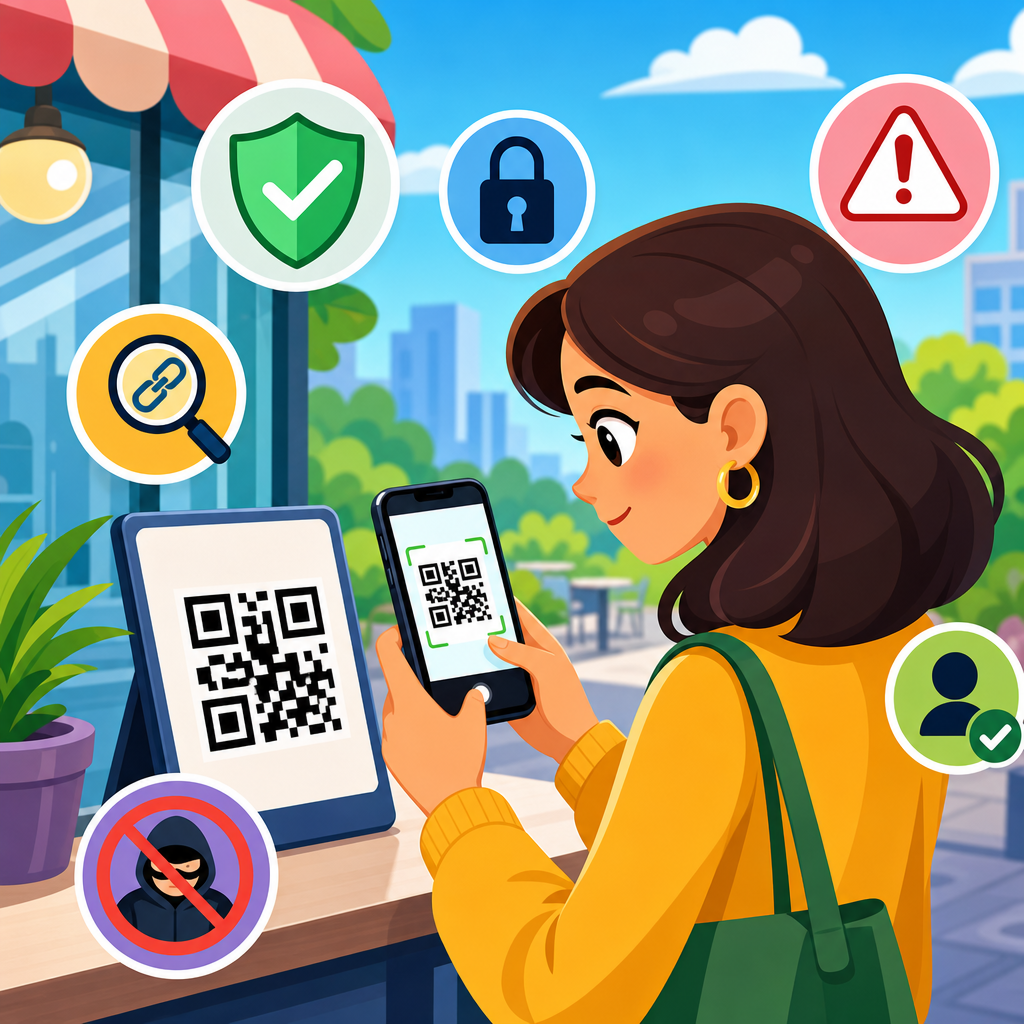
QR codes are now part of daily life, appearing on parking meters, restaurant tables, delivery notices, utility bills, transit posters, product packaging, and login screens. That convenience is exactly why consumers need practical QR code safety tips. A QR code is simply a machine-readable pattern that stores data, usually a web link, contact card, payment address, app action, or account sign-in request. The code itself is not automatically dangerous, but it can send a person to a dangerous destination in a single tap. Safe scanning means checking context, evaluating risk before opening a link, and controlling what your phone does next.
I have worked on mobile security awareness projects where the most common misconception was that a QR code is safer than a normal link because it looks technical and physical. In practice, it is just another way to deliver a link, and criminals know that people lower their guard when a code appears on a trusted surface. A fake sticker placed over a legitimate code can redirect a payment, steal credentials, install a malicious app, or trigger a scam page designed to collect card data. The rise of cashless payments and self-service check-in has made QR code scams more profitable and more common.
For consumers, the issue matters for three reasons. First, scanning often happens quickly, in public, and under mild pressure, such as paying for parking before a timer expires. Second, phones collapse multiple actions into one device: banking, work email, identity documents, and saved passwords all live there. Third, many QR code attacks rely on social engineering rather than advanced malware. Attackers do not need to defeat your phone’s operating system if they can persuade you to type your password into a convincing phishing page. Good habits prevent most of these incidents.
This guide explains the core safe scanning tips every consumer should know. It covers how QR code scams work, how to judge whether a code is trustworthy, what settings on your phone reduce risk, and what to do if you already scanned something suspicious. It also serves as a hub for deeper topics within QR code security and privacy, including payment safety, phishing prevention, app download risks, and reporting suspicious codes. The goal is simple: help you use QR codes confidently without treating every scan as harmless.
How QR code scams work in the real world
QR code scams usually follow a straightforward pattern. The attacker creates or replaces a code, waits for a user to scan it, and sends the victim to a destination that benefits the attacker. That destination may be a phishing site impersonating a bank, a fake parking payment portal, a crypto wallet transfer request, a malicious file download, or a form that harvests personal data. Security professionals sometimes call this “quishing,” meaning phishing delivered through QR codes. The attack vector is new, but the underlying deception is familiar.
One common example is the parking meter scam. A criminal places a sticker with a fraudulent QR code on a meter or nearby sign. A driver scans the code, lands on a page that resembles a legitimate municipal payment screen, and enters card details. The city never receives payment, and the scammer captures the card. Another example appears in restaurants or public venues. A fake code promises a menu, discount, guest Wi-Fi, or event registration, but the page asks for email credentials or prompts an unnecessary app download. Because people expect a code in these settings, suspicion drops.
Login approval scams are growing as well. Some services display a QR code to connect a device or sign in on another screen. If a scammer tricks a consumer into scanning a code during a fake support interaction, the person may accidentally authorize access to an account. Messaging platforms, business tools, and social apps have all seen variations of this tactic. The lesson is important: a QR code can request a transaction, not just open a webpage. Treat every scan as the start of a process, not a neutral action.
How to judge whether a QR code is safe before you scan
The safest scan is the one you decide not to make. Start by evaluating the physical context. Is the code where you would reasonably expect one, such as on official packaging, a receipt, a verified in-app screen, or a sign inside a known business? Or is it on a loose flyer, a random poster, an email attachment, or a sticker covering another code? Tampering is often visible. Look for peeling edges, mismatched branding, poor print quality, or a code that seems added as an afterthought. In my experience, simple visual inspection catches many fraudulent placements.
Next, ask what the code is supposed to do. A legitimate use case is usually specific: pay for parking, open a menu, verify a product, pair a device, or visit the company homepage. Vague promises like “claim reward,” “urgent account update,” or “scan for exclusive access” should raise caution, especially if no brand or contact information is present. You should also consider whether scanning is necessary at all. If a sign claims to represent a bank, utility, or government office, it is often safer to open the official app or type the known website address yourself rather than rely on the code.
Public place codes deserve extra scrutiny because attackers can alter them cheaply. If a business relies on QR codes for payment, compare the code location, branding, and payment instructions with information on the company website or at the register. If something feels inconsistent, ask a staff member before scanning. For peer-to-peer payments, verify the recipient name before approving any transfer. Fraud succeeds when people treat the code as proof of legitimacy. It is not proof; it is only a shortcut.
Safe scanning habits on your phone
Your phone can help you scan more safely if you use the preview information instead of tapping immediately. Most current iPhone and Android camera apps show a banner or preview of the destination before opening it. Read the domain carefully. Attackers often use lookalike addresses, extra words, or odd country-code domains to mimic trusted brands. For example, a real parking service might use a concise company domain, while a scam page might add hyphens, numbers, or unrelated terms. If the link looks unfamiliar, cancel and reach the service through an official source.
Use the built-in camera or a trusted scanner from a reputable company rather than an unknown third-party app. Many devices already support QR reading without extra downloads, which reduces the risk of installing a low-quality scanner that collects data or shows intrusive ads. Keep your operating system, browser, and security software updated. Modern mobile platforms block many known malicious sites, but those protections only work well when patches are current. If your phone offers warnings for deceptive sites, app sideloading, or unsafe downloads, leave those protections enabled.
Think before granting permissions after a scan. A website opened from a QR code should not need access to your contacts, microphone, photos, or location unless the function clearly requires it. Decline unnecessary prompts. Also avoid downloading configuration profiles, mobile device management certificates, or APK files from scanned links unless you understand exactly why they are needed and trust the source. On Android, keep installation from unknown sources disabled unless you have a compelling reason. On iPhone, be cautious with prompts to install profiles or calendars. Unexpected system-level requests are a strong warning sign.
| Situation | Safer action | Why it reduces risk |
|---|---|---|
| Parking meter payment | Compare the URL preview with the city or operator website before paying | Fake stickers often redirect to lookalike payment pages |
| Restaurant menu | Scan only codes printed on branded materials or ask staff for the official menu link | Temporary tabletop inserts are easy to replace |
| Package tracking code | Use the carrier’s app or type the tracking number manually | Delivery scams commonly use fake tracking pages to collect details |
| App download prompt | Search the official App Store or Google Play listing yourself | A safe brand can still be imitated by a malicious landing page |
| Account login code | Confirm which account or device is being authorized before approving | Scanning can grant access, not just open information |
High-risk situations consumers should treat with extra caution
Some QR code scenarios carry more risk because they involve money, credentials, or urgency. Payments rank first. If a code is used to pay a bill, transfer money, donate, or send funds to a wallet, slow down and verify every detail. Prefer official apps, saved payees, and trusted merchant portals. Never assume a printed code points to the correct recipient. In scam investigations, misdirected payments are often unrecoverable, especially for instant transfers and cryptocurrency transactions. If the payment recipient name does not match expectations, stop immediately.
Credential entry is another high-risk category. A QR code that leads to a login page should be treated like any other sign-in request. Check the domain, look for passkey or password manager recognition, and be skeptical if the page asks for multifactor codes unexpectedly. Password managers are especially useful because they will usually refuse to autofill credentials on a fake domain, giving you an extra signal that something is wrong. If you received the code through email, text, or social media, the risk is higher because attackers frequently use those channels to seed phishing campaigns.
Codes tied to urgent messages also deserve caution. Examples include notices about failed package delivery, account suspension, tax refunds, contest winnings, or public fines. Urgency narrows attention and pushes consumers toward fast compliance. I advise treating urgency itself as a risk indicator. Reaching the organization through a verified website, official app, or customer service number is almost always safer than scanning the provided code. This is particularly important with utility bills, charity appeals after disasters, and event ticket offers, where people are emotionally primed to act quickly.
Privacy risks people overlook when using QR codes
Not every QR code problem involves overt fraud. Some codes create privacy issues by enabling more tracking than consumers realize. A marketing QR code can contain campaign identifiers that tell a company where the code was placed, when it was scanned, what device opened it, and whether the user completed a purchase. Dynamic QR systems can change destinations over time and measure engagement across locations. That is useful for businesses, but consumers should understand that scanning a code can start a data collection chain involving analytics platforms, ad networks, cookies, and browser fingerprinting.
Location-linked uses deserve special attention. Codes for parking, local promotions, museum exhibits, and apartment access often connect your action to a specific place and time. If the destination asks for personal data beyond what is needed, minimize what you provide. Use guest checkout when possible, avoid creating accounts for one-time interactions, and deny tracking permissions that are not required. On mobile browsers, clearing site data periodically and limiting ad tracking can reduce long-term profiling. Privacy-conscious users may also prefer privacy-focused browsers or content blockers for routine scans that do not require login.
Another overlooked issue is contact sharing. Some QR codes open forms, chat windows, or prefilled messages that encourage people to submit phone numbers, email addresses, or identity details. Before sending information, ask whether the transaction genuinely requires it. A menu, coupon, or product manual rarely needs your date of birth. A reputable organization should explain why data is collected and provide a clear privacy notice. If the code points to a form with no branding, no policy, and no visible business identity, do not submit personal information.
What to do if you scanned a suspicious QR code
If you scanned a code but did not interact further, your risk may be low, especially if you closed the page immediately and did not download anything. Still, review what happened. Did the page request login details, payment information, permissions, or a file download? If you entered credentials, change the password on the affected account right away using the official site or app, and update any other accounts that reused the same password. Enable or review multifactor authentication. If your password manager saved nothing on that page, take that as evidence the domain may have been fraudulent.
If you entered payment details, contact your card issuer or bank promptly, monitor transactions, and ask whether a replacement card or fraud alert is appropriate. For bank transfers, speed matters because recovery chances drop quickly after settlement. If you installed an app or profile, remove it, run a mobile security scan if available, and review device management settings, installed certificates, accessibility permissions, notification access, and unknown app privileges. On Android, check default browser and SMS permissions. On iPhone, review VPN and device management profiles. When in doubt, consult the device maker’s official support guidance.
Report the suspicious code to the business, venue, property manager, or local authority where you found it so others are protected. If it involved fraud, report it to your payment provider and relevant consumer protection or cybercrime channels in your country. Save screenshots of the code, surrounding location, URL, and messages you received. Documentation helps investigators and customer support teams understand the incident. Consumers often focus only on cleanup, but reporting matters because QR scams are physical and repeatable. Removing one fraudulent sticker can prevent dozens of future victims.
Building a long-term QR code safety routine
The best defense is a repeatable routine. Treat every QR code as a link request, verify context before scanning, inspect the destination preview, prefer official apps and typed addresses for sensitive tasks, and avoid entering credentials or payment information unless you independently confirm the site. Keep your phone updated, use a password manager, leave security warnings enabled, and be cautious with downloads and permissions. For families, teach children and older relatives these same habits because scammers often target moments of convenience and trust, not technical weakness.
As a hub for safe scanning tips within QR code security and privacy, this page gives you the decision framework that applies across payment codes, menu codes, delivery codes, login codes, and promotional codes. The principle is consistent: convenience should never replace verification. QR codes are useful, efficient, and widely legitimate, but they deserve the same scrutiny you would give any unexpected link or payment request. Use the practices here the next time you scan, and make deliberate checking your default behavior before every tap.
Frequently Asked Questions
Are QR codes themselves dangerous, or is the risk what happens after I scan them?
QR codes are not automatically dangerous on their own. A QR code is simply a machine-readable way to store information such as a website address, payment destination, contact details, app action, or login request. The real risk begins after the scan, when the code sends your device somewhere or triggers an action you did not fully verify. In other words, the danger usually comes from the destination, not the black-and-white square itself.
That is why consumers should treat QR codes the same way they treat links in emails or text messages. A malicious QR code can direct you to a fake website that looks like a bank, utility provider, parking app, or delivery service. It may ask you to enter login credentials, payment information, or personal details. In some cases, it may prompt you to download an app, approve a sign-in request, or send money to the wrong account. The safest habit is to pause before tapping anything, review the previewed web address carefully, and make sure the destination matches the brand or service you expected. Convenience is helpful, but verification is what keeps that convenience safe.
How can I tell whether a QR code is safe before I scan it?
You cannot always know with certainty whether a QR code is safe just by looking at it, but you can spot several warning signs before scanning. Start by looking at where the code appears. A code on an official utility bill, inside a restaurant menu holder, on sealed product packaging, or within a trusted company app is generally more reassuring than a random sticker on a pole, parking meter, or public poster. Be cautious if the code looks newly pasted over another code, appears tampered with, has spelling errors nearby, or is placed in a location where criminals could easily swap it.
It also helps to think about context. Ask yourself whether the QR code makes sense for the task you are trying to complete. If you are paying for parking, for example, the code should direct you to the city or parking operator you recognize, not a strange web domain. If it is on a delivery notice, confirm it matches the shipping company and the package you are expecting. Some smartphone cameras and QR scanner apps show a destination preview before opening the link. Read that preview carefully and look for a legitimate domain name, secure connection, and brand consistency. If anything feels rushed, mismatched, or suspicious, skip the scan and go directly to the company’s official website or app instead.
What should I do after scanning a QR code to protect my personal and financial information?
After scanning a QR code, do not move on autopilot. Take a moment to inspect what appears on your screen before you enter any information or approve any action. If the scan opens a website, check the full domain name closely. Fraudulent sites often use lookalike addresses, extra words, misspellings, or unusual endings that resemble a legitimate business without actually belonging to it. If the page asks for a password, payment card number, bank details, one-time verification code, or personal identification information, stop and confirm you are truly on the official site.
You should also be cautious with automatic actions. Some QR codes can trigger app downloads, Wi-Fi connections, payment requests, contact imports, calendar events, or login prompts. None of these actions should be accepted blindly. If you scanned a code from a restaurant table and it suddenly asks you to log into a financial account, that is a major red flag. If a code is supposed to help you pay a bill, compare the payee name and amount with the information on your bill before completing the transaction. Good QR code safety is really about slowing down long enough to verify the destination, the requested action, and whether that action matches your original reason for scanning.
Are public places like parking meters, transit stations, and restaurant tables higher-risk locations for QR code scams?
Yes, public locations can present a higher risk because they give scammers opportunities to replace, cover, or add fake QR codes where consumers are already expecting to scan quickly. Parking meters are a well-known example because drivers are often in a hurry and more likely to trust a posted code without close inspection. Transit posters, kiosks, package lockers, public bulletin boards, and restaurant tables can present similar risks, especially if the code is attached with a sticker or looks different from the surrounding branding.
That does not mean every public QR code is unsafe. It means consumers should be more deliberate in places where physical tampering is easy. Check whether the code appears professionally printed and integrated into the original sign or display. Look for signs of alteration, such as a label placed on top of another label, peeling edges, mismatched fonts, or instructions that do not sound like the organization involved. When possible, use a trusted official app instead of scanning a posted code. For example, if a city parking sign names an official parking app, open that app yourself rather than relying on the code. In restaurants, if the QR menu or payment page seems odd, ask staff for confirmation. A quick question can prevent a stolen payment or compromised account.
What are the best everyday QR code safety tips consumers should follow?
The best QR code safety habits are practical and easy to repeat. First, scan only when the code comes from a source you trust or can verify. Second, use your phone’s built-in camera or a reputable scanner that previews the destination before opening it. Third, inspect the web address carefully and do not rely on logos or page design alone, since scam pages can look convincing. Fourth, avoid entering passwords, payment data, or sensitive personal information unless you are certain the site is legitimate and relevant to the task. Fifth, if a QR code asks you to install software, connect to a network, or approve a login request, treat that as a higher-risk action and verify independently.
A few broader security habits also make a big difference. Keep your phone and apps updated so you have the latest security protections. Use multi-factor authentication on important accounts, which can reduce the damage if credentials are stolen. Monitor bank and credit card statements for unfamiliar charges after using QR-based payments. If something feels off, stop immediately and go to the official website, call the company directly, or use its verified app. Most QR code scams succeed because they create urgency and count on people moving too fast. The safest consumers are not the ones who avoid QR codes completely. They are the ones who use them confidently, but verify every destination before they trust it.





