
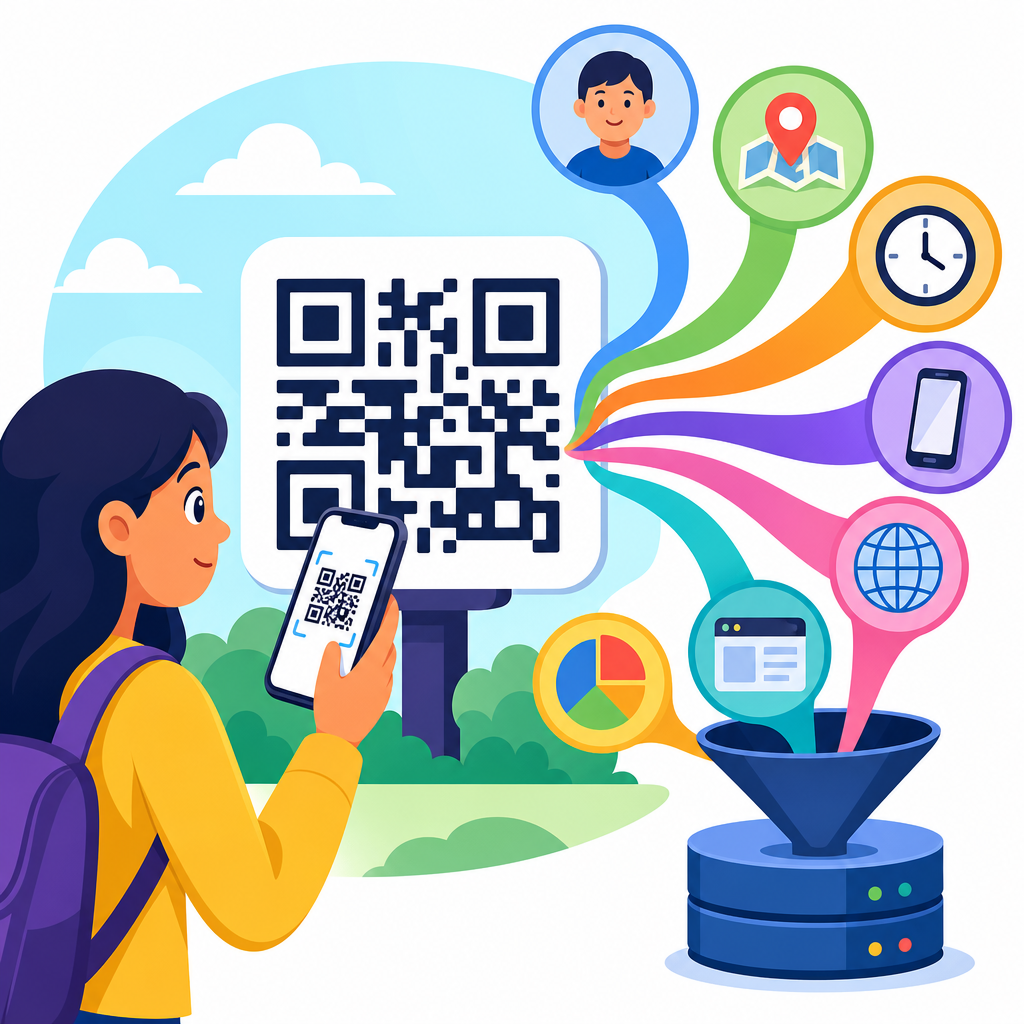
QR codes look simple: a square pattern that opens a link, saves a contact, joins Wi-Fi, launches an app, or triggers a payment. The privacy question is less simple. When people ask what data QR codes collect, the accurate answer is that the printed code itself usually collects nothing, but the systems behind the scan often collect a great deal. In practical audits I have run for retailers, event teams, and healthcare clients, the real issue was rarely the black-and-white symbol. It was the destination, the analytics stack, the mobile operating system, and the permissions requested after the scan.
A QR code, short for Quick Response code, is a two-dimensional barcode that stores machine-readable data. Static QR codes contain fixed information, such as a URL or text string, that does not change after creation. Dynamic QR codes point to a short redirect URL controlled by a platform, allowing the owner to edit the destination and measure scan activity over time. That distinction matters because static codes provide very limited observability, while dynamic codes can support extensive tracking. If you are evaluating QR code security and privacy, start by asking whether the code is static or dynamic, who controls the redirect, and what happens after the device opens the target.
Privacy concerns have grown because QR codes now sit at the intersection of offline behavior and digital analytics. A poster in a train station can tie a real-world location to a web visit. A restaurant menu can reveal visit time, device type, and repeat usage. A payment code can connect a customer identifier to transaction history. During implementation reviews, I have seen organizations assume QR scans are anonymous because no login is required. That assumption is wrong. Even when a user does not type a name or email address, a scan can still generate metadata, cookies, IP-based location, referral tags, and behavioral events that become personal data under laws such as the GDPR and, in many contexts, the CCPA and CPRA.
What a QR code can and cannot collect by itself
A QR code printed on packaging, signage, or labels does not have sensors, memory, or network connectivity. By itself, it cannot see your contacts, read your messages, or know who scanned it. It merely encodes data, most commonly a URL, but sometimes plain text, vCard details, calendar events, SMS templates, geolocation coordinates, or Wi-Fi credentials. When privacy advocates say QR codes collect data, they generally mean that scanning a code initiates a technical process in which other systems collect data. Keeping that boundary clear prevents exaggerated claims and helps teams design better controls.
The first layer of data exposure happens at scan time on the device. Modern smartphone camera apps, built-in QR readers, and third-party scanner apps may process the code differently. On iOS and Android, the default camera typically decodes the symbol and offers a prompt to open the link. A separate scanner app may add its own analytics, ad SDKs, crash reporting, and permission requests. In mobile assessments, third-party scanner apps were often the weakest link because users granted access to photos, location, or notifications without understanding why. So the answer to what data QR codes collect partly depends on what software does the scanning.
The second layer begins when the destination opens. If the code resolves to a website, standard web telemetry can capture IP address, approximate geolocation, browser and operating system details, language settings, screen size, referral parameters, and event timing. If the destination is an app deep link, the app may log device identifiers, account information, session events, and in-app behavior. If the destination downloads a file, the server can record access logs and associate them with campaign tags. In other words, a QR code is best understood as a trigger. The data collection comes from the triggered experience, not from ink on paper.
What data organizations commonly capture after a QR scan
The most common data point is the scan event itself: that a user scanned a specific code at a specific time. Dynamic QR code platforms frequently log timestamp, redirect URL, campaign name, and total or unique scans. They may infer city or region from the IP address and identify device category such as iPhone, Android phone, or tablet. Many tools also display browser family, operating system, and scan frequency over time. Platforms used by marketers, including Bitly-style redirect systems, campaign builders, and event software, often package these metrics into dashboards intended to measure engagement.
Location data is usually approximate unless the user explicitly grants GPS permission. Most QR platforms do not magically receive precise coordinates from a scan. Instead, they estimate location from IP geolocation, which can identify country reliably and city less reliably. However, there are important exceptions. If the destination page requests location access for store finding, attendance verification, delivery confirmation, or geofenced promotions, the organization may collect exact latitude and longitude. I have seen this in field service check-ins and tourism apps where a scan on-site was paired with browser geolocation to confirm physical presence.
Identifiers are the most sensitive category because they allow repeated visits to be linked to one person or household. A scan can create or transmit first-party cookies, advertising identifiers in app contexts, hashed email values for matching, loyalty IDs appended in URL parameters, or CRM keys embedded in personalized codes. For example, a mail campaign may print a unique QR code per recipient. When scanned, the code reveals who responded, when they responded, and whether they converted. That is effective measurement, but it also means the code is no longer anonymous. If a company uses individualized QR codes, it should treat the resulting data as directly attributable personal data.
| Data category | How it is collected after a scan | Typical privacy concern |
|---|---|---|
| Timestamp | Redirect server or web analytics log | Builds usage patterns and daily routines |
| IP address | Website, app, or QR platform access logs | Enables approximate location and linkage |
| Device details | User agent, SDK telemetry, browser signals | Supports fingerprinting and segmentation |
| Precise location | GPS permission on landing page or app | Reveals movement and physical presence |
| Personal identifiers | Forms, login, personalized URLs, CRM tags | Connects scans to named individuals |
| Behavioral data | Page views, clicks, purchases, dwell time | Expands profiling beyond the initial scan |
Static versus dynamic QR codes and why privacy risk changes
Static QR codes are often presented as the privacy-friendly option because they do not require an intermediate redirect service. If a static code directly opens https://example.com/menu, the organization may still collect website analytics, but there is no extra data collection layer from a QR management platform. Static codes are useful for plain information, offline documents, and long-term deployments where the link will not change. The drawback is operational rigidity. If the URL changes, the code must be reprinted, and scan-level reporting is limited unless the destination site is instrumented carefully.
Dynamic QR codes increase flexibility because the printed code points to a short URL controlled through a dashboard. The owner can change the final destination without reprinting signs, segment campaigns by location, and monitor performance across many codes. That convenience creates additional privacy implications. The redirect service can log every request before the user reaches the final page. If multiple vendors are involved, data may flow from the scanner app to the QR platform to the website analytics tool to the CRM. Each handoff raises questions about processor agreements, retention periods, cross-border transfers, and whether users received adequate notice.
Neither model is automatically compliant or noncompliant. A static code can still send a user to a heavily tracked landing page with invasive scripts, while a dynamic code can be deployed with minimal logging and short retention. The right approach is proportionality. Collect only what the use case requires. For a museum exhibit that simply opens an audio guide, aggregated scan counts may be enough. For fraud prevention in ticketing, more detailed logs may be justified, but they should be protected and time-limited. Privacy decisions should follow the purpose, not the novelty of the medium.
Where QR code privacy problems usually appear in practice
The most common problem is invisible data expansion. A person scans a code expecting a menu or instruction sheet, but the landing page loads tag managers, social pixels, session replay scripts, and consent banners designed for full marketing sites. In audits, this mismatch appears constantly: a low-friction offline interaction opens a high-friction digital environment. Even if every individual technology is lawful when configured correctly, the user experience feels disproportionate. Collecting broad marketing data from a simple utility scan can undermine trust and increase regulatory risk if the notice is unclear.
Another issue is over-personalization. Personalized QR codes are useful for onboarding packets, invoices, event badges, patient forms, and direct mail. Yet they can expose sensitive context if the URL contains readable identifiers or if the code is shared. A printed bill with a unique payment QR code may encode an account number. An event badge may link to a profile endpoint. A patient handout may direct to a form with prefilled details. If someone photographs or forwards the code, another person may access data they should not see. Sensitive deployments should use tokenization, authentication, expiration controls, and server-side authorization checks.
A third problem is weak governance across vendors. Businesses often use one provider to generate codes, another to host landing pages, another for analytics, and another for customer messaging. Without a clear data map, teams cannot answer basic questions: What data does the QR code collect? Who stores the IP logs? How long are redirect logs retained? Is scan data combined with purchase history? Can users opt out? Mature programs document each data flow, classify personal and sensitive data, define legal bases for processing, and verify contracts. Standards from ISO 27001 programs, SOC 2 controls, and privacy impact assessment methods are highly relevant here because QR projects are still data processing projects.
How to reduce risk and use QR codes responsibly
The best privacy control is data minimization. Before generating a code, define the exact outcome: information access, registration, payment, authentication, or support. Then remove data collection that does not serve that outcome. If scan counts by day are enough, avoid persistent identifiers. If city-level reporting is not necessary, truncate or anonymize IP addresses where the platform allows it. If a landing page can function without location permission, do not ask for it. In my experience, most QR initiatives can meet business goals with far less telemetry than default templates collect.
Transparency matters just as much as minimization. The physical placement of the code should signal what happens next: “Scan to view menu,” “Scan to pay invoice,” or “Scan to join Wi-Fi.” If the scan leads to tracking, forms, or account linking, say so clearly near the code or immediately on the landing page. Privacy notices should identify the controller, categories of data, purposes, retention periods, and sharing practices in plain language. For consent-driven jurisdictions, nonessential cookies and similar technologies should not activate before valid consent. A QR code is not a shortcut around disclosure obligations.
Security controls complete the picture. Use HTTPS, reputable QR management tools, role-based access, and short link governance so codes cannot be silently hijacked. Rotate credentials for Wi-Fi QR deployments. Protect personalized codes with expiring tokens and server validation. Monitor for sticker-over scams, where attackers place malicious QR labels on parking meters, restaurant tables, or public posters. Teach users to preview the destination before opening it and to distrust codes requesting unnecessary permissions. If you manage a sub-pillar on QR code security and privacy, these controls connect directly to adjacent topics such as malicious redirects, phishing via QR codes, safe scanning habits, mobile permission abuse, and vendor due diligence.
QR codes collect less data than many people fear and more data than many organizations admit. The symbol itself usually stores information but does not observe the user. The collection begins when a camera app, scanner, redirect service, website, or app processes the scan. From that point, common data types include time of scan, IP address, approximate location, device details, cookies, form entries, account identifiers, and downstream behavior such as clicks or purchases. The privacy impact depends on whether the code is static or dynamic, whether it is generic or personalized, and how the landing experience is instrumented.
For businesses, the practical lesson is straightforward: treat QR code campaigns like any other data collection channel. Map the data flows, minimize logging, secure the redirect path, disclose processing clearly, and avoid collecting information that is disproportionate to the user’s expectation. For users, the lesson is equally simple: preview links, use trusted scanner tools, watch for permission prompts, and assume a scan may open a fully tracked digital session. If you are building out a QR Code Security & Privacy resource hub, start by auditing every scan journey you publish or deploy, then tighten the ones that gather more data than they need today.
Frequently Asked Questions
Do QR codes themselves collect any data when someone scans them?
Usually, no. A standard printed QR code is just a machine-readable pattern that stores information such as a URL, phone number, contact card, payment string, Wi-Fi credential, or app link. By itself, that image does not watch users, store behavior, or transmit analytics. It is more accurate to think of the QR code as a doorway than a tracking tool. The data collection typically begins only after the scan, when the phone opens a destination such as a website, app, form, payment page, or download link.
That distinction matters because many privacy concerns blamed on QR codes are actually caused by the systems connected to them. For example, if a QR code opens a landing page, the web server may log the visitor’s IP address, approximate location, browser type, device details, time of access, referral information, and any form fields the person submits. If it launches an app, that app may collect its own analytics, identifiers, permissions-based data, or account details. So the code itself is often passive, while the destination and surrounding marketing or analytics stack are where collection happens.
What data can be collected after someone scans a QR code?
Once a scan leads to a digital destination, a wide range of data may be collected depending on the platform, settings, and business purpose. Common technical data includes the time and date of the scan, IP address, approximate geographic location inferred from that IP, device type, operating system, browser, language settings, and whether the user is on mobile or desktop after redirection. Some systems also record the campaign source, the specific QR code version used, scan frequency, and whether the user completed a later action such as a purchase, registration, or download.
Collection can become more extensive if the destination includes forms, logins, payment tools, or app integrations. In that case, the organization may gather names, email addresses, phone numbers, shipping details, payment-related information, health information, loyalty IDs, event attendance, survey responses, or support requests. Cookies, pixels, SDKs, and marketing tags can further connect the scan to advertising profiles or retargeting campaigns. In practice, the important question is not just “Was a QR code scanned?” but “What happened after the scan, and which systems were involved?” That is where the true scope of data collection is determined.
Can dynamic QR codes track users more than static QR codes?
Yes, in many cases they can. A static QR code contains the final destination directly in the code, so it typically sends the user straight to the stored URL or content. A dynamic QR code, by contrast, usually points first to a short redirect service managed by a QR platform. That extra step allows the code owner to change the destination later without reprinting the code, but it also creates an opportunity to measure and log scan activity. This is why dynamic QR codes are widely used in campaigns that need analytics, A/B testing, regional routing, time-based changes, or performance reporting.
That does not mean every dynamic QR code is invasive, but it does mean the infrastructure behind it often has greater tracking potential. The redirect platform may record scan counts, timestamps, device categories, operating systems, approximate locations, and conversion paths. If that redirect leads into a tagged website, customer data platform, or ad ecosystem, the scan can become part of a broader user journey profile. Static codes are not automatically private either, because the final website can still collect data. But dynamic codes often add an additional data layer before the user even reaches the destination, which is why they deserve closer scrutiny in privacy reviews.
Do businesses know exactly who scanned a QR code?
Not always. In many cases, a business can see that a scan happened without knowing the person’s real identity. Basic scan analytics often show aggregate or pseudonymous information such as total scans, time of day, city-level location, device type, and campaign performance. On their own, those records may not identify a specific individual. However, identification becomes much more likely if the scan leads to a login page, lead form, registration workflow, payment process, loyalty account, or app session tied to a known customer. At that point, scan behavior can be connected to a named person or persistent profile.
This is why context matters so much. A QR code on a public poster that opens a general webpage may only generate anonymous or semi-anonymous traffic logs. A QR code used in a patient intake process, event badge system, restaurant ordering flow, or personalized direct mail campaign can be far more revealing. If each code is unique to a person, location, table, ticket, or package, the organization may infer who scanned it even without a login. In other words, businesses do not automatically know exactly who scanned a code, but they often can identify or narrow down the user once the scan is linked to other data sources.
How can users and organizations reduce privacy risks related to QR code scans?
For users, the safest habit is to treat a QR scan like clicking an unknown link. Preview the destination if your phone allows it, look for a recognizable domain, and be cautious if the page requests sensitive information immediately. Avoid scanning codes placed over other codes, especially in public locations where tampering is possible. Keep your phone updated, use security features built into the camera or browser, and be skeptical of codes promising urgent rewards, payment changes, or account fixes. If a QR code opens a website, review whether the page uses HTTPS, whether the request makes sense, and whether you are being asked for more data than necessary.
For organizations, privacy risk reduction starts with data minimization and transparency. Collect only the information needed for the specific purpose, disclose what happens after the scan, and ensure that vendors handling redirects, analytics, forms, or payments follow appropriate security and privacy standards. If dynamic QR codes are used, audit the redirect platform and understand exactly what metadata it logs. Limit retention periods, avoid unnecessary third-party tags, secure the landing page, and monitor for code replacement or physical tampering. In regulated environments such as healthcare, finance, or education, the destination workflow matters even more than the code itself. The best privacy approach is to evaluate the entire scan journey end to end, not just the square symbol that starts it.





