
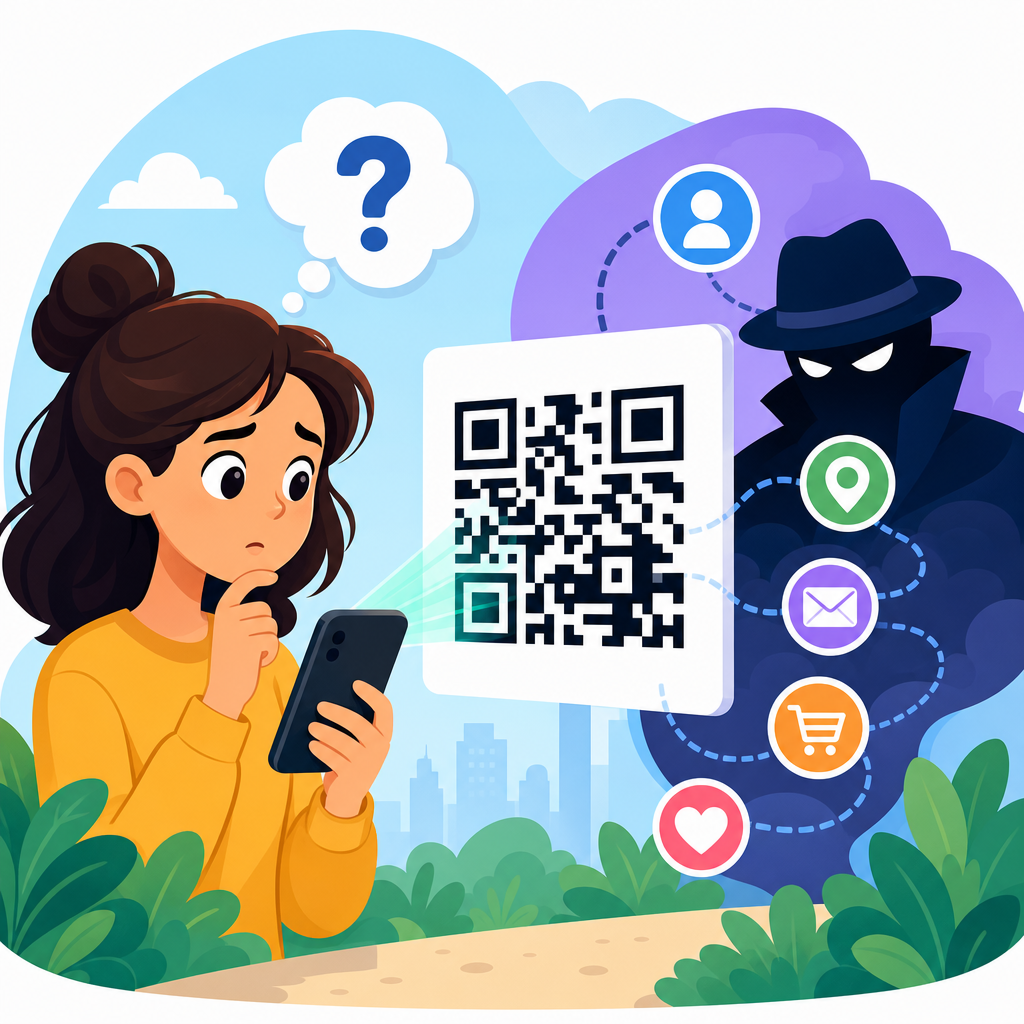
QR codes feel simple: point a phone camera, tap a link, and reach a menu, payment page, app download, form, or coupon in seconds. That convenience is exactly why privacy questions keep coming up, especially from people who see QR codes on parking meters, restaurant tables, product packaging, medical forms, and event badges. The short answer is important: a QR code itself does not inherently track personal information. It is only a machine-readable way to store data, most often a URL. What happens after the scan determines whether personal information is collected, inferred, shared, or retained.
To understand the issue clearly, define the moving parts. A static QR code contains fixed information such as a web address, plain text, Wi-Fi credentials, or contact details. A dynamic QR code usually points to a short redirect URL managed by a QR platform, which lets the creator change the destination later and measure scans. Personal information means data that identifies or can reasonably be linked to a person, including name, email address, phone number, device identifiers, IP address, precise location, payment details, login credentials, and combinations of behavioral data that become identifiable in context. Tracking means collecting or linking those signals over time or across services.
This distinction matters because many people blame the square code when the real issue is the landing page, analytics setup, mobile app, ad network, or business process behind it. In privacy reviews I have done for campaigns and physical signage, the QR image itself was rarely the risk. The bigger risks were hidden redirects, excessive form fields, long retention periods, and third-party scripts firing the moment the destination page loaded. For businesses, misunderstanding this can lead to weak disclosures and compliance problems. For consumers, it can lead to false confidence. A QR code can be harmless, or it can open a path into a dense tracking stack. The code is the doorway, not automatically the surveillance system.
As a hub within QR code security and privacy, this article answers the central question directly, then maps the practical concerns underneath it: what data can be collected from a scan, who gets that data, how dynamic codes change the privacy picture, what laws and mobile platforms require, what red flags users should watch for, and how organizations can deploy QR codes responsibly. If you need one working rule, use this: treat a QR code scan like clicking an unknown link in the physical world. The privacy impact depends on the destination, the permissions requested, and the analytics architecture behind the experience.
What a QR code can and cannot know by itself
A QR code by itself cannot see who scanned it, read contacts, access photos, capture a name, or pull data from a phone. It is an encoded pattern that stores characters. If the code contains a direct URL, the printed image has no built-in awareness of the scanner. A paper menu QR code sitting on a table has no sensor, network connection, or memory that lets it identify a diner. This is the clearest answer to “Do QR codes track personal information?” No, not on their own.
However, the moment a phone opens the encoded destination, normal web and app data flows begin. A website can typically log the time of the request, IP address, approximate location derived from IP, browser or device details, referral context, language settings, and sometimes advertising identifiers through embedded scripts. If the page asks the user to submit a form, sign in, download an app, enable location services, or make a payment, the organization can collect far more. In other words, the scan event is not the privacy endpoint. It is the first interaction in a chain.
There is also an important difference between direct collection and inference. A QR landing page may not ask for a name, yet a business can still infer that a person visited a specific store at a specific time because the QR code was unique to a table, shelf, mailer, ticket gate, or clinic room. That makes contextual data powerful. A code on a prescription pickup counter tells a different story than a code on a cereal box. Privacy analysis has to include context, not just fields on a form.
How personal information gets collected after a scan
Most QR privacy risks arise after the scan because the destination behaves like any other digital property. The first layer is server-side logging. Nearly every website records IP address, timestamp, requested URL, user agent string, and response status. Those logs support security and troubleshooting, but they also reveal scan volume, approximate geography, device type, and repeat visits. Under many privacy laws, some of those data points are regulated when they relate to an identifiable person or household.
The second layer is analytics. Tools such as Google Analytics 4, Adobe Analytics, Matomo, Mixpanel, and QR platform dashboards can measure unique visits, session duration, campaign parameters, conversion events, and user paths. If a company ties the scan to a CRM record, loyalty ID, event registration, or email address, the interaction becomes personally linked. This often happens with gated content, digital business cards, lead forms, coupon redemption pages, and support portals.
The third layer is third-party technology on the landing page. Ad pixels, tag managers, consent tools, chat widgets, embedded videos, A/B testing platforms, fraud prevention services, and payment processors may all receive data when the page loads. I have audited QR campaign pages where more than a dozen external requests fired before the user tapped anything. From a privacy standpoint, that is far more significant than the code image on the poster.
Finally, mobile apps can expand collection. Some QR codes deep-link into an app or prompt an app install. Once inside an app, data collection may include persistent identifiers, account history, location permissions, camera access, push token data, and cross-device linkage. This is common in payments, ticketing, loyalty, and healthcare workflows. Users should assume the privacy policy of the destination service, not the appearance of the QR code, determines the real data footprint.
| Scenario | What the QR code itself reveals | What the destination may collect | Privacy risk level |
|---|---|---|---|
| Printed URL to a basic webpage | Nothing about the scanner | IP address, device type, time, cookies | Low to moderate |
| Dynamic marketing code with redirect analytics | Nothing directly, but code ID identifies campaign placement | Scan time, approximate location, repeat scans, campaign attribution | Moderate |
| Code leading to a form | Nothing directly | Name, email, phone, purchase intent, consent preferences | Moderate to high |
| Code opening a payment or app workflow | Nothing directly | Account data, transaction details, identifiers, possible location | High |
Static versus dynamic QR codes and why the difference matters
Static and dynamic QR codes create very different privacy profiles. A static code usually embeds the final destination directly. If it links to https://example.com/menu, the camera app or browser opens that page without an intermediary controlled by a QR vendor. That reduces one layer of tracking because there is no separate redirect service recording scan events. Static codes are often the better choice for simple, long-lived uses such as public information pages, basic menus, or product manuals where scan analytics are not necessary.
Dynamic codes route the user through a managed short link first. That design is operationally useful because the destination can be changed without reprinting the code, broken links can be fixed, and marketers can compare performance by location. For example, the same poster design can be placed in ten stores, each with a distinct dynamic code, allowing the brand to measure which store drove scans and sales. The tradeoff is obvious: the redirect service now has visibility into each scan and can log metadata before the user even reaches the destination page.
Dynamic systems are not automatically invasive. A well-configured platform can collect minimal event data, avoid unnecessary sharing, and enforce short retention periods. But they increase the number of parties in the data chain and therefore increase governance needs. Businesses should know whether the platform stores raw IP addresses, whether it supports regional processing, whether scan logs are aggregated or user-level, and whether the vendor uses customer data to improve its own services. Those contract and configuration details matter more than many teams realize.
Common data privacy concerns in real QR code deployments
Several recurring patterns drive most QR code privacy concerns. The first is opaque redirection. Users scan a code expecting a menu or instruction page and instead pass through a branded or shortened link that gives little clue about the final domain. Lack of transparency makes informed choice harder and complicates consent. Clear preview URLs and recognizable domains reduce this problem.
The second is over-collection. A restaurant feedback form does not need date of birth. A warranty registration page often does not need access to precise location. Yet QR experiences frequently inherit bloated forms and default marketing tags. Data minimization is the correct standard: collect only what is necessary for the stated purpose. This principle appears in major privacy regimes and is also good conversion practice.
The third concern is location sensitivity. A scan near a hospital department, addiction service, political event, religious venue, or domestic violence resource center can reveal sensitive context even if the landing page requests no direct identifier. Organizations operating in sensitive settings should avoid unnecessary analytics and ensure that scan metadata is tightly controlled. Context can transform ordinary technical data into highly sensitive information.
Another issue is access control. QR codes printed on invoices, visitor badges, shipment labels, and patient forms may expose identifiers if anyone nearby can scan them. In those cases, the privacy problem is not tracking but unintended disclosure. Codes should avoid embedding raw personal data when a short-lived token or authenticated session will do. Tokenization is safer than putting names, account numbers, or medical details in the code itself.
Legal and platform considerations businesses cannot ignore
If a QR code flow collects personal information, the same privacy and security rules that apply to websites, apps, and forms apply here too. In the European Union and United Kingdom, the GDPR and UK GDPR require a lawful basis for processing, transparency, data minimization, purpose limitation, retention controls, and safeguards for international transfers. In the United States, state laws such as the California Consumer Privacy Act, as amended by the CPRA, can apply when scan data is linked to consumers or households. Sector rules may also matter. A healthcare QR workflow can trigger HIPAA obligations; a children’s app flow can implicate COPPA; payment journeys may fall under PCI DSS requirements for card handling.
Mobile platforms shape privacy as well. Modern phone camera apps typically show a preview of the URL before opening it, which helps users detect suspicious domains. Browsers increasingly block some third-party cookies, limit fingerprinting techniques, and require secure HTTPS connections for many features. Consent banners and tag governance have also become essential because analytics and advertising technologies on QR landing pages are subject to the same consent and disclosure expectations as any other digital channel.
From an operational standpoint, organizations should maintain records of processing, vendor assessments, privacy notices, and retention schedules for QR campaigns. When I review these programs, the gap is often not malicious tracking but undocumented sprawl: a marketing team launches a dynamic code with one vendor, a regional team adds a form tool, and an agency inserts pixels. Good governance means treating QR journeys as part of the formal data inventory, not as disposable print assets.
How users can protect their privacy when scanning QR codes
Consumers are not powerless. Start by checking the destination preview before tapping. If the domain looks misspelled, unrelated to the context, or hidden behind multiple shorteners, stop. Suspicious redirection is both a privacy and security risk. If the code is on a sticker placed over another sign, be cautious; tampered QR codes are a common social engineering tactic in parking scams and public kiosks.
After opening the page, review what it asks for. A legitimate menu page should not require account creation. A coupon page rarely needs full contact details unless there is a clear exchange of value. Decline permissions that do not fit the task, especially precise location, contacts, Bluetooth, microphone, and persistent notification requests. On phones, using privacy features such as app tracking controls, private relay options where available, and browser protections can reduce exposure.
It also helps to separate browsing from identity. If a QR code leads to a page you only want to read, avoid signing in unless necessary. Consider using email aliases for promotions and loyalty programs. Keep your device updated so browser and operating system security protections remain current. These steps will not make every scan anonymous, but they significantly limit unnecessary personal information sharing.
Best practices for privacy-first QR code programs
Organizations can use QR codes responsibly without sacrificing utility. First, choose static codes when analytics and destination edits are not needed. Fewer intermediaries usually mean less data sharing. If dynamic codes are necessary, configure the platform for minimal logging, short retention, role-based access, and regional controls. Avoid vendors that treat customer scan data as their own marketing asset.
Second, use transparent destinations. Brand the short domain when possible, publish concise notices near the code for sensitive uses, and make the landing page privacy policy easy to reach. Third, minimize collection on the destination page. Remove unnecessary fields, defer nonessential trackers until consent is obtained where required, and avoid loading excessive third-party scripts. Fourth, protect sensitive workflows with authentication, expiring tokens, and encrypted transport rather than embedding personal data in the code.
Finally, test the experience like a privacy auditor. Scan from different devices, inspect redirects, review network requests, verify consent behavior, and confirm deletion or retention rules. The key takeaway is simple: QR codes do not magically track personal information, but the systems connected to them often can. If you manage QR code security and privacy, audit the full journey from print surface to final database, then tighten every unnecessary data handoff. That is how you keep convenience while protecting trust.
Frequently Asked Questions
Do QR codes themselves collect or track personal information?
No. A QR code by itself does not inherently collect, store, or track personal information. A QR code is simply a machine-readable way to encode data, most commonly a website URL, but it can also contain plain text, contact details, Wi-Fi credentials, payment instructions, or other basic information. In other words, the code itself is not a surveillance tool. It is closer to a digital shortcut than a tracking device.
Privacy concerns usually begin only after someone scans the code and takes an action. For example, if the QR code opens a website, that website may collect information such as IP address, device type, browser data, approximate location, cookies, or anything the user voluntarily enters into a form. If the QR code launches an app, starts a payment process, or opens a sign-up page, then the platform behind that destination may also log activity. So the key distinction is this: the QR code is not what tracks people; the destination linked through the QR code may track data depending on how it is set up.
What information can be collected after scanning a QR code?
What gets collected depends entirely on what happens after the scan. If the code opens a standard webpage, the site may automatically log technical details such as the time of visit, referral data, operating system, browser type, and approximate geographic region based on IP address. That is similar to what happens when someone clicks a normal web link. If the destination includes analytics tools, marketing pixels, or cookies, it may also measure engagement, repeat visits, conversions, or advertising behavior.
If the page asks the user to submit information, then more direct personal data may be collected, such as name, email address, phone number, payment details, delivery information, medical intake responses, or event registration data. In workplace, healthcare, hospitality, or retail settings, a QR code can also connect a person to a form or system that identifies them more directly. For example, a QR code on an event badge might lead to a profile check-in system, or a medical form may connect to patient intake software. The important point is that the scanned code is only the entry point. The actual data collection happens through the website, app, or service on the other end.
Are dynamic QR codes more trackable than static QR codes?
Yes, in a practical sense, dynamic QR codes can support more tracking than static QR codes, although the code itself still is not collecting personal information on its own. A static QR code contains the final destination directly, such as a fixed URL. Once created, it usually cannot be edited, and it does not automatically provide reporting unless the destination website itself has analytics in place.
A dynamic QR code works differently. It typically points first to a short redirect URL controlled by a QR code platform. That redirect can then send the user to the final destination. Because of that extra step, the platform may log scan-related data such as number of scans, time of scan, device type, approximate location, and sometimes campaign performance. Businesses use this for marketing measurement, coupon tracking, packaging analytics, and event engagement reporting. However, even dynamic QR code reporting usually starts with scan activity and technical metadata, not a person’s identity. It becomes personal information only if that data is linked to an identifiable individual through a login, form submission, customer account, payment flow, or another data source.
Can someone find out who I am just because I scanned a QR code?
Usually, not from the scan alone. In most cases, scanning a QR code does not immediately reveal your name, phone number, email address, or other direct identity details to the person who created the code. What they may see instead is limited technical or aggregate information, especially if the code uses a dynamic tracking platform or leads to a site with analytics. That can include scan counts, timestamps, device categories, and rough location estimates. By itself, that data often does not identify a specific person.
Identification becomes possible only when the scan is tied to another action or system. For example, if you scan a code and then log into an account, complete a registration form, make a payment, download an app with account permissions, or access a personalized portal, your identity can become connected to that scan session. The same can happen in closed environments such as workplaces, schools, conferences, medical offices, or loyalty programs where the QR code is uniquely associated with a specific user or badge. So while a scan alone is often anonymous or semi-anonymous, the broader digital journey may not be.
How can I scan QR codes more safely and protect my privacy?
The best approach is to treat a QR code like any other link: convenient, but worth checking before you trust it. Whenever possible, preview the destination URL before opening it. Many phone cameras and scanning apps show the web address first, giving you a chance to confirm that it leads to a legitimate domain. Be especially careful with codes posted in public places like parking meters, flyers, utility boxes, restaurant tables, and transit stations, where malicious stickers can be placed over real codes. If the link looks suspicious, misspelled, shortened in an unclear way, or unrelated to the setting, do not open it.
It also helps to limit what you share after scanning. Before submitting a form, entering payment information, or downloading an app, check whether the website uses HTTPS, has a clear privacy policy, and appears to belong to the expected business or organization. Avoid giving unnecessary personal details if the request seems excessive for the task. Keep your phone and browser updated, use trusted security settings, and be cautious about allowing permissions such as location, contacts, or camera access unless they are clearly needed. In short, QR codes themselves are not automatically invasive, but the websites and services behind them deserve the same privacy scrutiny as any other digital interaction.





