
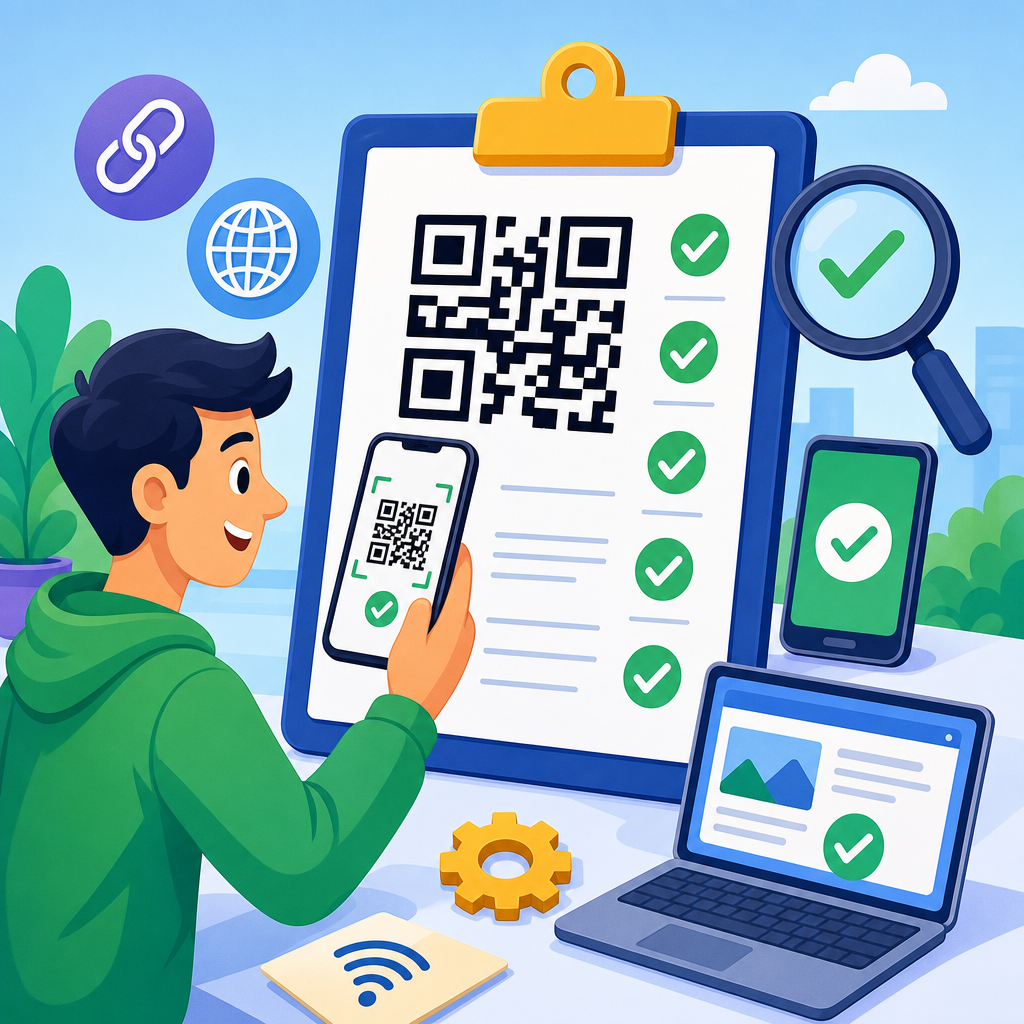
QR code testing is the final quality gate between a smart campaign and a broken customer journey. A QR code may look simple, but deployment failures are rarely caused by the square pattern alone; they usually come from missed checks around destination URLs, print contrast, scan distance, analytics setup, mobile rendering, and environment-specific conditions. In practice, a QR code testing checklist is a repeatable prelaunch process that verifies whether a code scans quickly, resolves correctly, loads fast, tracks activity accurately, and remains usable across devices and contexts. That matters because QR codes now support packaging, menus, payments, tickets, product authentication, lead generation, field service, and omnichannel retail. If one code fails on a poster, carton, flyer, or storefront, the result can be lost revenue, poor attribution, support complaints, and wasted media spend. I have seen strong creative campaigns underperform for one preventable reason: nobody tested the live code from a real phone under real lighting. This hub article explains the complete QR code testing checklist before deployment, covering the checks teams should run for print, digital display, dynamic links, analytics, security, accessibility, and ongoing maintenance. Use it as the master framework for every campaign, then adapt it for the specific checklist pages in your broader QR code resources library.
Start With Destination, Redirect, and Content Validation
The first question is basic but essential: where does the QR code go, and does that destination serve the intended user without friction? Test the encoded content directly before you even look at visual quality. If the code contains a URL, confirm the protocol, domain, path, query parameters, and UTM tags are correct. Dynamic QR codes often introduce redirect layers through a QR management platform, so verify both the short tracking URL and the final landing page. I always test this chain on mobile data and Wi-Fi because corporate firewalls, captive portals, and DNS propagation can affect behavior. If a campaign uses deep links into an app, validate fallback logic for users who do not have the app installed. For vCard, SMS, email, PDF, coupon, or payment payloads, test the exact action expected on iOS and Android. Small formatting mistakes can break contact import fields, subject lines, or payment requests. Also check whether the landing page matches the promise on the physical asset. A restaurant table tent should not lead to a generic homepage when customers expect the menu. A product box should not open a mobile page with out-of-stock messaging if the scan intent is setup instructions. Relevance after scan is as important as scan success itself.
Verify Scan Performance Across Devices and Native Camera Apps
A QR code passes only when ordinary users can scan it quickly with common devices. That means testing with native camera apps on recent and older iPhone and Android models, not just a dedicated scanner app that may be more forgiving. In my own rollout checklists, I use at least one current flagship phone, one midrange Android device, and one older iPhone because autofocus speed, low-light performance, and screen glare handling vary noticeably. Measure whether the code is recognized within one to three seconds from a normal user posture. If users must hunt for focus, step closer than expected, or tilt the page repeatedly, the code is too risky for deployment. Test from multiple distances that reflect actual placement: handheld brochure, countertop sign, wall poster, window decal, billboard, kiosk screen, and shipping carton. Native cameras also differ in how they preview links and security prompts. Make sure the prompt is visible, trustworthy, and not truncated in a way that hides the destination domain. If your audience includes enterprise devices with mobile device management restrictions, test there too. A code that scans in the studio can still fail in the field because the default camera behavior is disabled or browser opening is restricted.
Check Design, Size, Contrast, and Error Correction
Most physical scan failures come from design decisions that ignore practical tolerances. Size should match viewing distance. A common baseline is at least 2 x 2 centimeters for close-range print, but larger is often necessary, especially when codes carry dense data. For posters, windows, and transit placements, use a distance-to-size rule rather than guessing. Quiet zone is nonnegotiable: maintain a blank margin of roughly four modules around the code so the camera can distinguish the symbol from surrounding artwork. Contrast should be high, ideally dark modules on a light background. Inverted colors, gradients, metallic inks, textured paper, glossy lamination, and transparent overlays can all hurt readability. Stylized QR codes are viable only if tested rigorously; branding should never compromise finder patterns, alignment patterns, or module integrity. Error correction settings matter when logos are embedded or a code may be partially obscured. Higher correction can improve resilience, but it also increases density, which can reduce scan reliability at small sizes. The right balance depends on payload length and use case. Before approving artwork, export final production files and test the actual rendered asset, not a design mockup inside a creative tool. Compression, rasterization, and print proofs can change edge sharpness enough to affect scanning.
Test by Environment, Material, and Real-World Placement
Environmental testing separates theoretical readiness from deployment readiness. A QR code on matte paper in a meeting room behaves differently from one on curved plastic, glass, corrugate, fabric, metal, or an LED display outdoors. Print the code on the actual substrate if possible and test under the expected lighting: sunlight, shade, fluorescent office light, warm restaurant light, warehouse light, and nighttime street conditions. Glare is a major failure source on laminates, acrylic displays, storefront windows, and smartphone screens. Curved surfaces can distort module geometry, especially on bottles and cans. Placement height and angle matter too. A code mounted too high forces users into awkward positions that reduce camera stability and focus. Motion contexts need separate checks: people scanning from a car queue, a trade show aisle, or a train platform have less time and precision than someone holding a product package. If the code appears on digital signage, test at full brightness and on the exact screen technology because moire effects and refresh patterns can interfere with camera detection. For packaging, test before and after sealing, folding, and shrink wrapping. I have seen perfectly valid codes become unscannable once a flap crease crossed the symbol or reflective film was applied.
| Testing area | What to verify | Common failure | Practical fix |
|---|---|---|---|
| Destination | Correct URL, redirect, UTM tags, and fallback page | Broken link or wrong landing page | Use dynamic redirects and final URL QA on mobile |
| Device scanning | Native camera recognition on iPhone and Android | Slow autofocus or no prompt | Increase size, contrast, and quiet zone |
| Print design | High contrast, sharp edges, proper error correction | Stylized code fails after print | Test final production file and proof |
| Environment | Lighting, glare, distance, placement angle, substrate | Reflective surface blocks scans | Change finish, location, or code orientation |
| Mobile landing page | Load speed, responsive layout, readable CTAs | Bounce after successful scan | Optimize Core Web Vitals and simplify page flow |
| Analytics | Event capture, campaign naming, dashboard accuracy | Scans not attributed correctly | Standardize taxonomy and validate reports |
Confirm Mobile Landing Page Experience and Conversion Flow
A scan is not the goal; the post-scan experience is. Every QR code should resolve to a mobile-first destination that loads quickly and makes the next step obvious. Test page speed with PageSpeed Insights or Lighthouse, but also use a real phone on average network conditions. Slow pages create a silent failure mode where the QR code technically works but campaign performance collapses. Confirm responsive layout, readable typography, tap target spacing, autofill behavior, cookie banners, age gates, language selection, and payment flows. If a QR code supports registration, ordering, downloading, or support, complete the full journey from scan to confirmation. I routinely test forms with valid and invalid inputs, checking keyboard type, error messaging, captcha behavior, and session persistence if a user switches apps. If the code opens a PDF, verify file size and whether the document is legible on a mobile screen; many supposed quick-access experiences fail because they send users to desktop-oriented PDFs. Also test localization. A code on multinational packaging should route users based on region or at least present country selection cleanly. The landing experience should preserve trust with consistent branding, HTTPS, and an immediately recognizable domain. Users are more cautious now, so any mismatch between printed message and mobile destination increases abandonment.
Audit Tracking, Attribution, and Platform Reporting Before Launch
If you cannot trust the data, you cannot improve the campaign. Analytics checks should happen before deployment, not after the first print run. Validate that UTM parameters follow your naming convention for source, medium, campaign, content, and term where appropriate. Confirm that the analytics platform records sessions, events, conversions, and revenue against those parameters. In Google Analytics 4, test key events and conversions with DebugView or a tag auditing workflow through Google Tag Manager. If the QR code platform provides scan analytics, compare its counts with web analytics and understand the difference: platform scans may measure redirect hits, while web tools measure sessions or engaged sessions after the page loads. That distinction becomes important when network latency, bot traffic, or duplicate scans appear. Dynamic QR code dashboards should also be checked for timestamp accuracy, geographic aggregation, device breakdown, and export capability. For regulated sectors, review retention settings and whether IP handling aligns with privacy requirements. Offline attribution deserves attention too. A store poster campaign should have a measurable on-page goal, coupon redemption code, or POS tie-in so scans connect to outcomes. I prefer creating a simple prelaunch validation sheet that lists each live code, final URL, UTM set, expected event, dashboard location, and responsible owner. That discipline prevents the common scramble when stakeholders ask for performance data on launch day.
Review Security, Accessibility, Governance, and Ongoing Maintenance
Deployment is not the end of testing. QR codes remain active in the world long after launch, which makes governance and maintenance part of the checklist. Start with security. Use HTTPS everywhere, avoid obscure redirect domains when possible, and monitor for expired certificates, broken destination pages, or unauthorized changes to dynamic links. If a code enables payments, account access, downloads, or personal data collection, involve security and compliance teams early. Accessibility also deserves explicit review. A QR code alone excludes some users, so provide a short URL or clear fallback instruction near the code. Printed materials should include enough context that users know what they will get after scanning, such as “Scan to view setup video” or “Scan to pay invoice securely.” For wayfinding, menus, or service instructions, ensure text alternatives exist. Governance means version control, owner assignment, and retirement plans. I recommend maintaining a QR code inventory with code ID, destination, placement, print run, launch date, owner, and review cadence. Dynamic codes should be rechecked after content updates, site migrations, and analytics changes. Static codes need even more caution because any URL error becomes expensive once printed at scale. As the hub page for QR code checklists, this framework should link to specialized articles for packaging QA, event signage testing, restaurant menu validation, analytics setup, and dynamic versus static code review. Use this master checklist before every deployment, document the results, and treat each scan as a customer interaction worth testing with the same rigor you would apply to checkout or login.
A reliable QR code deployment comes from disciplined testing, not assumptions. The core checks are straightforward: validate the destination, test scan speed on real devices, confirm size and contrast, evaluate the actual environment, complete the mobile journey, verify analytics, and plan for security and maintenance. When teams skip even one of these steps, they create failure points that users experience immediately and rarely forgive. When teams follow a structured QR code testing checklist before deployment, they protect campaign performance, preserve trust, and make every printed or displayed code measurably more effective. The practical benefit is simple: more successful scans, better conversions, cleaner attribution, and fewer expensive reprints. Keep this hub as your central reference for QR code checklists, then build campaign-specific versions for packaging, retail displays, events, field operations, and digital signage. Before your next launch, run the checklist end to end, test in the real world, and fix anything that adds friction.
Frequently Asked Questions
What should be included in a QR code testing checklist before deployment?
A strong QR code testing checklist should cover much more than whether the code scans once on a single phone. Start by confirming that the destination URL is correct, live, secure, and free of redirect errors. Test the full resolution path, including short links, tracking parameters, and any conditional redirects, to make sure users always land on the intended page. Then verify scan performance itself by checking how quickly the code is recognized across multiple devices, camera apps, and operating systems. A code that scans perfectly on one modern smartphone can still fail on older devices or under less ideal conditions.
Next, review print and design quality. Make sure there is enough contrast between the QR code and its background, that the quiet zone around the code is preserved, and that no logo, styling, or layout element interferes with readability. Size matters too, so test whether the code can be scanned comfortably from the expected viewing distance. If the code will appear on posters, packaging, menus, signs, or direct mail, test it in those actual formats rather than relying only on a digital preview. Environmental conditions such as glare, shadows, curved surfaces, motion, and low light can all affect scan reliability.
Finally, test the post-scan experience. Confirm that the landing page loads quickly, renders correctly on mobile screens, and matches the campaign intent. Check that analytics are firing properly, UTM parameters are preserved, and conversion events are recorded. If the page includes forms, downloads, app links, coupon redemption, or geo-specific content, test each path thoroughly. In short, a complete checklist verifies scanability, destination accuracy, usability, analytics integrity, and real-world performance before anything goes live.
How do you test whether a QR code will scan reliably in real-world conditions?
Reliable QR code testing means simulating the exact conditions in which people will encounter the code. Begin by scanning it with multiple devices, including iPhones, Android phones, newer models, and at least a few older devices if your audience is broad. Use both native camera apps and popular third-party scanners where relevant. Test from different angles, distances, and speeds to see how quickly the code locks and whether users need to reposition their phones repeatedly. A code that requires precise alignment or ideal lighting is likely to underperform in the field.
Physical environment is one of the most common sources of failure, so test accordingly. If the code is printed, examine it under bright sunlight, indoor fluorescent lighting, dim conditions, and areas with reflections or glare. If it appears on glossy material, windows, metal, or curved packaging, verify that distortion and reflection do not interfere with recognition. If users will scan while walking past signage, standing in a checkout line, or viewing the code from a vehicle or across a room, test in those conditions as closely as possible. Real-world usability often breaks down not because the QR code is invalid, but because the deployment context was never tested.
It is also important to test the code after final production, not just before printing or publishing. Compression, scaling, ink spread, low-resolution output, and design adjustments can all degrade performance. A preproduction file may scan perfectly while the finished printed piece does not. The safest approach is to test the final asset, in its final size, on its final material, in the final location if possible. That is the difference between theoretical functionality and actual deployment readiness.
Why do destination URLs and redirects need to be tested so carefully?
The QR code itself is often not the weak point; the destination experience is. A code can scan instantly and still create a poor customer journey if the URL resolves incorrectly, redirects too many times, or lands on a page that is broken on mobile. Before deployment, verify that the encoded URL is exactly correct and that every redirect in the chain works as intended. This includes short URLs, dynamic QR code destinations, campaign tracking links, geo-routing, language-based redirects, and device-specific behaviors. Even one misconfigured rule can send users to the wrong page or create a dead end.
Redirect testing also matters for speed and trust. Long redirect chains can slow page loads, and delays after scanning often feel like failures to users. If the link changes domains multiple times, some users may hesitate or abandon the visit altogether. You should confirm that HTTPS is active, certificates are valid, and no security warnings appear during resolution. If the code is used in paid campaigns, retail displays, or printed materials that cannot be easily corrected, a bad redirect setup can become expensive very quickly.
In addition, test all campaign and analytics parameters attached to the URL. Make sure UTM tags remain intact, attribution is recorded correctly, and any conversion tracking still works after redirects. If the destination uses app deep linking, login states, coupon codes, or personalized content, validate those scenarios individually. A QR code deployment succeeds only when users reach the right destination smoothly and your reporting accurately reflects what happened after the scan.
How important are mobile landing page and analytics checks in QR code testing?
They are essential, because the overwhelming majority of QR code scans happen on mobile devices. That means the landing page experience is not a secondary concern; it is a core part of QR code quality assurance. After scanning, users should arrive at a page that loads fast, fits small screens properly, keeps important content above the fold, and makes the next action obvious. Test page layout, font readability, button size, form usability, image scaling, cookie banners, pop-ups, and checkout or sign-up flows. A technically scannable QR code still fails if the landing page frustrates users or creates friction immediately after the scan.
Analytics checks are just as important because inaccurate tracking makes optimization nearly impossible. Confirm that pageviews, sessions, events, conversions, and campaign attribution are being captured correctly in your analytics platform. If you use UTM parameters, verify that they persist through redirects and appear in reports as expected. If the journey includes button clicks, form submissions, purchases, downloads, or app installs, test each conversion event end to end. You want to know not only that the code gets scanned, but also whether it drives measurable business outcomes.
It is also wise to compare analytics behavior across devices and browsers. Privacy settings, ad blockers, in-app browsers, and consent tools can affect tracking accuracy. Check whether users opening the page from social apps, messaging apps, or native camera previews experience different analytics behavior. A complete QR code testing process validates both user experience and measurement quality, so the campaign is usable for customers and actionable for marketers.
What are the most common QR code deployment mistakes that testing helps prevent?
One of the most common mistakes is assuming that if a QR code scans once, it is ready to deploy. In reality, many failures come from insufficient testing across devices, lighting conditions, print sizes, and final production formats. Codes may be printed too small, placed too high, distorted on curved packaging, or set against low-contrast backgrounds that look stylish but scan poorly. Another frequent issue is removing or crowding the quiet zone, which can make recognition inconsistent. These are not flaws in QR technology; they are preventable execution errors.
Another major category of mistakes involves destination handling. Broken URLs, expired campaign pages, redirect loops, unannounced login walls, non-mobile-friendly pages, and region-specific routing errors all create poor outcomes after the scan. In some cases, teams test the QR symbol itself but forget to validate the actual customer journey from scan to conversion. That leads to situations where the code works technically, but users bounce because the page loads slowly, the offer is missing, or the call to action is unclear. Thorough testing catches these issues before customers do.
Finally, many deployments fail on the measurement side. Missing analytics tags, stripped UTM parameters, untracked conversions, and inconsistent attribution can make a campaign appear weaker or stronger than it really is. Without reliable data, it becomes difficult to prove ROI or improve future efforts. A disciplined predeployment checklist helps prevent all of these problems by forcing teams to test the code, the destination, the environment, and the analytics as a connected system rather than as isolated pieces.





