
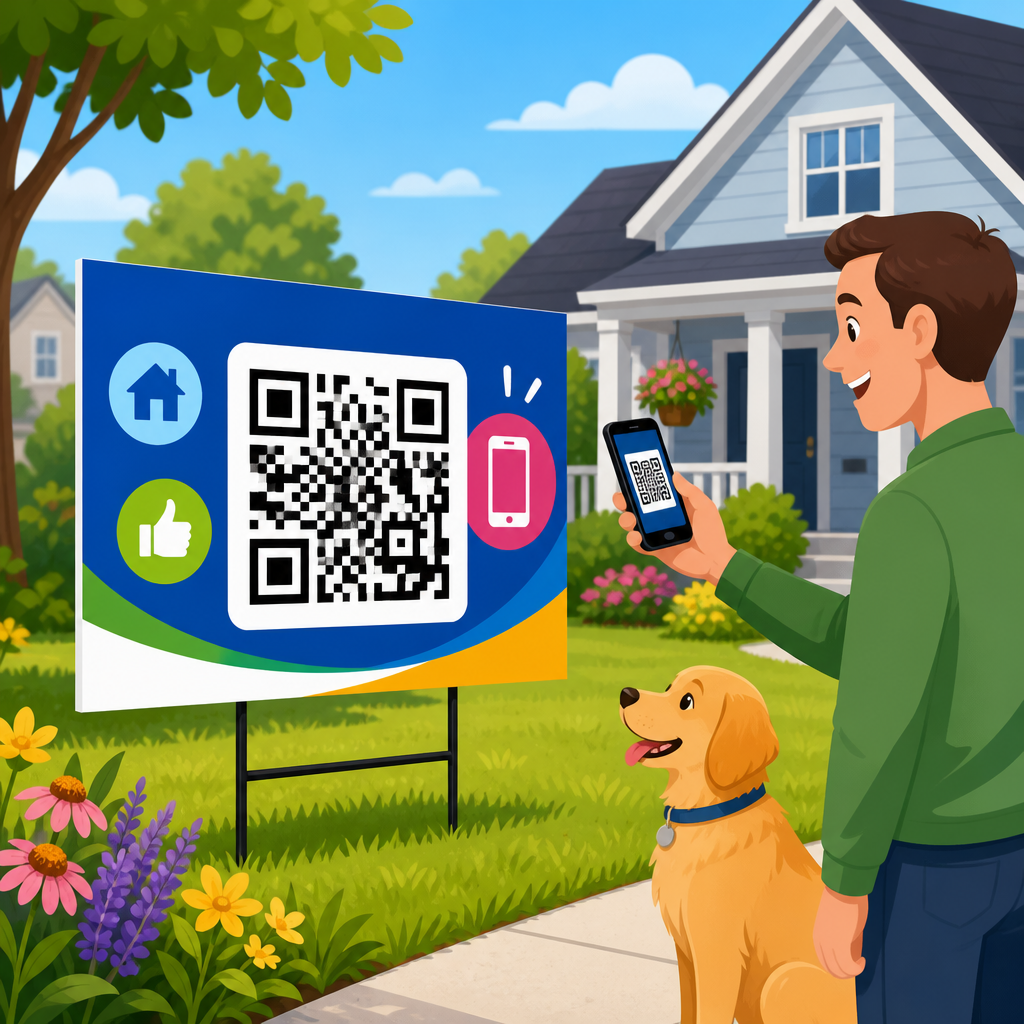
QR codes on yard signs have become a practical real estate marketing tool because they bridge a physical sign in front of a property with digital information a buyer can access instantly on a phone. In real estate, a yard sign is often the first branded touchpoint a passerby sees, and a QR code can turn that brief glance into a measurable action: viewing photos, booking a showing, downloading a brochure, or calling an agent. When I have audited sign campaigns for brokerages, the difference between a code that simply exists and one that is designed, placed, and tracked correctly has been dramatic. Good implementation increases scans, captures intent, and shortens the path from curbside curiosity to qualified inquiry.
For this topic, best practices means more than printing a black-and-white square and hoping people use it. It includes code type selection, landing page design, sign layout, call-to-action copy, analytics, compliance, and maintenance across multiple listings. Static QR codes point to a fixed destination. Dynamic QR codes redirect through a managed short link, allowing destination edits, scan reporting, and campaign control without reprinting signs. In almost every real estate use case, dynamic codes are the better choice because listings change, price drops happen, open houses move, and sold properties need replacement destinations. The code on the sign may stay the same, while the experience behind it updates.
This matters because real estate shoppers increasingly begin their search on mobile devices and expect immediate answers. National Association of Realtors consumer research consistently shows buyers rely heavily on online listings, photos, and mobile search during the home search process. A yard sign still creates local visibility, but a sign alone cannot answer the questions buyers have on the spot: What is the price? How many bedrooms? Are there interior photos? Can I book a tour today? A well-built QR workflow answers those questions in seconds, even when the agent is unavailable. That convenience improves lead capture and gives brokers a cleaner attribution trail than a phone number on a sign.
As the hub page for real estate under broader QR code use cases by industry, this article covers the foundational decisions every brokerage, team, and solo agent should get right. It also points naturally to deeper subtopics you may build out later, including QR codes for open house registration, brochure downloads, property flyers, rider signs, multifamily leasing, commercial real estate, and agent recruiting. The goal here is comprehensive guidance for the main use case: using QR codes on yard signs to market listings effectively, safely, and measurably.
What QR Codes on Real Estate Yard Signs Should Link To
The best destination for a yard sign QR code is usually a mobile-optimized single-property landing page, not a generic homepage. A dedicated listing page gives a passerby the exact information they expected when they scanned: address, price, hero image, core specs, short description, map, photo gallery, and a clear next step. If your sign says “Scan for price and photos,” the scan should open directly to that listing, not to a search portal where the user has to hunt for the property again. Reducing friction is the main rule.
That landing page should load quickly over mobile data, display above-the-fold essentials, and offer multiple conversion paths. In practice, the highest-performing pages I have seen include tap-to-call, tap-to-text, schedule-a-tour, mortgage calculator, and request-disclosures options. For higher-end listings, adding a video walkthrough or 3D tour from Matterport can increase engagement, but only if page speed remains acceptable. If media files are too heavy, users bounce before they interact. Compress images, lazy-load galleries, and test on cellular connections, not just office Wi-Fi.
There are also legitimate secondary destinations depending on strategy. A code may open a prefilled SMS, an embedded lead form, a downloadable brochure PDF, a calendar booking page, or an open house registration page. For vacant land, linking to parcel maps, zoning notes, and utility information can be more useful than an image-heavy page. For multifamily leasing signs, the destination often works better as a current availability page filtered by floor plan and price. The right destination is the one that answers the most likely question at the exact moment of scan.
Avoid linking directly to unsupported app experiences, oversized PDFs, or portal pages cluttered with competitor ads. PDFs are useful as a secondary asset, but they rarely make the best default destination because they are slower to open and harder to convert from on mobile. Likewise, if the destination is a third-party portal listing, you may lose branding, analytics depth, and control over surrounding calls to action. Whenever possible, route users through a page you own and can update.
Design Rules That Increase Scan Rate
A QR code on a yard sign succeeds when people notice it, understand why they should scan it, and can scan it without awkward positioning. Size matters. A common field rule is to keep the scanning distance roughly ten times the code’s width, though real-world results depend on contrast, camera quality, glare, and motion. On a standard residential yard sign viewed from a sidewalk or curb, a code around 1.5 to 2 inches square is often the minimum workable size, while larger is better when layout permits. For signs intended to be scanned from a car stopped at the curb, increase size and simplify adjacent design elements.
Contrast is essential. Black on white remains the most reliable option because phone cameras read it easily in variable outdoor light. Branded colors can work, but only if contrast remains strong and the quiet zone around the code is preserved. That quiet zone is the empty margin around the QR code modules; shrinking or crowding it with graphics reduces readability. Glossy finishes can also create glare, especially in direct sun, so matte printing often performs better on outdoor signs.
Call-to-action copy determines whether people bother scanning. “Scan for photos, price, and tour times” performs better than simply printing a code with no explanation. Good copy tells users what they get and implies immediacy. In real estate, the strongest incentives are current price, interior photos, virtual tour access, and instant showing requests. If you can only include one CTA, make it specific and benefit-oriented. Generic phrases like “Learn more” underperform because they ask for effort without stating the reward.
| Element | Best Practice | Why It Works |
|---|---|---|
| Destination | Single-property mobile page | Matches user intent and reduces drop-off |
| Code Type | Dynamic QR code | Allows edits, tracking, and reuse |
| Size | At least 1.5 to 2 inches on most residential signs | Improves scan reliability outdoors |
| Color | Dark code on light background | Maximizes camera readability |
| CTA | “Scan for price, photos, and tour times” | Sets expectation and raises motivation |
| Landing Page | Fast, mobile-first, tap-to-call enabled | Converts interest before it fades |
Placement on the sign should support natural eye movement. Put the code near the main message, not hidden at the bottom edge or crowded beside compliance text. If the sign includes an agent headshot, logo, phone number, and broker information, resist overloading the panel. The code needs visual breathing room to be scannable at a glance. A rider sign can help when primary sign space is limited. Many teams use riders reading “Scan for Photos” or “24/7 Property Info,” which isolates the CTA and improves visibility.
Tracking, Analytics, and Lead Attribution
One reason QR codes belong on real estate yard signs is measurability. A phone number on a sign may generate calls, but it rarely tells you how many people showed interest and chose not to contact you. A dynamic QR platform can record scans by time, date, device type, and approximate location. Combined with web analytics on the landing page, this gives a clearer picture of listing demand and sign performance by neighborhood, sign design, and campaign period.
In practice, useful measurement starts with clean campaign structure. Use a unique dynamic QR code for each listing rather than one code reused across every sign. Append UTM parameters to the destination URL so Google Analytics 4 can distinguish yard sign traffic from email, social, or portal traffic. A simple naming convention such as source=offline, medium=yardsign, campaign=123mainst keeps reporting consistent. If your CRM supports hidden form fields or source mapping, pass that attribution through to leads so the agent can see where inquiries originated.
The metrics that matter most are not just scans. Track scan-to-session rate, bounce rate, engagement time, form submissions, calls, texts, booked showings, and eventual transaction outcomes when possible. I have seen listings with high scan volume but poor conversion because the page loaded slowly or lacked pricing. I have also seen modest scan volume produce excellent results when the landing page offered a simple “Book a 15-minute showing” button and the listing matched neighborhood demand. Analytics should inform changes, not just decorate reports.
For brokerages managing many listings, dashboards are worth the setup time. Tools such as Google Analytics 4, Looker Studio, Bitly, and specialized QR management platforms can surface which signs produce the most interest and which agents follow up fastest. If a property goes under contract, redirect the code to a backup page that collects leads for similar homes or invites users to view nearby listings. That preserves the value of residual scans after status changes and prevents dead-end experiences.
Operational Best Practices for Agents and Brokerages
At scale, success depends on process. Every listing should follow a repeatable checklist before the sign is printed: confirm destination URL, generate dynamic code, test on iPhone and Android, verify page speed, ensure branding consistency, and log the code in a central tracker. Without that discipline, teams end up with orphaned codes, misdirected links, and inconsistent experiences across the brokerage. Standard operating procedures matter as much as creative design.
Maintenance is equally important because real estate inventory changes constantly. Price updates, status changes, open house times, and media assets all need prompt revisions. Dynamic QR codes remove the need to reprint signs for every change, but only if someone owns the update workflow. In many offices, the listing coordinator or marketing manager is the right owner because they already control MLS updates and creative assets. Set service-level expectations internally, such as updating destinations within one business hour of a status change.
Compliance cannot be treated casually. Real estate advertising rules vary by state and brokerage, and fair housing obligations apply to all marketing. The sign and landing page should include required brokerage identification and avoid discriminatory language. Privacy also matters. If the landing page collects phone numbers or email addresses, include an appropriate consent notice, especially for SMS follow-up. If you use call tracking numbers, make sure they route correctly and remain consistent with any MLS or brokerage rules. Accessibility deserves attention too; pages should be readable, navigable, and compatible with screen readers where possible.
Printing and installation choices affect results more than many agents expect. Weather-resistant substrates, fade-resistant inks, and sturdy mounting reduce wear that can make codes unreadable over time. After installation, test the sign in real field conditions: morning sun, afternoon glare, sidewalk approach, and curbside angle. Scan from the distance a passerby would realistically use. This simple field test often reveals issues that never appeared on a desktop proof.
Common Mistakes and How to Avoid Them
The most common mistake is sending scanners to a generic homepage or an expired listing page. That breaks intent immediately. A person standing outside a property wants information about that property now, not a broad search experience. The second major mistake is making the code too small or stylistically complex. Decorative QR treatments may look branded on a mockup but fail in harsh outdoor conditions. Reliability beats novelty every time.
Another frequent error is ignoring the mobile experience after the scan. Slow pages, intrusive pop-ups, mandatory registration walls, and confusing navigation all reduce conversion. If your lead capture form asks for too much information before showing the details users expected, many will leave. In most cases, show the core listing information first and present optional inquiry steps naturally. Earn the lead by being useful before asking for commitment.
Teams also lose value by failing to update destinations after a listing sells. A sold property sign may remain in place briefly for branding, and neighbors still scan it. Redirect those scans to a “Just Sold” page featuring similar active listings, a home valuation offer for nearby owners, or a local market report. That approach respects user intent while turning residual curiosity into pipeline. Finally, do not skip testing. Every printed sign should be scanned before deployment and again after installation. One broken redirect can waste weeks of exposure.
How This Real Estate Hub Connects to the Wider QR Strategy
As a real estate hub, yard signs are the most visible offline-to-online QR use case, but they should connect to a broader system. The same property landing page can support brochure QR codes, postcard mailers, open house sign-ins, directional signs, window displays, listing presentations, and email follow-up. When those touchpoints use consistent destinations and tracking conventions, reporting becomes cleaner and the customer journey feels coherent.
From an editorial standpoint, this page should anchor deeper content clusters on residential listings, luxury marketing, new development, rentals, multifamily leasing, commercial signage, and post-sale seller lead generation. Internally, link those pages back to this hub using descriptive anchor text so readers and search systems understand the hierarchy. For practitioners, the principle is simple: one strong operational model for QR codes on yard signs creates a template you can extend across the entire real estate marketing stack.
The best practices are clear. Use dynamic codes, send scans to fast mobile property pages, write specific calls to action, design for outdoor readability, measure conversions, and maintain rigorous update workflows. When done well, QR codes on yard signs turn passive signage into an active lead channel that serves buyers immediately and gives agents better visibility into demand. Review your current signs, test the full scan experience on a phone, and update one listing this week using these standards. That single improvement can raise both response quality and marketing control across your real estate business.
Frequently Asked Questions
1. Why should real estate agents put QR codes on yard signs?
QR codes make a yard sign much more than a static piece of advertising. In real estate, a sign is often the first point of contact between a property and a potential buyer, but without a digital next step, that moment of interest can disappear quickly. A QR code turns that brief glance into immediate action by letting someone scan the sign and instantly access listing photos, property details, pricing, virtual tours, neighborhood information, financing resources, or a showing request form. That convenience matters because buyers are often viewing homes while driving through a neighborhood, comparing multiple properties, and making quick decisions about which ones deserve more attention.
They also add a layer of measurability that traditional signage lacks. Instead of guessing whether a sign is generating interest, agents can track scans, landing page visits, appointment requests, and call clicks. That data helps identify which listings, neighborhoods, sign designs, and calls to action are producing results. When used well, QR codes help bridge offline visibility and online engagement, giving agents a clearer path from curbside attention to lead capture. In practical terms, the best QR-enabled yard signs reduce friction, improve buyer experience, and make the sign itself an active part of the sales funnel rather than just a branding tool.
2. What should a QR code on a yard sign link to?
The most effective destination is usually a mobile-friendly landing page built specifically for someone scanning from a yard sign. Sending people to a generic homepage is rarely the best choice because it adds unnecessary steps and forces the user to search for the property again. A better experience is a page that immediately matches the sign they scanned and gives them the information they are most likely looking for: current price, photos, key features, square footage, map, property description, open house times, and a simple way to contact the listing agent. The more direct the experience, the better the conversion rate tends to be.
Depending on the campaign goal, the QR code can also link to a virtual tour, downloadable brochure, scheduling form, mortgage calculator, text opt-in, or a “call now” page. For luxury listings, a high-end visual presentation or video walkthrough may work best. For investment properties, a page with rental projections, cap rate estimates, or renovation potential may be more compelling. The key is alignment between user intent and destination. Someone scanning from a yard sign is usually looking for fast, relevant information while standing outside the property. The linked page should load quickly, work smoothly on a phone, and present one clear next step such as “Book a Showing,” “See All Photos,” or “Talk to the Agent.”
3. What are the best design practices for making QR codes easy to scan on yard signs?
Usability should come before decoration. A QR code on a yard sign needs to be large enough to scan easily from a realistic viewing distance, printed with strong contrast, and placed where it can be seen without visual clutter. In most cases, black on white delivers the most reliable performance. Overly stylized codes, low-contrast brand colors, busy backgrounds, or tiny print can reduce scan rates significantly. A quiet zone, which is the clear margin around the code, is also essential because scanners rely on that separation to detect the code correctly.
Placement matters just as much as the code itself. The QR code should be positioned where a passerby can notice it quickly and where glare, shadows, stakes, or riders are less likely to interfere. It should also be paired with a short, compelling call to action such as “Scan for Price,” “View Photos,” “Take a Virtual Tour,” or “Book a Showing.” Without that instruction, many people may not know why they should scan. It is also smart to use a short backup URL on the sign for anyone who prefers typing a web address instead. Before printing at scale, test the sign outdoors in real conditions: bright sun, cloudy weather, different phone models, and common viewing angles. A QR code that works perfectly on a computer screen can still fail in the field if the design choices are not practical.
4. How can agents track the performance of QR codes on yard signs?
The easiest way is to use a dynamic QR code tied to a trackable landing page. Dynamic codes let agents change the destination URL later without reprinting the sign, which is valuable if the listing status changes, the page needs updating, or the campaign goal shifts. They also support analytics, allowing agents to monitor scan volume, time of day, approximate location, device type, and downstream actions such as form submissions or call clicks. That information can reveal whether the sign is driving actual engagement or just passive exposure.
For better reporting, agents should combine QR code analytics with website analytics and CRM tracking. Using UTM parameters, event tracking, and lead forms makes it easier to see what happens after the scan. For example, an agent can determine whether one yard sign generated more brochure downloads while another drove more showing requests. Over time, this helps improve sign messaging, landing page structure, and neighborhood-specific strategy. It is also useful for brokerage reporting because it turns signage from a hard-to-measure branding expense into a more accountable lead-generation channel. The most valuable insight is not just how many people scanned, but how many took meaningful actions that moved them closer to becoming clients.
5. What common mistakes should be avoided when using QR codes on yard signs?
One of the biggest mistakes is linking the code to a poor mobile experience. If the destination page is slow, cluttered, hard to navigate, or not tailored to the property, many users will leave almost immediately. Another common issue is making the code too small or placing it in a visually crowded part of the sign, which hurts scanability. Agents also often overlook the importance of a clear call to action. A QR code by itself does not explain the value of scanning, so the sign should always tell the buyer what they will get in return.
Other avoidable problems include using static QR codes when a dynamic option would offer more flexibility, failing to test codes before installation, and printing custom-branded designs that sacrifice function for style. Some signs are also placed in locations where scanning is inconvenient or unsafe, such as areas with limited stopping access or heavy traffic, which reduces real-world engagement. Finally, many campaigns fail because there is no follow-up strategy after the scan. If a buyer views the page but has no easy way to request information, schedule a tour, or contact the agent, the opportunity is lost. The best practice is to think beyond the code itself: make scanning effortless, make the destination helpful, and make the next step obvious.





