
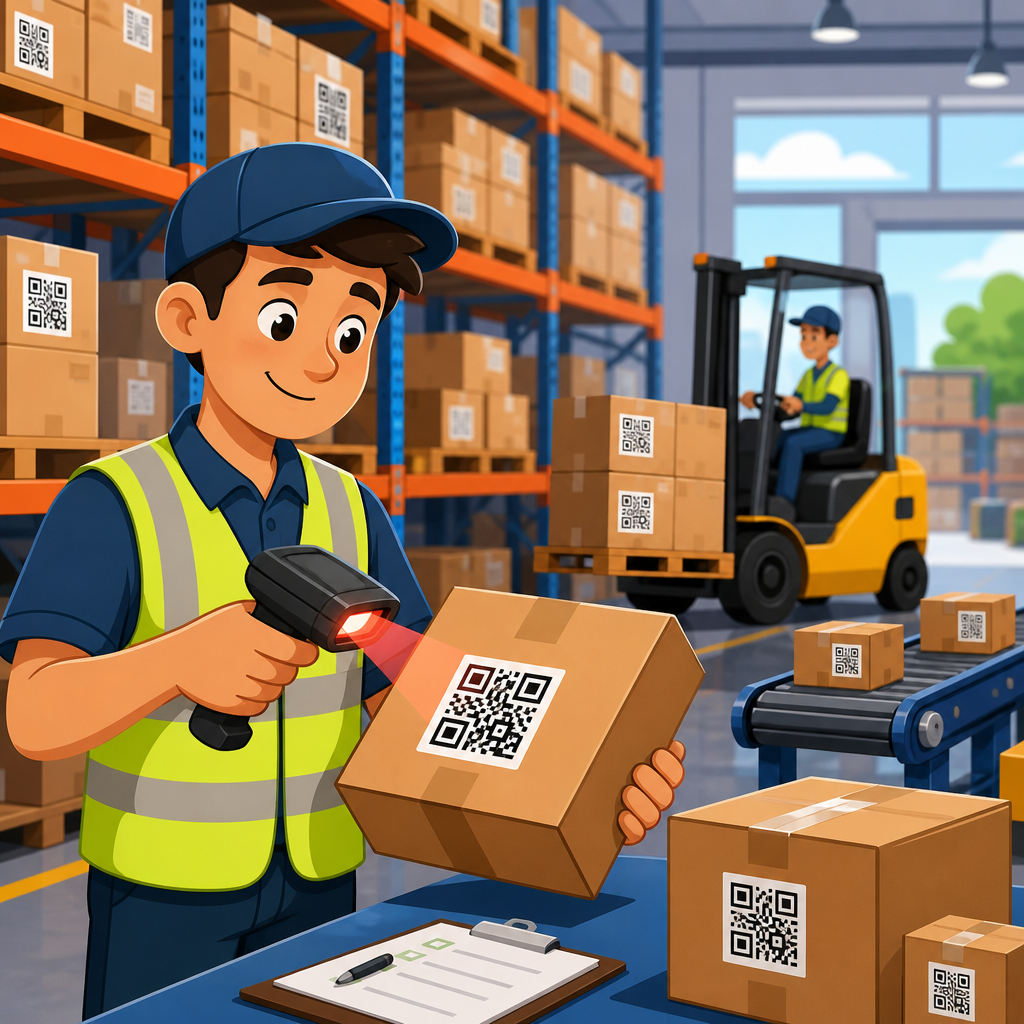
QR codes for warehouse management systems have become a practical foundation for faster receiving, accurate inventory control, and traceable logistics across manufacturing and distribution operations. A warehouse management system, or WMS, is the software layer that directs inventory movements, labor tasks, locations, replenishment, picking, packing, shipping, and cycle counting. A QR code is a two-dimensional barcode that stores more data than a linear barcode and can be scanned quickly with industrial handhelds, fixed scanners, tablets, or smartphones. In manufacturing and logistics, that combination matters because every delay, mispick, or unlabeled pallet creates downstream cost. I have seen facilities cut search time, reduce paper-based work, and improve inventory accuracy simply by standardizing QR labels at the location, item, pallet, and shipment level. Unlike manual key entry, QR-driven workflows reduce transcription errors and support real-time updates inside the WMS. They also work across inbound materials, work-in-process, finished goods, returns, and outbound freight. For operations leaders building a manufacturing and logistics digitization plan, QR codes are not a cosmetic labeling upgrade. They are a low-friction data capture method that connects physical movement on the floor to system truth, which is exactly what a modern warehouse needs.
The reason this topic deserves a hub page is simple: warehouse execution is not one process but a chain of tightly linked transactions. Receiving feeds putaway. Putaway affects slotting. Slotting affects picking speed. Picking impacts order accuracy, labor productivity, and carrier cutoff performance. In manufacturing environments, warehouse data also influences line-side replenishment, component traceability, batch control, and recall readiness. A well-designed QR code strategy supports all of those functions without requiring a different scanning method for every team. It can encode stock keeping units, lot numbers, serial numbers, expiration dates, work orders, supplier identifiers, and license plate numbers in a compact symbol. When paired with a WMS, enterprise resource planning system, or manufacturing execution system, QR codes help operators confirm they have the right material, in the right quantity, at the right location, at the right time. This article explains where QR codes fit inside warehouse management systems, how they improve manufacturing and logistics performance, what standards and implementation choices matter, and which supporting topics belong in a complete industry content cluster.
How QR codes fit into warehouse management systems
In a warehouse management system, every movement is a transaction tied to an object and a location. The object may be a unit, carton, tote, pallet, return, or production kit. The location may be a dock door, reserve rack, pick face, staging lane, freezer zone, or line-side supermarket. QR codes make those relationships scannable. In practice, I usually recommend four foundational label types: location labels, item labels, container labels, and shipment labels. A picker scans a bin QR code, then scans the item QR code, and the WMS validates both. A receiver scans a pallet license plate QR code and the system records quantity, lot, supplier, and receipt time. A cycle counter scans the aisle and slot first, which sharply reduces the classic problem of counting the right product in the wrong location.
Compared with one-dimensional barcodes such as Code 128, QR codes can hold more information in less space and remain readable even if part of the symbol is damaged, thanks to built-in error correction. That is useful in industrial settings where labels may be scuffed by stretch wrap, condensation, dust, or repeated handling. QR codes can also support multilingual operations because the user interface can display instructions after the scan while the symbol itself stores standardized identifiers. In global manufacturing networks, I have seen this simplify training across temporary labor and cross-shift teams. The code is not the process; it is the trigger that launches the right system action every time.
Core warehouse workflows improved by QR scanning
The most immediate gains from QR codes in warehouse management systems appear in receiving, putaway, picking, packing, shipping, and inventory control. During receiving, a QR code on the supplier carton or pallet can capture purchase order, SKU, lot, quantity, and date information in one scan. That shortens unload time and reduces exceptions caused by manual data entry. During putaway, operators scan the pallet and destination location, and the WMS confirms whether the move follows slotting logic, weight rules, or hazardous material restrictions. For picking, scan validation is the safeguard that prevents a worker from taking the wrong item from a nearby bin with a similar appearance. In high-mix manufacturing parts rooms, that single control can prevent line stoppages caused by component substitution errors.
Packing and shipping benefit in different ways. At the packing station, QR codes can call up order contents, packaging instructions, documentation requirements, and carrier service levels. At shipping, a QR code tied to a pallet or shipment ID supports final verification before loading. If the wrong pallet reaches the wrong dock door, the system flags it instantly. Inventory control also improves because cycle counts become location-driven and event-driven rather than purely calendar-driven. Facilities using directed cycle counting through the WMS often focus counts on fast movers, exception zones, and recent discrepancy areas, which is more efficient than full physical counts. With QR scans feeding those tasks, inventory records become more current and more defensible.
| Workflow | Typical QR data | WMS benefit | Operational result |
|---|---|---|---|
| Receiving | PO, SKU, lot, quantity, supplier | Faster receipt validation | Shorter dock-to-stock time |
| Putaway | Pallet ID, destination location | Directed moves with confirmation | Fewer location errors |
| Picking | Bin ID, item ID, serial or lot | Pick verification | Higher order accuracy |
| Packing | Order ID, carton ID, instructions | Correct pack execution | Lower rework and claims |
| Shipping | Shipment ID, pallet ID, route | Load confirmation | Fewer misshipments |
| Cycle counting | Location ID, item ID, count task | Traceable inventory checks | Better inventory accuracy |
Why manufacturing and logistics operations choose QR codes
Manufacturing and logistics teams choose QR codes because they bridge detailed traceability with practical floor execution. In discrete manufacturing, a component may need to be tracked by revision level, supplier lot, serial number, and usage location. In food, beverage, chemicals, and pharmaceuticals, expiration date and batch traceability are nonnegotiable. In third-party logistics, operators need a label format that adapts to many client requirements without changing the basic scanning method. QR codes handle these scenarios well because they can encode long strings or link to records in the WMS while staying compact enough for small labels on totes, bins, and components.
Another reason is device flexibility. Most modern warehouse hardware from Zebra, Honeywell, and Datalogic supports QR decoding, and many operations also use rugged Android devices or tablets for exception handling. That means a facility can extend scanning beyond forklift terminals into quality checks, maintenance tasks, returns processing, or yard management without introducing an entirely new capture technology. The cost profile is attractive too. Printing QR labels usually requires only thermal transfer or direct thermal printers already present in many warehouses, such as models from Zebra or SATO, plus durable label stock selected for the environment. For many businesses, the barrier is process design, not hardware availability.
Traceability, compliance, and quality control
Traceability is where QR codes move from convenience to operational necessity. In regulated or quality-sensitive sectors, a warehouse management system must be able to answer precise questions quickly: Which lots were received from a supplier? Where were they stored? Which production orders consumed them? Which finished goods shipments included them? If a recall occurs, time matters. QR codes help maintain the chain of custody at each touchpoint because operators scan events rather than write them down later. The resulting audit trail is stronger, especially when timestamps, operator IDs, and exception reasons are captured automatically.
Standards matter here. GS1 identification structures, including Global Trade Item Numbers, Serial Shipping Container Codes, batch or lot identifiers, and application identifiers, provide a common way to format data for intercompany exchange. A WMS that can parse GS1-formatted QR codes or related 2D symbols simplifies supplier onboarding and customer compliance. Quality teams also benefit because inspection status can be tied to scannable units. For example, a quarantined pallet can carry a QR code linked to a nonconformance record, preventing accidental release. In my experience, this is especially valuable in plants where warehouse and quality teams share responsibility for material disposition. The scan enforces the rule even when staffing changes or pressure builds near shipping cutoff.
Implementation requirements that determine success
Successful deployment depends less on the symbol itself and more on label architecture, master data discipline, scanner ergonomics, and system integration. First, decide the level of identification. Are you labeling each item, inner pack, carton, tote, pallet, and location, or only selected layers? The answer depends on product value, handling frequency, and traceability needs. Second, define data ownership. If the QR code references a record in the WMS, master data quality must be reliable, including units of measure, pack hierarchies, supplier mappings, and lot control settings. Third, select media that matches conditions. Freezer warehouses need adhesives that hold under condensation, while outdoor yards may require UV-resistant labels or durable placards.
Integration design is equally important. The scan should trigger a clear transaction with validation logic, not just capture text into a generic field. For example, a receiving scan should check open purchase orders, tolerance limits, blocked suppliers, and lot requirements. A picking scan should validate location, item, and quantity confirmation rules. If a workflow relies on intermittent connectivity, the mobile application must support offline caching and conflict resolution. Training should focus on exception handling, not just happy-path scans, because real warehouses deal with damaged labels, mixed pallets, short receipts, substitutions, and urgent bypass requests. Facilities that document those exceptions early avoid workarounds that quietly erode data integrity.
Common challenges and how to solve them
The most common challenge is poor label quality. Low-contrast printing, undersized symbols, glossy surfaces, or badly placed labels can make scanning inconsistent. Follow printer calibration routines, verify print quality, and test scan distance under actual lighting conditions. A second challenge is overloading the code with unnecessary data. Just because a QR code can store more information does not mean it should become the system of record. In most warehouses, the best pattern is to encode essential identifiers and let the WMS retrieve the rest. This keeps labels simpler and easier to maintain when business rules change.
A third challenge is process mismatch. Some teams attempt to add QR codes without redesigning task flows, resulting in extra scans that feel like friction rather than control. Every scan should answer a business question: Is this the right material, location, quantity, or destination? If not, remove it. Another issue is duplicate labeling across suppliers, plants, and customers. Create a standard internal schema, then map external labels into it through middleware or WMS rules. Finally, do not ignore change management. Operators adopt scanning fastest when they see fewer corrections, clearer prompts, and less paperwork, not when management frames the project only as oversight.
Best practices for a manufacturing and logistics content hub
As the hub page for manufacturing and logistics within QR code use cases by industry, this article should connect readers to the detailed topics they search next. The strongest supporting pages usually include QR codes for inventory management, QR codes for asset tracking, QR codes for shipment tracking, QR codes for production traceability, QR codes for returns processing, QR codes for warehouse location labeling, and QR codes for supplier receiving. Those pages should answer narrow operational questions while linking back to this broader warehouse management systems guide. That structure helps readers move from strategy to execution and helps search engines understand topical depth.
The central message is consistent across all subtopics: QR codes create value when they make warehouse events accurate, immediate, and usable by the WMS. They are not a standalone transformation project. They are part of a controlled identification system that supports inventory visibility, labor productivity, quality assurance, and customer service. If you are planning improvements in manufacturing and logistics, start by mapping your highest-error or highest-delay warehouse transactions, then design QR code workflows around those pain points. Pilot in one process, measure accuracy and cycle time, refine the labels and scan logic, and then scale. Done well, QR codes give warehouse management systems the real-time floor data they need to run with confidence.
Frequently Asked Questions
How do QR codes improve warehouse management system performance?
QR codes improve warehouse management system performance by making inventory and task data easier to capture accurately and in real time. In a warehouse, speed and precision matter at every step, from receiving inbound materials to putaway, replenishment, picking, packing, shipping, and cycle counting. Because QR codes can store more information than traditional one-dimensional barcodes, they can support richer item, lot, serial, location, or transaction data within a compact label format. When scanned into a WMS, that data helps validate that the right product is being moved to the right location at the right time.
In practical terms, this reduces manual data entry, minimizes scanning errors, and shortens the time workers spend confirming products and storage positions. Teams can scan pallets, bins, shelves, cartons, and work orders more efficiently, which improves labor productivity and inventory visibility. QR codes also support stronger traceability, especially in manufacturing and distribution environments where batch control, compliance, and order accuracy are critical. When integrated properly with a warehouse management system, QR codes help create a more responsive operation by giving managers cleaner data, faster status updates, and better control over inventory movements across the facility.
What warehouse processes benefit most from QR code integration with a WMS?
Several warehouse processes benefit significantly from QR code integration, but the strongest gains usually appear in receiving, inventory control, picking, packing, shipping, and cycle counting. During receiving, warehouse staff can scan QR codes on inbound shipments, pallets, or cases to confirm item identity, quantities, lot numbers, and expected purchase order details against the WMS. This speeds up check-in while reducing discrepancies and paperwork. For putaway and storage, QR-coded location labels make it easier to direct goods to the correct rack, bin, or floor position and confirm that placement instantly in the system.
Inventory control is another major area of impact. QR codes support faster stock checks, more accurate adjustments, and stronger audit trails because workers can scan products and locations directly into the WMS rather than rely on handwritten notes or delayed keyboard entry. In order fulfillment, pickers can use QR scans to verify item selection, which helps reduce mis-picks and improves customer order accuracy. During packing and shipping, QR codes can link cartons and shipments to order records, carrier details, and tracking workflows. They are also highly valuable in cycle counting because they enable quick verification of both SKU and storage location, making counts more efficient and dependable. In short, QR codes are most useful in any warehouse process where fast identification, accurate validation, and traceable movement data are essential.
Are QR codes better than traditional barcodes for warehouse operations?
QR codes are not automatically better in every warehouse scenario, but they often provide clear advantages when operations require more data capacity, flexibility, and durability in scanning performance. A traditional linear barcode is still effective for many simple identification tasks, particularly when only a basic SKU or item number needs to be scanned. However, a QR code can store substantially more information in a smaller space, which makes it useful for applications involving lot tracking, serial numbers, production data, expiration dates, supplier information, or links to digital records within a warehouse management system.
Another advantage is scanning reliability. QR codes can often be read quickly from different angles, and many remain scannable even if part of the symbol is damaged, depending on print quality and error correction levels. This can be especially valuable in fast-moving warehouse environments where labels may be exposed to abrasion, moisture, dust, or frequent handling. That said, the right choice depends on your WMS setup, mobile hardware, label standards, and operational goals. Some warehouses use both formats together, with linear barcodes for simpler high-volume tasks and QR codes for processes that need deeper data and traceability. The best approach is usually not about replacing every barcode, but about matching the code type to the complexity of the workflow.
What information can be stored in a QR code for warehouse management?
A QR code used in warehouse management can store a wide range of structured data, depending on how the WMS and labeling standards are designed. At a basic level, it may include an item identifier, SKU, product description reference, or storage location code. In more advanced environments, the code may also contain lot or batch numbers, serial numbers, expiration dates, manufacturing dates, supplier references, work order IDs, pallet IDs, shipment details, or internal transaction references. This added data capacity is one of the reasons QR codes are so useful in manufacturing, distribution, and regulated inventory environments where traceability matters.
It is important, however, to distinguish between storing data directly in the QR code and using the QR code as a pointer to data in the warehouse management system. Many operations use QR codes to encode a unique identifier that the WMS then matches to a much larger digital record. This approach keeps labels manageable while still giving workers access to complete inventory and logistics details through a scan. The ideal data structure depends on factors such as scan distance, label size, mobile device capability, compliance requirements, and the need for offline access. A well-designed QR labeling strategy should prioritize readability, standardization, and compatibility with existing WMS workflows rather than simply trying to pack as much data as possible into each symbol.
What should businesses consider before implementing QR codes in a warehouse management system?
Before implementing QR codes in a warehouse management system, businesses should evaluate operational goals, system compatibility, labeling standards, scanning hardware, and employee workflows. The first step is understanding exactly what problems the organization is trying to solve. For some warehouses, the priority may be faster receiving and putaway. For others, it may be inventory accuracy, traceability, reduced picking errors, or better support for lot and serial control. Defining these goals helps determine where QR codes will deliver the most value and how they should be configured within the WMS.
Technology and process readiness are equally important. Companies should confirm that their WMS can generate, read, and process QR-based data consistently across receiving, storage, fulfillment, and shipping functions. They should also review whether current scanners, mobile computers, tablets, or smartphone-based devices can reliably read QR codes under real warehouse conditions. Label material, print quality, placement, and environmental durability all matter, especially in facilities with dust, cold storage, moisture, or heavy handling. Just as important is workforce adoption. Employees need clear procedures for when to scan, what each label represents, and how exceptions should be handled. A successful rollout usually includes process mapping, pilot testing, staff training, and performance measurement so the QR code system supports the warehouse operation in a practical, scalable way rather than adding unnecessary complexity.





