
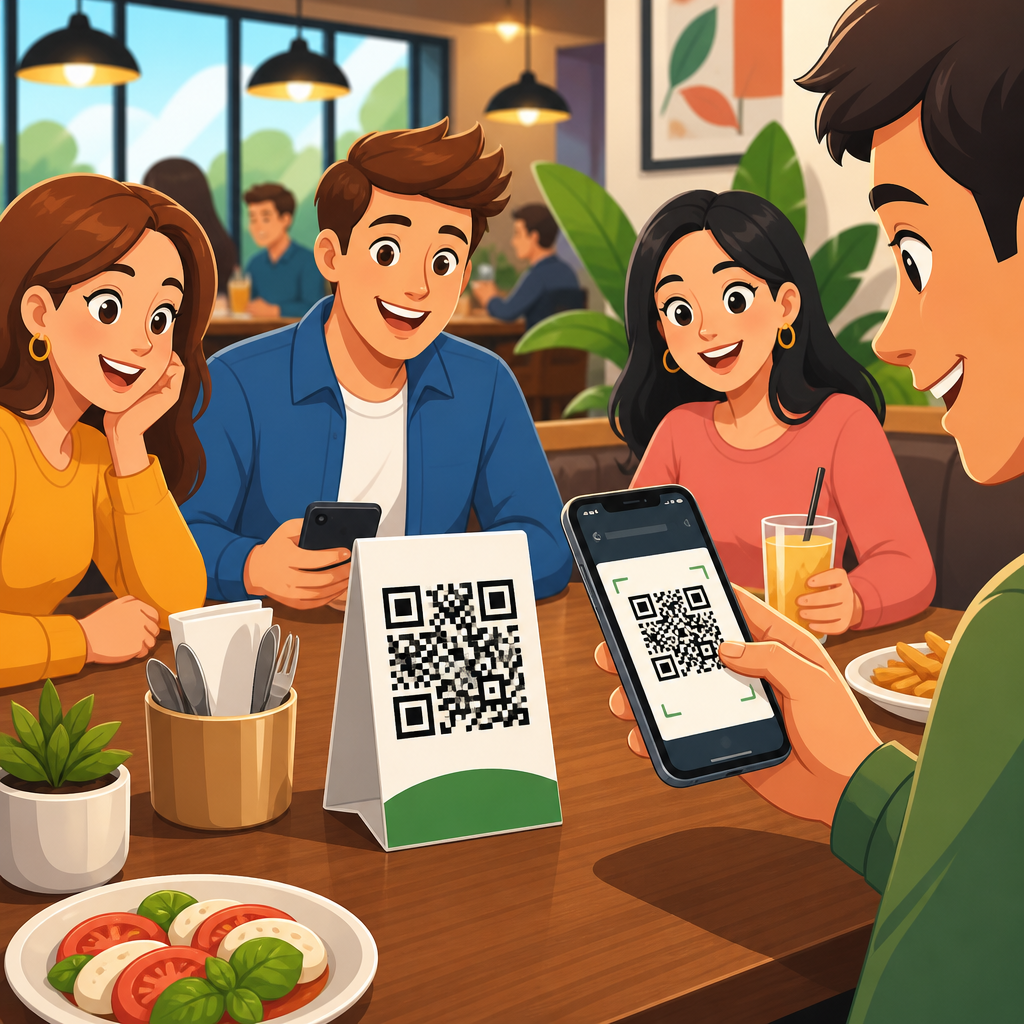
QR codes for table ordering systems have moved from a novelty to a practical operating standard across restaurants, bars, hotels, food halls, and cafés. In simple terms, a table ordering system uses a scannable code placed on a table, counter, room, or menu holder to open a digital menu and, in many cases, let guests place orders and pay from their phones. In restaurants and hospitality, that single change affects service speed, staffing flexibility, check size, guest satisfaction, and the accuracy of front-of-house communication with the kitchen.
I have helped deploy these systems in full-service dining rooms, quick-service chains, and hotel outlets, and the same pattern appears every time: the technology itself is straightforward, but the business impact depends on menu design, workflow integration, and staff training. A QR code linked to a static PDF is not the same as a dynamic ordering experience tied to inventory, modifiers, payments, and point-of-sale data. Operators often underestimate that distinction. Guests notice it immediately when an item shows as available online but is sold out in the kitchen, or when they cannot split a check smoothly from their phones.
For hospitality brands, the topic matters because guest expectations changed permanently. Diners now expect fast access to menus, transparent pricing, allergy details, and frictionless payment. Operators need tools that reduce labor pressure without making service feel impersonal. A well-built QR ordering system can do both. It can shorten wait times, reduce order-taking errors, support multilingual menus, promote high-margin add-ons, and free servers to focus on hospitality rather than repeated transactional tasks. It also creates structured data about ordering behavior that paper menus and verbal ordering simply cannot capture.
This hub article explains how QR codes for table ordering systems work, where they fit across restaurants and hospitality, what benefits and limitations are real, and how to evaluate platforms before rollout. It also provides a practical framework for implementation, because success does not come from printing codes and hoping guests adopt them. It comes from matching the ordering journey to the service model, from quick-service lunch spots to upscale dining rooms, resort pools, stadium suites, and hotel room service operations.
How QR Codes for Table Ordering Systems Work in Restaurants and Hospitality
At the most basic level, the guest scans a QR code with a smartphone camera, lands on a mobile-optimized ordering page, browses the menu, customizes items, and submits an order. In more advanced setups, the system recognizes the table number automatically, routes orders to the correct kitchen printer or kitchen display system, syncs item availability with the POS, and sends a payment link or wallet checkout at the end of the meal. The code itself is only the entry point. The real system is the software and operational logic behind it.
Most restaurant deployments fall into three models. The first is menu-only access, where the QR code replaces or supplements printed menus. The second is pay-at-table, where guests still order through staff but settle the bill digitally. The third is full table ordering, where guests browse, order, reorder, and pay from their phones with minimal staff intervention. Hospitality venues often blend these models. A hotel breakfast outlet may use menu-only access during staffed service, while a pool bar uses full self-ordering to reduce queueing and room-service calls.
Integration determines whether the experience feels seamless. Strong platforms connect with POS systems such as Toast, Square, Clover, Oracle Simphony, or Lightspeed. They also support modifier logic, timed menus, tax rules, service charges, tipping flows, and payment processors like Stripe, Adyen, or Worldpay. Without those connections, staff end up rekeying orders manually, which defeats much of the labor and accuracy benefit. In every rollout I have seen succeed, operators map the full service path before launch: scan, browse, customize, submit, fulfill, deliver, reorder, pay, and request assistance.
Guest usability matters just as much as integration. The ordering page must load quickly, avoid unnecessary app downloads, and present clear categories, images, and modifiers. Accessibility is often overlooked. Menus need readable typography, strong contrast, and plain language. International hospitality brands also benefit from language switching and support for local payment methods. When the digital menu mirrors the real menu engineering strategy, the QR system becomes a sales tool rather than just a labor tool.
Where These Systems Fit Best Across Service Models
QR ordering does not suit every venue in the same way, but it is highly adaptable. In quick-service restaurants, it works well for dine-in guests who want to skip the line while still eating on premises. The code can sit on tables or window decals, sending orders directly to the kitchen. In casual dining, the technology shines during peak periods because it reduces the bottleneck at order taking and bill settlement. Guests can place a first round quickly, and servers can spend more time on issue resolution, upselling, and table experience.
In bars and breweries, QR codes for table ordering systems are especially effective because repeat ordering is common and staff travel time is high. A guest who wants another drink does not need to flag down a server. The result is usually higher beverage sales and faster table turns. In one multi-unit bar project I observed, digital reorder prompts attached to the table session lifted average drinks per guest because ordering another round became frictionless.
Hotels, resorts, and mixed hospitality environments present broader use cases. Poolside ordering, lobby lounge service, in-room dining, beach club service, conference catering, and VIP suite hospitality all benefit from location-linked QR codes. A resort can assign unique codes to cabanas, room balconies, spa lounges, or golf-course beverage points. That reduces confusion about delivery location and gives managers better data on where demand concentrates throughout the day. For large properties, that visibility improves staffing and prep planning.
Fine dining requires more nuance. Many upscale operators resist full self-ordering because they see ordering as part of the hospitality narrative. That concern is valid. However, QR systems can still support wine lists, tasting-menu notes, digestif ordering, and discreet pay-at-table checkout without replacing human guidance. The best fine-dining implementations use QR technology selectively, preserving service theater while removing friction from information access and payment.
Operational Benefits, Guest Experience Gains, and Common Tradeoffs
The primary operational benefit is efficiency. Servers spend less time repeating item descriptions, entering straightforward orders, or walking credit cards back and forth. Kitchens receive cleaner tickets because guests select modifiers directly, and digital menus can block invalid combinations. Managers also gain agility. If the kitchen runs out of salmon, the item can be hidden instantly instead of triggering repeated apologies at the table. This matters most in high-volume environments where menu availability changes hour by hour.
Accuracy improves when the menu logic is configured properly. Allergens, cooking preferences, sides, and add-ons can be structured as required choices instead of relying on verbal communication. That does not eliminate risk, and no digital system should be treated as a substitute for allergy protocols, but it does reduce missed details. Payment speed also improves. According to widely reported restaurant technology benchmarks, pay-at-table options consistently reduce the time between requesting the bill and completing payment, which directly supports faster table turnover.
From the guest perspective, the strongest benefits are control, speed, and clarity. Diners can browse at their own pace, translate unfamiliar items, inspect photos, and split payment without waiting. Younger guests often prefer this by default, but adoption is no longer limited to one age group. In practice, if the interface is clear and the code is easy to scan, many guests use it readily. Friction usually comes from poor design, weak Wi-Fi, or menus built as clumsy PDFs instead of responsive pages.
There are tradeoffs. Some guests do not want to order through a phone. Dead phone batteries, accessibility needs, and preference for personal interaction remain real concerns. Service fees and online payment processing costs can also alter margins. Staff may fear the system is meant to replace them, which can undermine rollout if leadership does not explain the goal clearly. The right position is balanced: QR ordering can improve restaurant operations substantially, but it should exist alongside attentive human service, not as an excuse to ignore guests.
What to Look for in a QR Table Ordering Platform
Choosing software should start with operational requirements, not a sales demo. The first question is whether the platform integrates natively with the existing POS and kitchen workflow. Native integration generally produces better reliability than middleware-only setups, though middleware can work if it is mature and well supported. The second question is menu complexity. A coffee shop with limited modifiers has very different needs from a steakhouse with temperatures, sauces, sides, coursing, and allergy notes.
Payment architecture is another critical factor. Restaurants should verify support for Apple Pay, Google Pay, major card networks, tipping presets, split payments, and local tax compliance. Hospitality operators should also ask about room-charge capability, service-charge handling, and support for multiple revenue centers. Reporting matters more than many buyers realize. At minimum, the platform should show scan rates, menu views, conversion rates, top-selling items, reorder frequency, abandoned carts, average order value, and time-to-fire metrics.
Security and reliability deserve equal weight. Any system handling payments should align with PCI compliance requirements through its payment partners, and operators should ask how customer data is stored, encrypted, and retained. Uptime history, offline fallbacks, and customer support response times are not minor details. During service, a broken ordering flow is not an inconvenience; it is a revenue and reputation problem.
| Evaluation Area | What Good Looks Like | Risk if Weak |
|---|---|---|
| POS integration | Orders sync automatically with items, modifiers, taxes, and table numbers | Manual reentry, delays, mismatched tickets |
| Menu management | Real-time item updates, dayparting, images, allergy labels, upsells | Sold-out frustration, poor conversion, inaccurate expectations |
| Payments | Fast wallet checkout, split bills, tipping, secure processing | Abandoned payments, slower turns, charge disputes |
| Guest experience | No app download, fast load speed, accessible mobile design | Low adoption, staff intervention, negative reviews |
| Analytics | Item-level reporting, scan-to-order conversion, location insights | Little optimization value beyond digital ordering |
Vendors should also support brand control. For hospitality groups especially, the menu page must match the venue’s identity, service tone, and merchandising priorities. Generic interfaces can function, but they rarely maximize guest trust or conversion.
Implementation Best Practices for Restaurants, Bars, and Hotels
The strongest implementations begin with a pilot. Start with one venue, one daypart, or one section of the floor. Measure scan rate, order completion rate, average check, payment time, error frequency, and guest feedback. This reveals friction before a wider launch. I usually recommend beginning with a use case where the value is obvious, such as patio service, bar reorders, poolside ordering, or lunch rushes. Early wins help staff buy in.
Menu engineering should be done before launch, not after. Digital ordering exposes every weakness in menu structure. Category names, item descriptions, photo quality, modifier pathways, and upsell prompts all shape conversion. Keep choices clear and limited where possible. Use required modifiers only when operationally necessary. If every item takes ten taps to complete, guests will abandon the cart or summon staff instead.
Physical placement matters more than many teams expect. QR codes should be high contrast, easy to reach, and tied clearly to the right table or service zone. Table tents, check presenters, coaster inserts, acrylic stands, room cards, and weatherproof pool markers all work when they are durable and scannable in real lighting conditions. Testing should include older phone cameras, low-light environments, and weak network scenarios.
Training is the final lever. Staff need a script for explaining the option without forcing it. A good line is simple: guests can order with their phone, or the team can serve them traditionally. Employees should know how to troubleshoot scanning issues, open a table session manually, adjust an order, and reassure guests about payment security. When teams understand that the system reduces repetitive tasks and increases capacity, adoption rises. When they see it as management cutting corners, service quality drops.
Building a Strong Restaurants and Hospitality Hub Around This Topic
As a hub article under QR code use cases by industry, this page should connect naturally to more specific resources across restaurants and hospitality. Useful supporting topics include QR menus, pay-at-table systems, hotel room service ordering, poolside ordering, bar and brewery reorders, allergy communication in digital menus, POS integration guides, and QR code design best practices for high-scan environments. That internal structure helps operators move from broad understanding to implementation detail.
The central idea is simple: QR codes for table ordering systems are not one product category but a family of hospitality workflows. The technology can support self-ordering, assisted ordering, digital menu access, checkout, room-charge requests, and location-specific delivery. Restaurants that treat it as a strategic service layer get far more value than those that treat it as a temporary substitute for printed menus.
If you are evaluating QR ordering for a restaurant, bar, café, hotel, or resort, begin with the guest journey and operational bottlenecks, then choose the software and service model that fit them. Done well, QR table ordering improves speed, accuracy, and convenience while preserving the human side of hospitality. Review your service flow, pilot the highest-impact use case, and build from measured results.
Frequently Asked Questions
How do QR codes for table ordering systems work in a restaurant or hospitality setting?
QR codes for table ordering systems act as a direct link between a guest’s table and your digital ordering experience. A unique code is placed on a table, bar seat, hotel room, counter, or menu holder. When a guest scans that code with their phone camera, it opens a mobile menu that is tied to a specific location. From there, guests can browse food and drink options, customize items, place an order, request service, and often pay without waiting for a staff member to bring a menu, take the order, or drop off the bill.
Behind the scenes, the system connects the guest’s selections to your point-of-sale and kitchen workflow. Orders are routed to the appropriate prep station, table numbers are attached automatically, modifiers are captured more accurately, and payment can be processed digitally. In many systems, the menu can also update in real time, which helps remove sold-out items, promote specials, and reduce ordering errors caused by outdated printed menus. This creates a smoother flow for both front-of-house and back-of-house teams.
The biggest operational advantage is that the QR code becomes a consistent, trackable entry point for service. Instead of relying entirely on staff availability during peak periods, guests can start the ordering process as soon as they are ready. That can reduce wait times, improve table turn speed, and create more flexibility in how staff are deployed across the floor. In short, the QR code is not just a replacement for a paper menu. It is the access point to a more efficient, data-driven table ordering system.
What are the main benefits of using QR code table ordering for restaurants, bars, cafés, and hotels?
The most immediate benefit is speed. Guests can view the menu and place orders as soon as they sit down, which shortens the time between seating and service. That faster start often leads to improved throughput during busy periods, especially in high-volume environments such as casual dining restaurants, bars, food halls, and hotel lounges. When fewer steps depend on a staff member being physically present at the table, operations become more resilient and consistent.
Another major advantage is staffing flexibility. QR code ordering does not eliminate hospitality; it allows teams to focus their time where it has the greatest impact. Staff can spend less time on repetitive transactional tasks and more time greeting guests, resolving issues, upselling strategically, and delivering a stronger in-person experience. For operators dealing with labor shortages, variable demand, or large floor plans, this can be a meaningful improvement in efficiency without sacrificing service quality.
There is also a strong revenue case. Digital menus can be designed to highlight add-ons, premium options, bundles, and high-margin items at the exact moment a guest is making a decision. Because guests order at their own pace, they often spend more time exploring the menu than they would in a rushed verbal interaction. That can increase average check size while reducing missed upsell opportunities. At the same time, digital ordering tends to improve order accuracy because guests enter their own selections and modifiers directly, minimizing misunderstandings and reducing costly remakes.
Finally, QR code table ordering gives operators better visibility into guest behavior and menu performance. You can track what guests scan, what they order, when demand spikes, and which items convert best. That information supports better decisions around staffing, menu design, pricing, promotions, and inventory. For hospitality businesses looking to improve speed, guest convenience, operational control, and profitability, QR-based table ordering offers a practical and scalable solution.
Do guests actually like ordering by QR code, or does it create friction?
Guest response largely depends on how well the system is implemented. When the QR experience is fast, clear, and mobile-friendly, many guests appreciate the convenience. They can view the menu immediately, avoid waiting to flag down a server, split payments more easily, and reorder another round or dessert without delay. For guests who are comfortable using their phones, this often feels quicker and more in control than traditional table service.
That said, not every guest wants a fully self-directed experience. Some people prefer personal interaction, have accessibility needs, or simply do not enjoy browsing menus on a small screen. The most successful venues recognize this and treat QR ordering as an enhancement to hospitality rather than a rigid replacement for it. Offering a staffed option alongside digital ordering is usually the best approach. This ensures guests who want convenience can use it, while those who prefer human assistance still feel supported.
Friction usually comes from poor execution, not from the QR format itself. Common problems include hard-to-scan codes, slow-loading menus, confusing navigation, too many steps at checkout, weak Wi-Fi, or mandatory app downloads. These issues can quickly undermine guest satisfaction. By contrast, a well-designed system opens instantly in a browser, displays accurate menu information, makes customization simple, and provides clear confirmation after ordering and payment. In practical terms, guests tend to value ease and speed more than the specific technology being used.
For that reason, operators should think carefully about the guest journey from first scan to final payment. Good design, clear instructions, responsive support from staff, and sensible fallback options all matter. If implemented correctly, QR code ordering can improve the guest experience by reducing wait times and giving customers more control, while still preserving the warmth and attentiveness that define strong hospitality.
Can QR code table ordering systems integrate with POS, kitchen operations, and payment processing?
Yes, and integration is one of the most important factors in choosing a QR code table ordering platform. A strong system should connect cleanly with your point-of-sale, kitchen display system or printers, payment gateway, and menu management tools. When those connections are in place, orders placed through a QR code flow directly into existing operational channels instead of creating a separate manual process. That reduces duplication, lowers the chance of errors, and makes the system much easier for staff to manage during service.
POS integration is especially critical because it keeps pricing, taxes, modifiers, and reporting aligned across channels. If menu updates have to be made in multiple places, mistakes become more likely. With proper integration, sold-out items can be hidden quickly, orders can be assigned to the correct table automatically, and guest payments can be recorded accurately alongside in-person transactions. This is essential for maintaining clean reporting and a smooth end-of-shift reconciliation process.
Kitchen integration matters just as much. Orders should arrive at the correct prep station with all relevant notes and modifiers clearly displayed. In busy service environments, that clarity supports faster ticket handling and better order accuracy. Payment integration also improves the guest experience by allowing secure checkout on the phone, including options such as saved cards, digital wallets, tipping prompts, and bill splitting where supported. The easier it is for guests to pay, the faster tables can close and turn.
Before adopting a system, operators should confirm exactly how the integration works in practice. Important questions include whether the platform supports two-way menu syncing, whether payments are processed natively or through a third party, how refunds and voids are handled, and what happens if connectivity drops. A QR code ordering solution is most valuable when it strengthens the systems you already rely on, rather than adding another disconnected layer to your operation.
What should businesses look for when choosing a QR code table ordering system?
The first priority should be usability for both guests and staff. Guests should be able to scan the code quickly, open the menu without downloading an app, navigate categories easily, customize items clearly, and complete payment in as few steps as possible. On the staff side, the system should be simple to manage during service, easy to update, and reliable under peak demand. If either side finds the platform awkward or slow, adoption will suffer.
Menu control and operational flexibility are also key. Look for a platform that allows real-time menu edits, item availability controls, location-specific settings, and support for modifiers, upsells, allergy information, and promotional content. In hospitality settings, small details matter. A good system should handle different service models, whether that means full-service dining, bar ordering, room service, counter pickup, or hybrid workflows. It should also support branding so the digital experience feels like a natural extension of your venue rather than a generic third-party interface.
Integration, reporting, and security should be evaluated carefully as well. The ideal system connects with your POS and payment infrastructure, provides useful analytics on scans, orders, conversion, and average spend, and meets current standards for secure payment processing and customer data handling. Operators should also consider support quality, onboarding assistance, hardware needs, and the durability of the physical QR code placements themselves. A technically strong product can still fail if setup is confusing or service is unreliable when problems arise.
Finally, businesses should judge the system by its real operational impact. The right platform should help reduce wait times, improve order accuracy, support staff efficiency, and create opportunities to increase revenue without making hospitality feel impersonal. The best choice is not necessarily the one with the most features. It is the one that fits your service style, integrates with your workflows, and makes the ordering experience better for guests and easier for your team to run consistently.





