
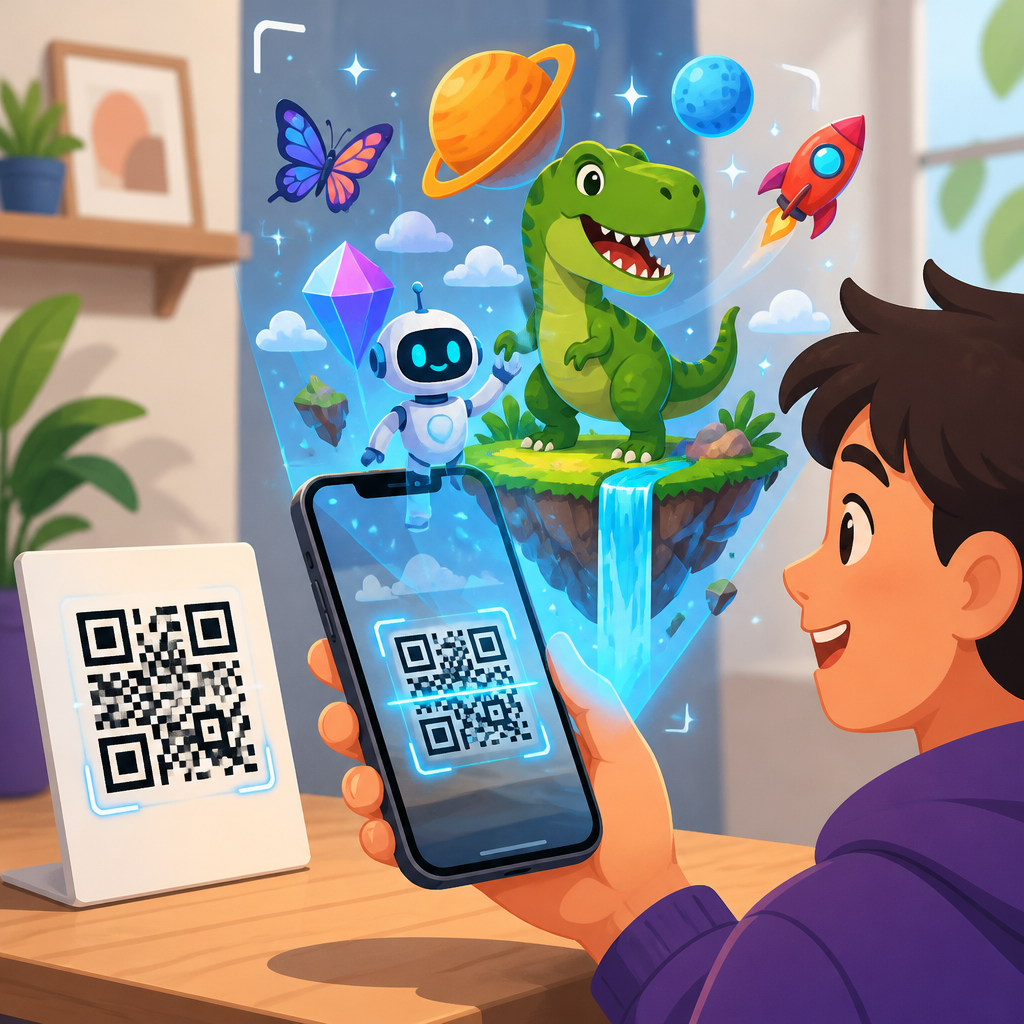
QR codes and augmented reality integration is reshaping how people move from a printed surface to a digital experience, and it is becoming one of the clearest signals of the future of QR code technology. A QR code, or Quick Response code, is a two-dimensional matrix barcode that stores data such as URLs, app actions, identity tokens, or payment instructions. Augmented reality overlays digital objects, information, or animations onto the physical world through a smartphone, tablet, or headset. When these two technologies work together, the code becomes more than a link. It becomes a trigger for immersive product demos, guided instructions, entertainment, authentication, and measurable customer journeys.
I have worked on campaigns where a plain package insert was turned into a step-by-step AR setup guide simply by replacing a static web link with a dynamic QR code. Scan rates increased because the action was obvious, and support tickets dropped because customers could see exactly what to do in context. That practical result explains why this topic matters. QR codes are cheap to print, familiar to users, and readable by almost any modern phone camera. AR has matured enough that browser-based experiences, app clips, and lightweight WebAR tools reduce friction that once limited adoption.
For businesses planning their future QR code technology roadmap, the integration matters for three reasons. First, it shortens the gap between attention and action. Second, it allows richer storytelling and training without changing physical packaging or signage. Third, it creates first-party behavioral data that can improve products, retail layouts, and after-sales service. The most important shift is strategic: QR codes are no longer just access points to websites. They are flexible interfaces connecting packaging, stores, events, classrooms, museums, factories, and smart cities to contextual digital layers that can be updated after printing.
This hub article explains how QR codes and AR integration works, where it delivers value, which tools and standards shape implementation, and what limitations teams need to plan for. It also frames the broader future of QR code technology, including dynamic content delivery, analytics, authentication, interoperability, and privacy-aware design. If you want one page that connects the technical mechanics with real deployment choices, this is that foundation.
How QR codes trigger augmented reality experiences
The integration starts with a simple workflow. A user scans a QR code. The code resolves to a destination, usually a URL, deep link, or platform-specific launch action. That destination opens an AR-capable environment in a mobile browser, a dedicated app, or an operating system feature. The experience can then load 3D models, spatial instructions, face filters, object tracking, or location-based overlays. In practical terms, the QR code handles discovery and session initiation, while the AR stack handles rendering and interaction.
There are two common implementation models. In the first, the QR code opens WebAR. This is often the lowest-friction option because users do not need to install a full app. Platforms such as 8th Wall, Zapworks, Blippar, and Adobe Aero have made browser-based AR easier to deploy. In the second model, the code launches an app or a lightweight app segment such as an App Clip on iOS or an Instant App on Android. This approach can support deeper device access and persistent user accounts, but it adds adoption friction.
Markers also matter. A QR code can act only as a launcher, or it can serve as a visual anchor within the AR scene. In manufacturing and training, I have seen teams use printed QR labels on equipment to open maintenance overlays pinned to the exact machine. In consumer packaging, the code may launch an animation that recognizes the package art as the anchor image. The better approach depends on lighting conditions, camera quality, scene complexity, and whether the experience needs precise spatial alignment.
Dynamic QR codes are especially important here. Because they point to a redirectable destination, they let teams update the AR content, run A/B tests, localize experiences, and fix broken assets without reprinting every package or poster. Error correction in QR codes also helps real-world reliability. A partially damaged code can often still scan, which matters for outdoor signage, shipping labels, and high-touch retail environments.
Where AR-enabled QR codes create measurable value
The strongest use cases are the ones where visual context improves understanding or confidence. Retail is an obvious example. A furniture brand can place a QR code on a shelf tag that opens an AR model of a sofa at true scale, helping shoppers see how it fits a room. Beauty brands use packaging codes to launch virtual try-on filters. Consumer electronics companies use setup cards that trigger interactive installation instructions, reducing returns caused by perceived product complexity.
Education and cultural institutions also benefit. Museums increasingly place QR codes beside artifacts to unlock reconstructions, translations, and curator commentary. A static label with a date and title becomes an explorable layer showing how an object was used or restored. In classrooms, science textbooks can link diagrams to rotating 3D anatomy models or chemistry visualizations. The code is not replacing the lesson. It is extending it in a way that supports different learning styles.
Industrial and field-service environments are even more compelling because the return on investment can be direct. A QR code attached to a machine can open an AR checklist showing which valve to inspect or which panel to remove. Technicians spend less time searching for manuals, and supervisors can standardize procedures. Logistics teams can use codes on pallets or bins to launch guided picking instructions. Real gains come from reduced errors, faster training, and shorter downtime.
| Use case | How the QR code is used | AR outcome | Primary business benefit |
|---|---|---|---|
| Retail packaging | Scanned from product box or shelf tag | 3D demo, try-on, or how-to overlay | Higher conversion and fewer returns |
| Museums | Scanned beside exhibit label | Reconstruction, translation, guided story | Longer engagement and accessibility |
| Manufacturing | Scanned from machine label | Step-by-step maintenance overlay | Lower error rates and downtime |
| Events | Scanned from badge, poster, or booth | Interactive map or branded activation | Lead capture and shareable experiences |
| Real estate | Scanned from sign or brochure | Virtual staging or guided property tour | Better qualification of buyers |
Healthcare, real estate, tourism, and live events show similar patterns. In each case, the QR code solves access and the AR layer solves comprehension or engagement. That division of labor is why the pairing is practical rather than gimmicky.
Technical building blocks behind the future of QR code technology
The future of QR code technology is not about changing the square pattern dramatically. It is about what sits around it: dynamic routing, identity, analytics, interoperability, and context-aware content. A modern QR deployment often includes a generator, a redirect layer, a content management system, analytics tagging, device detection, and optional integration with customer data platforms or commerce systems. If AR is involved, add 3D asset hosting, compression, scene logic, and performance testing.
Standards and device capabilities shape what works at scale. On the QR side, ISO/IEC 18004 defines QR Code symbology. On the AR side, support often relies on WebXR-related browser capabilities, platform-specific frameworks such as ARKit and ARCore, or vendor abstractions that smooth cross-device differences. File formats matter too. USDZ is common in Apple ecosystems, while glTF and GLB are popular for efficient web delivery. Heavy 3D assets can ruin scan-to-render speed, so polygon count, texture resolution, and caching strategy are not minor details. They are success factors.
Another major building block is dynamic decisioning. After scan, the system can route users based on device type, location, language, campaign source, or previous session data. A new customer might see an introductory AR tutorial, while a returning customer sees advanced tips. A shopper in one market can receive the correct regulatory information automatically. This is where QR codes become intelligent touchpoints rather than static printed endpoints.
Security is advancing as well. Brands facing counterfeiting now use serialized or cryptographically signed codes tied to backend verification. When that authenticated scan opens AR, the visual layer can prove provenance in a way that is easier for consumers to understand than a plain confirmation page. In luxury goods, pharmaceuticals, and electronics, this combination supports both trust and engagement.
Design, usability, and analytics best practices
The best AR experience fails if the code is hard to scan or the next step is unclear. Start with placement, contrast, and size. Codes on curved packaging, reflective surfaces, or cluttered layouts underperform. Quiet zones around the code are essential. Clear calls to action matter just as much. “Scan to see it in your room” consistently outperforms generic labels because it explains the reward before the camera opens.
After the scan, speed is everything. Users tolerate a camera transition; they do not tolerate waiting through bloated assets and permission confusion. In projects I have audited, reducing the first AR scene from 18MB to under 5MB produced a visible lift in session completion. Teams should compress textures, lazy-load optional objects, and provide fallback content for older devices. A short non-AR landing step can also help users choose between AR, video, manual, or support based on their device and preference.
Measurement needs to go beyond scan count. Good analytics track scans, unique users, device types, load success rate, dwell time, interaction depth, conversion events, and downstream outcomes such as return reduction or service deflection. UTM parameters still matter for campaign reporting, but event schemas inside the AR layer matter more. If users consistently exit before placing a 3D object, the issue may be permissions, asset scale, or environmental detection, not marketing quality.
Accessibility should be built in, not bolted on. AR itself can create barriers for some users, so every experience needs an alternative path with equivalent information. Captions, voice guidance, readable contrast, and text-based instructions improve outcomes for everyone. Privacy also deserves plain language. If camera access is required, explain why, state what is stored, and avoid collecting more data than the experience needs.
Challenges, limitations, and what comes next
QR codes and AR integration is powerful, but it is not universal. Device fragmentation remains real. A campaign that works smoothly on recent flagship phones may struggle on budget devices with weak cameras, older browsers, or limited memory. Lighting and network conditions can break the illusion quickly. In stores, glossy packaging and poor signal still cause failures. That is why robust testing across devices, operating systems, and environments is not optional.
There are also adoption limits tied to user behavior. Not every shopper wants an AR experience in the aisle, and not every field worker can use a phone while wearing gloves or protective gear. Sometimes a short video or static instruction page is the better post-scan destination. The future of QR code technology will favor systems that adapt the experience to context instead of forcing AR everywhere.
Even with those constraints, the direction is clear. QR codes are becoming persistent bridges between physical objects and living digital content. As edge computing improves, 5G and Wi-Fi 6 reduce latency, and computer vision becomes lighter, more AR experiences will feel immediate enough for routine use. Expect stronger links with digital product passports, circular economy reporting, mobile payments, loyalty systems, and authenticated ownership records. A single code on packaging may soon support origin verification, repair guidance, resale documentation, and immersive education throughout a product’s life cycle.
The main takeaway is simple: the future of QR code technology is not the code alone, but the service layer behind it. AR is one of the most effective ways to prove that value because it turns a scan into visible utility. If you manage packaging, retail, training, service, or product strategy, now is the time to audit where a printed touchpoint could unlock contextual guidance or trust. Start with one high-value journey, measure the result, and build your hub from there.
Frequently Asked Questions
How do QR codes and augmented reality work together?
QR codes and augmented reality work together by turning a simple printed or on-screen code into an entry point for an immersive digital experience. A user scans the QR code with a smartphone or tablet, and the code directs the device to a web page, app clip, WebAR experience, product visualization, instructional overlay, or branded interaction. Instead of stopping at a static landing page, the scan can launch an AR layer that places 3D models, animations, text, audio, or interactive elements into the user’s real-world environment through the device camera.
This integration is effective because it reduces friction. The QR code acts as the bridge between a physical object and digital content, while AR adds context and engagement once the user arrives. For example, a QR code on product packaging might open an AR demo that shows how the item is assembled or used. A QR code in a museum can trigger an exhibit overlay with historical reconstructions. A QR code on a retail display can let shoppers see how furniture looks in their home. In each case, the QR code provides fast access, and AR delivers a richer experience than a standard web page alone.
Technically, this can be implemented in a few ways. The QR code may contain a URL that opens a browser-based AR experience, often called WebAR, or it may trigger an app-based experience if a dedicated application is required. Some systems use the QR code only as the initial gateway, while others also use image recognition, spatial tracking, or surface detection after launch to anchor digital content accurately in the physical world. That combination is what makes QR and AR integration so powerful: one technology gets the user in, and the other keeps them engaged.
Why is QR code and AR integration considered an important part of the future of QR code technology?
QR code and AR integration is widely seen as a major step forward because it expands the role of the QR code from a simple link mechanism into a trigger for interactive, contextual, and highly measurable experiences. Traditional QR code use cases focused on sending someone to a website, payment page, contact card, or download link. Those functions remain useful, but AR introduces a much more dynamic layer. It allows the scan to become the start of an experience rather than the end of a transaction.
This matters because user expectations have changed. People increasingly want immediate, visually engaging, mobile-friendly interactions that feel seamless across physical and digital touchpoints. Businesses, educators, event organizers, healthcare providers, and marketers are all looking for better ways to connect printed media, packaging, signage, and real-world locations to digital content that is informative and memorable. AR meets that need, and QR codes provide one of the easiest and most familiar access methods available at scale.
Another reason this integration is important is accessibility and deployment speed. QR codes are inexpensive to produce, easy to place almost anywhere, and already widely understood by consumers. As browser-based AR tools improve, organizations can deliver sophisticated experiences without requiring users to install a full app. That lowers barriers to adoption significantly. At the same time, analytics tied to dynamic QR codes can reveal scan rates, locations, devices, and engagement patterns, helping organizations refine campaigns and content. In practical terms, the future of QR code technology is not just about storing data more efficiently. It is about making the jump from the physical world to smart, interactive digital layers faster, easier, and more meaningful.
What are the most effective use cases for QR codes in augmented reality experiences?
The most effective use cases are the ones where AR adds genuine value beyond what a normal web link could provide. Retail is one of the strongest examples. A QR code on packaging, shelving, or a catalog can launch an AR product demonstration, virtual try-on, or true-to-scale 3D preview. This helps customers understand size, fit, features, and usage before making a purchase. In home goods, shoppers can place virtual furniture in a room. In cosmetics, users can preview shades. In fashion, they can explore styling details or interactive brand storytelling.
Education and training are also especially strong categories. A QR code in a textbook, classroom poster, manual, or equipment label can open an AR animation that explains a concept step by step. Instead of reading a static diagram, learners can see a machine exploded into parts, a molecule rotating in space, or a historical site reconstructed visually. In workplace training, AR triggered by QR codes can guide technicians through maintenance procedures, safety checks, or installation sequences in a more intuitive format.
Events, tourism, and cultural institutions benefit as well. A QR code at a landmark, booth, exhibit, or venue can unlock immersive storytelling, multilingual overlays, wayfinding, interactive maps, or character-based experiences. Real estate is another strong use case, where property signs or brochures can launch AR tours, floor plan overlays, and renovation visualizations. Healthcare and pharmaceutical communications can use QR-linked AR for patient education, dosage guidance, or device training, as long as compliance requirements are carefully managed.
The key principle is usefulness. The best QR and AR experiences do not use augmented reality as a gimmick. They solve a problem, answer a question faster, improve confidence, or make complex information easier to understand. When that happens, the technology feels intuitive rather than forced, and adoption tends to rise.
What should businesses consider before launching a QR code and AR campaign?
Before launching a QR code and AR campaign, businesses should start with strategy rather than technology. The first question is what outcome the experience is meant to drive. That could be product education, higher conversions, stronger engagement, lead capture, social sharing, reduced support inquiries, or better in-store decision-making. Once the goal is clear, the AR experience can be designed to support it directly. Without that clarity, it is easy to create something visually interesting that does not actually help the user or the business.
User experience is the next major consideration. The scan process must be simple, the landing flow must load quickly, and the instructions must be obvious. If users need to download a large app, create an account, or grant multiple permissions before seeing any value, drop-off rates will rise. In many cases, browser-based AR is the most practical option because it removes installation friction. Businesses should also ensure the QR code is sized correctly, placed in good lighting, printed with enough contrast, and located where scanning is convenient. Even the best AR content can fail if the code is hard to find or difficult to scan.
Content quality matters just as much as technical delivery. The AR experience should be relevant, fast, visually polished, and optimized for mobile performance. Large 3D files, slow-loading animations, or confusing interface design can undermine results. Testing across devices and operating systems is essential, especially because camera behavior, browser support, and rendering performance can vary. Brands should also think about accessibility, such as including captions, clear instructions, plain-language prompts, and non-AR fallback content for users whose devices cannot support the experience.
Finally, measurement and maintenance should be built in from the beginning. Dynamic QR codes allow businesses to update destinations without reprinting materials and to track scan performance over time. Metrics such as scan volume, unique users, dwell time, click-through actions, and conversion events help determine whether the experience is delivering value. Privacy, security, and compliance should also be considered, particularly if the campaign collects personal data, uses location information, or operates in regulated industries. A successful QR and AR campaign is not just creative. It is functional, measurable, and aligned with real user needs.
Do users need a special app to access AR through a QR code?
Not always. In many modern implementations, users can access augmented reality through a QR code without downloading a special app. This is typically done through WebAR, where the QR code opens a browser-based experience that uses the smartphone camera and web technologies to display AR content. This approach has become increasingly popular because it removes one of the biggest barriers to participation: app installation. For campaigns focused on reach, convenience, and quick engagement, app-free access is often the best choice.
That said, some AR experiences still rely on dedicated apps. This is more common when the experience requires advanced graphics, deeper device integration, user accounts, offline functionality, persistent object placement, or integration with broader platform features. For example, a brand with an existing shopping app might use a QR code to deep-link directly into an in-app AR feature. In enterprise training or industrial settings, a specialized app may offer better security, control, and performance than a browser-based option.
The right approach depends on the audience and the use case. If the priority is mass adoption and minimal friction, browser-based AR accessed via QR code is usually the most efficient route. If the priority is advanced functionality or recurring engagement within a larger digital ecosystem, an app may make more sense. In either case, the user should know what to expect before scanning. Clear call-to-action language such as “Scan to view in your space” or “Scan to launch interactive AR demo” helps set expectations and improves participation. The most effective experiences make access feel effortless, whether they are app-based or app-free.





