
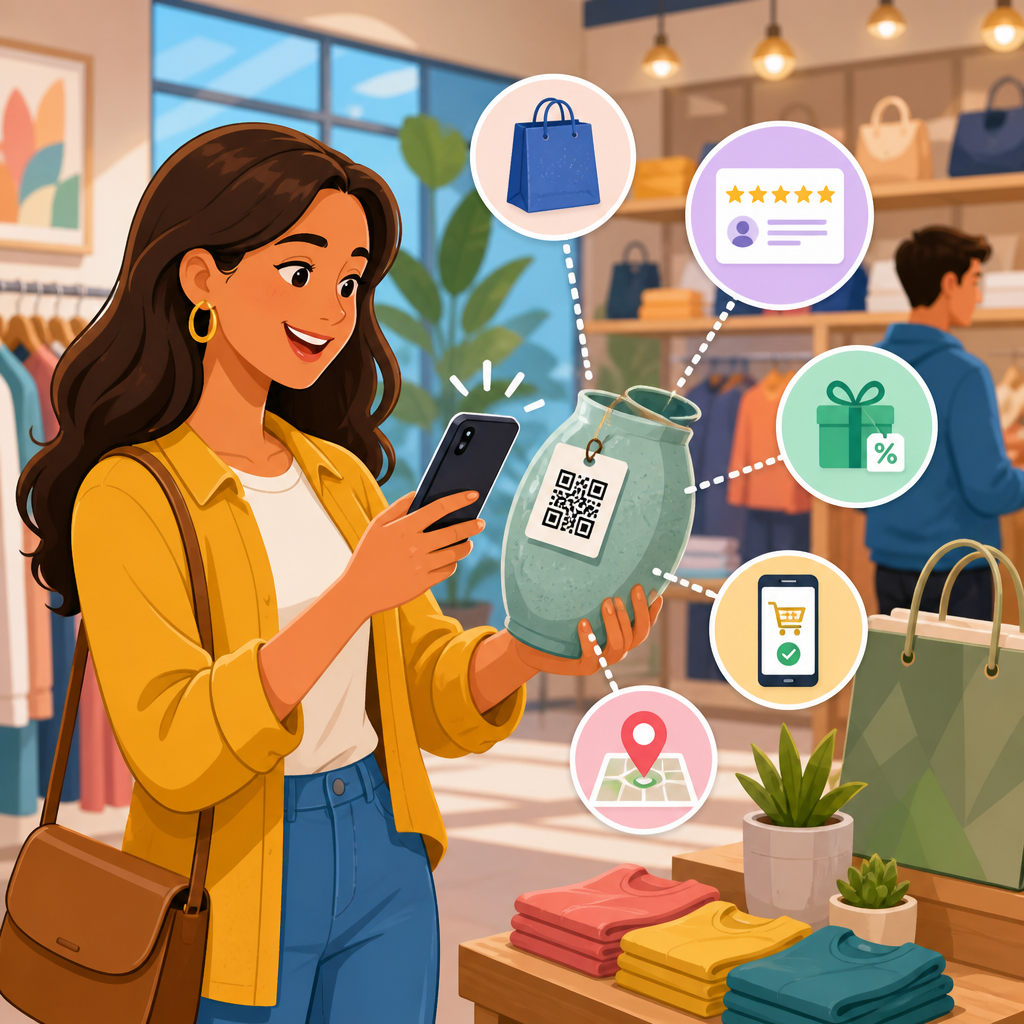
QR codes have become one of the most practical tools for improving the in-store shopping experience because they connect physical retail with digital convenience in a single scan. A QR code, short for Quick Response code, is a two-dimensional barcode that stores information such as a URL, product page, coupon, payment link, app download, or customer service prompt. In retail and e-commerce, that simple square pattern now supports product discovery, self-service, loyalty programs, mobile checkout, store navigation, and post-purchase engagement. I have seen stores move from treating QR codes as novelty signage to using them as infrastructure, especially after mobile-first shopping habits accelerated and customers began expecting immediate access to details that shelf tags alone cannot provide.
The reason QR codes matter in retail is straightforward: shoppers want answers without friction. They want to know whether an item is in stock, what sizes are available online, how a product compares with alternatives, whether there is a discount, and how to complete a purchase quickly. Store associates still matter, but they cannot be everywhere at once, and printed packaging has limited space. QR codes solve that gap by linking the shopper to dynamic digital content at the exact point of decision. For retailers, this improves conversion, reduces service bottlenecks, captures first-party data, and unifies the in-store experience with e-commerce systems such as product information management, inventory platforms, customer relationship management, and marketing automation.
This retail and e-commerce hub page covers the main ways QR codes improve brick-and-mortar shopping, where they work best, what operational requirements matter, and how to measure results. It also frames the broader use cases that support related articles across retail categories, including apparel, grocery, home goods, electronics, beauty, furniture, convenience, and omnichannel fulfillment. The key principle is not simply to place more codes around a store. Effective QR code strategy gives shoppers a clear reason to scan, delivers useful content fast, and ties every interaction to a business objective such as higher basket size, fewer abandoned purchases, stronger loyalty enrollment, or lower return rates.
Product information at the shelf edge
The most immediate benefit of QR codes in stores is instant access to deeper product information. Shelf labels and packaging can only carry a limited amount of text, while modern shoppers increasingly expect ingredient lists, sustainability claims, compatibility details, care instructions, dimensions, demonstrations, and verified reviews. A QR code placed on the shelf edge, product tag, or packaging lets the customer open a mobile landing page with exactly that information. In electronics, this often includes technical specifications, setup videos, comparison charts, and warranty terms. In beauty, it may link to shade guides, how-to tutorials, allergen disclosures, or before-and-after imagery. In grocery, it can surface sourcing information, nutrition facts, recipe ideas, and storage recommendations.
When I have audited retail QR deployments, the difference between useful and ignored codes is almost always clarity. A generic “scan me” message underperforms. A direct prompt such as “Scan for ingredients and customer reviews” or “Scan to compare sizes and colors” gives the shopper a concrete benefit. The landing page must also be optimized for mobile speed. According to Google’s long-established research on page speed and abandonment behavior, delays of even a few seconds reduce engagement sharply. In practical terms, if the page takes too long to load on store Wi-Fi or mobile data, the code becomes dead weight. The QR destination should therefore use compressed images, concise copy, prominent calls to action, and structured content that surfaces the answer immediately.
Retailers also gain a maintenance advantage. Because dynamic QR codes can redirect without changing the printed code, merchants can update product content, swap expired promotions, or connect shoppers to regional inventory pages without replacing signage. That matters in categories with frequent assortment changes. Apparel retailers, for example, can keep one code on a sign for a collection while rotating featured products weekly. The shopper experiences continuity, while the brand keeps content current.
Omnichannel shopping and endless aisle access
QR codes are especially effective when stores use them to remove one of retail’s biggest friction points: limited on-floor inventory. The endless aisle model allows a shopper to scan an item and order a different size, color, or related variation that is unavailable in the store but in stock online or at another location. This protects revenue that would otherwise be lost to stockouts. It also supports smaller store footprints because retailers can showcase samples while relying on centralized fulfillment. Home furnishing showrooms, footwear stores, and specialty apparel chains often use this model successfully.
Consider a customer trying on a jacket in medium when they need a large. Without a QR option, the sale depends on an associate checking the back room or manually ordering it later. With a QR code on the tag or fitting-room sign, the shopper can scan, view all variants, see delivery estimates, and place the order before leaving the mirror. The same mechanism supports buy online, pick up in store, ship from store, reserve online pickup, and store-to-door ordering. These are not side features. They are core omnichannel functions that blur the boundary between retail and e-commerce.
Strong implementations integrate the QR journey with inventory accuracy. A code should not send shoppers to a page that says “unavailable” after implying that alternatives exist. Retailers need near-real-time feeds from order management and inventory systems. Shopify, Salesforce Commerce Cloud, Adobe Commerce, and custom enterprise stacks can all support this when configured well. The customer-facing benefit is trust: if the QR code consistently shows reliable inventory, shoppers learn that the store can satisfy demand even when the shelf cannot.
QR code use cases across retail and e-commerce
As a hub within retail and e-commerce, this article should map the major in-store QR code applications clearly. The use cases below represent the most common and most effective patterns I have seen across merchants, from independent boutiques to national chains. Each one can stand alone, but the highest-performing programs combine several into a connected customer journey.
| Use case | How the QR code is used in store | Main customer benefit | Primary business impact |
|---|---|---|---|
| Product details | Links to specifications, ingredients, manuals, reviews, or videos | Faster purchase decisions | Higher conversion and fewer returns |
| Endless aisle | Opens size, color, and online inventory options | Access to out-of-stock variants | Recovered sales from stockouts |
| Promotions | Unlocks coupons, bundles, or limited-time offers | Immediate savings | Increased basket size and campaign attribution |
| Loyalty enrollment | Connects to sign-up forms or digital membership cards | Easy rewards access | More first-party customer data |
| Contactless payment | Initiates mobile payment or self-checkout flow | Shorter wait times | Lower queue pressure and improved throughput |
| Support and service | Starts chat, care guide, assembly instructions, or returns help | Better ownership experience | Reduced service load and stronger retention |
| Store navigation | Links to department maps, event info, or appointment booking | Easier store journey | Better traffic flow and engagement |
These use cases apply differently by retail segment. Grocery stores benefit heavily from recipes, nutrition information, and mobile coupons. Fashion retailers gain from fit guidance, style inspiration, and endless aisle ordering. Consumer electronics stores see strong results from spec sheets, side-by-side comparisons, and installation support. Beauty retailers often focus on tutorials, ingredient transparency, and loyalty. Furniture and home improvement stores use QR codes for room visualization, assembly guides, and delivery scheduling. The retail and e-commerce umbrella is broad, but the common thread is utility at the point of intent.
Promotions, loyalty, and personalized offers
Another way QR codes improve the in-store shopping experience is by making offers easier to discover and easier to redeem. Instead of requiring shoppers to download an app, search email inboxes, or type promotion codes at checkout, retailers can place QR codes on endcaps, shelf talkers, receipts, window displays, and packaging. A scan can apply a discount automatically, add a bundle to cart, or enroll the customer in a loyalty program. This reduces friction and increases redemption rates because the offer appears at the moment the shopper is evaluating the product.
Personalization becomes more powerful when QR scans connect to customer profiles, with proper consent and privacy controls. A returning customer who scans a code in the athletic footwear section could be shown products tied to past purchases, upcoming rewards thresholds, or replenishment reminders. A cosmetics shopper might receive shade recommendations based on prior orders. The operational backbone usually includes a customer data platform, CRM, or loyalty engine, but the customer only sees the convenience: relevant offers without hunting for them. Retailers should still be disciplined. Over-targeting or forcing form fills before value is delivered can suppress scans and erode trust.
Measurement here is strong because dynamic codes can be tracked by location, campaign, device, and time period. That gives marketers better attribution than static signage alone. If one display in a front window drives more loyalty sign-ups than another near the register, the retailer can adjust placement quickly. The data is useful, but only if the destination page makes the next step effortless.
Checkout, payment, and service efficiency
Long lines remain one of the fastest ways to damage the in-store shopping experience. QR codes help by supporting self-checkout flows, contactless payment, and post-purchase service. In some stores, a shopper scans a QR code at a kiosk or with an associate to open a mobile basket, confirm items, and pay on their own device. In restaurants, food halls, and quick-service hybrid retail formats, table or counter QR payments have already normalized this behavior. In traditional retail, the same principle reduces queue pressure during peak periods.
Service efficiency extends beyond the transaction itself. A QR code on the receipt or packaging can open digital receipts, return instructions, warranty registration, assembly videos, care guides, or chat support. This is particularly valuable in categories where customer confusion creates expensive returns. Furniture, home appliances, consumer electronics, and cosmetics all benefit when setup, usage, or compatibility questions are answered proactively. In my experience, the best retail teams treat post-purchase QR content as part of conversion strategy, not as afterthought documentation, because smoother ownership experiences improve repeat purchase rates.
Security and compliance deserve attention here. Payment-related QR experiences should use trusted processors, HTTPS destinations, and clear branding to reduce phishing concerns. Staff should also understand which codes are official and how to spot tampering. Customer trust can be lost quickly if a code sends people somewhere unexpected.
Implementation standards that determine success
Successful QR code retail programs depend less on the code itself than on execution details. Placement matters: codes should sit where a shopper naturally pauses, such as shelf edges, fitting rooms, demo stations, endcaps, window displays, and receipts. Size matters too. A code that is too small, glossy, curved around packaging, or poorly contrasted against the background will fail. Error correction levels, quiet zones, and print testing should follow standard QR best practices so scans work across both iPhone and Android camera apps. These are basic production details, but they have outsized impact.
The destination experience matters even more. Mobile landing pages should answer the likely question above the fold, whether that is “Does this come in black?” or “How do I assemble this?” Use concise headings, visible pricing, inventory clarity, and one next action. If an app is required, provide a browser alternative. If store Wi-Fi is weak, optimize for low-bandwidth use. Accessibility should not be ignored: include readable text contrast, support screen readers where possible, and avoid burying essential information inside autoplay video.
Retailers should also establish governance. Decide who owns QR creation, destination updates, analytics, expiration policies, and store-level deployment audits. Broken links, expired offers, and unmanaged redirects are common failure points. A quarterly scan audit across locations catches these issues before customers do.
How to measure in-store QR code performance
Retailers should judge QR code success with the same rigor applied to e-commerce funnels. Start with scan rate by placement, then track engagement metrics such as bounce rate, dwell time, click-through to product detail pages, add-to-cart rate, loyalty enrollments, assisted conversions, and completed purchases. For service content, useful measures include reduced return rates, fewer support contacts, and higher satisfaction scores. Attribution is rarely perfect, but directional clarity is achievable when codes are tied to campaigns, stores, fixtures, or product categories.
Some outcomes are operational rather than purely digital. If fitting-room endless aisle scans recover sales that would have been lost, compare stockout periods with and without QR prompts. If self-checkout codes are introduced, measure queue length, average transaction time, and labor redeployment. If care-guide QR codes are added to furniture packaging, monitor return reasons and assembly-related support volume. The point is to connect each code to a business question before rollout. Otherwise, teams collect scan counts without understanding whether the experience changed behavior.
QR codes improve the in-store shopping experience when they solve a real customer problem at the exact moment that problem appears. They turn static shelves into digital touchpoints, extend limited floor inventory into endless aisle commerce, speed up payments, support loyalty growth, and improve post-purchase service. For retail and e-commerce leaders, the value is not theoretical. It shows up in recovered sales, better product understanding, stronger customer data, and more resilient omnichannel operations. The retailers seeing the best results are not using QR codes as decoration; they are using them as connective tissue between stores, mobile devices, and commerce platforms.
As this retail and e-commerce hub makes clear, the strongest QR strategies are built on utility, speed, and measurement. Start with the customer journey: where do shoppers hesitate, wait, need reassurance, or encounter out-of-stock frustration? Put QR codes there first. Give every code a specific promise, connect it to accurate content, and monitor the outcome. From grocery aisles to fitting rooms to checkout counters, a well-designed QR experience makes shopping simpler for customers and more profitable for retailers. Audit your current store journey, identify one high-friction moment, and launch a QR test that delivers a clear answer in one scan.
Frequently Asked Questions
How do QR codes improve the in-store shopping experience for customers?
QR codes improve the in-store shopping experience by giving shoppers instant access to useful digital information without requiring extra help from store staff. With a quick scan, a customer can open a product page, compare sizes or colors, read ingredient lists, watch demonstration videos, check stock availability, or see care instructions. This makes shopping faster, more informed, and more convenient, especially for people who prefer to research products before making a purchase.
They also reduce common friction points inside a store. Instead of waiting in line for assistance or searching aisle by aisle for details, shoppers can use their phones to get answers immediately. In practice, that means QR codes can support self-service, simplify decision-making, and create a more connected retail experience. They effectively bridge the gap between physical browsing and digital convenience, which is one of the main reasons they have become so valuable in modern retail environments.
What types of information can retailers share through QR codes in a store?
Retailers can use QR codes to share a wide range of information depending on where the code is placed and what the customer needs at that moment. A QR code can link to a product page with full specifications, user reviews, pricing details, FAQs, or setup instructions. It can also direct shoppers to promotional offers, digital coupons, loyalty sign-up pages, app downloads, gift registries, event signups, or related product recommendations. In many stores, QR codes are also used for menus, product origin stories, sustainability information, and customer support options.
Because QR codes are flexible, they can serve multiple functions across the in-store journey. For example, a code near a display might help with product discovery, while one at checkout could open a payment link or digital receipt option. A code on signage might highlight limited-time promotions, and another on packaging might offer troubleshooting help after purchase. This versatility allows retailers to deliver the right information at the right point in the customer experience, making the store environment more interactive and efficient.
Can QR codes help stores offer self-service and faster checkout?
Yes, QR codes are highly effective for self-service and faster checkout because they remove several manual steps from the buying process. Shoppers can scan a code to access product details on their own, join a virtual queue, request assistance, unlock fitting room services, or even complete a purchase through mobile checkout. In some retail settings, QR codes can connect directly to a payment page, allowing customers to pay from their phones instead of waiting in a traditional checkout line.
This type of convenience benefits both customers and retailers. Customers gain speed, control, and a more seamless experience, while stores can reduce congestion, shorten lines, and improve operational efficiency. QR-based self-service can be especially useful during busy shopping periods, in smaller-format stores with limited staff, or in locations where customers expect quick, low-friction interactions. When implemented well, QR codes help create a smoother path from product discovery to payment.
How do QR codes support loyalty programs, promotions, and customer engagement?
QR codes are an effective tool for increasing customer engagement because they make it easy for shoppers to take immediate action. A customer can scan a code to join a loyalty program, unlock a member discount, collect reward points, enter a giveaway, or receive a personalized offer. Since the process takes only a few seconds, QR codes lower the barrier to participation and can increase signups compared with asking customers to type in a web address or fill out a paper form.
They also create more interactive promotional experiences inside the store. Retailers can place QR codes on shelves, endcaps, displays, receipts, or window signage to connect shoppers with limited-time campaigns, exclusive content, or tailored recommendations. This turns static store elements into digital touchpoints that continue the conversation beyond the shelf. From a marketing perspective, QR codes also make promotions more measurable, since retailers can track scans, campaign performance, and shopper response in real time. That combination of convenience, engagement, and data makes QR codes especially valuable for modern loyalty and promotional strategies.
Are QR codes secure and easy for most shoppers to use in retail stores?
In most cases, yes. QR codes are easy to use because nearly all modern smartphones can scan them directly through the camera app, with no special hardware required. That familiarity has made QR scanning a normal part of everyday consumer behavior, especially in retail, restaurants, ticketing, and payments. For shoppers, the process is simple: open the camera, point it at the code, and tap the prompt. When codes are clearly labeled and placed in logical locations, adoption tends to be strong because the experience feels intuitive and immediate.
On the security side, the safety of a QR code depends largely on how it is managed by the retailer. Reputable stores should use trusted destinations, secure payment pages, branded links when possible, and regularly monitored signage to prevent tampering. It is also helpful to tell customers what they will see after scanning, such as a product guide, coupon page, or checkout screen. Clear labeling builds trust and improves scan rates. When retailers follow basic security and usability best practices, QR codes can be both safe and highly effective as part of the in-store shopping experience.





