
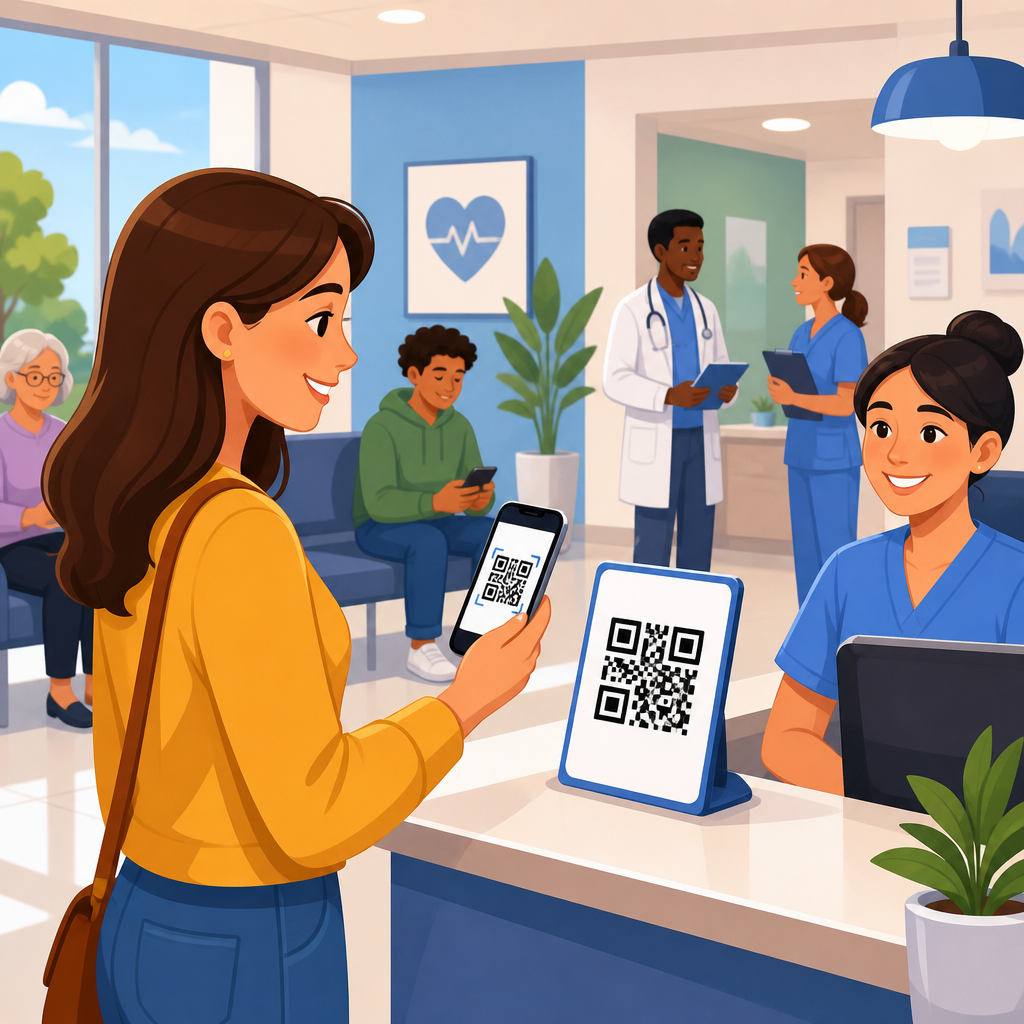
Healthcare providers use QR codes for patient check-ins to shorten wait times, reduce paperwork, improve data accuracy, and create a smoother arrival experience for patients and staff. In this context, a QR code is a scannable two-dimensional barcode that opens a digital action, such as a registration form, appointment confirmation page, insurance upload portal, or contactless kiosk workflow. I have seen clinics move from clipboards and crowded front desks to streamlined mobile intake simply by redesigning check-in around a secure scan. That shift matters because healthcare operations depend on timing, privacy, and clean data. A delayed check-in can cascade into late appointments, billing errors, and frustrated patients. A well-implemented QR code check-in system helps providers collect forms before arrival, verify identities faster, route patients to the right department, and document consent with fewer manual touches. It also supports broader healthcare goals, including infection control, accessibility, and interoperability with electronic health records. As a hub topic within healthcare QR code use cases, patient check-in is the most visible operational starting point because it connects scheduling, intake, compliance, payments, and communications in one workflow.
What a QR code patient check-in workflow looks like
A healthcare QR code check-in workflow usually starts before the visit. The patient receives a text message, email, appointment reminder, or printed confirmation containing a unique code linked to that visit. When scanned, the code opens a secure mobile page where the patient confirms demographics, updates insurance, signs consent forms, verifies medications, completes screening questions, and sometimes pays a copay. At arrival, the patient can scan another code posted at the entrance, parking area, or reception desk to announce presence and trigger the next step. In many systems, that action updates the practice management platform, alerts front-desk staff, and places the patient in the correct status queue.
The best workflows are simple enough to complete on a phone in under three minutes for returning patients. New patient visits take longer because they include full registration, notice of privacy practices acknowledgment, medical history, and sometimes referral uploads. In specialty care, the workflow may add questionnaires such as PHQ-9 for behavioral health, Oswestry Disability Index for orthopedics, or pre-op screening for ambulatory surgery. In urgent care, the scan may first ask whether the visit is respiratory, injury-related, or work-comp so the patient is routed correctly before reaching the desk.
Static and dynamic QR codes are not interchangeable in healthcare. Static codes permanently encode a destination, which makes them useful for fixed education pages but limiting for patient check-in because links cannot be changed after print. Dynamic codes point to a managed short URL and can redirect by location, appointment type, language, or device, while also supporting analytics. In practice, providers usually need dynamic codes because schedules shift, campaigns expire, and landing pages must be updated without reprinting every poster, window cling, and appointment card.
Operational benefits for providers, staff, and patients
The first measurable benefit is reduced front-desk congestion. When patients complete intake on their own devices, staff spend less time handing out forms, deciphering handwriting, and retyping insurance data. That time can be redirected to exceptions: eligibility issues, prior authorizations, or patients who need in-person help. I have seen multi-provider clinics cut average desk interaction from several minutes to under one minute for routine follow-up appointments, which directly improves throughput during peak morning blocks.
Accuracy also improves. Manual registration creates avoidable errors in names, dates of birth, policy numbers, subscriber relationships, and addresses. A digital form can validate required fields, standardize formatting, and pull existing chart data for confirmation rather than full reentry. Better data at check-in reduces downstream claim denials and statement disputes. In revenue cycle terms, cleaner registration often matters more than shaving a few seconds off the waiting room line because eligibility mistakes are expensive.
For patients, convenience is the clearest win. Many people prefer using their own phones to complete forms privately instead of filling out repetitive paperwork in public. Parents checking in a child, caregivers arriving with older adults, and busy workers stopping in before a meeting all benefit from pre-visit completion. Contactless workflows also remain valuable beyond the pandemic period because they reduce crowding and let patients move directly to the next step, including waiting in the car until called if the facility supports virtual queuing.
Healthcare systems benefit strategically too. Check-in is a gateway moment for digital engagement. Once a patient successfully uses a QR code for arrival, the organization can extend the same pattern to wayfinding, bill pay, post-visit instructions, patient satisfaction surveys, vaccine records, telehealth transitions, and prescription education. That continuity builds adoption of the patient portal and reduces reliance on paper across the care journey.
Common healthcare settings and how QR check-in changes by environment
Primary care practices typically use QR code check-in for annual updates, copay collection, preventive screening forms, and portal activation. Because these visits often involve recurring patients, the focus is speed and confirmation: “Has your address, insurance, medication list, or pharmacy changed?” Pediatric offices add guardian verification, school forms, and immunization consent. Family medicine groups may combine self-check-in with kiosk backup for patients who do not use smartphones.
Specialty clinics need more tailored logic. Cardiology may ask symptom escalation questions before rooming. Dermatology may gather image-upload consent. Physical therapy often uses recurring visit confirmation and progress questionnaires. Oncology settings may pair QR check-in with infusion scheduling rules and symptom triage. In these environments, the scan is not just administrative; it actively shapes clinical flow.
Hospitals and large outpatient centers use QR codes differently because volume and navigation are bigger issues. The check-in code may be tied to a service line, building entrance, parking zone, or appointment sequence. A patient coming for imaging might scan on arrival, receive prep reminders, and then use another code at the radiology desk. Emergency departments generally do not rely on QR code self-check-in for acute triage, but urgent care centers frequently do, especially to manage queue order, respiratory separation, and estimated wait times.
Dental, vision, and ambulatory surgery centers also benefit. Dental offices use QR workflows for medical history updates, HIPAA acknowledgment, and financing forms. Ophthalmology clinics use them for insurance capture and dilation-related instructions. Surgery centers often deploy pre-registration QR links days in advance so check-in day is limited to identity verification, payment, and consent review. The core principle is constant: adapt the scan to the clinical and operational demands of the setting rather than forcing one generic intake form everywhere.
Implementation steps, technology choices, and compliance requirements
Successful implementation starts with workflow mapping, not code generation. Providers need to document each step from appointment scheduling to rooming: what data must be collected, who verifies it, where it enters the system, and what happens if the patient cannot complete digital intake. Only then should the organization select tools. In smaller practices, the easiest path is often using features already available in the practice management or EHR ecosystem, such as Epic, athenahealth, eClinicalWorks, NextGen, or AdvancedMD integrations. Larger systems may combine patient engagement platforms, identity tools, and custom landing pages controlled through a QR management platform.
Security and privacy are non-negotiable. A QR code itself is not inherently secure or insecure; the risk depends on the destination and data handling behind it. Patient check-in pages should use encrypted connections, session timeouts, role-based access controls, and unique visit-specific tokens rather than public generic links for sensitive actions. If protected health information is collected by a third-party vendor, the provider must evaluate contractual and technical safeguards, including business associate agreement requirements where applicable. Device sharing, screenshotting, and unsecured text messaging links are practical risks that should be addressed in policy and user experience design.
Accessibility matters as much as compliance. Mobile intake pages should support plain language, large tap targets, screen readers, multilingual content, and alternatives for patients with limited dexterity, low vision, or low digital confidence. Providers should always offer a fallback path, whether that is staff-assisted intake, a tablet in privacy mode, or paper forms entered later. Good implementation does not assume every patient wants or can use a smartphone. It makes digital the fastest path without making it the only path.
| Implementation area | Best practice | Healthcare example |
|---|---|---|
| Code type | Use dynamic, editable QR codes | A clinic changes a reminder link without reprinting lobby signs |
| Identity handling | Assign visit-specific tokens | A patient scans a code tied to today’s cardiology appointment only |
| Form design | Pre-fill known data and validate fields | Returning patients confirm address instead of retyping all demographics |
| Integration | Write directly into the practice management or EHR workflow | Check-in status automatically updates the front-desk queue |
| Accessibility | Provide multilingual and assisted options | A hospital offers Spanish intake and staff tablet support |
| Measurement | Track completion, abandonment, and lobby time | An urgent care center finds insurance upload is the main drop-off point |
Best practices, common mistakes, and metrics that show success
The strongest QR code check-in programs keep the patient journey frictionless. That means limiting the number of screens, asking only necessary questions, and separating administrative tasks from clinically urgent concerns. If every scan launches a long intake process, adoption drops fast. Providers should save progress, allow document photo capture, and clearly label how long completion will take. Plain instructions near the code matter more than many teams expect. “Scan to check in for your appointment” performs better than vague labels because it states both action and outcome.
One common mistake is placing a generic QR code in a waiting room without considering cellular reception, Wi-Fi access, glare, print size, or line-of-sight distance. Another is sending the same code to every patient regardless of service line, language, or visit type. Personalization drives relevance and completion. A third mistake is treating deployment as an IT project only. Front-desk supervisors, compliance leaders, clinicians, and revenue cycle staff all need input because patient check-in touches every department.
Providers should measure more than scan volume. The meaningful metrics are pre-arrival completion rate, on-site completion rate, form abandonment rate, average lobby wait time, front-desk handling time, demographic accuracy, insurance rejection rate, copay capture rate, and patient satisfaction by visit type. In my experience, the most useful operational dashboard compares returning versus new patients and isolates where patients stop. If abandonment spikes at insurance upload, the issue may be image permissions, file size, or confusing instructions, not resistance to QR codes generally.
It is also important to define what success looks like by setting. A concierge clinic may value convenience and white-glove service over maximum self-service. A federally qualified health center may prioritize language access and reduced no-show friction. A high-volume orthopedic group may focus on moving dozens of same-morning patients through imaging, consultation, and therapy with minimal duplicate registration. The best healthcare QR code check-in strategy is the one that supports the organization’s actual constraints, patient mix, and care model.
How patient check-in connects to broader healthcare QR code use cases
Patient check-in is the anchor use case because it naturally leads to adjacent healthcare QR workflows. Once a patient scans to arrive, the same visit can include digital wayfinding to the correct floor, mobile payment for balances, educational content tailored to diagnosis, prescription instructions, satisfaction surveys, and follow-up scheduling. Providers also use QR codes for vaccine documentation, bedside patient education, staff badge access to protocols, equipment tracking, and medication administration support in controlled workflows. Not every use case belongs on one page, but understanding the ecosystem helps leaders build a coherent program instead of isolated pilots.
As the hub for healthcare within a broader industry QR code resource, this topic should guide readers toward related articles on hospital wayfinding, medical marketing, appointment reminders, prescription packaging, and patient education materials. The reason is practical: organizations rarely stop at check-in. They expand once they see measurable gains in throughput, data quality, and patient satisfaction. A well-governed QR strategy creates consistency across signage, analytics, compliance review, and campaign ownership, which is far easier than letting each department deploy codes independently.
Healthcare providers use QR codes for patient check-ins because the technology solves a real operational problem without demanding expensive behavior change from patients. Most people already know how to scan a code, and when the destination is well designed, the experience feels faster than traditional registration. For providers, the payoff is cleaner intake, better queue management, fewer manual errors, and stronger digital engagement across the care journey. The essential requirements are clear workflow design, secure data handling, accessibility, and meaningful measurement. Start with one high-volume clinic, map the process carefully, and track outcomes such as completion rate, wait time, and registration accuracy. Then expand the model to adjacent healthcare QR code use cases with the same discipline.
Frequently Asked Questions
How do healthcare providers use QR codes for patient check-ins?
Healthcare providers use QR codes to move key front-desk tasks onto a patient’s phone or a self-service device, making the arrival process faster and more organized. When a patient scans a QR code, it can open a digital check-in page, appointment confirmation screen, registration form, insurance upload portal, consent documents, payment page, or a contactless kiosk workflow. Instead of handing out clipboards and asking patients to fill out paper forms in a waiting room, staff can invite patients to complete intake steps before they arrive or as soon as they walk in.
In practice, a clinic might place a QR code in appointment reminder texts, emails, signage at the entrance, or on a check-in kiosk. A returning patient can scan, confirm personal details, review insurance information, update medications, sign required forms, and notify the office they have arrived. Staff then receive cleaner, more complete information directly in the scheduling or patient intake system. This reduces bottlenecks at the front desk, shortens lines, and helps appointments start on time. For patients, the experience feels more convenient and less repetitive. For staff, it reduces manual data entry and creates a smoother operational flow from arrival to rooming.
What are the main benefits of using QR codes for patient check-ins?
The biggest benefits are shorter wait times, less paperwork, improved accuracy, and a more efficient experience for both patients and staff. QR code check-in removes many of the repetitive administrative steps that typically slow down the front desk. Patients can review and submit information digitally instead of completing forms by hand, which means fewer delays caused by illegible handwriting, missing fields, or duplicate data entry. That alone can make a noticeable difference during busy clinic hours.
There are also important workflow advantages behind the scenes. When patient details flow directly into a digital intake process, staff spend less time retyping demographics, insurance information, and medical history updates. That reduces the chance of entry errors and frees team members to focus on higher-value tasks such as patient support, schedule coordination, and issue resolution. QR codes can also support contactless arrivals, which many healthcare organizations value for infection control, privacy, and convenience.
From the patient perspective, the process often feels easier and more modern. Many people are already comfortable scanning codes to access forms or confirm appointments. Instead of waiting for assistance at a crowded desk, they can check in quickly from their own device. For healthcare organizations, this improved convenience can contribute to better patient satisfaction, more consistent intake completion, and a stronger overall first impression.
Are QR code patient check-ins secure and HIPAA compliant?
QR codes themselves are simply a way to direct a patient to a digital destination, so security depends on the system behind the code. A QR code can be used safely in healthcare when it leads to a secure, encrypted check-in experience that follows HIPAA requirements and accepted privacy practices. In other words, the code is just the doorway; the real compliance question is how patient information is collected, transmitted, stored, and accessed after the scan.
Healthcare providers should use secure web forms or patient intake platforms with encryption in transit and at rest, access controls, audit trails, and appropriate business associate agreements when third-party vendors are involved. Providers should also avoid linking QR codes to unsecured public forms or workflows that expose protected health information. If the check-in process includes insurance cards, medical history, consent forms, or demographic data, the intake platform should be designed specifically for healthcare privacy and security standards.
It is also smart to think about operational safeguards. For example, providers can use session timeouts, identity verification steps, minimal on-screen PHI exposure, and clear instructions to help patients complete forms safely. Staff should be trained to manage exceptions, such as patients who need assistance or prefer not to use mobile check-in. When implemented thoughtfully, QR code check-in can absolutely be part of a secure and compliant patient intake strategy, but compliance comes from the full workflow, not from the barcode alone.
What types of healthcare facilities can benefit from QR code check-in systems?
Nearly any healthcare setting that handles scheduled visits, recurring patients, or intake paperwork can benefit from QR code check-ins. Primary care offices, urgent care centers, specialty clinics, dental practices, physical therapy centers, imaging facilities, behavioral health providers, outpatient surgery centers, and hospital departments can all use QR codes to streamline arrival workflows. The exact setup may differ by specialty, but the core value stays the same: reducing friction between patient arrival and clinical care.
For example, a primary care clinic might use QR codes for pre-visit registration and annual demographic updates, while a dental office may use them for health history reviews and digital consent forms. An urgent care center might place QR codes prominently at the entrance so walk-in patients can begin registration immediately from their phones. Large multi-location health systems can use the same concept across sites to create a more standardized intake experience and reduce variation in front-desk processes.
Facilities with high patient volume often see especially strong operational gains because even small time savings per patient can add up quickly over the course of a day. That said, smaller practices can benefit just as much from reduced paperwork and improved accuracy. QR code check-in is not limited to large organizations with complex IT environments. It can be effective anywhere a provider wants to simplify registration, cut manual admin work, and make arrival easier for patients.
What should healthcare providers consider before implementing QR codes for patient check-ins?
Before launching QR code check-in, providers should start with workflow design rather than the code itself. The most successful implementations map out exactly what the patient needs to do, when they should do it, and how staff will handle the information once it is submitted. That includes deciding whether the QR code will support pre-visit registration, on-site arrival check-in, insurance uploads, consent forms, payments, or all of the above. A smooth experience depends on keeping the process simple, mobile-friendly, and tightly connected to existing scheduling and intake systems.
Providers should also consider patient accessibility and adoption. Not every patient will want or be able to use a smartphone-based workflow, so there should be alternatives such as assisted check-in, tablets, kiosks, or traditional front-desk support. Instructions should be clear, signage should be easy to spot, and forms should be short enough to complete without frustration. Testing matters here. Clinics should review how the process works for new patients, returning patients, older adults, non-English speakers, and patients who need accessibility accommodations.
Finally, implementation should include security, staff training, and performance measurement. Teams need to understand how to guide patients, troubleshoot issues, and monitor incomplete submissions. Providers should also evaluate whether the new process actually improves wait times, reduces paperwork, lowers data entry errors, and increases patient satisfaction. When QR code check-in is introduced as part of a well-planned digital intake strategy rather than a stand-alone tech feature, it is far more likely to deliver lasting value.





