QR codes in education innovation are no longer a novelty; they are a practical bridge between printed materials, physical spaces, mobile devices, and digital learning systems. In schools, colleges, training centers, museums, and libraries, a quick scan can open lesson videos, launch formative quizzes, verify attendance, unlock lab instructions, connect students to accessibility supports, or route families to translated resources. A QR code, short for Quick Response code, is a two-dimensional barcode that stores data such as a URL, document link, contact card, or plain text. Education innovation, in this context, means applying tools and methods that improve teaching, access, engagement, efficiency, and learning outcomes. When these two ideas meet, the result is not just convenience. It is a flexible delivery layer for content, communication, and school operations.
I have seen the shift firsthand in classrooms and district rollouts: teachers who once printed static worksheets now create interactive stations, librarians turn shelves into discovery points, and campus teams reduce friction in everything from visitor check-in to device support. The appeal is simple. QR codes are inexpensive to generate, easy to place on almost any surface, familiar to smartphone users, and adaptable across grade levels. They also work well in blended learning, where students move between paper and screen. That matters because many learning environments still rely on physical handouts, posters, textbooks, whiteboards, lab benches, and ID cards. QR codes turn those offline assets into live gateways.
This hub article maps the emerging use cases shaping the category. It explains where QR codes fit in instruction, student services, administration, accessibility, and campus experiences, while also addressing implementation standards, privacy considerations, and measurement. For schools evaluating whether QR initiatives are worth the effort, the answer depends on design. A thoughtful deployment supports universal access, reduces cognitive load, and connects directly to instructional goals. A poor deployment creates dead links, device inequity, and unnecessary complexity. The difference comes down to governance, content quality, and user context. Understanding those factors is essential for educators, edtech teams, and institutional leaders building modern learning ecosystems.
Interactive instruction and blended learning
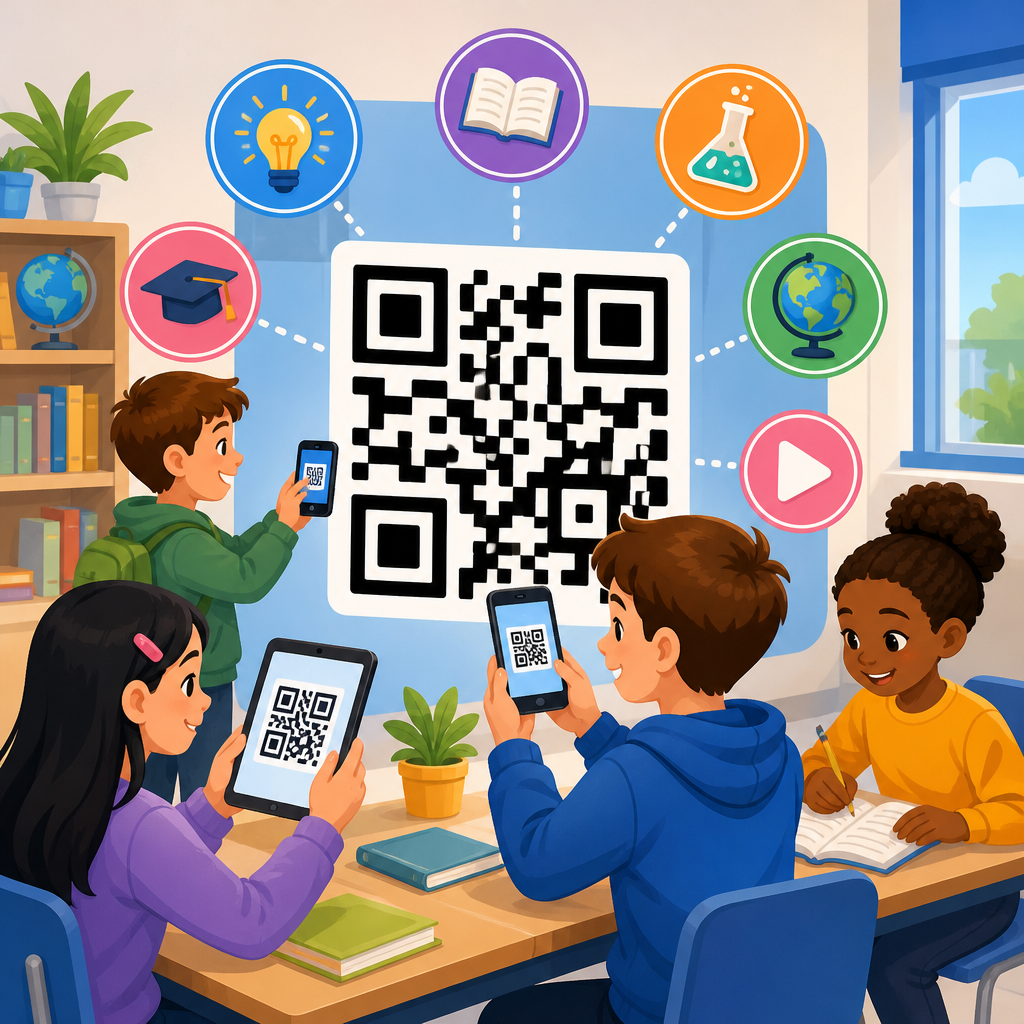
The most visible use case for QR codes in education innovation is interactive instruction. Teachers use codes to connect printed learning materials to digital extensions without forcing students to type long URLs. In elementary literacy, a code on a reading log can open an audio model of fluency, helping emerging readers hear pacing and expression. In secondary science, a code on a lab sheet can open a safety video, a simulation from PhET, or a rubric in Google Classroom. In higher education, a code embedded in lecture slides can link to datasets, journal abstracts, or case-study prompts. The instructional benefit is speed. Students spend less time navigating and more time engaging with the content.
QR codes are especially effective in station rotation and flipped learning models. At one station, students might scan a code to watch a two-minute explanation; at another, they scan for a self-grading Microsoft Forms quiz; at a third, they access enrichment tasks. Because the codes are visible and location-based, they reduce repeated verbal directions. In flipped settings, a code printed on homework instructions can launch the exact pre-class resource students need, whether hosted in Canvas, Moodle, Schoology, or YouTube. This lowers support requests and improves consistency, particularly for younger learners and families who struggle with multi-step logins.
Another growing pattern is teacher-created microlearning. Instead of posting one large resource hub, educators place separate codes next to discrete tasks, each tied to a single learning objective. That structure aligns with cognitive load theory: one scan, one action, one clear purpose. It also supports retrieval practice. A history teacher can post codes around the room linking to short source analyses, while a language teacher can attach codes to vocabulary cards so students hear native-speaker pronunciation. These examples show why QR codes are not the lesson themselves. They are a delivery mechanism that works best when paired with intentional pedagogy.
Student support, accessibility, and inclusive design
One of the strongest emerging use cases is accessibility. QR codes can connect learners to supports that are hard to fit on a printed page or in a crowded classroom display. A student can scan a code for text-to-speech access, translated directions, large-print versions, sign language support videos, or a calm step-by-step walkthrough of an assignment. In special education and multilingual learning contexts, this flexibility matters. It gives teachers a way to offer layered support without stigmatizing students through visibly different materials. Everyone receives the same handout, but each learner can access the format they need.
Inclusive design requires more than placing a code in the corner of a worksheet. The destination must be mobile friendly, readable by screen readers when possible, and useful without excessive scrolling. I recommend adding a short label beside every code that explains what happens after scanning, such as “Watch the experiment setup video” or “Open Spanish family guide.” This simple practice improves usability and trust. It also helps users decide whether to scan on shared or limited-bandwidth devices. For students with executive function challenges, predictable labeling reduces uncertainty and supports independence.
Libraries and student services teams are using QR codes creatively as well. A code on a library shelf can open a book trailer, an author interview, or a catalog list of similar titles. A counseling office poster can connect students to appointment booking, crisis resources, or scholarship information. On campuses with diverse populations, codes can route users to language-specific pages. These uses extend support beyond the timetable of a class period and make key services easier to reach. When designed well, QR codes act as quiet scaffolds built into the learning environment.
Assessment, feedback, and classroom data collection
QR codes are increasingly used to streamline assessment and formative feedback. In K-12 classrooms, exit tickets delivered through codes on the board allow teachers to collect responses in seconds through Google Forms, Microsoft Forms, or Kahoot. Because each code points to a specific prompt, teachers can tailor checks for understanding by class, group, or lesson segment. In project-based learning, students can place codes on posters or prototypes that open reflection videos, design logs, or source lists, making the assessment evidence richer than what fits on display boards alone.
For oral language, performance tasks, and portfolios, QR codes solve a long-standing documentation problem. Students can attach a code to a paper artifact that links to a recording in Seesaw, Flip, or a secure cloud folder. This is valuable in early years education, arts, world languages, and career and technical education, where process and demonstration matter as much as the final product. Teachers reviewing the work can move seamlessly from physical artifact to digital evidence. Families at exhibitions or conferences gain the same benefit.
Institutions also use dynamic QR codes for data collection because they can be updated without reprinting materials. A department can keep the same code on lab stations all semester while changing the linked survey, troubleshooting form, or weekly check-in destination. This flexibility supports continuous improvement and reduces waste. The key limitation is data governance. If a code points to a form collecting student information, schools must align the workflow with district policy, consent requirements, and platform security controls. Practical innovation always includes compliance.
| Use case | Typical destination | Main benefit | Common tools |
|---|---|---|---|
| Exit ticket | Short digital form | Fast formative assessment | Google Forms, Microsoft Forms |
| Student portfolio | Audio or video evidence | Richer demonstration of learning | Seesaw, Flip, Drive |
| Lab support | Safety steps or simulation | Fewer procedural errors | PhET, LMS pages |
| Family communication | Translated guide or signup page | Higher access and response rates | District site, Calendly |
| Campus services | Help desk or booking form | Reduced friction for students | Zendesk, LibCal |
Campus operations, communication, and family engagement
Beyond instruction, QR codes are improving daily operations. Attendance check-ins for events, tutoring sessions, advisory periods, and professional development can all be handled through supervised scans. Visitor management teams use codes to route guests to sign-in forms and campus maps. IT departments place codes on devices and carts that open support tickets with prefilled asset information. Facilities teams use them on room signage to report maintenance issues. These operational use cases may seem separate from learning, but they save staff time and reduce delays that ultimately affect the student experience.
Family engagement is another high-value area. Schools often struggle with fragmented communication across email, paper notices, apps, and websites. A QR code on a newsletter, report packet, or event flyer can direct caregivers to exactly one action: register for conferences, read a translated update, review curriculum night slides, or complete a transportation form. In districts serving multilingual communities, this is particularly useful when paired with language choice pages. The code itself is universal; the destination can be personalized by language or grade band.
Real-world adoption shows that simplicity wins. The most effective campaigns use large, high-contrast codes, short explanatory text, and destinations optimized for mobile screens. They are tested on both school-managed and personal devices before distribution. They also avoid overloading families with multiple codes on one page unless each has a very clear label. Operational success with QR codes comes from reducing steps, not adding novelty. When schools treat them as part of service design rather than decoration, usage rises.
Experiential learning, campuses, and emerging innovation paths
Some of the most interesting QR code trends in education come from place-based and experiential learning. Museums, botanical gardens, maker spaces, and university campuses use codes to create self-guided tours with layered content. A biology student scans a code in a greenhouse to access species data, propagation methods, and a short expert explanation. A nursing student scans a simulation station for scenario instructions and debrief prompts. An architecture student scans building markers linked to historical plans or sustainability notes. These experiences turn physical environments into interactive learning networks.
Career-connected learning is expanding the category further. In technical programs, QR codes on tools, machines, or components can open maintenance logs, safety protocols, and manufacturer documentation. In culinary education, ingredient bins or recipe stations can link to allergen guidance and demonstration clips. In teacher training, candidate badges or practicum binders may include codes that open lesson videos or reflective annotations. The common thread is contextual access: the resource appears exactly where the learner needs it.
Looking ahead, the innovation path includes better analytics, stronger integration with learning management systems, and more personalized destinations. Dynamic QR platforms already provide scan counts, timestamps, device types, and location estimates, which can help schools understand engagement when used responsibly. Some institutions are combining codes with short URLs and near-field communication for multimodal access. Others use them in augmented reality pathways, where a scan opens 3D models or immersive scenes. The technology is mature, but the educational design space is still expanding.
Implementation should follow clear standards. Use dynamic codes when destinations may change. Maintain a centralized inventory so links do not break when staff leave. Host core resources on institutional platforms with role-based access controls. Print at a size that scans reliably from the intended distance, and test under classroom lighting. Include plain-language labels, and provide a fallback URL for users who cannot scan. Track whether the code supports a measurable goal, such as faster support resolution, higher assignment completion, or improved access to translated information. These practices separate sustainable innovation from one-off experiments.
QR codes in education innovation work best when they connect physical learning moments to useful digital actions. They support interactive teaching, accessibility, assessment, operations, and experiential learning without requiring expensive hardware or complex training. Their strength is not technical sophistication alone. It is the ability to meet students, educators, and families where they already are: moving between paper, spaces, devices, and systems throughout the day.
For schools building an emerging use cases strategy, the practical starting point is a small, high-impact pilot. Choose one problem worth solving, such as family access to translated resources, formative assessment efficiency, or student support in labs and libraries. Define the audience, the scanning context, the destination content, and the success metric before printing anything. Then test the experience with real users, revise weak points, and document a repeatable workflow. That process builds internal confidence and prevents scattered adoption.
As a hub within the broader QR code trends and innovations landscape, this topic deserves ongoing attention because it touches nearly every layer of the education experience. The institutions getting the most value are not using QR codes everywhere. They are using them deliberately, with strong content, clear labels, secure platforms, and inclusive design. Audit your current communication and learning touchpoints, identify the friction, and deploy QR codes where a scan can remove it.
Frequently Asked Questions
What are QR codes, and why are they becoming so important in education innovation?
QR codes, or Quick Response codes, are two-dimensional barcodes that can store links, text, contact details, file locations, and other digital actions that are opened with a smartphone, tablet, or device camera. In education, their value comes from how easily they connect physical learning environments to digital experiences. A student can scan a code printed on a worksheet to watch a teacher-created explainer video, open an interactive quiz, access reading supports, or submit an assignment without typing a long web address. That speed matters because it reduces friction and helps learners move directly from instruction to action.
What makes QR codes especially useful in modern education is their flexibility across many settings. In classrooms, they can link bulletin boards, textbooks, manipulatives, and classroom stations to additional content. In colleges and training centers, they can support attendance tracking, lab safety instructions, equipment tutorials, and campus navigation. In museums and libraries, they can enrich exhibits and shelves with audio guides, translations, recommended resources, and archival material. This ability to bridge print, space, and digital systems is why QR codes are no longer viewed as a novelty. They are now a practical infrastructure tool for blended learning, flipped instruction, self-paced study, and communication with families.
Another reason QR codes matter is that they support more inclusive and responsive learning. Educators can use them to provide multiple formats of the same material, such as text, audio, video, or translated versions. That helps students with different learning preferences, language backgrounds, and accessibility needs get to the support they need immediately. When implemented thoughtfully, QR codes improve access, save instructional time, and make learning environments more interactive without requiring expensive new hardware.
How can teachers and schools use QR codes effectively in classrooms and on campus?
Teachers and schools can use QR codes effectively by focusing on clear instructional purpose rather than using them as a gimmick. The strongest uses solve a real problem, simplify a routine, or deepen learning. For example, a teacher might place QR codes at learning stations so students can independently access directions, examples, and reflection questions. A science teacher can attach codes to lab equipment that open safety rules, demonstration videos, and data-entry forms. A language arts teacher can place codes inside novels or on assignment sheets that lead to vocabulary supports, annotation guides, or recorded read-alouds. In each case, the code is not the lesson itself; it is a doorway to richer, faster, and more organized access.
At the school level, QR codes can streamline communication and operations. Schools can add them to newsletters, signage, ID materials, event posters, and parent handouts so families can reach calendars, permission forms, translated updates, transportation details, or support services with one scan. On campus, codes can be used for attendance verification, visitor check-in instructions, room scheduling, wayfinding, digital menus, and emergency procedure access. In libraries and media centers, QR codes can connect users to book trailers, e-books, author talks, citation guides, and research databases. In museums and training environments, they can support self-guided exploration and just-in-time learning at the exact point where information is needed.
To use QR codes well, schools should also think about design and workflow. Codes should be large enough to scan easily, placed where lighting and distance make scanning practical, and accompanied by a short label that explains what the scan will open. Students and families should never have to guess. It is also smart to test every code across different devices before publishing and to use dynamic QR codes when possible so the destination can be updated without reprinting materials. The best implementations feel seamless, useful, and reliable.
What are the biggest benefits of QR codes for students, teachers, and families?
The biggest benefit of QR codes is immediate access. For students, that means less time spent typing URLs, searching through learning platforms, or asking for repeated directions. A quick scan can take them straight to the exact video, form, audio support, simulation, or practice activity they need. This is particularly helpful for younger learners, multilingual students, and anyone working in fast-paced or hands-on environments where typing is inconvenient. By removing small access barriers, QR codes help students stay focused on learning rather than logistics.
For teachers, QR codes save time and increase instructional flexibility. A single printed handout can become an interactive learning object when paired with codes to extension activities, answer explanations, or differentiated supports. Teachers can embed remediation and enrichment into the same physical resource without drawing attention to who needs what. QR codes also help organize recurring routines such as bell work, exit tickets, assignment submission, feedback collection, and station rotation. Over time, that efficiency can reduce repetitive classroom management tasks and make lessons feel more connected and student-directed.
For families, QR codes can strengthen school-home communication. When schools place codes on flyers, report packets, event signage, or take-home resources, caregivers can instantly reach translated information, enrollment forms, technology help, tutoring schedules, meal program details, and teacher contact points. This is especially useful for busy families accessing information on mobile devices. In many communities, a phone is the most available internet-connected tool, so QR codes can make school communication more realistic and more equitable. Overall, the benefit is not just convenience. It is improved access, stronger engagement, and smoother connections between educational spaces and the digital tools that support learning.
Are QR codes accessible, safe, and appropriate for all learners?
QR codes can be highly accessible and appropriate for many learners, but they should never be treated as the only way to access essential information. Good educational design means offering QR codes as one option within a broader accessibility strategy. For example, if a code links to a lesson video, the material should also be available through a clearly written short URL or within the school’s learning management system. Students with visual impairments, motor challenges, limited device access, or restricted internet connectivity may not always be able to scan quickly or independently. The most inclusive approach is to provide multiple pathways to the same resource.
Accessibility also depends on what happens after the scan. The linked resource should be mobile-friendly, readable, and compatible with screen readers when possible. Videos should include captions, audio supports should have transcripts, and translated materials should be accurate and easy to navigate. Labels placed next to QR codes are also important. Instead of posting a code by itself, schools should explain what the code does, such as “Scan for audio directions” or “Scan for the family guide in Spanish, Arabic, and Vietnamese.” That small step helps all users, including those who may be unfamiliar with QR codes or hesitant to scan unknown links.
On the safety side, schools should use trusted QR code generators and point codes only to secure, approved destinations. Staff should avoid linking to open or unmoderated spaces unless there is a clear educational reason and proper oversight. It is also good practice to test links regularly, monitor whether destinations have changed, and teach digital literacy around scanning. Students should learn that they should scan codes from known school sources and be cautious with codes posted in public or unofficial places. With thoughtful implementation, QR codes are safe and effective, but they work best when supported by accessibility planning, responsible technology policies, and clear communication.
What are the best practices for implementing QR codes in an educational setting?
The best practices for implementing QR codes in education begin with purpose, clarity, and consistency. Before creating a code, educators should ask a simple question: what problem does this solve for the learner or the institution? If the answer is unclear, the QR code may not add much value. Strong use cases include connecting printed materials to multimedia instruction, simplifying repetitive classroom routines, improving communication with families, and giving learners immediate access to support resources in the moment they need them. When the purpose is clear, the code becomes part of good instructional design rather than a layer of unnecessary technology.
From a practical standpoint, schools should use high-contrast, easy-to-scan codes and place them where users can access them comfortably. Printed codes should be tested at real size, not just on a computer screen. Every code should include a short description of the destination and, ideally, a backup URL. Dynamic QR codes are often the better choice because they allow schools to update the destination later without replacing posters, worksheets, book labels, or signage. This is especially valuable in environments where materials stay in use for months or years, such as classrooms, libraries, labs, and museums.
Implementation should also include maintenance and measurement. Someone should be responsible for checking that links still work, content remains relevant, and destinations continue to meet privacy and accessibility standards. If QR codes are being used for attendance, assessments, or family engagement, schools may also want to review scan data or participation trends to understand what is working and where adjustments are needed. Finally, training matters. Teachers, staff, students, and families should know what QR codes are, how to use them, and why they are being used. A simple rollout with clear expectations can make adoption much smoother. When educational institutions combine instructional intent, accessible design, secure linking, and ongoing review, QR codes become a highly effective tool for innovation.