
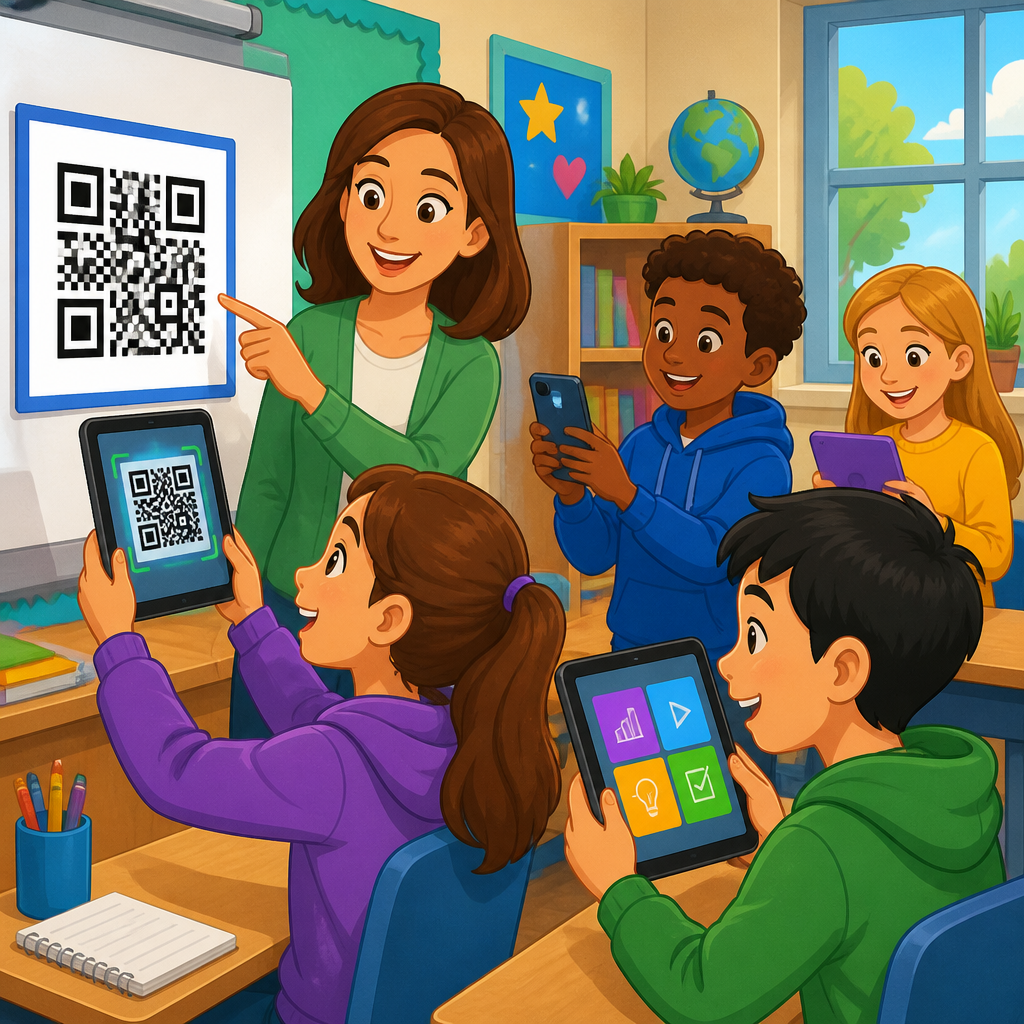
QR codes have become one of the most practical tools for classroom engagement because they connect printed materials, physical spaces, and student devices in seconds. In education, a QR code is a scannable image that opens a web page, video, form, document, audio clip, or app action without requiring students to type a long address. That simple step matters more than it sounds. In schools, every extra click creates friction, and friction reduces participation. When teachers can move students from a worksheet to a simulation, from a bulletin board to a reflection form, or from a textbook margin to a pronunciation recording with one scan, lessons become more active, accessible, and measurable.
I have seen the difference in classrooms where technology felt bolted on versus classrooms where access was nearly invisible. The winning use cases were rarely flashy. They solved everyday instructional problems: how to share a rubric quickly, how to let absent students catch up, how to offer extension activities without interrupting the pace of the room, and how to collect formative assessment data before misconceptions harden. QR codes work because they reduce transition time. A teacher can post a code on the board for an entrance ticket, place codes at stations for differentiated tasks, or attach one to a lab setup for safety instructions. Students spend less time asking where to click and more time doing the work.
For education leaders, QR codes also matter because they scale across grade levels, budgets, and device environments. A kindergarten class can scan codes that play read-aloud audio. A middle school science teacher can link to CER templates and microscope image galleries. A university instructor can direct students to office-hour booking, lecture slides, and academic integrity guidance. Static codes are useful for permanent destinations, while dynamic codes allow the destination to change later without reprinting posters, handouts, or signage. That flexibility is especially valuable in schools, where calendars shift, links break, and resources evolve throughout the term.
This article serves as a hub for QR codes in education, covering the core use cases, implementation choices, and operational safeguards that make them effective. The goal is not to treat QR codes as a novelty, but as an instructional access layer. Used well, they support active learning, classroom management, family communication, accessibility, and data-informed teaching. Used poorly, they create dead links, privacy issues, and off-task behavior. The difference comes down to planning, governance, and aligning each code to a clear educational purpose.
Why QR Codes Improve Classroom Engagement
Classroom engagement increases when students can enter an activity immediately, understand what to do next, and receive feedback without delay. QR codes support all three conditions. They remove the need to type URLs, search for assignments, or navigate cluttered learning platforms. In practical terms, that saves minutes in every lesson, and those minutes add up over a semester. In a 45-minute class period, recovering even three transition minutes can create time for a retrieval practice prompt, a peer discussion, or an exit ticket.
Engagement is not only about speed. It is also about modality and choice. A single printed page can hold multiple QR codes that lead to leveled readings, translated directions, video instructions, or challenge problems. That makes differentiation more manageable. I have used this approach in mixed-ability classrooms where some students needed a worked example while others were ready for extension tasks. Instead of singling students out, the teacher labeled options clearly and let students scan the support they needed. The result was quieter transitions, more independence, and fewer hands raised for procedural confusion.
QR codes also create cleaner bridges between analog and digital learning. Schools still rely heavily on paper, wall displays, textbooks, manipulatives, and physical labs. A code placed on those materials turns them into launch points for richer content. For example, a history timeline in the hallway can link to student-created podcasts. An art display can connect families to process portfolios. A geometry task card can open a Desmos activity. The printed object remains valuable, but the code deepens it with context, media, and interaction.
Core Education Use Cases Across K-12 and Higher Education
The strongest classroom use cases fall into repeatable categories. First, QR codes streamline lesson entry points. Teachers commonly use them for bell ringers, attendance check-ins, warm-up polls, and daily agendas. A code projected on the board can open a Google Form, Microsoft Form, Canvas page, or Moodle activity. Students scan as they enter, settle quickly, and begin work before the teacher gives full-group directions.
Second, QR codes work extremely well for stations and blended learning rotations. In elementary literacy blocks, each station can have a code for directions, sample responses, and an audio model. In secondary science, one station may link to a simulation, another to a data table, and a third to a safety checklist. In higher education labs, codes can point to standard operating procedures, reagent handling guidance, or instrument tutorials. Because the instructions live online, teachers can update them without remaking every station card if they use dynamic QR codes.
Third, QR codes support assessment and feedback. Teachers use them for exit tickets, self-check quizzes, rubric access, peer review forms, and error-analysis tasks. A student finishing a math problem set can scan a code to compare methods, not just answers. An English teacher can attach a code to an essay prompt that opens the rubric and annotated exemplar. These uses matter because feedback is most useful when it is immediate and embedded at the point of need.
Fourth, QR codes improve communication beyond the classroom. Schools place them on newsletters, event posters, permission slips, library displays, ID cards, and front-office signage. Families can scan for translated information, transportation updates, meal program details, or parent-teacher conference scheduling. In districts serving multilingual communities, a well-placed code can be the fastest way to deliver the right information in the right language.
Best Classroom Applications by Instructional Goal
Choosing the right QR code strategy starts with the learning objective, not the tool. When the goal is access, use codes for schedules, assignment links, and absent-work folders. When the goal is interaction, use them for polls, collaborative boards, and formative checks. When the goal is reflection, link to journals, voice recordings, or metacognitive prompts. When the goal is enrichment, connect to optional tutorials, extension readings, and project showcases.
| Instructional goal | Recommended QR code use | Example tool or destination |
|---|---|---|
| Quick lesson start | Entrance ticket or daily agenda | Google Forms, Microsoft Forms, LMS page |
| Differentiation | Leveled tasks or translated directions | Google Docs, Immersive Reader, YouTube |
| Independent practice | Worked examples and hints | Teacher screencast, Khan Academy, Desmos |
| Assessment | Exit ticket or self-check quiz | Quizizz, Socrative, Formative |
| Family communication | Event details or sign-up forms | Calendly, school website, translated PDF |
| Student voice | Portfolio artifact or audio reflection | Seesaw, Padlet, Flip |
This approach keeps QR codes purposeful. If a task would be faster with a printed instruction or a direct LMS announcement, use that instead. The code should remove friction, not add a gimmick. In my experience, the highest adoption comes when every scan answers a real classroom question: What do I do now? Where is the example? How do I submit this? What if I need help?
Accessibility, Inclusion, and Universal Design Considerations
QR codes can support inclusion, but only when they are implemented with accessibility in mind. The first rule is simple: never make scanning the only way to access required content. Always provide a short URL, LMS path, or printed alternative. Some students may not have a functioning camera, enough battery, reliable connectivity, or permission to use a phone. Others may use assistive technology that interacts differently with linked content.
Accessible design starts after the scan. The destination should be mobile-friendly, readable on a small screen, and compatible with screen readers. Videos should have captions. Audio instructions should be clear and brief. Documents should use proper headings rather than image-only text. If a QR code opens a worksheet PDF that cannot be navigated on a phone, the code has not improved access. It has simply shifted the barrier downstream.
For multilingual learners, QR codes are especially useful for translated directions, glossaries, read-aloud support, and home-language family communication. I have seen schools place bilingual codes on homework sheets so caregivers can hear assignment explanations in their preferred language. That is a practical equity measure, not a cosmetic tech add-on. Similarly, early readers benefit from codes that trigger audio instructions, reducing dependence on constant teacher repetition.
Placement matters too. Codes should be large enough to scan from the expected distance, with high contrast and quiet space around the edges. In most classroom prints, a code under about 2 by 2 centimeters is unreliable, while posters viewed across the room need to be much larger. Test from the actual student position, using the weakest school-issued device in circulation, not the newest phone in the building.
Implementation: Tools, Management, and Technical Standards
Most schools can begin with either free QR code generators or built-in features from design tools such as Canva, Adobe Express, and some LMS platforms. The key decision is static versus dynamic codes. Static codes store the final destination directly and are best for permanent resources such as classroom websites, library catalogs, or yearlong course hubs. Dynamic codes route through a managed link and allow updates, analytics, expiration controls, and campaign organization. For schools that print codes on walls, worksheets, or shared resources, dynamic management is usually worth it.
Governance is where many deployments succeed or fail. Create naming conventions by school, course, unit, and purpose. Maintain a central spreadsheet or dashboard with the destination URL, owner, creation date, and review schedule. Broken links undermine teacher trust quickly. I recommend link audits at the start of each term and before major events. Districts with high usage should assign ownership rather than assuming every teacher will remember what a code points to months later.
Security and privacy cannot be treated casually. Students should not be sent to unsecured forms requesting unnecessary personal information. Any destination collecting student data must align with district privacy policies and applicable regulations such as FERPA in the United States or GDPR where relevant. Avoid linking students directly to public comment threads or editable documents unless permissions are tightly controlled. If younger students use shared tablets, sign-in friction and accidental account crossover must be planned for in advance.
Analytics can be useful if interpreted carefully. Dynamic QR platforms often report scan counts, times, device types, and approximate location. That can help a school compare engagement with hallway displays, family event posters, or support resources. However, scan volume is not learning evidence by itself. A code that gets 200 scans but leads to a confusing page may be less valuable than one that gets 40 scans and consistently drives assignment completion.
Common Mistakes and How Schools Can Avoid Them
The most common mistake is using QR codes without a clear purpose. If students still need four more steps after scanning, the code did not solve a problem. The second mistake is poor maintenance. I have audited classroom walls filled with codes that led to deleted videos, outdated Padlets, or login pages students could not access. Every public-facing code is a promise; if the destination fails, confidence in the whole system drops.
Another mistake is overreliance on personal devices. Bring-your-own-device environments can work, but they amplify inequity when some students have limited data, older cameras, or no device at all. Classroom engagement improves when scanning is optional or when schools provide consistent devices. Printing a backup short link is a simple safeguard. So is posting one master course code in the LMS for students who cannot scan in the moment.
Teachers should also avoid clutter. A worksheet with six unlabeled codes creates cognitive overload. Label every code with the destination type and expected action, such as “Watch the model,” “Submit your exit ticket,” or “Hear the directions.” Students should know what will happen before they scan. This is especially important for younger learners and for classrooms where attention management is already a challenge.
Finally, measure what matters. Track whether QR codes reduce transition time, increase assignment completion, improve family response rates, or expand access to support materials. Ask students which scans actually help them. The best education technology routines survive because they improve instruction, not because they look modern.
QR codes for classroom engagement are effective when they act as a fast, dependable bridge between instruction and action. They help teachers start lessons faster, differentiate support, collect feedback, extend learning beyond paper, and communicate more clearly with families. They also fit nearly every education setting, from elementary classrooms and media centers to secondary labs and university courses. Their value comes from reducing friction at the exact moment a learner needs direction, context, or practice.
The strongest implementations share a few traits. Every code has a defined purpose, the linked resource is mobile-friendly and accessible, alternatives exist for students who cannot scan, and someone owns ongoing maintenance. Schools that use dynamic codes, audit links regularly, and align destinations with privacy standards avoid the failures that make classroom tools feel unreliable. Just as important, successful teachers treat QR codes as part of lesson design rather than as decoration. The scan should lead to something instructionally meaningful within seconds.
As the education hub within QR code use cases by industry, this page points to a broad truth: in schools, small access improvements produce outsized engagement gains. If you are building or refining a QR strategy for education, start with one routine that students repeat often, such as bell ringers, station directions, or exit tickets. Test it on real devices, label it clearly, and review the results after a week. Then expand to assessment, accessibility supports, portfolios, family outreach, and campus signage. A well-designed QR code system does not just connect students to links. It connects them to learning.
Frequently Asked Questions
What are QR codes, and why are they effective for classroom engagement?
QR codes are scannable images that instantly connect students to digital content such as websites, videos, quizzes, forms, documents, audio files, or learning apps. In a classroom setting, their biggest advantage is speed. Instead of asking students to type a long URL, search for a resource, or navigate through multiple menus, a teacher can place a QR code on a worksheet, whiteboard, poster, lab station, or slide and let students access the exact material in seconds. That reduction in effort is important because even small barriers can interrupt attention, slow transitions, and reduce participation.
They are especially effective for classroom engagement because they bridge physical and digital learning environments. A printed handout can lead to an interactive video. A hallway display can open a student reflection form. A classroom station can connect to instructions, background reading, or a self-check quiz. This creates more active learning opportunities without requiring major changes to existing teaching materials. Teachers can keep the structure of a traditional classroom while adding fast, targeted digital interaction where it helps most.
QR codes also support engagement by giving students more independence. Instead of waiting for repeated verbal directions, students can scan and move directly into an activity. This helps with pacing, station rotations, choice boards, early-finisher tasks, and blended learning models. When used thoughtfully, QR codes make participation easier, transitions smoother, and classroom routines more efficient, which gives teachers more time to focus on instruction and support.
How can teachers use QR codes in everyday lessons?
Teachers can use QR codes in everyday instruction in ways that are simple, flexible, and highly practical. One of the most common uses is linking directly to lesson materials. A QR code on the board can open the day’s agenda, a reading passage, a slide deck, or a warm-up activity. On printed worksheets, QR codes can link to hints, worked examples, answer explanations, or extension tasks. In small-group instruction, each table or station can have its own code leading to directions, discussion prompts, or a short video that supports the task.
They are also useful for making classrooms more interactive. Teachers can place QR codes around the room for gallery walks, scavenger hunts, review games, and movement-based activities. Students might scan one code to analyze an image, another to hear an audio clip, and another to submit a response. This approach encourages active participation and helps vary the structure of a lesson. Instead of receiving information in only one format, students interact with content in multiple ways, which can improve attention and retention.
Another strong use case is feedback and assessment. A QR code can open a quick exit ticket, a poll, a self-assessment checklist, or a short formative quiz. Teachers can also use codes to share rubrics, model responses, and revision guidance. In project-based learning, students can create presentations, videos, or portfolios and then display them through QR codes attached to posters, models, or bulletin boards. This makes student work more accessible and gives classroom products a digital layer that expands audience and interaction.
The key is to use QR codes with a clear instructional purpose. They work best when they save time, reduce confusion, and make an activity more accessible or engaging. They should not be added just for novelty. When they solve a real classroom problem, they become one of the most useful low-friction tools a teacher can use.
What are the main benefits of using QR codes instead of traditional links or printed instructions?
The main benefit is reduced friction. In education, every extra step matters. If students have to copy a URL from a board, type it correctly, switch tabs, and search for the right resource, some of them will lose focus before the learning task even begins. QR codes remove that problem by taking students directly to the intended destination with a single scan. This is faster, more reliable, and far easier during busy classroom transitions.
QR codes also improve accuracy. When a student scans a code, they land on the exact page or file the teacher selected. That means fewer mistakes, fewer questions about where to click, and fewer interruptions caused by students ending up in the wrong place. For teachers, this creates a more controlled and predictable digital workflow. It is especially useful in elementary classrooms, large classes, station rotation models, and situations where students have varying levels of digital confidence.
Another important advantage is that QR codes extend the usefulness of printed materials. A paper worksheet no longer has to remain static. It can include links to vocabulary support, audio instructions, examples, multilingual resources, or enrichment activities. Classroom posters can become interactive references. Lab sheets can include safety videos or data collection forms. This helps teachers get more value from the materials they already use without replacing them entirely.
Finally, QR codes support differentiated and student-centered learning. A teacher can place multiple codes on one assignment so students can choose the level of support they need. One code might lead to a tutorial, another to a challenge task, and another to a graphic organizer. Because access is immediate and discreet, students can get help or extension materials without drawing attention to themselves. That makes QR codes not just convenient, but instructionally meaningful.
Are QR codes safe and appropriate for students to use in school?
Yes, QR codes can be safe and appropriate for school use when teachers follow basic digital safety practices. A QR code itself is simply a delivery method. The safety depends on what it links to and how it is managed. In a classroom, the best practice is for teachers or schools to generate their own QR codes and link only to trusted, school-appropriate resources. That may include learning management systems, district-approved tools, teacher-created videos, school forms, shared documents, or vetted educational websites.
Before using a QR code with students, teachers should test it on multiple devices to confirm that it opens correctly and leads to the exact intended resource. It is also wise to label the code clearly so students know what they are scanning, such as “Watch the tutorial,” “Complete the exit ticket,” or “Listen to the reading.” This adds transparency and helps students build healthy digital habits. In many cases, schools also prefer using platforms within their existing ecosystem because they align better with privacy settings, account permissions, and content controls.
Age appropriateness matters as well. Younger students may need more structured use, such as scanning only teacher-posted codes during supervised activities. Older students can often use QR codes more independently, especially for assignments, collaborative work, and self-paced learning. Teachers should also consider accessibility, device availability, and internet access to ensure QR-based tasks are practical for all learners and do not unintentionally exclude anyone.
When used responsibly, QR codes are a safe classroom tool that can simplify access to learning materials while reinforcing clear digital expectations. They are most effective when combined with thoughtful planning, trusted platforms, and consistent supervision appropriate to the age group.
What are the best practices for creating QR codes that actually improve classroom engagement?
The best QR codes are purposeful, easy to use, and directly tied to a learning goal. First, teachers should be clear about why the code exists. It should save time, increase access, support interaction, or make a task more meaningful. If a code adds steps without adding value, students will see it as unnecessary. Effective use starts with a clear instructional reason, such as launching a discussion prompt, opening a formative check, accessing support materials, or connecting a physical activity to digital content.
Second, the destination should be mobile-friendly and quick to load. Since many students will scan using tablets, school-issued devices, or phones, the linked resource should work well on smaller screens and not require a complicated login process if possible. Teachers should always test the code in real classroom conditions, including classroom lighting, distance, and device type. A technically correct QR code can still fail if it is printed too small, placed in a hard-to-scan location, or linked to a page that is difficult to navigate on student devices.
Third, design and clarity matter. QR codes should be large enough to scan easily, placed where students can access them without crowding, and accompanied by a short label explaining what they do. In many classrooms, adding a brief call to action improves participation: “Scan to submit your answer,” “Scan for a hint,” or “Scan to hear the instructions.” This helps students understand the purpose immediately and reduces hesitation.
It is also smart to plan for inclusivity and backup options. Not every student may have the same device access, scanning speed, or confidence level. Providing a shortened link, shared classroom device, or printed alternative ensures the activity remains accessible. Teachers should also think about classroom management by deciding when students should scan, what they should do after scanning, and how the activity fits into the broader lesson flow.
Most importantly, QR codes improve engagement when they support active learning rather than passive clicking. The strongest classroom uses ask students to respond, create, discuss, reflect, solve, or explore. When a QR code leads directly into a meaningful task with minimal friction, it becomes much more than a convenience feature. It becomes a tool that helps teachers keep students focused, involved, and ready to participate.





