
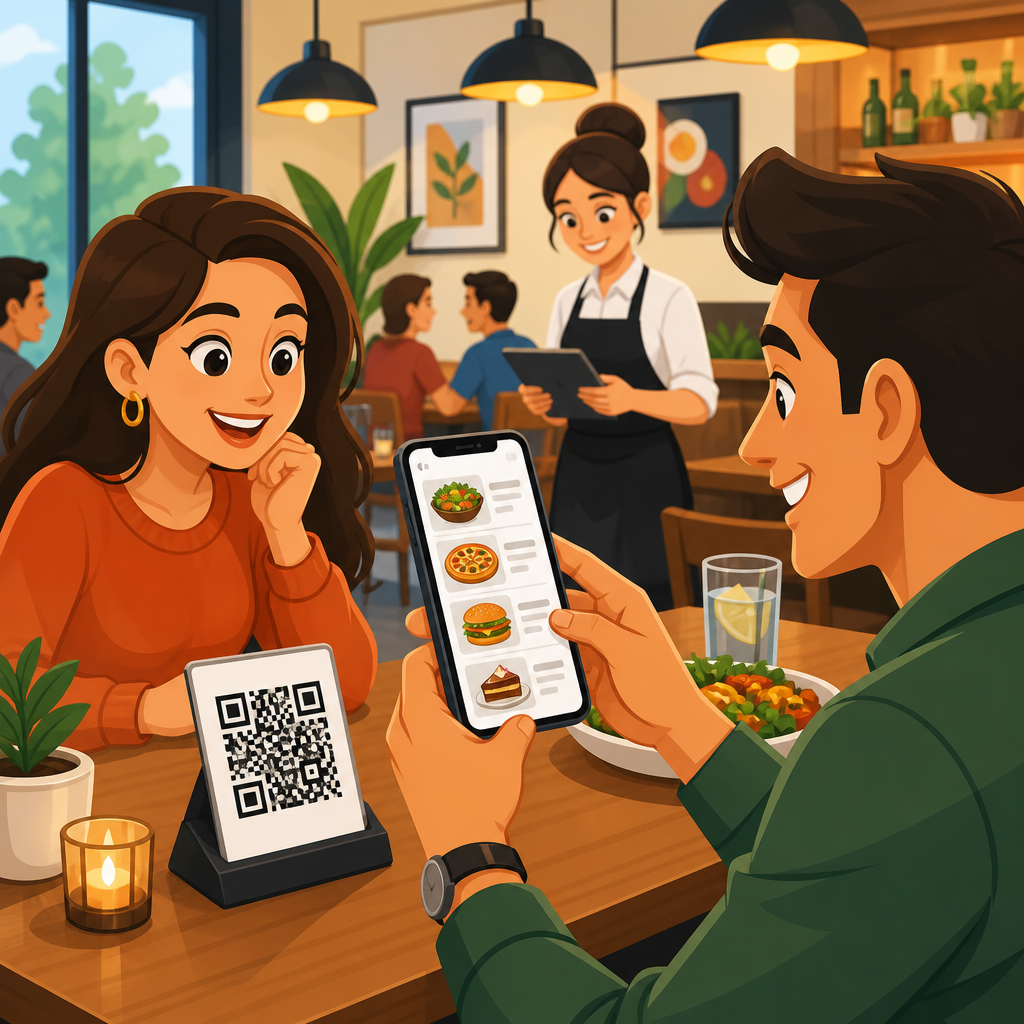
QR codes have become a standard tool in restaurants, cafes, bars, hotels, and food halls because they turn a printed square into a direct path to a digital menu, ordering page, payment screen, loyalty offer, or guest feedback form. In restaurants, a QR code is a scannable matrix barcode that opens a web destination on a guest’s phone camera, usually without requiring an app. A digital menu is the mobile-friendly page that displays food, drinks, prices, modifiers, allergy notes, and sometimes ordering and checkout functions. Together, QR codes and digital menus give operators a low-friction way to publish current information, reduce reprint costs, and connect front-of-house service with back-of-house operations.
I have worked with restaurant teams that used laminated table tents, stickers, receipts, takeout inserts, and window decals to push guests toward digital menus, and the difference between a thoughtful rollout and a rushed one is obvious. When the page loads quickly, matches the brand, and answers the guest’s next question immediately, scan rates rise and staff interruptions fall. When the code points to a cluttered PDF, a broken link, or a page that hides prices and allergens, adoption collapses. That is why this topic matters: the QR code itself is simple, but the service design behind it determines whether the guest experience feels helpful or frustrating.
For restaurants and hospitality businesses, the value extends beyond convenience. QR code menus help operators update prices during inflation, handle daily specials without reprinting, support multilingual guests, and separate dine-in, pickup, room service, and event menus under one system. They also create measurable data. A static menu can tell you nothing about engagement, but a dynamic QR code can show scans by location, time, device, and campaign source. That data helps management decide where to place codes, which promotions work, and whether brunch traffic is converting into orders. In a labor-constrained environment, those small operational gains add up quickly.
Guests benefit too. Many diners want a fast, touch-light way to browse before they sit down, compare ingredients, or split attention between conversation and ordering. Travelers appreciate language options. Parents appreciate seeing kids’ menu items before a server arrives. Guests with dietary restrictions often prefer reading ingredient notes privately at their own pace. None of this means printed menus should disappear entirely. Accessibility, battery issues, weak signals, and customer preference still matter. The most effective restaurants treat QR codes as part of a broader menu system, not a one-size-fits-all replacement.
How QR code menus work in restaurants and hospitality
A restaurant QR code workflow is straightforward on the surface: the guest scans, lands on a digital menu, browses, and either orders through staff or completes the transaction on the phone. Underneath, several technical and operational choices shape performance. Operators typically choose between a static QR code and a dynamic QR code. A static code hard-links to one destination and cannot be changed after printing. A dynamic code redirects through a management platform, so the destination can be updated without replacing printed materials. For restaurants, dynamic codes are usually the better choice because menus, promotions, and service modes change frequently.
The landing experience matters more than the code design. In practice, the best-performing restaurant digital menus are not PDF scans of printed menus. They are responsive web pages with clear categories, anchored navigation, searchable items, prices visible above the fold, and tap targets large enough for one-handed use. Hospitality groups often create separate destinations for breakfast, lunch, dinner, happy hour, room service, banquet catering, and seasonal events. Hotels may place one QR code in guestrooms for dining, spa services, and property maps, then route users into separate modules. This keeps the scan simple while allowing the content behind it to stay segmented.
Integration determines how much labor the system saves. Some restaurants use QR codes only for menu viewing. Others connect the menu to online ordering, POS systems such as Toast, Square, Clover, or Lightspeed, and payment tools like Stripe or integrated card-present systems. In full-service restaurants, table-specific QR codes can identify seat location, route orders correctly, and enable guests to open a tab or pay at the table. In quick-service environments, window signage and counter cards can push guests to self-order, easing line pressure during peak periods. The same code technology can also trigger Wi-Fi login, loyalty enrollment, review requests, or post-meal surveys.
Why restaurants adopted QR codes so quickly
The rapid adoption of QR code menus was not driven by novelty. It was driven by operational need. During the pandemic, restaurants needed low-contact service options fast, and QR codes were cheap to deploy at scale. But the reason they stayed is economic. Reprinting menus every time a supplier changes costs, a cocktail rotates off the list, or market pricing shifts is expensive and slow. A digital menu lets an operator change one line item centrally and publish it instantly across ten or fifty locations. That speed is especially valuable for chains, hotel groups, ghost kitchens, and venues with daily inventory volatility.
There is also a margin-management benefit. Restaurants can feature higher-profit items prominently, hide unavailable items temporarily, and test merchandising changes by daypart. I have seen operators increase attachment rates simply by repositioning add-ons such as fries, dessert, or a second drink within the digital flow. Hotels use QR menus to cross-sell breakfast bundles, late-night snacks, and minibar alternatives. Bars use them to spotlight premium pours and event-specific menus. Because the menu is digital, updates become part of revenue strategy rather than a design project that happens only a few times a year.
Labor efficiency is another driver. Servers still matter, but not every table question requires a server visit. Guests can check ingredients, spice level, or wine notes themselves, while staff spend more time on hospitality and upselling. In limited-service settings, fewer front-counter interactions can reduce bottlenecks. In banquet and resort environments, QR codes reduce the need to place and collect printed collateral across many spaces. The technology does not replace service; it removes repetitive friction so service can be more personal where it counts.
Common use cases across restaurants, bars, cafes, and hotels
Restaurants use QR codes in several distinct ways, and understanding the use case helps determine the right setup. In casual dining, the most common use is the table menu: a guest scans a code on the table, views the menu, and orders with a server. In fast casual, the code may open a self-order page for pickup or dine-in, reducing queue length. Coffee shops often place QR codes at the entrance so regulars can order while waiting in line. Bars use backbar or coaster codes to display cocktail lists, event nights, and spirit details. Hotels place codes in rooms for room service, breakfast ordering, and amenity requests.
Multi-venue hospitality properties can consolidate many functions under one framework. A resort might use unique QR codes for the pool bar, lobby lounge, in-room dining, and beach service, each pointing to a menu filtered by location and hours. Food halls can assign vendor-specific codes while also offering a central hall map and payment experience. Stadium suites and cinema lounges use QR menus to streamline seat delivery. Catering teams place codes on event signage so guests can see buffet ingredients, allergens, and beverage packages. These examples show that the hospitality value is broader than replacing a paper menu.
| Venue type | Typical QR code placement | Main goal | Best destination |
|---|---|---|---|
| Full-service restaurant | Table tent or sticker | Menu access and table payment | Mobile menu with table ID |
| Fast casual | Door, counter, receipt | Speed ordering and reduce lines | Self-order page |
| Cafe | Queue signage | Pre-browse and faster decisions | Compact menu with modifiers |
| Bar | Coaster or backbar | Promote specials and premium items | Drink list with event offers |
| Hotel | Guestroom and lobby | Room service and amenity requests | Property dining hub |
Benefits of digital menus for guests and operators
The most immediate benefit of a digital menu is control. Operators control pricing, item visibility, imagery, hours, and messaging in real time. Guests control pace, language, and how deeply they explore item details. This dual control improves the transaction for both sides. If the kitchen runs out of salmon at 7:15 p.m., the item can be hidden instantly. If a winery allocation arrives, a limited pour can be featured at the top of the wine page. If a snowstorm changes delivery availability, the ordering mode can switch without confusing customers who arrive from outdated third-party listings.
Digital menus also strengthen consistency across locations. Franchise systems and multi-unit groups can standardize taxonomy, allergen language, calorie displays where required, and brand presentation. This matters in regulated environments. For example, certain jurisdictions require calorie labeling for chain restaurants above a location threshold. A centralized digital menu helps maintain compliance more reliably than locally edited print files. Allergen statements still require careful legal review and kitchen process discipline, but the digital format makes updates much easier than replacing every printed menu set.
For guests, practical usability improvements are often underestimated. A phone-based menu can enlarge text, support screen readers more effectively than decorative print layouts, and provide translations that help international travelers order with confidence. Good implementations include clear vegetarian, vegan, halal, kosher-style, gluten-aware, nut-containing, and spicy indicators, along with plain-language disclaimers about cross-contact. They may also show photos selectively, especially for unfamiliar dishes or tasting flights. Done well, this reduces uncertainty and supports better ordering decisions without forcing staff to repeat the same explanations dozens of times per shift.
Best practices for creating a restaurant QR menu that actually gets used
Restaurants often focus on generating the code and forget the system around it. Start with the destination. A restaurant QR code should open a fast, mobile-first page using a short, trustworthy URL or branded domain. Avoid sending guests to a homepage where they must hunt for the menu. Lead directly to the relevant daypart or venue. Use compressed images, structured headings, and lightweight scripts so the menu loads quickly even on weak guest Wi-Fi or cellular connections. If a page takes too long, many diners simply stop trying and ask for a printed menu.
Placement and signage copy matter. A code on a table without context underperforms a code with a clear instruction such as “Scan to view today’s menu and pay at the table.” The design should include a quiet zone around the code, sufficient contrast, and print quality that remains scannable after cleaning and wear. Test under low light, glare, and different phone cameras. I recommend unique codes by zone or table group so management can compare scan performance. If patio tables barely scan at dinner, the issue may be lighting or placement, not customer interest.
Content structure is equally important. Organize items by how guests think, not by internal kitchen stations. Put popular categories first, list prices clearly, and keep modifiers simple. Use concise descriptions with enough detail to answer obvious questions: major ingredients, cooking style, portion cues, and add-on options. Include hours, service fees, and availability windows directly on the page. If ordering is enabled, show sold-out items gracefully rather than accepting orders the kitchen cannot fill. Finally, maintain a printed fallback menu and train staff to offer it without making guests feel awkward for asking.
Tracking performance, analytics, and ROI
One reason QR code menus have become a hub topic within restaurants and hospitality is measurability. A dynamic QR platform can report total scans, unique scans, repeat scans, device types, time-of-day patterns, and location-level differences. When linked with ordering or POS data, operators can compare scans to completed orders, average order value, modifier uptake, and payment conversion. These metrics reveal whether the menu is merely being viewed or actually influencing revenue. For example, if lunch scans are high but conversions are low, the menu may answer curiosity without making checkout easy enough.
Attribution improves when codes are segmented intentionally. Separate dine-in, takeout, window, room, receipt, and flyer codes let operators identify which touchpoints drive action. A hotel can compare guestroom scans with lobby scans to learn where room service demand originates. A bar can test whether coaster codes outperform menu inserts for event promotion. Restaurants can also use UTM parameters with analytics tools such as Google Analytics 4, then examine engagement depth, bounce rate proxies, and click paths. The point is not vanity metrics. The point is using scan behavior to improve operations and merchandising.
Return on investment usually comes from a mix of hard savings and soft gains. Hard savings include lower menu reprint costs, fewer comped orders caused by outdated information, and reduced front-desk or server interruption for routine questions. Soft gains include higher attachment rates, better data, stronger upselling, and smoother guest flow. Not every concept will see dramatic labor reduction, especially fine dining where tableside guidance remains central. But almost every concept can benefit from faster updates, cleaner information management, and more measurable guest engagement if the implementation is disciplined.
Challenges, limitations, and what smart operators do about them
QR code menus are useful, but they are not universally loved, and that criticism is often valid. Some guests dislike reading long menus on phones. Others have older devices, low battery, accessibility needs, or privacy concerns. Cellular reception may be weak in basements, patios, casinos, or concrete hotel towers. A menu that requires account creation, excessive permissions, or multiple redirects will lose trust quickly. Operators should acknowledge these limitations directly. The goal is convenience, not coercion. Always provide an easy printed alternative and ensure staff can guide guests through either path.
Security and brand trust also matter. Because QR codes hide a destination until scanned, guests can be wary of tampered stickers or unfamiliar links. Restaurants should use branded signage, inspect placements regularly, and prefer recognizable domains. Payment flows should be HTTPS-secured and, where possible, integrated with established processors. From an operations standpoint, governance is essential. If multiple managers can edit menu content without review, errors in prices, allergens, or availability will appear. A simple publishing workflow with approvals, timestamps, and role-based access prevents many avoidable problems.
The strongest restaurant QR code programs treat digital menus as living operational assets. They audit scan performance, test signage, review guest comments, and update content continuously. They also connect this hub to related needs across restaurants and hospitality, including contactless ordering, hotel room service QR codes, table payment, loyalty enrollment, and feedback collection. That broad view is the main advantage. A well-built QR menu system does more than digitize a menu; it creates a flexible service layer that helps guests get answers faster and helps operators run a tighter business. If you manage a restaurant, bar, cafe, or hotel venue, audit your current menu journey and improve the first scan first.
Frequently Asked Questions
How do restaurants use QR codes for digital menus in everyday service?
Restaurants use QR codes as a simple bridge between the physical table and a digital experience on the guest’s phone. A code can be printed on table tents, stickers, receipts, takeout packaging, posters, or window signs. When a customer scans it with their phone camera, it opens a mobile-friendly menu page that can display food categories, drink lists, prices, ingredient notes, allergy information, modifiers, combo options, and limited-time specials. In many cases, the same QR code can also lead guests to online ordering, contactless payment, loyalty enrollment, reservations, or feedback forms.
In day-to-day operations, this gives restaurants much more flexibility than a printed menu. If an item sells out, the kitchen can remove it quickly. If prices change, management can update them instantly without reprinting hundreds of menus. Restaurants can also create different menus for breakfast, lunch, dinner, happy hour, room service, or events, then direct guests to the correct version automatically. For multi-location businesses, QR codes help standardize presentation while still allowing each location to manage local inventory and pricing. The result is a more efficient service model that helps guests access accurate information fast and helps staff spend less time explaining unavailable items or handing out replacement menus.
What are the main benefits of using QR code menus instead of traditional printed menus?
The biggest advantage is speed of updates. Printed menus become outdated the moment a price changes, a seasonal item ends, or a supply issue affects availability. With a QR code menu, restaurants can update content in real time. That keeps guests from ordering items that are no longer available and reduces confusion for servers and kitchen staff. It also helps operators manage menu engineering more effectively by highlighting high-margin items, promoting specials, and adjusting placement or descriptions based on performance.
Another major benefit is convenience. Guests can access the menu immediately from their own device, often without downloading an app. Digital menus can also include richer information than most printed menus have room for, such as photos, detailed descriptions, dietary labels, spice levels, pairing suggestions, and customization choices. For businesses like cafes, bars, hotels, and food halls, QR codes can support quick table turnover and self-service ordering, especially during busy periods. They also reduce printing costs over time and make it easier to maintain a cleaner, more streamlined front-of-house setup. For many operators, QR menus are not about replacing hospitality, but about removing friction so staff can focus more on service and less on manual menu management.
Do customers need an app to scan a restaurant QR code and view a digital menu?
In most cases, no app is required. Modern smartphones typically have built-in QR scanning through the native camera. A guest simply opens the camera, points it at the code, and taps the link that appears. That link usually opens in the phone’s web browser and loads the restaurant’s digital menu or ordering page. This low-friction experience is one reason QR codes became so widely adopted in hospitality settings. The easier it is to access the menu, the more likely guests are to use it without needing help from staff.
That said, restaurants still need to make the experience intuitive. The landing page should load quickly, display clearly on mobile devices, and avoid unnecessary barriers such as forced account creation or confusing navigation. It also helps to include a short call to action next to the code, such as “Scan to view menu” or “Scan to order and pay.” For guests who are less comfortable with smartphone technology, restaurants should still be prepared to offer alternatives, such as a printed menu or staff assistance. The goal is accessibility and convenience, not forcing every guest into a single digital path.
What should a good restaurant digital menu include?
A strong digital menu should do more than list item names and prices. At a minimum, it should present menu categories clearly, include accurate pricing, and make items easy to browse on a small screen. Well-built menus often include descriptions, available modifiers, add-ons, dietary tags, allergen notes, and availability status. For example, a guest should be able to tell whether a dish is vegetarian, gluten-aware, spicy, or customizable without needing to flag down a server for basic clarification. If the restaurant offers cocktails, wine, or coffee, those sections should be structured just as thoughtfully as the food menu.
The best digital menus are also designed for conversion and usability. That means readable fonts, clean layout, fast loading times, strong contrast, and clear buttons for actions like ordering, reordering, or requesting help. Restaurants may also add photos selectively, feature bestsellers, surface upsells like sides or desserts, and integrate payment or loyalty options. In higher-service environments, a digital menu can still support hospitality by helping guests explore at their own pace before speaking with staff. In quick-service settings, it can function as a self-ordering tool. Either way, accuracy, clarity, and mobile responsiveness are essential because a digital menu is not just a menu page; it is often the core guest interface.
Are QR code menus good for restaurant operations, marketing, and guest experience?
Yes, when implemented well, QR code menus support all three. Operationally, they reduce the need for constant reprints, allow instant updates, and help staff manage changing inventory more effectively. They can also streamline table service by shortening the time between seating and ordering. In venues with integrated systems, QR codes can connect directly to ordering and payment workflows, which reduces manual steps and can improve order accuracy. For hotels, bars, stadium suites, and food halls, they also make it easier to offer location-specific menus without building separate printed materials for every use case.
From a marketing perspective, QR codes create a direct digital touchpoint with guests. Restaurants can use that touchpoint to promote seasonal dishes, limited-time offers, loyalty programs, events, or feedback requests. Some platforms also provide analytics, showing what guests click, what items get viewed most often, and where drop-off happens in the ordering journey. For guest experience, the value comes from speed, control, and transparency. Customers can browse on their own schedule, review allergy or pricing details closely, and move from menu to order to payment with fewer interruptions. The key is thoughtful execution: the QR code should be easy to find, the page should be fast and mobile-friendly, and a human service option should still be available. When those basics are in place, QR code menus can strengthen both efficiency and hospitality.





