
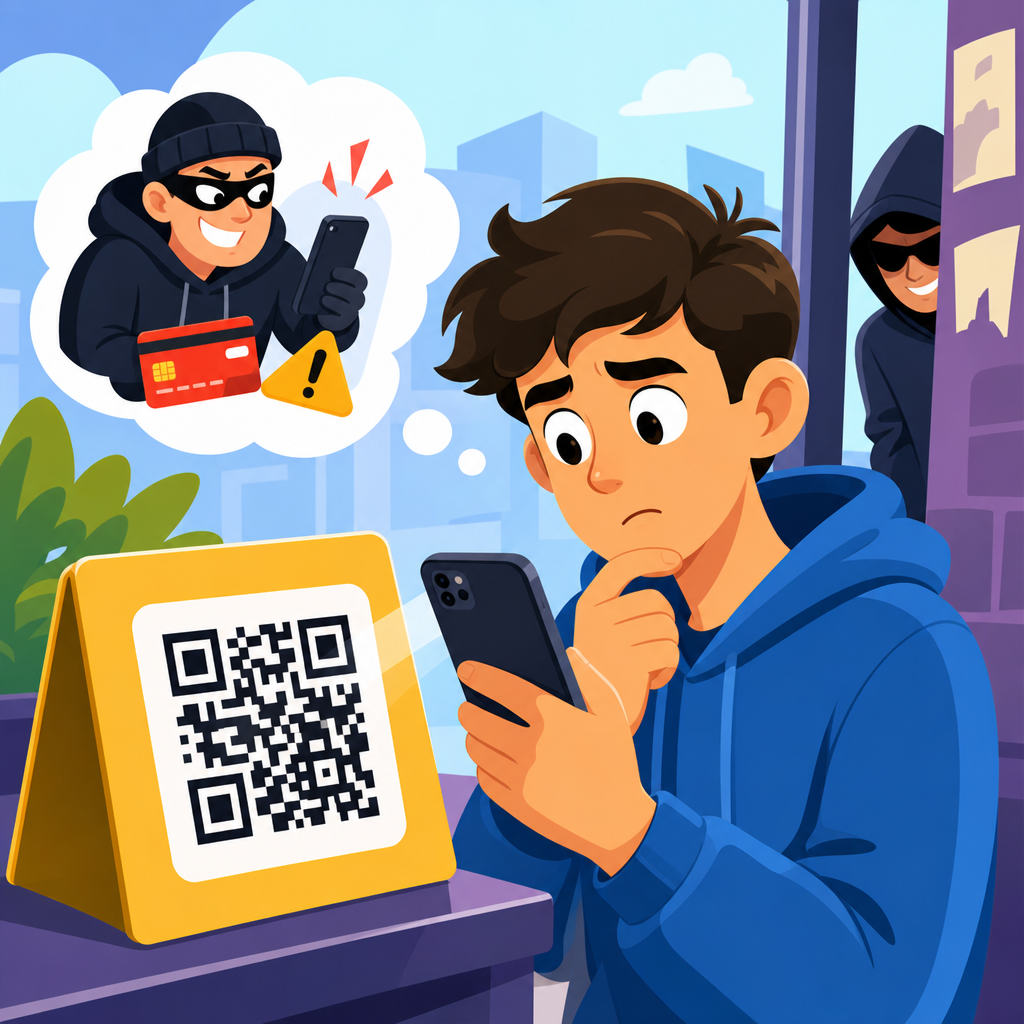
QR code scams are fraud schemes that use Quick Response codes to trick people into visiting malicious websites, opening unsafe payment pages, downloading malware, or revealing sensitive information. A QR code itself is only a machine-readable link or data container, but attackers exploit the trust people place in the familiar black-and-white square. Because scanning hides the destination until after the action begins, QR code scams can be more deceptive than a visible typed URL. This matters now because QR codes moved from niche marketing tools to everyday infrastructure in restaurants, parking lots, package tracking, banking prompts, authentication workflows, and peer-to-peer payments.
I have worked on phishing investigations where the QR code was not technically sophisticated at all; the success came from timing, placement, and urgency. A sticker placed over a real parking meter code redirected drivers to a lookalike payment site. An email with a QR code framed as a multifactor authentication reset sent employees to a counterfeit Microsoft 365 login page. In both cases, victims were not careless. They followed a routine behavior that normally works. That is what makes QR code fraud important: it attacks habits, not just devices.
To understand QR code scams, start with a few key terms. “Quishing” means phishing delivered through a QR code. “Malvertising” refers to malicious advertising, sometimes embedding a QR code that sends users to a harmful destination. “Overlay fraud” describes replacing a legitimate code with a fake one, often on public signs, menus, meters, or posters. Dynamic QR codes point through a redirect service and can have their final destination changed after printing, which makes them useful for marketers but risky when poorly governed. Static QR codes store fixed data directly, such as a URL or text string. Criminals use both, but dynamic infrastructure often creates more room for abuse.
The reason this topic deserves a hub article is simple: QR code scams sit at the intersection of cybersecurity, payments fraud, identity theft, and mobile privacy. People want straightforward answers. What does a QR code scam look like? How do criminals profit? Which sectors get targeted most? How can individuals and businesses reduce risk without abandoning a useful tool? This guide answers those questions directly and gives context that supports deeper articles across the broader QR Code Security & Privacy topic, including safe scanning practices, QR code phishing, fake payment pages, and enterprise controls.
How QR Code Scams Work
A QR code scam works by compressing a risky action into a low-friction scan. The victim sees a code in a context that feels legitimate, scans it with a phone camera, and lands on a destination controlled by the attacker or manipulated through a compromised redirect. From there, the scam follows familiar fraud patterns: credential harvesting, card theft, wallet draining, malware delivery, account takeover, or bogus customer support. The difference is delivery. The user often cannot evaluate the destination before scanning, and mobile screens reveal less context than desktop browsers.
Attackers usually rely on one of four mechanisms. First, physical replacement: placing fraudulent stickers over real QR codes in public locations. Second, digital insertion: embedding a malicious code in emails, PDFs, social posts, or ads. Third, impersonation: sending a QR code as part of a fake invoice, account alert, or login workflow. Fourth, redirect abuse: using a legitimate dynamic code platform that later points to a malicious destination after the code has been distributed. In incident reviews, I consistently find that the scam succeeds when the environment supplies trust, such as a bank logo, municipal branding, or a workplace single sign-on prompt.
Criminals prefer QR delivery because it bypasses some user skepticism. Many people are trained to hover over email links on desktop, but that habit does not translate well on mobile. The scanner opens quickly, and users expect instant results. Fraudsters also benefit from channel blending. A text message tells you to “scan the code in the attached letter.” A printed flyer pushes you to “confirm your package redelivery.” An email displays a code because secure links are blocked by filters. Each version leverages a plausible reason for using a QR code instead of a normal hyperlink.
Common Types of QR Code Scams and Fraud
The most common QR code scam categories are payment fraud, phishing, fake login pages, malware downloads, tech support fraud, and crypto theft. Parking meter fraud is now one of the clearest public examples. Scammers place their own QR code over the city’s official code, and drivers who are in a hurry enter card details on a fake payment page. Restaurant menu scams work similarly, though the goal may be credential capture or forced app downloads rather than payment. Package delivery scams often use QR codes in printed notices or emails to push victims toward fake rescheduling or customs payment portals.
Business email compromise campaigns increasingly use QR codes to evade filters and target Microsoft 365, Google Workspace, and Okta credentials. Instead of a clickable link, the email contains a branded image and a message such as “scan to review secure voicemail” or “scan to reauthenticate your payroll account.” Because the malicious URL is embedded visually rather than as plain text, some email defenses need optical character recognition and image analysis to catch it reliably. Security teams now treat QR-based phishing as a standard social engineering technique, not an edge case.
Cryptocurrency scams also use QR codes heavily because wallet addresses are already machine-readable strings. A scammer can swap a donation code, invoice code, or payment code so funds go to the wrong wallet. Victims usually cannot reverse the transfer. In support scams, QR codes send users to pages instructing them to call a fake help line or install remote access tools such as AnyDesk or TeamViewer. Once the criminal gets remote access, they can move from a simple QR scan to device compromise, online banking theft, or extortion.
| Scam type | Typical setting | Main goal | Warning sign |
|---|---|---|---|
| Parking payment scam | Street meters, garages | Steal card data or payment | Sticker placed over original code |
| Quishing login scam | Email, PDF, HR notice | Harvest credentials | Urgent request to reauthenticate |
| Fake delivery scam | SMS, mailbox slip | Collect fees and personal data | Unexpected package problem |
| Crypto payment swap | Invoices, donation pages | Redirect wallet transfer | Unverified receiving address |
| Tech support scam | Pop-ups, flyers, ads | Gain remote access | Phone number or app install prompt |
Where People Encounter QR Code Scams
QR code scams appear wherever convenience matters more than scrutiny. Public spaces are prime targets because codes are physically easy to replace and users are often rushed. Parking lots, transit stops, event venues, hotel lobbies, and restaurant tables all create the same vulnerability: people assume the printed code belongs there. I advise organizations to treat any unattended public QR code as tamper-prone in the same way they would treat an exposed kiosk or card reader. A visible code is part of the attack surface.
Digital environments are just as risky. Fraudulent QR codes arrive in phishing emails, fake invoices, social media ads, marketplace listings, and direct messages. Attackers know some mobile users trust a scanned code more than a tapped link because the scan feels intentional. In reality, the destination can be equally dangerous. Enterprise users are also exposed through printed onboarding packets, conference badges, help desk posters, and internal communications if approval workflows are weak. A malicious code can move through a workplace simply because it resembles approved collateral.
One underappreciated exposure point is third-party dependency. Businesses may use external QR code generators, link management services, menu platforms, ticketing tools, or payment aggregators. If one of those services is compromised or misconfigured, the QR code remains visually unchanged while the destination changes underneath. I have seen marketing teams leave dynamic codes unmanaged for years, with no inventory, no owner, and no monitoring. That creates a governance problem, not just a technical problem, and it is central to QR code security and privacy.
Why QR Code Fraud Is Effective
QR code fraud works because it combines social engineering with mobile usability gaps. People cannot read the destination by eye, and many camera apps show only a shortened preview. On a small screen, domain cues are easy to miss. If the landing page uses a convincing brand kit, copied logos, and a familiar sign-in flow, users focus on task completion rather than authenticity. Attackers also exploit urgency: pay for parking before enforcement arrives, fix payroll access before direct deposit runs, or reschedule a package before it is returned.
There is also a trust transfer effect. Users trust the physical setting or sender, then transfer that trust to the QR code. A code on a meter inherits the authority of the city. A code in a message from “HR” inherits the authority of the company. This matters because many anti-phishing habits are link-centric, while QR risks are context-centric. Good defenses therefore include both technical controls and user education that specifically addresses when not to scan and what to verify before submitting data.
Another reason these scams spread is measurement asymmetry. Legitimate organizations track scan rates and conversions, while victims rarely report failed scans, suspicious pages, or abandoned payment attempts. That makes abuse harder to quantify and easier to underestimate. Law enforcement and consumer agencies have issued repeated warnings on QR-related fraud, but many incidents are absorbed into broader phishing or card fraud categories. The result is a risk that feels anecdotal to the public even though the underlying attack patterns are well established.
How to Spot a QR Code Scam Before You Scan
The best way to spot a QR code scam is to pause before scanning and verify the surrounding context. Check for tampering, especially stickers layered over another code, mismatched branding, spelling errors, or poor print quality. If the code is on a payment terminal, parking sign, restaurant table, or poster, look for an official website printed nearby and compare it manually. For businesses, adding a short readable domain next to the code helps users validate destination ownership and reduces blind trust.
On digital messages, treat QR codes like links. Ask why the sender wants a scan instead of a normal sign-in or support process. Be skeptical of messages involving account recovery, multifactor authentication resets, payroll updates, gift card requests, package fees, or urgent invoices. If you scan, review the preview carefully before opening it. Look for misspelled domains, odd subdomains, unfamiliar URL shorteners, and pages that request credentials or card details for a routine task that normally would not require them. If anything feels off, stop and navigate through the official app or website directly.
Device settings can help, but they do not replace judgment. Some mobile security tools inspect links, and mobile threat defense products from vendors such as Microsoft, Lookout, and Zimperium can add protection in managed environments. Email security platforms increasingly analyze QR images using OCR and computer vision. Even so, the user often remains the final gate. A safe scanning habit is simple: verify source, inspect destination, prefer official channels, and never enter sensitive information just because a QR code made the process convenient.
How Individuals and Businesses Can Prevent QR Code Scams
For individuals, prevention starts with reducing impulse. Use official apps for parking, payments, transit, and food ordering whenever possible instead of scanning public codes. Keep your phone updated, use a password manager so fake login pages are easier to spot when autofill fails, and enable multifactor authentication with phishing-resistant methods where available, such as passkeys or FIDO2 security keys. If you manage cryptocurrency, confirm wallet addresses through a second channel before transferring funds. Report suspicious public codes to the venue or authority instead of simply ignoring them.
For businesses, QR code scam prevention requires governance. Maintain an inventory of every customer-facing and internal QR code, assign an owner, document the intended destination, and review dynamic redirects regularly. Use reputable QR management platforms with access controls, change logs, and domain allowlisting. Print human-readable destination cues near physical codes. Inspect public signage during routine site checks, especially in parking and retail environments. In email security, ensure the stack can detect image-based phishing and that awareness training includes quishing scenarios, not just classic links and attachments.
Response planning matters too. If customers can pay or authenticate by QR code, publish official guidance on where legitimate codes appear and where they do not. Provide a simple fraud reporting path, monitor landing page analytics for unusual redirects or geography spikes, and rotate compromised codes quickly. This hub on QR Code Scams & Fraud supports that broader effort: understand the attack patterns, build verification into the user journey, and treat every QR code as a potential trust boundary. If you use QR codes at home or at work, review your current practices today and close the easy gaps before scammers exploit them.
Frequently Asked Questions
What is a QR code scam?
A QR code scam is a type of fraud in which criminals use a Quick Response code to send people to a harmful destination or trigger an unsafe action. The QR code itself is not dangerous by nature. It is simply a machine-readable way to store information, most often a website address, payment link, contact card, or app download location. The scam happens when an attacker replaces a legitimate code with a fake one or creates a convincing code that appears trustworthy, then relies on the fact that most people cannot see where the code leads before scanning it.
These scams can be used to direct victims to phishing websites that steal passwords, fake payment pages that collect credit card details, malicious downloads that install malware, or login forms designed to capture sensitive personal information. In many cases, attackers exploit urgency or familiarity, such as placing a fake QR code on a parking meter, restaurant table, utility notice, package delivery message, or public poster. Because people are used to scanning codes quickly and because the destination is often hidden until after the scan starts, QR code scams can be more deceptive than a plainly written web address.
Why are QR code scams so effective?
QR code scams are effective because they take advantage of both technology and human behavior. Most people have learned to recognize suspicious-looking links in emails or text messages, but a QR code hides the destination behind a black-and-white pattern that cannot be judged at a glance. That lack of visual transparency gives scammers a major advantage. Instead of clicking a visible URL, a person scans first and verifies later, if at all.
Attackers also benefit from the trust associated with QR codes. They are now common in restaurants, advertisements, parking systems, event check-ins, online payments, and product packaging, so people often treat them as routine and harmless. Scammers use this familiarity to make fake codes appear normal. For example, a criminal may place a sticker over a real payment code, send a QR code in a phishing email, or include one in a message claiming there is an urgent account problem. The sense of convenience can lower caution, especially when the message creates pressure to act immediately. That combination of trust, speed, hidden destinations, and urgency makes QR code scams particularly persuasive.
What are the most common types of QR code scams?
One common type is the phishing QR code scam. In this version, the code sends the victim to a website that looks legitimate, such as a bank login page, email provider, or workplace portal. The goal is to capture usernames, passwords, or multi-factor authentication details. Another common version is the payment scam, where a fake QR code leads to a fraudulent checkout page or redirects money to a scammer instead of the intended business. This often appears in parking lots, small retail settings, donation stations, and peer-to-peer payment requests.
There are also malware-related QR scams, in which the user is encouraged to download an app, security update, document, or file that actually installs malicious software. Some scams aim to gather personal information through fake surveys, prize claims, account verification forms, or delivery issue pages. Others are designed to trigger unwanted actions, such as opening a messaging app to contact a scammer, adding a malicious network configuration, or launching a phone function that the victim does not fully understand. The exact method may vary, but the underlying pattern is the same: the QR code is used as a shortcut to bypass skepticism and move the victim into a risky environment quickly.
How can I tell whether a QR code is safe before I scan it?
The safest approach is to treat every QR code as a link you have not yet verified. Start by considering where the code appears and whether it makes sense in context. If it is printed on a damaged sticker, placed over another code, posted in a suspicious location, or included in an unsolicited email or text message, that is a warning sign. Be especially cautious with codes tied to payments, account logins, password resets, package delivery issues, and urgent security alerts, since those are common scam themes.
If you do scan a code, pause before proceeding. Many phones will display the destination URL before opening it. Check the web address carefully for misspellings, strange domains, extra words, random characters, or brand names combined with unusual endings. If the page asks for payment information, login credentials, or a download, verify the request another way before continuing. For example, instead of scanning a code on a suspicious parking sign, visit the parking provider’s official website manually or use its verified app. In general, if a QR code leads to pressure, secrecy, or an unexpected request for sensitive data, it is best to stop and confirm the source independently.
What should I do if I scanned a suspicious QR code?
If you scanned a suspicious QR code but did not enter any information or download anything, your risk may be limited, but you should still close the page immediately and avoid interacting further. If the code opened a website, do not sign in, make a payment, or grant permissions. If it prompted a download, cancel it. If anything was installed, remove it if possible and run a security scan on your device using trusted security software. It is also wise to review your browser and device settings for any unusual changes.
If you entered a password, reset it right away on the legitimate website or app, not through the page reached by the QR code. If you reused that password elsewhere, change those accounts as well. If you submitted payment information, contact your bank or card provider immediately to report possible fraud and monitor transactions closely. If you shared personal details, watch for identity theft or follow-up phishing attempts. In workplace settings, report the incident to your IT or security team as soon as possible. Quick action matters because the sooner you respond, the better your chances of reducing financial damage, securing accounts, and preventing additional compromise.





