
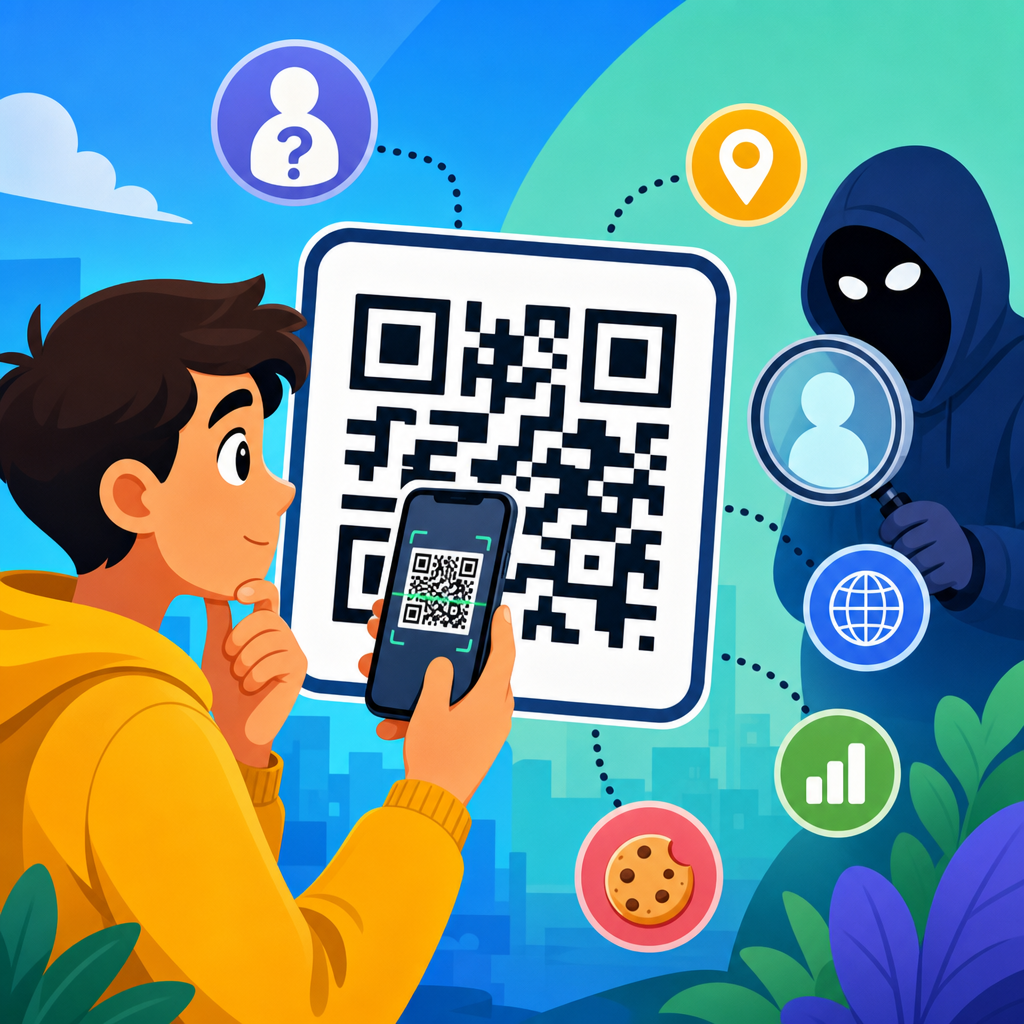
QR codes are not inherently anonymous, and treating them as private by default is one of the most common mistakes I see when companies launch campaigns, event check-ins, payment flows, and product packaging. A QR code is simply a machine-readable way to store data, most often a URL, but sometimes a phone number, Wi-Fi credential, payment payload, contact card, or plain text. The code itself does not identify a person unless the encoded content, the scanning app, the destination system, or the surrounding context ties that scan to an individual. That distinction matters because privacy risk usually sits in the full scanning journey, not in the square pattern alone.
When people ask, “Are QR codes anonymous?” they usually mean one of three things: can someone scan without revealing their identity, can the creator track who scanned, and can third parties intercept or misuse the data. The answer to all three is: sometimes, depending on implementation. A static QR code printed on a poster that leads to a public webpage may reveal very little by itself. A dynamic QR code used in a loyalty program can log time, device type, approximate location, campaign source, and behavior after the landing page opens. If the landing page sets cookies, requests login, or captures form data, anonymity quickly disappears.
I have worked on QR deployments for retail promotions, restaurant menus, and secure onboarding flows, and the same pattern repeats every time: teams focus on scan rates but overlook data minimization, disclosure, retention, and vendor access. That is why QR code privacy deserves its own hub within the broader QR code security and privacy conversation. The issue is not whether the code looks harmless. The issue is what personal data enters the system before, during, and after the scan, who controls that data, and whether users have a meaningful choice. Understanding those layers helps businesses reduce risk and helps consumers scan more safely.
What a QR code can reveal, and what it cannot
A QR code does not magically transmit your name, home address, or identity card details just because your camera reads it. In a strict technical sense, the black-and-white pattern contains only the data encoded into it. If that data is a plain URL, the code reveals the same thing a typed link would reveal. If it contains a vCard, then it reveals the contact data embedded there. If it contains Wi-Fi credentials, then it exposes the network name and password to anyone who can inspect the payload. So the privacy question starts with content: what exactly is encoded, and is that content itself sensitive?
On its own, a QR code usually cannot identify an anonymous passerby. However, the moment a device opens the destination, other systems may create a record. A web server can log IP address, timestamp, user agent, referrer context, and sometimes geolocation inferred from the network. Mobile operating systems and browser privacy controls can reduce some of this data, but they do not eliminate it. If the page asks a user to sign in, complete a form, download an app, or make a payment, then the scan becomes linked to an identified or identifiable person. Under standards such as the GDPR, identifiable online data can count as personal data even without a legal name attached.
Context also matters. A QR code placed on a mass-market flyer may support broad audience measurement but weak individual attribution. The same code printed on a hospital wristband, boarding pass, conference badge, or parcel label can be tied to a specific person immediately. In those cases, the code may function as an identifier even if the payload is opaque. I have audited systems where the visible code contained only a short token, but that token mapped in the backend to medical appointments or customer records. The graphic looked anonymous; the architecture was not.
Static vs dynamic QR codes: the privacy difference most people miss
The biggest practical difference for privacy is whether the QR code is static or dynamic. A static QR code directly stores the final destination or data payload. Once printed, it cannot normally be edited without replacing the code. Because the user goes straight to the encoded content, there may be fewer tracking layers if the destination is simple. A dynamic QR code, by contrast, usually points to a short redirect URL controlled by a QR platform. That platform can change the final destination later and can log each scan before forwarding the user.
Dynamic codes are useful and often worth using. They let teams fix broken links, run A/B tests, localize destinations by language, and measure offline campaign performance. But they introduce another processor, another dataset, and another privacy policy. In practice, scan logs from dynamic QR code generators may include timestamp, device type, operating system, browser, approximate location, and campaign metadata. Some platforms also integrate with analytics suites, customer data platforms, or ad systems. That can be legitimate, but it is no longer accurate to call the experience anonymous.
From a governance perspective, dynamic QR codes require a vendor review. Ask where scan data is stored, how long it is retained, whether IP addresses are truncated, whether logs are aggregated, and whether data is used to train unrelated systems or benchmark clients. Check if the provider offers a data processing agreement, regional hosting, access controls, and deletion workflows. The platform matters as much as the code. I recommend documenting each QR use case in the same inventory used for landing pages, forms, and analytics tags, because a dynamic code is functionally a tracking entry point.
Where personal data enters the QR experience
Most QR privacy risk appears after the scan. The initial camera action may be local to the device, but the next steps often activate standard web tracking and identity collection mechanisms. A landing page can load analytics scripts, set first-party cookies, fingerprint the browser, request permissions, or route the user into authenticated environments. If the code opens an app through a deep link, the app may already know the customer account, device identifier, or session. If the code launches a payment flow, anti-fraud systems may collect additional network and behavioral signals.
Offline context can also generate personal data. For example, a restaurant menu QR code is often low risk when it opens a public menu page. But if the same flow records table number, order history, loyalty account, and card token, the privacy profile changes significantly. An event QR code can be even more sensitive. A general event poster QR code may support anonymous traffic analysis, while a unique attendee badge QR code used for session entry creates a record of presence, time, and movement. In some sectors, that can reveal special category information indirectly, such as attendance at a medical, political, or religious event.
The cleanest way to analyze this is to map the data flow from code creation to scan to destination to retention. The table below summarizes common QR scenarios and their privacy implications.
| QR use case | Typical data collected | Privacy risk level | Main concern |
|---|---|---|---|
| Public poster to static webpage | Basic server logs, possible analytics events | Low to moderate | Unclear tracking disclosures |
| Dynamic marketing campaign code | Timestamp, device type, approximate location, redirect analytics | Moderate | Vendor data collection and profiling |
| Restaurant ordering QR | Table number, order items, payment data, loyalty linkage | Moderate to high | Behavior linked to identity and payment records |
| Event badge or ticket QR | Unique attendee ID, entry time, session attendance | High | Precise tracking of individual presence |
| Medical or patient portal QR | Record identifiers, appointment details, account access metadata | Very high | Sensitive personal and health information |
Can QR codes be tracked?
Yes, QR codes can absolutely be tracked, but the tracking usually happens through the redirect service, the website, the app, or the backend system rather than through the visual pattern itself. A business can measure total scans, unique scans, scan time, repeat visits, conversion rate, and rough geography. If a scan leads to a logged-in environment, the business may tie activity to a customer profile. If the code itself is unique per recipient, as in tickets, invoices, or direct mail, a single scan can identify the person immediately. That is not a flaw in QR technology; it is a design choice.
There are also limits. A standard web scan does not automatically reveal a precise identity unless the user is already known or later identifies themselves. Browser privacy protections, Apple’s tracking changes, consent rules, VPN usage, and network address sharing can reduce attribution accuracy. Geolocation from IP is approximate and can be wrong. “Unique scans” often overstate certainty because the metric depends on platform logic, cookies, or device heuristics. In privacy reviews, I push teams to describe scan analytics honestly: useful for campaign measurement, imperfect for person-level certainty unless combined with other identifiers.
Consumers should assume that a QR code can initiate tracking just like clicking a shortened link in an email or ad. Before scanning, inspect the context. Is the code from a trusted source? Does the preview URL look legitimate? After opening, look for the same privacy cues you would expect on any site: a clear domain, a sensible consent banner where required, and a transparent explanation if personal data is being collected. The safest mental model is simple: a QR code is a doorway, not a privacy shield.
Security threats that turn privacy problems into bigger ones
Privacy and security overlap heavily in QR deployments. A malicious QR code can send users to a phishing page, trigger an unsafe app action, or start a payment request to the wrong recipient. Security professionals often use the term “quishing” for QR-code phishing. I have seen fake codes placed over parking meters, restaurant tables, and public notices, counting on the fact that users trust the act of scanning more than they trust random links. Once the victim lands on a fake page, personal data theft becomes a privacy incident.
Shortened or branded redirect domains deserve special attention. They are common in dynamic QR systems, but they can hide the final destination from users unless the scanning app shows a preview. If an attacker compromises a redirect account or if a company lets an expired domain lapse, old printed codes can start sending traffic somewhere unsafe. Strong account security, domain management, and destination review are therefore privacy controls as well as security controls. If the wrong party receives form submissions, login credentials, or payment attempts, anonymity is no longer the main issue.
Another underappreciated risk is overcollection during fraud prevention. Payment and identity systems often gather extensive telemetry to stop abuse. That can be justified, especially under standards like PCI DSS for card environments, but it must still be proportionate. The principle I use is straightforward: collect what is necessary to secure the transaction, document why, and avoid repurposing those signals for unrelated marketing without a lawful basis and clear notice. Good security does not require vague or unlimited data collection.
How to design privacy-conscious QR code experiences
If you create QR code campaigns or workflows, start with data minimization. Encode the least sensitive payload possible, and avoid placing confidential data directly inside the code unless there is a clear operational reason and suitable protection. Prefer opaque tokens that expire over raw identifiers where feasible. Send users to HTTPS destinations only. If you use dynamic QR codes, select vendors with strong access controls, clear retention schedules, regional hosting options, and contract terms that match your compliance obligations. A free generator with no governance is rarely appropriate for business use.
Next, reduce surprise. Tell users what happens after the scan. On packaging or signage, a short disclosure such as “Scans open our product registration page and may be measured for service improvement” is often more respectful and effective than burying the explanation later. On the landing page, provide a privacy notice tailored to the QR flow, especially when collecting form data, location, payment details, or account information. In regulated sectors, coordinate with legal and security teams early. Healthcare, finance, education, and employment contexts raise stakes quickly.
Finally, separate analytics from identity where possible. Use aggregated reporting for public campaigns. Avoid creating unique person-level QR codes unless there is a real business need, such as ticket validation or secure access. Set retention limits for scan logs. Audit third-party scripts on QR landing pages. Test what common scanning apps actually show to users before launch. These practices improve trust and reduce compliance exposure without eliminating the business value of measurement. Privacy-conscious QR code design is not anti-analytics; it is disciplined analytics.
What consumers should do before scanning
For consumers, the practical rule is to scan with the same caution used for links in messages. Check whether the code appears tampered with, especially on public posters, parking kiosks, or payment points. Use a camera or scanner that previews the URL before opening it. Look closely at the domain for misspellings or unfamiliar subdomains. Be skeptical of QR codes that immediately request login credentials, payment, or app installation. If the destination seems important, such as a bank or government service, consider navigating to the official site manually instead of relying on the code.
It also helps to manage device permissions and browser settings. Keep the operating system updated, use a browser with phishing protection, and limit unnecessary app permissions. If a site opened from a QR code asks for location, camera, contacts, or notifications without a clear reason, decline and reassess. Public Wi-Fi login QR codes, giveaway forms, and support desk codes are common points where people share more than they intend. Convenience is the appeal of QR codes, but convenience should not override basic verification.
So, are QR codes anonymous? Sometimes at the surface, rarely across the full experience, and never by assumption. The code image itself may contain nothing personal, yet the scan can still generate logs, trigger analytics, and connect to systems that identify a user directly or indirectly. That is why the right question is not whether QR codes are anonymous in theory, but whether a specific QR implementation minimizes data, explains collection clearly, and limits unnecessary tracking in practice. Once you frame the issue that way, the privacy analysis becomes much more accurate.
The main takeaway is straightforward. QR code privacy depends on payload, context, destination, vendor architecture, and retention practices. Static public links can be relatively low risk. Dynamic marketing codes, personalized tickets, payment flows, healthcare access links, and app deep links often carry much higher privacy stakes. Businesses should inventory QR use cases, review vendors, secure redirect infrastructure, and align disclosures with actual data collection. Consumers should preview links, verify domains, and treat every scan as the start of a broader digital interaction rather than an isolated action.
Use this page as your starting point for QR code security and privacy decisions. If you manage QR campaigns, audit one live code today from creation to final data retention and fix the biggest surprise in the journey. If you are a consumer, pause before your next scan and ask where the code leads, what it collects, and whether that tradeoff is worth it.
Frequently Asked Questions
Are QR codes anonymous by default?
No. A QR code is not anonymous by default, and assuming it is private simply because it looks like a pattern of squares is one of the most common misunderstandings in marketing, events, payments, and product experiences. A QR code is just a method for encoding information in a machine-readable format. Most often that information is a URL, but it can also be a phone number, email address, payment request, Wi-Fi credential, vCard, app deep link, or plain text. On its own, the image does not automatically know who scanned it, but that does not make the interaction anonymous.
Whether a scan is anonymous depends on what happens before, during, and after the scan. If the QR code opens a website, that website can log IP address, browser type, device details, time of access, location signals, cookies, and referral data. If the scan leads to a form, account login, ticket validation page, payment flow, or app install, then the scan can quickly become associated with a specific person. If the QR code is printed in a unique location, sent to a specific customer, or embedded with tracking parameters, it may also identify a campaign segment or individual recipient even before any form is filled out. In other words, the code itself is neutral, but the surrounding system often is not.
What information can be collected when someone scans a QR code?
Potentially quite a lot, especially when the QR code points to an online destination. At a basic level, the destination server may log the date and time of the scan, approximate location inferred from IP address, operating system, browser, device type, and the specific URL requested. If the QR code uses a short link, redirect service, analytics platform, or dynamic QR code provider, the scan may pass through one or more systems that collect their own metrics as well. This is why QR scan data can become surprisingly rich even when the code itself contains nothing more than a web address.
Additional information can also be gathered depending on user behavior. If the destination page uses cookies, pixels, session tracking, or marketing automation tools, the visit may be tied to prior browsing history or future actions. If the user signs in, submits a form, downloads a coupon, checks in to an event, claims a warranty, starts a payment, or communicates through a messaging app, the scan can be linked to name, email address, phone number, transaction history, or customer profile. Even offline context matters. A QR code placed on a specific product batch, direct-mail piece, event badge, or seat location can reveal context about the person scanning it. So while a simple scan may start as a technical request, it can become personally identifiable very quickly.
Can a static QR code track individual users?
Yes, in some cases it can, although not because the image itself has built-in identity tracking. A static QR code simply stores fixed data that does not change after creation. If that fixed data is a generic URL with no identifiers, then the code alone does not distinguish one person from another. However, if the encoded content includes unique parameters, serial numbers, personalized URLs, or one-time tokens, then the scan can absolutely be tied to a specific user, order, household, ticket, or physical item. This is common in direct mail campaigns, account access flows, loyalty programs, packaging authentication, and event registration materials.
Even when the static QR code is not personalized, the destination system can still identify users through normal web and app mechanisms. For example, if someone scans the code while already logged into an account, the site may know exactly who they are. If the page sets cookies or uses attribution tools, the visit may be matched to an existing user profile. If the code is distributed in a controlled setting, such as one unique poster per store or one code per attendee badge, then the scan reveals contextual identity even without explicit personal data inside the code. So static does not mean untrackable. It only means the encoded content does not change unless you create a new code.
Are dynamic QR codes more private or less private than static QR codes?
Dynamic QR codes are usually less private from a data collection standpoint, although they are often more useful operationally. A dynamic QR code typically points to a short redirect URL managed by a platform. That platform forwards the user to the final destination and often records scan metrics along the way. This setup is valuable because it lets businesses update the destination without changing the printed code, run A/B tests, monitor campaign performance, and segment traffic by location or channel. The tradeoff is that an extra system sits between the scanner and the final content, which often means more logging, more analytics, and more potential sharing of scan data.
That does not mean dynamic QR codes are automatically invasive or inappropriate. They can be deployed responsibly if the organization minimizes collected data, uses privacy-conscious analytics settings, discloses tracking clearly, and avoids embedding unnecessary personal identifiers. In fact, a well-governed dynamic system can sometimes improve privacy management because administrators can rotate destinations, disable compromised links, add consent notices, or remove problematic tracking without reprinting materials. The key point is that dynamic QR codes create more opportunities for measurement and control, which can be good for operations but also increases privacy responsibility. They are not anonymous just because they are convenient.
How can businesses use QR codes in a more privacy-conscious way?
The best approach is to treat a QR code as the beginning of a data flow, not as a harmless graphic. Start by asking what information is truly necessary. If the goal is to send users to a menu, instruction page, or product manual, avoid collecting personal data unless there is a clear reason. Use plain destination URLs when possible, reduce tracking parameters, and avoid tying codes to individuals unless personalization is essential. If analytics are needed, collect them at an aggregate level rather than at a user-identifiable level whenever possible. Be especially careful with QR codes used in healthcare, education, payments, employment, access control, and any setting involving sensitive personal information.
Transparency matters just as much as minimization. Tell users where the code leads and whether the destination collects analytics, requires login, or triggers a payment or download. Make sure the landing page has an accessible privacy notice, and ensure any vendors involved in QR code management, redirects, analytics, or hosting are reviewed for security and compliance. Use HTTPS, keep redirect chains short, monitor for broken or hijacked links, and never encode secrets that could be exposed by anyone who scans the code. In short, privacy-conscious QR code use comes down to the same principles that govern any digital experience: collect less, disclose clearly, secure the system, and do not assume anonymity where it does not actually exist.





