
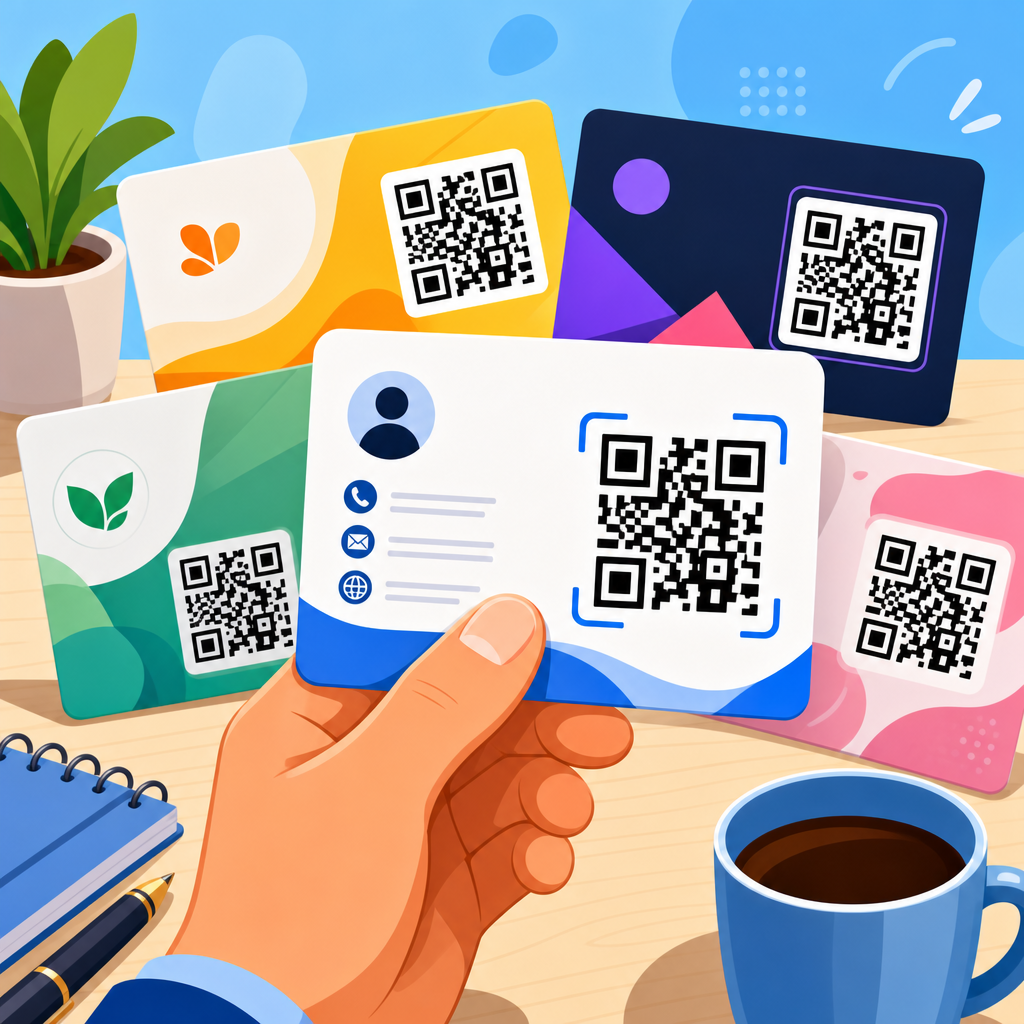
Free QR code business card templates give small businesses, freelancers, and teams a fast way to create contact cards that work in print and on screens while linking instantly to digital information. A QR code business card combines traditional identity details such as name, role, company, phone number, and email with a scannable code that opens a landing page, vCard, portfolio, booking form, payment profile, or social page. I have used these cards for consultants, retail managers, event staff, and real estate agents, and the pattern is consistent: when the template is well designed, people save contact details faster and follow up more often. This matters because modern networking happens across physical and digital channels. A paper card alone is easy to lose, while a digital profile alone is hard to remember in person. The best free QR code business card templates bridge both worlds, reduce friction, and make updates easier when the code points to editable content rather than fixed printed text.
As a hub page for QR code templates, this guide explains what free QR code business card templates include, how to choose the right format, what information to place around the code, and how to avoid common design and printing mistakes. It also covers static versus dynamic QR codes, template dimensions, file formats, brand consistency, testing, analytics, privacy, and use cases by industry. If you are comparing Canva layouts, Adobe Express cards, printable PSD files, or generator-based templates from tools such as QR Code Generator, Uniqode, ME-QR, Beaconstac, or Flowcode, the principles are the same. The template is not just decoration. It is a conversion asset. A strong template improves scan rate, keeps the card readable, and supports the next step you want a prospect or customer to take after the scan.
What a free QR code business card template should include
A useful QR code business card template balances visual hierarchy, scannability, and contact clarity. At minimum, the front or back should show the cardholder’s full name, job title, company or personal brand, one primary contact method, and a QR code with enough quiet space around it. Quiet space is the empty margin surrounding the code; without it, scanners struggle to detect the square modules accurately. In practice, I recommend at least a four-module margin and a printed code size of no less than 0.8 inches, with 1 inch safer for broad device compatibility. The template should also reserve room for a call to action such as “Scan to save contact” or “Scan for portfolio,” because response rates improve when the benefit is explicit.
Strong templates also account for card orientation, color contrast, and output type. Standard US business cards are typically 3.5 by 2 inches, while many international printers use 85 by 55 millimeters. A free template should clearly state dimensions, bleed, and safe area. Bleed usually adds 0.125 inches on each edge so background colors or images print cleanly. Safe area keeps important text away from trim lines. If the design uses a dark background, the QR code should usually remain dark on a light square rather than being reversed out, unless you test the exact scanner conditions. The best templates offer editable fields for logo, typography, and brand colors while preserving the code’s readability. A beautiful design that fails to scan is not a good template.
Static vs dynamic QR codes in business card templates
One of the most important decisions in any QR code business card template is whether the code is static or dynamic. A static QR code stores the destination directly in the pattern. If you encode a phone number, URL, or vCard and then print the card, that destination cannot be changed later. Static codes are often free forever and work well for stable details, such as a permanent homepage or a public social profile. A dynamic QR code uses a short redirect URL managed by a platform. After printing, you can update the destination without replacing the card. For teams with role changes, campaign pages, seasonal offers, or trackable lead capture forms, dynamic codes are usually worth choosing.
From experience, dynamic templates are better for most professional use cases because contact details change more often than people expect. Job titles shift, phone lines get reassigned, booking links move, and landing pages are redesigned. Dynamic codes also support scan analytics, which can reveal whether cards handed out at conferences, storefront counters, packaging inserts, or direct mail pieces are driving engagement. The tradeoff is platform dependence. If a service sunsets, limits scans on a free plan, or places branding on the redirect page, the card experience can suffer. That is why I advise checking export rights, redirect control, and long-term pricing before standardizing a free QR code template across a team.
Best destination types for QR code business cards
The destination behind the QR code determines whether the card simply shares information or actively drives conversions. For classic networking, a vCard or digital contact card is the most direct option because users can save the person’s details into their phone with minimal typing. Sales professionals often do better with a mobile landing page that includes a headshot, contact buttons, calendar scheduling, and a short value proposition. Creatives benefit from linking to a portfolio page with selected work, client logos, and inquiry forms. Local service businesses can use a page that combines tap-to-call, review links, map directions, and service area details. The template should visually support the intended action rather than treating every use case as identical.
Below is a practical comparison I use when helping clients choose the right destination for a QR code business card template.
| Destination type | Best for | Main advantage | Key limitation |
|---|---|---|---|
| vCard download | Consultants, recruiters, event staff | Fast contact saving | Limited storytelling |
| Mobile landing page | Sales teams, agencies, founders | Combines bio, links, and CTA | Needs strong mobile design |
| Booking page | Coaches, salons, legal and finance professionals | Moves directly to appointment | Too aggressive for some contexts |
| Portfolio or case study page | Designers, photographers, developers | Shows proof of quality | Can load slowly if media heavy |
| Review or location page | Restaurants, retail, home services | Supports local action | Less useful for pure networking |
How to choose the right free template format and tool
Free QR code business card templates come from three main sources: graphic design platforms, print-ready marketplace files, and QR generator tools with built-in card builders. Canva and Adobe Express are widely used because they make it easy to customize text, colors, and photos without advanced design skills. PSD, AI, and INDD files from template libraries give professional designers more control over layers, bleed, CMYK conversion, and typography. Generator-based templates from QR platforms are useful when you want the code and landing page managed in one system. The right choice depends on who will maintain the asset, not just who creates it the first time.
When reviewing a free template, inspect four things immediately. First, confirm whether the downloadable file is suitable for print or only for screen sharing. Many “free” templates are social graphic layouts repurposed as cards, which causes dimension and resolution problems. Second, check whether the QR code is editable or merely embedded as an image. If a code needs updating, replacing a flattened graphic is cumbersome. Third, verify font licensing and brand usage rights if the card will be used commercially at scale. Fourth, print a sample before ordering hundreds. I have seen templates that looked sharp on a monitor fail because fine text sat too close to the trim line or because the code became muddy after low-cost digital printing.
Design rules that improve scan rate and readability
Good QR code template design follows measurable rules. Use high contrast, with dark modules on a light background. Keep the code away from busy patterns, transparent overlays, and photos. Avoid shrinking the code to make room for extra social icons; the card’s job is to prompt action, not to display every possible channel. Use one dominant CTA, one primary phone or email, and a clean typographic hierarchy. For readability, body text on a business card typically performs best around 8 to 10 points depending on the font, while names can go larger. Sans-serif fonts such as Inter, Helvetica, or Montserrat often print more cleanly than decorative faces at small sizes.
Placement matters as much as styling. A QR code on the back of the card often scans more reliably because it can occupy more space without competing with brand information. On the front, right-side placement usually works better for left-to-right reading because viewers absorb identity details first and the code second. If you add a logo in the center of the code, keep error correction at an appropriate level and test extensively; too much logo coverage can break scans. Rounded corners, custom colors, and frames can work, but standards exist for a reason. If you want a card that works across older Android cameras, iPhones, low light, and glossy stock, simplicity beats novelty.
Printing, testing, and compliance considerations
Printing is where many free QR code business card templates succeed or fail. Always export at print-ready resolution and convert colors appropriately if the printer requests CMYK. Rich blacks can improve backgrounds, but pure black modules often keep QR codes crisper. Matte finishes usually scan better than heavy gloss because they reduce glare under overhead lighting. Thicker stock feels premium, yet ultra-textured papers can distort fine code edges. Before committing to a run, test the card in daylight, office light, and low indoor light using multiple devices and scanning apps. Native camera apps on current iPhone and Android models are the baseline, but older phones still matter in many audiences.
There are also privacy and compliance issues. If the QR code opens a lead form, calendar page, or profile that collects personal data, the destination should clearly disclose how information is used. For regulated industries such as healthcare, legal, or finance, linking to an unsecured intake form can create risk. If the card directs users to a downloadable vCard, make sure fields are accurate and not overloaded with tracking clutter. For organizations issuing cards to employees, create a template governance process: approved dimensions, approved CTA language, destination rules, and ownership of the QR platform account. Free templates are valuable, but unmanaged variation creates brand inconsistency and broken links over time.
Use cases by industry and how this hub supports deeper template research
Different industries need different QR code business card templates. Real estate agents often use a headshot-forward design linking to listings, testimonials, and a valuation form. Restaurants and cafés may use manager cards that route to catering menus, reservation tools, or review profiles. Consultants and B2B service firms usually perform best with minimalist cards linking to a mobile profile and meeting scheduler. At trade shows, startup founders often prefer dynamic codes that swap between a pitch deck, investor page, and recruiting page depending on the event. For technicians, installers, and field service teams, durable cards with large codes linking to support numbers, warranty registration, or service request pages are especially effective.
As the hub for QR code templates, this page should guide your next step based on your goal. If you need editable layouts, look for free QR code business card templates with clear safe areas, print specs, and dynamic code support. If you need higher scan rates, focus on destination quality, CTA wording, and print testing rather than visual effects. If you manage a team, standardize one or two approved templates and centralize QR ownership. The main benefit of using free QR code business card templates is speed without sacrificing professionalism when the fundamentals are right. Start with a template that matches your industry, test it on real devices, and publish a card that makes following up effortless.
Frequently Asked Questions
What is a QR code business card template, and how does it work?
A QR code business card template is a ready-made card layout that includes space for your standard contact details along with a scannable QR code. Instead of building a card from scratch, you start with a professionally structured design and customize it with your name, job title, company, phone number, email address, website, logo, brand colors, and the destination linked to the QR code. When someone scans the code with their phone camera, it opens a digital resource instantly, such as a vCard contact file, portfolio, booking page, payment link, product catalog, landing page, or social profile.
This makes the card more useful than a traditional printed card because it connects offline networking with online action. A consultant can link to a scheduling page, a retail manager can direct customers to store information or promotions, and event staff can send attendees to registration or follow-up pages. The template itself saves time and helps keep the layout balanced, while the QR code adds measurable functionality. In practice, that means you get a card that still looks polished in print but also works well on screens, in email signatures, digital downloads, and virtual introductions.
Why should I use a free QR code business card template instead of a standard business card design?
A free QR code business card template gives you speed, flexibility, and stronger engagement without increasing complexity. Standard business cards are limited to the information that physically fits on the card. Once they are printed, the message is fixed. A QR code business card expands that limitation by letting a small amount of printed information connect to a much larger digital experience. Instead of crowding the design with multiple links, long URLs, or too many calls to action, you can keep the card clean and let the QR code handle the next step.
For small businesses, freelancers, and teams, the free template route is especially practical because it reduces design costs and shortens production time. You do not need to hire a designer for every version or reinvent the layout for different departments. You can choose a template, swap in your branding, generate the code, and distribute the finished card quickly. This is helpful when onboarding new employees, preparing for trade shows, or creating role-specific cards for sales, support, and operations teams.
There is also a performance advantage. A QR code can send people directly to the action you want them to take, whether that is saving your contact, viewing your services, making a booking, or completing a purchase. That creates a smoother path than expecting someone to manually type your web address later. In short, a free QR code business card template is not just a budget option. It is often the more effective option because it combines convenience, usability, and a modern customer experience.
What should I include on a QR code business card to make it effective?
The most effective QR code business cards balance clarity, credibility, and usability. Start with the essentials: your full name, role or title, company name, phone number, email address, and a clear brand identifier such as a logo or consistent color scheme. These details help people immediately understand who you are and how to contact you, even if they do not scan the code right away. If space allows, include a short tagline or descriptor that explains what you do, especially if your title alone is not specific enough.
The QR code destination matters just as much as the printed information. Link to the resource that best matches your goal. If your priority is lead generation, a landing page with a contact form may be best. If you want easy contact saving, use a vCard. If you are a freelancer or consultant, a portfolio or booking page often performs well. If you work in sales, the QR code could open a product catalog, pricing sheet, or demo request page. For retail and events, a code can lead to promotions, location details, check-in pages, or social channels.
Design also affects performance. The QR code should be large enough to scan easily, placed where it does not compete with the main text, and surrounded by enough white space to improve readability. Avoid overloading the card with too many visual elements or multiple competing calls to action. A simple prompt such as “Scan to save contact” or “Scan to view portfolio” can significantly improve scan rates because it tells people what they will get. The strongest cards feel focused, not crowded, and every element supports a clear next step.
Can I print a QR code business card and also use it digitally?
Yes, and that is one of the biggest advantages of this format. A QR code business card can work in both physical and digital environments, which makes it far more versatile than a traditional print-only card. You can hand it out at meetings, conferences, storefronts, networking events, and client visits, while also sharing the same card design as a digital asset in email, messaging apps, online profiles, virtual event booths, or downloadable contact materials.
For print use, make sure the final design has a high-resolution QR code, proper bleed settings if required by your printer, and enough contrast between the code and the background. Test the printed version on multiple phones before ordering in bulk. Matte finishes often reduce glare and can improve scan reliability compared with highly reflective glossy finishes, although both can work if the code is clear and well sized.
For digital use, export the card in formats that display cleanly across devices, such as PNG or PDF. A digital version can be added to proposals, onboarding packets, social posts, or follow-up emails after events. This is especially useful for hybrid work and remote networking because people can still scan the code directly from a screen. Using one card design across print and digital channels helps keep your branding consistent and gives people multiple ways to connect with you, no matter where the interaction starts.
How do I choose the best free QR code business card template for my business or team?
The best template is the one that supports your brand, suits your audience, and makes the QR code easy to use. Start by looking at visual fit. A law firm, creative freelancer, retail brand, consultant, and event team may all need different styles. Choose a layout that matches your level of formality and gives enough room for your most important information without feeling cramped. Minimal designs often work well because they keep attention on the contact details and the QR code.
Next, evaluate functionality. Make sure the template allows you to position the QR code prominently without reducing scan quality. Check whether the design can accommodate logos, staff names, role changes, and different contact options if you plan to use it across a team. If multiple people will use the same template, consistency becomes important. A strong team template should be easy to duplicate and update while keeping the same brand structure across all cards.
You should also consider the purpose of the scan. If the card is meant for quick contact saving, pick a design that emphasizes trust and clarity. If it is meant to drive traffic to a portfolio, product page, or booking funnel, choose a template with a stronger call to action. Before finalizing, test the template in real-world conditions: print a sample, view it on mobile, and confirm that the QR code scans quickly from different angles and distances. The best free template is not necessarily the most decorative one. It is the one that makes your contact information memorable, your brand look professional, and your next step effortless for the person receiving the card.





