
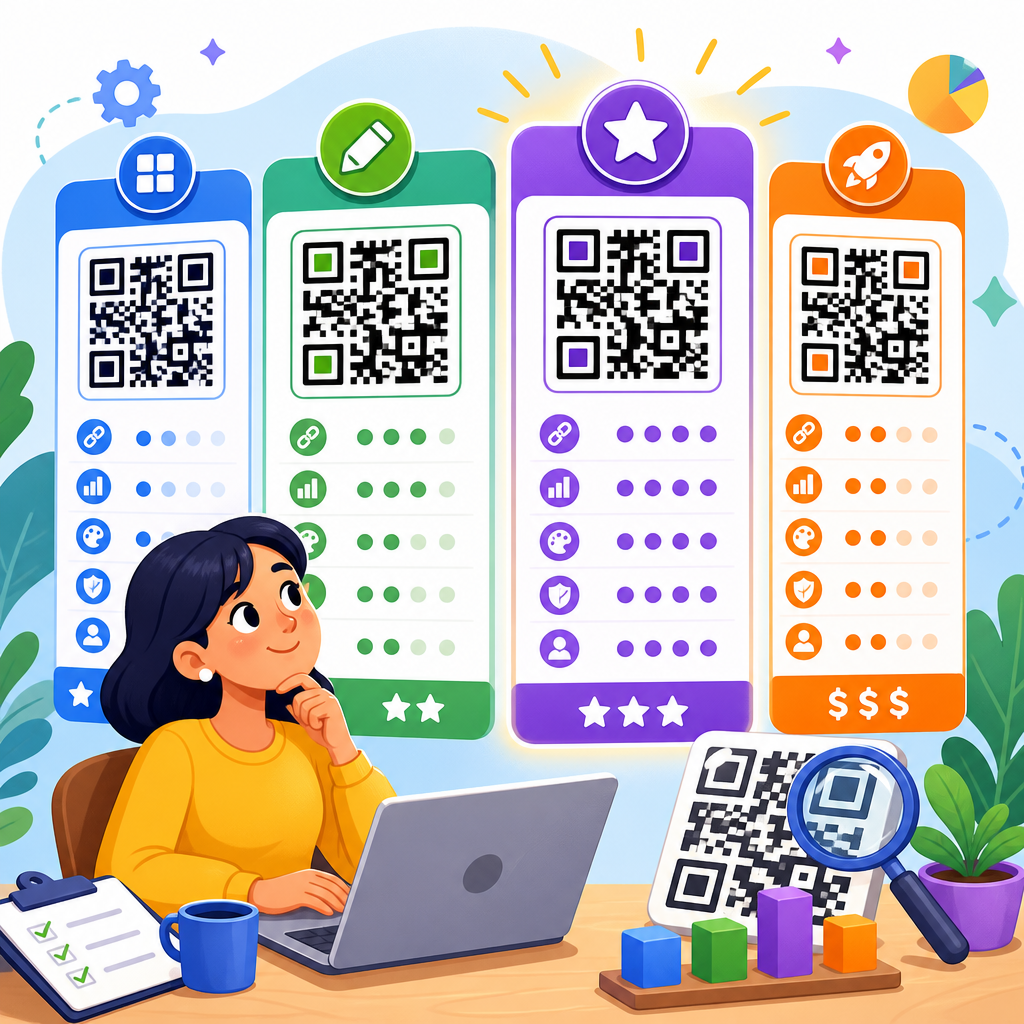
Choosing the right QR code generator affects far more than design convenience. It shapes scan reliability, editing flexibility, campaign measurement, security, and long-term cost. In the last few years, I have tested generators for restaurant menus, event check-ins, retail packaging, nonprofit donations, and product documentation, and the differences between platforms are significant once you move past the basic promise of “make a QR code.” A QR code generator is a tool that converts a destination, such as a URL, PDF, vCard, Wi-Fi credential, app link, or payment request, into a scannable matrix barcode. Some tools create static QR codes, which permanently encode the destination, while others create dynamic QR codes, which route scans through a managed short URL so the destination can be updated later. That distinction matters because static codes are simple and often free, but dynamic codes support analytics, redirects, expiration rules, and campaign management.
For businesses, marketers, and operations teams, the best QR code generator is the one that matches the use case, not the one with the longest features list. A café posting a menu outside the front door needs reliable dynamic editing and no-login staff handoff. A manufacturer printing thousands of labels needs bulk generation, error correction, and export control. A marketing team needs UTM tracking, folder organization, custom domains, and scan reports by date, device, and geography. Compliance and trust matter too. If a provider places generated codes behind a paywall later, inserts branding on landing pages, or deactivates dynamic codes after a trial ends, a printed campaign can fail in the field. This comparison explains the key features, pricing models, and practical tradeoffs across leading QR code generators so you can choose confidently and build a stronger QR Code Creation & Tools stack.
What to compare before choosing a QR code generator
The most important buying criteria are dynamic capability, analytics depth, output quality, branding controls, team features, and pricing predictability. Dynamic QR codes let you change the destination without reprinting the code, which is essential for menus, seasonal promotions, real estate listings, and packaging inserts. Good platforms also provide scan analytics, including total scans, unique scans, time trends, country or city, operating system, and sometimes GPS-level detail when permissions allow. Export quality matters because print workflows often require SVG, EPS, or PDF, not just PNG. If you need logo insertion or color customization, look for adjustable error correction, quiet zone preservation, and live scan testing so style changes do not reduce readability.
Pricing deserves close inspection because many tools advertise “free QR codes” while reserving dynamic features, analytics, and editable content for paid plans. In practice, vendors tend to charge by number of dynamic codes, monthly scan volume, users, or advanced features such as retargeting pixels, custom domains, and API access. I recommend calculating a twelve-month cost based on expected live codes, not just initial creation. A retailer may only create twenty codes per month but keep hundreds active across packaging and displays. Review cancellation terms as well. Some services keep static codes active forever but suspend dynamic redirects when billing stops. Others allow read-only analytics retention or downgrade functionality. That policy alone can determine whether a platform is suitable for printed assets with long shelf life.
Top QR code generators compared at a glance
The market has a few clear leaders, each serving a different profile. QR Code Generator Pro is widely used for marketing campaigns because it combines dynamic codes, analytics, landing pages, and straightforward design tools. Beaconstac is strong for enterprises that need governance, integrations, SSO, and security controls. QR.io and ME-QR appeal to smaller businesses that want a broad feature set at lower entry pricing. Flowcode stands out for branded experiences and creative teams focused on mobile engagement. Uniqode, previously known to many buyers under its earlier branding, is a serious option for businesses that need scale, folders, templates, and mature management features. Canva also deserves mention for simple static QR creation inside design workflows, though it is not a full campaign platform.
| Generator | Best For | Key Strengths | Typical Pricing Approach |
|---|---|---|---|
| QR Code Generator Pro | SMBs and marketers | Dynamic codes, analytics, easy setup, landing pages | Monthly subscription by features and code limits |
| Beaconstac | Mid-market and enterprise | Security, integrations, bulk workflows, team controls | Higher-tier subscription, often sales-led |
| Uniqode | Multi-location businesses | Templates, folders, bulk management, analytics | Tiered plans based on scale |
| Flowcode | Brands and creators | Design polish, mobile-first pages, campaign simplicity | Tiered plans with branding features |
| QR.io | Budget-conscious users | Low barrier pricing, dynamic options, simple dashboard | Lower monthly entry plans |
| ME-QR | Small businesses | Many QR content types, affordable plans, multilingual use | Freemium plus paid upgrades |
| Canva | Occasional static needs | Fast design integration, easy exports | Included with broader design subscription |
If you need a quick answer, the best all-around choice for most business users is the platform that balances dependable dynamic editing, transparent pricing, and export flexibility. For enterprise governance, Beaconstac and Uniqode usually make the shortlist. For budget-sensitive teams, QR.io and ME-QR can be workable, but you should test support responsiveness and scan analytics before committing. For designers who mostly need static codes inside posters, brochures, or social graphics, Canva is efficient, but it should be paired with a more robust platform when analytics and post-print editing matter.
Detailed reviews of the leading platforms
QR Code Generator Pro remains one of the most recognizable products in this category because it does the basics very well. The interface is clean, dynamic code creation is fast, and content types cover the most common business needs: URL, PDF, app stores, email, SMS, vCard, social links, and landing pages. In client work, I have found its onboarding especially useful for nontechnical teams. A restaurant manager can update a menu link without touching print files, and a retail marketer can swap seasonal campaign destinations in minutes. The tradeoff is that some larger organizations outgrow the simpler team and governance model if they need deep permissions, workflow approval, or custom integration layers.
Beaconstac is built for organizations that treat QR codes as infrastructure rather than one-off assets. Its strengths include bulk generation, role-based access, API support, custom domains, and stronger security positioning. It is a fit for packaging, field operations, and distributed organizations where many people create codes but central teams need control. I have seen it work well for product manuals linked from serial-number labels and for healthcare-adjacent uses where data handling standards matter. The downside is cost and complexity; smaller teams may pay for capabilities they never use. Uniqode sits near this same serious-business category, with robust templates, folders, batch creation, and analytics that help multi-location brands manage many live codes consistently.
Flowcode focuses on presentation and mobile journeys. Its designs are polished, landing pages are attractive, and branding controls are approachable for creative teams. For campaigns where the code appears on packaging, signage, or influencer materials, that visual finish can matter. I have used it in environments where stakeholders care as much about how the QR experience feels as they do about the redirect itself. QR.io and ME-QR are often considered by startups and local businesses because entry pricing is lower and the learning curve is mild. They can be perfectly serviceable for dynamic links, downloadable assets, and contact-sharing use cases, but buyers should inspect plan limits carefully and test code permanence rules. Canva is best understood as a design convenience, not a full review-category competitor, because it lacks the campaign analytics and lifecycle management most businesses eventually need.
Features that matter most in real campaigns
The best QR code generator features are the ones that solve operational problems after launch. Dynamic editing is first. Once a code is printed on a table tent, box, flyer, or window cling, changing the destination without reprinting saves time and budget. Analytics is second because scan counts alone are not enough; you need trend lines, device context, and source tagging to tell whether a campaign actually works. Custom domains are third, especially for brands concerned about trust. A scan that opens a recognizable branded short link typically performs better than one routed through an unfamiliar domain. File hosting for PDFs, menus, manuals, and coupons is also useful, but watch storage limits and file replacement policies.
Bulk generation becomes essential sooner than many teams expect. A real estate agency may need one code per listing, a school district may need one code per classroom resource packet, and a manufacturer may need variable codes by SKU or batch. The best platforms support CSV uploads, naming conventions, folders, and export packages that match print production. Error correction settings matter too. QR codes can survive partial obstruction, but logo overlays, color changes, and low-contrast designs can still make them fail. A reliable generator will preserve quiet zones, warn against poor contrast combinations, and let you test across iPhone and Android cameras before downloading final files. These are not cosmetic details; they determine whether a customer scan succeeds in dim light, through glare, or from a moving line of traffic.
Pricing models, hidden costs, and value
QR code generator pricing usually falls into four patterns: free static creation, low-cost individual subscriptions, business tiers with dynamic limits, and enterprise contracts. Free tiers are useful for internal labels, classroom materials, or one-time links, but they rarely include editing, analytics, or branded experiences. Entry paid plans can look inexpensive until you notice caps on live dynamic codes, monthly scans, export formats, or users. Business plans often unlock folders, bulk creation, and better reports. Enterprise contracts add SSO, audit logs, account management, API access, and legal assurances around uptime and data handling. The right way to judge value is cost per active business use case, not headline monthly price.
Hidden costs usually come from reprints, plan upgrades, and campaign disruption. If a cheap provider limits the number of editable codes, teams may create duplicate assets and lose reporting continuity. If analytics is too basic, marketers end up paying for separate landing page tools or stitched-together UTM reporting. If vector exports are locked behind a higher plan, designers may struggle with print quality and need to recreate work. I have also seen organizations pay the highest price of all when a discontinued subscription disabled redirects on packaging already in distribution. Before signing up, confirm what happens to dynamic codes after cancellation, whether scan history can be exported, and whether custom domains or white-label options require an extra fee. Transparent lifecycle pricing almost always beats the cheapest introductory plan.
How to choose the best QR code generator for your use case
Start by matching the platform to the job. For restaurants, the priority is fast menu updates, durable dynamic links, and easy delegation to staff. For events, look for high scan throughput, redirect edits, and analytics by time so you can measure peaks at check-in or booth traffic. For retail packaging, insist on custom domains, bulk creation, and long-term reliability because codes may remain in circulation for months. For B2B sales collateral, branded landing pages and CRM-friendly tracking matter more than decorative shapes. For internal operations, static codes may be enough for inventory shelves, maintenance procedures, and training documents, provided the encoded links will not change.
My standard selection process is simple. First, define whether each code is static or dynamic. Second, estimate how many codes must stay live simultaneously. Third, decide which analytics are actually needed for decisions. Fourth, confirm export requirements with the designer or printer. Fifth, test the shortlisted platforms on real devices and in real lighting. Sixth, read the billing and deactivation terms line by line. That practical checklist prevents most expensive mistakes. If you are building out a broader QR Code Creation & Tools hub, this comparison page should lead to deeper guides on dynamic versus static QR codes, QR code design best practices, QR analytics, bulk generation, and industry-specific implementations. Use those supporting resources to narrow the field, then run a live pilot before committing to a yearly plan.
Final verdict and next steps
The top QR code generators are not interchangeable. QR Code Generator Pro is a strong mainstream choice for small and midsize teams that want dependable dynamic codes, clean analytics, and fast setup. Beaconstac and Uniqode are better fits when governance, bulk workflows, and enterprise controls matter. Flowcode works well for brand-led mobile experiences. QR.io and ME-QR can deliver good value for smaller budgets if you confirm plan limits and code permanence. Canva is convenient for static design tasks, but it is not the right center of a serious QR program. The best decision comes from aligning the tool with your operational reality: how many codes you manage, how often destinations change, what analytics you need, and how long printed assets remain in use.
If you take one lesson from this comparison, make it this: always choose a QR code generator based on lifecycle reliability, not just initial creation speed. A code that scans beautifully on launch day but cannot be updated, measured, exported properly, or maintained affordably will cost more over time. Audit your use cases, shortlist two or three providers, and test them with actual campaign materials before buying. Then build out the rest of your QR Code Creation & Tools workflow with supporting guides on design, analytics, and deployment so every code you publish is easy to manage and built to last.
Frequently Asked Questions
What features matter most when comparing QR code generators?
The most important features usually go far beyond simply creating a code that opens a link. In practice, the best QR code generators balance reliability, flexibility, analytics, branding, and account control. One of the first things to look for is support for dynamic QR codes, which let you change the destination after printing. That matters for restaurant menus, product packaging, event materials, and any campaign where reprinting would be expensive or inconvenient. Static QR codes still have value for permanent uses, but dynamic functionality is often what separates a basic tool from a platform you can use long term.
You should also evaluate scan performance and customization options together. A generator may offer logos, colors, frames, and custom shapes, but if those styling choices reduce readability, the QR code becomes less useful in the real world. Strong platforms help preserve error correction and scanning reliability while still allowing brand alignment. Beyond design, analytics are another major differentiator. Better tools track scans by time, location, device, and campaign, which helps you measure performance rather than guessing whether people are engaging. For businesses running promotions, donations, check-ins, or packaging campaigns, that reporting can directly influence marketing decisions.
Other high-value features include bulk creation, folder organization, team access, API support, password protection, expiration rules, and downloadable file formats such as SVG or EPS for print. Security and compliance also matter, especially if you are using QR codes in healthcare, nonprofits, enterprise documentation, or customer-facing campaigns where trust matters. In short, the best generator is not necessarily the one with the most design effects. It is the one that gives you dependable scanning, easy management, measurable results, and the flexibility to adapt after the code is already in use.
Are free QR code generators good enough, or is a paid plan worth it?
Free QR code generators can absolutely be good enough for simple, one-time needs. If you are creating a static QR code for a business card, a flyer, a Wi-Fi login, or a permanent link that will never need to change, a free option may solve the problem perfectly well. Many free tools let you generate standard codes quickly, and for low-risk or personal use cases, that can be all you need. The key is understanding what “free” actually includes. Some platforms generate truly free static codes with no strings attached, while others use a free trial model that later limits editing, analytics, or even continued functionality for dynamic codes.
A paid plan becomes worthwhile when you need control after distribution. If your QR code appears on printed menus, retail packaging, event signage, direct mail, or product manuals, the ability to update the destination without replacing the code can save substantial time and money. Paid plans also typically unlock analytics, scan limits, custom domains, better branding, team collaboration, and support. That matters when the QR code is part of a broader campaign rather than a one-off asset. In many business settings, the monthly cost is minor compared with the cost of reprinting materials or losing tracking visibility.
The best way to judge value is to match pricing to operational risk. If a broken link, lack of reporting, or limited edit access would create problems, a paid generator is usually the safer choice. If your use case is straightforward and permanent, free may be perfectly fine. The real comparison is not just free versus paid, but whether the plan supports the lifespan, scale, and accountability your project requires.
What is the difference between static and dynamic QR codes, and why does it affect pricing?
Static and dynamic QR codes look similar to users, but they behave very differently behind the scenes. A static QR code stores the final destination directly in the code itself. Once created, it cannot be changed. If you print a static code that points to the wrong page, an outdated PDF, or a URL that later changes, you have to create and distribute a new code. Static codes are often included in free plans because they are simple to generate and do not require the platform to host redirect logic or maintain ongoing account services.
Dynamic QR codes work through a short redirect URL managed by the generator platform. When someone scans the code, the platform forwards them to the current destination you have set in the dashboard. That means you can update links after printing, switch campaigns, fix errors, route users by location or date, pause campaigns, and collect analytics on scans. For businesses, this flexibility is often the biggest reason to pay for a QR code service. A dynamic code printed on packaging can initially lead to a launch page, then later point to product support, a seasonal promotion, or a feedback form without changing the printed asset.
This difference affects pricing because dynamic QR codes require infrastructure, storage, analytics processing, account permissions, and sometimes support for features like custom domains, password protection, and expiration schedules. In other words, you are not just paying for the image file; you are paying for the management layer behind it. When comparing generators, it is worth checking whether the pricing includes unlimited dynamic codes, limits on monthly scans, retention of analytics history, and continued code functionality if you downgrade or cancel. Those details can have a much bigger financial impact than the advertised entry price.
How important are analytics and tracking in a QR code generator?
Analytics are extremely important if the QR code is tied to marketing, operations, or customer engagement in any measurable way. Without tracking, a QR code is essentially a blind bridge: people may scan it, but you have limited visibility into how often, when, where, and from what devices. For a small personal use case, that may not matter. But for restaurant menus, event check-ins, retail packaging, donation campaigns, real estate signs, or product documentation, scan data can tell you whether the code is actually performing and whether the destination experience is effective.
The most useful analytics usually include total scans, unique scans, timestamps, geographic data, device or operating system breakdowns, and campaign-level comparisons. Some platforms also integrate with tools like Google Analytics, UTM tracking frameworks, or CRM systems, which makes it easier to connect scans to larger business outcomes. This level of insight helps answer practical questions: Which poster location drove the most engagement? Did people scan more after changing the call to action? Are customers using packaging QR codes for support after purchase? Are event attendees scanning at the registration desk or before arrival?
That said, analytics quality varies widely between providers. Some platforms offer only basic counts, while others provide much richer dashboards and export options. It is also worth looking at data retention, privacy controls, and how clearly the platform separates bot activity from genuine user scans. If measurement matters to your project, analytics should not be treated as a bonus feature. It should be one of the main factors in your comparison, because it turns a QR code from a static utility into a trackable decision-making tool.
How can I choose the best QR code generator for my specific use case without overpaying?
The smartest approach is to start with your use case, not the feature list. Different projects need very different things. A restaurant menu may need dynamic editing and reliable mobile scanning. An event organizer may prioritize bulk creation, check-in compatibility, and real-time analytics. A retail brand may care most about print-quality vector files, dynamic redirects, and campaign tracking across packaging runs. A nonprofit may want donation-focused landing pages, simple management, and strong trust signals. If you define the job first, it becomes much easier to ignore flashy extras that do not add real value.
Next, compare pricing in terms of actual ownership cost rather than headline subscription price. A low-cost plan may seem appealing until you discover limits on scan volume, dynamic code count, file formats, analytics history, or team members. Likewise, an expensive plan may include enterprise features you do not need. Review whether the platform charges more for custom domains, bulk generation, API access, white labeling, or advanced reporting. If the QR codes will live on printed materials for months or years, also check what happens if you cancel. In some services, dynamic codes may stop working or lose editability, which can create hidden long-term costs.
Finally, test the platform in realistic conditions before committing. Create a sample code, print it at the intended size, scan it on multiple phones, and review the dashboard experience. Check how quickly you can edit destinations, organize campaigns, export assets, and understand reporting. The best QR code generator is usually not the one with the longest feature page. It is the one that fits your workflow, keeps codes reliable in the field, and gives you the control you need without forcing you into a plan designed for a much larger organization.





