
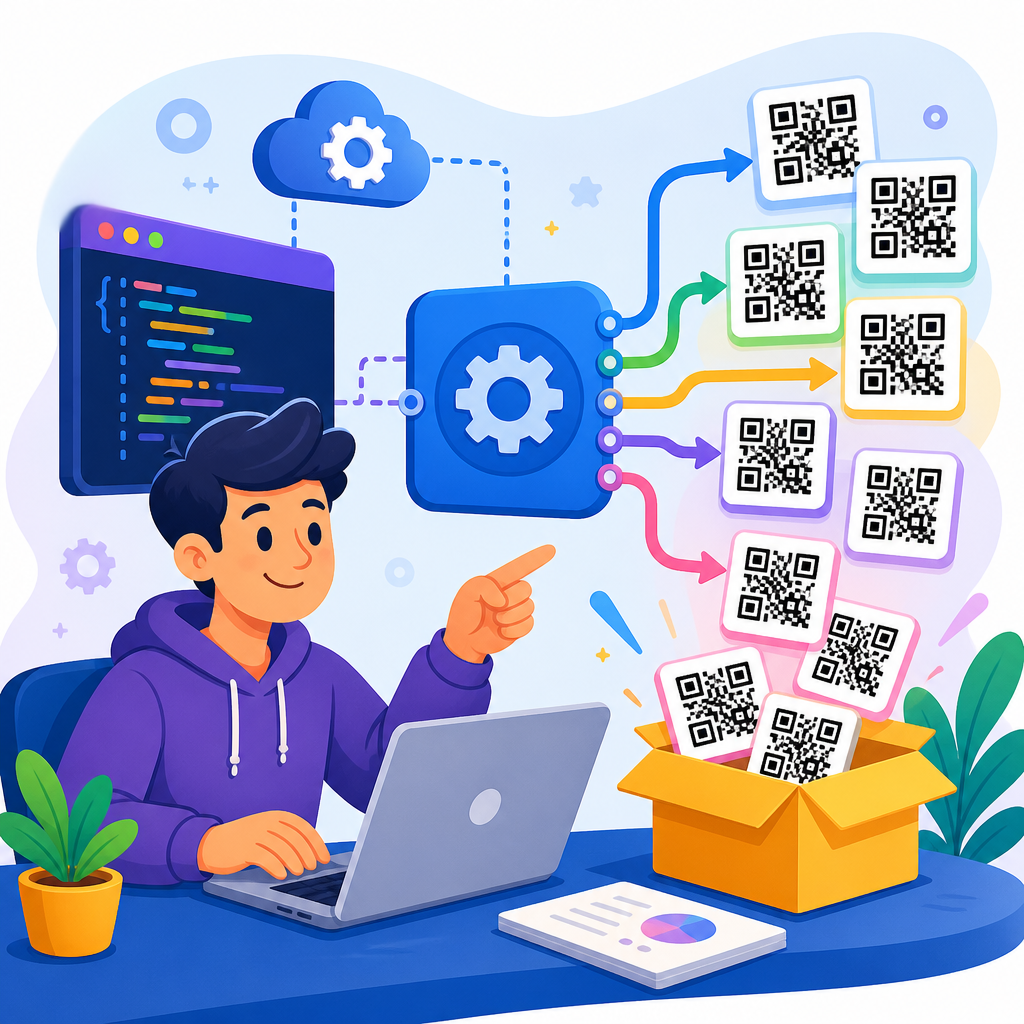
QR code APIs make it possible to generate, customize, track, and manage large volumes of QR codes through software instead of manual design tools. In practice, that means a retailer can create ten thousand product labels in minutes, a logistics team can assign scannable identifiers to every pallet, and a marketing department can launch localized campaign codes without touching a graphics editor. Bulk generation matters because QR codes are no longer niche assets; they are operational infrastructure used in payments, packaging, event access, authentication, and field service.
When I build bulk QR workflows, I separate the stack into three parts: the API that creates or resolves the code, the application logic that prepares the data, and the delivery layer that stores images or embeds them into PDFs, labels, or webpages. A QR code API is simply a web service that accepts payload data and returns a QR image, vector file, or a managed short link tied to scan analytics. An SDK packages that functionality for a language such as JavaScript, Python, Java, or PHP. Bulk generation refers to producing hundreds or millions of unique codes from a dataset, usually by looping through rows in a database, CSV, ERP export, or e-commerce catalog.
This topic matters because the technical choices you make early affect scan reliability, printing cost, analytics quality, and compliance. A code that works on a web landing page may fail on corrugated packaging if the quiet zone is too tight, the error correction level is wrong, or the encoded URL is unnecessarily long. Likewise, a dynamic QR platform can simplify updates and reporting, but it adds dependencies, recurring cost, and governance requirements. The best bulk generation systems balance throughput, readability, security, and maintainability. This hub explains how to choose QR code APIs and SDKs, design high-volume workflows, avoid common mistakes, and connect generation pipelines to the rest of your QR code technology stack.
What QR Code APIs and SDKs Actually Do
A QR code API usually exposes endpoints for generating static codes, creating dynamic redirect-based codes, setting colors or logos, choosing image formats, and retrieving analytics. Some vendors also provide campaign folders, expiration rules, password protection, geofencing, and API keys scoped by project. In contrast, a local library such as ZXing, qrcode, Segno, or go-qrcode generates symbols directly in your application without a network request. I use hosted APIs when teams need centralized analytics, role-based access, and nontechnical campaign management. I use local libraries when privacy, latency, or cost per request is the deciding factor.
Static QR codes embed the final destination or payload directly in the symbol. They are ideal for permanent URLs, Wi-Fi credentials, vCards, or inventory IDs that will never change. Dynamic QR codes point to a short URL controlled by a platform, which then redirects to the current destination and logs scan events. The tradeoff is clear: static codes are simpler and self-contained, while dynamic codes provide editability and reporting. For bulk generation, dynamic codes are common in marketing and asset management, while static codes are common in manufacturing and internal operations.
SDKs matter because they reduce implementation errors. A good SDK handles authentication headers, retries, rate limiting, pagination, and file downloads. For example, a Node.js SDK can batch requests with async queues, while a Python client can stream CSV rows and save SVG files directly to object storage. In enterprise settings, I look for OpenAPI documentation, webhook support, idempotency guidance, sandbox environments, and clear image rendering parameters. Those details matter more than glossy templates when you are generating codes at production scale.
How Bulk QR Code Generation Works in Practice
The core workflow is straightforward: prepare a source dataset, define the payload pattern, call the API or library for each record, validate the output, and deliver the file or identifier into its final system. In reality, each step needs discipline. If a school district prints fifty thousand student meal cards, every row needs a stable unique identifier, a checksum strategy if required by the backend, and a reproducible export path so support staff can regenerate a missing batch later. Bulk generation is less about drawing squares and more about data integrity.
Most teams start with a spreadsheet, but production systems usually pull from a database table or message queue. A typical row might include product SKU, destination URL, campaign code, region, expiration date, file format, print size, and destination folder. The generation service then converts those fields into a payload template, such as https://brand.example/p/{sku}?r={region}. If you are using a dynamic platform, the API may create a managed short link and attach metadata like campaign name and tags. That metadata becomes essential later when analysts want to filter scans by cohort or market.
Validation should happen before and after generation. Before generation, verify the data types, URL syntax, duplicate keys, and destination availability. After generation, scan random samples from each batch with multiple devices and under realistic conditions, including low light and moderate blur. In one packaging rollout I supported, prepress art looked perfect on screen, but the QR modules filled in slightly on uncoated stock. We fixed it by increasing the quiet zone, switching to SVG masters, and tightening the printer profile. Bulk systems need that kind of operational feedback loop.
Choosing Between Hosted APIs and Local Libraries
The decision between a hosted QR code API and a local SDK or library comes down to control, analytics, cost, and compliance. Hosted services are easier to launch because they package generation, redirect management, dashboards, and scan reporting. They suit marketing teams that need dynamic destinations, UTM governance, and campaign cloning. Vendors in this space often provide branded short domains, bulk upload interfaces, and access controls for distributed teams. The downside is vendor dependency and recurring pricing based on code volume, scans, seats, or advanced features.
Local libraries are better when your requirements are deterministic and high scale. Libraries like ZXing, Zint, Nayuki QR Code generator, python-qrcode, and Segno can render PNG or SVG in your own infrastructure with no per-code fee. That approach is common in ticketing, manufacturing serialization, internal asset tracking, and healthcare workflows where protected data cannot pass through external services. You give up managed analytics unless you build the redirect and event collection layer yourself, but you gain portability and lower marginal cost.
My recommendation is simple. Use hosted APIs for campaigns that depend on redirects, editing, or user-friendly reporting. Use local libraries for permanent identifiers and machine-generated labels where reliability and cost efficiency matter more than dashboards. Hybrid architectures are also common: local generation for operational codes, hosted dynamic links for customer-facing campaigns. That split keeps the system resilient and avoids paying for capabilities you do not need on every code.
Technical Requirements for Reliable High-Volume Output
Reliable bulk generation starts with payload design. Keep encoded data short whenever possible because denser symbols are harder to scan, especially when printed small. If a long URL is unavoidable, use a short domain and minimize unnecessary parameters. Choose the right error correction level: L, M, Q, or H. Higher levels tolerate more damage or logo intrusion but increase symbol density. For ordinary print and packaging, M or Q is often a practical starting point. If you add a center logo, test H carefully rather than assuming it will compensate for poor artwork.
Format selection also matters. PNG works for web and many digital asset workflows, but SVG or EPS is better for print because vectors scale without raster artifacts. Set a consistent quiet zone of at least four modules around the symbol. Maintain strong contrast, ideally dark modules on a light background, and avoid glossy laminates or low-contrast brand colors unless extensive testing confirms readability. ISO/IEC 18004 defines the QR Code specification, and GS1 Digital Link adds important structure for retail and supply chain use cases where standardized identifiers matter.
Performance planning is the next requirement. APIs often impose rate limits, so queue requests and use exponential backoff on retries. Log request IDs, batch IDs, and source records so failures can be replayed safely. If your pipeline generates PDFs or print sheets, separate rendering from code creation to reduce bottlenecks. Store original parameters with each generated file; that makes regeneration deterministic months later. In high-volume jobs, observability is not optional. Without logs, checksums, and sample scans, one malformed field can quietly poison an entire batch.
Recommended Workflow for Bulk Generation Projects
The most efficient implementation pattern is to define the data contract first, then automate the pipeline end to end. Start with a canonical schema for every code record: unique ID, QR type, destination or payload, status, file format, size, ownership, and creation timestamp. Next, decide where source records live and where output files will be stored, such as Amazon S3, Google Cloud Storage, or Azure Blob Storage. Then define the generation service, scan validation routine, and downstream handoff to print, web, or app systems.
| Stage | Primary task | Common tools | Main risk |
|---|---|---|---|
| Data prep | Clean IDs, URLs, and metadata | SQL, CSV, Python pandas | Duplicates and malformed URLs |
| Generation | Create PNG, SVG, or dynamic links | Vendor API, ZXing, Segno | Rate limits or bad parameters |
| Validation | Scan test samples and verify redirects | Mobile devices, test scripts | Unreadable print or wrong landing page |
| Distribution | Send to print, labels, apps, or CMS | S3, PDF engines, DAM systems | Version mismatch |
| Monitoring | Track failures, scans, and updates | Logs, webhooks, BI dashboards | Silent batch errors |
In production, I also recommend naming conventions that survive handoffs between teams. For example, batch-2026-04-emea-promo-01 is more useful than final-v3. Build idempotency into your process so rerunning a failed job does not create duplicate managed codes or overwrite approved files unexpectedly. If an API supports metadata fields, populate them consistently. Clean metadata becomes your internal linking signal across the broader QR code technology stack because it ties generation records to landing pages, labels, scans, and campaign reporting.
Security, Analytics, and Governance Considerations
Security is often underestimated in QR projects. If your bulk workflow creates login links, payment requests, or account-specific destinations, treat the generation system like any other sensitive service. Use server-side API calls, rotate credentials, and apply least-privilege access. Never expose master keys in frontend code or uncontrolled spreadsheets. For dynamic QR platforms, restrict who can edit destinations, because a single unauthorized redirect change can affect thousands of printed assets. Where regulations apply, review data processing terms and retention settings before sending customer identifiers to a third-party service.
Analytics quality depends on the architecture. Dynamic QR platforms can track scans, devices, timestamps, and approximate geolocation, but those metrics are not perfect. Privacy controls, VPNs, app browsers, and ad blockers can skew attribution. A practical approach is to combine platform scan counts with web analytics events on the destination page. For campaign analysis, standardize UTM parameters and short domains. For operational workflows, focus less on vanity metrics and more on completion outcomes, such as successful check-ins, redeemed vouchers, or confirmed asset inspections.
Governance becomes critical once many departments create codes. Establish naming standards, expiration rules, ownership fields, and a retirement process for obsolete destinations. Maintain an inventory of active codes and short links, especially if printed materials remain in circulation for years. I have seen organizations lose control of QR estates because interns launched campaign codes in disconnected tools with no central registry. A proper hub model prevents that sprawl by documenting approved APIs, SDKs, payload standards, and review workflows across the entire QR Code APIs and SDKs subtopic.
Common Mistakes and How to Avoid Them
The most common mistake is treating bulk QR generation as a design task instead of a data system. Teams obsess over colors and logos while ignoring duplicate records, redirect rules, and test coverage. Another frequent error is encoding raw long URLs directly into small symbols on labels or business cards. The result is dense codes that scan poorly on older devices. I also regularly see teams generate raster images too early in the process, then stretch them in layout software and degrade edge clarity. Start with clean vectors whenever print is involved.
A second class of mistakes involves overreliance on dynamic features without governance. Editing destinations sounds convenient until no one knows which printed asset points where. Every dynamic change should be logged with owner, reason, and timestamp. Finally, many teams skip environmental testing. A code that scans on a laptop screen may fail behind glass, on curved bottles, or in warehouse lighting. Test with real devices, real materials, and realistic distances. That discipline is what separates a pilot from a dependable bulk generation program.
Bulk QR code generation succeeds when software, data, and print realities are treated as one system rather than separate tasks. The key decisions are straightforward: choose hosted APIs when you need dynamic redirects and centralized analytics, choose local libraries when you need control and cost efficiency, keep payloads short, render with print-safe settings, and validate every batch under real conditions. Once those fundamentals are in place, QR code APIs and SDKs become a scalable production layer for marketing, operations, and customer experience.
As the hub for QR Code APIs and SDKs, this topic connects to implementation guides on dynamic versus static codes, language-specific SDK tutorials, scan analytics, security practices, and print optimization. If you are planning a rollout, start by documenting your data schema, output format, ownership model, and testing checklist before selecting a vendor or library. That simple step prevents most expensive mistakes. Build the workflow carefully, monitor it continuously, and your team can generate bulk QR codes with confidence and repeatable quality.
Frequently Asked Questions
What does bulk QR code generation with an API actually mean?
Bulk QR code generation with an API means creating large numbers of QR codes automatically through software rather than designing and exporting each code by hand. Instead of opening a graphic design tool or a web generator one code at a time, your application sends structured data such as URLs, product IDs, serial numbers, campaign parameters, or tracking values to a QR code API, which then returns the QR code images or files programmatically. This approach is especially valuable when the number of codes grows from dozens to thousands or even millions, because the work becomes repeatable, fast, and far less prone to human error.
In practical terms, bulk generation is often driven by a spreadsheet, database, ERP, CRM, e-commerce catalog, warehouse management system, or marketing platform. For example, a retailer might generate a unique QR code for every SKU, a logistics provider might assign one to every pallet or shipment, and a marketing team might create geographically targeted QR codes for print campaigns in multiple regions. The API acts as the engine that takes input data, applies formatting and branding rules, and produces the final QR code output at scale.
The key advantage is operational efficiency. Once your workflow is connected, teams can generate codes in minutes instead of spending hours or days on manual production. It also improves consistency because every QR code can follow the same specifications for size, color, error correction, file type, and embedded data structure. Just as important, bulk API generation makes it easier to track, update, and manage QR codes over time, which is critical when QR codes become part of everyday business infrastructure rather than one-off campaign assets.
What kind of data and systems can be connected to a QR code API for bulk generation?
QR code APIs are flexible because they can work with almost any system that can send structured data over HTTP. In most organizations, the source data comes from existing business tools such as spreadsheets, databases, product information systems, warehouse software, order management platforms, customer relationship management tools, or internal applications. Each record in those systems can become the payload for an individual QR code, whether that payload is a static URL, a unique identifier, a serialized asset number, a vCard, a PDF link, or a dynamic destination used for later edits and scan analytics.
Common integrations include e-commerce catalogs for product labeling, inventory systems for bin and pallet identification, event platforms for ticketing and check-in, and marketing automation tools for campaign distribution. A batch process may pull rows from a CSV file, loop through each row in a script, and call the API once per item. In more advanced deployments, companies use web applications, scheduled jobs, or serverless functions to generate QR codes automatically whenever new records are created. That means the QR code process can become a native part of operations rather than an isolated design task.
When planning an integration, it helps to define a data model before you write any code. Decide what value each QR code should contain, whether it must be unique, how it will be named, what metadata should be stored alongside it, and where the generated image or response should go next. For example, some teams save PNG or SVG files to cloud storage, while others store the returned URLs, IDs, or short links in a database for later use in packaging, labels, print templates, or analytics dashboards. A good bulk setup is not just about generating images quickly; it is about connecting QR codes cleanly to the systems your business already depends on.
How do you handle customization and branding when generating QR codes at scale?
Most modern QR code APIs support customization options that can be applied consistently across large batches, which is one of the biggest reasons businesses choose APIs over manual tools. Depending on the provider, you can often control size, margin, file format, foreground and background colors, error correction level, frame text, logo placement, and sometimes more advanced visual styling. In a bulk workflow, these options are typically set as parameters in the API request, allowing every generated code to follow brand guidelines automatically without requiring a designer to review each file individually.
At scale, the smartest approach is to create standardized templates or presets for different use cases. For instance, your company might define one configuration for retail packaging, another for shipping labels, and another for print advertising. Each template can specify dimensions, contrast requirements, and output format based on where the QR code will appear. SVG may be best for print because it scales cleanly, while PNG may work well for web and internal documentation. A well-structured API workflow lets you apply the right template to the right batch with very little manual intervention.
That said, branding should never compromise scan reliability. Decorative adjustments need to stay within proven limits, especially when adding logos, changing colors, or reducing quiet zones. High contrast, adequate sizing, and proper error correction remain essential. In other words, a branded QR code still has to function under real-world conditions such as low lighting, curved packaging, low-resolution printing, or partially damaged labels. The best practice is to test customized outputs across common devices and surfaces before full deployment. When done correctly, API-based customization gives you both brand consistency and technical reliability at the same time.
What is the difference between static and dynamic QR codes in bulk API workflows?
Static and dynamic QR codes serve different operational goals, and choosing the right type matters even more when you are generating them in large volumes. A static QR code directly encodes the final destination or payload inside the code itself. Once created, it cannot be changed without generating a brand-new QR code. Static codes are often suitable for permanent information such as fixed product identifiers, equipment labels, or URLs that are unlikely to change. They are straightforward, cost-effective, and useful when editability is not a requirement.
Dynamic QR codes, by contrast, point to a short redirect URL or managed resource controlled by the QR code platform. This allows you to change the final destination later without replacing the printed or distributed QR code. In bulk workflows, that flexibility can be extremely valuable. A marketing team can update campaign landing pages after print materials are already in circulation, a logistics team can redirect a scan to a new tracking endpoint, or a retailer can switch product pages during seasonal promotions. Dynamic codes are also commonly used when scan analytics, device data, geographic reporting, and lifecycle management are important.
For high-volume generation, the choice usually comes down to permanence versus control. If your QR codes are part of a long-term operational process and the underlying data will remain fixed, static may be enough. If you need updates, monitoring, segmentation, A/B testing, or centralized management, dynamic is usually the better option. Many organizations end up using both: static codes for internal identifiers and dynamic codes for customer-facing experiences. A well-designed API workflow supports whichever model aligns best with the business objective of each batch.
What are the most important best practices for using QR code APIs for bulk generation successfully?
The most important best practice is to start with a clear generation strategy before you begin coding. Define the purpose of the QR codes, the structure of the payload, the required output format, the ownership of the data source, and how the generated codes will be stored and used downstream. Bulk generation can fail not because the API is difficult, but because the surrounding process is unclear. If naming conventions, record uniqueness, batch logic, or print specifications are inconsistent, scaling becomes messy very quickly. Good planning prevents duplicate codes, broken links, formatting mismatches, and downstream rework.
From a technical standpoint, validate your data before sending requests, handle API rate limits gracefully, and build error logging into the workflow. If you are generating thousands of codes, even a small percentage of failed requests matters. Use batching, retries, and queue-based processing where appropriate. Keep a record of each generated QR code along with its payload, file location, metadata, and status so you can audit and regenerate if needed. If the API supports webhooks, identifiers, folders, or tags, use those features to keep large projects organized. Security also matters: protect API keys, restrict access, and avoid exposing sensitive payloads unnecessarily.
Finally, test in the real environment where the QR codes will be scanned. That means checking readability across different phone cameras, screen sizes, label materials, print finishes, and lighting conditions. It also means verifying that links resolve properly, redirects work as expected, and analytics are being captured accurately if you are using dynamic codes. Bulk generation is not just about producing a lot of files quickly; it is about creating reliable, manageable QR assets that support business operations at scale. When your workflow combines clean data, solid API practices, and real-world testing, bulk QR code generation becomes a highly efficient and dependable part of your digital infrastructure.





