
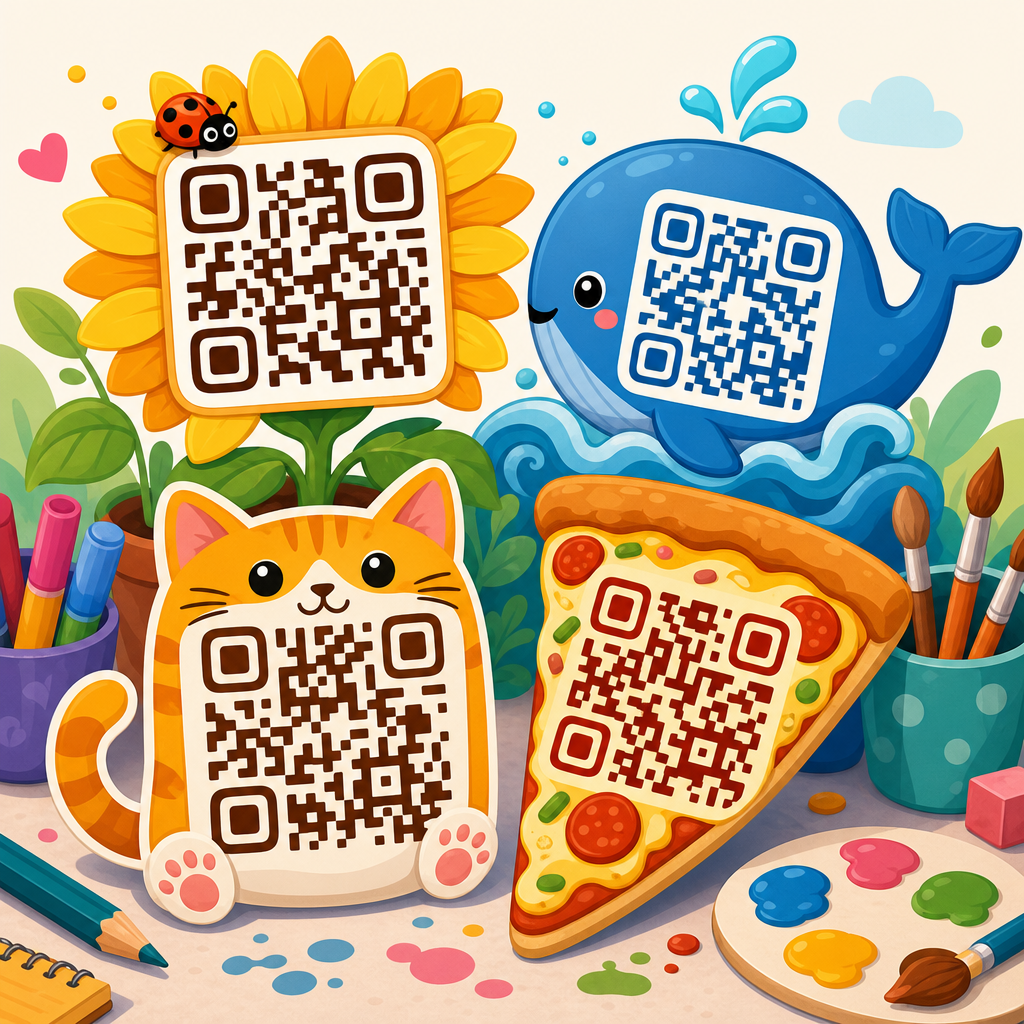
Creative QR code design ideas can turn a plain black-and-white square into a branded, trackable, and genuinely useful touchpoint that people actually want to scan. In the QR Code Creation & Tools space, QR Code Design & Customization sits at the point where function meets marketing: the code must remain machine-readable, but it also needs to fit packaging, signage, business cards, menus, event materials, retail displays, and digital campaigns. A QR code, at its core, is a two-dimensional barcode that stores data such as a URL, vCard, payment request, Wi-Fi credential, file download, or app deep link. Customization means changing visual elements like color, eyes, frame, logo, shape, margin, and landing-page context without breaking scan performance. This matters because design directly affects trust, brand recognition, scan rate, and campaign results. I have seen beautifully branded codes outperform generic ones in-store, but I have also seen overdesigned codes fail under poor lighting or low print quality. The best creative QR code design ideas start with usability, then add style in measured layers. For marketers, designers, and business owners building a hub strategy around QR Code Design & Customization, the goal is simple: create codes that look intentional, scan quickly, and support a larger content ecosystem across product pages, tutorials, case studies, and analytics guides.
Start with scannability before aesthetics
The first rule of QR Code Design & Customization is non-negotiable: if the code does not scan reliably, the design has failed. A QR code works because scanners identify finder patterns, alignment patterns, timing patterns, quiet zones, and contrast boundaries. Change too many of those at once and detection breaks. In practice, I recommend using dynamic QR codes from established generators such as QR Code Generator Pro, Bitly, Scanova, Beaconstac, Flowcode, or Uniqode because they let you edit the destination later and measure scans by device, time, and location. Dynamic codes also support shorter URLs, which reduce data density and give your design more room to breathe.
Reliable customization starts with technical constraints. Keep a quiet zone of at least four modules around the code. Maintain strong contrast, ideally dark foreground on a light background. Avoid glossy finishes on print pieces exposed to spotlights or sunlight, because glare kills scanability. Size matters too: a practical baseline is roughly one inch square for close-range scanning, then scale up based on distance; many printers use the 10:1 rule, meaning viewing distance should be about ten times the code width. Test on both iPhone and Android cameras, plus older devices with weaker autofocus. Error correction helps, but it is not a license to overdesign. Levels M or Q are usually enough for branded work; H is useful when you add a centered logo, but higher correction increases density. The most successful creative QR code design ideas stay within these guardrails.
Use brand elements that support recognition, not decoration
Strong branded QR code design uses identity cues people already associate with your business. That means pulling from a real style guide, not adding random gradients because they look modern. Consistent color palettes, logo treatments, icon systems, and typography on the surrounding call-to-action improve trust at the moment of scan. When I work on packaging or point-of-sale displays, the best-performing codes are usually the ones that feel native to the brand system while remaining visually simple.
Start with color. Deep navy on off-white, forest green on cream, or charcoal on pale gray can work well if contrast remains high. Pastels on white usually do not. If you use a gradient, keep transitions subtle and avoid light midpoints in dense areas. Next, customize the eyes carefully. Rounded outer eyes and softened modules can humanize the code, but they should still preserve clear geometry. Add a logo only when it serves recognition. A centered mark can improve confidence, especially for payments, menus, and warranty registration, but it must not cover too many modules. Most reliable generators automatically reserve safe logo space; use that feature instead of placing artwork manually.
Frames and captions matter as much as the code itself. People scan faster when the code is paired with a direct instruction such as “Scan to see color options,” “Scan for assembly video,” or “Scan to claim event pass.” Generic labels like “Scan me” underperform because they do not communicate value. Good creative QR code design ideas combine the visual code with a precise promise.
Match design choices to the use case and physical environment
A QR code on a coffee cup has different requirements than one on a billboard, museum placard, restaurant menu, or trade-show badge. The environment determines size, contrast, material, viewing angle, and urgency. This is where many customization projects go wrong: the same code file gets reused everywhere, even though the contexts are completely different.
On packaging, space is limited and surfaces may curve, so dense codes and tiny modules become risky. For labels, I prefer dynamic short-link codes with medium error correction, printed on matte stock with a high-contrast frame. On storefront windows, reflections are the enemy; opaque decals usually scan better than transparent film. On restaurant tables, spills and scratches matter, so laminated inserts or metal plaques with laser-etched high-contrast fills hold up better than cheap stickers. At events, speed matters most. Attendee badges, wayfinding signs, and session handouts need larger codes and very explicit calls-to-action because people scan while walking.
Digital placements have their own rules. A QR code shown on a presentation slide or livestream should not be overanimated, and it must remain on screen long enough for a camera to focus, usually at least several seconds. Social graphics with embedded QR codes can work, but they are often redundant on mobile because users cannot easily scan from the same device. In those cases, provide a tappable short URL too. The smartest creative QR code design ideas are context-aware, not merely attractive.
Choose customization options based on performance tradeoffs
Every design decision changes scan reliability, brand impact, and production cost. The table below summarizes the options I evaluate most often when building a QR Code Design & Customization program across print and digital channels.
| Customization option | Best use | Main advantage | Primary risk |
|---|---|---|---|
| Centered logo | Retail, hospitality, product packaging | Instant brand recognition | Covers modules if oversized |
| Rounded modules | Lifestyle brands, apps, events | Softer branded appearance | Lower readability at small sizes |
| Custom color palette | Brand consistency across campaigns | Stronger visual integration | Poor contrast in print or low light |
| Decorative frame with CTA | Posters, menus, packaging, signage | Raises scan intent with clear value | Consumes space in tight layouts |
| Gradient fill | Digital-first campaigns | Modern appearance | Uneven contrast across modules |
| Patterned background | Large-format creative placements | Visual impact | Interferes with code detection |
In real campaigns, simplicity wins more often than novelty. A cosmetic brand can use a soft blush frame and logo on a product carton successfully, while an industrial supplier may need a plain black code on a yellow equipment tag because field conditions are harsh. Customization should respond to the scanning environment, not just the creative brief.
Creative QR code design ideas for packaging, retail, and events
Some of the best QR code design ideas come from tying the code to a clear micro-experience. On product packaging, a code can unlock assembly videos, ingredient sourcing details, refill instructions, authenticity checks, subscription reorders, loyalty rewards, or user-generated styling content. A skincare brand, for example, can print a branded QR code on the side panel that leads to a routine builder based on skin concern. The design might use the brand’s muted palette, a small leaf logo, and a frame that says “Scan for your 2-minute routine.” That is more compelling than linking to a generic homepage.
In retail stores, mirror clings, shelf talkers, and endcap displays can use QR codes to surface reviews, compare sizes, reveal inventory, or trigger instant coupons. I have seen furniture retailers increase assisted sales by placing QR codes next to room displays that open dimensions, fabric options, and AR visualization on a mobile landing page. For events, personalized QR codes on badges can handle check-in, lead capture, networking, and session access. Creative customization here can include color-coded attendee tiers or sponsor-branded frames, but the code itself must remain bold and large enough for fast scanning under venue lighting.
Museums, campuses, and real estate open additional opportunities. Exhibit labels can connect to audio guides. Campus signs can link to maps, department pages, or emergency contacts. Real estate flyers can send prospects to video tours or booking forms. The underlying principle is the same: the design should preview the value of the scan.
Build landing pages and tracking around the design
A well-designed QR code fails when it sends users to a slow, cluttered, or irrelevant destination. The landing experience is part of QR Code Design & Customization because the visual promise on the code must match what appears after the scan. If the frame says “Scan for a 15% welcome offer,” the page should open instantly to that offer, not a homepage banner carousel. Speed, mobile layout, and message match affect conversions more than decorative styling.
Use campaign-specific destinations with clear analytics. Dynamic QR platforms typically track total scans, unique scans, time of day, approximate location, operating system, and conversion events when connected to GA4, Meta Pixel, or CRM tools. Add UTM parameters, but keep the visible encoded URL short by using dynamic routing. For deeper reporting, segment by placement: separate codes for shelf wobblers, mail inserts, packaging, and event signage reveal which physical touchpoints actually drive action.
A/B testing is practical here. Test one code with a discount CTA against another with an educational CTA. Compare a plain black code with a branded framed version. Measure scans, bounce rate, form completion, and assisted revenue, not just visual preference. In my experience, direct utility often beats clever wording. “Scan to check compatibility” can outperform “Unlock the full experience” because it answers the immediate shopper question. Creative QR code design ideas work best when supported by disciplined measurement.
Avoid the common design mistakes that reduce scans
The most common QR code errors are predictable. Designers invert colors without enough contrast, place codes over busy photography, shrink them to fit cramped layouts, export low-resolution raster files, or add logos manually without preserving safe space. Marketing teams sometimes reuse a static code after the destination page changes, leading to broken experiences on printed assets that cannot be updated. Another frequent issue is missing context. A code without a reason to scan is just visual noise.
Production mistakes matter too. Always generate vector files such as SVG, EPS, or PDF for print. Check how the code reproduces on coated stock, corrugate, fabric, acrylic, and metal because dot gain, texture, and reflectivity change readability. For outdoor use, account for weathering and fading. For multilingual audiences, send users to language-aware landing pages. For regulated industries such as healthcare, finance, and alcohol, review destination content, privacy disclosures, and compliance statements before printing at scale.
Finally, test in the real world, not only on a designer’s monitor. Print samples at final size. Scan under store lighting, on older phones, through cracked screens, and at the actual viewing angle. If a code is mission-critical, test redundancy by placing a short URL nearby. Good QR Code Design & Customization is careful work, and that care shows in campaign performance.
Creative QR code design ideas succeed when they balance three things: reliable scanning, strong brand fit, and a destination worth the user’s time. Start with the fundamentals of contrast, quiet zone, sizing, and dynamic code management. Then layer in thoughtful customization through color, logo placement, eye styling, frames, and context-specific calls-to-action. Match each design to its environment, whether that is packaging, retail signage, event materials, direct mail, menus, or product documentation. Measure results with campaign tracking and improve them through testing, not guesswork.
As a hub page for QR Code Design & Customization, this topic should connect naturally to deeper resources on branded QR code generators, logo-safe setup, print specifications, landing-page optimization, analytics, packaging use cases, restaurant QR menus, event check-in systems, and troubleshooting scan failures. That structure helps readers move from inspiration to execution. If you are creating or refreshing a QR program, audit your current codes, redesign the highest-visibility placements first, and test every version in real conditions before rollout. Better design is not cosmetic; it is what turns a QR code into a dependable conversion tool that people trust enough to scan.
Frequently Asked Questions
What are the best ways to make a QR code look more creative without breaking its functionality?
The best QR code designs start with one rule: scanning must come first. A creative QR code can absolutely reflect your brand through color, logo placement, custom patterns, frames, and calls to action, but every design decision should preserve readability. In practice, that means keeping strong contrast between the foreground and background, maintaining a clear quiet zone around the code, and avoiding overly complex visual effects that interfere with how camera apps detect the data modules. You can round corners, swap the standard square modules for dots or other shapes, and add a center logo, but the code still needs enough error correction and structural integrity to scan quickly in real-world conditions.
A smart approach is to begin with the use case. A QR code for product packaging may need a polished branded look that matches labels and shelf presentation, while a QR code on a business card may need to remain simpler due to size constraints. For event signage or retail displays, larger placement gives more freedom for custom artwork, color treatment, and messaging. Creative elements such as branded frames, themed patterns, seasonal graphics, or a short instruction like “Scan for the menu” or “Unlock the offer” can make the code feel intentional instead of decorative filler.
It is also important to test the finished design in realistic conditions. Scan it from different distances, under bright and dim lighting, on multiple phones, and from both printed and digital formats. A QR code that works perfectly on a designer’s monitor can fail on matte packaging, reflective posters, or small-format print. The most effective creative QR codes strike a balance: they are visually distinctive enough to attract attention, but technically sound enough to scan instantly and repeatedly.
How can branded QR codes improve marketing performance and customer engagement?
Branded QR codes can improve marketing performance because they turn a generic utility into a recognizable brand touchpoint. A plain black-and-white code may function, but a well-designed QR code can reinforce brand identity, increase trust, and encourage more scans. When people see a QR code that visually matches a company’s packaging, event booth, menu, direct mail piece, or social campaign, it feels more intentional and legitimate. That visual consistency matters, especially in crowded environments where consumers are deciding in seconds whether to engage.
From a customer engagement standpoint, design helps communicate value before the scan even happens. A QR code with a branded frame and a clear prompt such as “Scan to view the collection,” “See ingredients,” “Watch the demo,” or “Claim your discount” tells people what they will get. That reduces hesitation and improves action rates. Creative design can also support campaign positioning. For example, a luxury brand may use a refined monochrome palette and subtle logo integration, while a playful consumer brand may use brighter colors and more expressive shapes. In both cases, the QR code becomes part of the message rather than an afterthought.
There is also a measurable performance benefit when branded QR codes are paired with dynamic QR technology and analytics. Marketers can track scans by campaign, location, device, or time period, then compare how different designs and placements perform. That means creative QR design is not just about aesthetics; it can directly support optimization. If one code style on in-store signage outperforms another on packaging, or if adding a stronger call to action increases scan-through rates, teams can use those insights to improve future campaigns. In that sense, branded QR codes bridge creative execution and marketing intelligence.
What design mistakes make QR codes hard to scan?
The most common QR code design mistake is reducing contrast too much. QR scanners rely on clear separation between dark and light areas, so low-contrast combinations such as pastel-on-pastel, metallic gradients, or dark colors on busy backgrounds often create problems. Another frequent issue is removing or crowding the quiet zone, which is the empty margin around the code. That buffer helps scanners identify the code boundaries, and without it, detection becomes less reliable, especially in print environments where surrounding graphics are dense.
Over-customization is another major risk. While it is possible to replace standard modules with dots, circles, or stylized shapes, pushing those changes too far can distort the code structure. Heavy logo overlays, decorative illustrations across key areas, transparency effects, shadows, bevels, and aggressive patterning can all weaken scan performance. The same is true of shrinking the QR code too much for the medium. A code on a product label, business card, or table tent needs to be large enough to scan comfortably based on the expected scanning distance. If users have to tilt their phones repeatedly or move extremely close, the design is likely too small or too complex.
Placement also matters. A technically valid QR code can become difficult to use if it is printed on curved surfaces, glossy materials, folded corners, textured packaging, or locations with poor lighting. Codes placed too high on signs, too low on displays, or in visually cluttered layouts are often ignored or scanned less successfully. The safest process is to generate the code with an appropriate error correction level, customize within tested limits, and then validate the final output on the actual material and in the actual environment where people will encounter it. Good QR design is not just what looks attractive in a mockup; it is what continues to scan reliably in the real world.
Where should creative QR codes be used for the biggest impact?
Creative QR codes tend to have the biggest impact where physical and digital experiences meet. Packaging is one of the strongest examples because it gives brands a direct path from shelf or unboxing moment to digital content. A QR code on packaging can lead to product details, tutorials, authenticity verification, recipes, loyalty sign-ups, reviews, or post-purchase support. When the code is visually integrated into the package design, it feels like part of the customer experience rather than a technical add-on.
Retail signage and point-of-sale displays are also high-impact placements. In-store QR codes can connect shoppers to expanded inventory, product comparisons, coupons, app downloads, or limited-time campaigns without requiring staff assistance. For restaurants and hospitality businesses, QR codes work well on menus, table displays, room materials, and takeout packaging, where they can route guests to ordering systems, promotions, allergen information, event calendars, or feedback forms. In events and trade shows, QR codes placed on booth graphics, badges, flyers, and presentation screens can capture leads, distribute schedules, share presentations, and drive attendees to landing pages quickly.
Business cards, direct mail, window decals, outdoor posters, and even digital assets such as presentation slides or social graphics can all benefit from thoughtful QR design. The key is aligning the design and destination with user intent. If someone is scanning from a storefront window, they may want hours, directions, or a current promotion. If they scan from a conference badge or handout, they may expect contact details or downloadable resources. The most effective placements are the ones where the QR code solves an immediate user need and makes the next step easier, faster, and more engaging.
Should I use a static or dynamic QR code for custom-designed campaigns?
For most custom-designed campaigns, a dynamic QR code is the better choice. A static QR code stores the final destination directly in the code, which means once it is printed or published, the link cannot be changed. That can work for permanent uses, but it limits flexibility. A dynamic QR code, by contrast, points to a short redirect URL that can be updated later. This allows marketers and business owners to change the landing page, fix errors, rotate promotions, or localize content without redesigning and reprinting the code itself.
Dynamic QR codes are especially valuable when creative design is part of a broader marketing strategy. If you invest time in customizing a QR code to match packaging, signage, event materials, menus, or business collateral, it makes sense to preserve that asset and keep it usable over time. Dynamic functionality also supports analytics, which is crucial for understanding campaign performance. You can track scan volume, timing, device type, geography, and sometimes conversion-related behavior depending on the platform and setup. Those insights help determine whether the design, placement, and call to action are actually working.
Static QR codes still have a place when the destination will never change and tracking is not important, such as basic Wi-Fi access, fixed contact information, or a permanent URL. But for branded campaigns, product marketing, promotions, and customer engagement efforts, dynamic QR codes offer far more control. They make creative QR design more practical because the code remains adaptable after launch. In other words, dynamic codes protect your design investment, simplify campaign management, and create better opportunities for testing and optimization.





